
Product Description
This product contains AI-generated content.
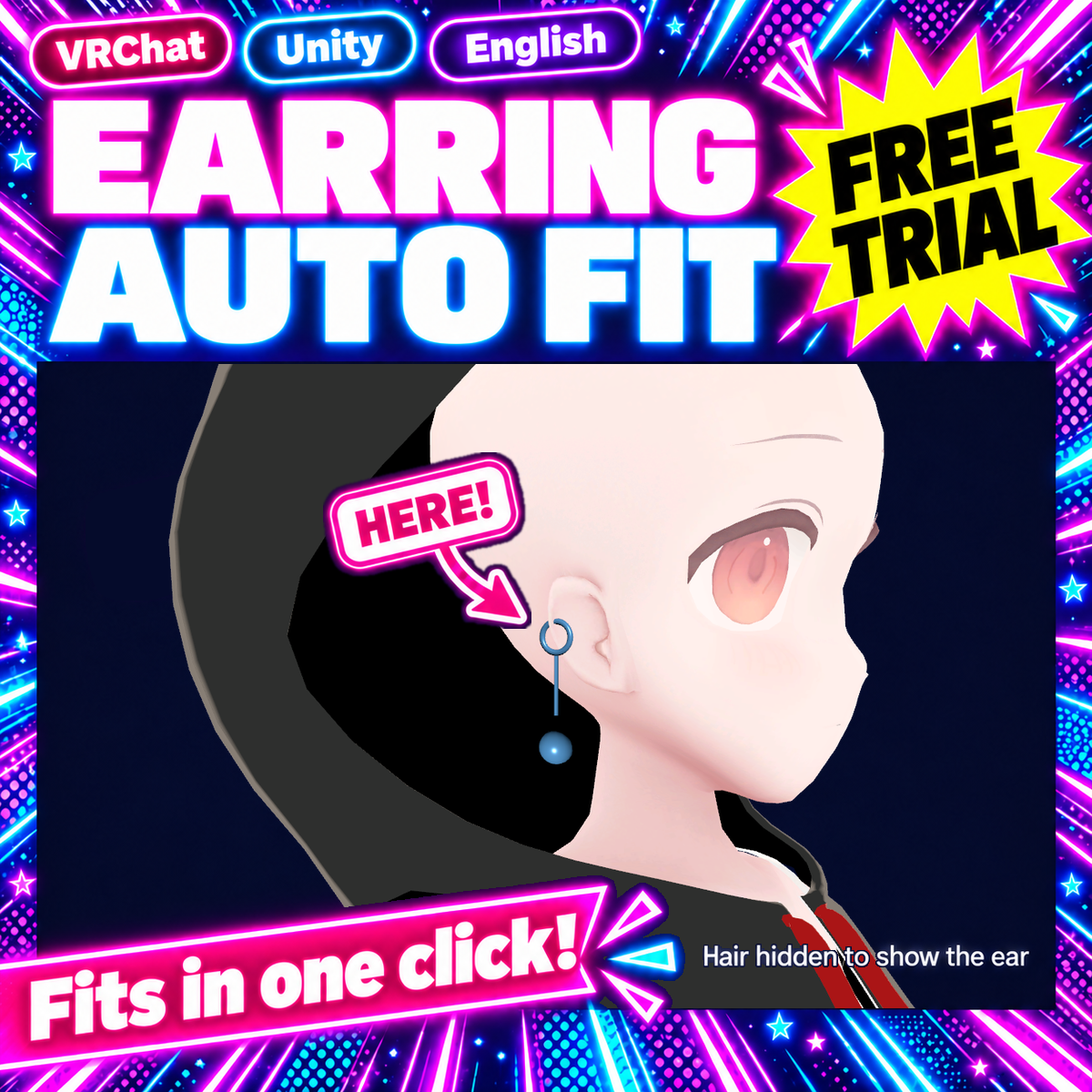
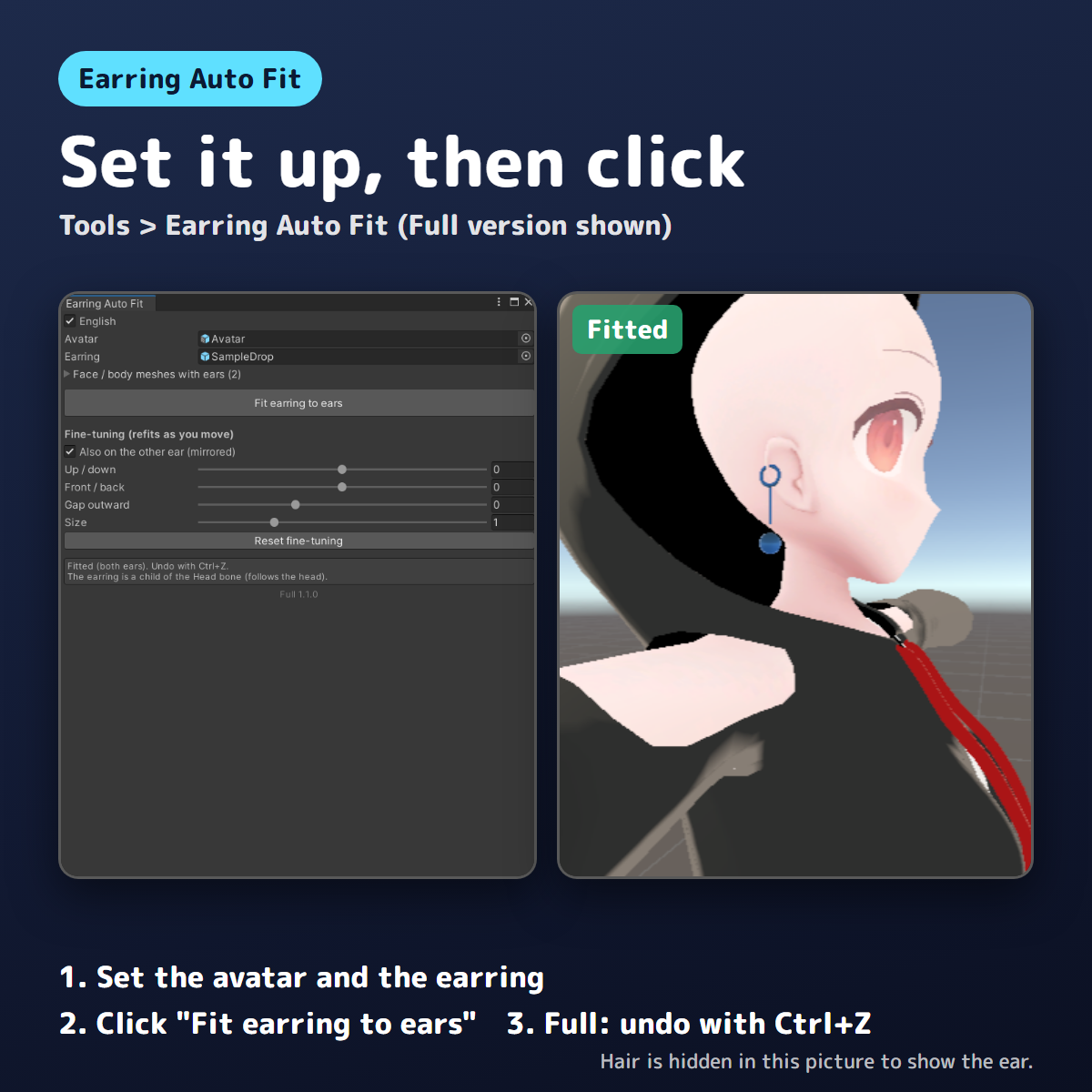
Earring Auto Fit is a Unity editor extension that puts earrings on your avatar's earlobes in one click. It finds the ears in the face mesh and places the earring on the earlobe. A single earring goes on the ear it is placed near; a left/right pair is sized to the distance between the earlobes and put on both ears. The earrings follow the head (Modular Avatar BoneProxy if present, otherwise they become a child of the Head bone). Original meshes and textures are not modified. Undo with Ctrl+Z.
For avatars with human ears (it cannot be used on avatars that only have animal ears).
No earring or avatar models are included (tool only).
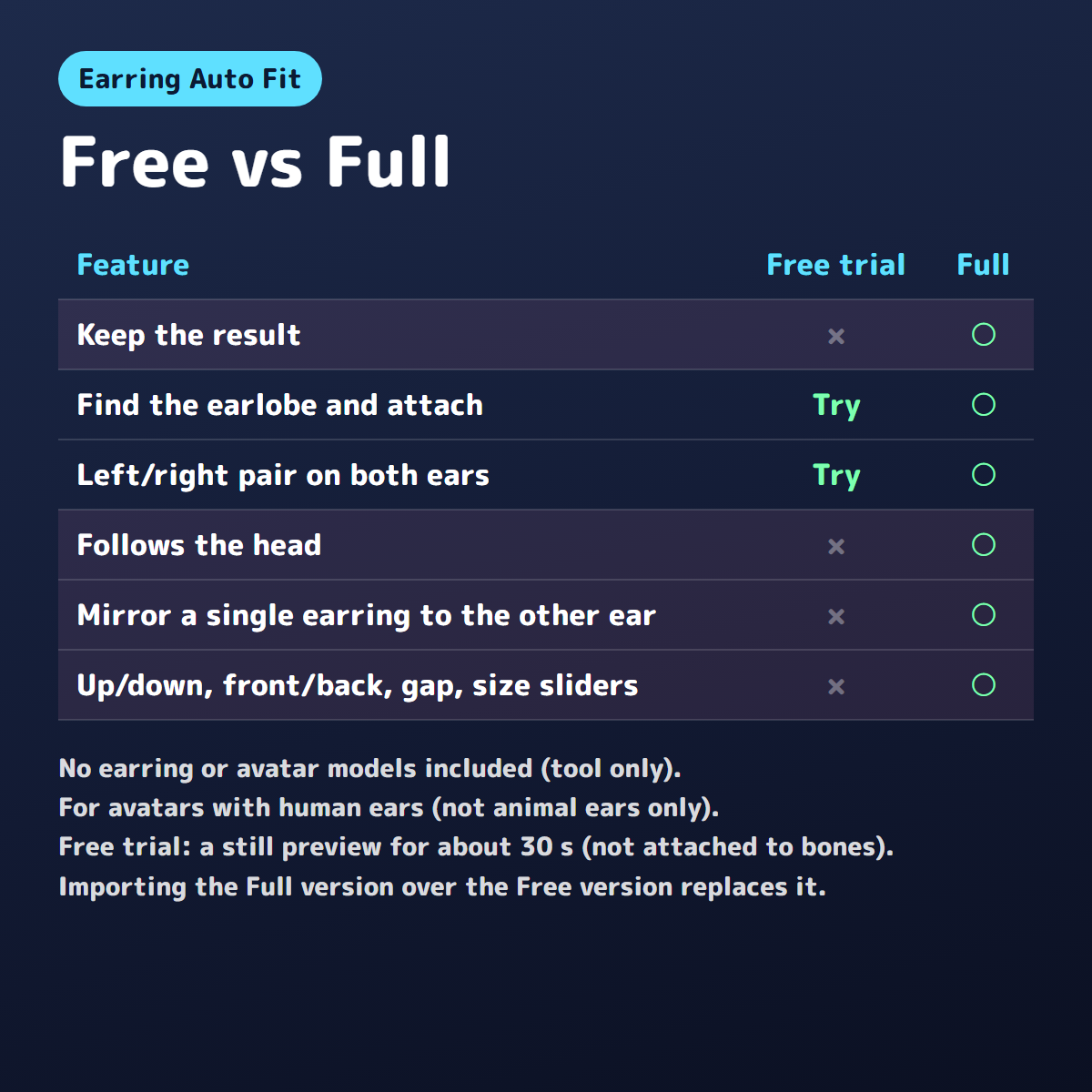
Free vs Full
- Free trial: try the one-click fit on your own avatar. The result is shown as a still picture in the Scene view for about 30 seconds, without changing your objects. It is not attached to bones, so it does not follow when you move the avatar, and it is not saved in the scene, prefabs or uploads. It ends after about 30 seconds, with "End the preview now" in the window, or when you save or close the scene, enter Play mode, build for upload or close the window. Ctrl+Z does not end it (Ctrl+Z undoes your own edits).
- Full: keeps the result, can put a mirrored copy of a single earring on the other ear, and adds sliders for up/down, front/back, gap outward and size.
Try the Free trial with your own earrings and avatar first to see how it fits. Importing the Full version over the Free version replaces it.
Carefully tested before release
Made by Kotokoto Lab, an independent creator. Of 4 free avatars, the 2 with human ears were tested with 7 earrings: 3 free earrings from BOOTH (hook, chain and dangling) and 4 simple self-made samples (stud, hoop, dangling and a left/right pair). In all 14 combinations, with the hair hidden and both ears viewed from the side, the earrings went on both earlobes (including the Full version's mirror to the other ear and the left/right pair). With the current Free trial (v1.1.2), the preview appears, your objects are not changed, and it ends when the window is closed. On the 2 avatars with only animal ears, "No ears found" is shown and nothing is changed.
A single earring keeps the size it has in the scene. A left/right pair is resized to the distance between the ears, so it may look big on avatars with small ears (fix it with "Size" in the Full version). Finding the ears can take a few seconds.
Requirements
Unity 2022.3 (tested on 2022.3.22f1), Humanoid avatar with human ears in the face (head) or body mesh. Works without Modular Avatar.
How to install
- Download the .unitypackage (Free or Full) and drag it into the Project window, then click Import.
- Open Tools > Earring Auto Fit. The window has an "English" checkbox at the top.
Terms
OK for personal and commercial use. Photos and videos of avatars fitted with this tool can be posted anywhere (no credit needed). Do not redistribute or resell the tool. Follow each creator's terms for avatars and earrings. Use at your own risk; back up important projects first.
Questions or bug reports: please send a message through the shop.