Product Description
This product contains AI-generated content.
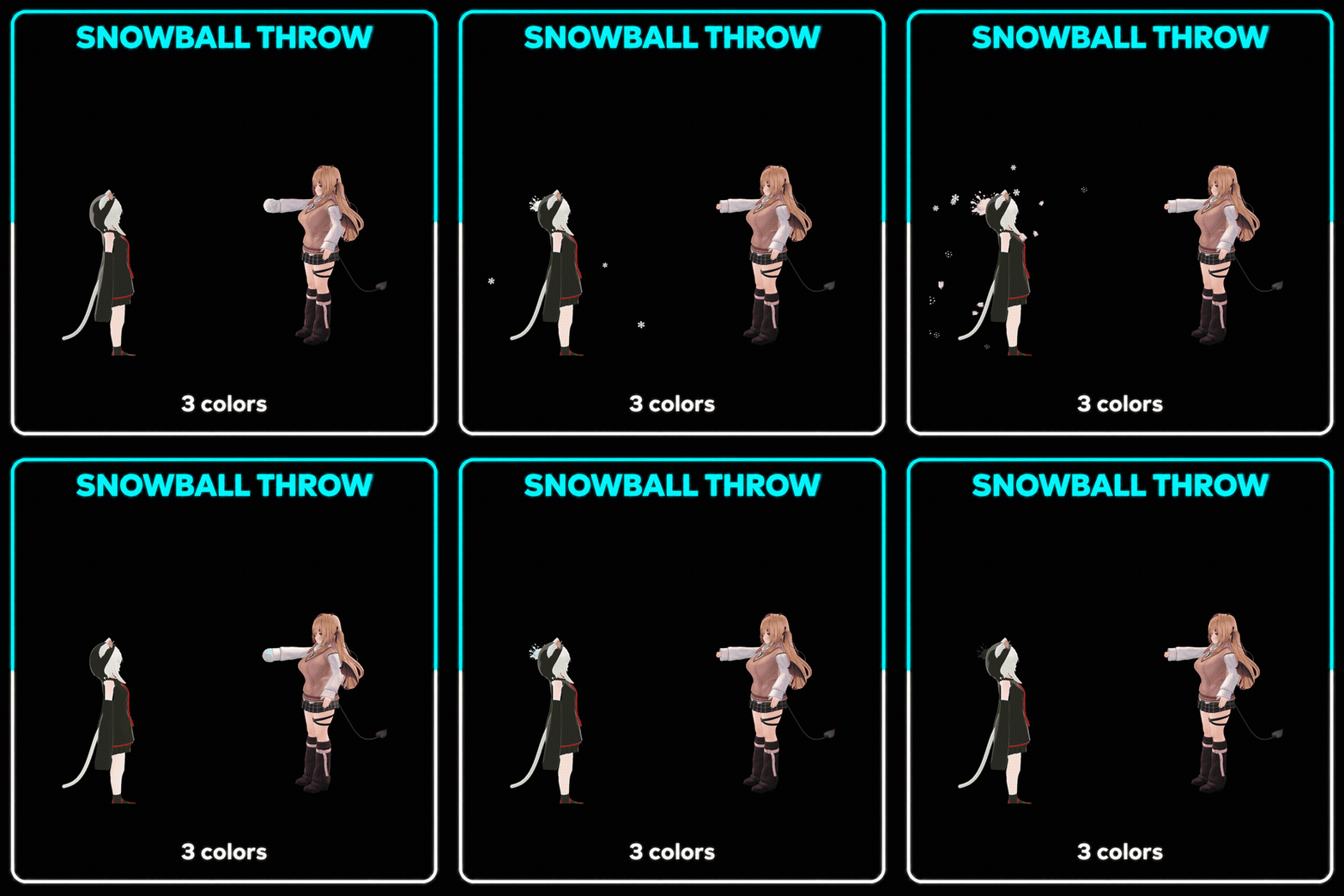
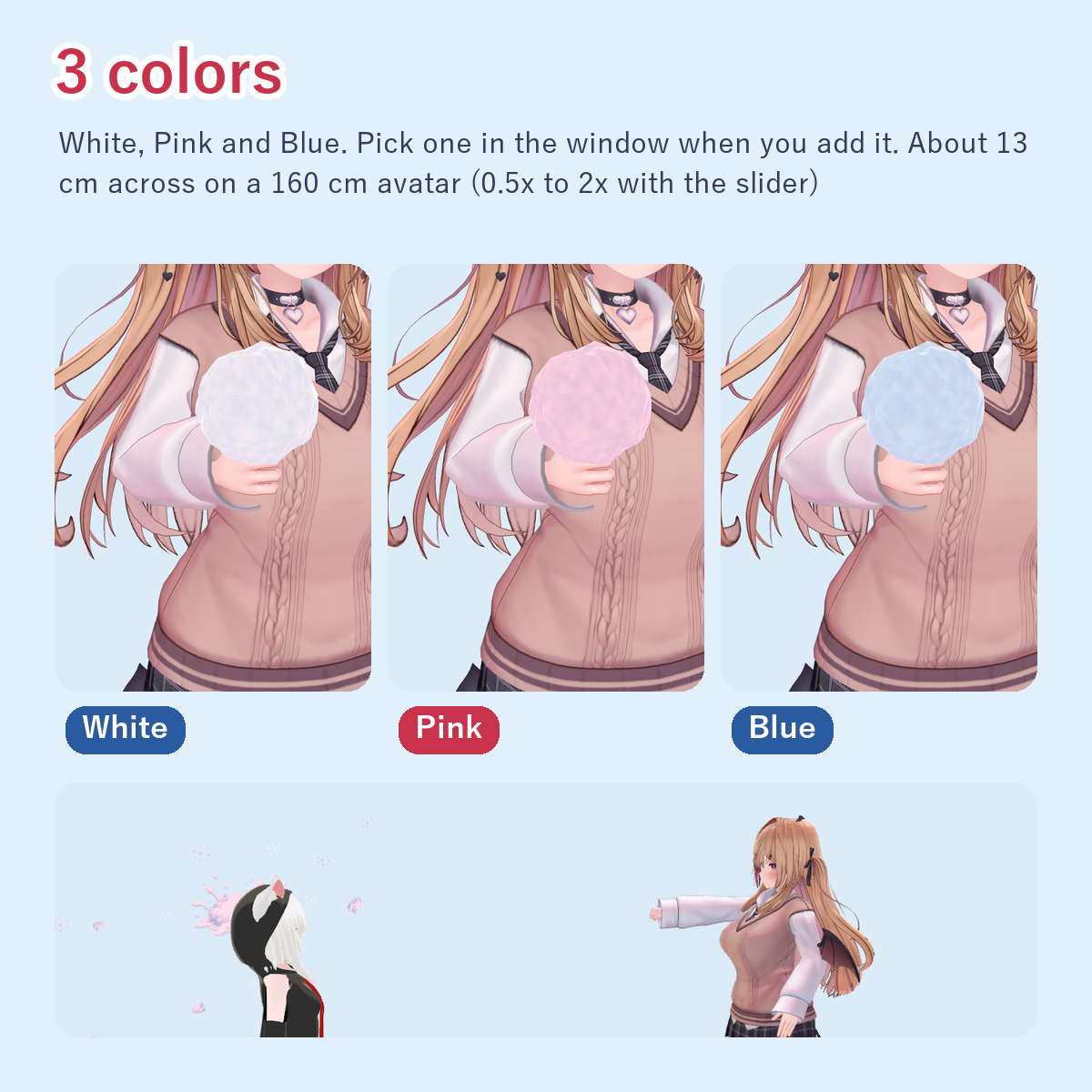
A throwable snowball for winter hangouts and pretend snowball fights. It comes in 3 colors: White, Pink and Blue.
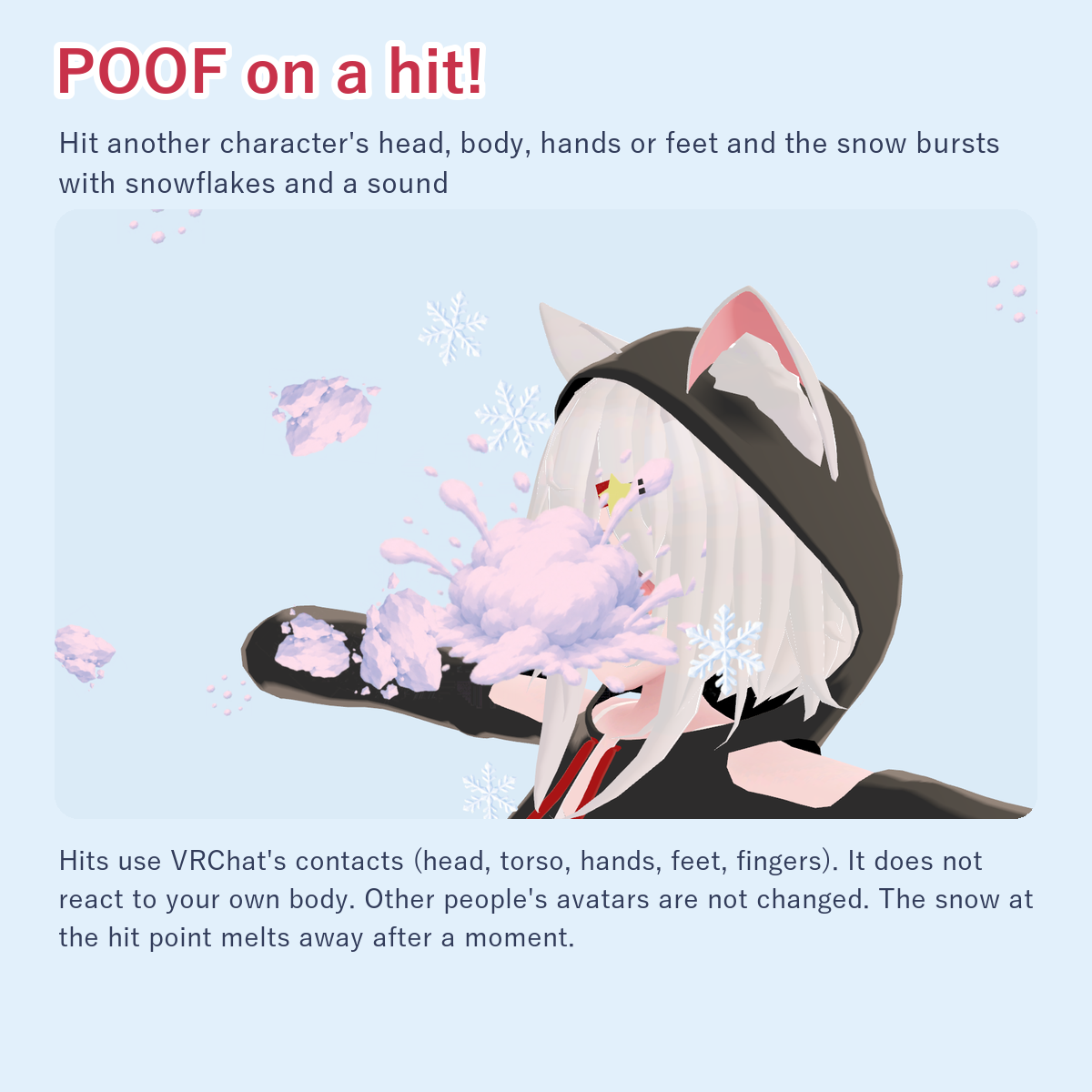
Turn it on in the menu and you hold a snowball in your throwing hand. Throw it and it flies straight ahead of your body. If it hits another character's head, body, hands or feet, the snow bursts with a soft "poof", snowflakes float and a sound plays. The burst of snow at the hit point melts away after a moment.
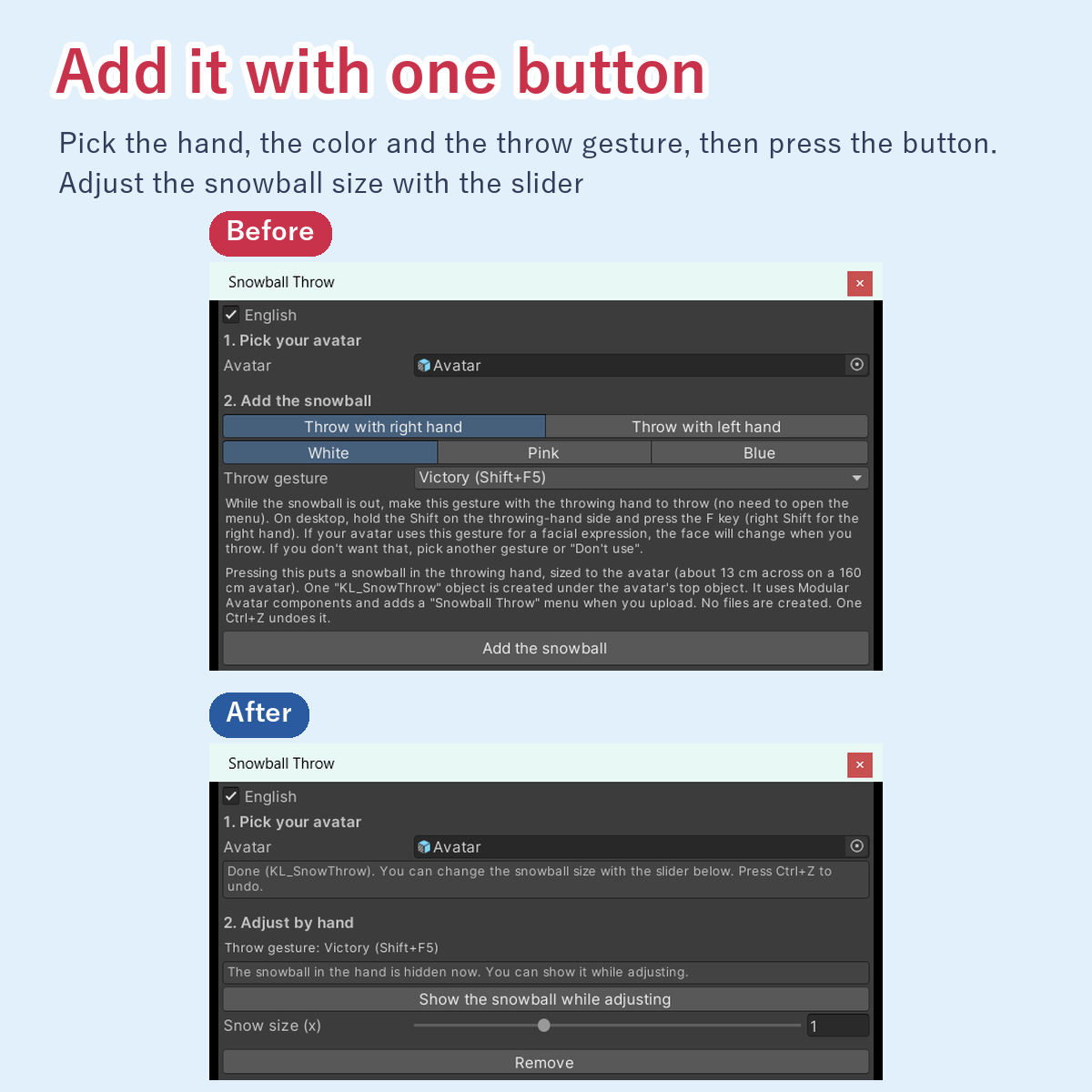
One button adds it to your avatar. Adjust the snowball size with a slider.
Good for
- Pretend snowball fights at winter events and hangouts
- Christmas and New Year photo meetups
- Hit-moment photos
- A little mischief in role-play
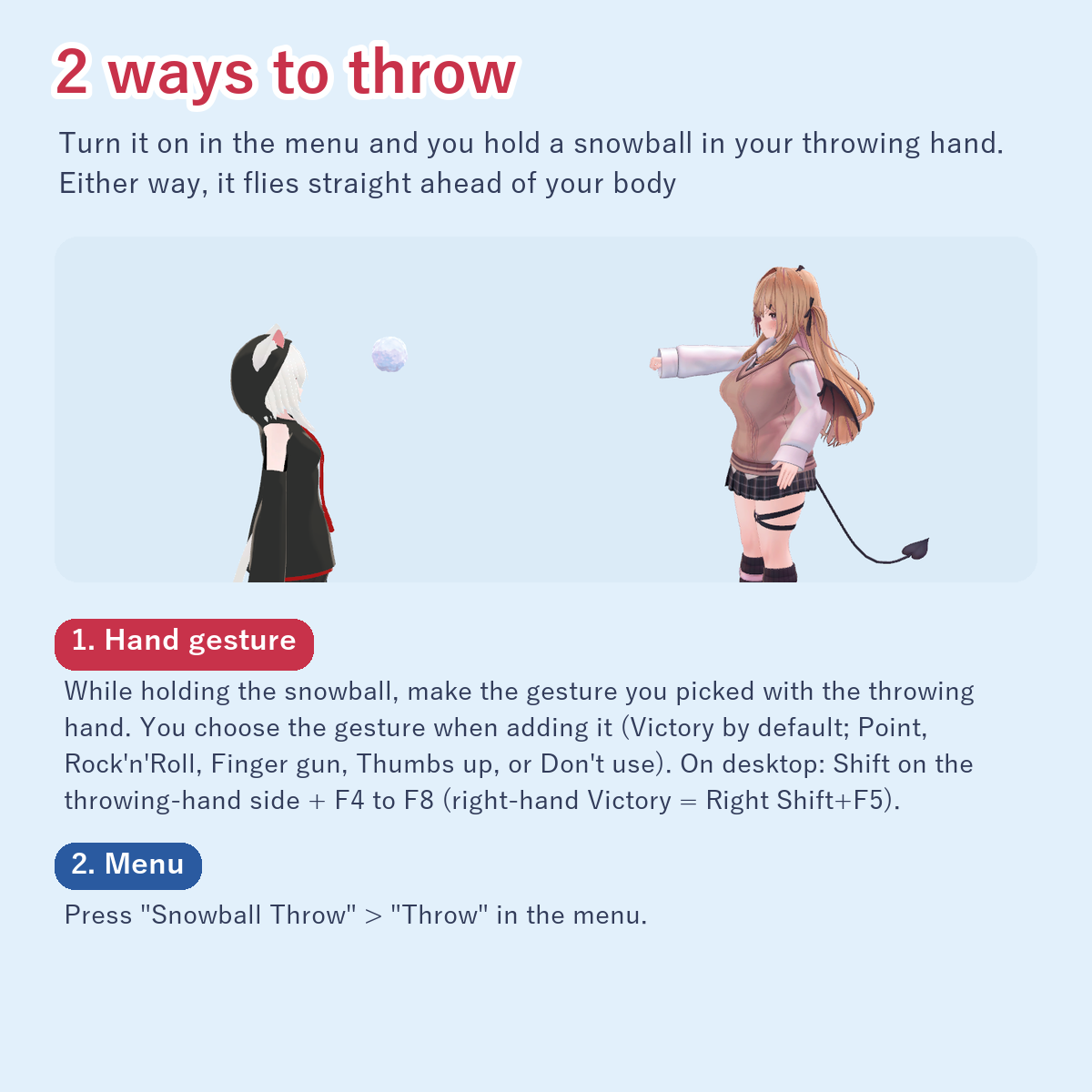
2 ways to throw
Either way, the snowball flies in an arc straight ahead of your body.
1. Hand gesture: while holding the snowball, make the gesture you picked with the throwing hand. No need to open the menu. You choose the gesture when adding it (Victory / peace sign by default; Point, Rock'n'Roll, Finger gun, Thumbs up, or Don't use). On desktop, hold the Shift key on the throwing-hand side and press an F key (right-hand peace sign = Right Shift+F5; Point F4, Rock'n'Roll F6, Finger gun F7, Thumbs up F8). To throw again, go back to a neutral hand first (on desktop: Shift+F1).
2. Menu: press "Snowball Throw" > "Throw" in the menu.
Features
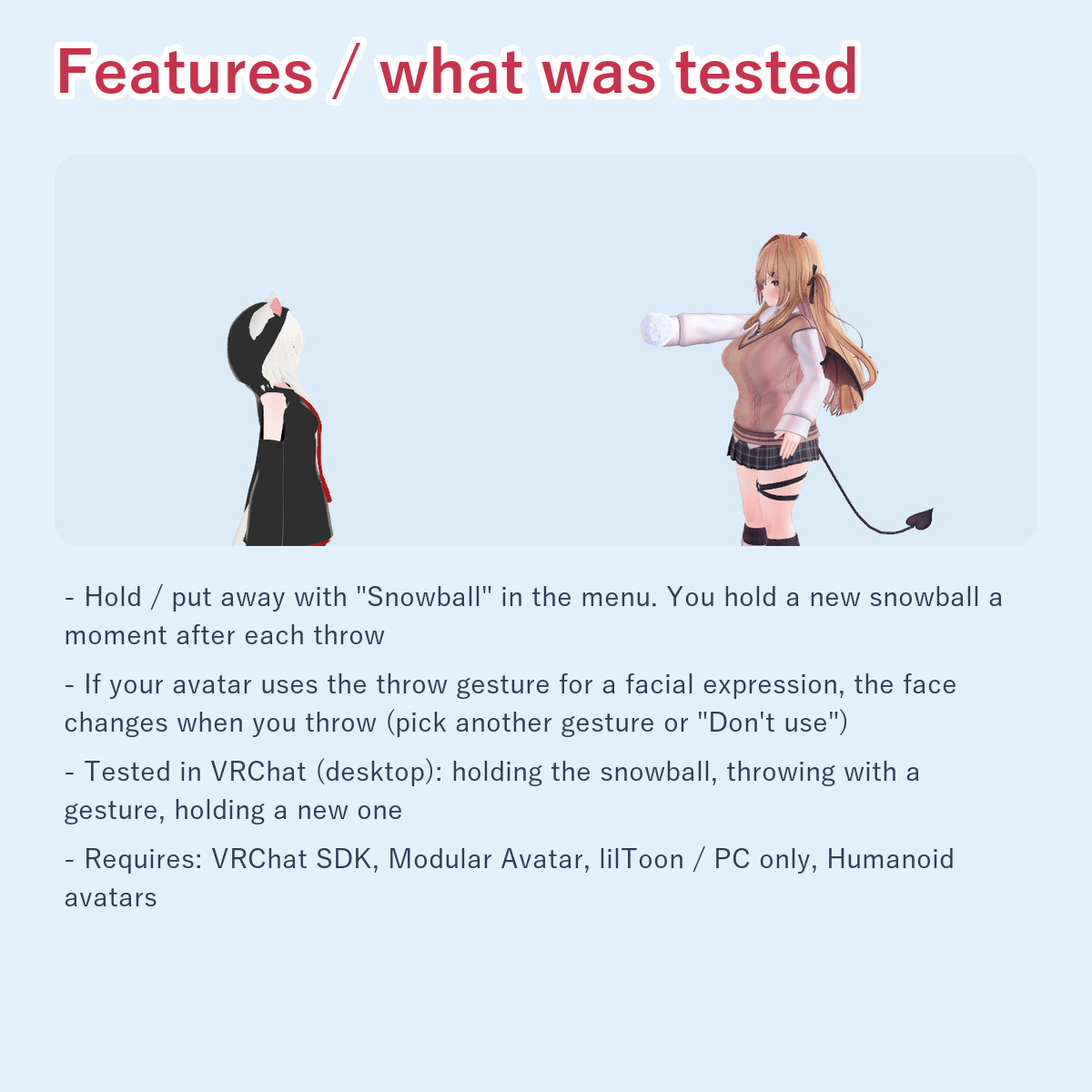
- Hold / put away the snowball with "Snowball" in the menu. You hold a new one a moment after each throw (after a hit, once the snow is gone)
- Hitting another character's head, body, hands or feet makes the snow burst with snowflakes and a sound
- One-button setup; pick the throwing hand (right or left), the color and the throw gesture
- Snowball size (0.5x to 2x) can be adjusted by hand
- Remove it with one button (or Ctrl+Z). To change the color, hand or gesture, remove it and add it again
Notes
- The snowball flies straight ahead of your body (hips), not where your head is looking. To hit someone beside you, turn your body
- If your avatar uses the chosen gesture for a facial expression, the face changes when you throw. Pick another gesture or "Don't use" if you do not want that
- The snowball is about 13 cm across on a 160 cm avatar. The throw distance scales with the size
- While the snowball is out, the throwing hand stays closed (no hand signs on that hand)
- Hits use VRChat's contacts (head, torso, hands, feet, fingers). It does not react to your own body. On walls and floors it flies on and disappears
- Other people's avatars are not changed. Snow stays at the hit point for a moment. The hit effect and sound run in each person's own VRChat
- PC only. For Humanoid avatars with the index, middle and little finger bones assigned
- Uses 3 synced parameters (3 bits)
- Requires Unity 2022.3, VRChat SDK (Avatars; tested with 3.10.5), Modular Avatar (tested with 1.18.7) and lilToon (tested with 2.3.4)
- Tested in VRChat on desktop (holding the snowball, throwing with the peace-sign gesture, holding a new one after a throw) and passed the VRChat SDK Build & Test
- The video recreates the motion in Unity (the snow is shown at its real size)
Contents
- Snowballs in 3 colors (1,280 triangles), effects (4 particle systems, 2 sounds), animators (FX, Gesture), the setup window (Japanese / English)
Terms: use and modify on your own avatar OK / streams, videos and photos OK / redistribution or resale not allowed
Developed with AI assistance (coding and testing). The store cover frame and the snowflake sprites were made with generative AI.