Product Description
This product contains AI-generated content.
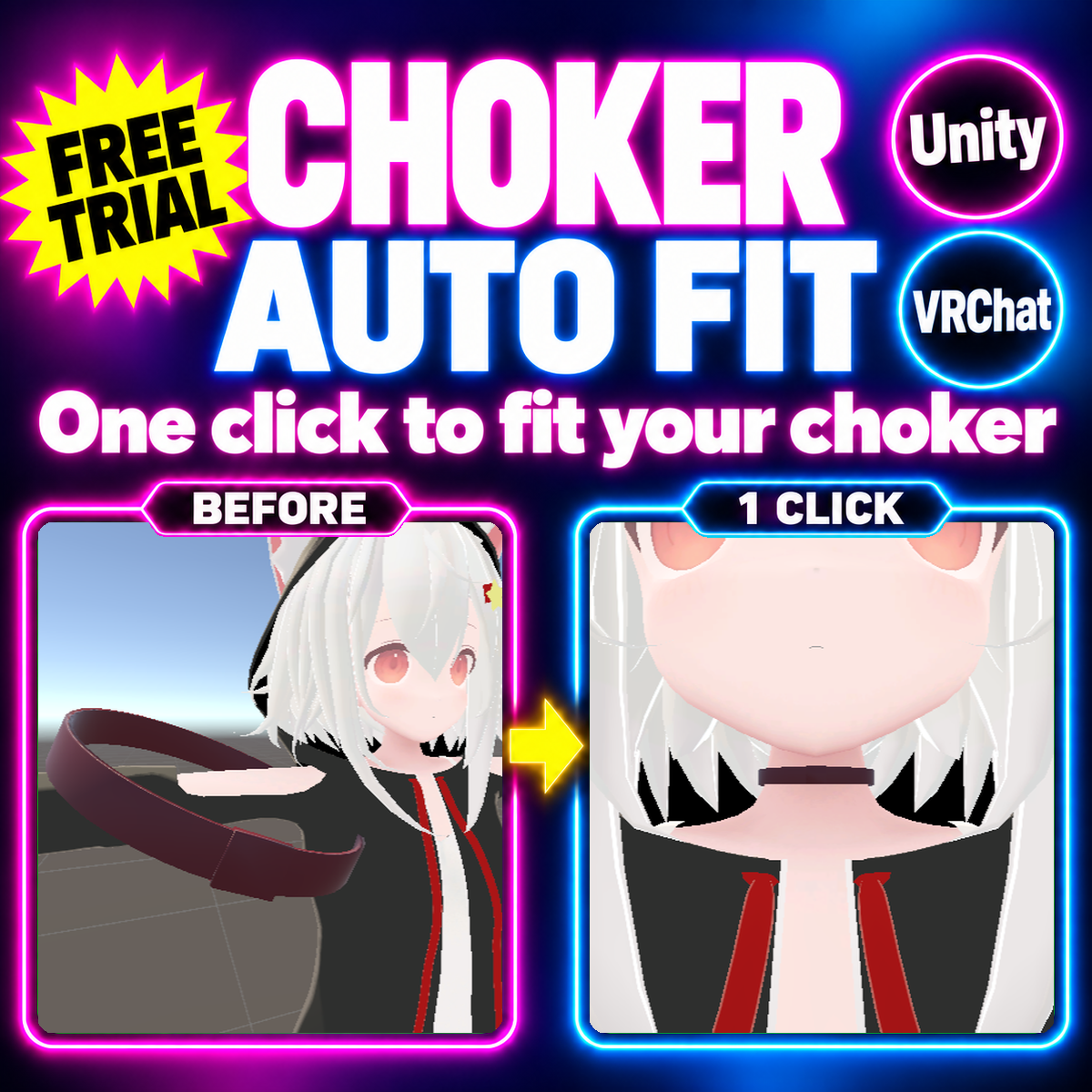
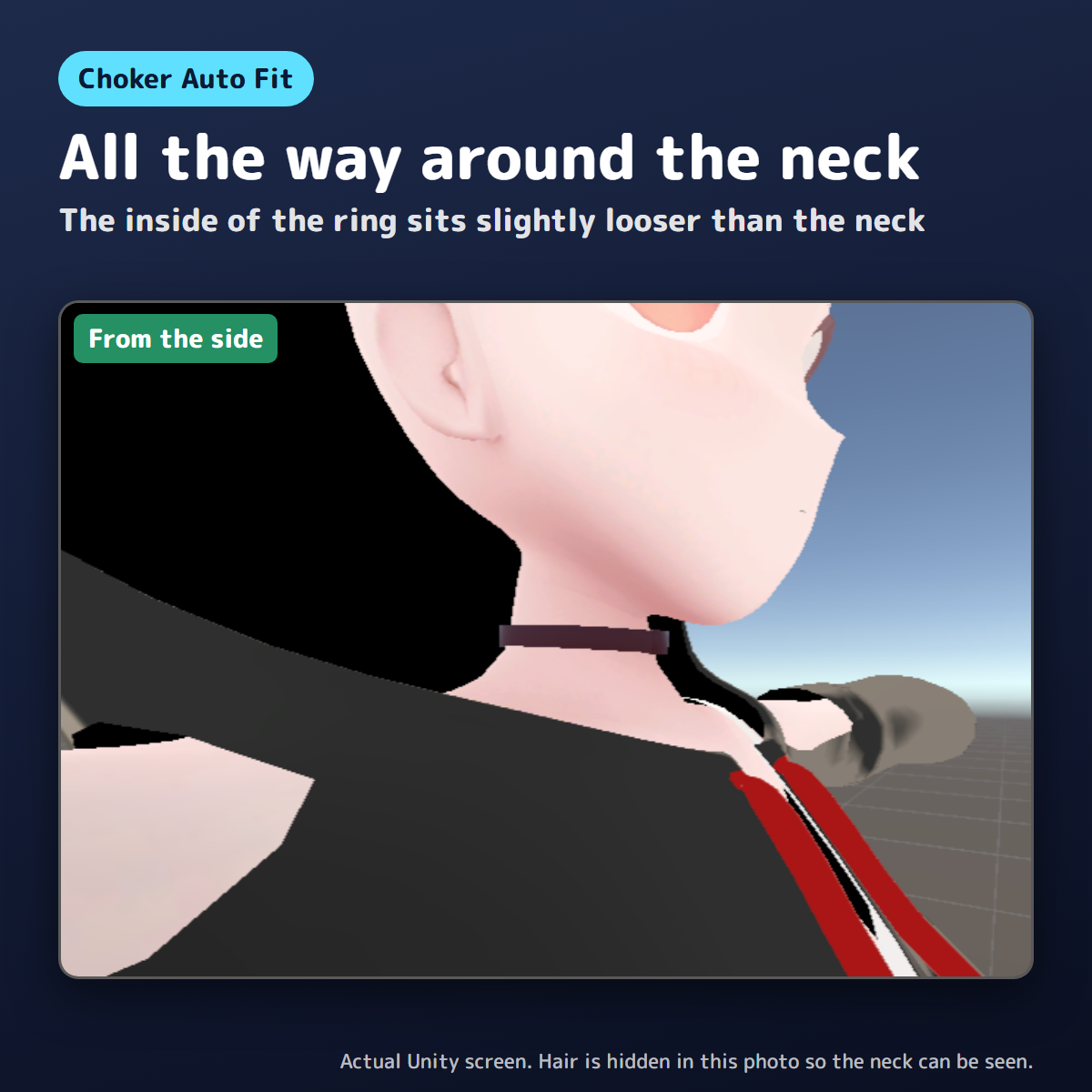
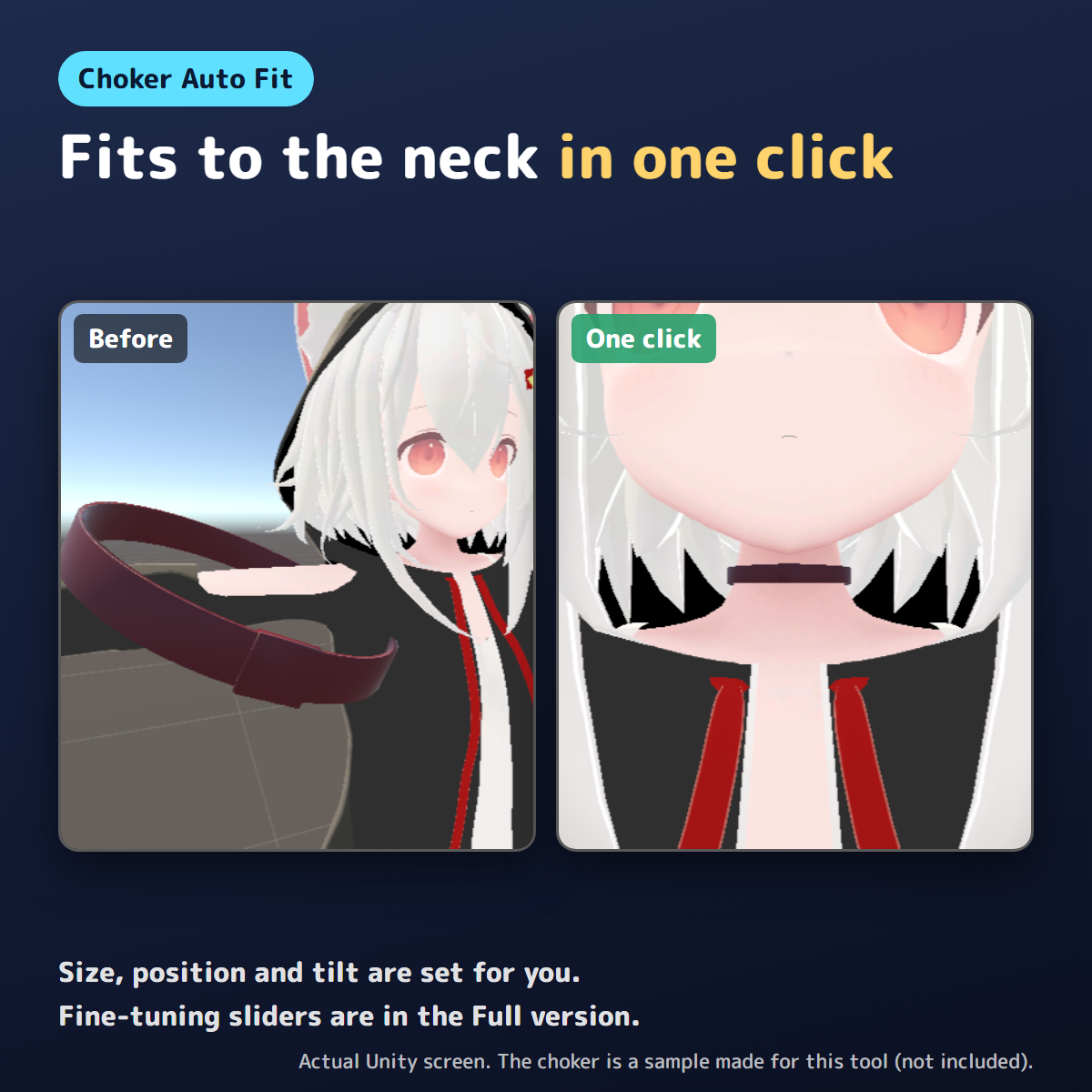
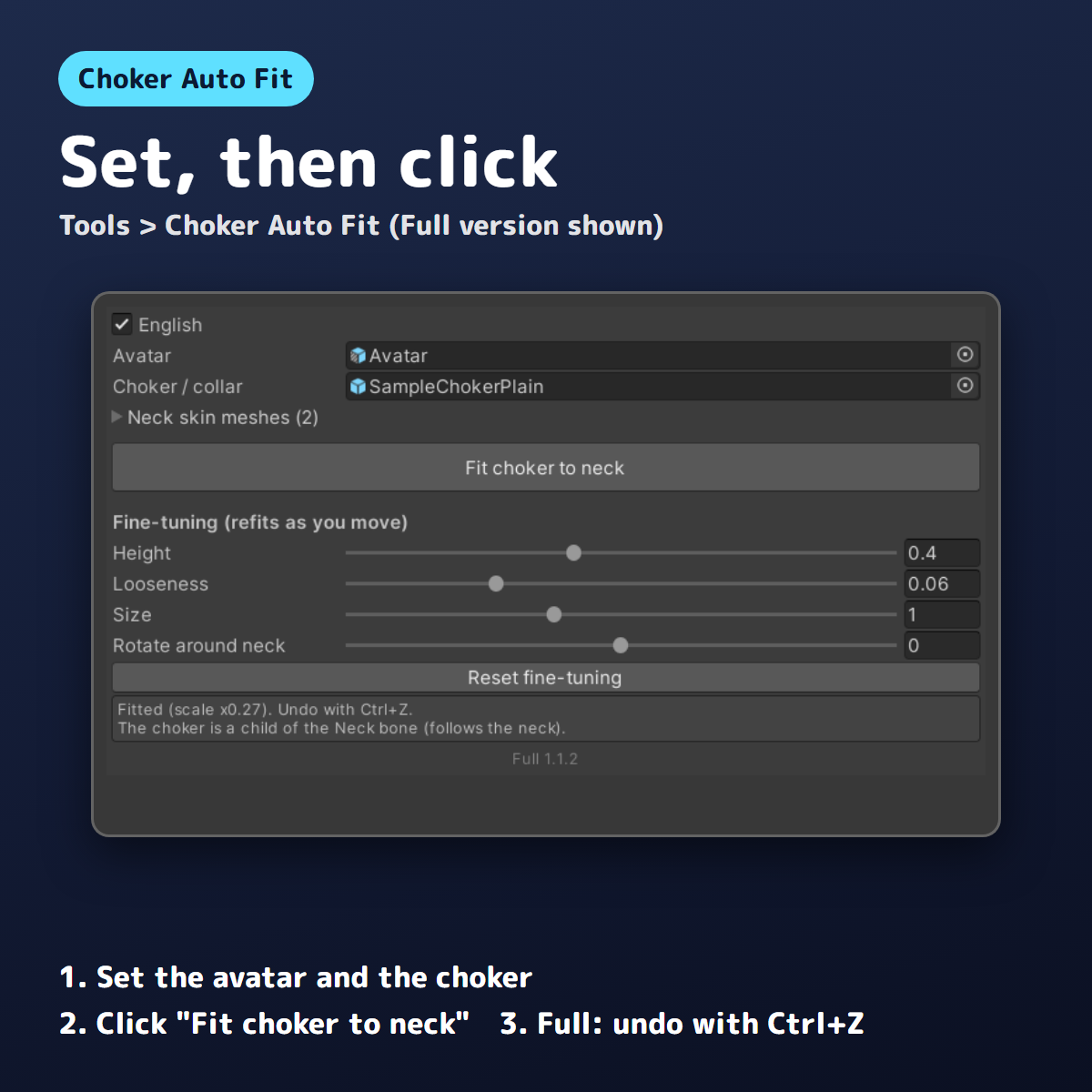
Choker Auto Fit is a Unity editor extension that fits a choker or collar to your avatar's neck in one click. It measures the neck's thickness from the neck skin mesh and its tilt from the neck bones, then sets the choker's size, position and tilt so the inside of the ring sits slightly looser than the neck. The choker follows the neck (Modular Avatar BoneProxy if present, otherwise it becomes a child of the Neck bone). Original meshes and textures are not modified. Undo with Ctrl+Z.
No choker or avatar models are included (tool only).
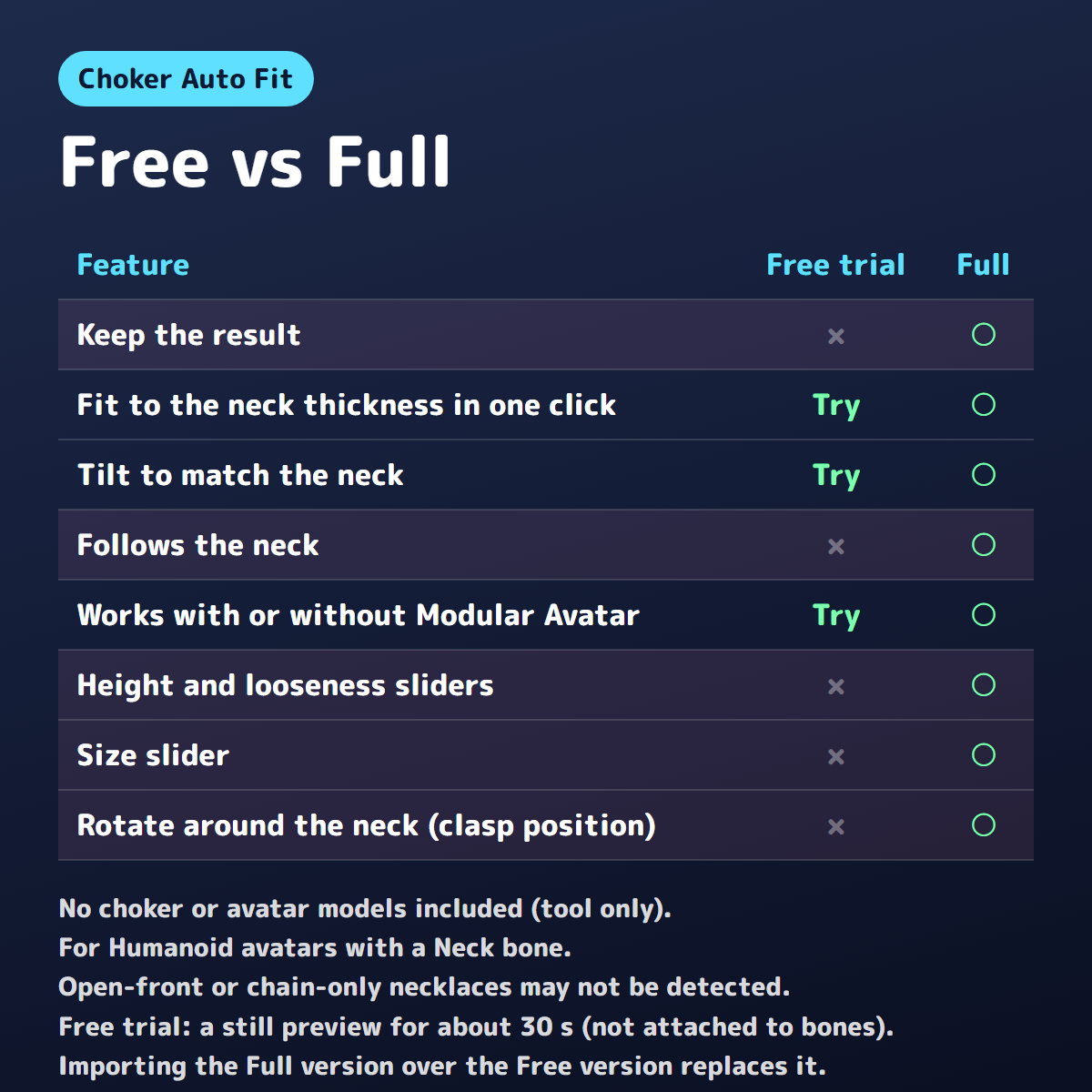
Free vs Full
- Free trial: try the one-click fit on your own avatar. The result is shown as a still picture in the Scene view for about 30 seconds, without changing your objects. It is not attached to bones, so it does not follow when you move the avatar, and it is not saved in the scene, prefabs or uploads. It ends after about 30 seconds, with "End the preview now" in the window, or when you save or close the scene, enter Play mode, build for upload or close the window. Ctrl+Z does not end it (Ctrl+Z undoes your own edits).
- Full: keeps the result, plus sliders for height, looseness, size and rotation around the neck.
Try the Free trial with your own chokers and avatar first to see how it fits. Importing the Full version over the Free version replaces it.
Carefully tested before release
Made by Kotokoto Lab, an independent creator. This version was tested on 3 popular free avatars plus the chibi version of one of them, with free chokers from BOOTH and our own samples. The results — including where it does not work well — are written below.
Open-front or chain-only necklaces may not be detected. On chibi avatars with very short necks, the choker may be hidden by clothes or the chin. Tested with 9 chokers (including 4 from 3 free BOOTH items, 2 of them skinned) on 4 avatars. On the 3 adult-sized avatars, position and size stayed the same after the upload-time processing (Modular Avatar / Avatar Optimizer), including BoneProxy and Merge Armature setups.
Requirements
Unity 2022.3 (tested on 2022.3.22f1), Humanoid avatar with a Neck bone. Works without Modular Avatar.
How to install
- Download the .unitypackage (Free or Full) and drag it into the Project window, then click Import.
- Open Tools > Choker Auto Fit. The window has an "English" checkbox at the top.
Terms
OK for personal and commercial use. Do not redistribute or resell the tool. Follow each creator's terms for avatars and accessories. Use at your own risk; back up important projects first.
Questions or bug reports: please send a message through the shop.