
Product Description
Live PhysBone Preview in Edit Mode
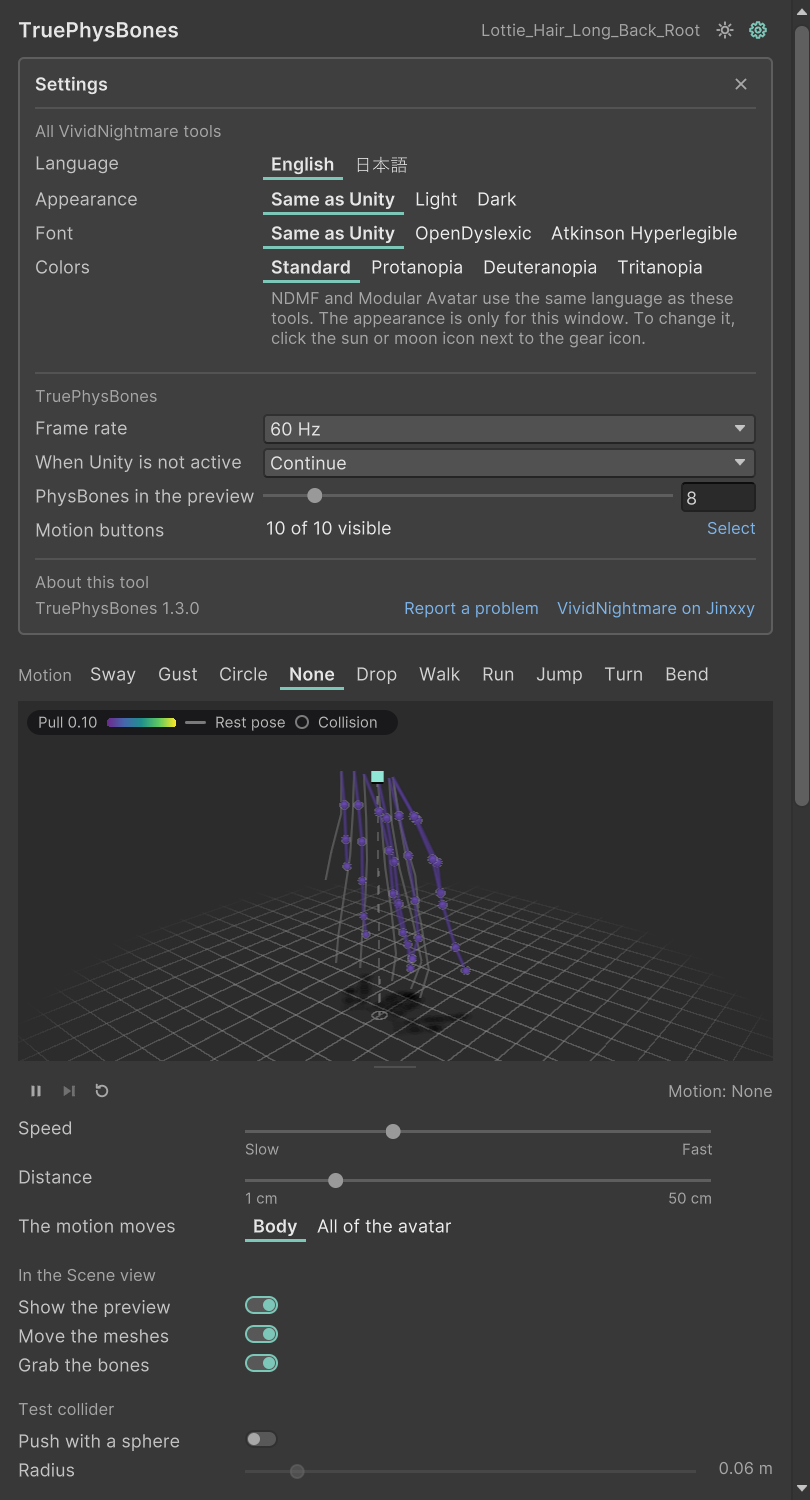
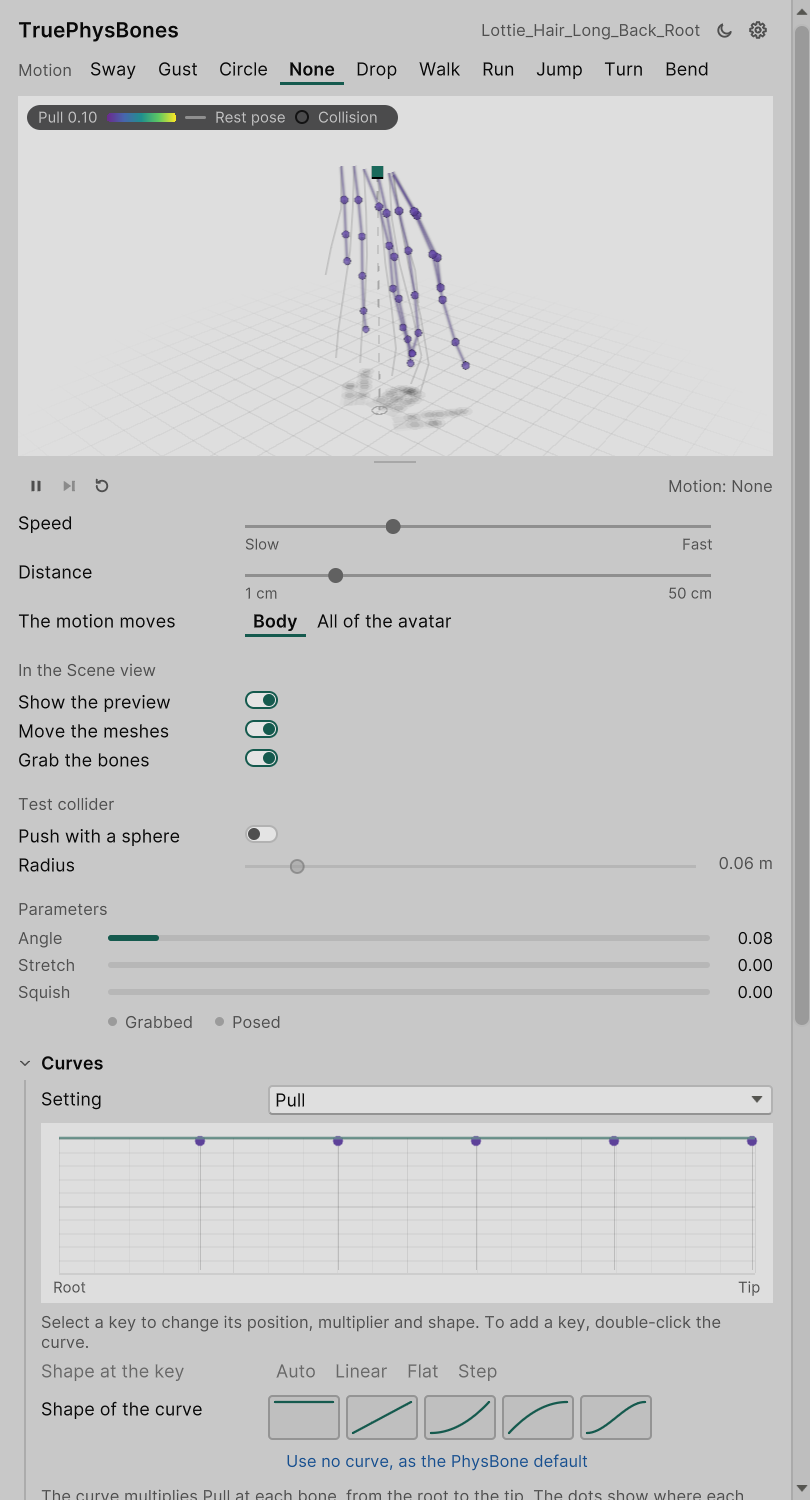
See exactly how your PhysBones will move, without entering Play mode. Tune pull, spring, stiffness, gravity, limits and per-bone curves while a faithful simulation of your actual bone chains reacts in real time, and watch your clothes and hair move with it.
New in 1.3
- NEW: A cleaner PhysBone inspector. VRChat's settings sit in plain sections under the preview: Chain, Forces, Limits, Collision, Stretch and squish, Grab and pose, and Options. Closed sections still show their values, and the header shows what the PhysBone costs in performance.
- NEW: Collision, grabbing and posing are simple choices: Everyone, Only me, Only others or Nobody.
- NEW: A curve button next to each setting opens its curve right under the preview.
- NEW: A redesigned preview with a floor and a shadow, so jumps, drops and bends read at a glance. Drag anywhere on it to turn the view.
- NEW: Body motions in every preview: walk, run, jump, turn and bend.
- Prefer VRChat's own inspector? You can scroll down to toggle the original one.
Made for everyone
- NEW: Dark and light mode. The tool follows Unity's theme, and the preview window can also be set to Light or Dark on its own.
- NEW: Colours for colour blindness, with palettes for protanopia, deuteranopia and tritanopia. Icons and words also show each state, so nothing depends on colour alone.
- NEW: Reading fonts. Switch the whole tool to OpenDyslexic or Atkinson Hyperlegible (both free; install the font once).
- NEW: English and Japanese. The language follows NDMF's and Modular Avatar's setting.
- NEW: A tooltip on every control, and every PhysBone setting names the VRChat setting it changes.
- These settings are shared by every VividNightmare tool, so you set them once.
Preview everywhere you work
- Inspector preview: a live 3D viewport right under the VRCPhysBone inspector. Drag a slider or a curve key and the motion changes instantly.
- Scene preview: the same simulation drawn over your avatar in the Scene view. Drag the avatar around and the chains trail, swing and settle.
- Live Mesh Preview: the real mesh moves with the simulation. Skirts, hair, clothing and accessories move in the Scene view before you press Play, even when several PhysBones drive one mesh. Nothing on your avatar is changed.
Testing, testing, testing
- Grab and pose chains the way you would in game, with angle limits and stretch. Release with Pose on and the chain holds its shape.
- Grab the preview joints directly in the Scene view.
- Looping test motions: sway, gust, circle and drop. Set them to move the whole avatar to see which chains stay put, just like in game.
- Preview at the frame rate of a VR headset (72, 90, 120 or 144 Hz). PhysBones can move slightly differently there than at 60 Hz on desktop.
- Play any AnimationClip in edit mode and watch hair and skirts react to the actual dance or walk.
- Live animator outputs: _Angle, _Stretch, _Squish, _IsGrabbed and _IsPosed update every frame. No more wiring parameter-driven effects blind.
- Edit Pull, Spring, Stiffness, Gravity, Immobile and other per-bone curves in a familiar Unity-style curve editor right under the preview. It shows exactly where each bone reads the curve.
- Preview the colliders assigned to each PhysBone. You can also add a temporary test collider and move it around the Scene view without adding anything to your avatar.
- Take a snapshot of your settings to compare against, show tip trails, and pause to step one frame at a time.
It covers:
- PhysBone versions 1.0 and 1.1
- Simplified and Advanced integration
- limits, collisions, stretching, squishing, grabbing, posing and animated transforms
Requirements
Unity 2022.3 · VRChat Avatars SDK 3.10.4 or newer (tested with 3.10.5)
How do I report issues?
The purchase note in your Jinxxy inventory explains how to report bugs.
Will the add-on be supported with updates and bug fixes?
TruePhysBones will get long-term support for the foreseeable future. It will be ported to Unity 6 when VRChat releases a compatible SDK, and existing customers won't pay again for the Unity 6 version.
License
You may use TruePhysBones in personal and commercial projects. Anything you create with it is fully yours, with no restrictions and no attribution required. The tool embeds nothing in your content, so buyers of avatars you sell or make on commission never need their own copy.
You may not redistribute, resell, share, alter or decompile the tool itself. Full terms are in LICENSE.md.