
Product Description
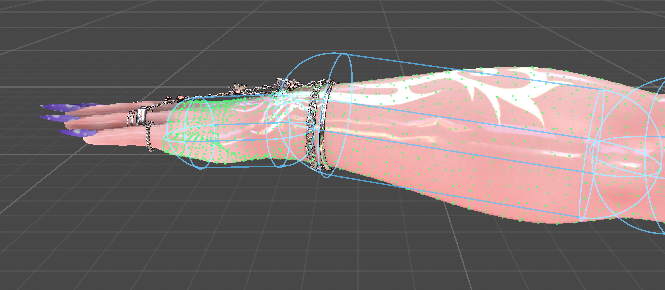
Easy Collider creates tightly fitted VRChat PhysBone colliders straight from your avatar's mesh or from a PhysBone's own radius. Pick the bones, check the preview, and create correctly placed spheres, capsules or boxes in one click.
New in 1.1
- NEW: Improved colliders. Each capsule or sphere is placed where its surface is nearest the skin, instead of being sized to the widest part of the limb. On a test avatar the gap between collider and body fell by 40 to 70%.
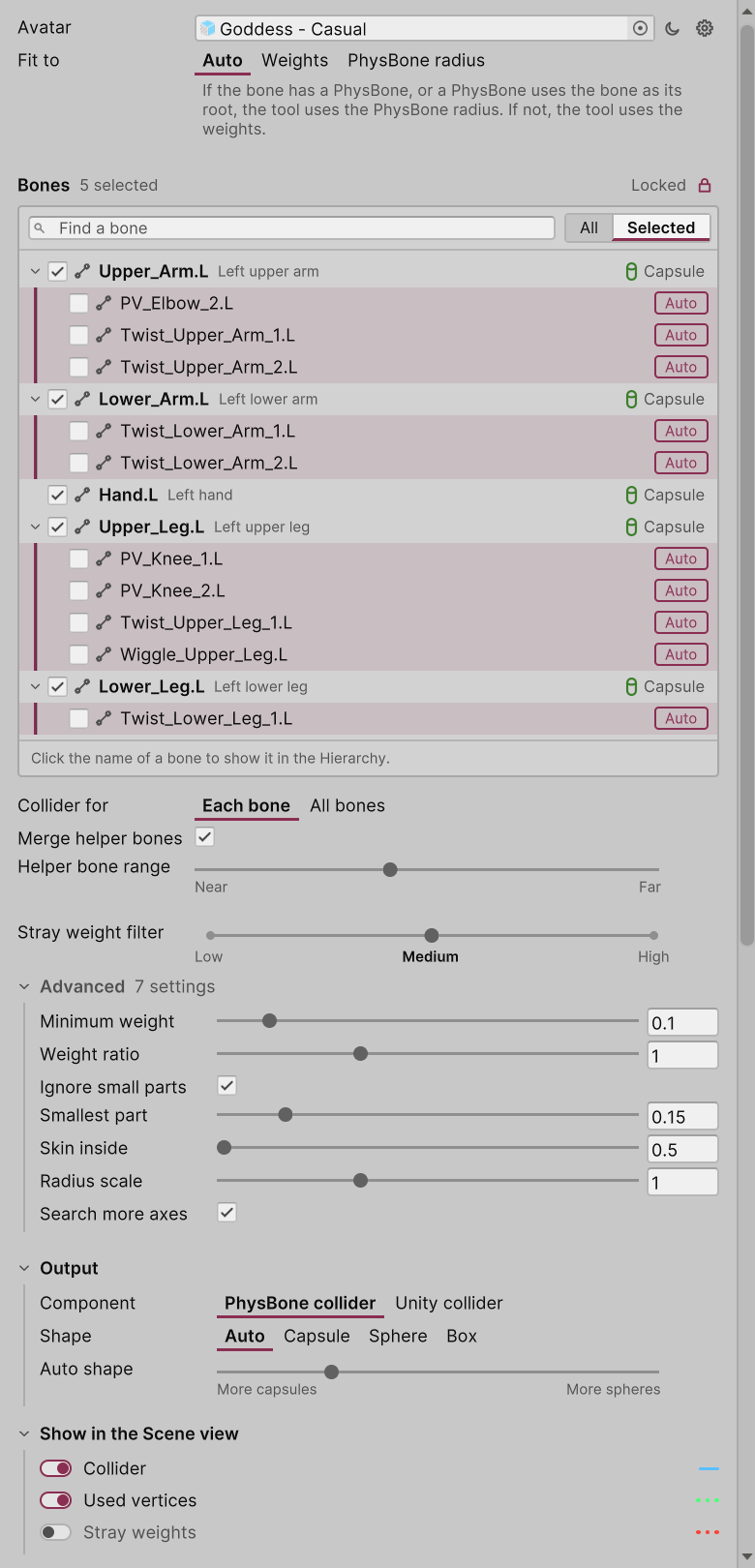
- NEW: "Skin inside" setting. Keep the closest fit, or make the collider larger so more of the body is inside it.
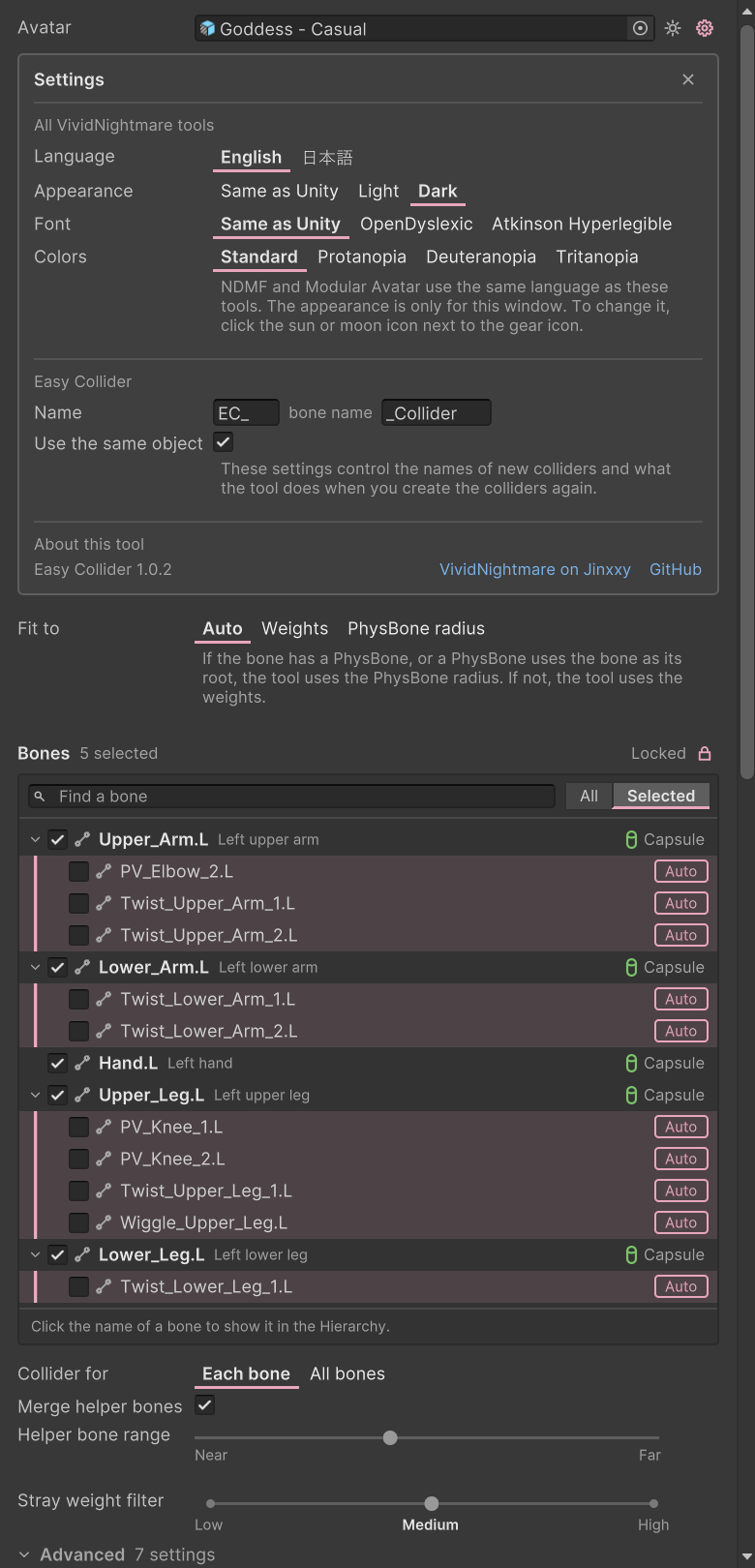
- NEW: Pick bones in a tree of your avatar's bones. Each picked bone shows the shape of its collider, or why it has none.
- NEW: Twist and helper bones are merged into the right collider automatically, and you can merge any child bone with one click.
- NEW: Dark and light mode. The window follows Unity's theme, or you can set it to Light or Dark on its own.
- NEW: Colours for colour blindness, with palettes for protanopia, deuteranopia and tritanopia. In the window, every state also has an icon or a word.
- NEW: Reading fonts. Switch the whole tool to OpenDyslexic or Atkinson Hyperlegible (both free; install the font once).
- NEW: English and Japanese. The language follows NDMF's and Modular Avatar's setting.
Fit to the right thing
- Auto: uses a PhysBone's radius where the bone has one, and the mesh everywhere else.
- Weights: fits the part of the mesh that each picked bone really moves. Stray weights painted far from the bone are filtered out.
- PhysBone radius: fits around the complete simulated chain, including endpoints, radius curves, scale and multi-child chains, and never smaller than the radius you set.
Each collider is created as a child of its bone, so you can still move and adjust it as normal afterwards.
Sphere, capsule or box
Choose the shape yourself, or let Auto pick a sphere or a capsule for each bone. Boxes are available for Unity colliders (PhysBone colliders have no box shape).
Many bones at once
Pick as many bones as you like. Make one collider for each bone, or one collider for all of them together. Easy Collider previews every result and creates them all at once, and one Undo takes them all back.
Running it again updates the colliders it made before, instead of stacking duplicates.
Open it from Tools > VividNightmare > Easy Collider
Requirements
Unity 2022.3 · VRChat Avatars SDK 3.5 or newer (tested with 3.10.5)
How do I report issues?
The purchase note in your Jinxxy inventory explains how to report bugs.
Will the add-on be supported with updates and bug fixes?
Easy Collider will get long-term support for the foreseeable future. It will be ported to Unity 6 when VRChat releases a compatible SDK, and existing customers won't pay again for the Unity 6 version.
License
You may use Easy Collider in personal and commercial projects. Anything you create with it is fully yours, with no restrictions and no attribution required. The tool embeds nothing in your content beyond normal VRChat or Unity colliders, so buyers of avatars you sell or make on commission never need their own copy.
You may not redistribute, resell, share, alter or decompile the tool itself. Full terms are in LICENSE.md.