
Product Description
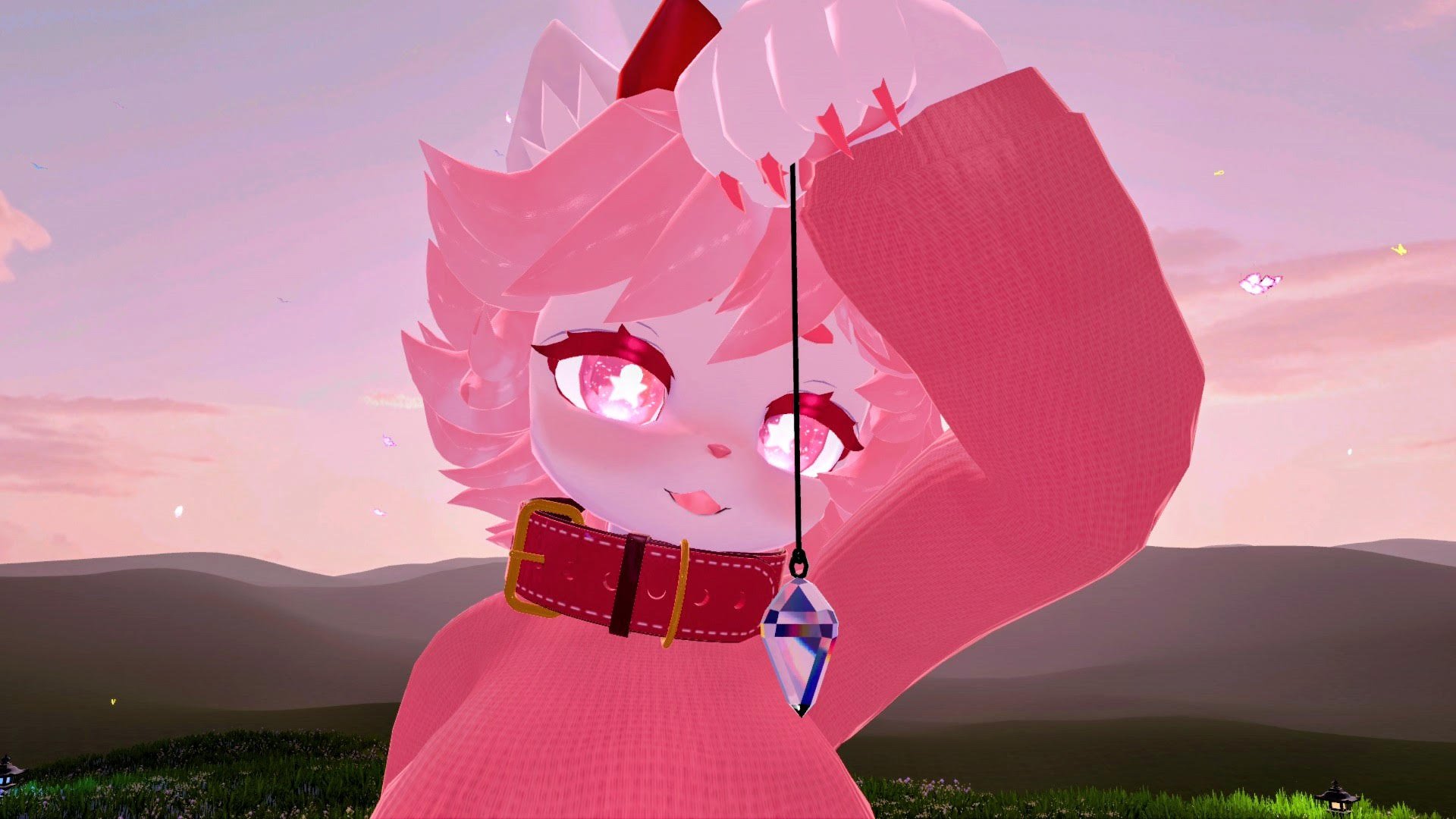
Want to swing a shiny crystal and hypnotize your friends on Quest or PC???
- Made for Quest -- fully compatible and optimized, no separate version, all promos recorded on Quest! (And of course works great on PCVR!)
- Drag and drop installation with VRCFURY
- Rare KNOWN ISSUE on some avatars based on VRC bug -- read below
Features (see video!):
- Quite realistic physics and reactive -- sensitive to motion, bappable, grabbable, swing-around-able
- Drop in world and auto-swing features -- you can place it in front of someone’s face and not tire out your arm
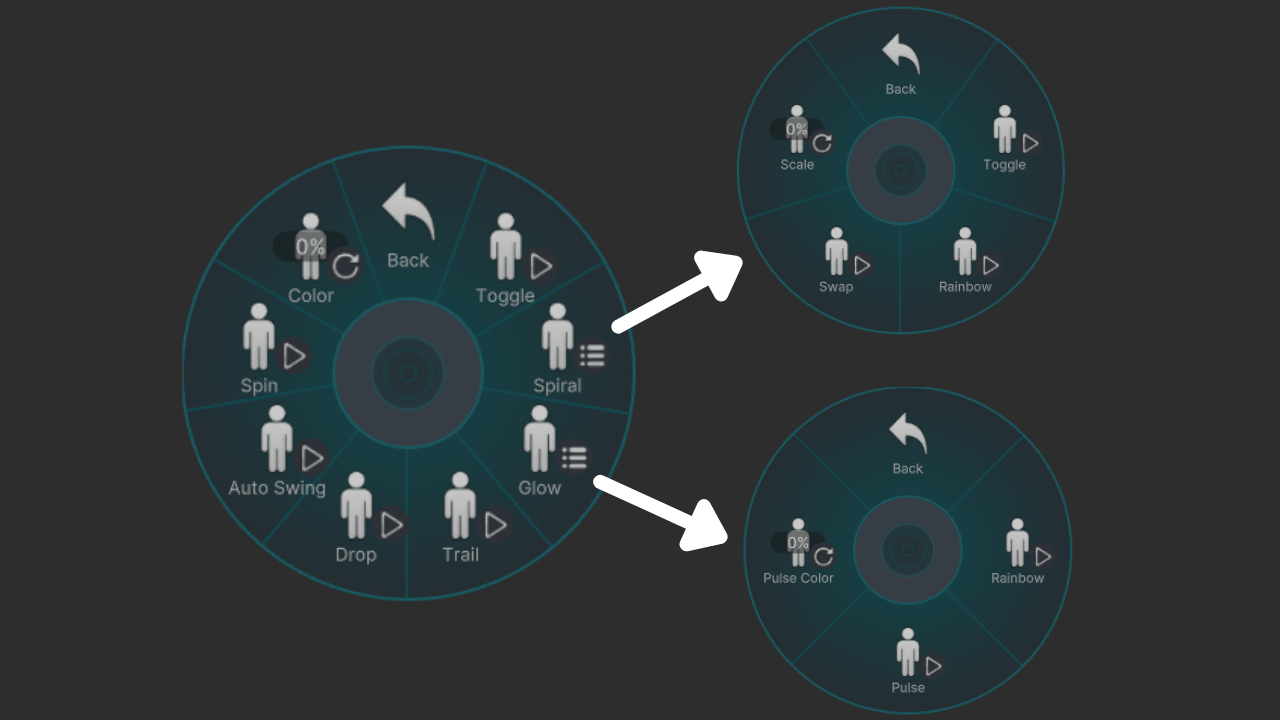
- Quest-compatible spirals -- 2 different spirals you can toggle, scale, and turn rainbow!
- Hue shifting in-game -- if you want a certain colored crystal, you can set it to whatever you’d like (and it will remember your choice)
- Glow modes -- rainbow and pulsing (you can control the color)
- Spinning toggle
- Trail toggle
Specifications:
- ~700 tris
- 1 particle emitter
- 1 trail renderer
- 3 material slots
- 4 materials
- 1 physbone
Contents:
- UnityPackage file
- Installation text file
- License text file
- Credit text file
Requirements:
- VRC SDK Version 3.9 or higher -- under “Manage Project” in VCC, just make sure your SDK is up to date!
- VRCFURY: https://vrcfury.com/
- Please have basic Unity knowledge before purchasing -- while you can contact me with bugs/etc, I cannot provide installation help!
--
General Terms:
- Please just generally be cool and don’t share this with people who haven’t purchased it! This work is what allows me to buy food, pay bills, etc!
- If you are unsure of your specific case, please don’t hesitate to reach out and ask!
- By purchasing this asset, you agree to the terms of use based on the version you purchase
- By purchasing this asset, you agree that I am not responsible for any potential issues caused by its use
- By purchasing this asset, you agree that these terms are subject to change and be updated as needed
Personal Use Terms:
- You MAY upload this asset on any private avatars on YOUR account
- You MAY freely make any edits you like to this asset for your own use
- You MAY use this asset on YOUR avatars for commercial activity such as paid sessions, streaming, etc
- You MAY create and distribute (share/sell) your own original TEXTURES for the materials of this asset provided you are not sharing or selling the original asset or parts of it
- You MAY NOT upload this asset on public avatars, free avatars, commissioned avatars, avatars for sale
- You MAY NOT redistribute parts or whole of this asset whatsoever, including sharing or selling edits
- You MAY NOT use this asset on commissions or avatars you are selling
- You MUST credit me as the creator of this asset in cases where you are listing credits, even if you make edits to it
Commercial Use Terms:
- You MAY upload this asset on any private avatars on your account, commissioned avatars, free avatars, and avatars for sale
- You MAY create and distribute (share/sell) your own original TEXTURES for the materials of this asset provided you are not sharing or selling the original asset or parts of it
- You MAY freely make any edits you like to this asset for personal use or use on for-sale avatars
- You MAY NOT use this asset on public avatars
- You MAY NOT otherwise redistribute parts or whole of this asset, including sharing or selling edits of the asset itself that you made
- You MUST credit me as the creator of this asset, even if you make edits to it
- You MUST tell your customers that if they acquire an avatar from you with this asset on it, they MUST purchase their own license in order to use this asset on other avatars they own
--
Installation:
- Drag unitypackage file into your project asset space in Unity
- Open “Sleepingirl’s Hypnotoys” folder and navigate to find the prefab
- Drag prefab to your avatar root -- NOT into your armature!
- By default, it’s set up to be held in the right hand. Move the object (and scale as needed) in the viewer window to where you would like it to be held from (your avatar’s hand/fingers).
- (If you would like to hold it from somewhere else, click on the prefab and change the “VRC Armature Link” target to your desired body part, such as left hand, and then move the object in the viewer window to there as needed.)
- Done!
KNOWN ISSUES:
- Currently, the “Drop” feature (where the pendulum can be placed in world space) has an issue with SOME avatars: The pendulum jitters in response to your movement even if it has been dropped in world space. This bug happens most reliably when you have a physbone on any bone in the chain above your hand bone (where the pendulum is attached to). For example, if you have a physbone on your Hips bone, even if that bone is set to ignore your arm, you will likely encounter the pendulum jittering when dropped in world. This bug MAY happen under other conditions -- I would appreciate details if you encounter it! This is a VRC/Unity bug that I have reported to VRC.
- I have seen an issue where in one world, the pendulum would not come to a full rest when left alone and dropped. This may have to do with world size but that’s just a guess.
- The pendulum does NOT have late join sync! I will be trying to get this working in a future update.
Potential future updates I will be testing:
- More color-change options for the crystal such as pastels
- Static glow mode
- Different autoswing speeds
- Collider toggle
- Late join sync
Credits:
- 3D model by me
- Matcap by Sivka: https://23mink.gumroad.com/l/Matcaps1 with light edits by me
- Spiral 1 by Sajjad Sabbir / Pexels and edited by me
- Spiral 2 by Kjpargeter / Freepik and edited by me
- All other textures by me
- HUGE special shout-out to Degen for teaching me some Unity and Blender as I was making this and sharing information about their pocketwatch asset: https://swirlystuff.gumroad.com/
--
Thank you for considering this asset and supporting me!
Feel free to contact me by email at [email protected]m if you have any questions or you find a bug (or -- if you love it, or have ideas for improvements/other projects!). I cannot provide basic installation help but I try to be available to support! Please note: I cannot respond from Friday night to Saturday night (Eastern time).