Rinvos Proximity Snap - Snap to closest mesh at any offset with 1 button (Blender plugin)
Product Description
Update: due to volume of downloads (all of you are crazy for giving this little thing this much attention) some automated malware detection systems flagged .zip file of this addon as malware. If you want to make sure its not - you can download entire source code and inspect it, hope it helps <3
Adds one button that does one thing.
Seriously, it has 1 job - find nearest other thing and snap to set distance from it.
With some options it saves me more time than any geometry nodes setup I could come up with to date and it's not even close. If you ever had to align a bunch of vertices to a set distance from some surface you know how painful it can be. Setting up modifiers? referencing right objects? or maybe using manual snapping mode? nah, now its 1 button.
Making sure there are no gaps between terrain/road mesh? also 1 button now. This one is my personal pain. Honestly I'm always surprised in how many weird cases it helps.
It automatically finds all nearby objects and can handle multiple of them effortlessly.
You can adjust:
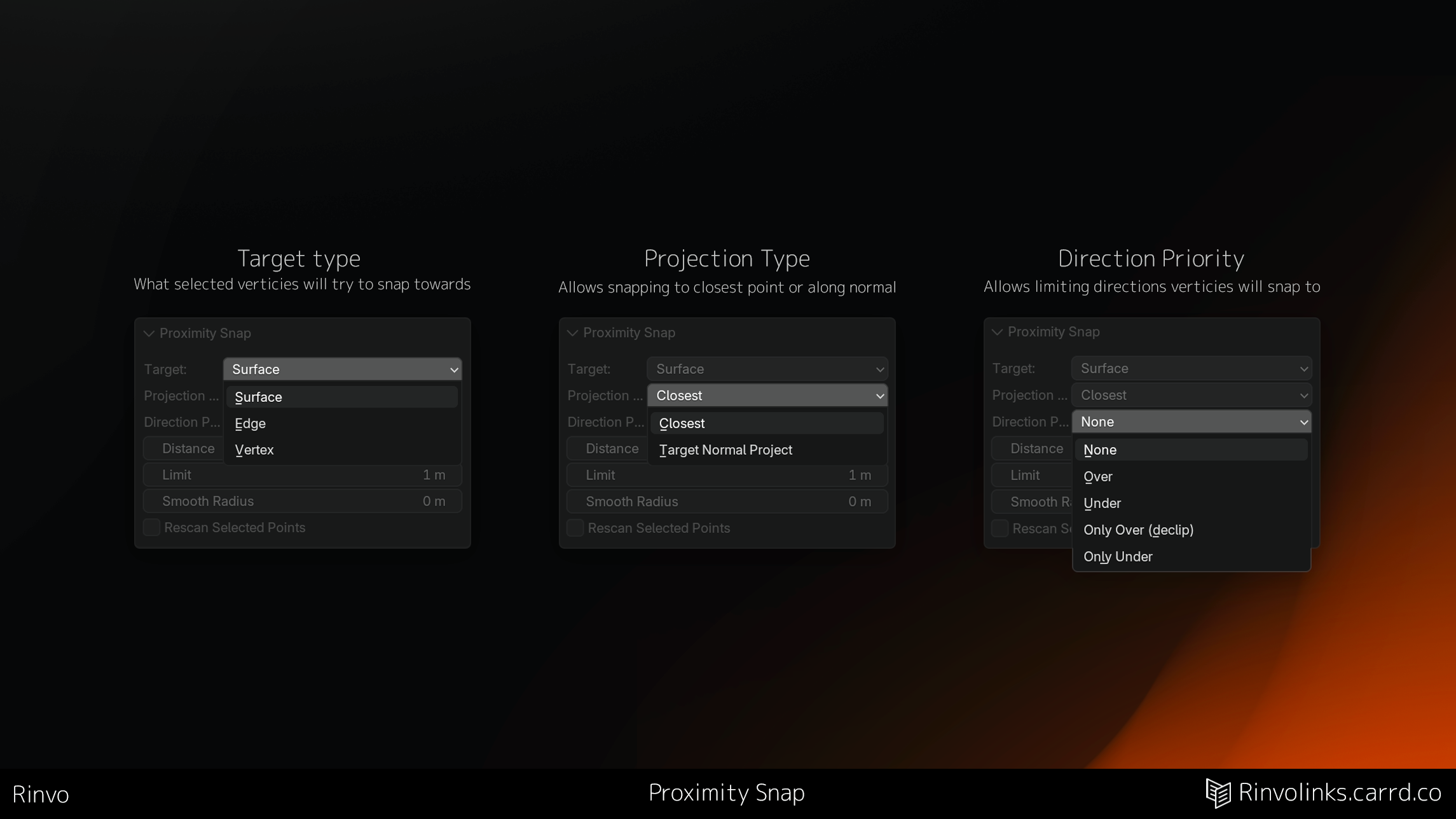
- Target type (Surface/Edge/Vertex)
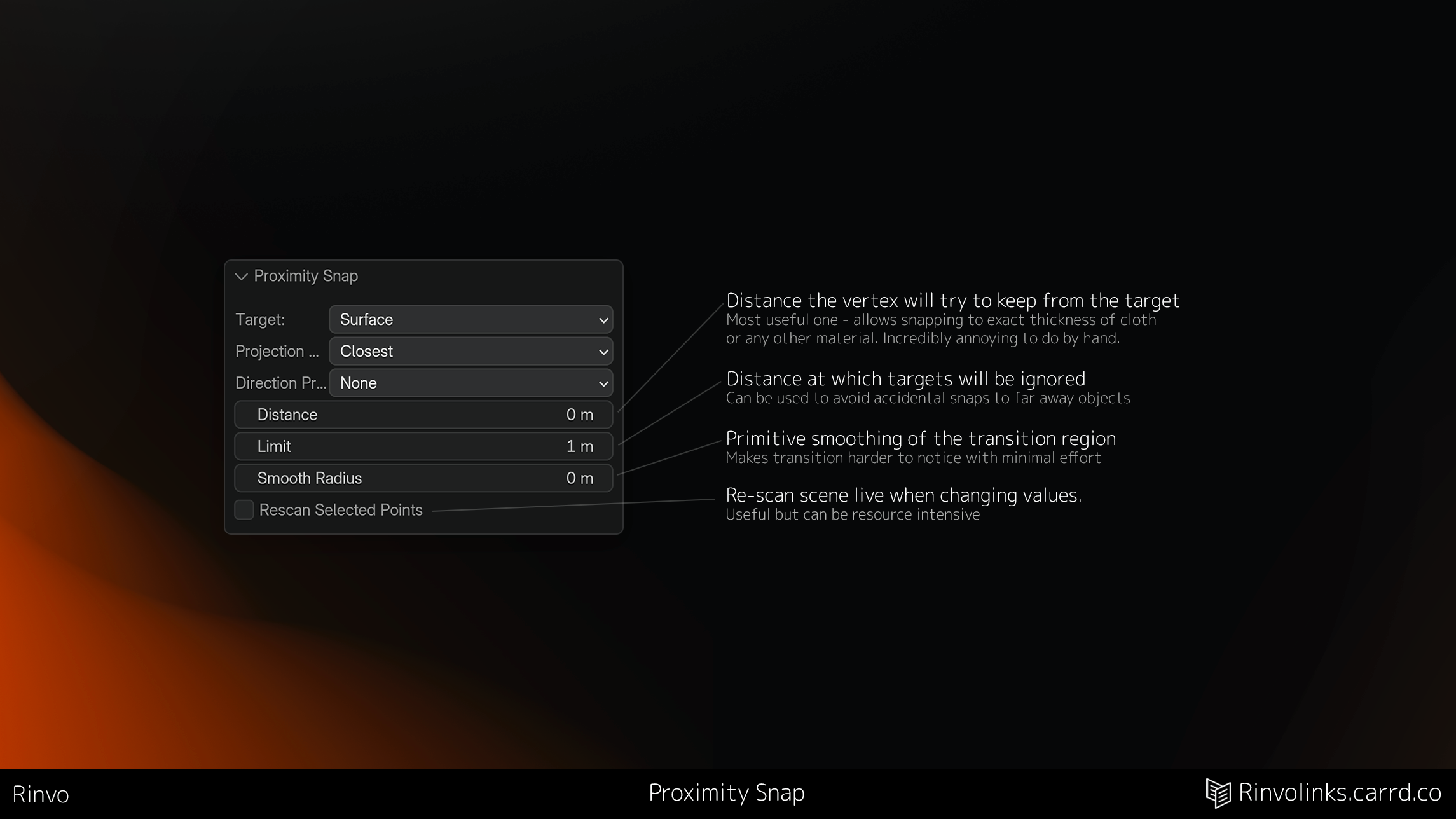
- Distance from the target
- Direction priority (None/Over/Under/Only Over (de-clip)/Only Under)
- Distance limits (ignore things that are too far)
- Smoothing
- Closest/Projected normal projection modes
Snaps only to other objects you can see so isolating your view to just a few objects allows you to limit what can be targeted easily.
Also does curve control points? that's a bonus at this point. And has an option for custom key binds.
Pretty much all of that I personally use extensively in my workflows, it slots into my work as a missing piece I always wished I had. Using it for retopology a lot too:3
Yes, it might not be equally as useful for everyone, but I can really be proud of this tiny tool.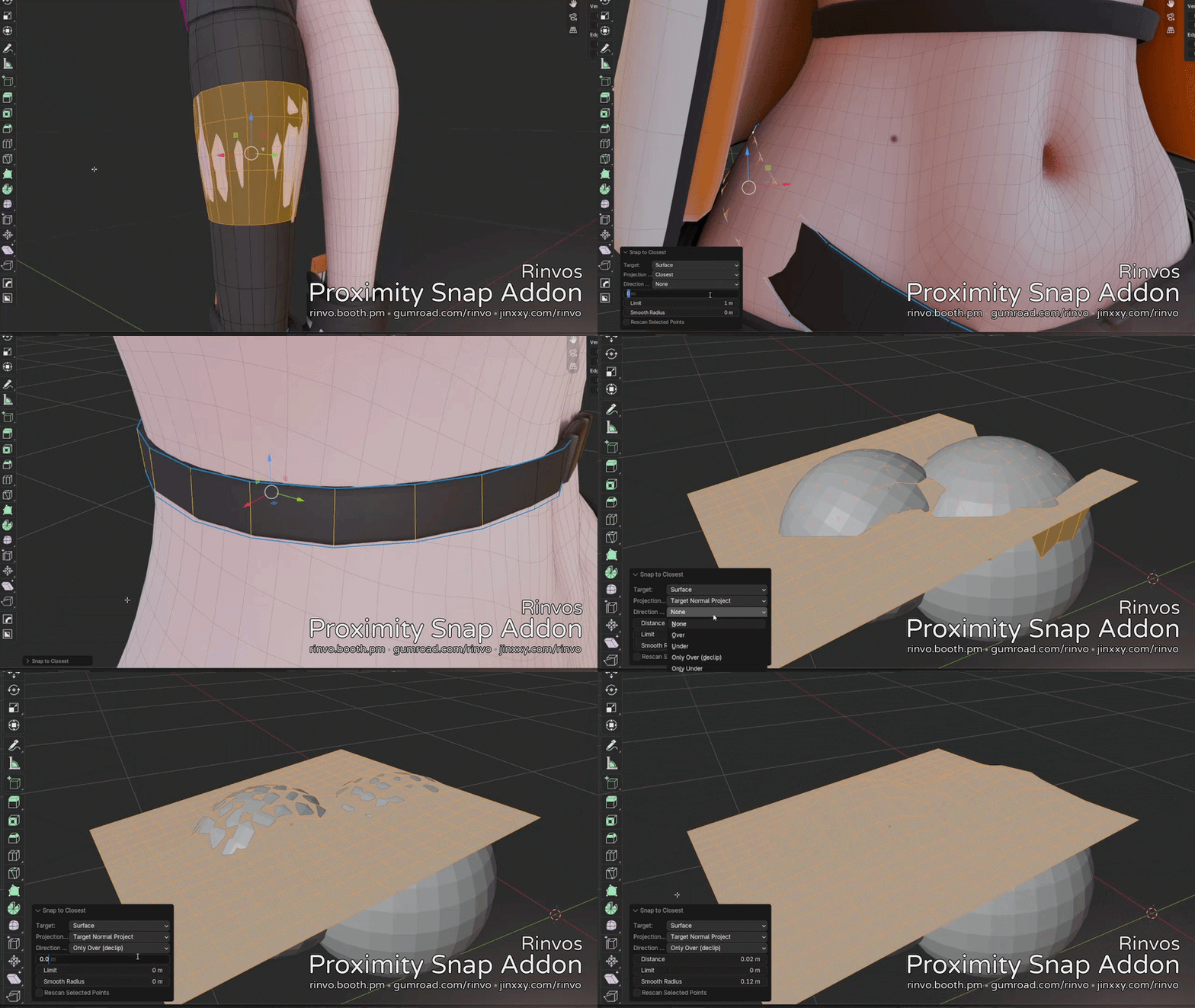 Tested to work with Blender version 4.5 and above. Probably works with previous versions too - its a very simple addon.
Changelog: Version 2.3:
Thanks to all of the attention that addon has received since release i've found a bunch of things that need fixing/improvement.
This release is mostly aimed at providing more reliability and feedback from the plugin - now it won't fail silently, it will output what went wrong and why
Improvements:
- Plugin now says what it does, no more confusing "nothing happened"
- Redo panel now stays open if it fails to be able to adjust the settings that made it fail
- Symmetry support
Fixes:
- Multi-object editing mode now works too
- Fixed handling of non-uniformly scaled objects
- Bezier curves now preserve handle type
- Fixes to smoothing - its slightly better and faster now, tho still definitely not the best
Changes:
- Default distance limit is now 0 (Unlimited) - less unexpected cutoffs
P.S - This used to be one of my internal tools, but it was too useful to not share, hope you find it as useful as i do!
If you feel like supporting me - consider checking out other plugins/store items, it helps a ton!
P.P.S - This is not a replacement for specialized cloth-fitting tools, think of it more as an insanely quick to use shrink-wrap rather than a full on fitting tool >.<
Some people think its a replacement for ShellFit - its not, its a modelling tool rather than a fitting one, but it can certainly be used for some fitting tasks >.<