
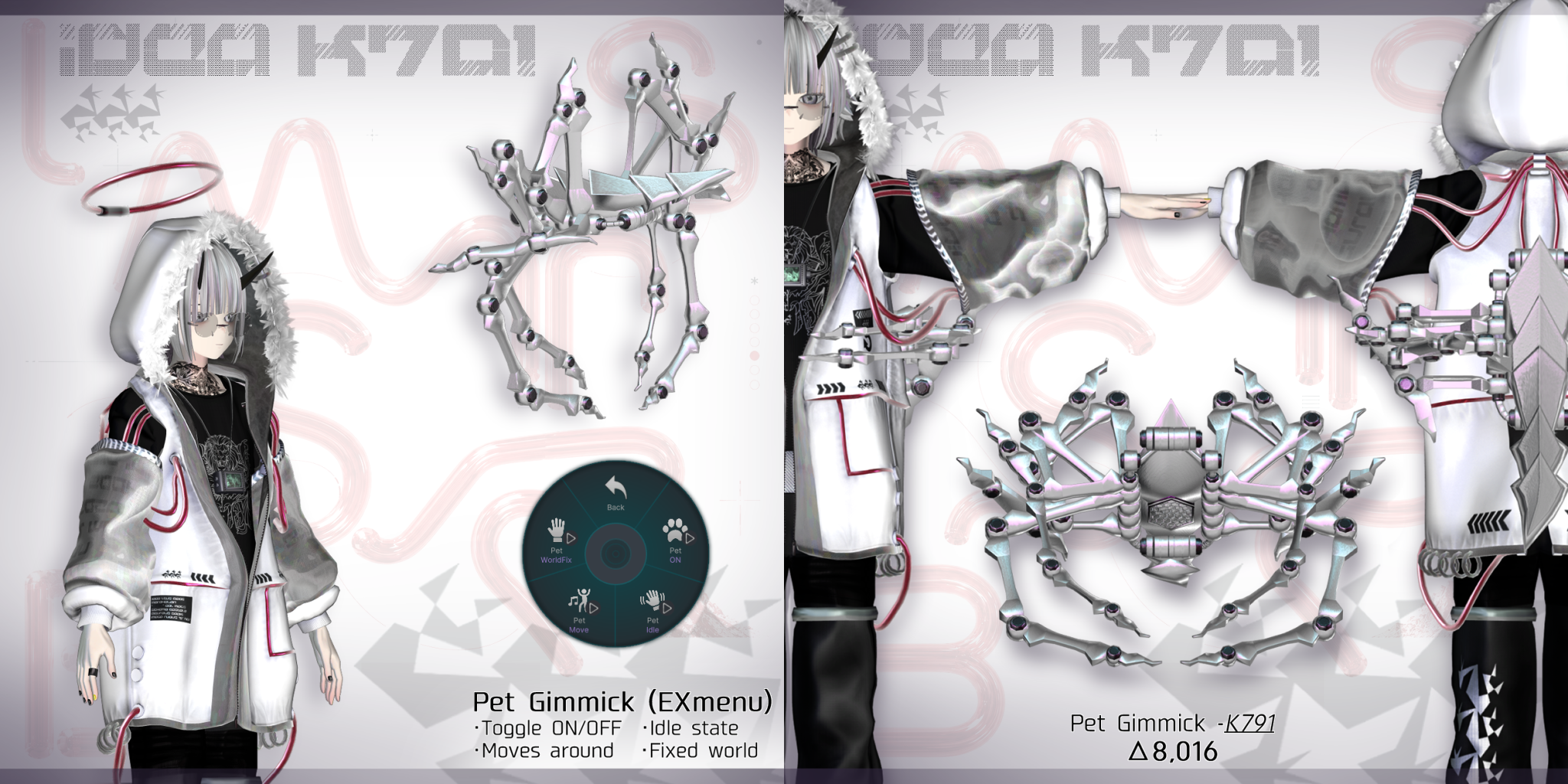
Product Description
This product contains AI-generated content.
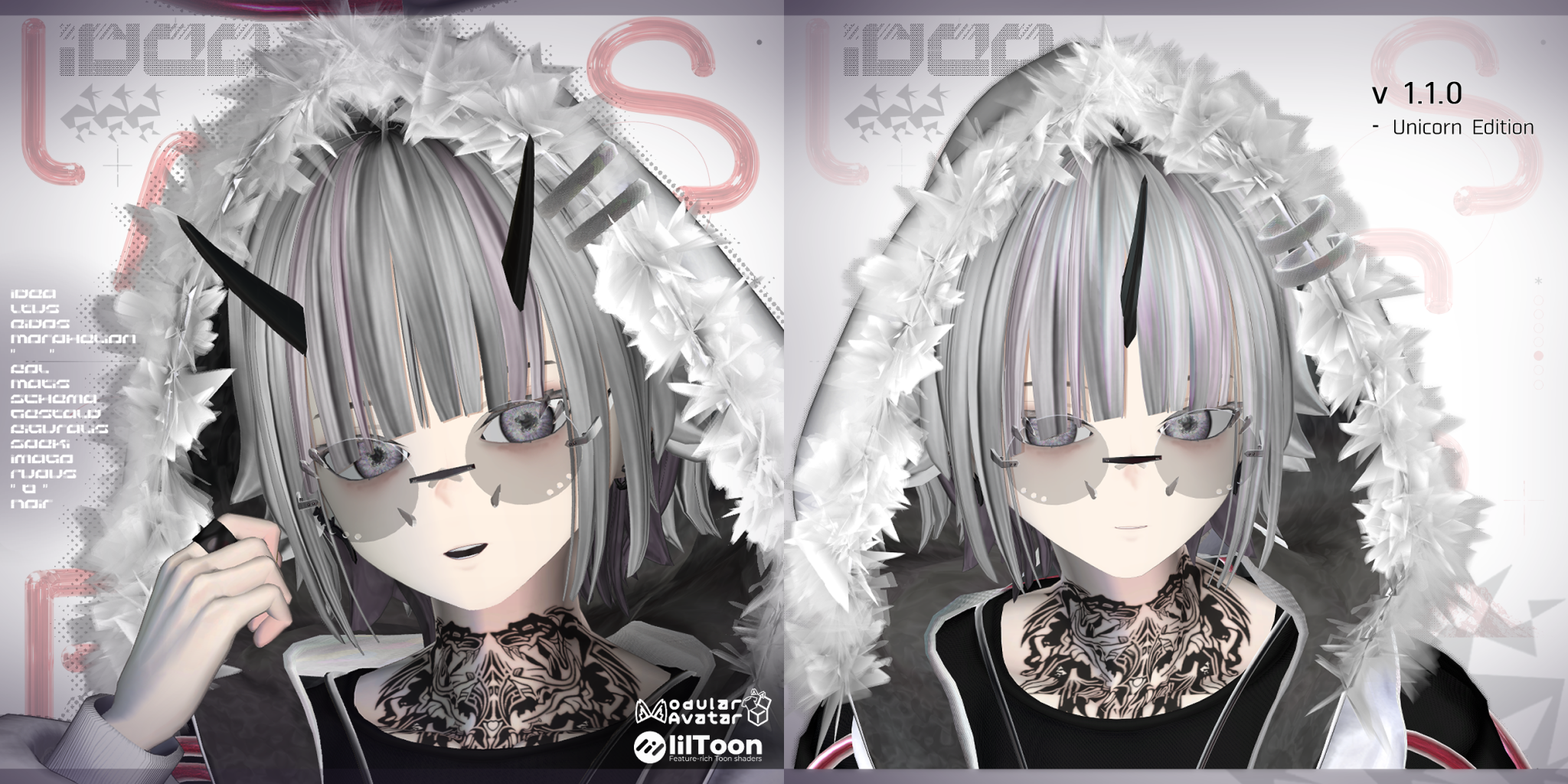
This is a humanoid avatar designed for use in VRChat.
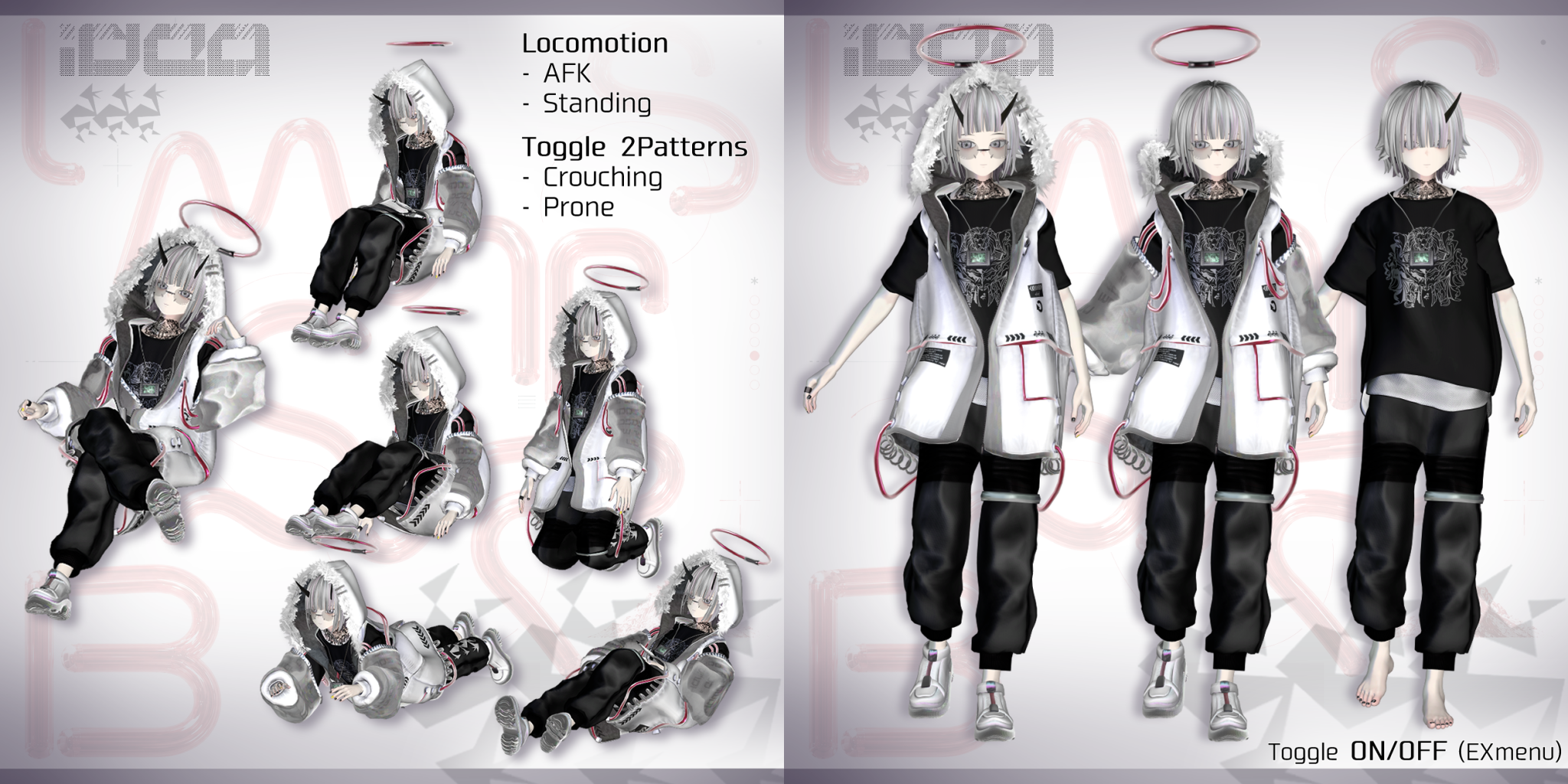
From the Expression Menu, you can activate the pet gimmick, switch between crouching and lying down poses, control the avatar’s gaze, and change outfits and other items.
Recommended tags: #RLB #Idea_3D
Sample avatars are now available in the sample world!
https://vrchat.com/home/world/wrld_c50bbcfc-7209-4303-a943-a0404deaace2
--------------------------------------
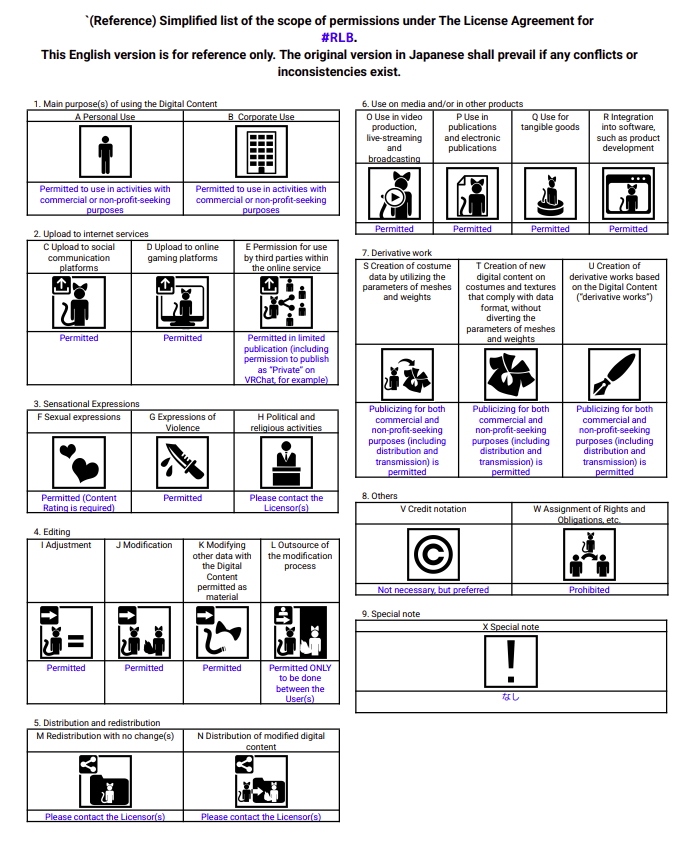
Terms of Use
The VN3 license applies. Please review the details below.
https://drive.google.com/drive/folders/16I1aljgYDT2t7EL_5RhJ0Uio_yVPEGOM?usp=drive_link
 --------------------------------------
Test Environment
- VRChat Creator Companion 2.4.5
- VRChatSDK 3.10.4
- Unity2022.3.22f1
- lilToon 2.3.4
- Avatar Optimizer 1.9.17
- Modular Avatar 1.18.6
--------------------------------------
Avatar Details
Items requiring prior installation (Please import these before installing this product.)
If issues occur after the update, please delete the previous version’s FBX and Prefab files and then re-import them.
- lilToon(Shader)
https://lilxyzw.github.io/lilToon/ - Avatar Optimizer
https://vpm.anatawa12.com/avatar-optimizer/en/ - Modular Avatar
https://modular-avatar.nadena.dev/
- Idea
∟ PerformanceRank:VeryPoor
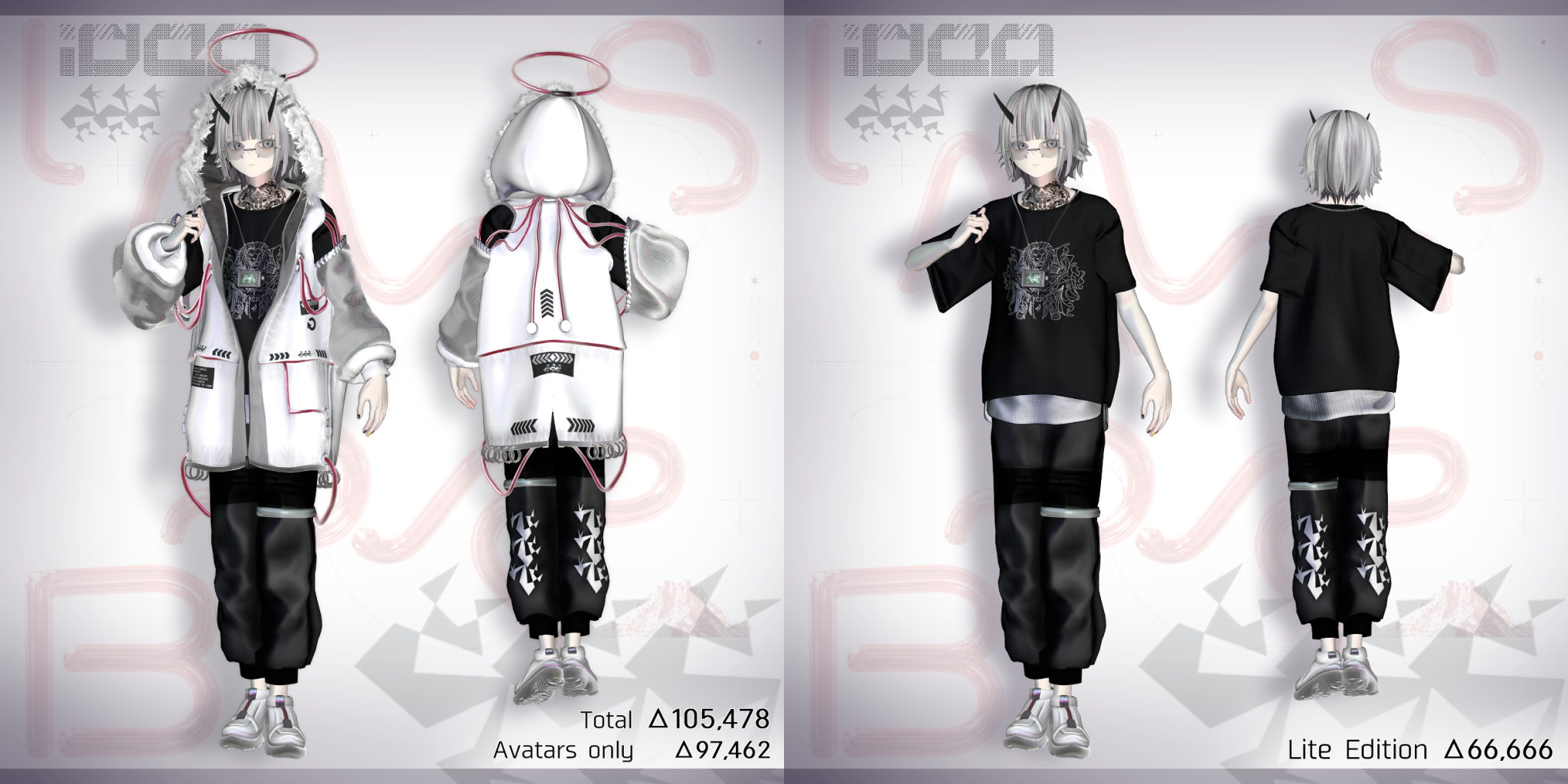
∟ Triangles:105,478
∟ Download Size:12MB
∟ Skinned Meshes:7
∟ Material Slot:23
∟ Height 約155cm View Position:137cm
- Idea_Lite
∟ PerformanceRank:Medium
∟ Triangles:66,666
∟ Download Size:7MB
∟ Skinned Meshes:4
∟ Material Slot:14
∟ Height 約150cm View Position:137cm
- Idea_Sotai
∟ PerformanceRank:Poor
∟ Triangles:48868
∟ Download Size:4MB
∟ Skinned Meshes:3
∟ Material Slot:10
∟ Height 約150cm View Position:137cm
- Idea_Mobile
∟ PerformanceRank:Poor
∟ Triangles:19954
∟ Download Size:4MB
∟ Skinned Meshes:2
∟ Material Slot:4
∟ Height 約150cm View Position:137cm
- Triangles *Total value when uploaded using AAO*
Total:△105,478
- Avatar:△48,868
-Body:△8,849
-PlusHead:△20,136
-HairBack:△6,814
-HairFront:△6,226
-HairInner:△5,312
-Inner(EditorOnly):△1,534
- Costume:△57,456
-Jacket1:△18,738
-Jacket2:△12,058
-Glass:△2,324
-Shirt:△8,440
-Pants:△7,444
-Shoes:△4,078
-Ring1:△2,924
-Ring2:△1,370
-Ring3:△80
- BlendShape
- LipSync: Configured
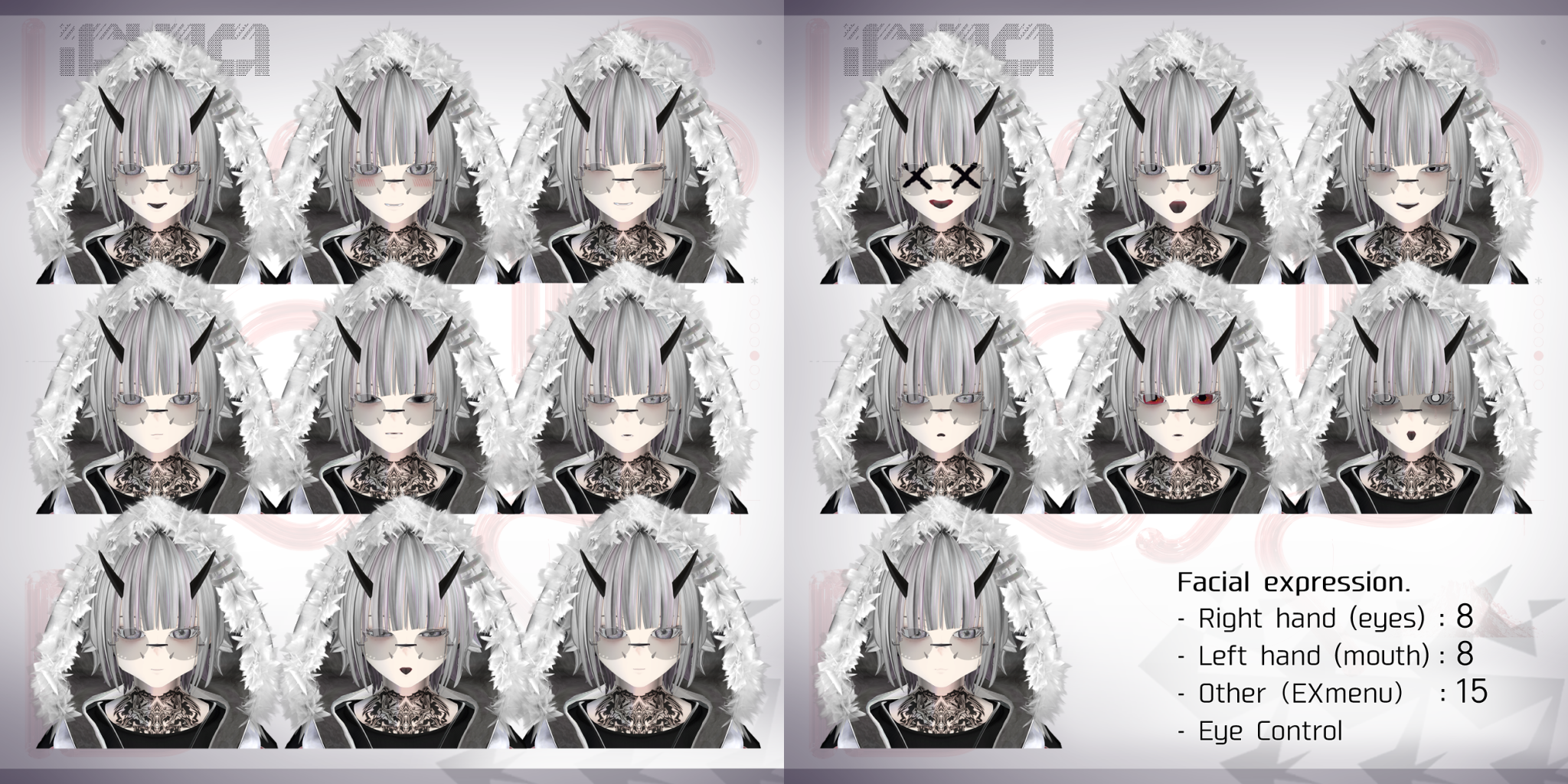
- Facial: 250 (including left and right) MMD BlendShape included
- BlendShapes included to prevent clipping at the base model’s joints, etc.
- We cannot guarantee that penetration or breakage will be prevented in all poses.
- Animation:
- Gestures: Configured
- Facial: 3 sets
- Right hand controls eyes, left hand controls mouth ×1
- Expressions configured with right-hand priority ×2
- Blink (Automatic Blinking): Animation configured
- Fixed expressions via the Expression Menu
- Locomotion, Crouch, Prone, and AFK configured. Crouch and Prone: 2 patterns switchable
- Mobile Version: Supported (Poor)
- Audiolink: Supported
- Write Defaults: OFF
--------------------------------------
Product Details
- v1.0.0_Idea_Ltus_Eidos_Morphelion_Blanc_Fol_Matis_Schema_Gestald_Figuralis_Speki_Imago_Rupus_B_Noir.unitypackage UnityPackage files containing various pre-configured prefabs
- Prefab
∟ Idea
∟ Idea_2PC
∟ Idea_3PC
∟ Idea_4PC
∟ Idea_Lite (Lightweight Version)
∟ Idea_Sotai (Base Model for Costume Changes)
∟ IdeaK791 (Pet Gimmick Only)
∟ omake_Idea_Mobile (Lightweight Version for Mobile Devices)
∟ ideaCYBER_RD (Outfit Only / Red)
∟ ideaCYBER_YL (Outfit Only / Yellow)
∟ ideaCYBER_BL (Outfit Only / Blue)
∟ ideaCYBER_GR (Outfit Only / Green)
- Texture
- PSD files for modification
- Created in CLIP STUDIO ⇒ Converted to PSD files
- May not work properly depending on your system.
--------------------------------------
Important Notes
- Full-Body Tracking - Tested with up to 6 tracking points.Performance is not guaranteed in all environments.
- Skeleton Shape Key Control via MA Shape Changer
- When applying a single outfit to a different avatar, MA Shape Changer may not
- function correctly. Please adjust your settings accordingly, such as by renaming the skeleton mesh.
- Additionally, when transferring the outfit to another +Head avatar, you will need to adjust the size and position of the bones from the Head downward (there are shape keys on the Hood and Glass parts).
- EXmenu via MA Menu Installer
- To delete a menu, select the relevant object (■■_Menu or EXmenu_MA) from the History, uncheck the “Enabled” box for the MA Menu Item, or set it to “EditorOnly” or delete the object.
- Mobile Compatibility
- Created based on Idea_Lite; some PBs and accessories are omitted.
- Textures
- Some textures (such as Matcap) are shared with other products in the shop; please be careful not to overwrite them when importing.
--------------------------------------
Settings and Credits
- +Head アバター制作者向けVRChat用素体
【注文番号:41662391】
https://lsw.booth.pm/items/5153266
- 【VRChat】拡張ハンドジェスチャーV3【通常版無料】- なでなで工房
https://rsflux.booth.pm/items/4244687
animation>AdvancedHandGestureV3>AdvancedHandGestureV3_idea(Animator Override Contoroller)
You can configure each hand sign from the corresponding Animator.
- EmoteCollector | 大量のエモート枠&睡眠エモート - CHILD WITCH
https://childwitch.booth.pm/items/5767739
To Add an Emote
EmoteCollector > ActionMenu_RLB
In the slots marked “None” (slots 33–128),please assign an animation file.