
Product Description
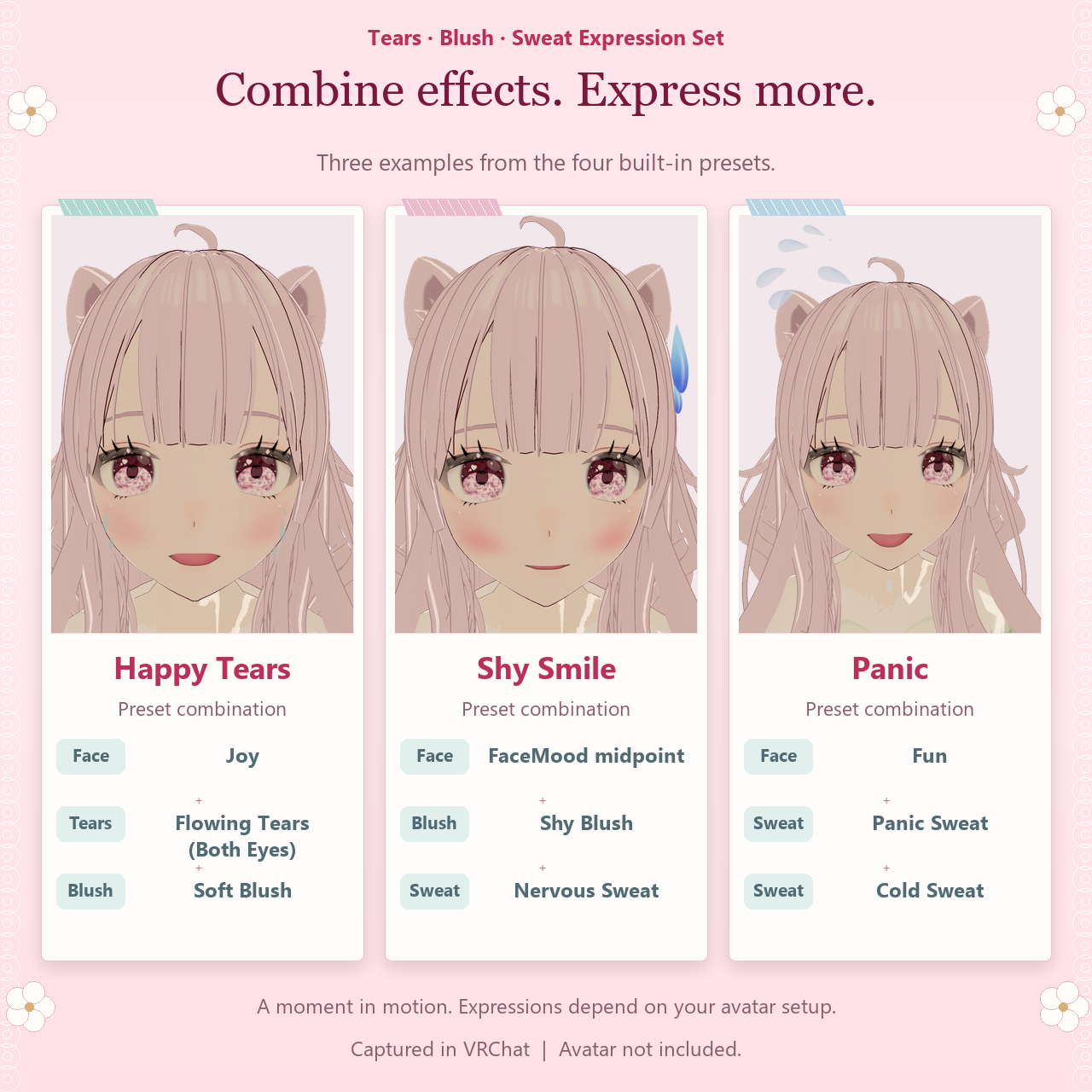
Bring a shy smile, happy tears or a moment of panic to your avatar. Open Emotion FX in VRChat to select individual effects or call up a complete preset.
Nine effects
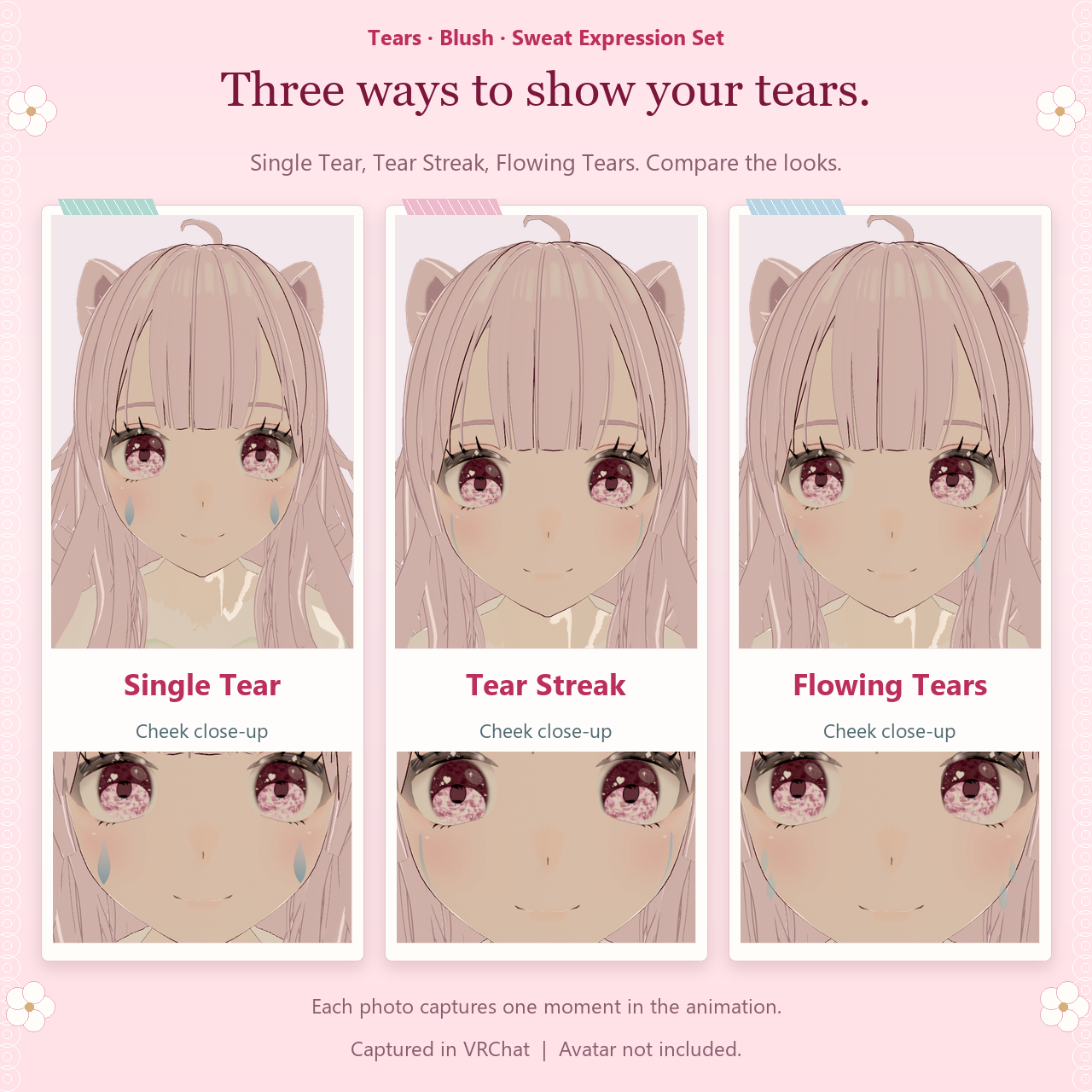
Tears: Single Tear, Tear Streak and Flowing Tears. Select the left eye, right eye or both.
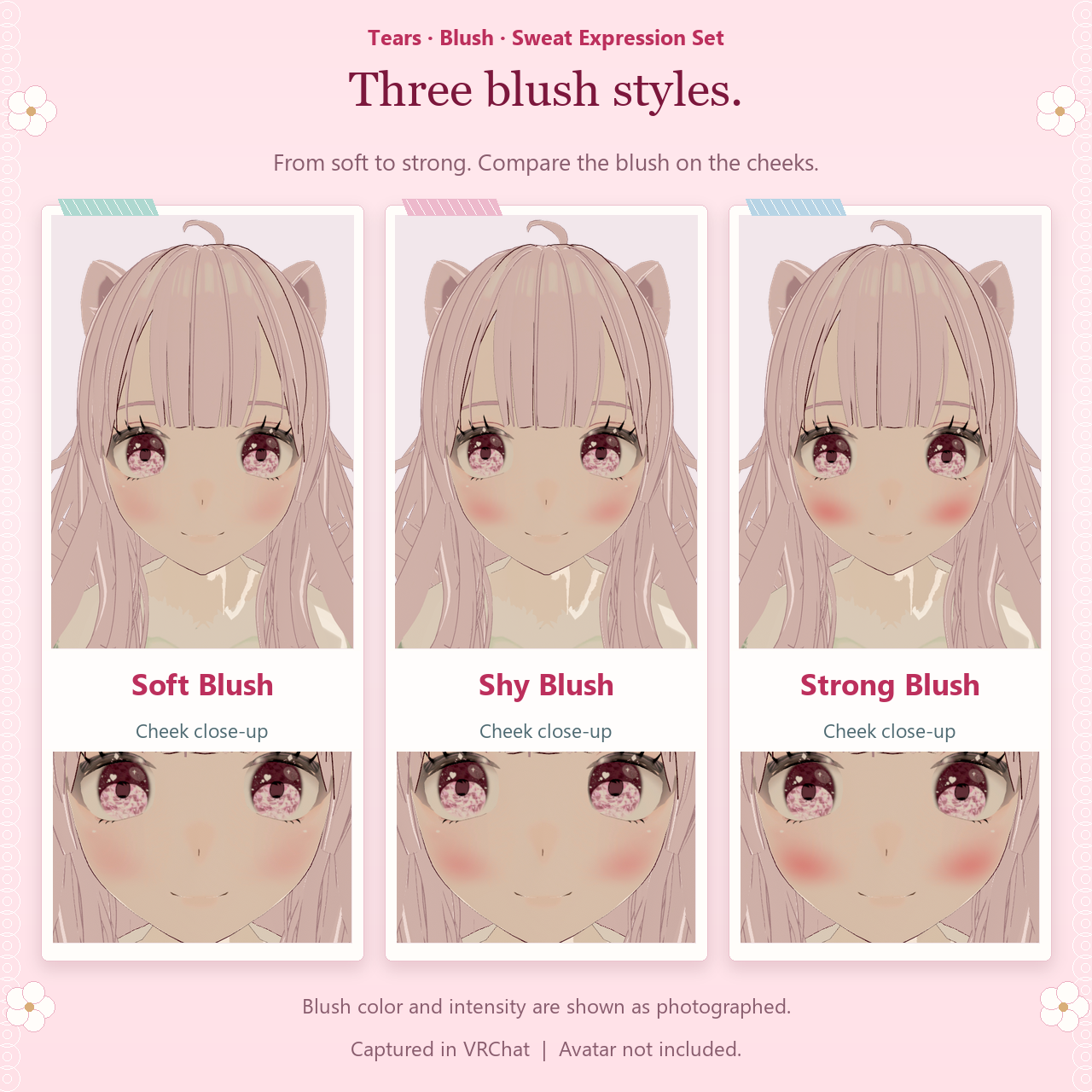
Blush: Soft Blush, Shy Blush and Strong Blush.
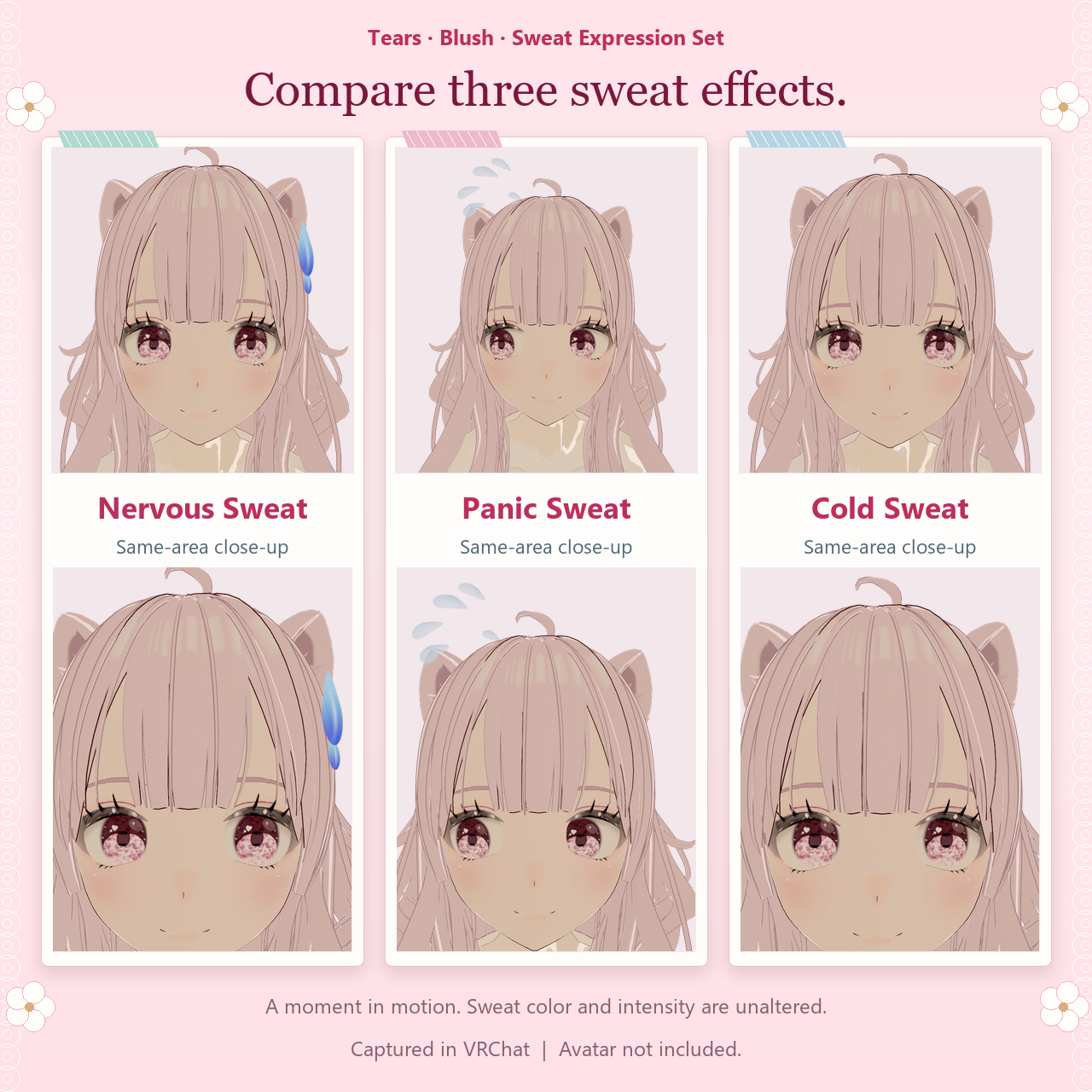
Sweat: Nervous Sweat, Panic Sweat and Cold Sweat.
Four presets
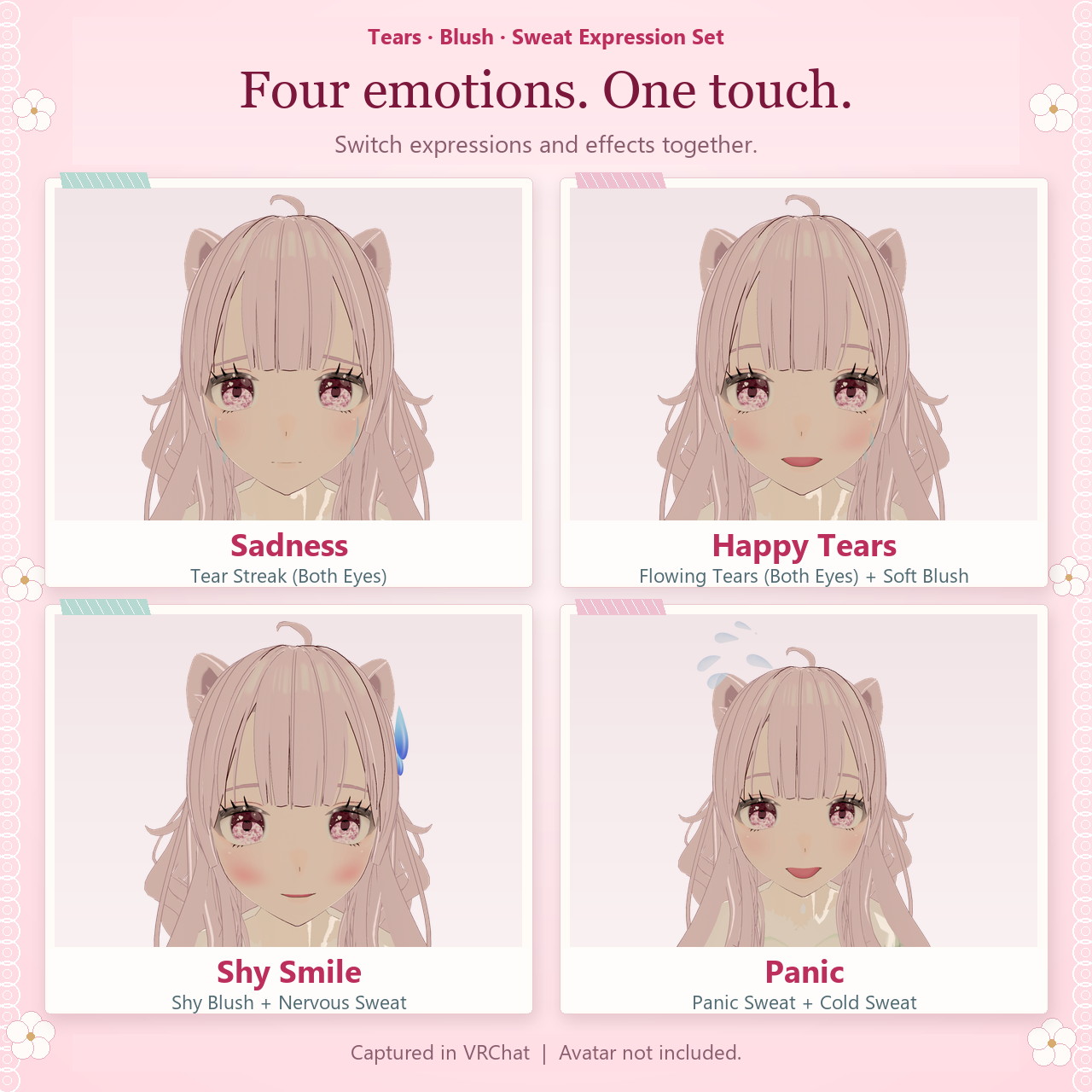
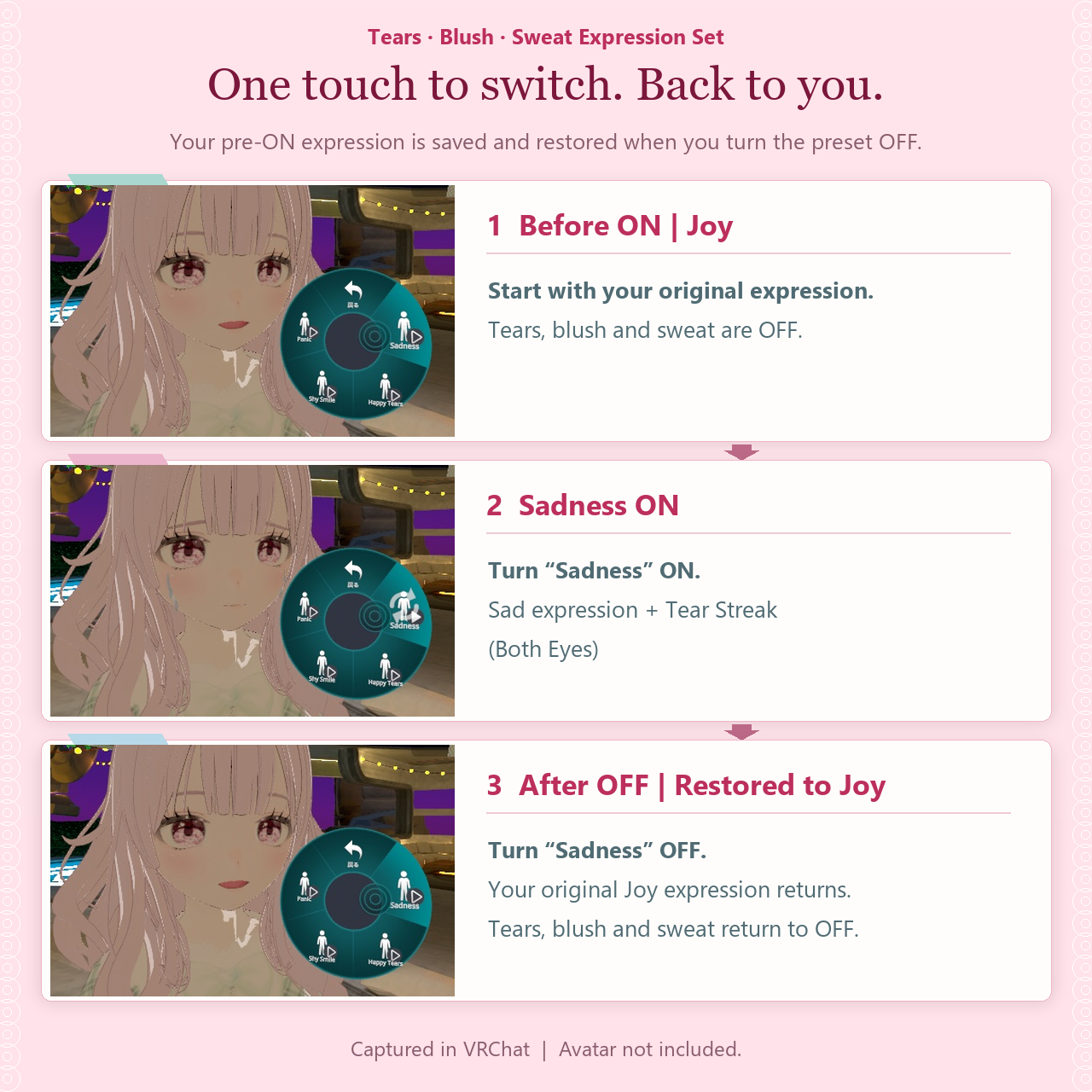
Sadness, Happy Tears, Shy Smile and Panic. Turning a preset off restores the previous settings. You can also return to individual controls. The facial expressions use your avatar’s own FaceMood setup, so the result depends on its expression clips.
In the download
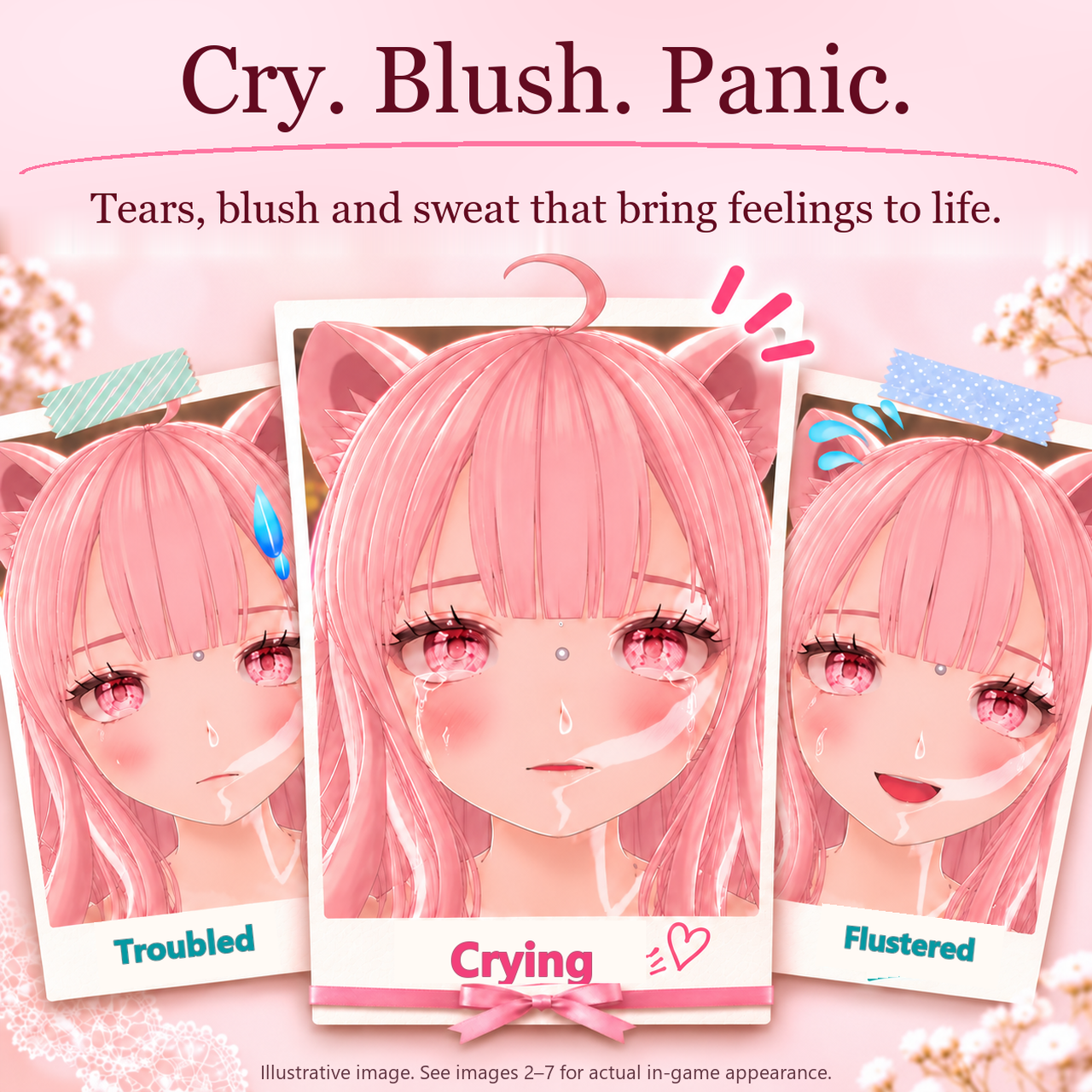
An English UnityPackage with the integrated prefab, menus, effects, materials, animations and setup tools. The English README, setup guide and license are included. The avatar and its facial-expression clips are supplied by the purchaser. The first gallery image illustrates the moods. Images 2–7 show the in-game effects.
Installation and fit
Work on a copy of your avatar. Install the dependencies, import the UnityPackage and place one instance of the English prefab under the avatar root. Use the supplied guide to connect FaceMood, generate the blush on your avatar’s face mesh, and fit the effect positions to its face and head.
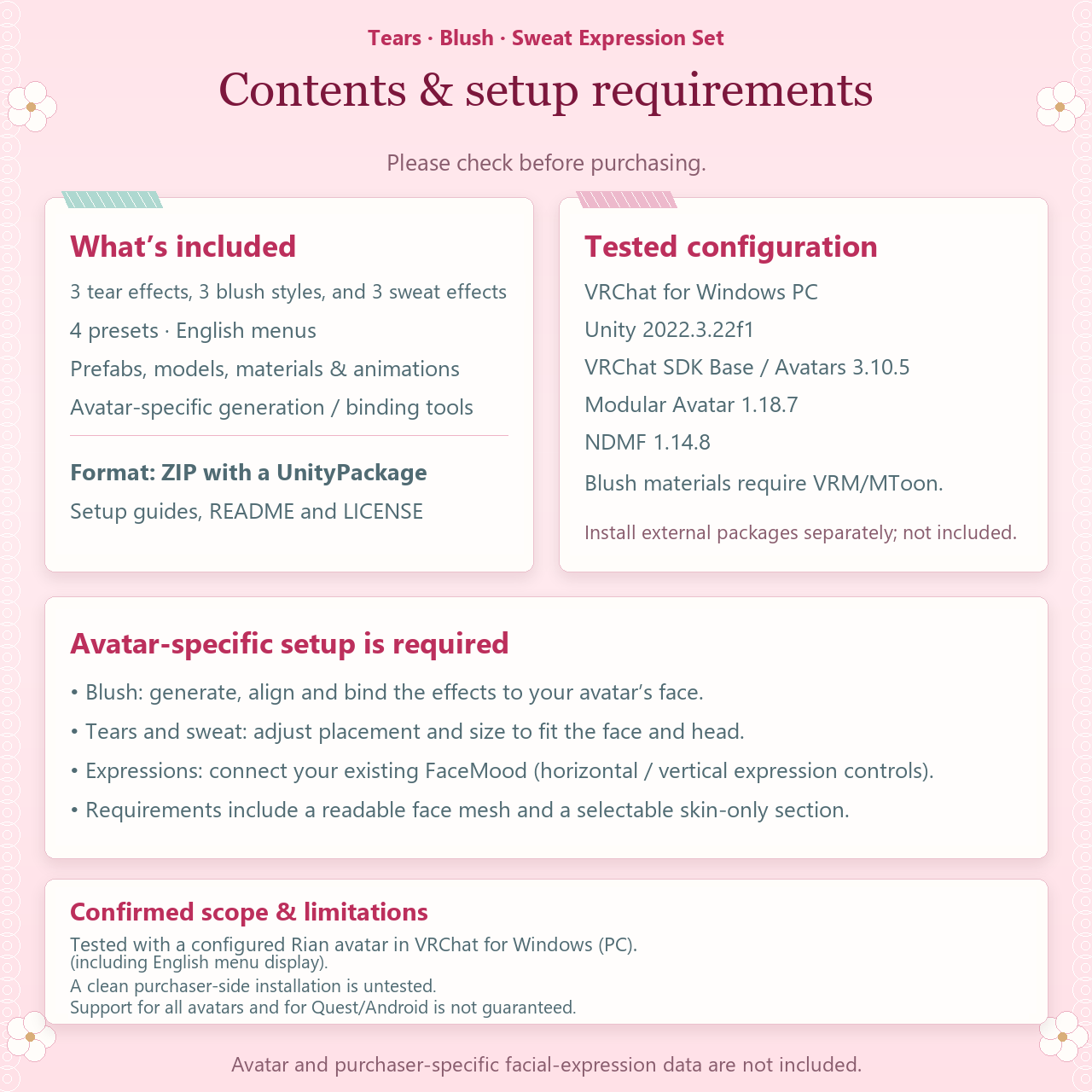
Blush requires a readable face mesh, a skin-only submesh, a face renderer with unit world scale and a valid Humanoid Head. Presets require a compatible horizontal/vertical FaceMood setup.
Compatibility
Windows PC VRChat. Checked with Unity 2022.3.22f1, VRChat SDK Base/Avatars 3.10.5, Modular Avatar 1.18.7 and NDMF 1.14.8. Blush uses VRM/MToon. The original setup was tested on Rian. Individual avatar fitting and expression setup are required. Quest and Android are outside the verified configuration.
Terms of use
The purchaser may modify the assets, use them on their own Private avatars, wear those avatars in public instances, and use them in monetized videos or streams. Credit is optional. Redistribution, resale and inclusion in Public avatars available to others are prohibited. Commissioned setup is permitted under the temporary-sharing and deletion conditions in the included license. See the full English license for all terms.