![NEKOBOT [SFW][PC + QUEST][VRCHAT AVATAR]](https://jinxxy-c.jinxxy-cdn.com/cdn-cgi/image/format=auto,onerror=redirect/c6149a59-766f-508d-bba0-bb29382260b7/3698200200976795238/875683275204742144.png)
![NEKOBOT [SFW][PC + QUEST][VRCHAT AVATAR]](https://jinxxy-c.jinxxy-cdn.com/cdn-cgi/image/format=auto,onerror=redirect/c6149a59-766f-508d-bba0-bb29382260b7/3698200200976795238/875684397598415872.gif)
![NEKOBOT [SFW][PC + QUEST][VRCHAT AVATAR]](https://jinxxy-c.jinxxy-cdn.com/cdn-cgi/image/format=auto,onerror=redirect/c6149a59-766f-508d-bba0-bb29382260b7/3698200200976795238/875683271442406400.png)
![NEKOBOT [SFW][PC + QUEST][VRCHAT AVATAR]](https://jinxxy-c.jinxxy-cdn.com/cdn-cgi/image/format=auto,onerror=redirect/c6149a59-766f-508d-bba0-bb29382260b7/3698200200976795238/875684391293717504.png)
![NEKOBOT [SFW][PC + QUEST][VRCHAT AVATAR]](https://jinxxy-c.jinxxy-cdn.com/cdn-cgi/image/format=auto,onerror=redirect/c6149a59-766f-508d-bba0-bb29382260b7/3698200200976795238/875683279305751552.png)
![NEKOBOT [SFW][PC + QUEST][VRCHAT AVATAR]](https://jinxxy-c.jinxxy-cdn.com/cdn-cgi/image/format=auto,onerror=redirect/c6149a59-766f-508d-bba0-bb29382260b7/3698200200976795238/875684394999226368.png)
![NEKOBOT [SFW][PC + QUEST][VRCHAT AVATAR]](https://jinxxy-c.jinxxy-cdn.com/cdn-cgi/image/format=auto,onerror=redirect/c6149a59-766f-508d-bba0-bb29382260b7/3698200200976795238/875684399317306368.png)
NEKOBOT [SFW][PC + QUEST][VRCHAT AVATAR]
Tags
Product Description
Get a 15% Coupon on ANY of my products (including this one) by using my permanent discount code in my Discord server!
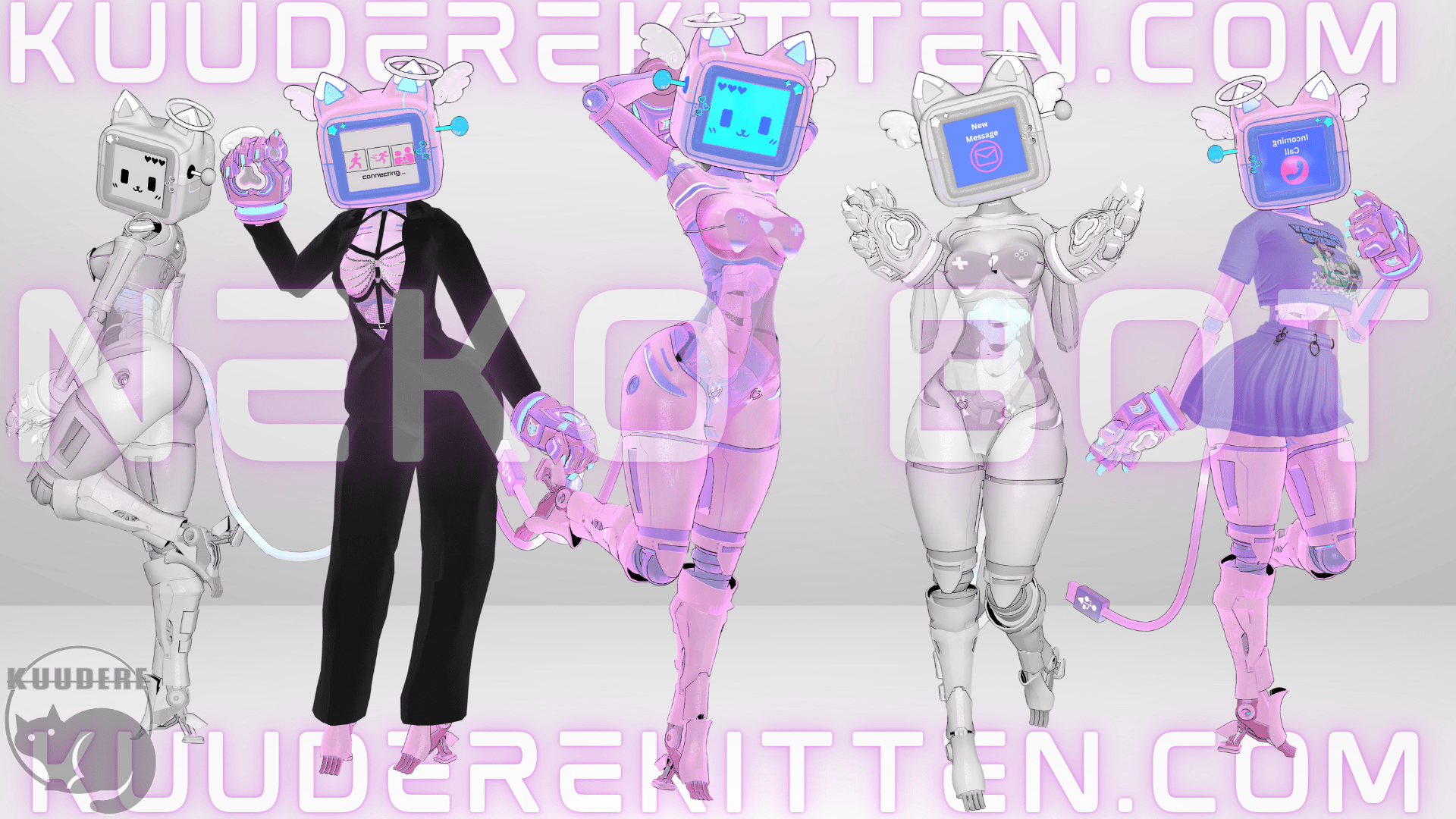
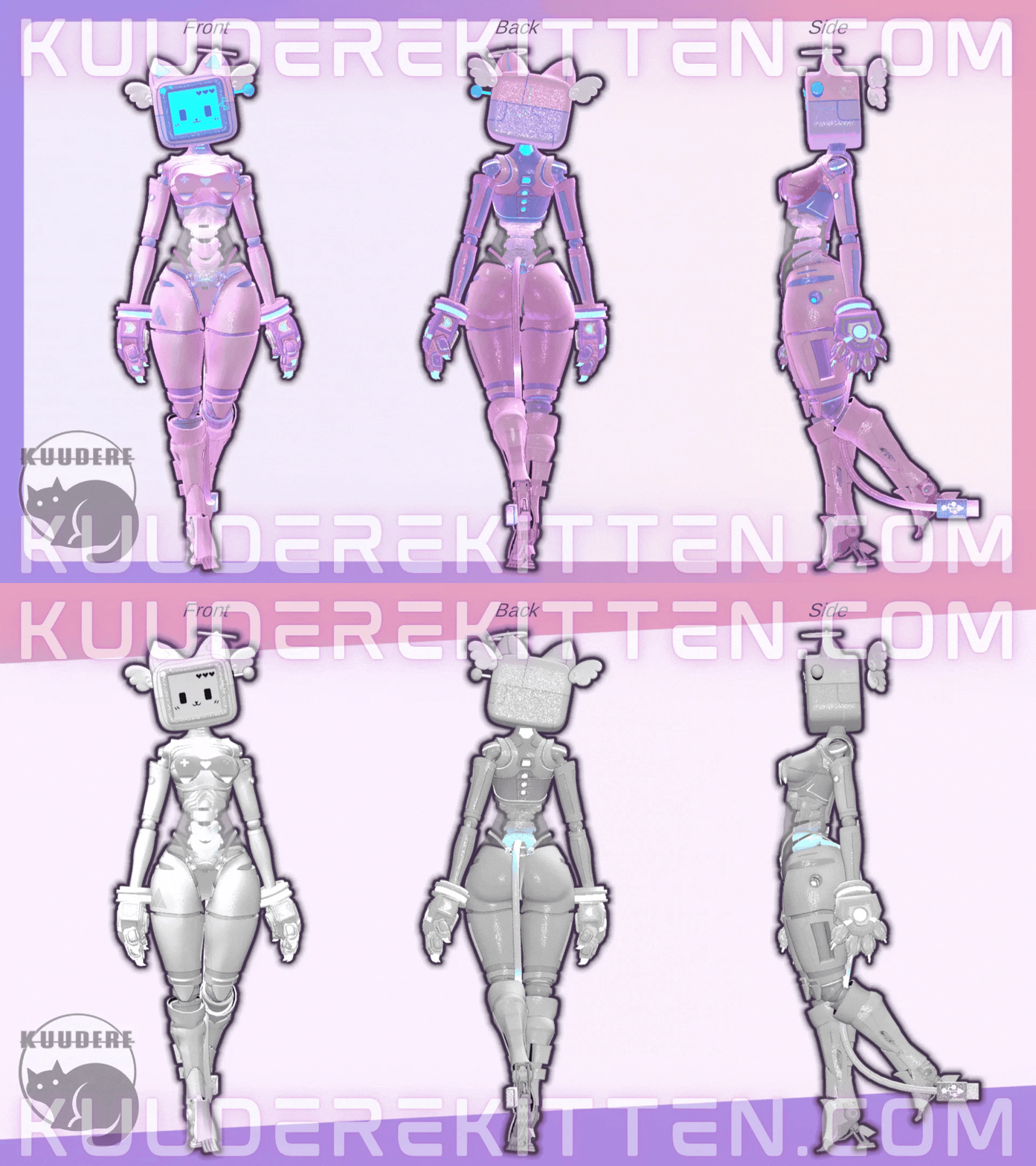
Neko-Bot Activate! This Y2K Inspired futuristic kitty android is programmed to be the perfect human companion! Who says AI machines can't be cute?
Features
- Adorable Neko female humanoid robot AI themed avatar
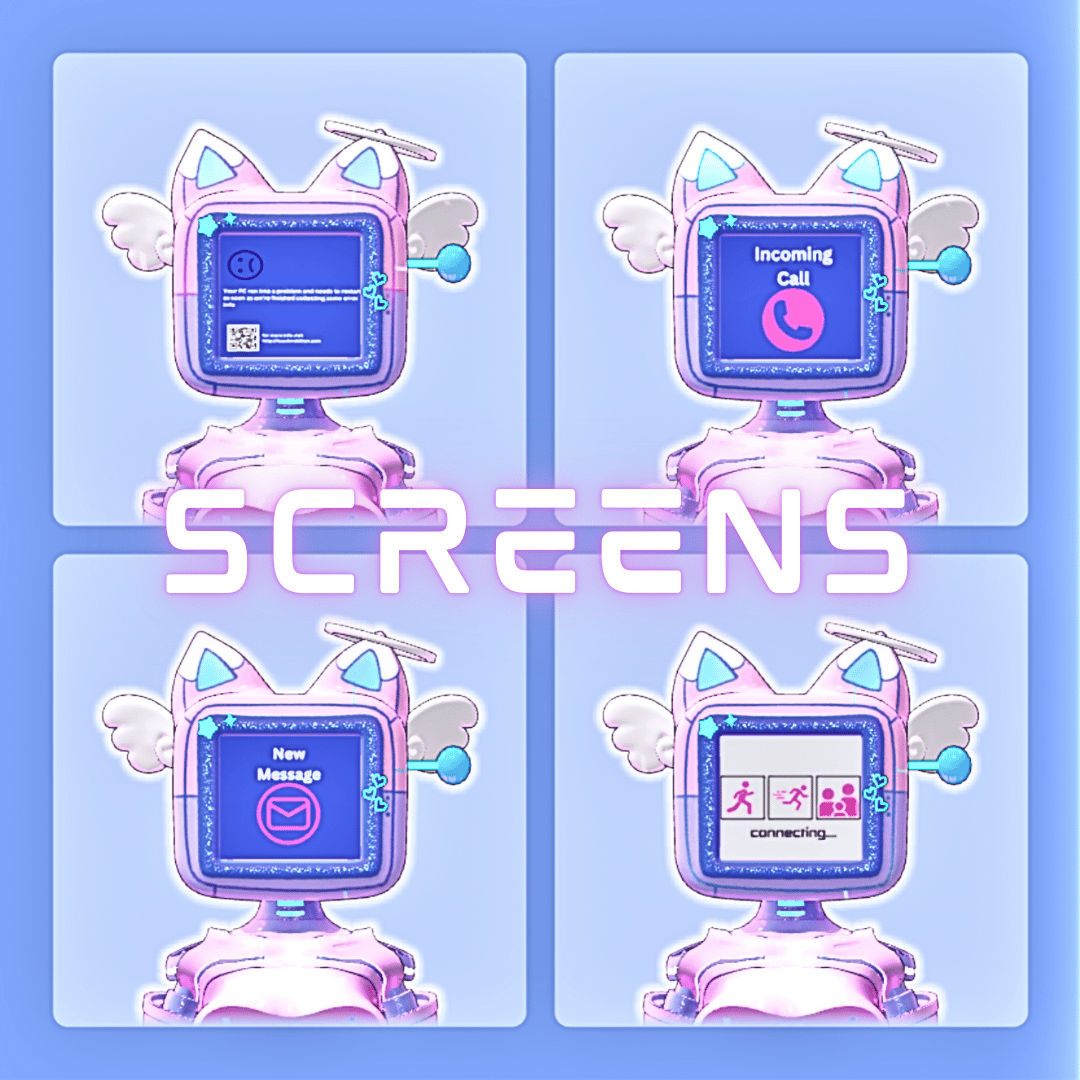
- Screen Display Toggles
- Face
- Error Screen (with audio)
- Y2K Connection Screen (with audio)
- Email Icon (with audio)
- Incoming Call Icon (with audio)
- Shut Down (Booting Audio)
- 3 Outfits
- Gamer Bikini
- Business Pantsuit
- Kawaii T-Shirt and Skirt Outfit
- 3 Texture Swaps
- Comes in 2 Color prefabs
- Pink/Blue
- White
- Transparent abdominal compartment with emissive robotic spine
- Robotic Companion Follower with reaction Icons
- Thumbs Up
- Heart
- Friend Request
- Friend Invite
- Alert
- Mute
- Unmute
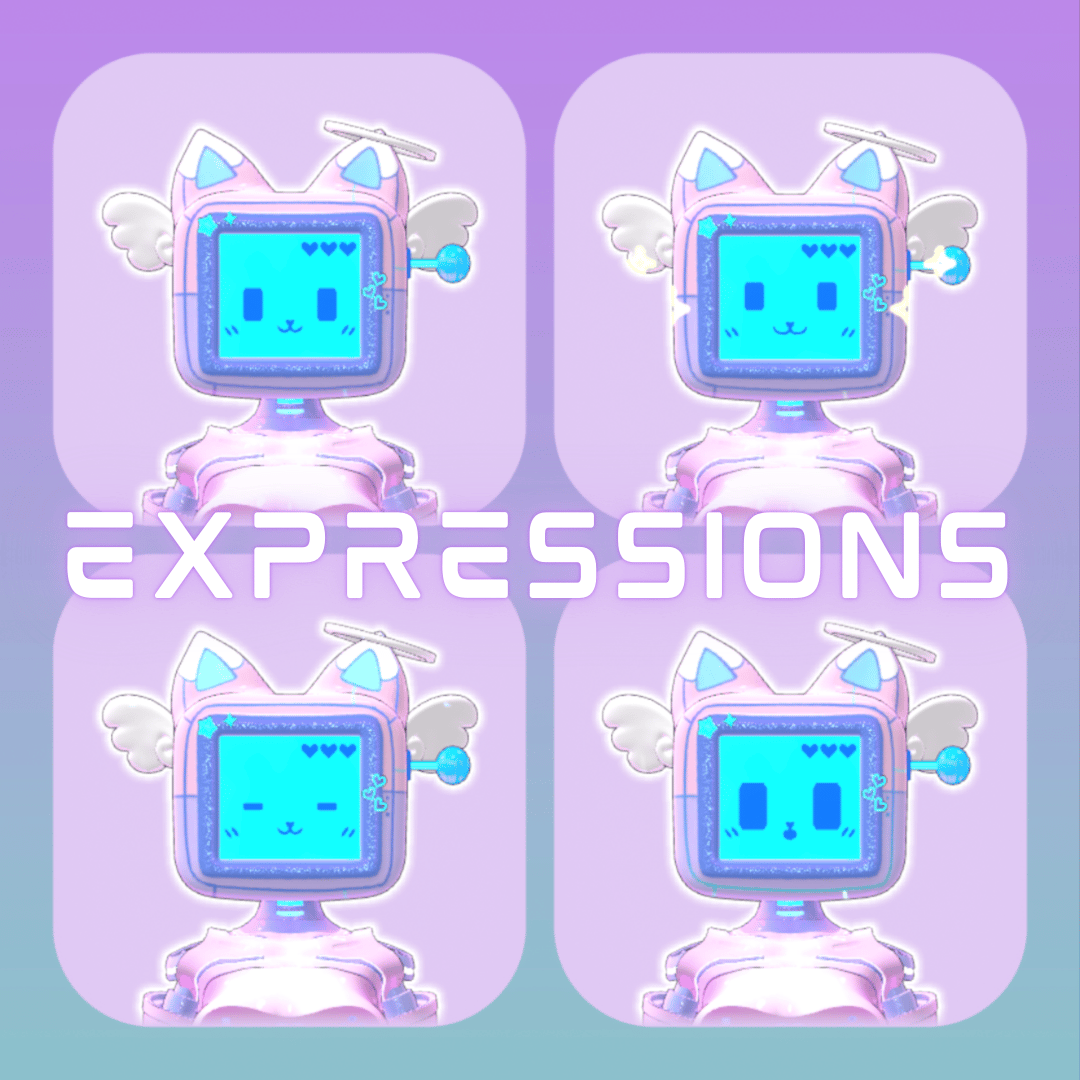
- Animated Expressions Toggle
- Gives extra animations to the facial gestures
- Emissive USB Tail
- Robotic Kitty Paws
- SFW
- Included GogoLoco
QUEST VERSION MAY NOT CONTAIN ALL TOGGLES DUE TO LIMITATIONS! The following features are omitted from Quest
- Additional Screens + Sound effects (Other than SHUT DOWN)
- Robo Follower
-White Color Prefab
-Animated Emote Expressions
-Transparency of Abdomen
Toggle Preview
!!!! I DO NOT PROVIDE UPLOADS!!!!!
Access to Unity + knowledge using the VCC to upload is required!
Please take this into consideration before purchase!!!!!
Rules for Purchase
- DO NOT redistribute this avatar.
- DO NOT take assets from this avatar for either personal or commercial use, please refer to the credits for each individual asset!
- DO NOT sell or give away edits of this avatar (even to your friends)
- DO NOT sell or give away the original avatar for free (even to your friends)
- DO NOT upload this avatar as public or make it available in a public world.
- DO NOT purchase this avatar on a shared account!
- DO NOT upload this avatar to a 3rd party website.
- If purchasing this item as a gift, you must use gifting function at checkout!
- DO NOT Purchase this item for yourself, and then give it away to somebody as a gift
- ONE personal license per avatar. (You are the only one authorized to use the avatar)
- DO NOT redistribute custom components including but not limited to; blendshapes, materials, any/all script settings, physics, toggles, animations, gestures or textures from this avatar.
- You Must Include your Discord Name + VRC Name at time of purchase. Incorrect or missing info will result in being banned from my store + server.
- ALL SALES ARE FINAL. Digital product cannot be refunded. Chargebacks + fraudulent reports to your bank will result in being banned from my store + server.
Credits
- Body https://xelyo.gumroad.com/
- Head https://cozuwu.gumroad.com/
- USB Tail/Screen Textures http://kuuderekitten.com
- Robot Follower https://mjsam.gumroad.com/
- Spine https://exodys.gumroad.com/
- Paws https://therealthiccwitch.com/
- Feet/Legs https://cattie.gumroad.com/
- Gamer Bikini https://meowmi.gumroad.com/
- Animated Emotes https://gmsbox.gumroad.com/
- Outfit https://pettystore.gumroad.com/
- Icons https://smoluni.gumroad.com/
- More Icons https://awmi.gumroad.com/
- Pantsuit https://moobean.gumroad.com/
- Sounds https://freesound.org
- GoGo Loco https://franadavrc.gumroad.com/
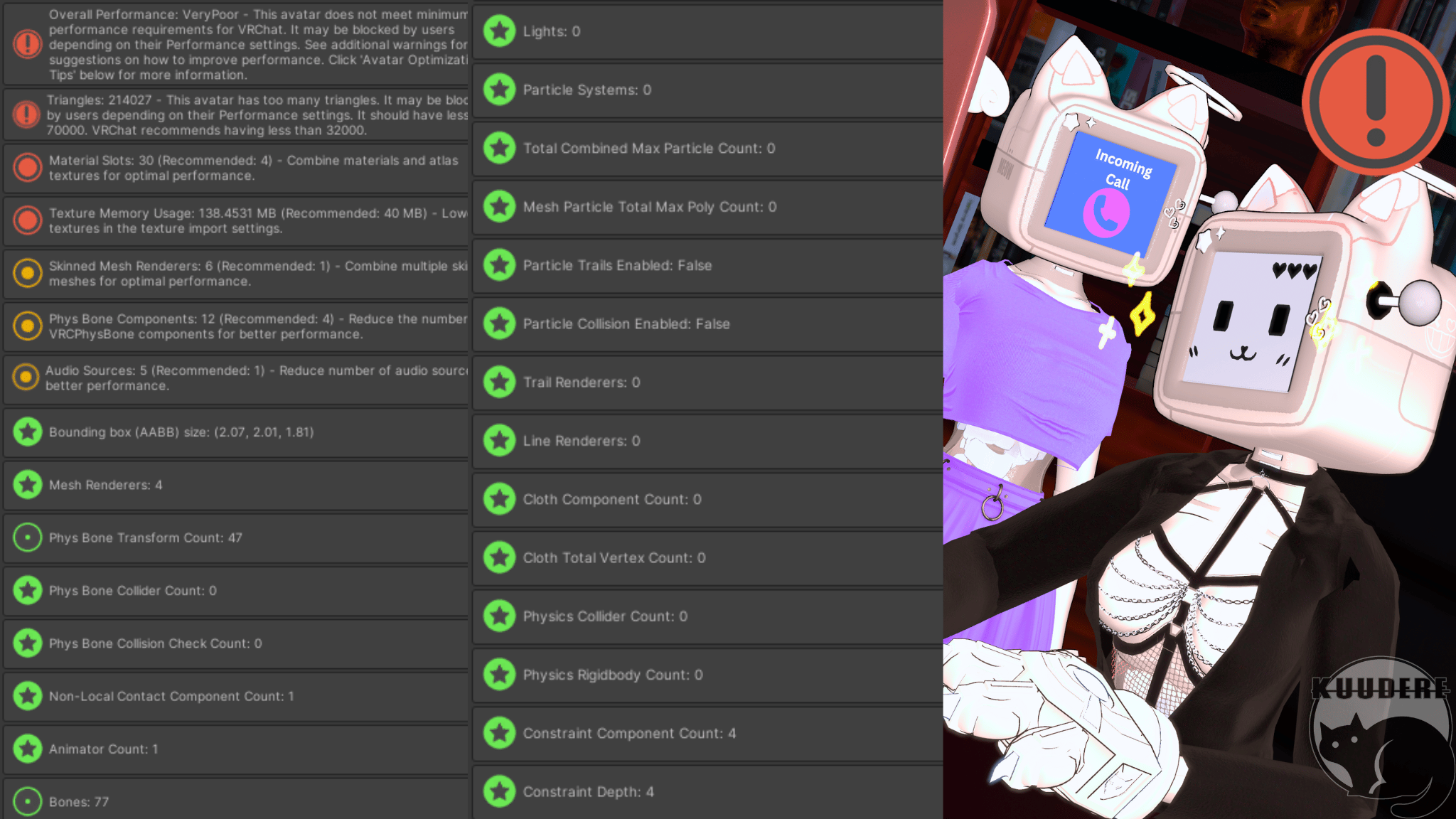
Avatar Stats
Upload Instructions
Make sure VRCFURY + Poiyomi Toon Shaders are installed in the VCC. You can install them here:
https://poiyomi.github.io/vpm/
How to Upload for PC
- Create New VCC Project (Avatars 2022)
- Import Poiyomi Toon Shaders + VRCFURY in VCC Package Management
- Open Project
- Import Avatar Package, drag scene into hierarchy
- Sign into SDK + upload selected version to PC
- (If uploading for quest- copy the blueprint ID for part 2)
How to Attach Quest Version:
- Upload PC Version First (instructions above)
- Switch SDK To Android
- Paste Blueprint ID from PC version into the Quest Version's blueprint ID slot
- Upload! It will automatically attach