
Product Description
This product contains AI-generated content.
Code written with AI help; every feature tested by the creator in Unity before release. No AI-made 3D models or textures.
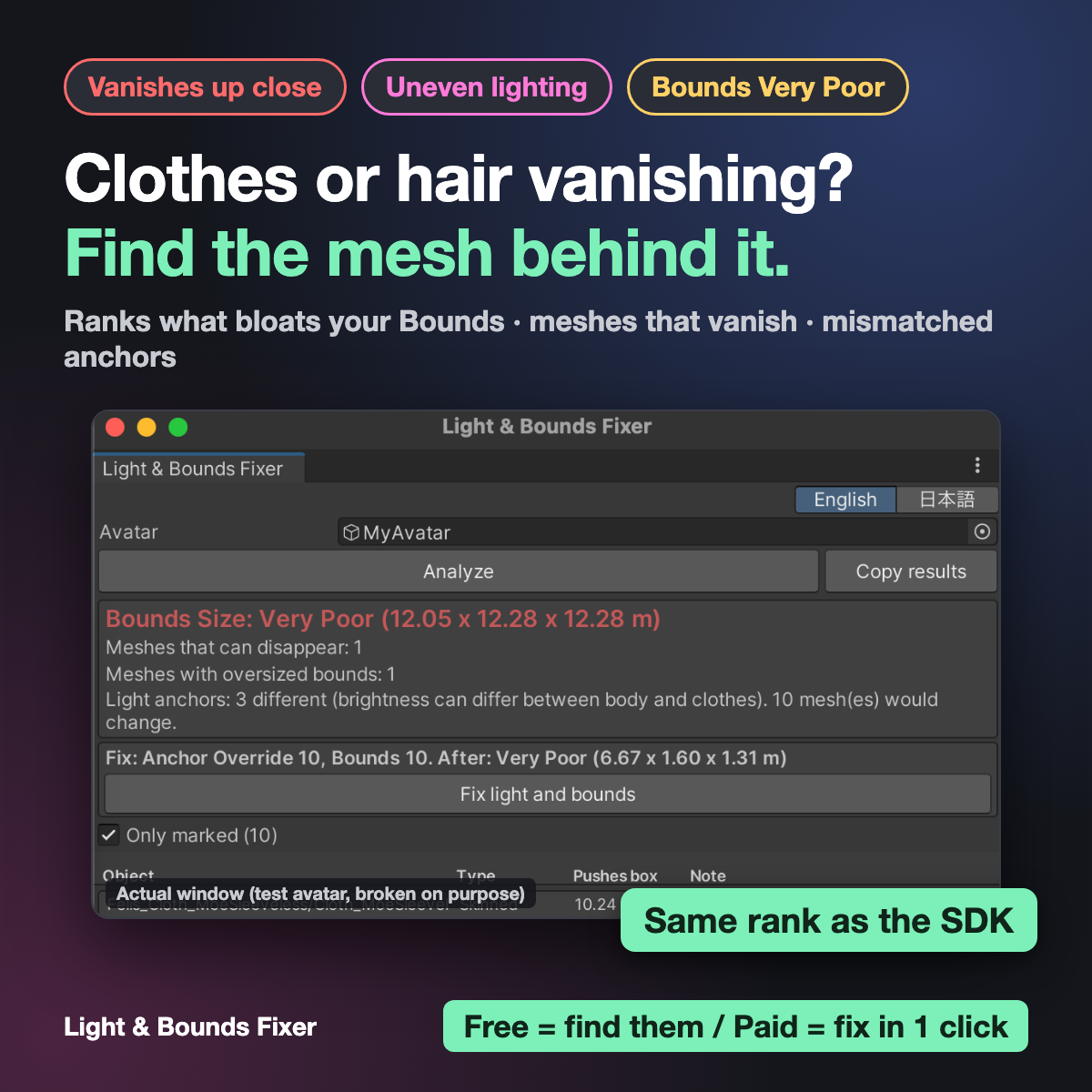
Parts of your avatar disappear when someone gets close, your body and clothes are lit differently, or Bounds Size alone makes your rank Very Poor?
Most of the time the cause is that each mesh has its own Bounds (the box that decides when it is drawn) and its own Anchor Override (the point that decides how it is lit).
Finding the wrong one by hand means opening every Skinned Mesh Renderer and comparing numbers.
Light & Bounds Fixer shows it in one list:
- Bounds Size rank (same calculation as the VRChat SDK) and which object pushes the box out, worst first
- Meshes that can disappear (vertices outside their own bounds)
- Meshes with oversized bounds
- Meshes that do not share one light anchor
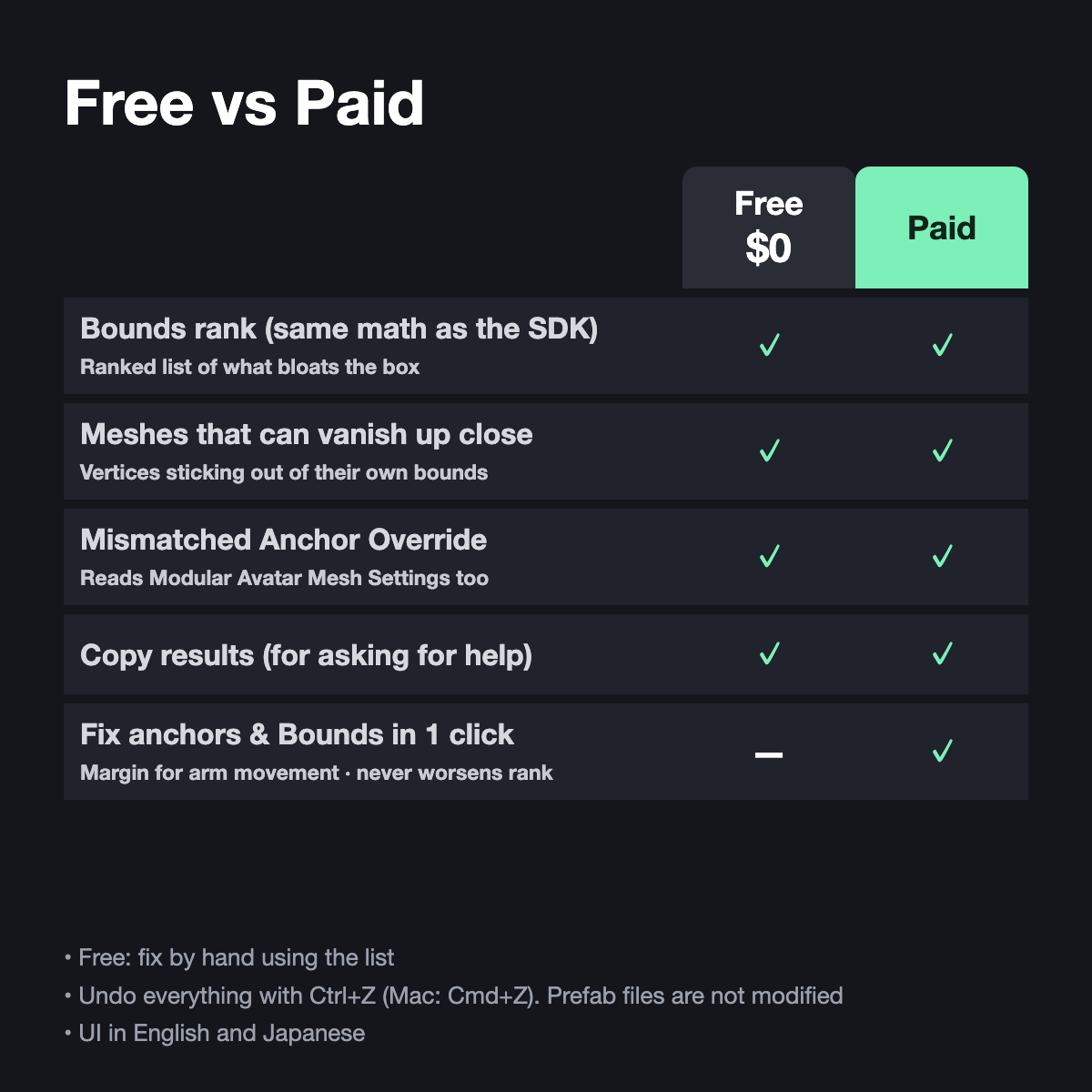
Free vs Paid
- Free ($0) = find it. Fix by hand using the list
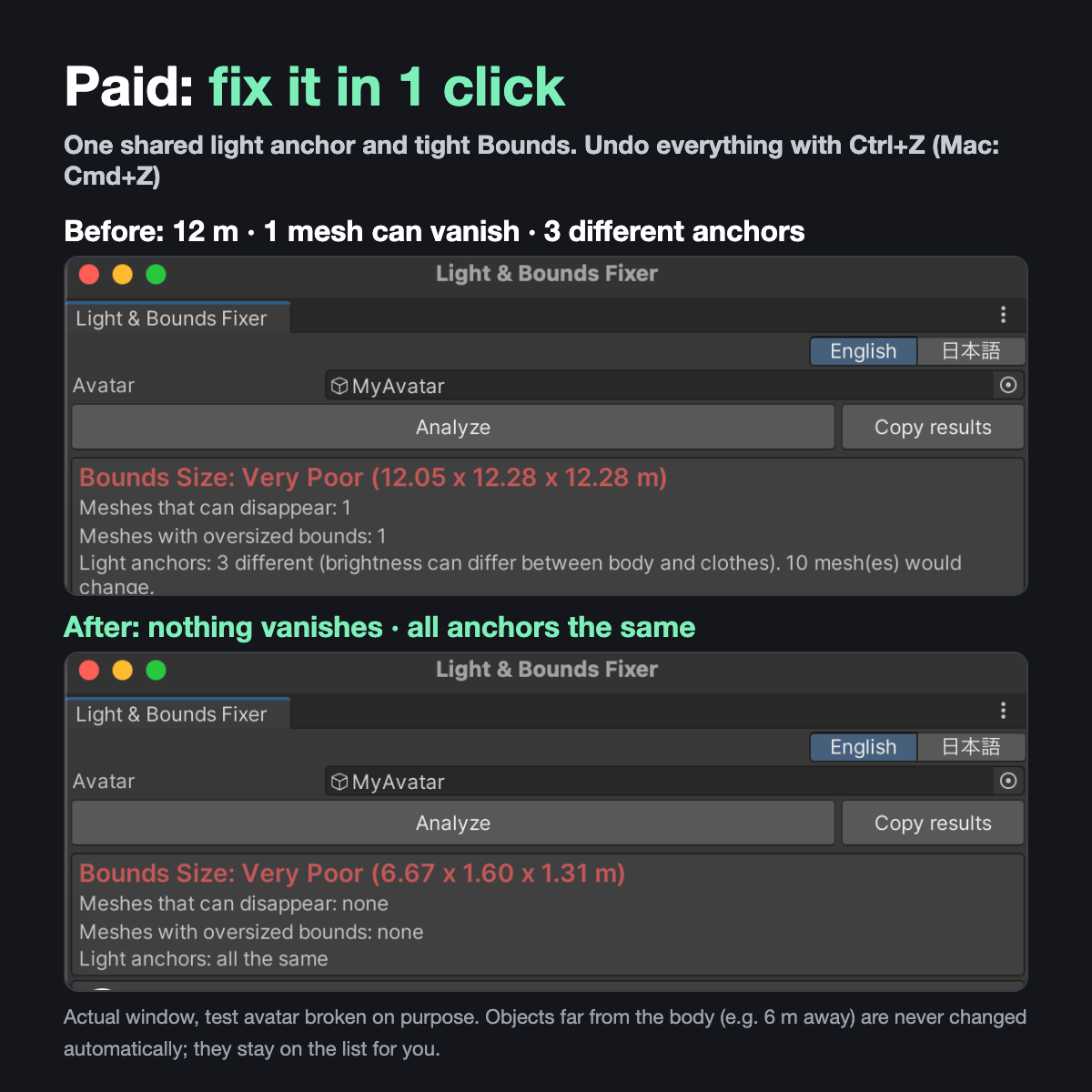
- Paid ($5) = one click: "Fix light and bounds". Ctrl+Z (Cmd+Z on Mac) undoes everything
What the fix changes
- Anchor Override on every Skinned Mesh Renderer and Mesh Renderer: all the same one
- Skinned Mesh Renderers near the body: Root Bone (Hips) and one shared box with room for arm movement
- It never makes your rank worse
- Far-away meshes, particles and trails are listed but never changed. The prefab file is not changed
Tested
- Checked in Unity against the VRChat SDK 3.10.5 numbers on 4 avatars, also after the same build step as upload (NDMF) with Modular Avatar and AAO installed (98 checks passed)
- Felis: box 2.00 x 2.05 x 2.05 m -> 1.23 x 1.57 x 1.31 m (still Excellent). With both arms pointed forward, back, up, down and sideways, every vertex stays inside the box
- A deliberately broken Felis (12 m box, 2 cm box, 3 light anchors, an object 6 m away): the cause of Very Poor is shown at the top, and one click fixes the boxes and anchors. The object 6 m away is listed, not changed
Not for you if
- Your rank drops because of a gimmick placed far away: the list shows it, but it is not changed automatically
- Meshes set by Modular Avatar Mesh Settings are left alone (its values win at upload). The tool marks them and shows the size you will get at upload
Requirements
Unity 2022.3 + VRChat Avatars SDK. Tested on Unity 2022.3.22f1 + SDK 3.10.5. English and Japanese UI.
Notes
- Please check the result in VRChat after uploading
- Not an official VRChat tool
- Questions or bugs: message me on Jinxxy