
Product Description
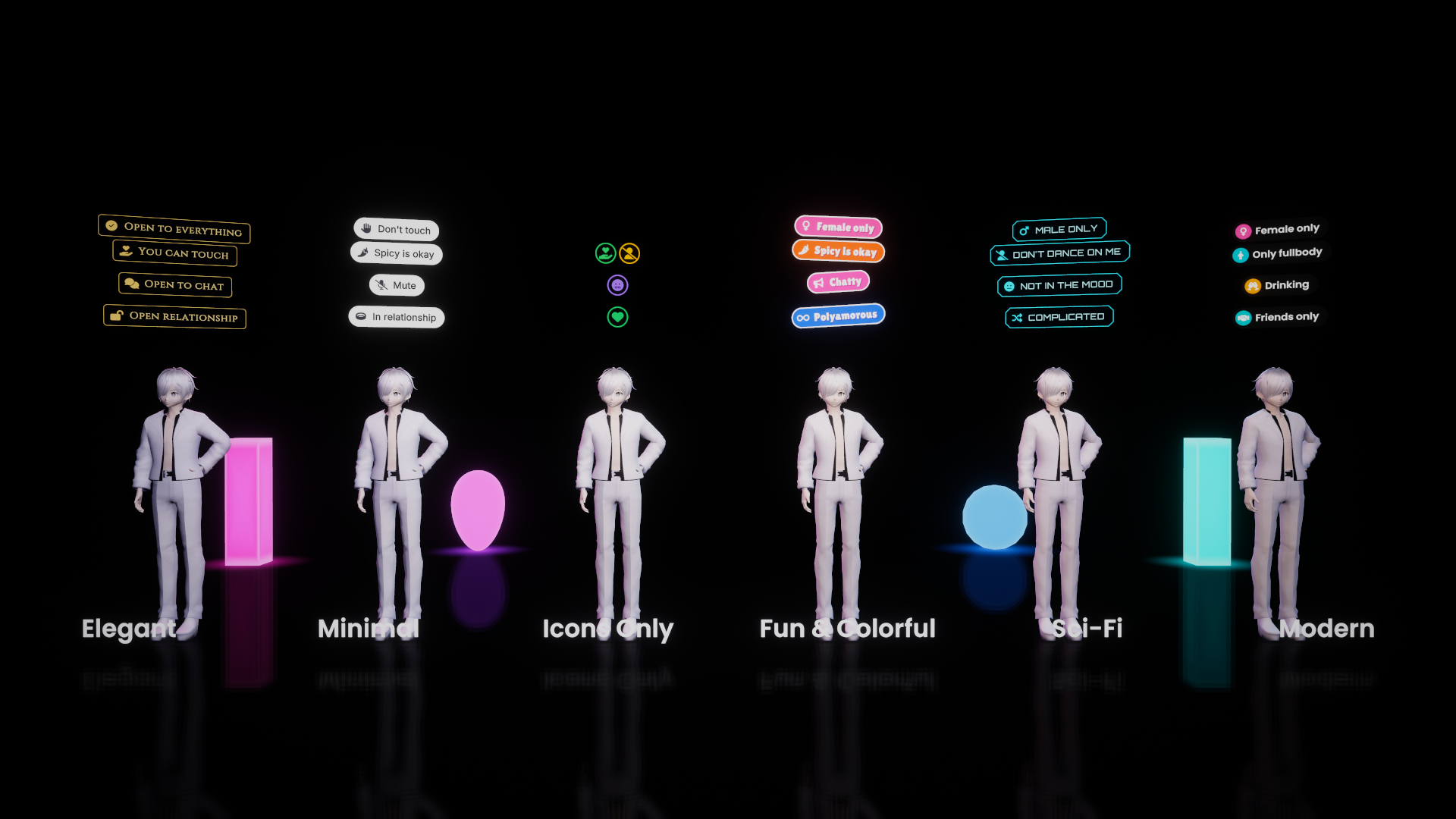
Let your players tell everyone how they're feeling, what they're open to, or how they want to be treated, with a clean icon floating above their head that everyone in the instance can see.
Drop a panel into your world, players tap an option, and their icon appears above their avatar for everyone. No setup, no scripting, just drag and drop.
------------------------------------------------------------
WHAT'S INCLUDED
4 ready-made categories, 6 visual styles each (24 prefabs):
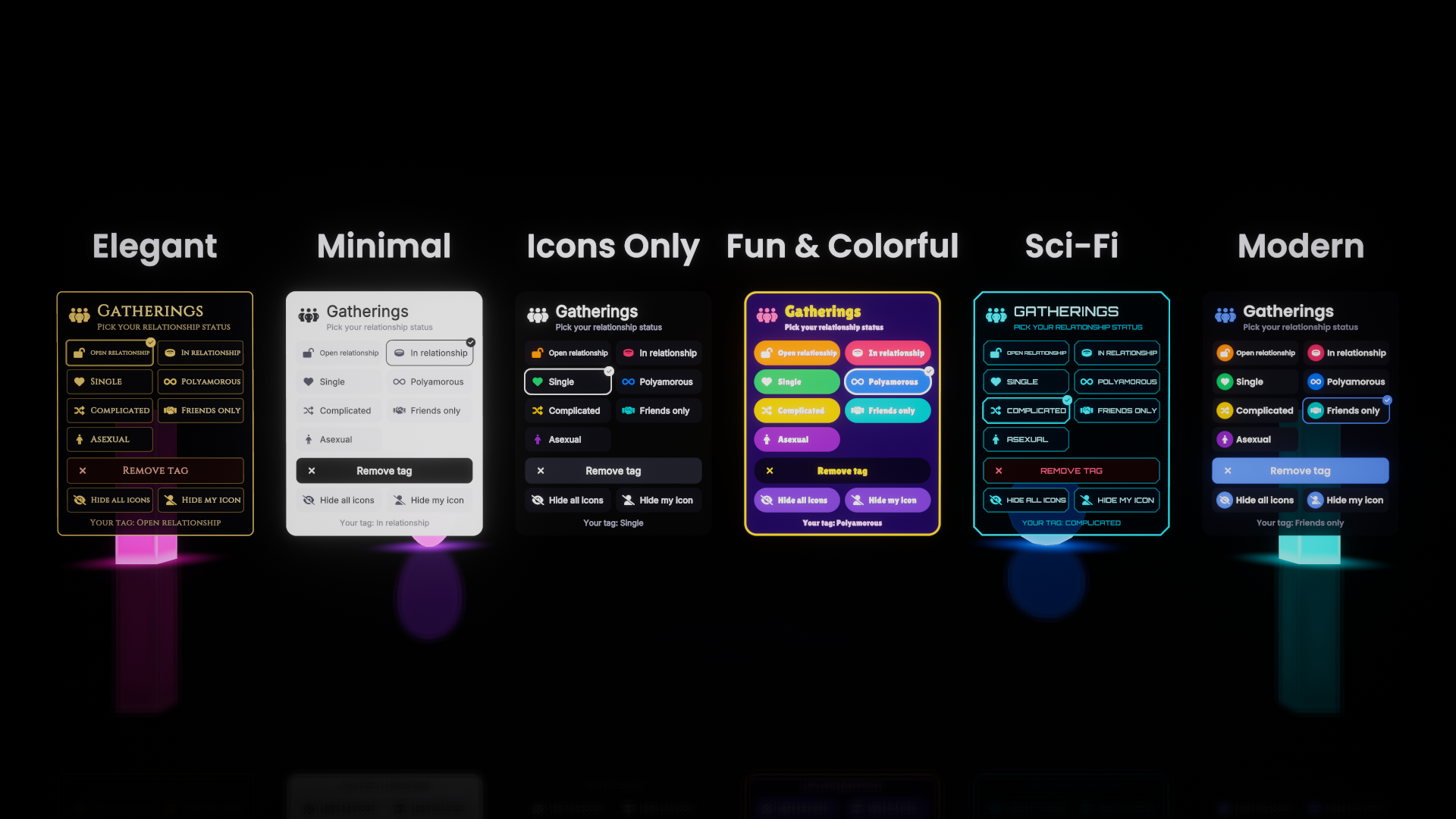
- GATHERINGS - relationship status
Open relationship, In relationship, Single, Polyamorous, Complicated, Friends only, Asexual
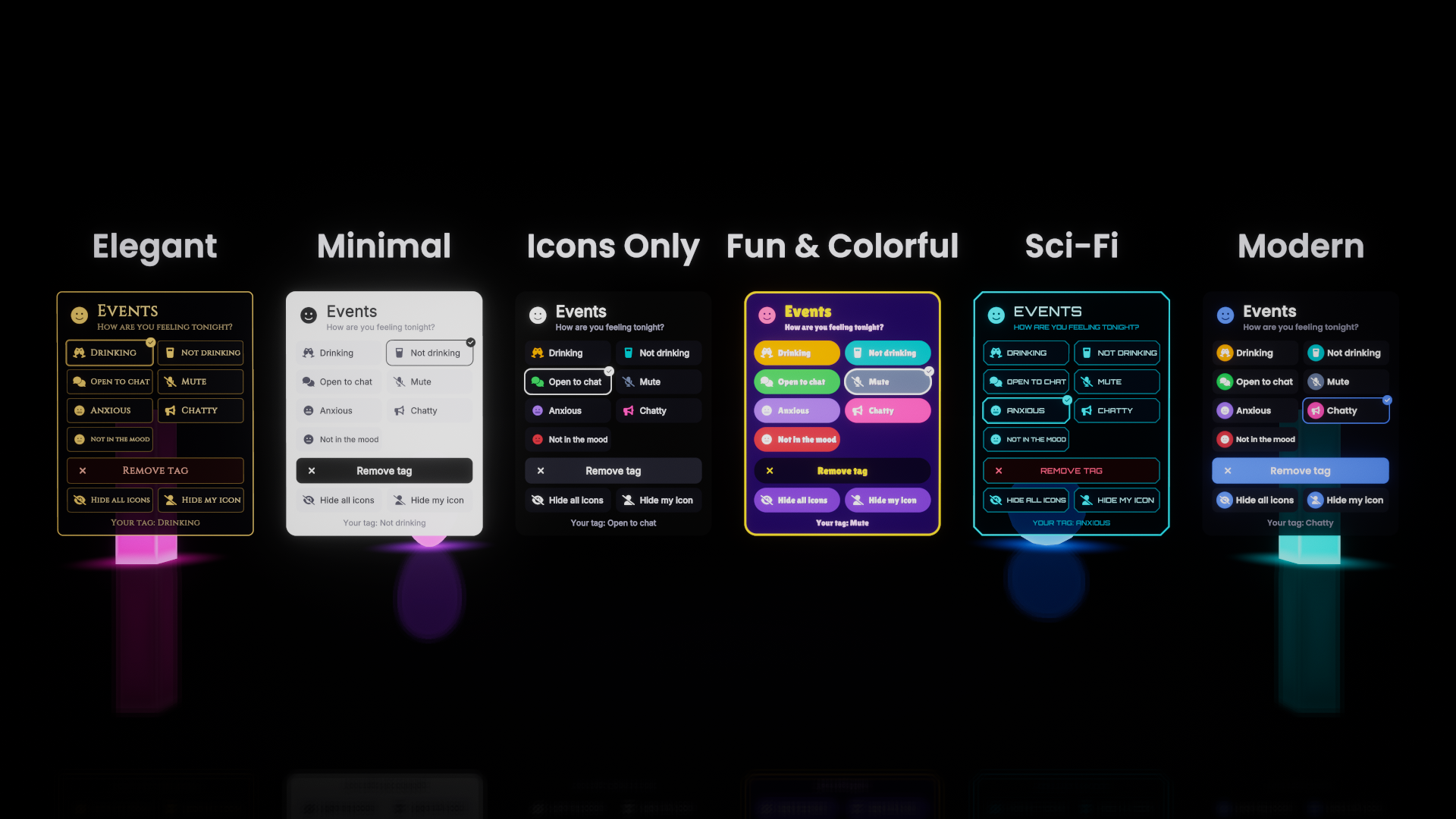
- EVENTS - mood for the night
Drinking, Not drinking, Open to chat, Mute, Anxious, Chatty, Not in the mood
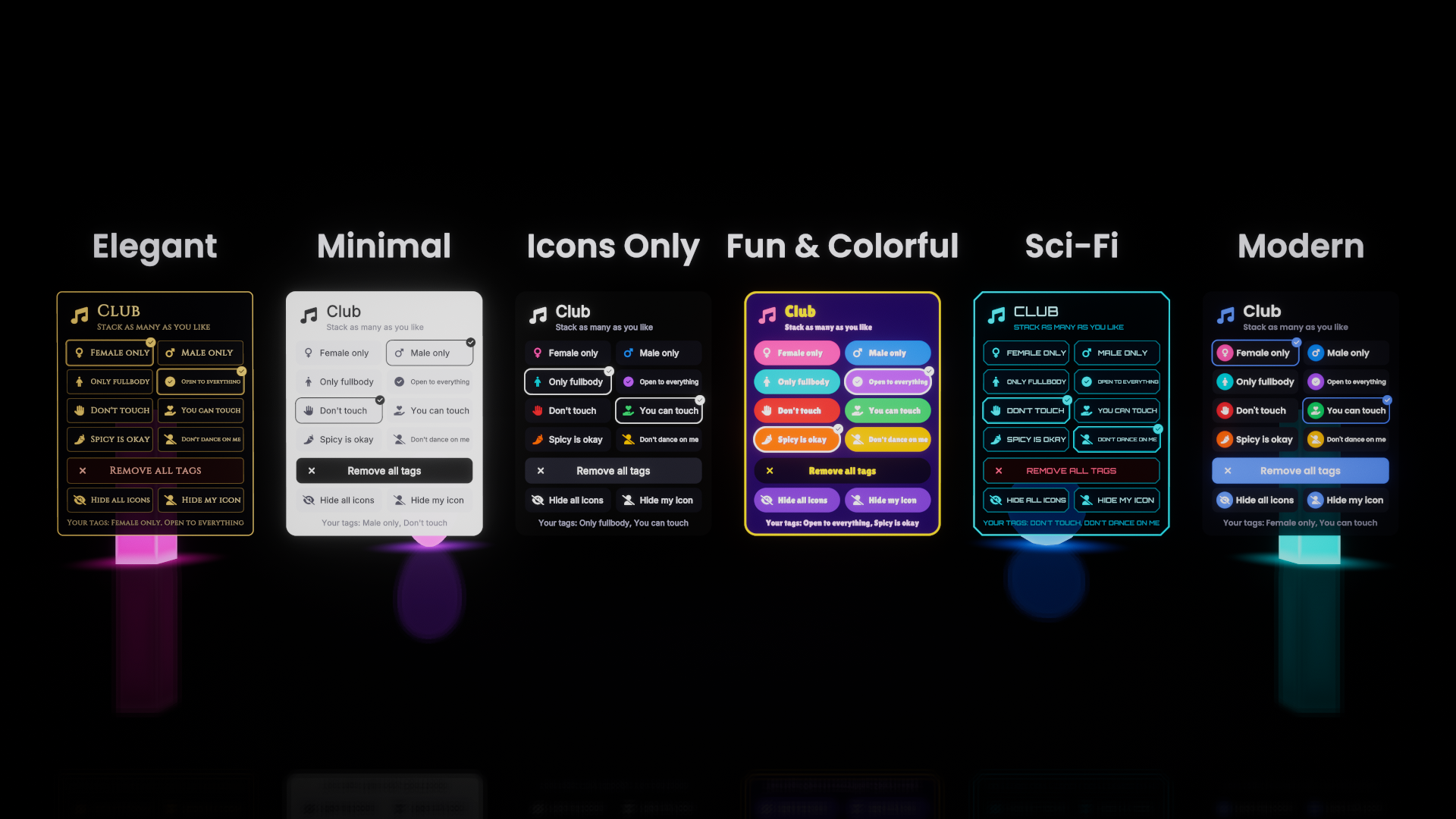
- CLUB - boundaries on the dance floor (stack as many as you like)
Female only, Male only, Only fullbody, Open to everything, Don't touch, You can touch, Spicy is okay, Don't dance on me
- VIP - supporter tiers (staff-only, locked to a list of display names)
Supporter, VIP, VIP+, VIP++, SuperVIP, SuperVIP+, SuperVIP++
6 styles to match any world:
- Elegant - gold on black with a serif font, for lounges and bars
- Minimal - clean white pills
- Icons Only - compact colored icons, no text
- Fun & Colorful - bouncy, tilted, colorful bubbles
- Sci-Fi - cyan neon with chamfered panels
- Modern - dark glass with colored icon circles
------------------------------------------------------------
FEATURES
- Fully networked: everyone sees everyone's icons, including late joiners
- Icons follow the player's head and scale with avatar height
- Icons always face the viewer
- Categories stack neatly: use Gatherings, Events and Club in the same world and the icons sit on top of each other without overlapping
- "Hide all icons": any player can turn off every icon for themselves only
- "Hide my icon": any player can hide their own icon from their own view, while others still see it
- One-tap "Remove tag" button
- Optimized: icons are only active while in use, with no per-frame work for players with no icon
- Showcase scene included with every style side by side
------------------------------------------------------------
REQUIREMENTS
- Unity 2022.3 (VRChat's current version)
- VRChat Worlds SDK 3 (recent version with player objects support)
- UdonSharp (included with the VRChat SDK)
- TextMeshPro (included with Unity)
------------------------------------------------------------
HOW TO USE
1. Import the package.
2. Open Assets/Head icons/Prefabs and pick a category and a style.
3. Drag the prefab into your world and place the panel where you want it.
4. Upload. Done.
------------------------------------------------------------
LICENSE
- Use in as many of your own VRChat worlds as you like, public or private.
- Do not resell, redistribute or re-upload the package or its files, modified or not.
Fonts are included under the SIL Open Font License (Cinzel, Inter, Lilita One, Orbitron, Poppins). Icons are from Font Awesome Free. License files are in Assets/Head icons/Licenses.
------------------------------------------------------------
The character shown in the preview images and videos is not included: "Akira" by alex94i60 on Sketchfab, licensed CC BY 4.0.