
Tarot Reading Together | A VRChat Fortune Teller's Table with Giant Glowing Cards, Compatibility & Card of the Day
Product Description
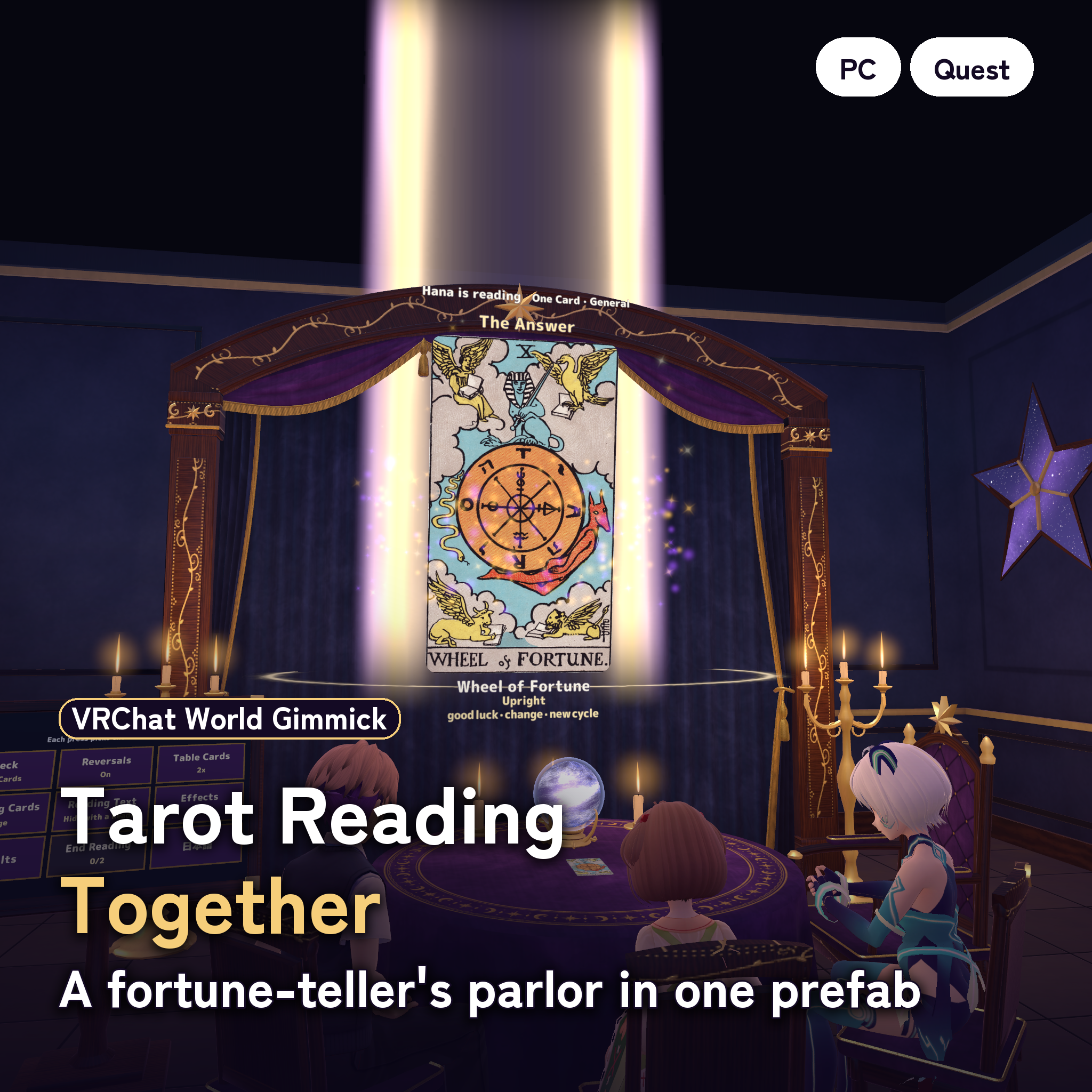
A fortune teller's table for your VRChat world, in one prefab: pick your own card from the fan, and a card taller than you turns over in light on the stage.
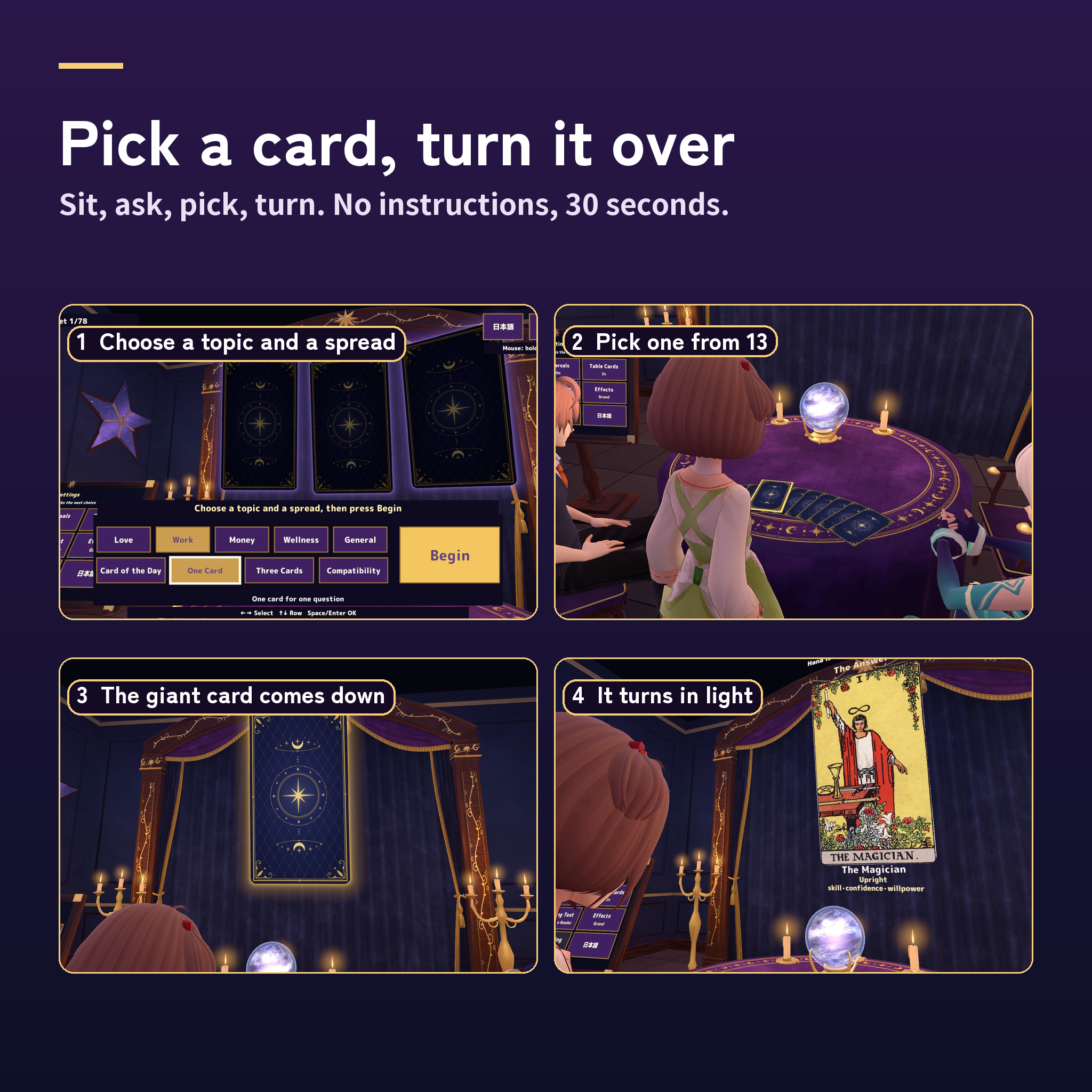
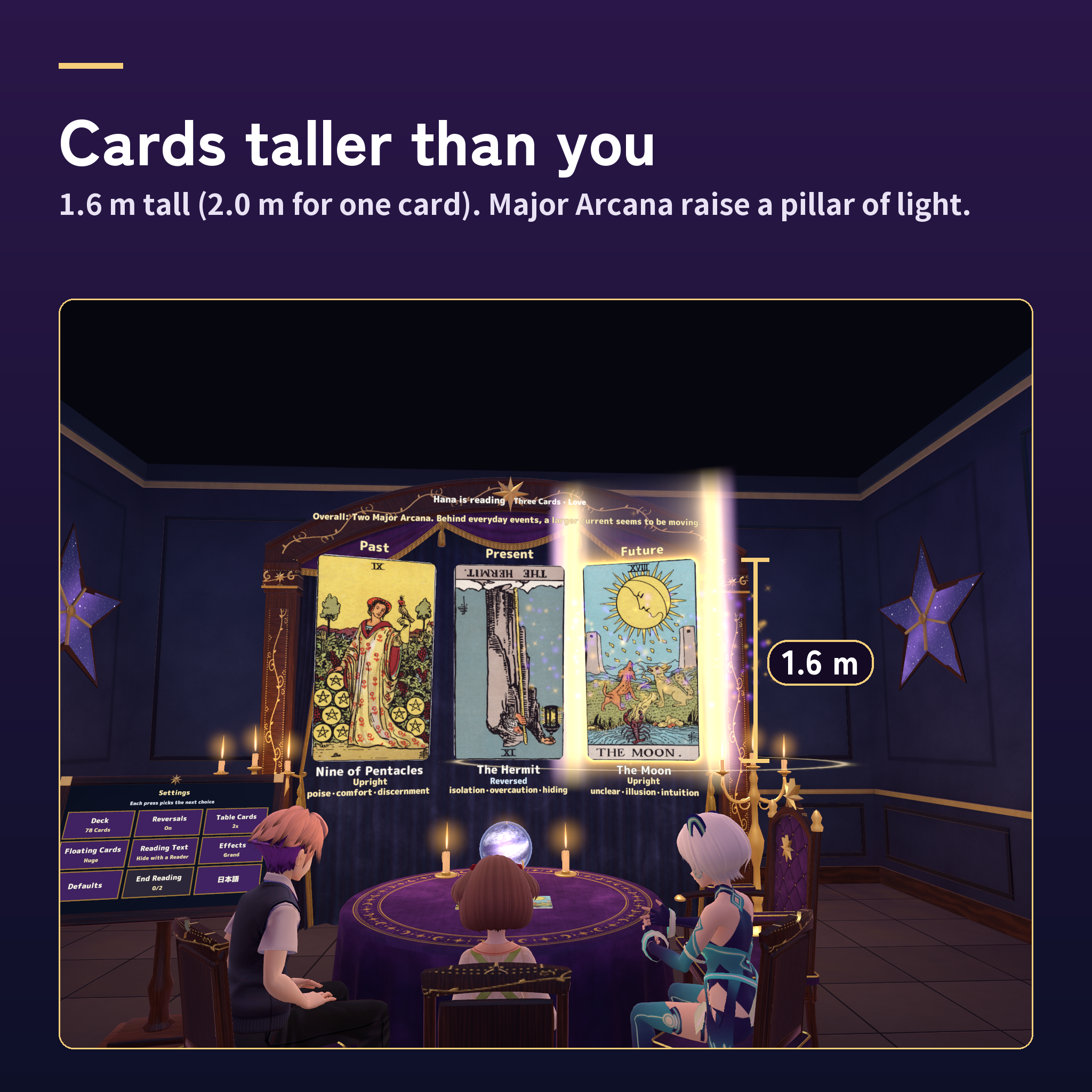
Up to four players sit at a round table with a crystal ball and candles. Choose a topic and a spread, watch the cards shuffle around the crystal ball, pick one from a fan of 13 and turn it over: on the stage behind the table a giant card (1.6 m, 2.0 m for a single card) turns over with it, and the reading shows on your own screen.
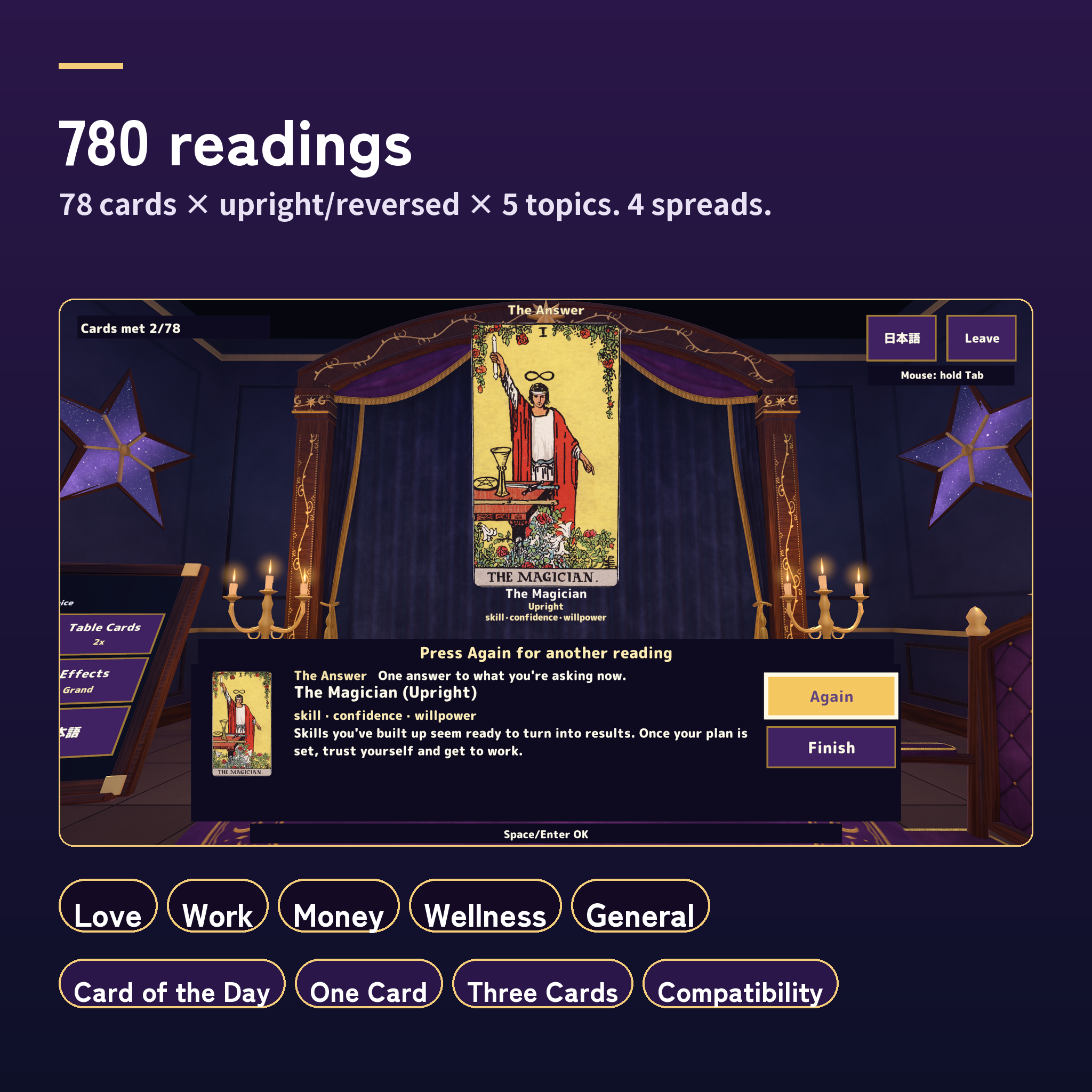
- 5 topics (Love, Work, Money, Wellness, General) and 4 spreads (Card of the Day, One Card, Three Cards, Compatibility): 780 readings in English and Japanese
- The cards go round the crystal ball and fan out before you: you choose your own
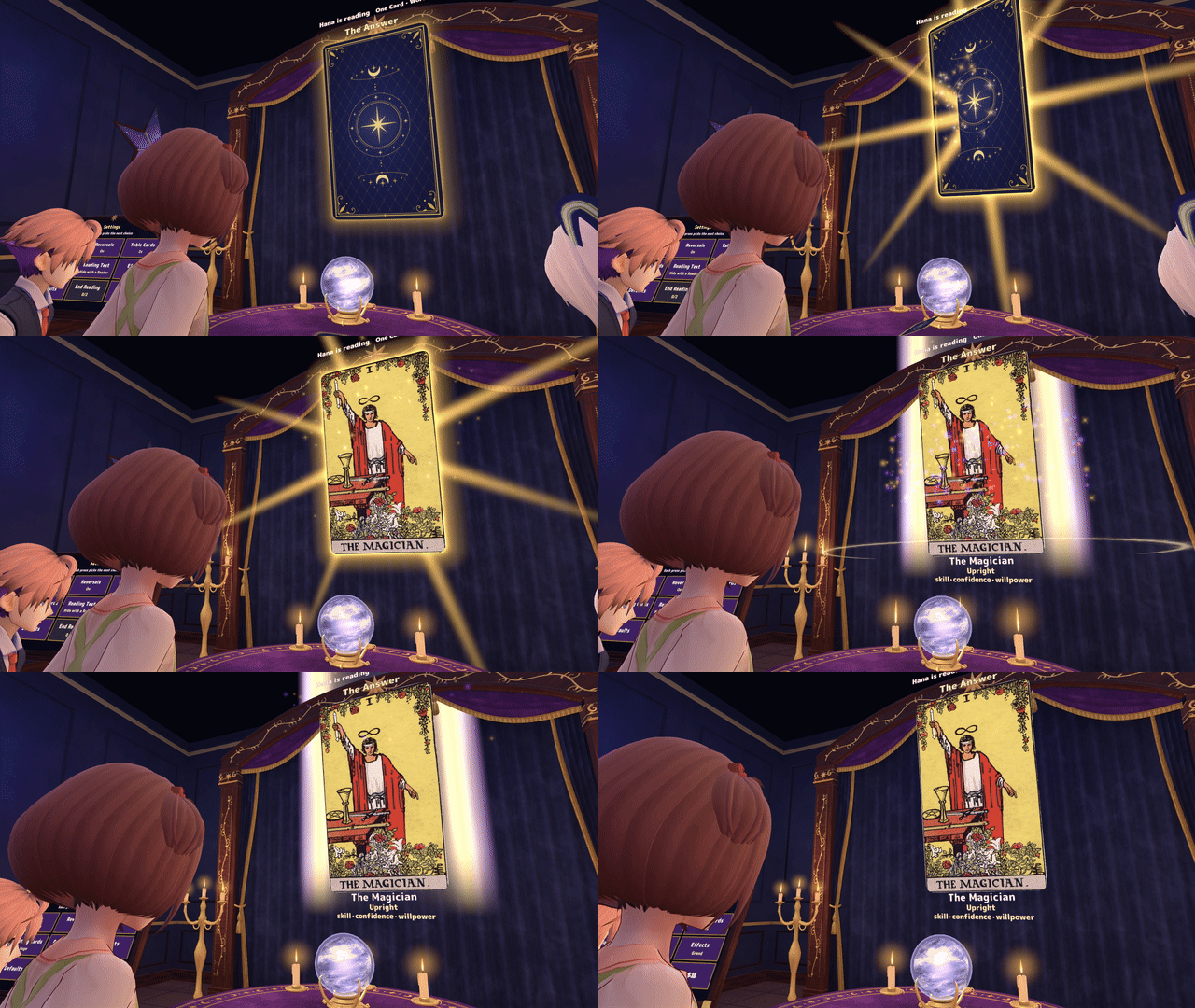
- The giant card turns over in a burst of light; the 22 Major Arcana raise a pillar of light
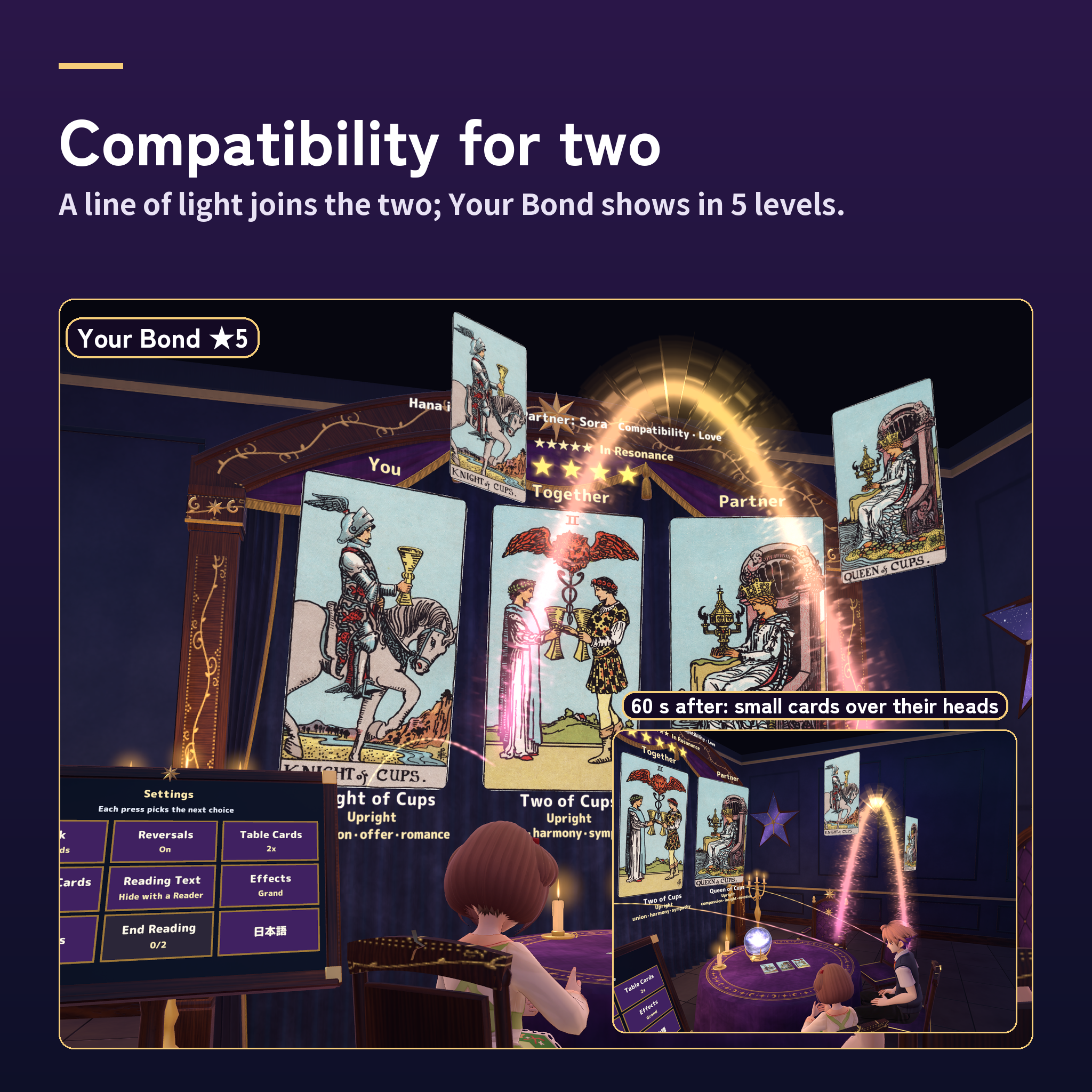
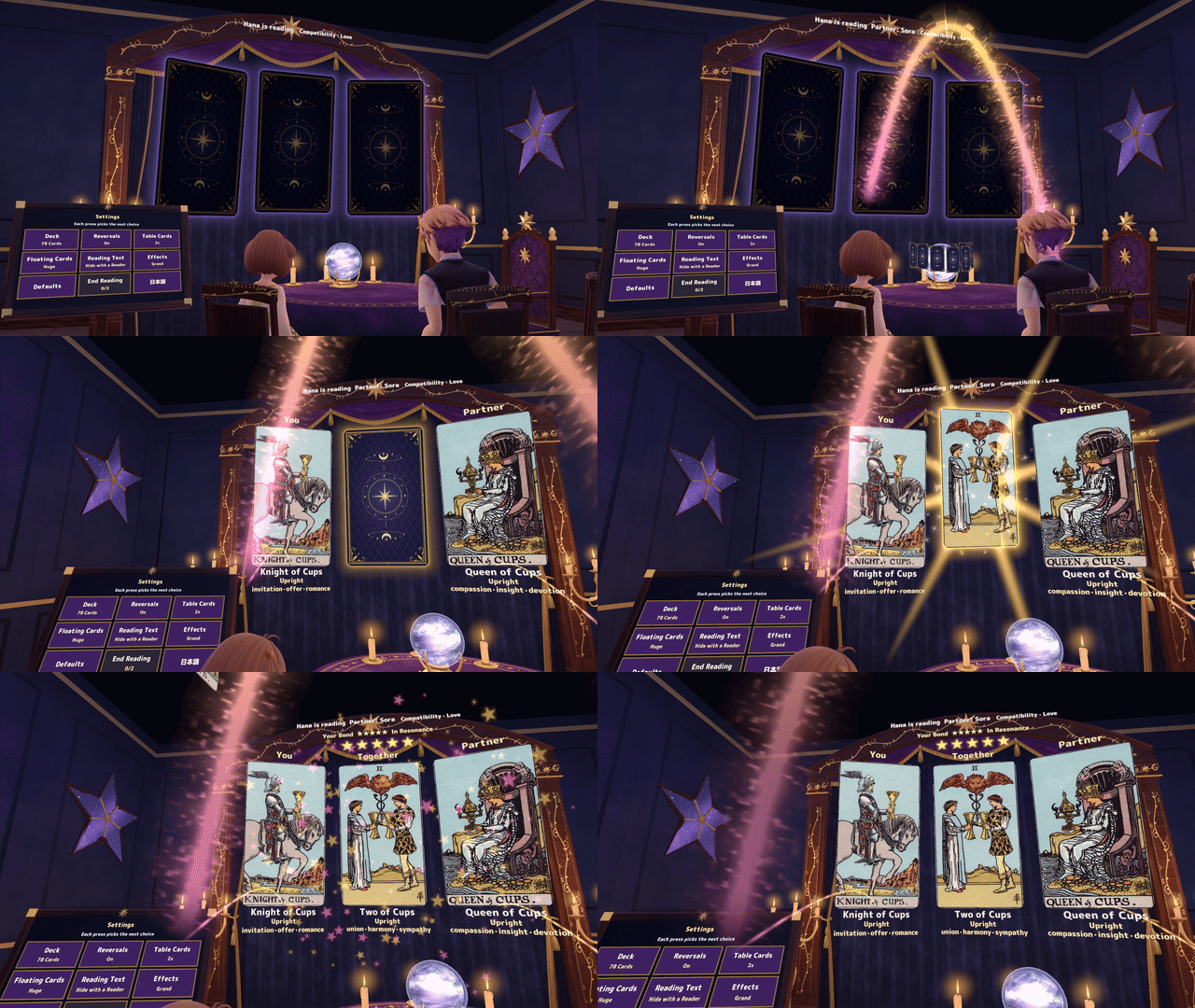
- A compatibility reading links two players with a line of light and shows "Your Bond" from one to five stars
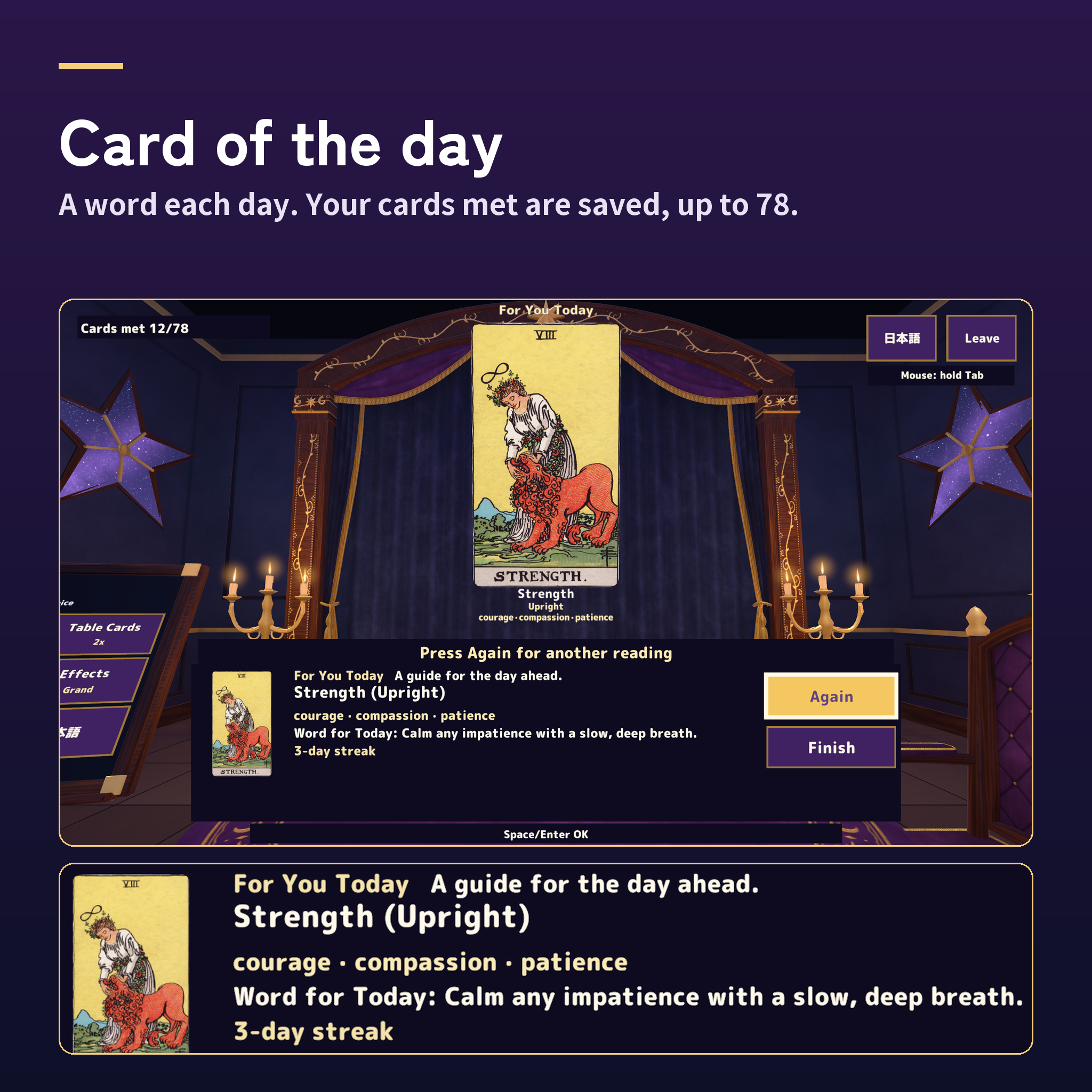
- Each player's card of the day (the same card all day) and "Cards met n/78" are saved
The 78 cards are scans of the classic tarot deck published in London in 1909, drawn by Pamela Colman Smith. Alone, the crystal ball reads for you; whoever sits in the star chair sees Reading Hints and can read for the others in their own words. Everyone sees the same cards turn over, and late joiners see the same spread. PC (desktop and VR), Quest and Android phones; English and Japanese for each player.
Watch it in action
The reading
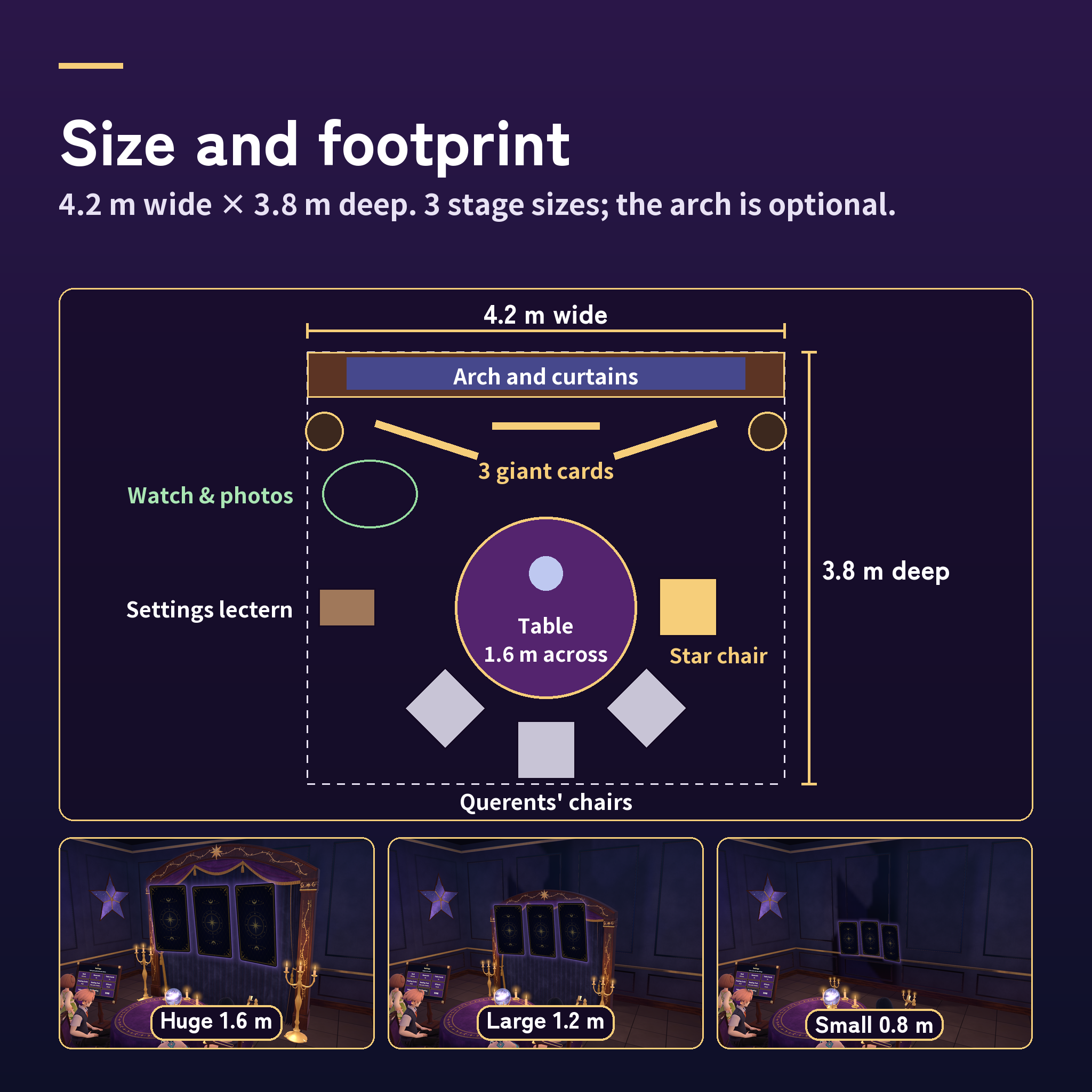
- A fortune teller's parlour. A round table 1.6 m across under a deep purple cloth with gold tassels, a crystal ball 0.30 m across with a slowly turning nebula inside that pulses at every press, three chairs for the querents and the reader's star chair with a gold star on its back, two candle stands and three candles on the table (nine flames), and an arch with curtains (4.2 m wide, 3.85 m tall) as the backdrop of the giant cards.
- Shuffle and choose. Press Begin (or the crystal ball): the cards go round the crystal ball (about 1.6 s) and fan out before you, 13 of them face down. Choose one: it slides to the middle of the table and a giant card comes down on the stage.
- The giant card. Press Reveal (or the card on the table, or the crystal ball): the table's card and the giant card turn over together with rays, sparkles and a deep bell. The 22 Major Arcana turn over in a grander way: a pillar of light rises and the candle flames flare for a moment. A reversed card lands upside down. As it lands, a plate shows the card's name, upright or reversed, and three keywords, for onlookers too.
- Compatibility. When the partner presses Join at their seat, two read together: You, Partner and Together. At the end "Your Bond" shows on the stage in five steps (Just Beginning, Slow and Steady, Meeting Halfway, Tailwind, In Resonance; every one a kind word) and a line of light links the two. Alone, press Read Alone and the crystal ball draws your partner's card.
- Card of the day and Cards met. Card of the Day gives a "Word for Today" once a day; chosen again the same day, the same card comes up, with the days in a row. Each player's card of the day, streak and "Cards met n/78" are saved in their own VRChat.
Topics and spreads
- 5 topics: Love, Work, Money, Wellness and General. The same card reads differently for each topic: 78 cards x upright and reversed x 5 topics = 780 readings, in English and Japanese
- Card of the Day: one card a day with a Word for Today
- One Card: one card for one question, the quickest reading (about 20 s)
- Three Cards: Past, Present and Future, then one line of "Overall" from the number of Major Arcana, the suit that stands out and the number of reversed cards
- Compatibility: You, Partner and Together, with Your Bond
The reader's star chair
- With the star chair empty, the crystal ball reads by itself, so one player can read alone
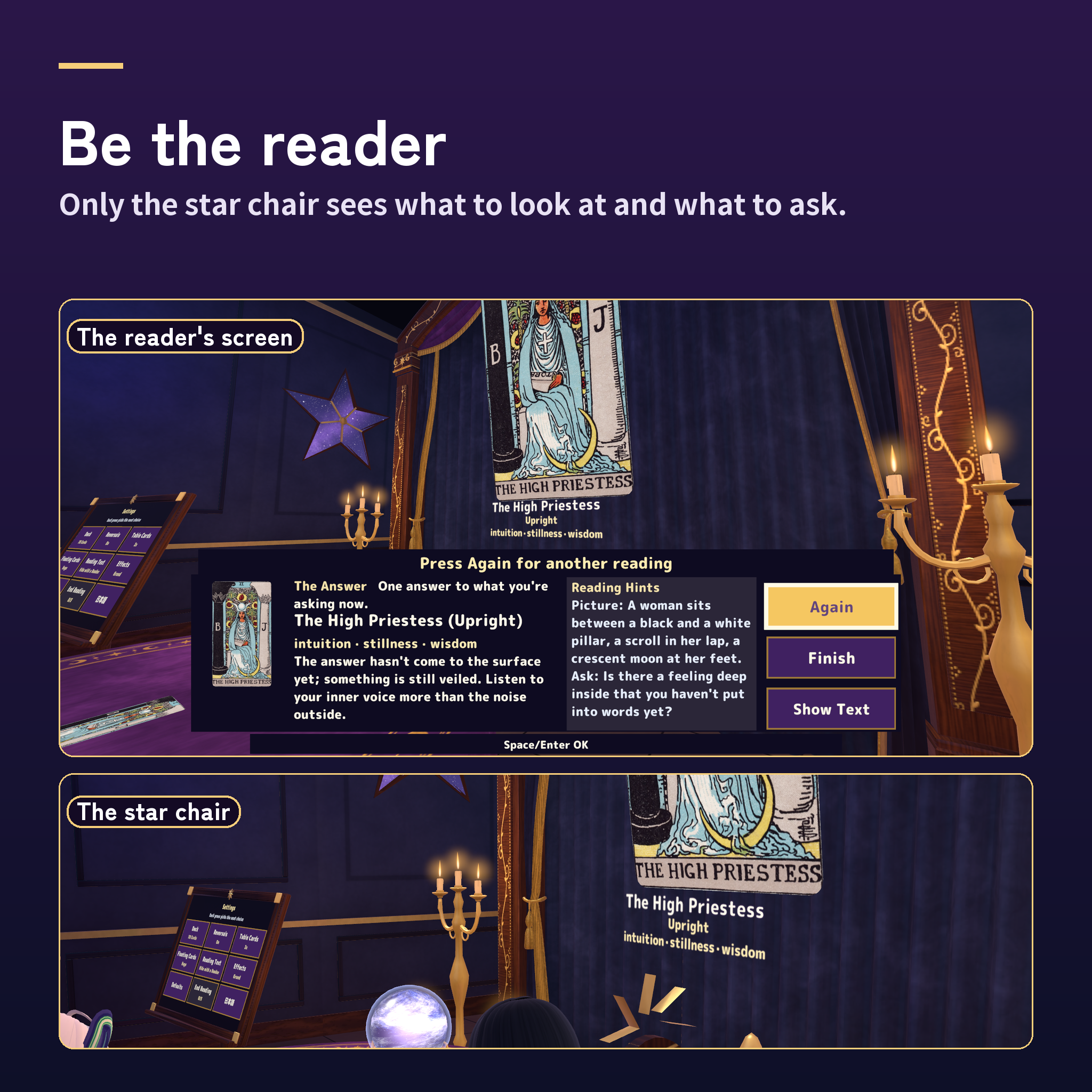
- Whoever sits in the star chair sees Reading Hints on their own screen: what to look at in the picture, a question to ask the querent, and keywords
- The reading text shows on the reader's screen; Show Text puts it on every seated player's screen
- With Reading Text on the lectern set to Always Shown, everyone seated sees the text even with a reader
The settings lectern
- On the lectern west of the table; anyone can use it, before sitting down too, and each key says what it does
- Deck: 78 Cards or 22 Major Arcana. Reversals: Off or On (upside-down cards have their own reading)
- Table Cards: Life Size, 1.5x, 2x, 2.5x. Floating Cards: Huge (1.6 m), Large (1.2 m), Small (0.8 m, for low ceilings)
- Effects: Subtle, Normal, Grand. Defaults, and End Reading (two presses for the querent and the reader, a majority of the seated for anyone else)
- Every setting but the language key is shared with everyone
Sound and VR
- 19 sound effects and an original song for the parlour (looping). The table's cards sound from the table and the giant cards from the stage; the song dips a little while a card turns over. Set the song's volume and range with Music Volume and Music Range in the Inspector (0.7 and 10 m at first). The sound effects and the song always play.
- In VR, aim your hand's ray at a key or a card and pull the trigger. While you point, a line and a dot come from your hand and the key, card or crystal ball you point at glows softly.
- Your screen opens before your eyes and follows your head a little late. Its Place key (Up, Low, Hand, Ahead) and Size key (S, M, L) change your own display.
How to play
- Press a querent's chair (Sit for a Reading) to take the seat; your own screen appears.
- Choose a topic and a spread, then press Begin.
- Choose a card from the fan.
- Press Reveal. Again reads once more; Finish lets you choose again.
Four seats (three querents and one reader) and any number of onlookers. The table reads one reading at a time: the querent and the reader act during a reading, and once the result shows, anyone seated can start the next. Desktop: arrow keys and Space or Enter, or hold Tab to use the mouse. Quest and phones: tap the keys or the cards. Hold Leave for one second to stand up. The readings are for entertainment.
Requirements
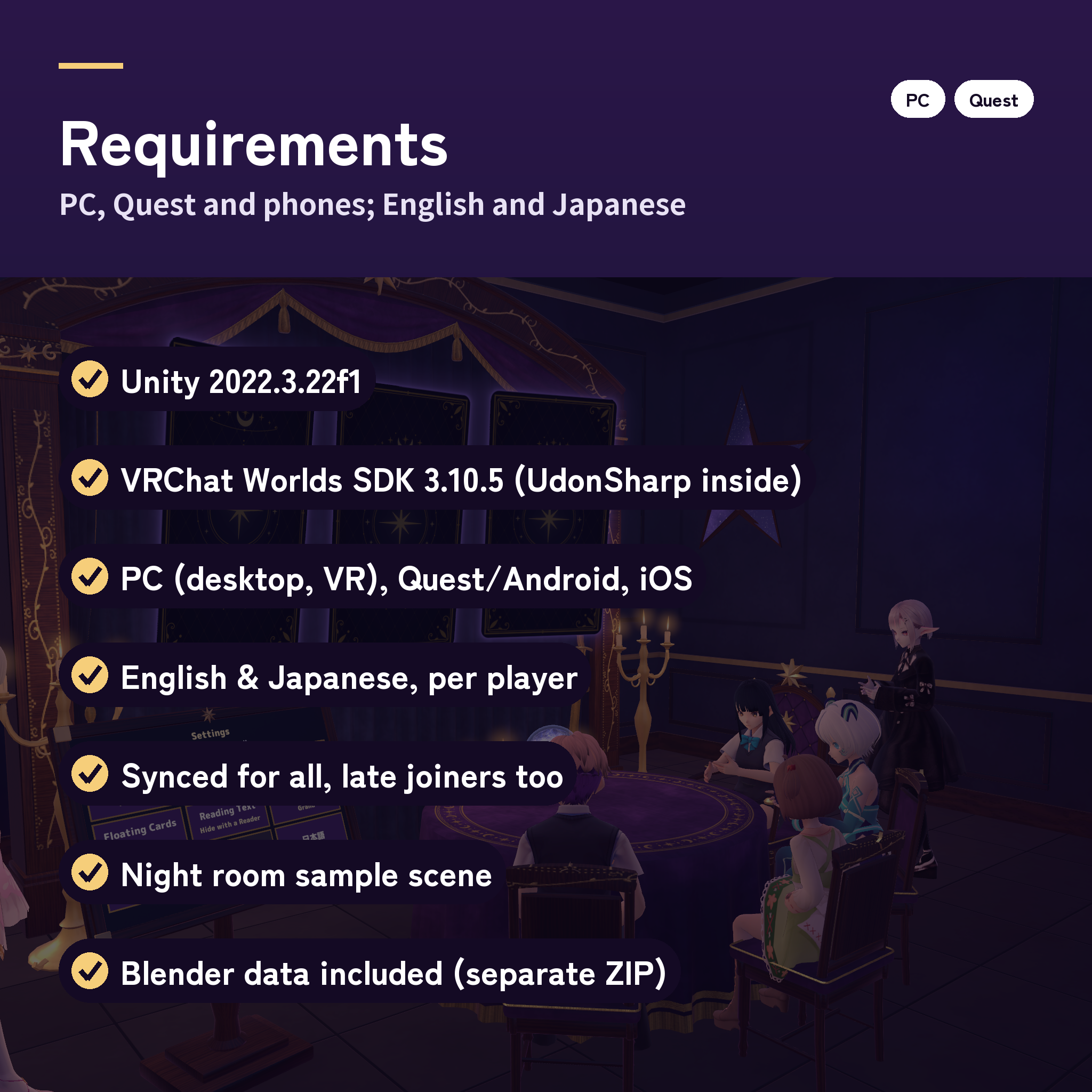
- Unity 2022.3.22f1
- VRChat Worlds SDK 3.10.5 (checked on 2026-11-24; UdonSharp comes with the SDK)
- TextMesh Pro (comes with Unity)
- A world project made with VRChat Creator Companion (VCC)
- The same prefab runs on PC (desktop and VR), Quest and Android phones (checked with an Android build on 2026-11-24), and it is made to run on iOS as well. On Quest and phones the lights and sparkles lighten by themselves, and the cards, plates, flames and crystal ball glow on their own. Lighter copies of the materials (TA_*_Quest) are included.
- Triangles in the prefab: about 35,000. Android sample world: about 21.9 MB
One player (the table's owner in the instance) keeps the table's state and the others' actions are sent to them; if the owner leaves, the next person carries on. Anyone who joins later sees the table as it is: the cards turned over, the plates and the bond. A card is drawn at the moment it is turned over. The reading text, the hints, the language and where and how big your screen is are each player's own. Two tables in one world work separately.
What is included
- unitypackage: the tarot table prefab (table, crystal ball, candles, four chairs, candle stands, the arch and curtains, the giant cards and plates, the settings lectern and the players' screens), 78 tarot cards (22 Major and 56 Minor Arcana, the classic artwork of 1909) with an original card back, 780 readings with Words for Today and Reading Hints (English and Japanese), a sample scene of a night room with windows of starry sky (baked light), 19 sound effects and one song, lighter materials for Quest and phones, and a font (M PLUS Rounded 1c)
- Blender data (a separate download: FBX models of the table, chairs, star chair, crystal ball, candle stands, candles, lectern, arch and curtains and the sample room, with their textures)
- README.txt (Japanese) and README_EN.txt (English)
Setup
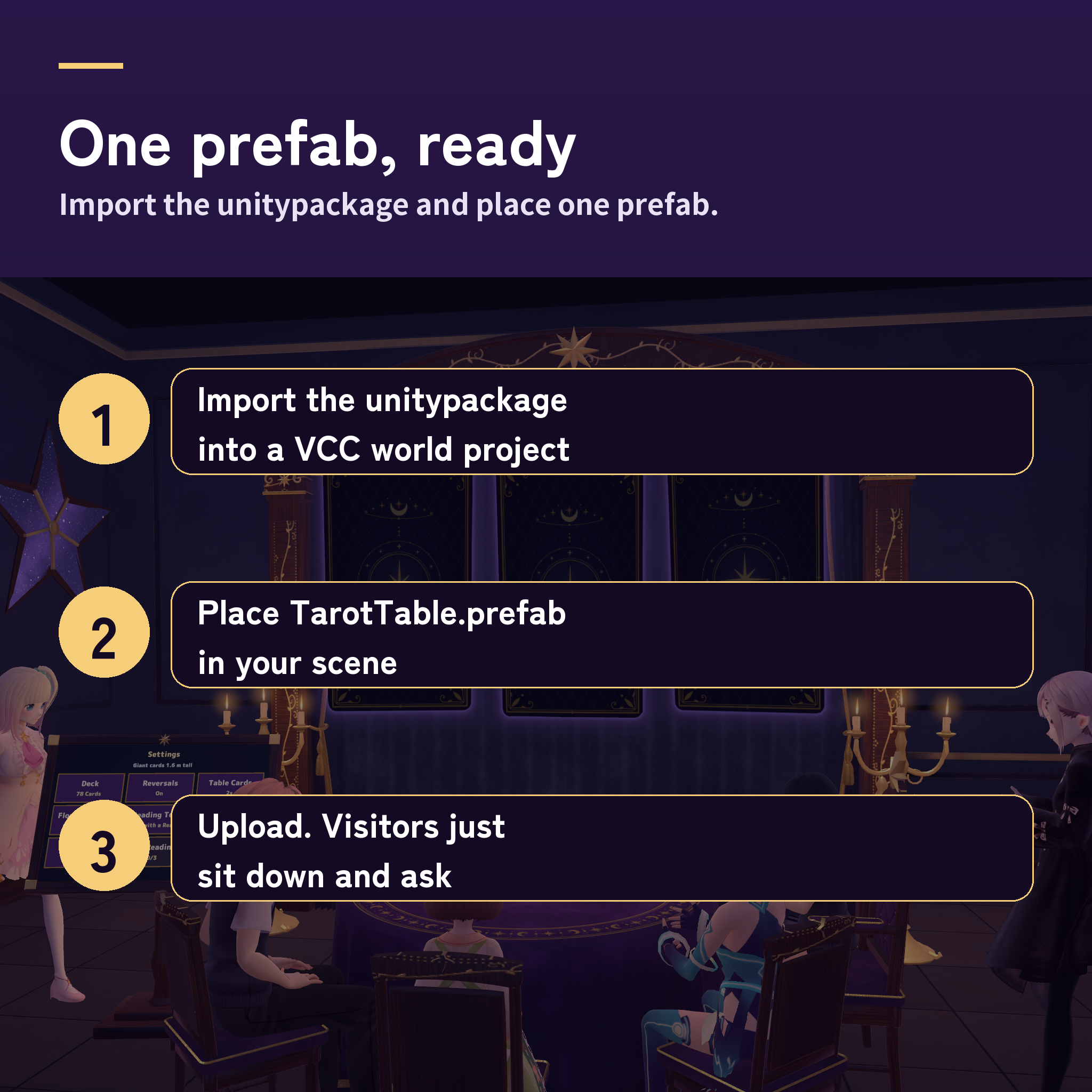
- Open a world project made with VCC. The first time, import TextMesh Pro's TMP Essential Resources (Window > TextMeshPro > Import TMP Essential Resources).
- Import the unitypackage.
- Place Assets/TarotTable/TarotTable.prefab in your scene. Its origin is the floor at the middle of the table; move and turn it freely, and change sizes with Table Cards and Floating Cards on the lectern.
It is ready to play as soon as it is placed, usually within 10 minutes. The whole set takes about 4.2 m wide by 3.8 m deep, and the arch is about 3.85 m tall (about 2.9 m with the floating cards set to Large; Small leaves the stage to the cards and the candle stands). Place it on any flat floor. In the Inspector, showArch takes off the arch and curtains, stageOffset moves the stage, panelAnyone sets who may use the lectern and saveProgress sets the saving. Sample scene: Assets/TarotTable/Sample/TarotTable_Sample.unity.
Terms of use
- You may build it into VRChat worlds and publish them (paid, company, event and monetized worlds, and worlds with VRChat's in-world purchases too).
- You may change it freely (colours, shapes, music and text included). No credit is needed.
- Do not redistribute or resell the data itself (scripts, models, textures, sounds, music, reading texts, Blender data), changed or not, or sell it bundled with other assets.
- To use it outside VRChat worlds (other games, films and so on), please ask first.
Version history
- v1.0 (2026-11-28): first release
The card artwork is a scan of the classic tarot deck published in London in 1909, drawn by Pamela Colman Smith (public domain); the card back is an original design made for this product. The reading texts are the shop's own, written in English and Japanese from a classic 1910 book on the tarot. The font is M PLUS Rounded 1c (SIL Open Font License 1.1). The 3D models, textures, sound effects, the song and the scripts were made for this product.
Jinxxy support
For purchases on Jinxxy, use this product's Q&A on Jinxxy. Include the product name, Unity and SDK versions, the steps you took and any error text.