
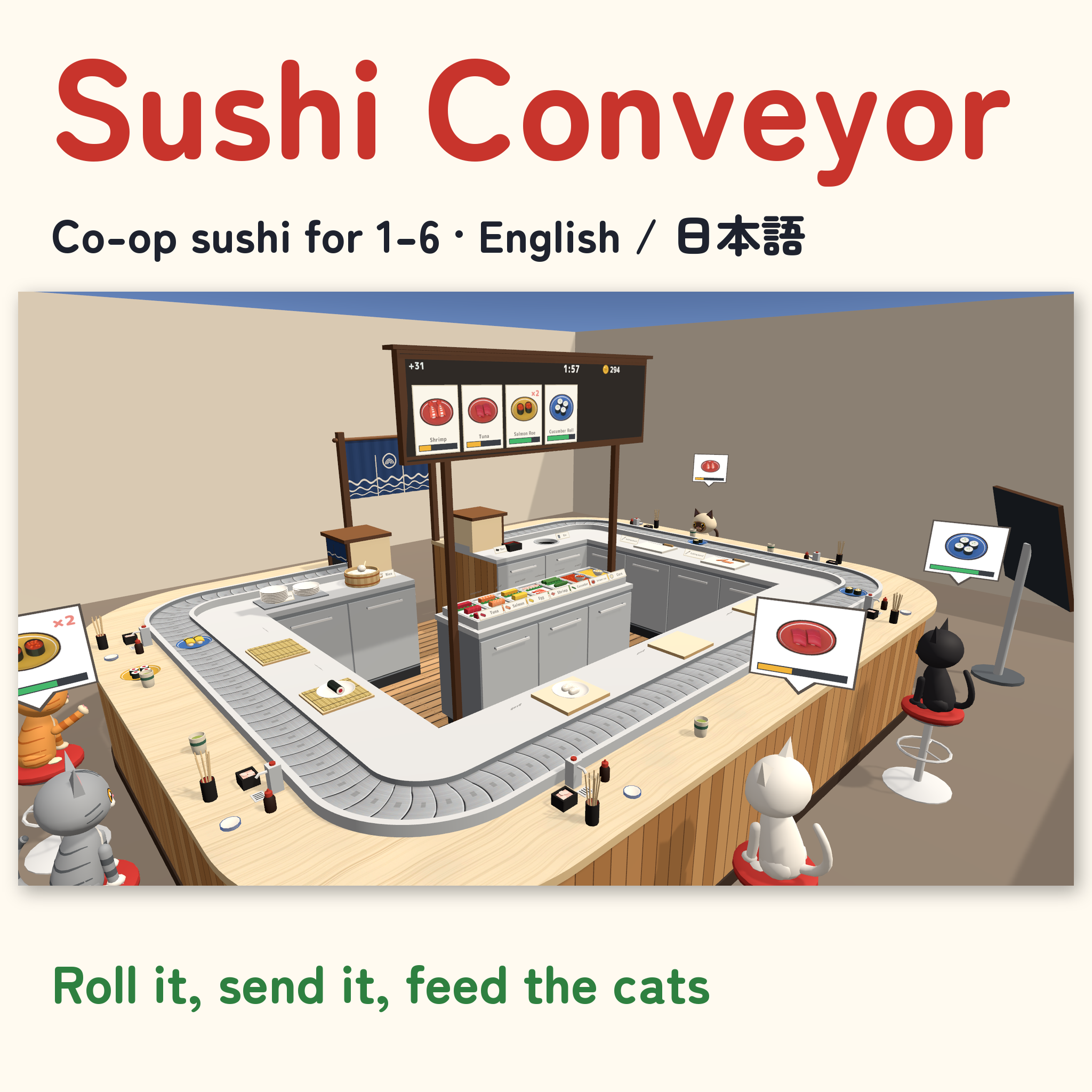
Sushi Conveyor | Co-op Sushi for VRChat Worlds, 1-6 Players
Product Description
Press the rice, cut the fish, roll the maki, send it down the belt, and watch the cats eat it up.
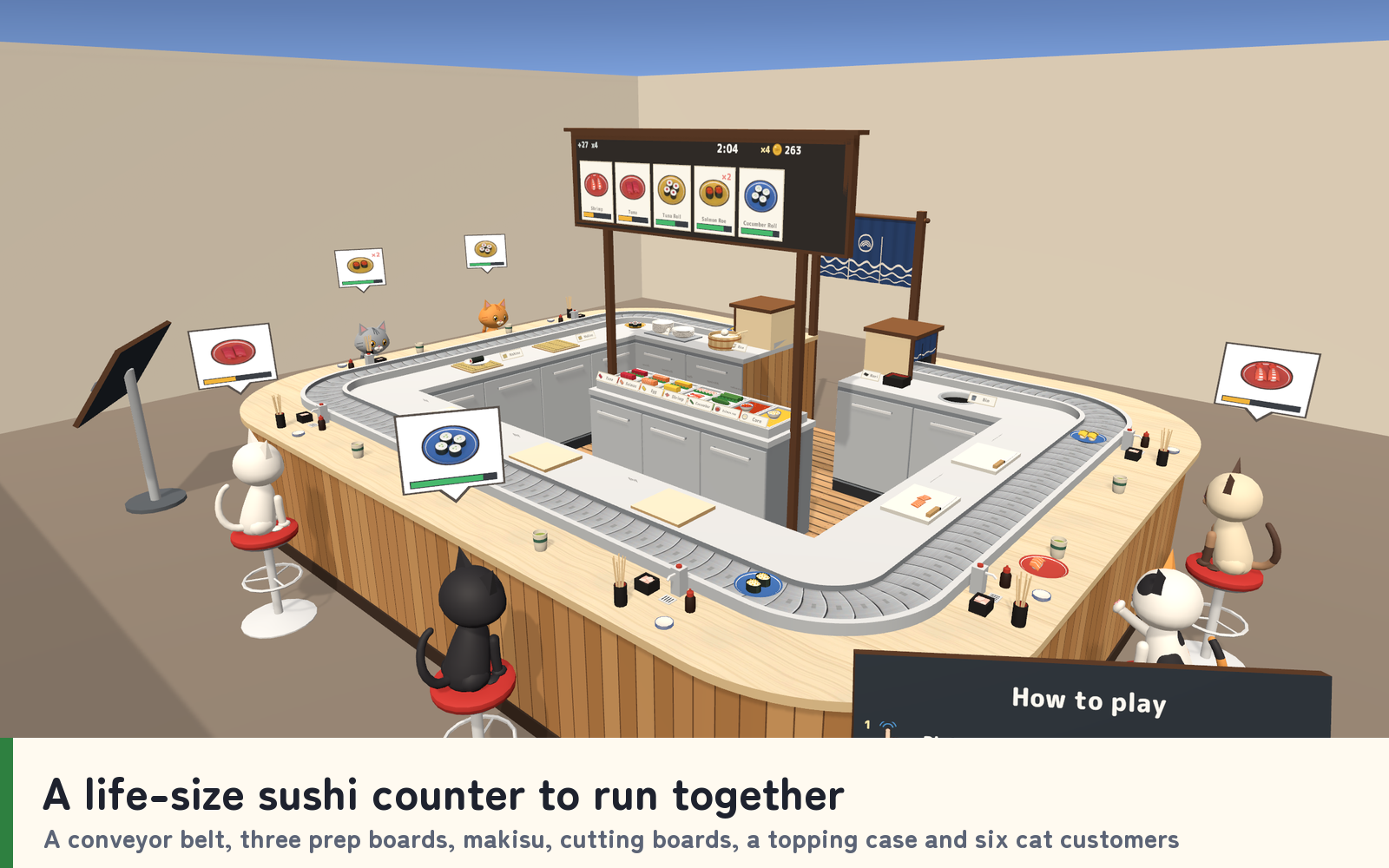
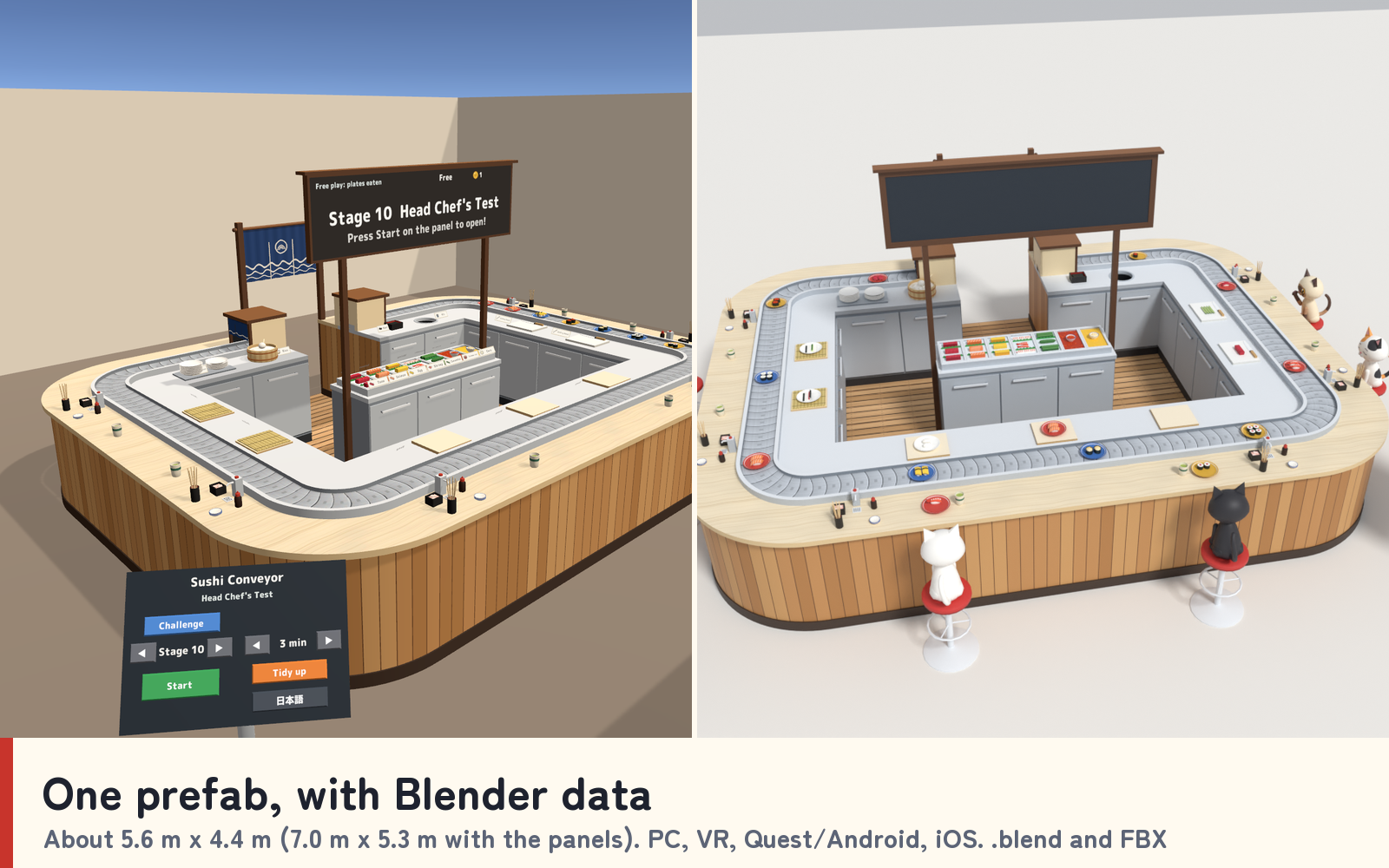
Sushi Conveyor adds a life-size conveyor-belt sushi counter to your VRChat world: a running belt around the counter, three prep boards, two makisu, two cutting boards, a plate shelf, a rice tub, nori, a topping case, six seats for cat customers and an order board over the cooks. Visitors step behind the counter and start making sushi: whatever they pick up shows what to do next.
Race the clock in the 10-stage Challenge for coins and stars, or make sushi freely and eat it off the belt together. It works for one cook or a crowd, because the orders follow the number of cooks behind the counter (1 to 6). Each player reads the counter in English or Japanese.
Watch it in action
Watch the English v1.0 gameplay preview
Make sushi together
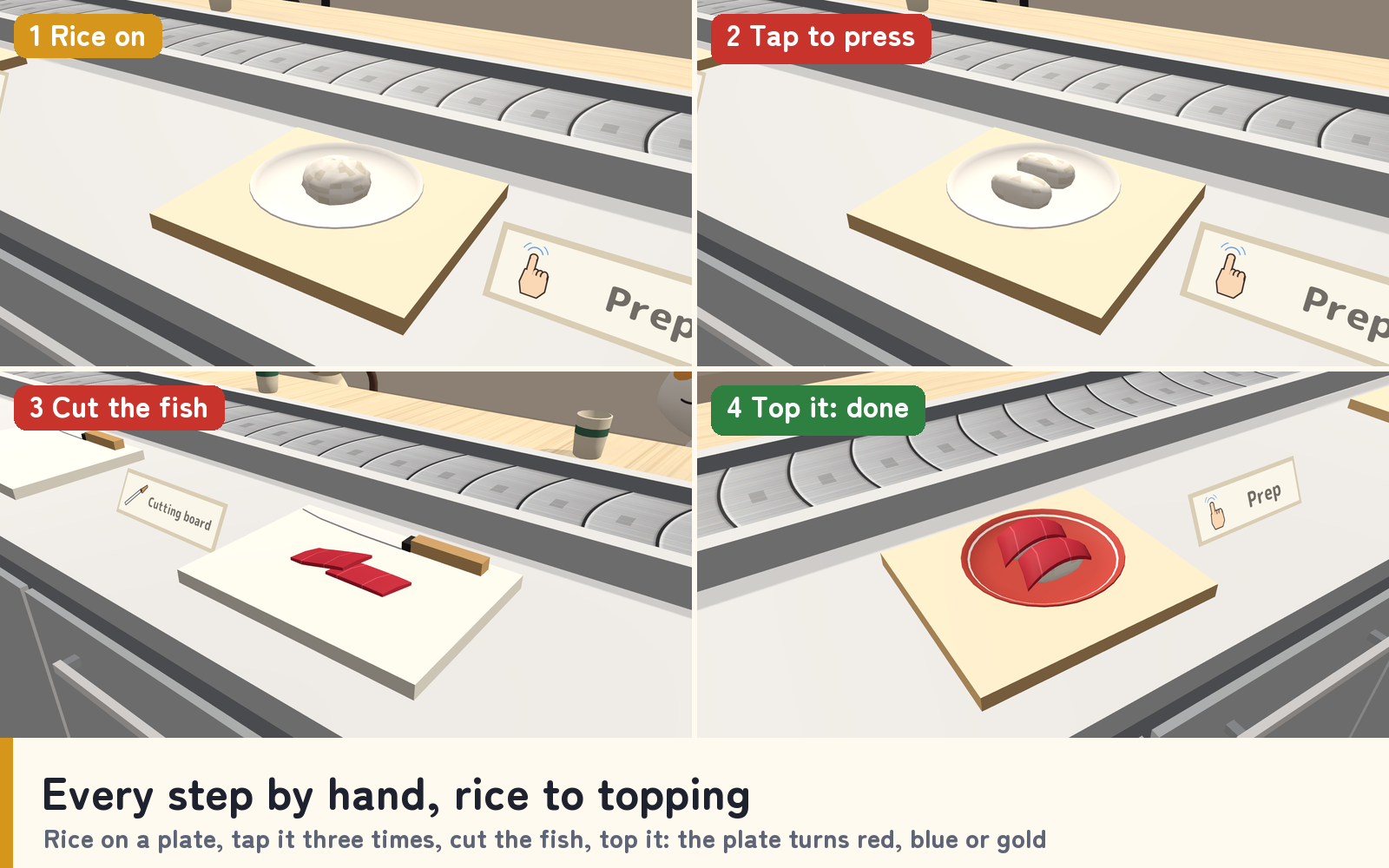
- Every step by hand. Put a plate on a prep board, let a scoop of rice go over it and tap it three times to press it. Cut the tuna, salmon or egg on a cutting board first (the shrimp goes on as it is). In VR you press the rice by hand.
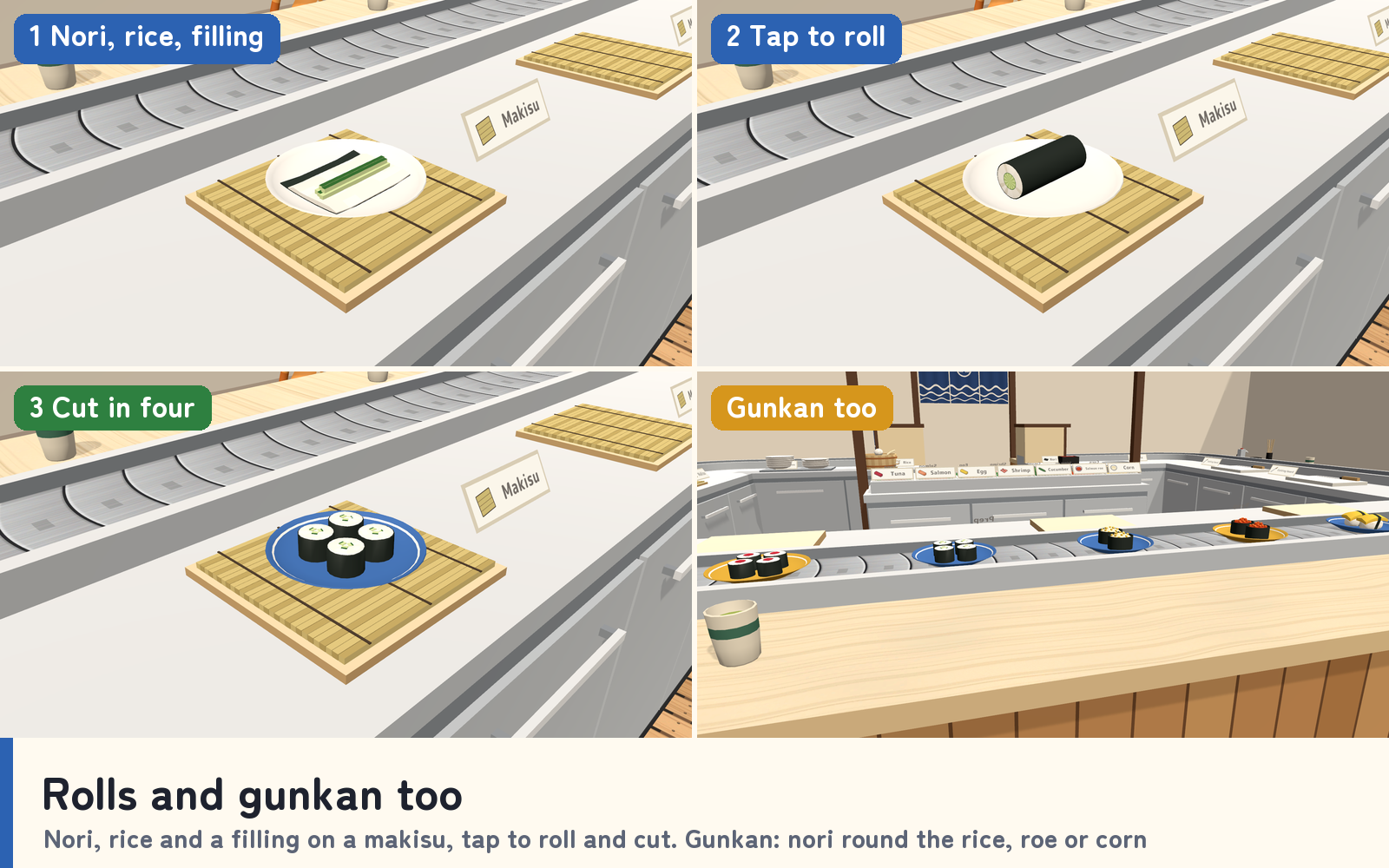
- Rolls and gunkan. For a roll, put an empty plate on a makisu, add nori, rice and a filling, tap three times to roll it and once more to cut it into four. For gunkan, wrap the pressed rice in nori and top it with salmon roe or corn.
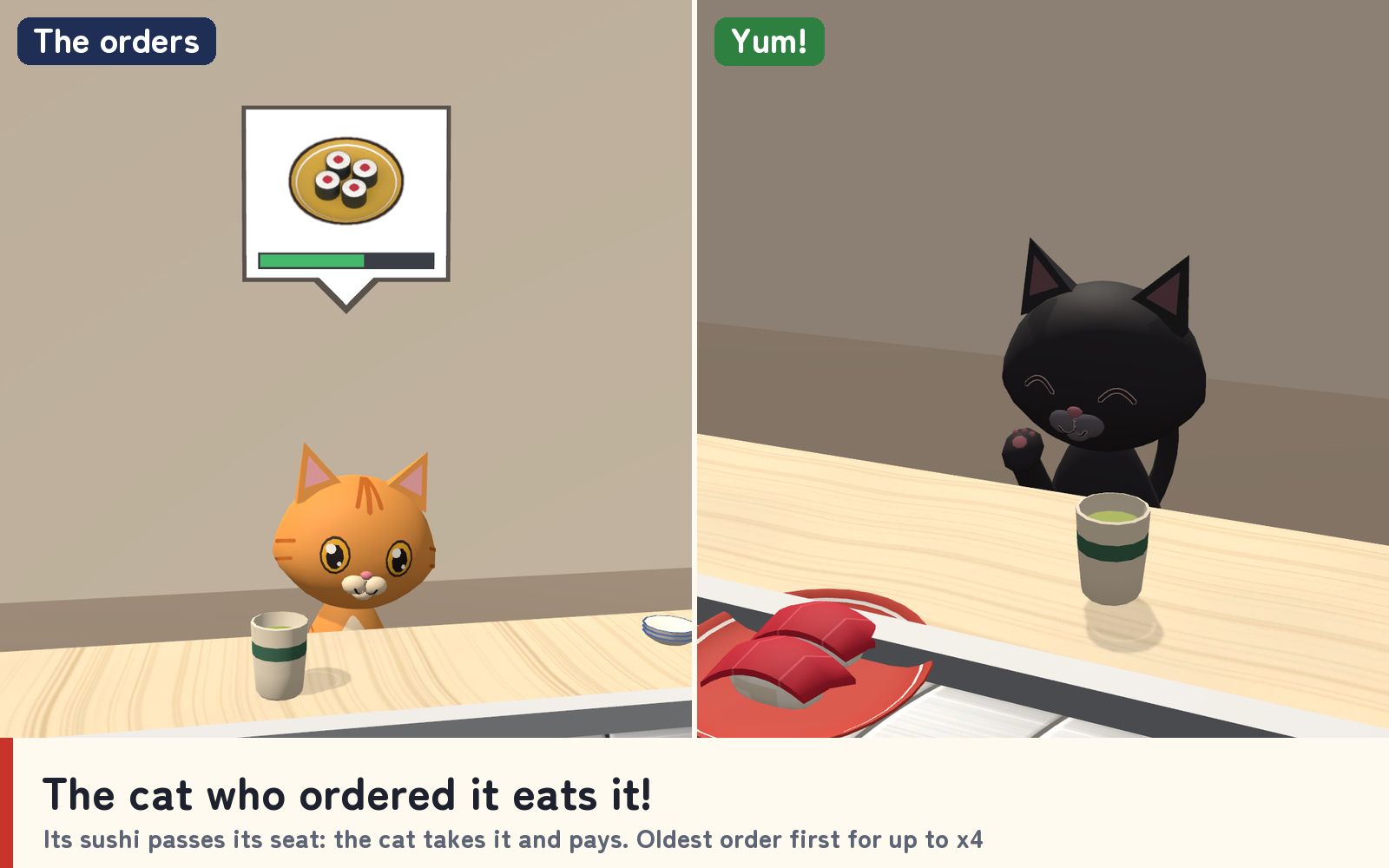
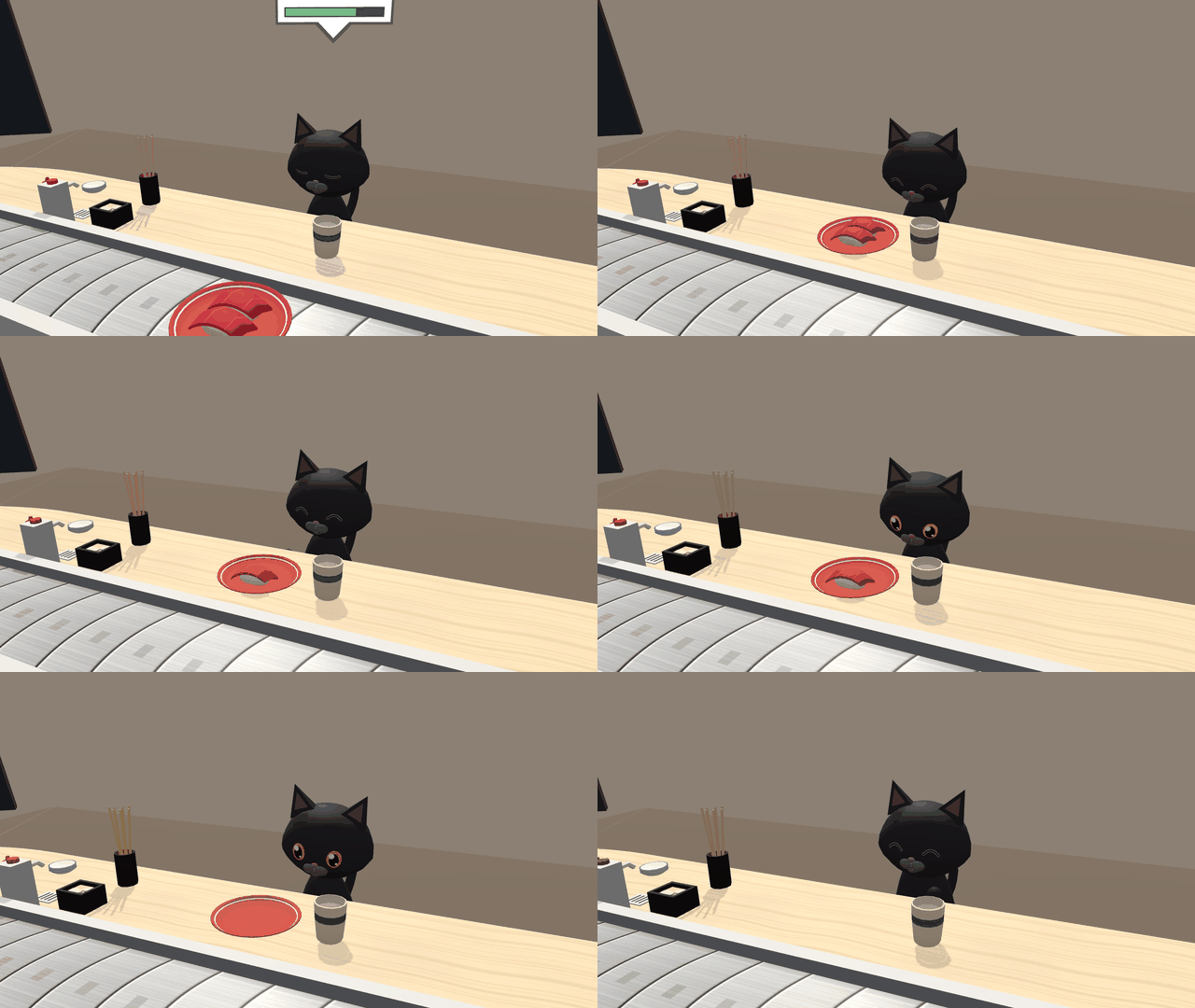
- Send it down the belt. A finished plate turns blue, red or gold. Let it go over the belt and it rides around the counter; when it passes the cat who ordered it, the cat takes it and eats it, with hearts and coins.
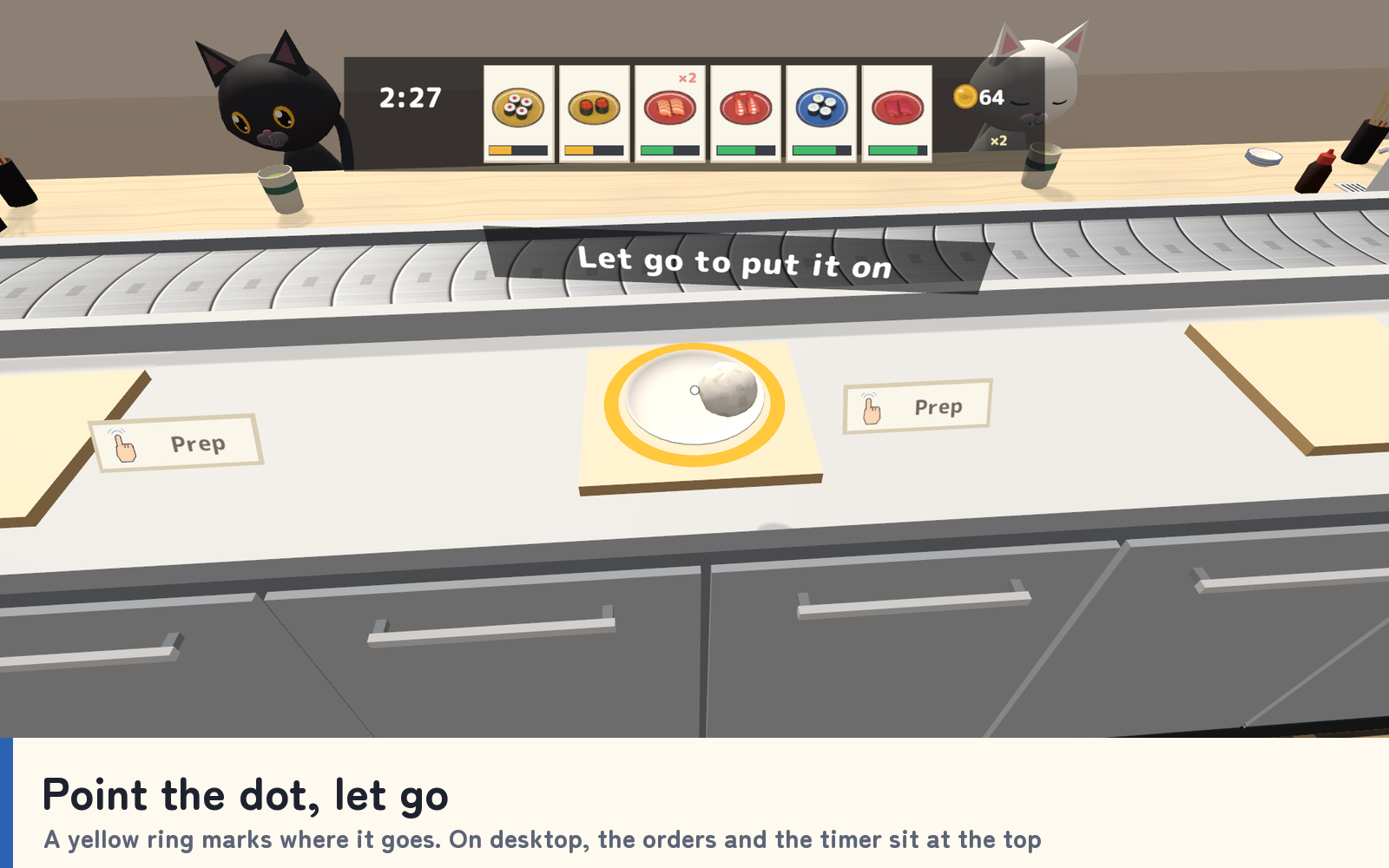
- Help at a glance. The next step shows above whatever you hold, and a yellow ring marks where it can go. On desktop, point the dot in the middle of the screen at the plate, the board or the belt and let go. Desktop players also get a strip with the timer and the orders at the top of the screen.
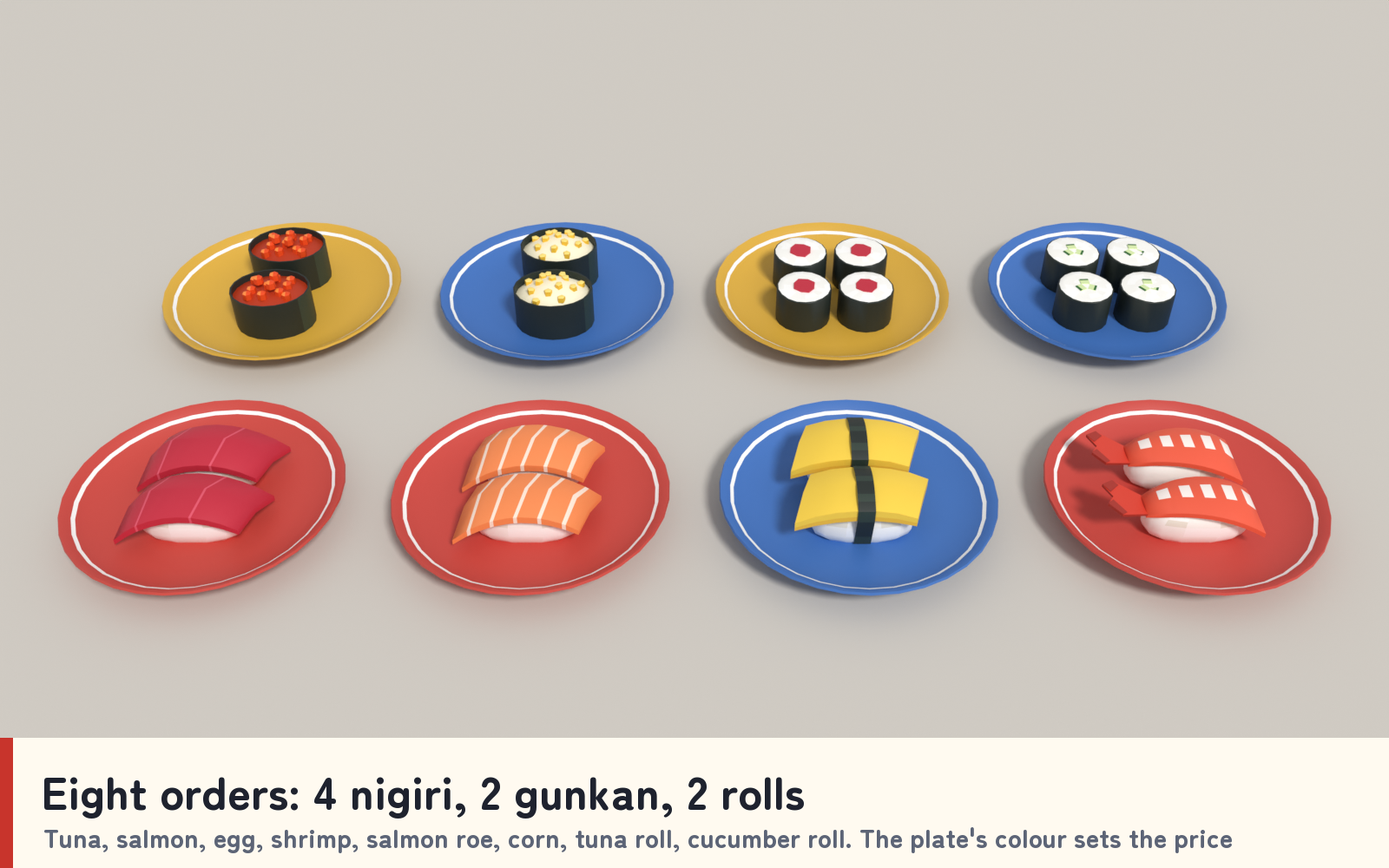
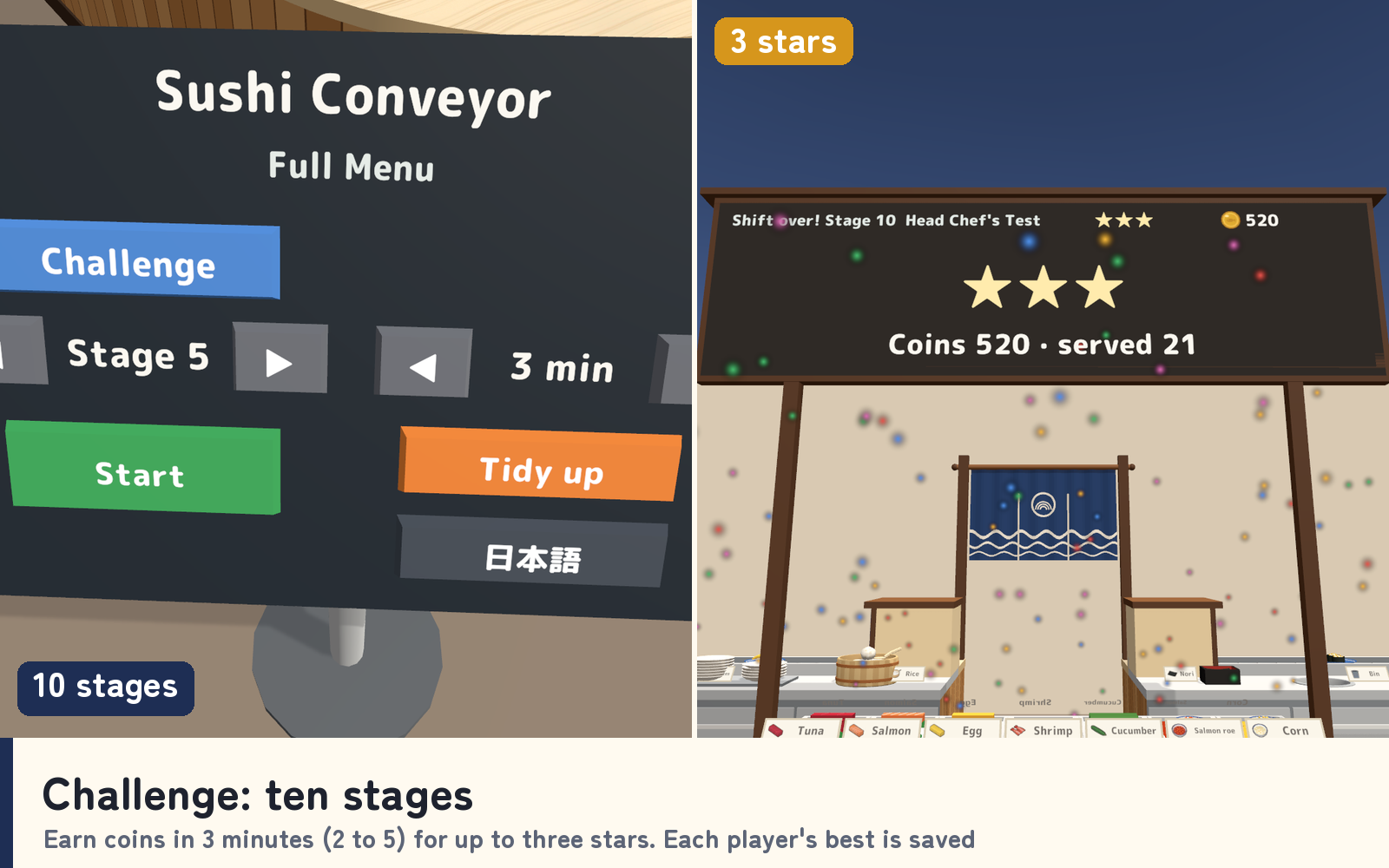
- Challenge: 10 stages. From "First Nigiri" to "Head Chef's Test": the cats order from 8 sushi with timers, double orders and a lunch rush. Coins for the plate's colour and the time left, and a multiplier of up to x4 for serving the oldest order first. Earn up to three stars, with each player's best saved for every stage.
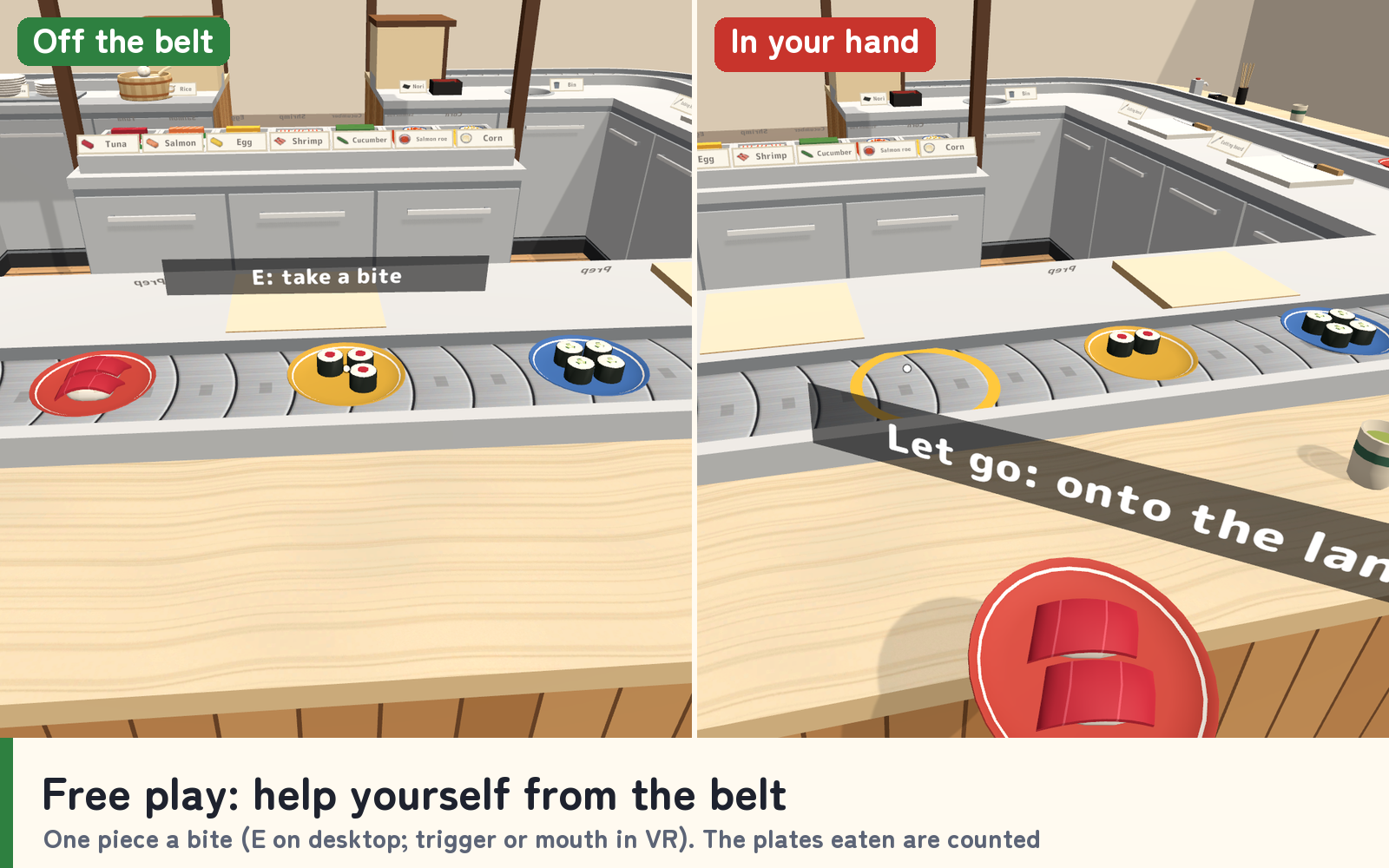
- Free play. No orders: make any sushi, send it round, and anyone can take it off the belt and eat it. The plates eaten are counted.
- Eat it a piece at a time. Press E on desktop; in VR, pull the trigger or bring it to your mouth. Sushi on the belt, on the counter or in a friend's hand can be eaten too.
- Everyone in sync. The counter is kept by one owner and everyone's actions go to them. Every player works out where the plates on the belt are from the server time, late joiners see the counter as it is, order timers included, and the owner role passes on when someone leaves.
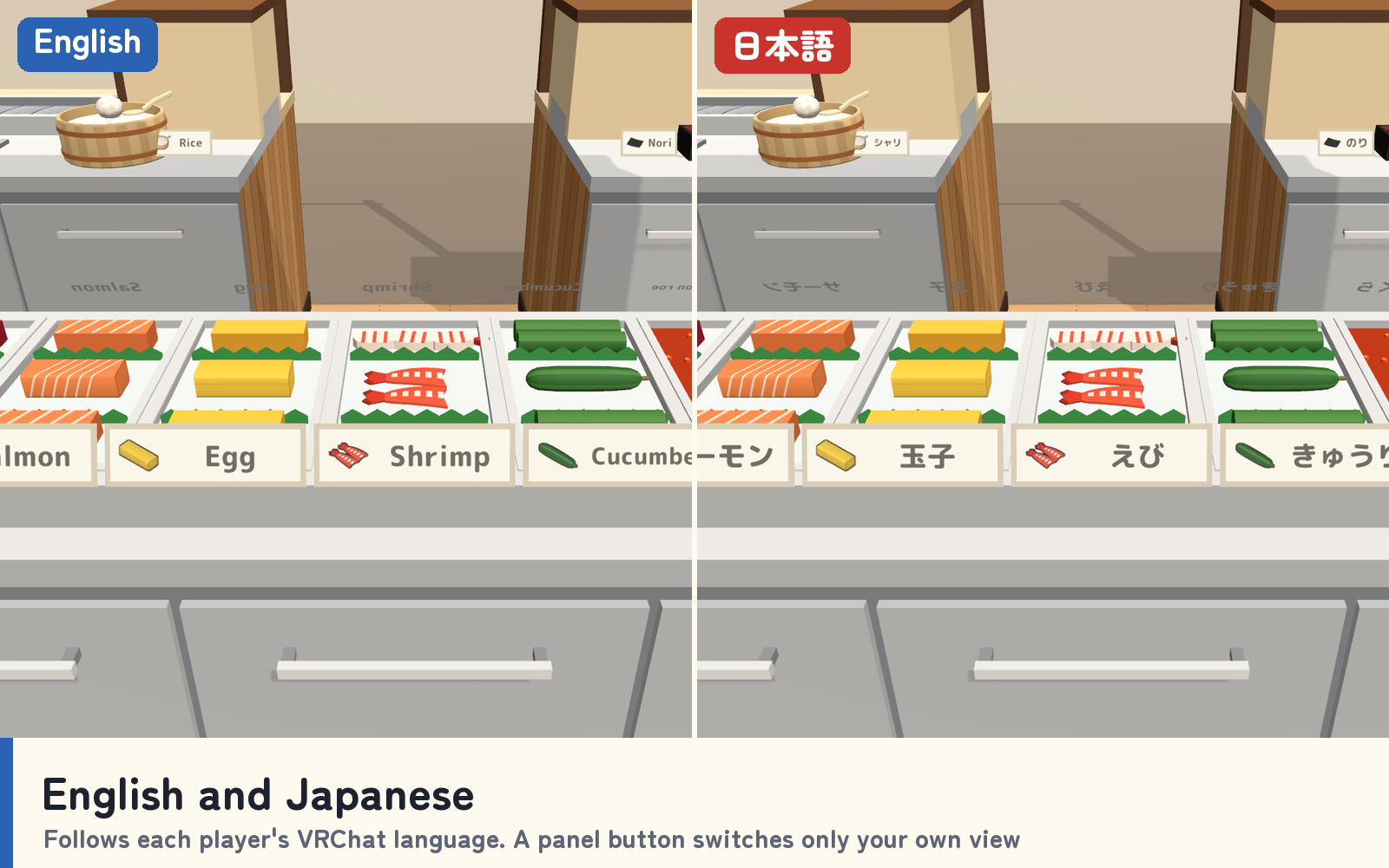
- Your own language. Signs, the order board and the panel follow each player's VRChat language, and an English / 日本語 button switches only their own view.
Choose Challenge or Free play, the stage (1 to 10) and the shift length (2 to 5 minutes) on the panel at the front corner. The counter comes with 30 sound effects for pressing, cutting, rolling, the belt, the cats, the coins and the stars.
The 10 stages and 8 sushi
First Nigiri, Egg Too, Gunkan Debut, Rolling Maki, Full Menu, Big Orders, Full House, Lunch Rush, Roll Master and Head Chef's Test. The 8 sushi: tuna, salmon, egg and shrimp nigiri, salmon roe and corn gunkan, tuna roll and cucumber roll.
Included files
- KaitenSushi_v1.0.unitypackage with the whole counter prefab, a sample scene, the scripts, 30 sound effects and materials for Quest/Android.
- README.txt and README_EN.txt with Japanese and English setup, how to play, the stages, settings and terms.
- KaitenSushi_Blender folder with the editable .blend, eight FBX files, the palette and the belt, wood, floor and icon textures.
Requirements and setup
Use Unity 2022.3.22f1, VRChat Worlds SDK 3.10.x including UdonSharp, and TextMesh Pro in a Creator Companion world project. It runs on PC (desktop and VR), Quest/Android and iOS.
- Import TMP Essential Resources if needed, then import KaitenSushi_v1.0.unitypackage.
- Place Assets/KaitenSushi/KaitenSushi.prefab on a level floor.
- Open Assets/KaitenSushi/Sample/KaitenSushi_Sample.unity to try the counter.
The counter is about 5.6 m by 4.4 m, about 7.0 m by 5.3 m with the panel and the seats outside its front corners, and about 2.7 m high. Move and rotate it freely, but do not scale it. For more than one counter, keep about 8 m between them.
Terms of use and support
- Use in public, paid, corporate, event and monetized VRChat worlds is allowed. Modification is allowed; credit is optional.
- Do not redistribute or resell the data, including modified data or bundles with another asset. Contact the creator before use outside VRChat.
- The creator accepts no liability for problems arising from use.
Font: M PLUS Rounded 1c, SIL Open Font License 1.1 (Fonts/OFL.txt). Models, textures, sounds and scripts were created for this product.
Purchase questions
For questions about your purchase, use the contact option on the store where you purchased the product. Include your product, Unity and SDK versions, steps, and any error message.
Jinxxy support
For purchases on Jinxxy, use this product's Q&A on Jinxxy. Include the product name, Unity and SDK versions, the steps you took and any error text.