
Bluff Together | Bluffing Card Game with a Bomb or Zap Penalty & CPU Players for VRChat
Product Description
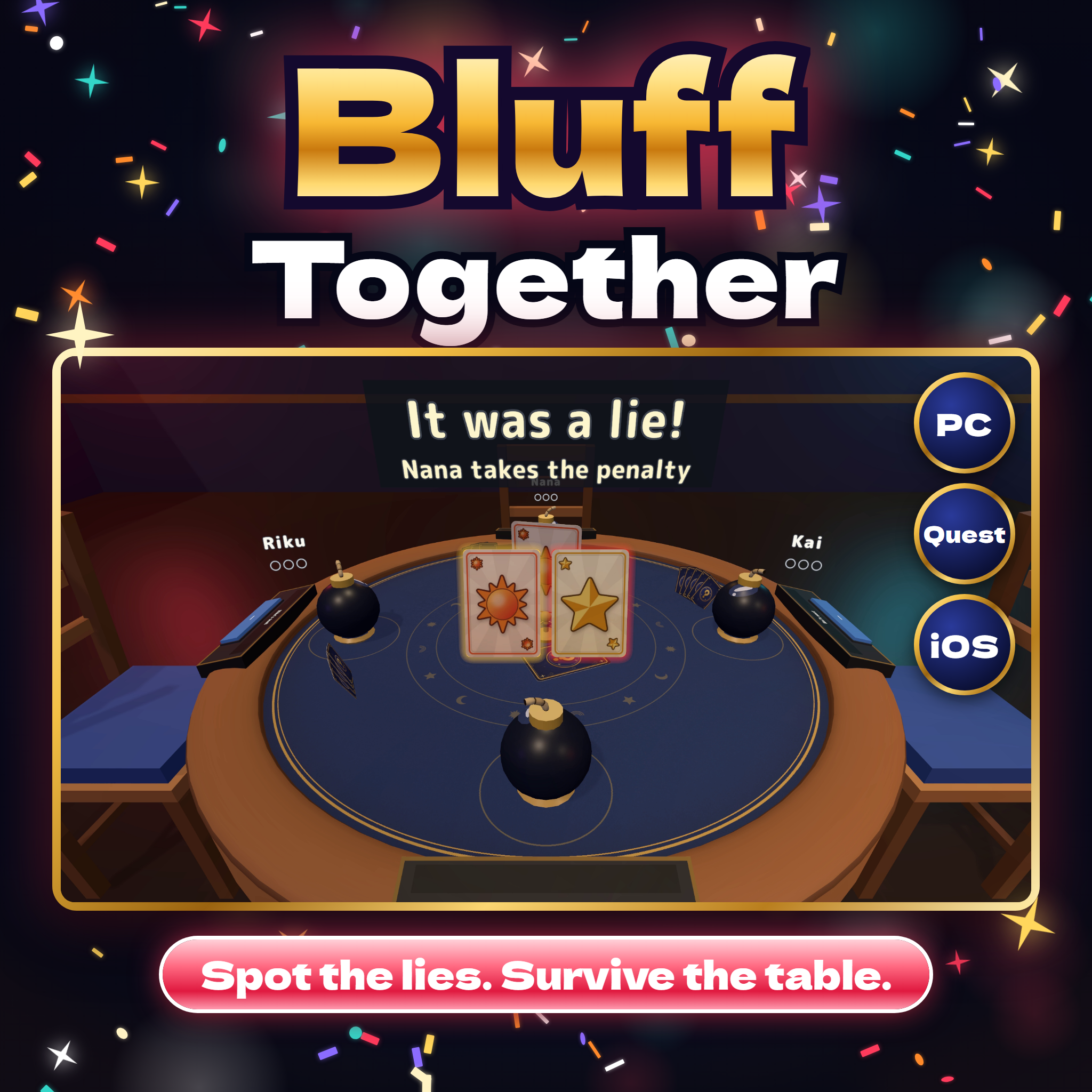
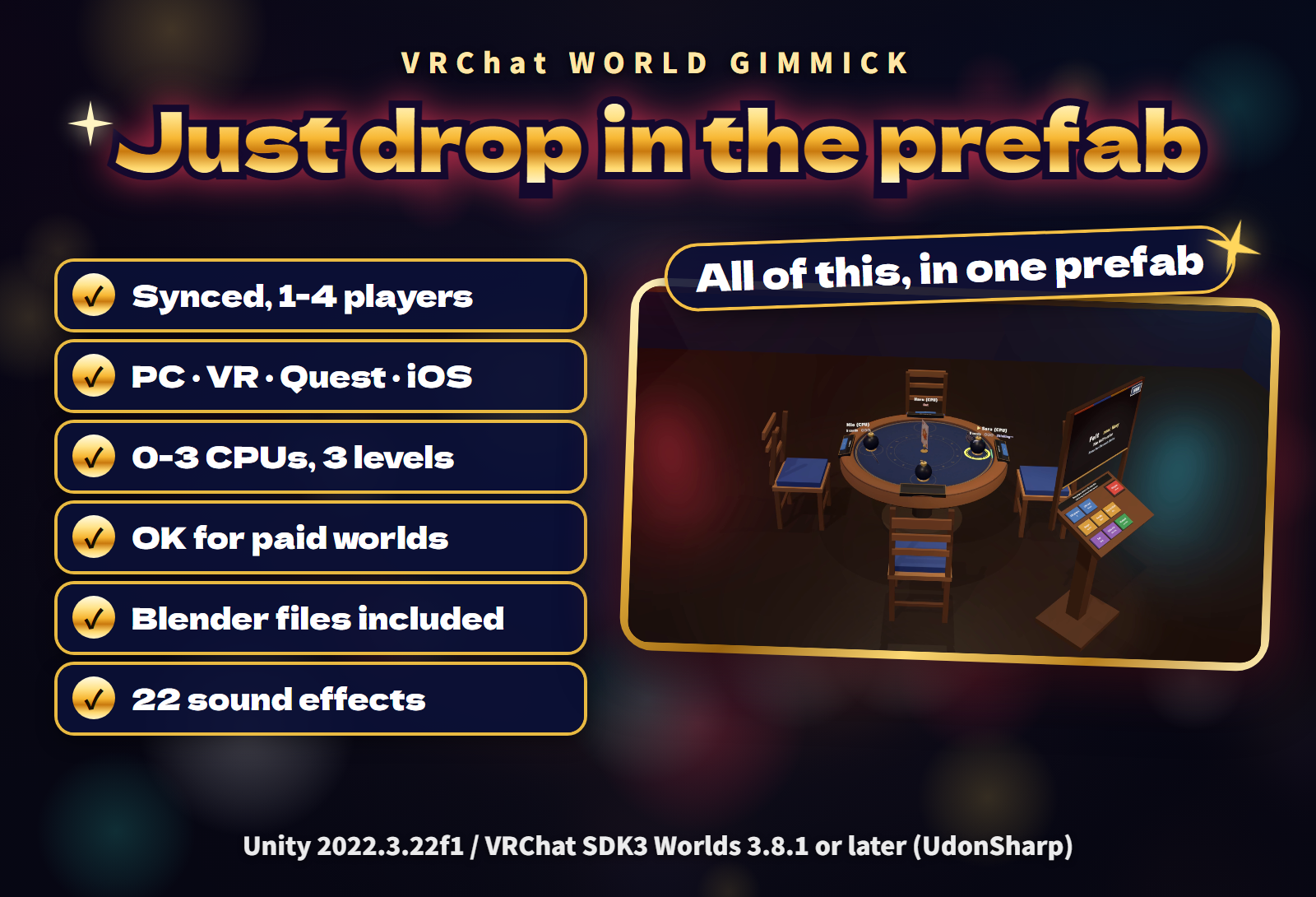
A bluffing card game at a round table for your VRChat world: play cards face down as the round's target, or call "Liar!" on the last player. Get caught, or call wrong, and you face the penalty: a bomb whose fuse burns shorter each time, or a zap box that fills up. The last one standing wins. 2-4 players, with CPU opponents for the empty seats, in English or Japanese.
Watch it in action
{VIDEO_EMBED}
Bluff, call, survive
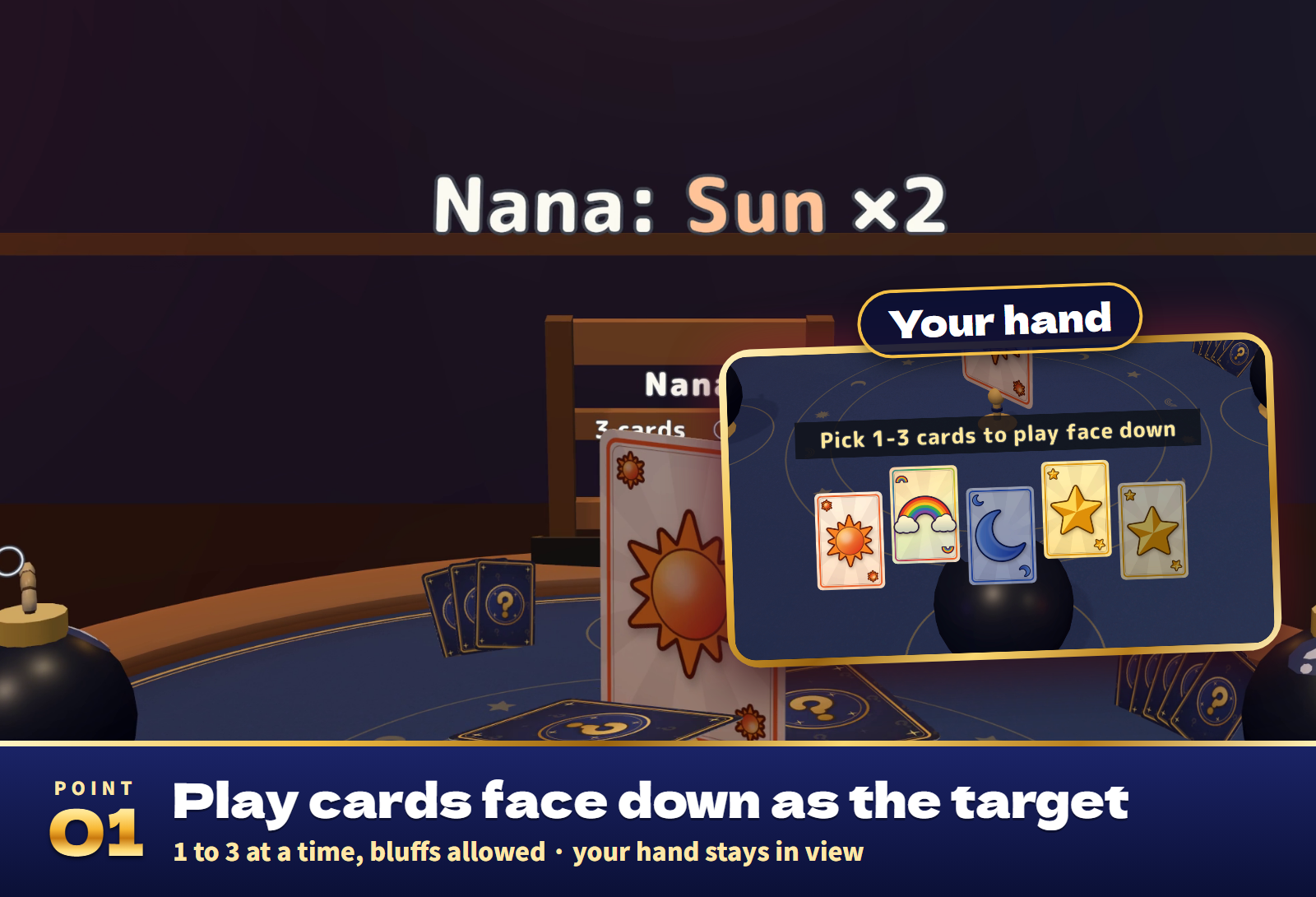
- Simple to learn. Each round has a target card (Sun, Moon or Star). On your turn, play 1 to 3 cards face down as the target, true or not, or call "Liar!" on the player before you. Cards of the target and the wild Rainbow are true.
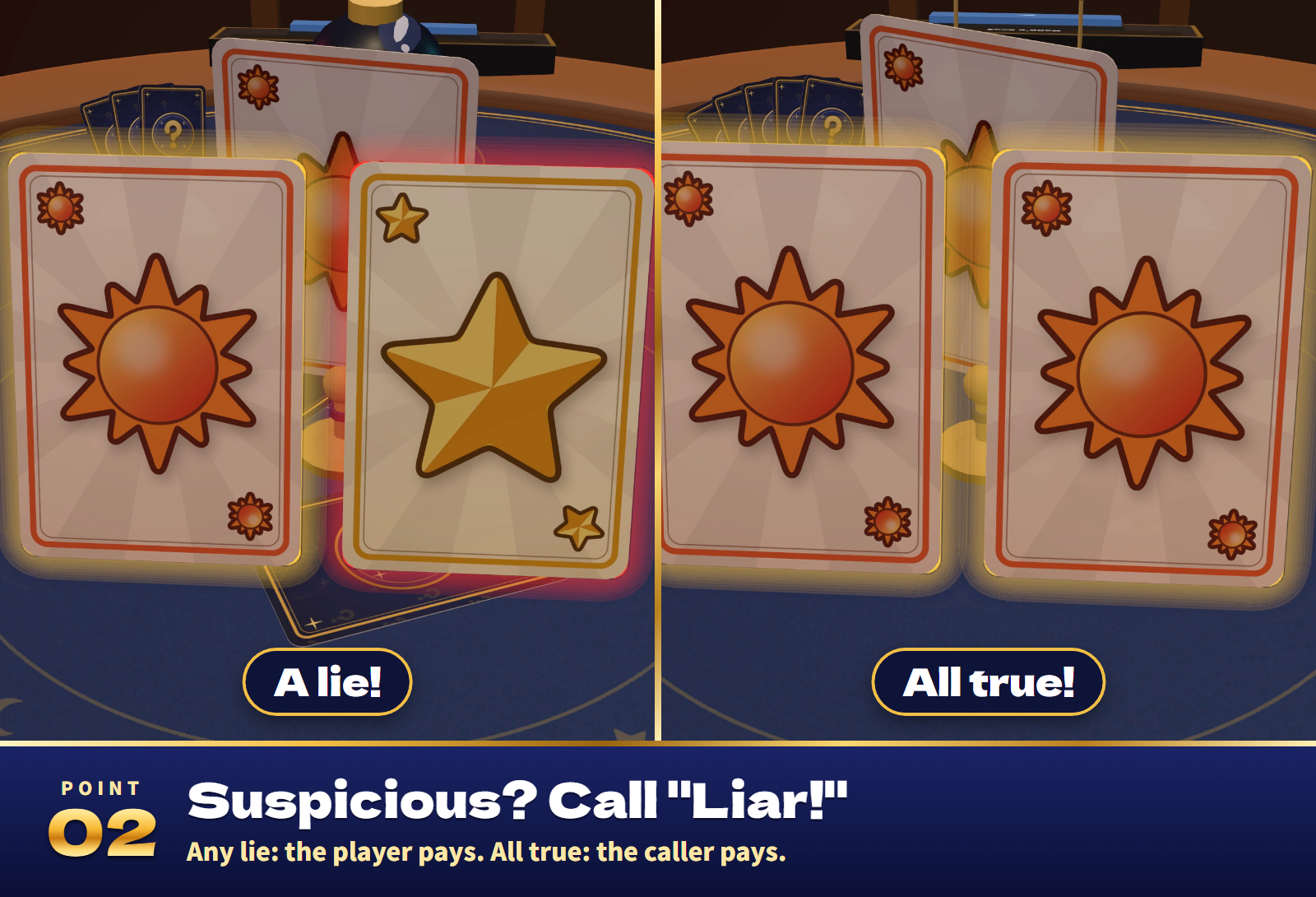
- A reveal everyone sees. On a call the cards flip up (true cards framed in gold, lies in red), then the verdict, the penalty and its result play out the same way on every screen.
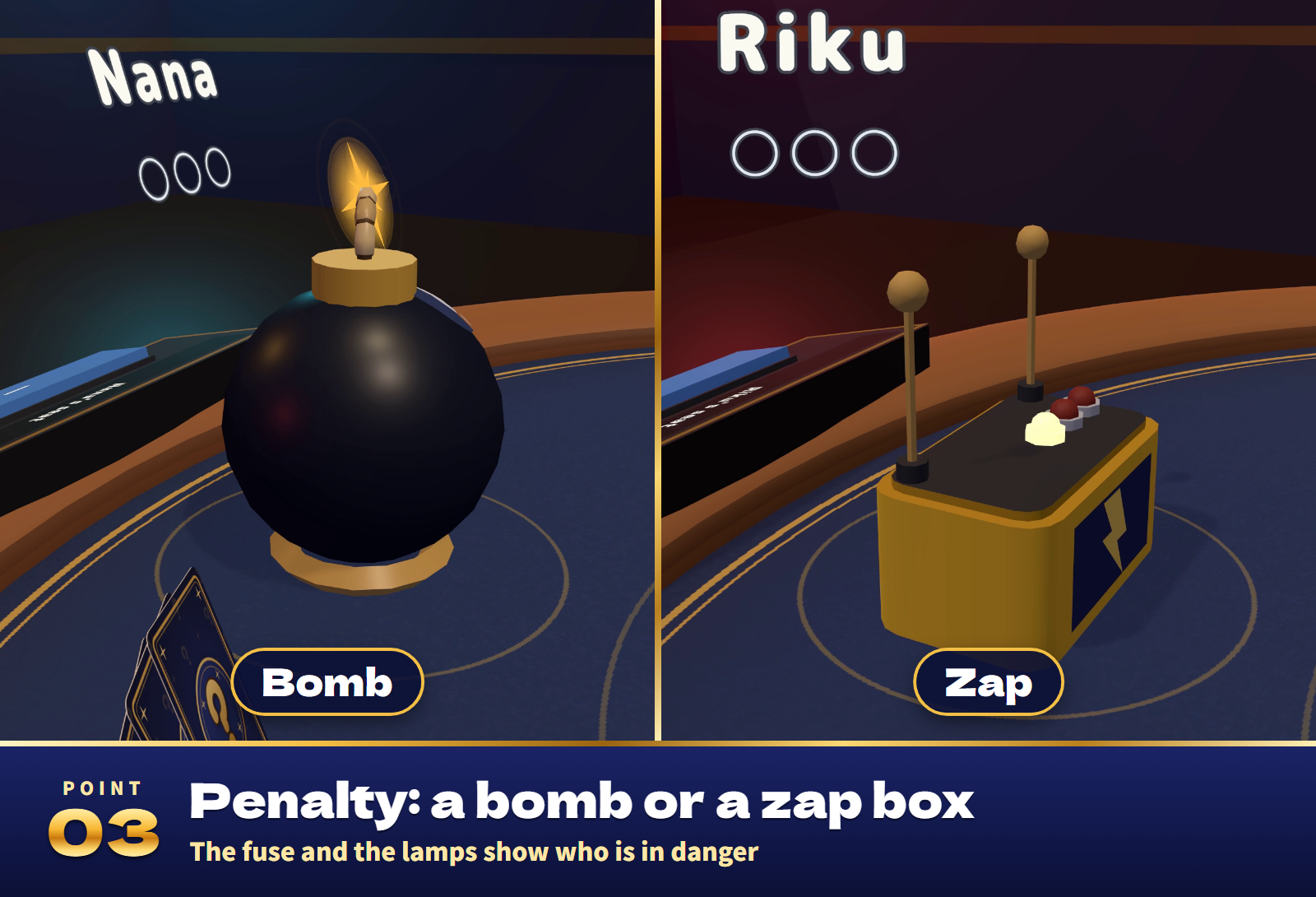
- Two penalty looks. A bomb with a burning fuse, or a zap box whose lamps light up. Both look and sound different but hit the same way, and the fuse length or the lit lamps show at a glance who is in danger.
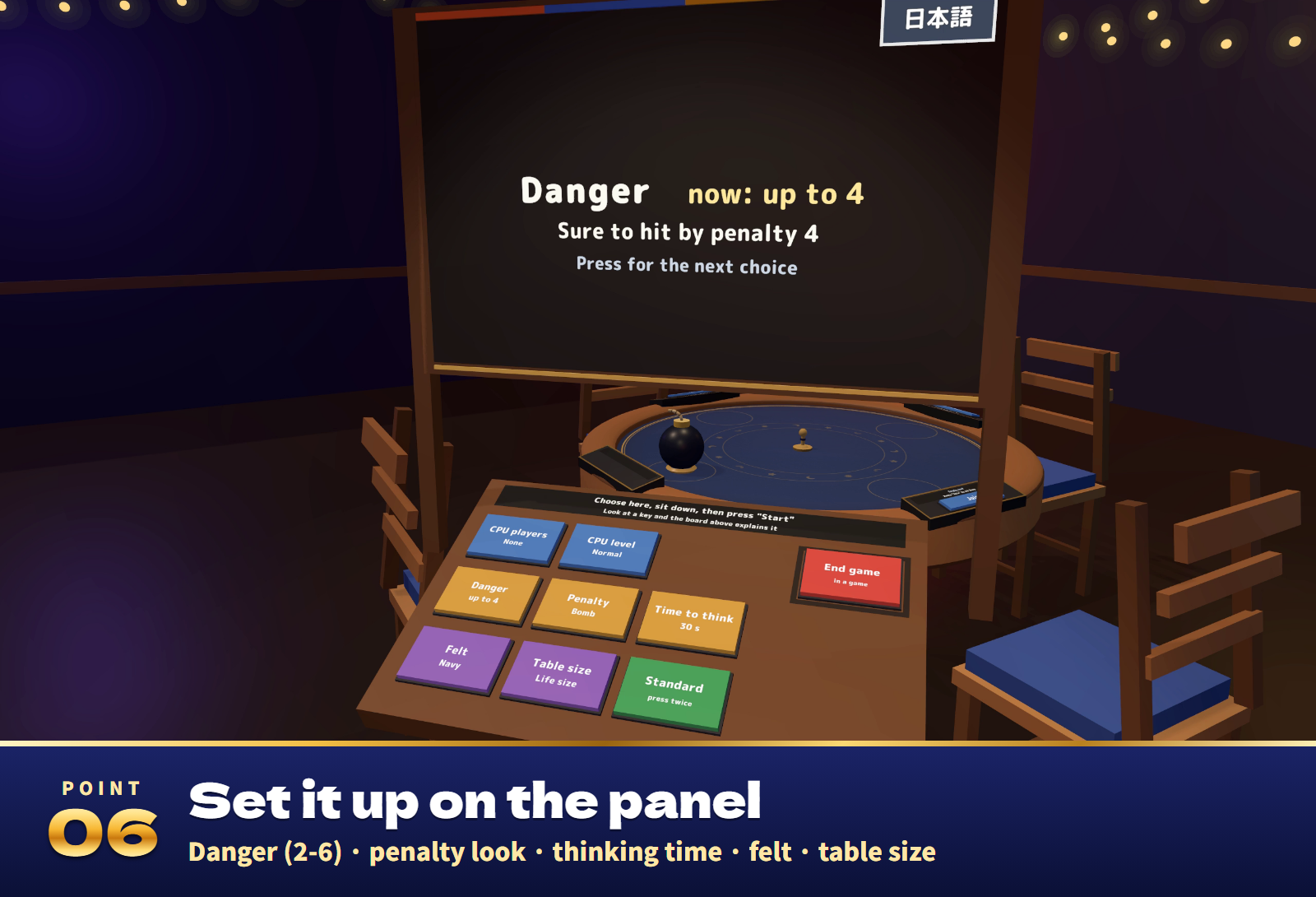
- Danger you can set. By default the penalty is sure to hit by the 3rd time ("up to 3"). Choose 2 to 6 on the panel: fewer for a very quick game, more for a longer one.
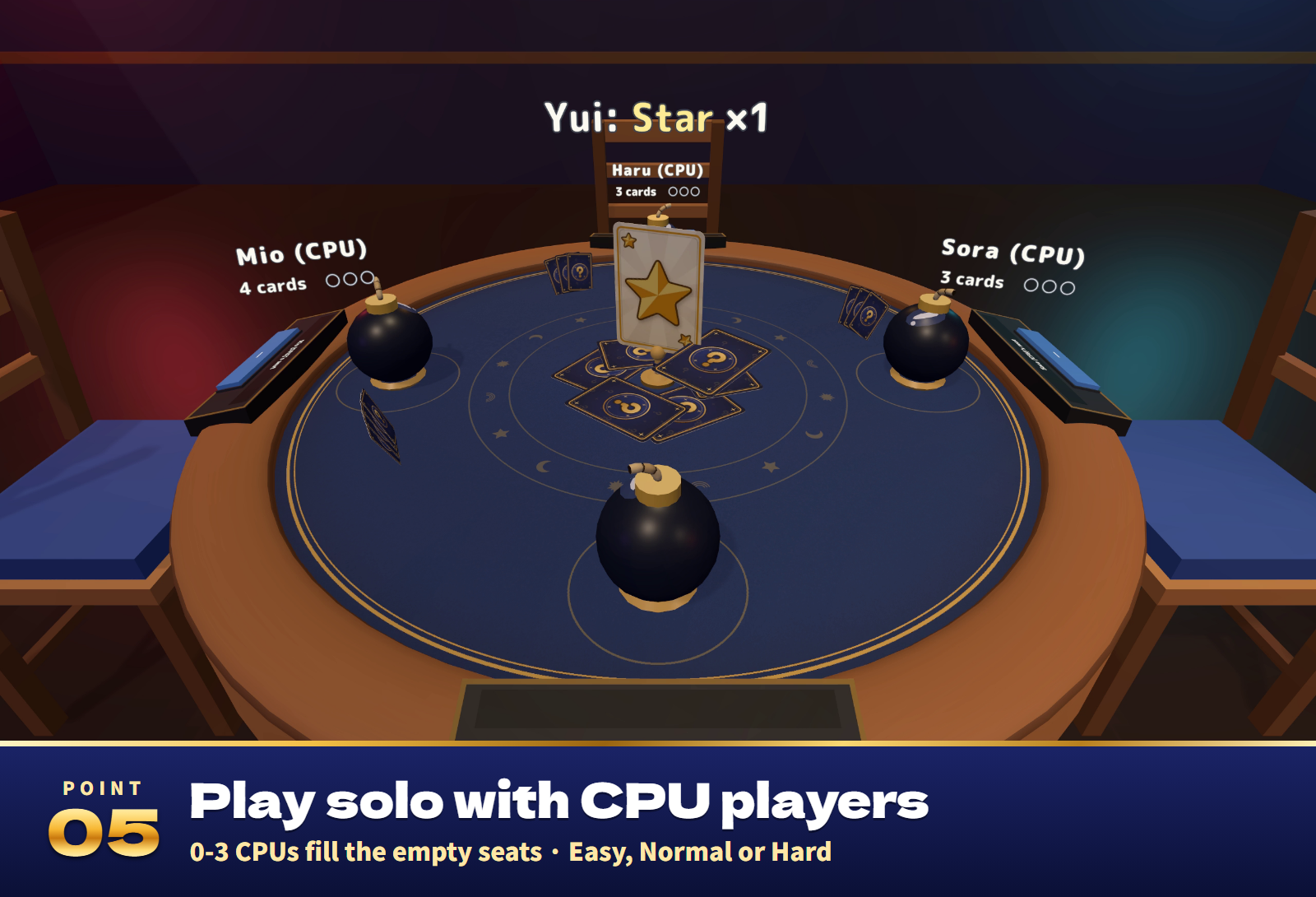
- CPU opponents. 0 to 3 CPU players fill the empty seats, at Easy, Normal or Hard. Take over a CPU seat at any time, hand and danger included.
- Your hand, always in view. Your cards and buttons stay at the bottom of your view wherever you look, true cards first and brighter. Play with the arrow keys and Enter too. In VR the cards float at hand and you press them.
- Hidden hands. Each hand is sent encrypted with a key that only its player's PC holds, and the face-down cards are never sent until a call flips them.
- Step away freely. Leave your seat during a game and a CPU plays on for you at once; sit back down or press Back to continue with the same hand. A majority of the players can end a game early (players away from the table can vote at the panel too).
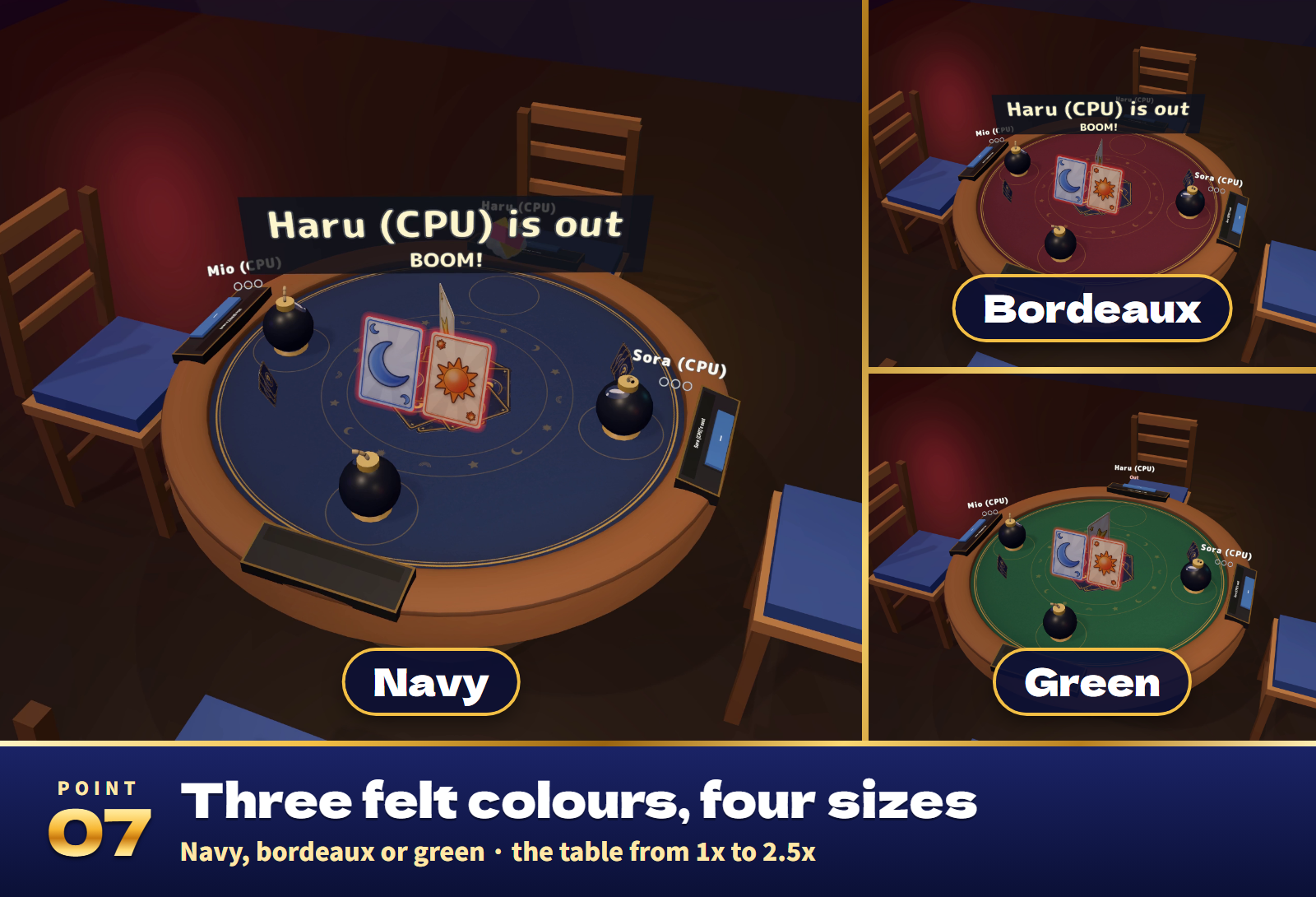
- Your table. Three felt colours (navy, bordeaux, green) and four table sizes (1x to 2.5x). Look at a panel key and the board above it explains every choice.
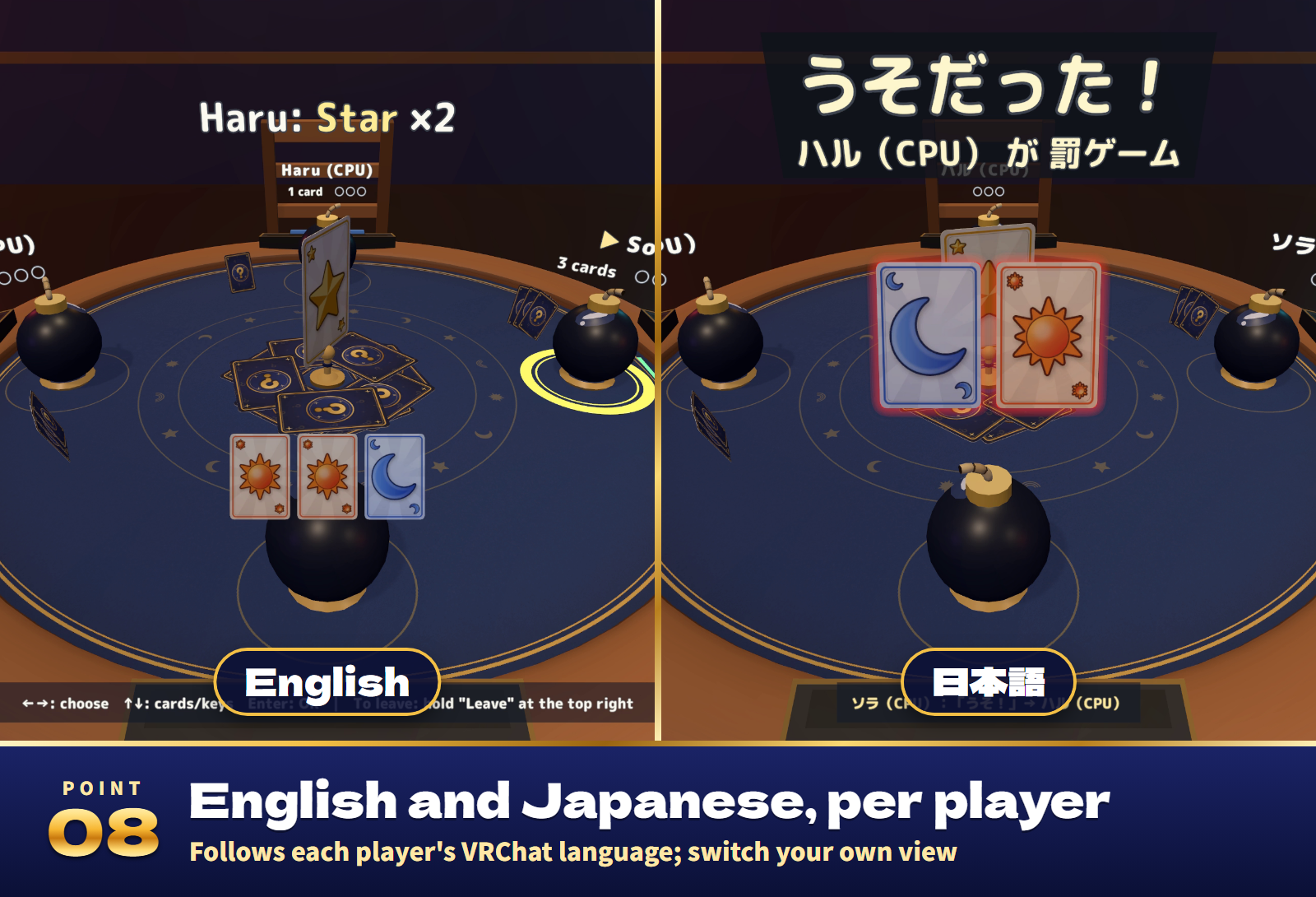
- Your own language. Every screen, the table and the panel follow each player's VRChat language, and an English / 日本語 key switches only your own view.
- Ready for any world. Use it in paid, corporate and event worlds.
How to play
- Press Join on a seat's console to sit down (CPU players take the empty seats).
- Press Start: everyone gets 5 cards and the round's target card stands up in the middle.
- On your turn, pick 1 to 3 cards and press Play. They count as the target, whether they are or not.
- Think the last play was a lie? Call "Liar!". If any of those cards is not true, the player who played them takes the penalty; if all are true, the caller does.
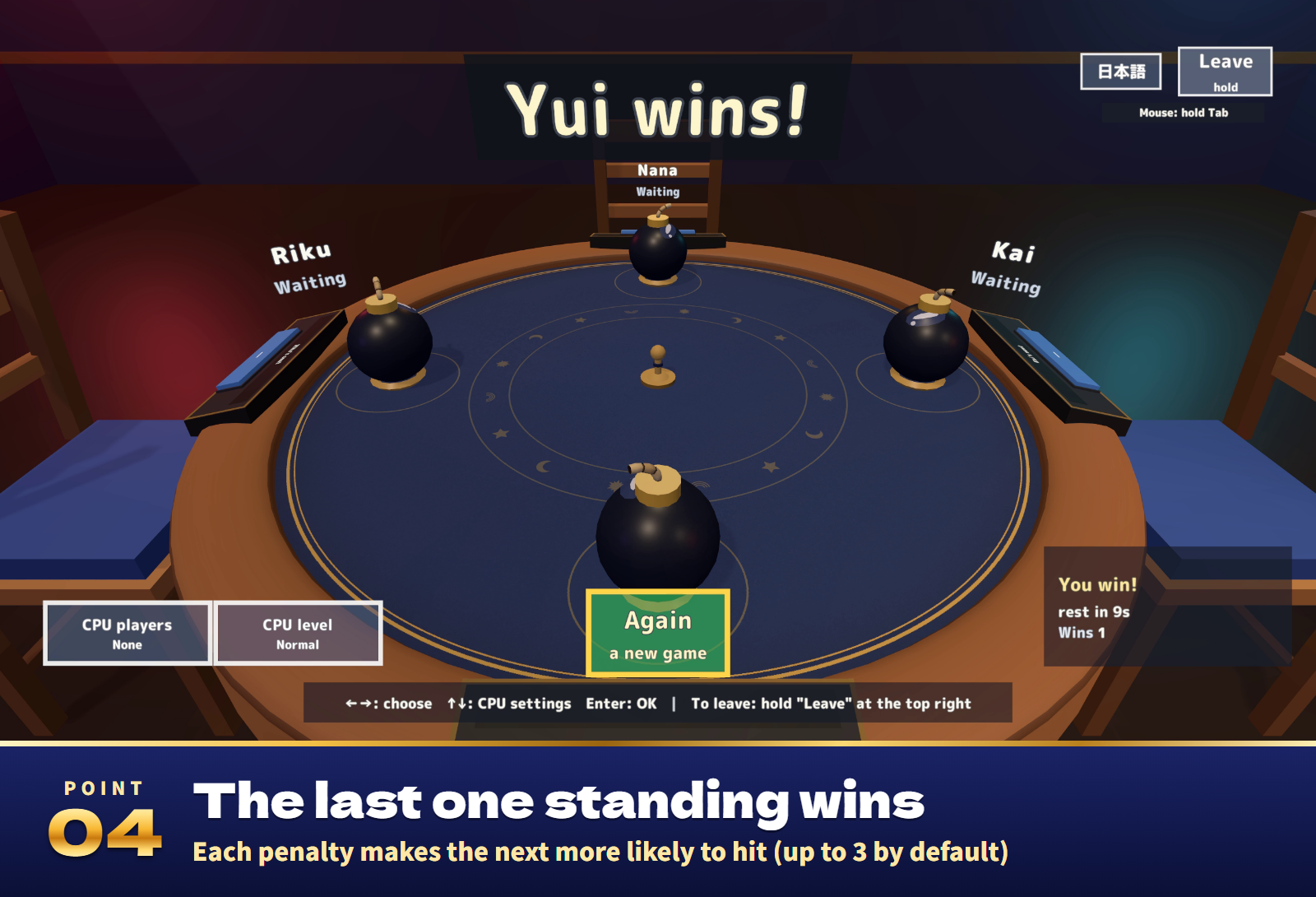
- Each penalty taken makes the next one more likely to hit, and a hit puts you out. The last one left wins.
Settings
- On the panel (anyone can press it, even before sitting down): CPU players and level, danger (up to 2 to 6), the penalty look (bomb or zap), thinking time (15, 30 or 60 s), felt colour, table size, standard settings and End game.
- In the Inspector: the language (automatic, or Japanese or English for everyone), who may use the panel, whether Join seats you, the starting settings, the choices for danger, time and size, and the CPU names.
Included files
- BluffTable_v1.0.unitypackage: the table as one prefab, a sample scene, the scripts, 22 sound effects and lighter materials for Quest/Android.
- README.txt and README_EN.txt: Japanese and English setup, how to play, settings and terms.
- BluffTable_Blender: the editable .blend, the FBX models, the palette and the felt, card and mark textures.
Requirements and setup
Unity 2022.3.22f1, VRChat SDK3 Worlds 3.8.1 or later (tested with 3.10.5) including UdonSharp, and TextMesh Pro, in a Creator Companion world project. It runs on PC (desktop and VR), Quest/Android and iOS.
- Import TMP Essential Resources if the project has never used TextMesh Pro.
- Import BluffTable_v1.0.unitypackage.
- Place Assets/BluffTable/BluffTable.prefab, or open Assets/BluffTable/Sample/BluffTable_Sample.unity to try it first.
Setup takes about ten minutes. The table is about 1.5 m across, and about 3.1 m x 3.1 m with the chairs and the panel. Move the panel wherever you like; please do not scale the prefab (use the panel's table size instead).
The rules and the CPUs were checked against a reference program at 98,343 points, and play, sync, stepping away and voting by 34 automated play tests. About 8,100 triangles for the table set as it starts; no lights or physics; the Android build of the sample world is about 8.1 MB.
Terms of use
- You may include it in VRChat worlds and publish them, including paid, corporate and event worlds.
- Modification is allowed. Credit is optional and appreciated.
- Redistributing or reselling the data itself (modified or not), or bundling it with other assets for sale, is not allowed.
- Please contact the creator before using it outside VRChat worlds, such as in other games or videos.
- The author is not responsible for any problems arising from using this data.
- Do not bet real money or anything of value on it.
Credits and support
Font: M PLUS Rounded 1c, SIL Open Font License 1.1 (Fonts/OFL.txt). Part of the rule logic is ported from an MIT-licensed implementation of the same kind of card game; its copyright notice and permission text are in the README. The 3D models, textures and sound effects were made for this product.
For purchase questions, use the contact option on the store where you purchased this product. Include the product, Unity and SDK versions, steps and any error message.
Jinxxy support
For purchases on Jinxxy, use this product's Q&A on Jinxxy. Include the product name, Unity and SDK versions, the steps you took and any error text.