
Chaika Audio System - Voice Zones for VRChat Worlds
Product Description
Chaika Audio System — Event Voice Zones for VRChat Worlds
Price: $7.99 USD (launch promo: $5.99 for the first 2 weeks) ·
Requirements:VRChat Worlds SDK 3.7.4+ (authored on 3.10.4), Unity 2022.3.22f1, UdonSharp (bundled with SDK)
One sentence
Drop the prefab in, size the trigger boxes, press play — sealed rooms, stage priority, and backstage silence for your events.
What it is
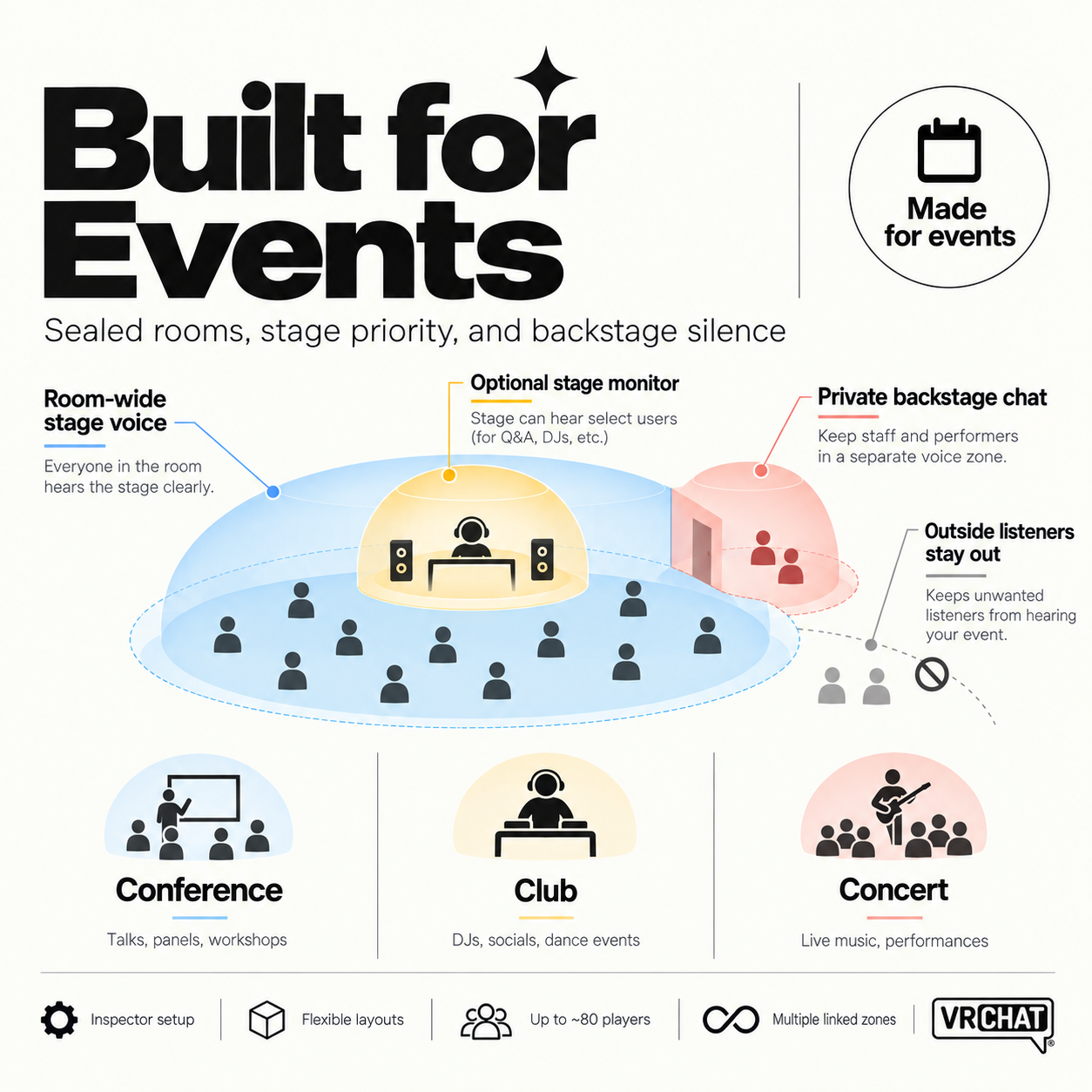
A modular proximity-voice framework for VRChat worlds. It controls **who hears whom** across rooms, stages, and staff areas — conferences, concerts, clubs, theaters, waiting rooms, meeting rooms.
Everything is configured in the Unity Inspector. No code required.
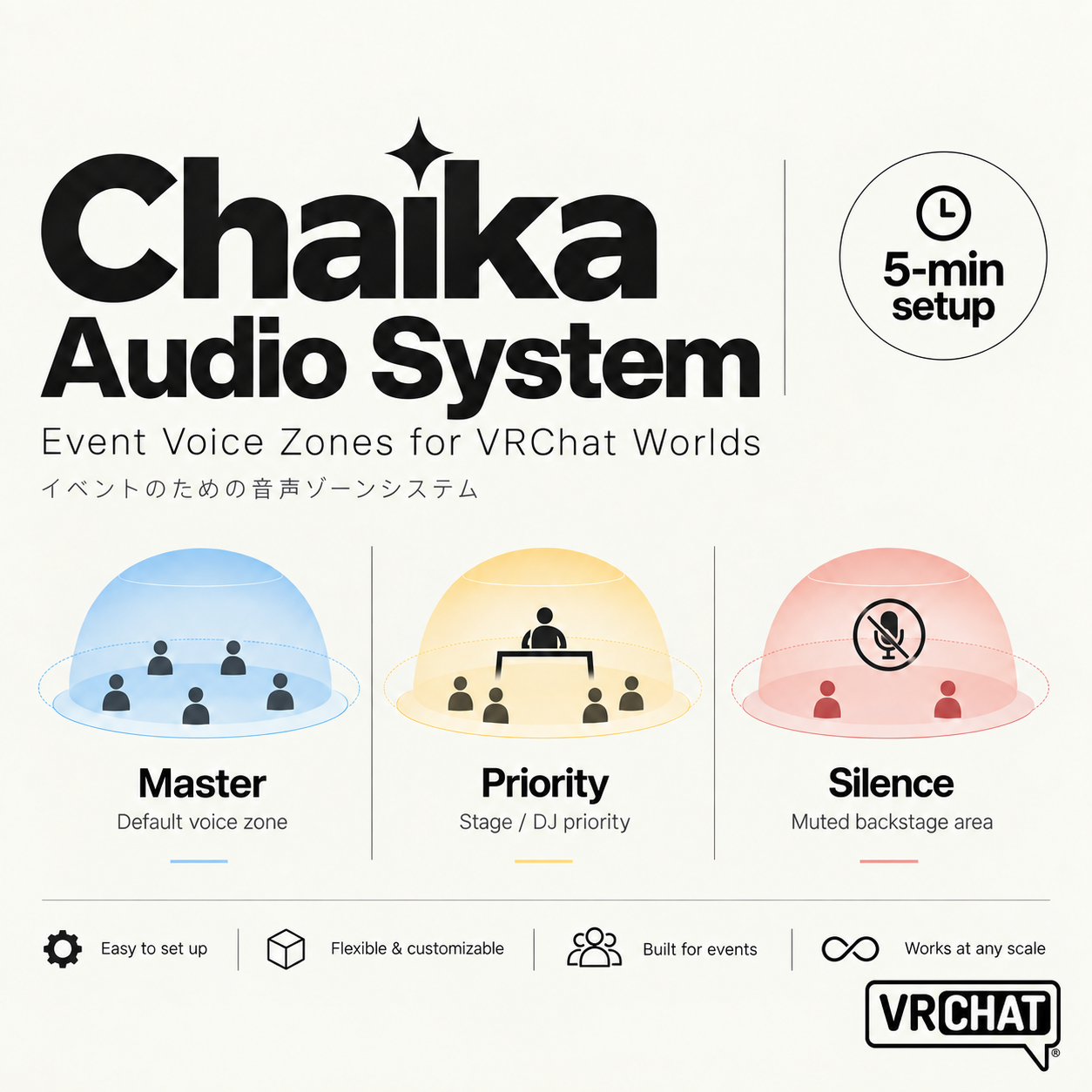
The three zone types
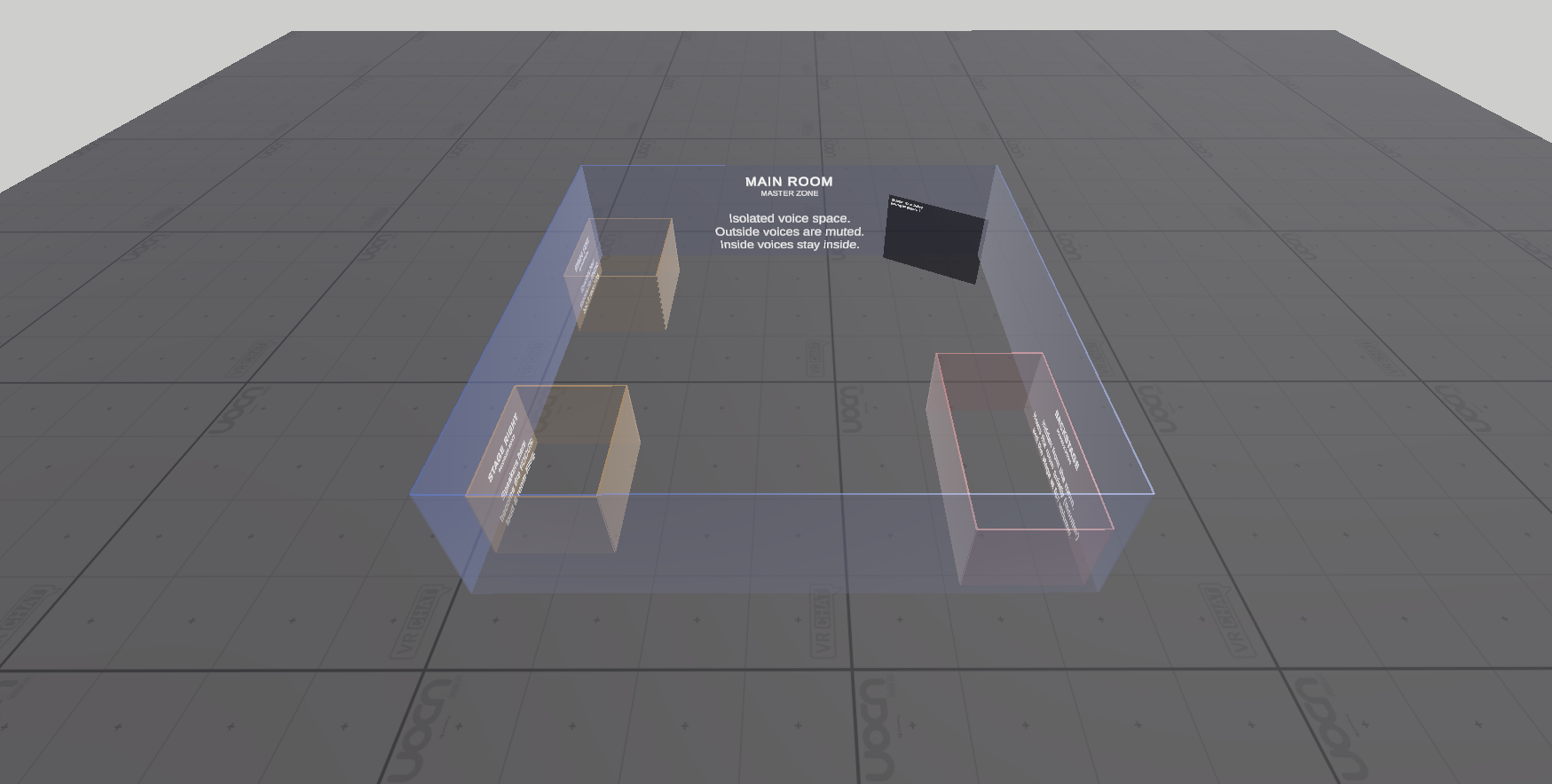
Master Zone : An isolated voice space (room). Defines the "sealed box". |
Priority Zone : Focus of one master (stage, podium, DJ booth). Anyone inside is heard room-wide. |
Silence Zone : Hidden pocket linked to one master (backstage, VIP, staff room). Occupants talk among themselves; the room never hears them. Optional "monitor" feed lets them hear the stage at reduced volume. |
- Any number of Priority/Silence zones per master. Multiple masters coexist without interfering.
- Overlapping zones resolve by `overlapPriority` (ties = most recently entered).
What it is NOT
- Not a karaoke system. Not background-music zoning.
- No wall occlusion, no reverb, no directional voice, no pickup microphones, no admin panel.
- If you need an all-in-one audio suite, look at UdonVoiceUtils (free, complex). This audio system does one job and does it simply and the best.
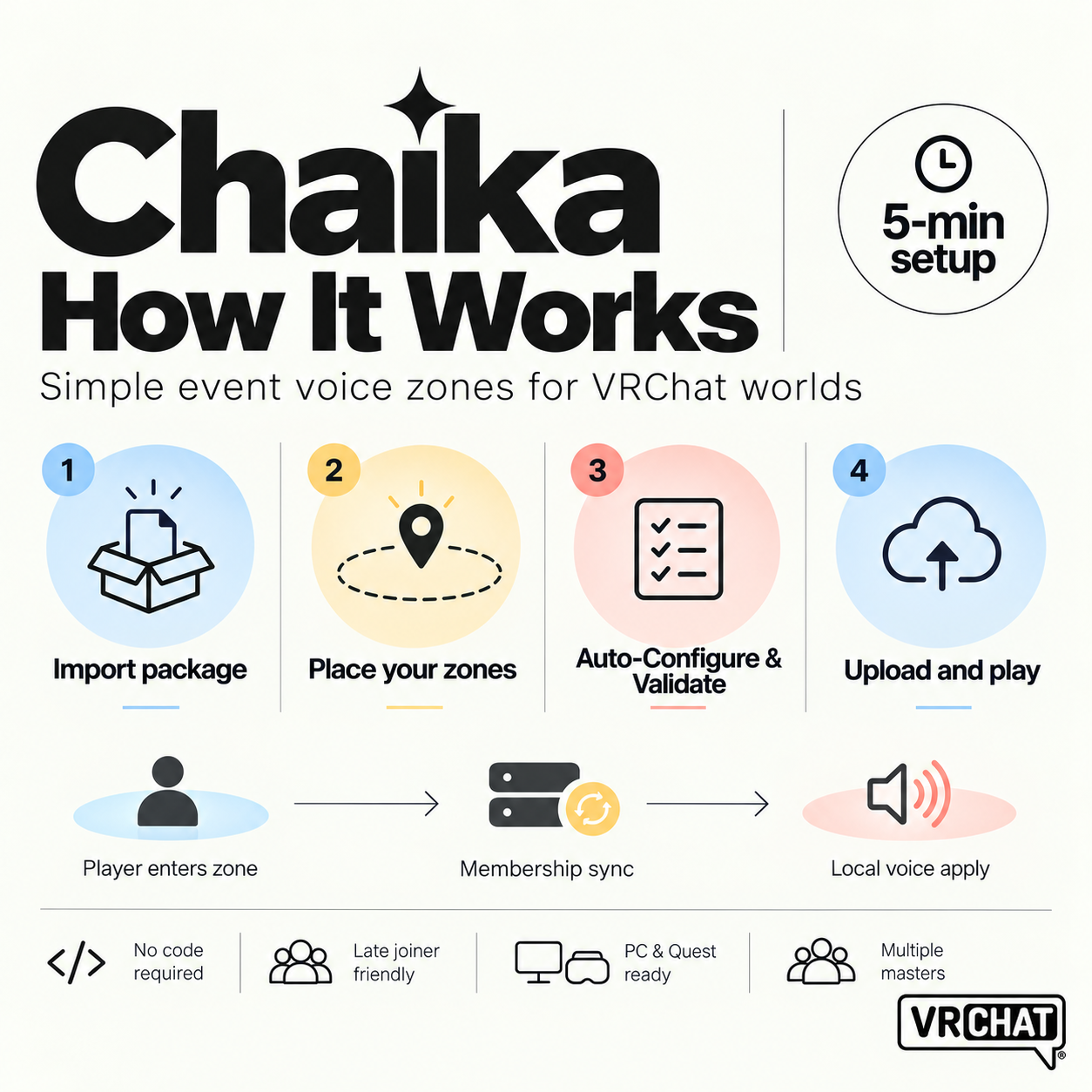
Setup (5 minutes)
1. Import the `.unitypackage` into a VCC project.
2. Drag `Chaika Audio System` prefab into your scene, size the trigger colliders.
3. Select `ChaikaAudioManager` → Auto-Configure & Validate → upload.
A build validator blocks upload on misconfiguration (missing zone, bad link, non-trigger collider, missing Player Object).
Behaviour (7 cases)
Inside-master listeners hear priority speakers loud, members nearby, outsiders muted-or-faint (your choice). Outside listeners never hear sealed rooms. Silence occupants hear each other (optional) and optionally monitor the stage.
Limits (read before buying)
- Voice is local perception only (VRChat platform limit): the system changes how each client hears others, nothing server-side.
- Zone array order = network id: append new zones, never reorder after upload.
- Voice recalculates every ~0.3s (smooth, not instantaneous).
- Silence-zone monitor requires the booth to sit inside the linked master's volume.
- Delete/disable the demo walls and debug panel for production (Quest overdraw/GC).
License
Unlimited worlds, including monetized ones. No redistribution or resale of the package itself. Minor updates (1.0.x) free.