🐲 Lumeria (PC/Quest/Opti) | Face Tracking | GoLoco | Wholesome SPS ❄️
Product Description
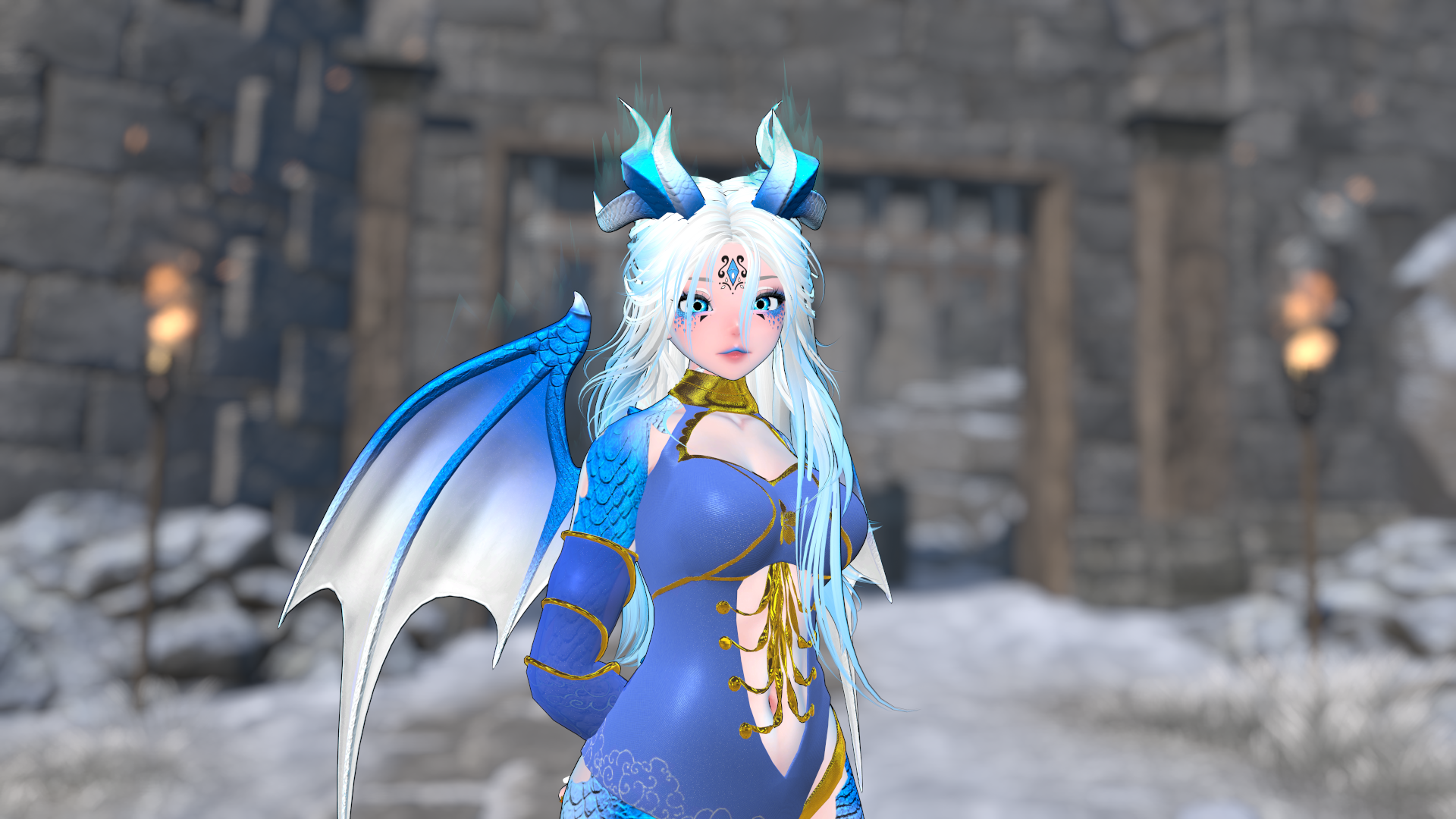
🐲Lumeria, the empress of ice has made her appearance!❄️
Want both the Male and Female matching Avatars?
Get them cheaper as a Bundle > here <!
Some of her features include:
- Face Tracking (UE)
- GoGoLoco
- Avatar Limb Scaling
- 14 Face Expressions
- Contacts for Booping‚ Headpatting‚ Kissing (only with the matching Female) and High Fiving
- Physbones + Movement Toggle
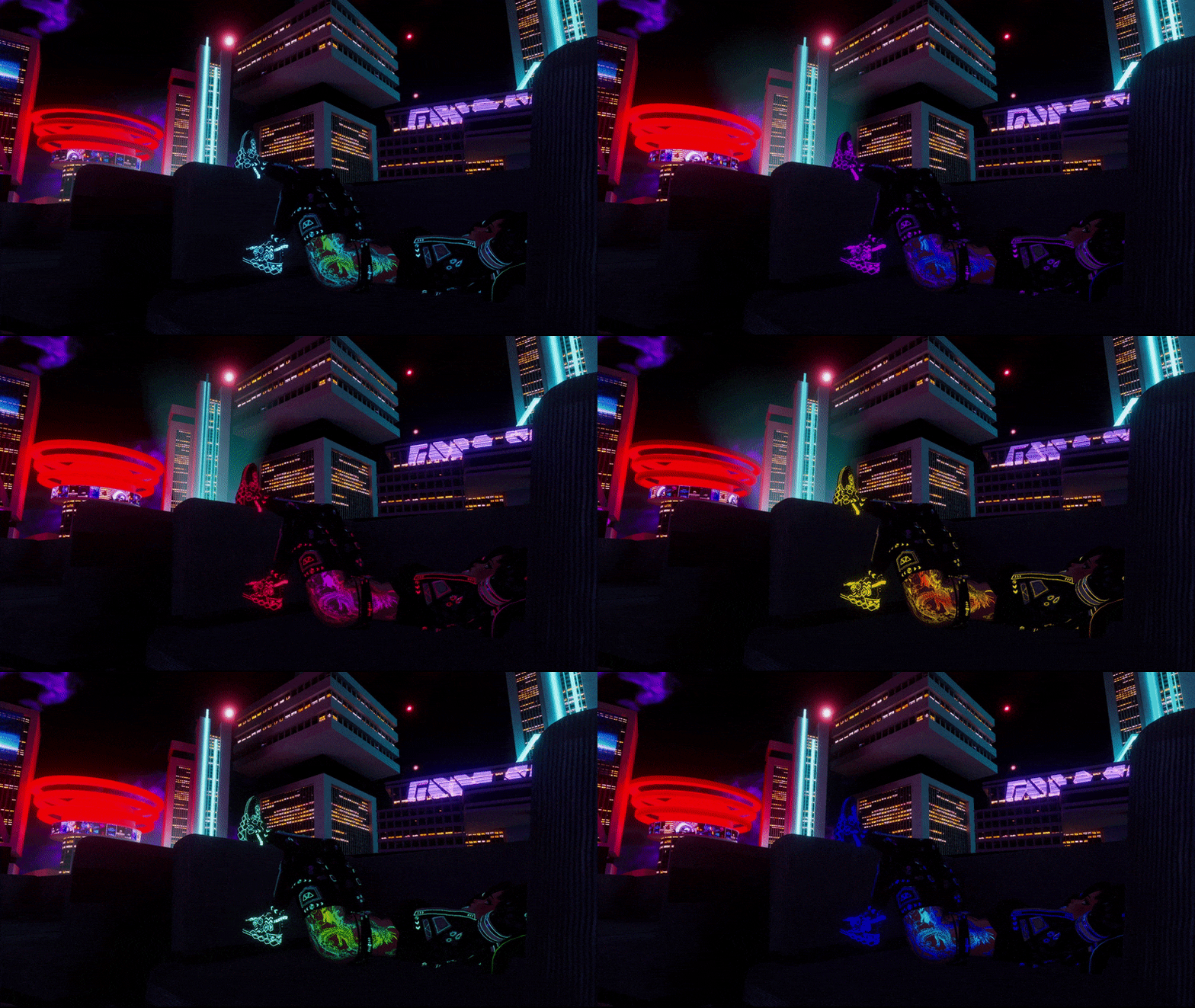
- Avatar Lighting Settings
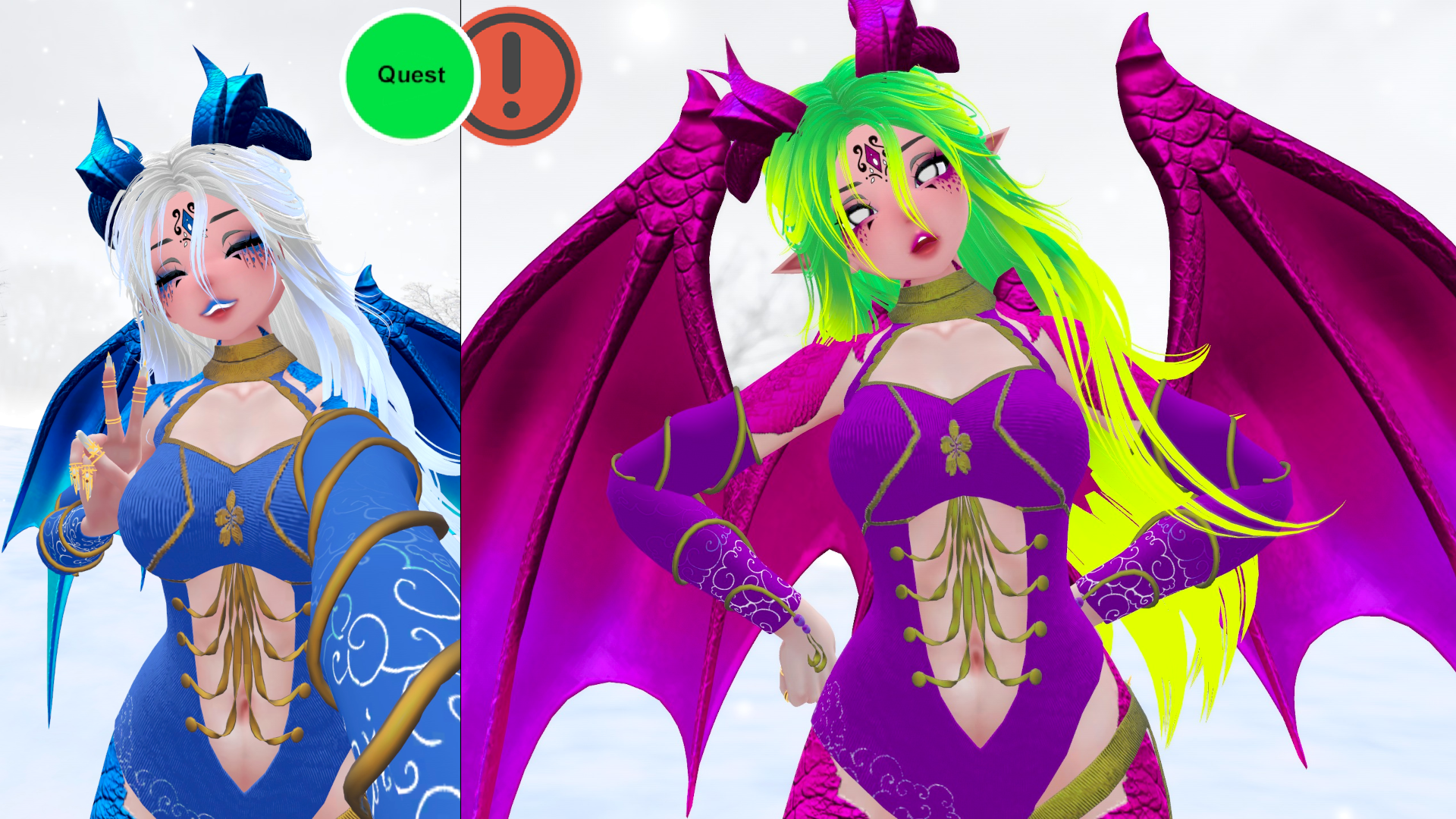
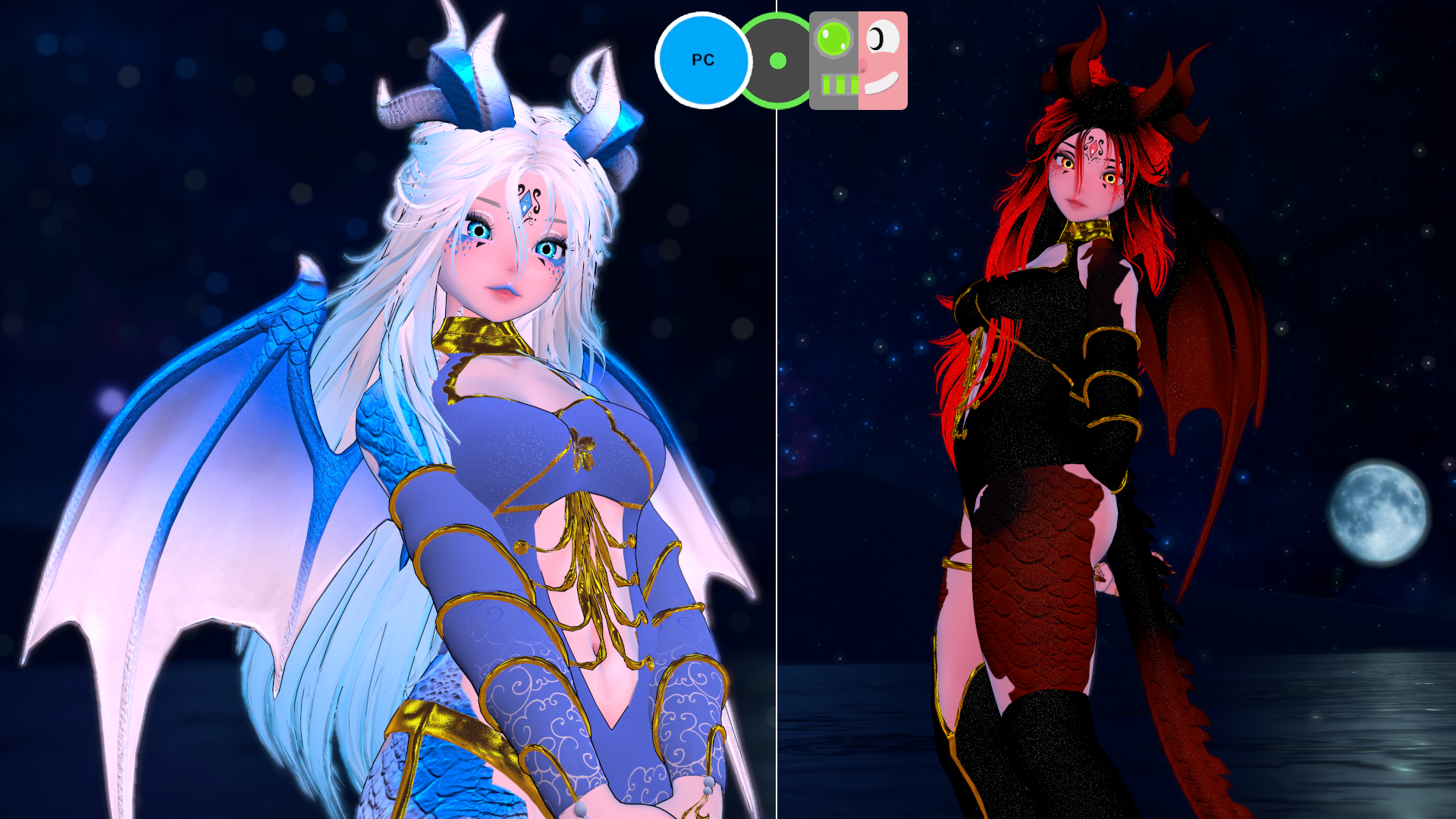
- Highly customizable with Hue Shifts ⁄ Color Changes for every part of the Avatar
My Avatars are focused on Optimization and Customization, so if you need anything removed or changed on the Avatar, it can be easily done in Unity, as Physbones, additional Assets etc. are seperated and categorized.
Join my Discord if you need help with the Avatar and to stay up to date with new releases and discount codes! <3
https://discord.gg/WGBG3A6W6H
(っ◔◡◔)っ ♥ (10% Discount code on Discord! Feel free to stay on it if you want to support me <3)
Avatar Stats
- Very Poor -
429.668 Polygons
40 Material Slots
38 Physbone Components
24 Lights (with SPS) / 0 Lights without SPS
38 MB Download Size
195 MB Texture Memory
Optimized
- Good -
69.608 Polygons
8 Material Slots
7 Physbone Components
11 MB Download Size
71 MB Texture Memory
Quest
- Very Poor -
148.389 Polygons
11 Material Slots
7 Physbone Components
9,9 MB Download Size
10 MB Texture Memory
How to upload (instructions included in the download too)
PC / Optimized version
1) Make a new Avatar Project in your VRChat Creator Companion and install the newest VRChat SDK - Base and Avatars.
2) Install VRCFury through the Creator Companion or with the Installer ( https://vrcfury.com/download )
2.5) If you want to use the Face Tracking, make sure to import Jerry's VRCFT ( https://github.com/Adjerry91/VRCFaceTracking-Templates )
If you don't need Face Tracking and don't want to import this package, make sure to delete the "VF_UE_TongueSteps_VRCFT" Object on the Avatar before uploading!
3) Import Poiyomi Toon 9 (exact version I used: Poiyomi v9.1.30 (newer is fine too)),
alternatively you can also import it beforehand through the VRC Creator Companion!
4) Open the Project.
5) Import the included unity package for the Avatar.
6) Open the VRChat SDK Control Panel and log in.
7) Open the VRChat SDK "Builder" Tab and click any "Auto-Fix" buttons if they appear.
8) Click "Build & Publish for Windows".
Quest version
1) Make a new Avatar Project in your VRChat Creator Companion and install the newest VRChat SDK - Base and Avatars.
2) Install VRCFury through the Creator Companion or with the Installer.
Get it here: https://vrcfury.com/download
2.5) If you want to use the Face Tracking, make sure to import Jerry's VRCFT ( https://github.com/Adjerry91/VRCFaceTracking-Templates )
If you don't need Face Tracking and don't want to import this package, make sure to delete the "VF_UE_TongueSteps_VRCFT" Object on the Avatar before uploading!
3) Open the Project.
4) Import the included unity package for the Quest version of the Avatar.
5) Open the VRChat SDK Control Panel and log in.
6) Open the VRChat SDK "Builder" Tab and Switch Build to "Android".
7) Click any "Auto-Fix" buttons (most likely the compress format error)
8) Open the VRChat SDK "Content Manager" Tab, search out the Avatar that you want to upload this Quest version to and click "Copy ID".
9) Go to the Hierarchy, click on the Avatar Object and paste the copied ID into the "Blueprint ID" under "Pipeline Manager" and click attach.
10) Now go back to the VRChat SDK "Builder" Tab and click "Build & Publish for Android".
IMPORTANT:
To have the Quest Avatar properly Sync with the PC version, do not change any (FX) Parameters in Unity! If you do, please make sure to do the same for the Quest version!
Rules
- Do not share this avatar/package with anyone, if you get it for someone else please use the Gift function and type in THEIR credentials
- Only upload for yourself. If you or a friend needs the avatar uploaded, please contact me through discord!
- You must not re-use the assets of this. You must buy the assets from the creators as stated in the credits!
- Do not upload this Avatar to public!
- Do not resell this avatar in any shape or form. If you edit it and then resell it, that's not allowed either!
- Do not claim this avatar as your own.
- No refunds. If you got any issues join my discord and ask for help in the avatar-help channel or contact me!
- If you don't use the VRChat Creator Companion for the project I will not give you any support, if you run into issues with scripts or imports.
Credits
- Poiyomi v9.2.79 - https://github.com/poiyomi/PoiyomiToonShader/releases/tag/v9.2.69
- GoGo Loco - https://franadavrc.gumroad.com/l/gogoloco
- Wholesome SPS - https://wholesomevr.gumroad.com/l/sps
- VRCFT - https://github.com/benaclejames/VRCFaceTracking
- Jerry's FT Template - https://github.com/Adjerry91/VRCFaceTracking-Templates
- Av3Creator - https://rafacasari.gumroad.com/l/av3creator
- BasicDynamics - https://rafacasari.gumroad.com/l/basicdynamics
- Zekk's Flame Shader - https://zekk.gumroad.com/l/ZekksFlameShader
- Avatar Limb Scaling - https://nanochip.gumroad.com/l/avatarlimbscaling
- Head - https://sincerelysleepy.com/p/aurorahead + Face Tracking DLC - https://jinxxy.com/Rue/SleepysAuroraHeadFaceTrackingDLC
- Body - https://zinpia.sellfy.store/p/vrbase-egirl/
- Face and Bobah Scales Texture by https://payhip.com/ELFEYA
- Dragon Eyes - https://iamres.gumroad.com/l/dragon
- Jude's Hair - https://saikura.com/b/raFN0
- Yura's Hair - https://saikura.com/b/3nxFH
- Ameli's Hair - https://saikura.com/b/PXJu6
- Female Dragon Set - https://zinpia.sellfy.store/p/dragon-set-female
- Inha Dancer Outfit - https://jinxxy.com/ItsYukinaVR/MvEj0
- Graceful Dragon Outfit - https://payhip.com/b/nmxiw
- Lazy Day Outfit - https://payhip.com/b/WdGE6
- Naughty Noel Outfit - https://payhip.com/b/LUmdJ
- Royal Talon Rings - https://gmsboxvr.com/b/xU7DZ
- Dancing Dragons - https://gmsboxvr.com/b/el5WJ
- Comfy Bean Bag - https://jinxxy.com/VioletPuppy/comfy_bean_bag
- Cold Night Particles - From scratch by me https://jinxxy.com/Zythoxic/ColdNightParticles
- Menu Icons - https://payhip.com/b/vrOdC
Join my Discord if you need help with the Avatar and to stay up to date with new releases and discount codes! <3
https://discord.gg/WGBG3A6W6H