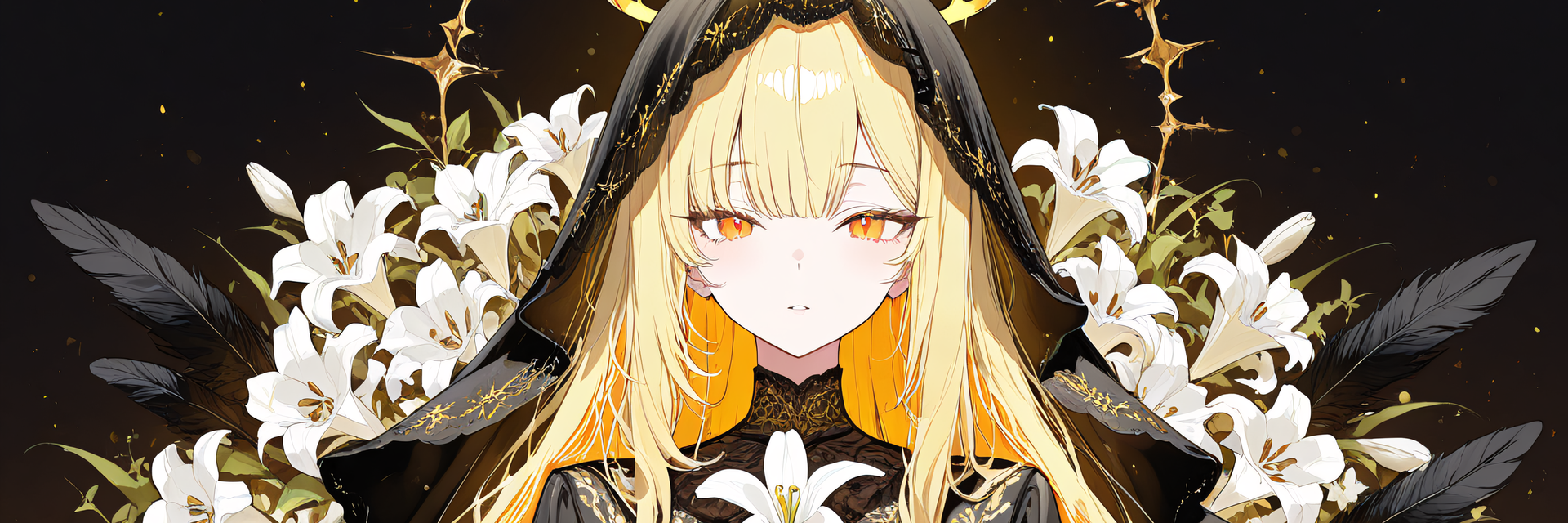
![Antler and Thorn Horns — Horn Accessory with 4 Relief Styles + Custom Colors + Glowing Thorns [VRChat/MA]](https://jinxxy-c.jinxxy-cdn.com/cdn-cgi/image/format=auto,onerror=redirect/84edb18f-0105-522b-ba9d-12ecceee5112/4017255781597448062/1035210886131638272.png)
![Antler and Thorn Horns — Horn Accessory with 4 Relief Styles + Custom Colors + Glowing Thorns [VRChat/MA]](https://jinxxy-c.jinxxy-cdn.com/cdn-cgi/image/format=auto,onerror=redirect/84edb18f-0105-522b-ba9d-12ecceee5112/4017255781597448062/1035210909168220160.png)
![Antler and Thorn Horns — Horn Accessory with 4 Relief Styles + Custom Colors + Glowing Thorns [VRChat/MA]](https://jinxxy-c.jinxxy-cdn.com/cdn-cgi/image/format=auto,onerror=redirect/84edb18f-0105-522b-ba9d-12ecceee5112/4017255781597448062/1035210932378711040.png)
![Antler and Thorn Horns — Horn Accessory with 4 Relief Styles + Custom Colors + Glowing Thorns [VRChat/MA]](https://jinxxy-c.jinxxy-cdn.com/cdn-cgi/image/format=auto,onerror=redirect/84edb18f-0105-522b-ba9d-12ecceee5112/4017255781597448062/1035210955379727360.png)
![Antler and Thorn Horns — Horn Accessory with 4 Relief Styles + Custom Colors + Glowing Thorns [VRChat/MA]](https://jinxxy-c.jinxxy-cdn.com/cdn-cgi/image/format=auto,onerror=redirect/84edb18f-0105-522b-ba9d-12ecceee5112/4017255781597448062/1035210973534262272.png)
![Antler and Thorn Horns — Horn Accessory with 4 Relief Styles + Custom Colors + Glowing Thorns [VRChat/MA]](https://jinxxy-c.jinxxy-cdn.com/cdn-cgi/image/format=auto,onerror=redirect/84edb18f-0105-522b-ba9d-12ecceee5112/4017255781597448062/1035210992645302272.png)
![Antler and Thorn Horns — Horn Accessory with 4 Relief Styles + Custom Colors + Glowing Thorns [VRChat/MA]](https://jinxxy-c.jinxxy-cdn.com/cdn-cgi/image/format=auto,onerror=redirect/84edb18f-0105-522b-ba9d-12ecceee5112/4017255781597448062/1035211012054792192.png)
![Antler and Thorn Horns — Horn Accessory with 4 Relief Styles + Custom Colors + Glowing Thorns [VRChat/MA]](https://jinxxy-c.jinxxy-cdn.com/cdn-cgi/image/format=auto,onerror=redirect/84edb18f-0105-522b-ba9d-12ecceee5112/4017255781597448062/1035211030190906368.png)
![Antler and Thorn Horns — Horn Accessory with 4 Relief Styles + Custom Colors + Glowing Thorns [VRChat/MA]](https://jinxxy-c.jinxxy-cdn.com/cdn-cgi/image/format=auto,onerror=redirect/84edb18f-0105-522b-ba9d-12ecceee5112/4017255781597448062/1035211049223100416.png)
![Antler and Thorn Horns — Horn Accessory with 4 Relief Styles + Custom Colors + Glowing Thorns [VRChat/MA]](https://jinxxy-c.jinxxy-cdn.com/cdn-cgi/image/format=auto,onerror=redirect/84edb18f-0105-522b-ba9d-12ecceee5112/4017255781597448062/1035211064724787200.png)
![Antler and Thorn Horns — Horn Accessory with 4 Relief Styles + Custom Colors + Glowing Thorns [VRChat/MA]](https://jinxxy-c.jinxxy-cdn.com/cdn-cgi/image/format=auto,onerror=redirect/84edb18f-0105-522b-ba9d-12ecceee5112/4017255781597448062/1035211082673412096.png)
![Antler and Thorn Horns — Horn Accessory with 4 Relief Styles + Custom Colors + Glowing Thorns [VRChat/MA]](https://jinxxy-c.jinxxy-cdn.com/cdn-cgi/image/format=auto,onerror=redirect/84edb18f-0105-522b-ba9d-12ecceee5112/4017255781597448062/1035211101774356480.png)
Antler and Thorn Horns — Horn Accessory with 4 Relief Styles + Custom Colors + Glowing Thorns [VRChat/MA]
Product Description
This product contains AI-generated content.
Pick 1 of 4 surface reliefs (including the smooth original) in Unity and set the colors freely, including glowing thorns, with the free ys-room Color Tool! A pair of large, branching antlers with red thorn vines wrapped around them and hanging down (the thorn leaves can glow) (VRChat / Modular Avatar). The relief and colors are chosen in Unity (they cannot be switched in-game).
To change colors or the relief, the free "ys-room Color Tool" (for ys-room products only) is needed. Without it, the product works as-is with its default colors and default relief. Free tool: https://jinxxy.com/Ys_room/8xXmh
Standard and Supporter versions
There are two versions: Standard and Supporter. The Supporter version has exactly the same contents. Choose it if you would like to support our future work.
Note: The character (avatar) shown in the product images is not included.
[Product] Antler and Thorn Horns
A horn-style head accessory for VRChat. A pair of large, branching antlers with red thorn vines wrapped around them and hanging down (the thorn leaves can glow).
Choose the surface relief of the horns from 4 types (Smooth (original) / Bark grain / Knots and rings / Pearling beads) with the free "ys-room Color Tool" in Unity (the choice is fixed; it cannot be switched in-game after upload). Colors are set with the same tool: antler, vine, leaves, leaf glow can all be chosen freely. 8 recommended color sets are included, with looks such as "Glowing thorns", "Frosted branches", "Night branches". Without the tool, the product works as-is with its default colors and default relief. In-game, the Action Menu switches the display (both / left only / right only / hidden).
It supports Modular Avatar: just drop the prefab under your avatar and it attaches to the head.
What it does
- 4 reliefs (pick one in Unity; default "Smooth (original)"; not switchable from the in-game menu): the shape and pattern of the horn surface change
- Smooth (original): no relief: the smooth original shape (the starting state)
- Bark grain: vertical streaks and grooves running along the branch (bark / antler grain)
- Knots and rings: horizontal knots (rings) stacked up
- Pearling beads: a string of pearl-like beads, as seen at the base of deer antlers
- (besides the normal map, the outline of the horns also shifts by up to about 1.2 mm. The triangle count does not increase)
- Colors (set in Unity): choose these 4 colors with a color picker or color code. The result shows in the Scene right away (no need to press Play)
- Antler: color of the antlers (shading and grooves stay)
- Vine: color of the thorn vines wrapped around the antlers
- Leaves: color of the thorn leaves
- Leaf glow: the thorn leaves glow from inside; color and brightness (0 = no glow)
- 8 recommended color sets: Dark antler, red thorns (original) / Glowing thorns / Bleached bone antler / Moss and young leaves / Frosted branches / Gilded branches, roses / Night branches / Cherry branches
- "Restore original" switches back to the original material and the original relief. The original materials are never modified
- * The leaf glow is a material emission, not a light source. It is static: no blinking, no animation. Choosing colors changes only colors (gloss does not change)
- Relief and color are chosen separately. Choosing another relief keeps your colors, and changing colors keeps your relief
- Display (pick one in the menu "Display"; default Both): Both / Left only / Right only / Hidden
- No motion (no transformation, sway or light animation). A nearly symmetric pair. Position and size defaults are the values decided on our mascot avatar
- The "Display" setting is saved and synced to other players. The relief and colors you set in Unity look the same to other players after upload (no sync parameter is used for them)
Choosing colors and relief (the free ys-room Color Tool)
- Colors and relief are changed with our free "ys-room Color Tool" (version 1.0.0 or later). It is NOT included in this product (the product works as-is with its default colors and relief)
- Download the unitypackage from the free item page (https://jinxxy.com/Ys_room/8xXmh) and import it. Install it once and it works with our other supported products too
- How to use: open the menu "ys-room > Color Tool", select the horns (or the avatar), then use "Relief", "Recommended colors", "Choose colors" and "Restore original" in the window
How the reliefs look (checked by rendering in Unity)
- The relief is mostly a normal map, so the 4 reliefs are clearly different when seen up close with light from the side
- From a distance (front-side view) the differences get small. Under weak light or frontal light the relief is hard to see (almost invisible in dark worlds; the shape still reads)
- The leaf glow is visible in dark worlds too (product image "Glowing in the dark"). It has not been checked on a real VRChat client
- The product images include a side-by-side of close-up, distance and dark-world views ("How it looks depends on distance and light")
Quick start
- Add Modular Avatar and lilToon to your project in VCC, then import the included unitypackage
- Drag YsAntlerThornHorn.prefab onto your avatar's name in the Hierarchy (it should end up one level under the avatar). In the Scene view the horns appear near the feet; they attach to the head on build / play
- To change colors or relief: install the free ys-room Color Tool, open "ys-room > Color Tool", select the horns (or the avatar), press one of the 4 reliefs in the top row (the first one if you skip it), then press a recommended color set or choose your own colors
- Check with Build & Test, then upload. "Antler and Thorn Horns" is added to your Action Menu (Display switch only; the menu is labeled in Japanese: 鹿角と茨)
- To remove it, just delete YsAntlerThornHorn from the Hierarchy
Menu
Antler and Thorn Horns > Display (Both / Left only / Right only / Hidden)
- There are no "relief" or "color" items in the menu (both are set with the tool in Unity; what you set looks the same to other players)
- Synced parameters: 1 Int (YsAntlerThornShow), 8 bits in total. A warning appears if your avatar has no room for parameters
- 1 layer is added to FX (Display; Write Defaults off)
Verification (what was checked on a real VRChat client and what was not)
[Checked on a real VRChat client] None. It has not been tested on a real VRChat client yet.
[Checked inside Unity] The included unitypackage was imported into a clean project like yours (only VRChat SDK, Modular Avatar and lilToon) and these were checked (125 checks passed = 62 without the tool + 63 with the tool; 1 failed, described under "Notes"):
- 0 compile errors / 0 errors, warnings and info in NDMF (the Modular Avatar build preprocessing) / after the build the horns are children of the Head, Horn_L and Horn_R sit within 0.01 mm of the designed position and the rotation equals the Head's
- Without the tool: imports and works as-is with the default colors and default (smooth) relief. With the tool: choosing each of the 4 reliefs makes the blendshapes and the texture cell of the material come out as expected / the shape differences move as designed / "Restore original" returns to the original relief / colors are kept when the relief changes and vice versa
- The clips of the 4 Display states (Both / Left / Right / Hidden) switch the left and right horns as expected / on the avatar baked by the same preprocessing as a VRChat build, the menu has no relief or color item, the only synced parameter is Display (8 bits), and the FX has only the 1 Display layer (Write Defaults off)
- The 8 recommended color sets and custom colors were applied and the material colors (including the leaf glow) matched / the original materials are not modified
- Mesh face orientation (front faces point outward) was checked on the unitypackage before import, also for each of the 4 relief shapes (blendshape applied): all faces point outward / numeric checks of the normal map direction (Unity's OpenGL convention) and of the tangent direction
- Versions checked (others untested): Unity 2022.3.22f1 / VRChat SDK Avatars 3.10.4 / Modular Avatar 1.18.7 / lilToon 2.3.4
[Not checked]
- The look and feel on a real VRChat client, and on other players' screens (Display sync, the chosen relief shape, the leaf glow)
- The horn position on your own avatar (interference with hair and head shape; adjustable), and how the root edge looks on avatars other than our mascot
- The look and mouse interaction of the ys-room Color Tool window in the Unity GUI (the logic itself was tested)
- Quest / Android (not supported)
Requirements
- Unity 2022.3 series / VRChat SDK Avatars 3.10 or later / Modular Avatar 1.18 or later / lilToon 2.3 or later
- Only to change colors or relief: ys-room Color Tool 1.0.0 or later (free)
- PC only (not supported on Quest / Android). A Humanoid avatar set up for VRChat is required
Performance (the horn prefab alone, VRChat SDK stats in Unity, PC)
Triangles 13,430 (left 6,719, right 6,711) / skinned meshes 2 (no bones) / material slots 2 (one per side; 1 material) / particles 0 / PhysBone, Contact, Audio Source 0 / synced parameters 8 bits / FX layers 1
- PC rank: Good overall for the horn prefab alone (polygons, materials and textures are Excellent; skinned meshes are Good)
- Textures: 32.7 MB (VRChat SDK figure; 7 textures; the total storage size in the Unity editor is about 65.4 MB). The 4 reliefs are packed in one texture, so more relief types do not add memory
- Mind the total on your avatar: on our mascot (no horns: 50,928 triangles, Poor) the total becomes 64,358 triangles (polygons stay Good), and the overall rank stays Poor because the mascot itself is Poor
- Not measured on a real VRChat client
Included
- ys_antler_thorn_horn.unitypackage (horn prefab, model, material, normal map, FX, Display menu, color/relief settings file)
- Readme_JP.txt / Readme_EN.txt, License_JP.txt / License_EN.txt, Changelog_JP.txt / Changelog_EN.txt
- The color tool (ys-room Color Tool) is NOT included (free, distributed separately)
Notes
- Do NOT place two sets of horns on one avatar (they would overlap). This product goes into its own folder, separate from our other horns and crowns
- The default position fits our showcase character. On other avatars the horns may float or sink, and depending on the hairstyle the root edge may show above the hair or hide in it (adjust Adjust / Horn_L / Horn_R: Position / Rotation / Scale in the prefab)
- Relief and colors can be changed only in Unity (not from the in-game menu). Gloss does not change with color
- 13,430 triangles in total, a little more than our other horns of this type (11,696). When you put it on a heavy avatar, mind the total of the whole avatar.
- The thorn vines carry no relief (the relief affects only the antler branches). The vines are split into small UV islands, so seams may be visible up close (the seam values and close-ups were checked).
- The SDK Build panel may show a "Write Defaults mixed" warning on avatars with 2 FX layers (caused by the MMD layer that Modular Avatar adds; it does not appear on avatars with 3 or more FX layers). The layers of this product use Write Defaults off
How it was made
- The horn shape was refined by us, based on a solid made with generative AI (3D generation). The textures for relief and color (brightness structure, normals, masks) were created by us with programs
Terms of use (summary)
- Adjusting color, size and position, and modifying, are allowed / you may build it into your own avatar and upload it to VRChat
- Redistribution is prohibited (as-is or modified; including distributing or selling it inside avatar data)
- See the included "License_EN.txt"
Changelog
- 2026-10-28: first release (4 reliefs chosen in the Unity ys-room Color Tool, 4 colors including the leaf glow, 8 recommended color sets, Display switch in the Action Menu)