Product Description
This product contains AI-generated content.
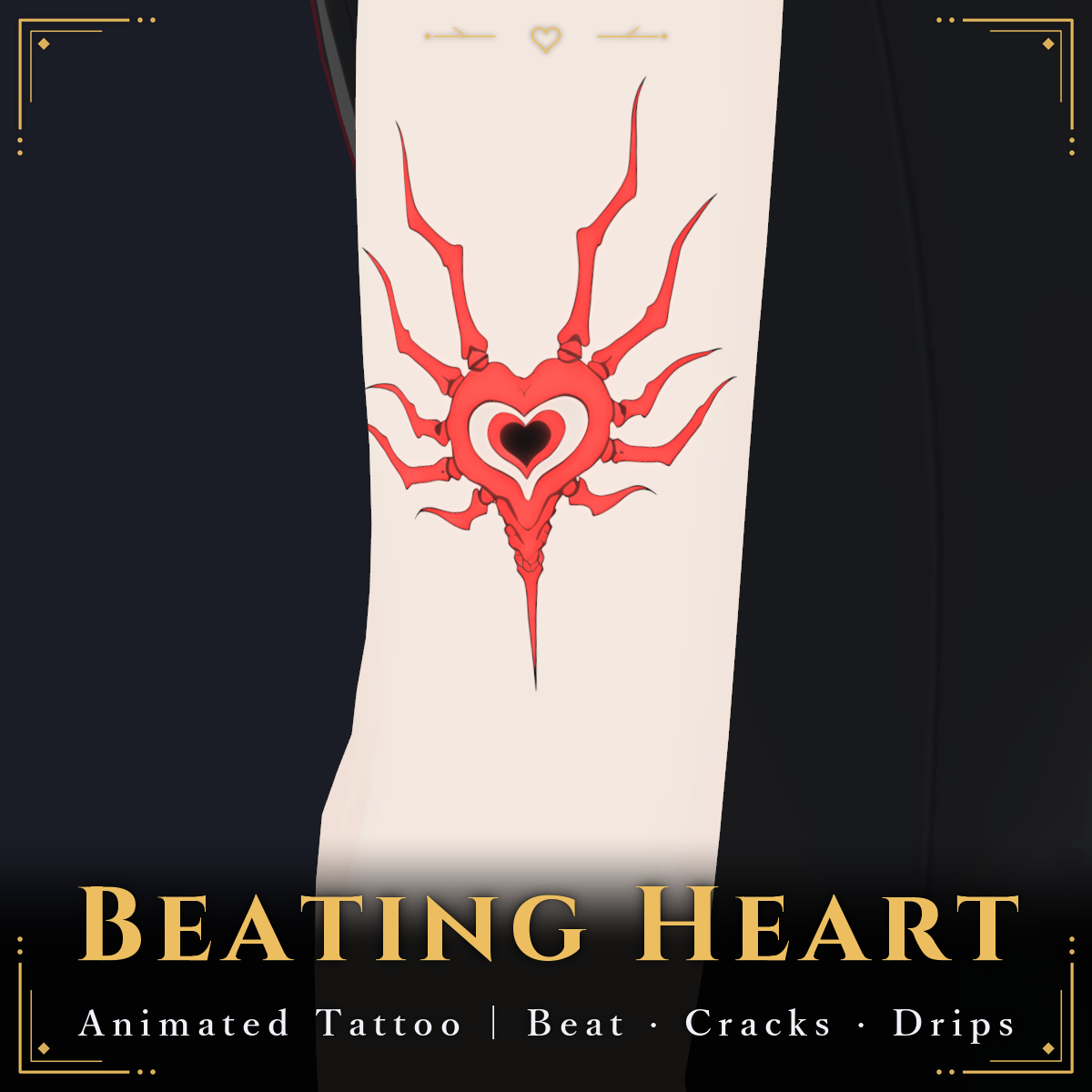
In a dark world the heart beats, light runs along the cracks and red drops fall. Animated tattoo decals for the skin (VRChat / lilToon / PC). A non-animated free version is included.
Note: The character (avatar) shown in the product images is not included.
Beating Heart / Cracked Skin / Dripping Drops
Black-line tattoos with red accents for your avatar's skin. The glow moves over time. 3 designs, 4 motions.
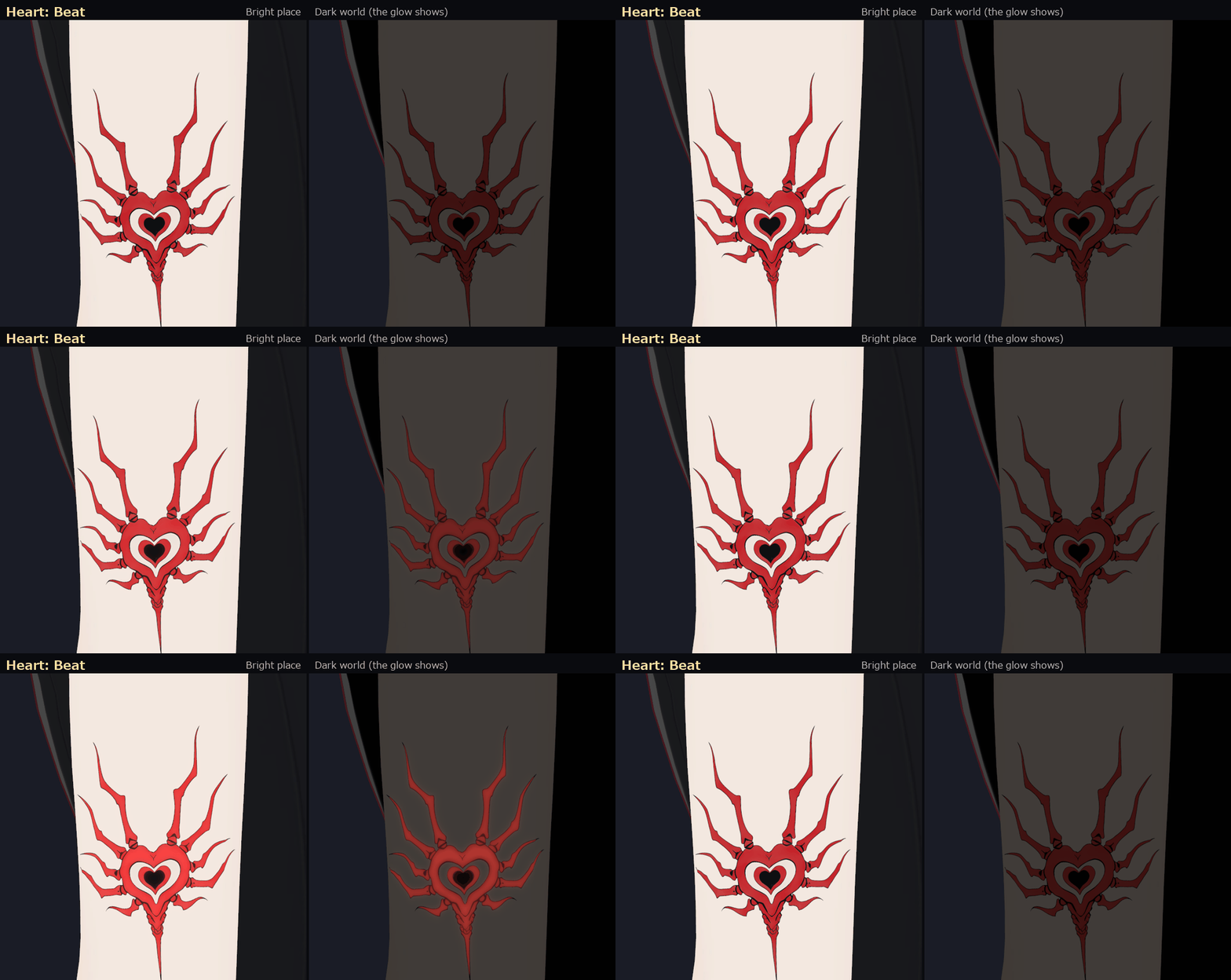
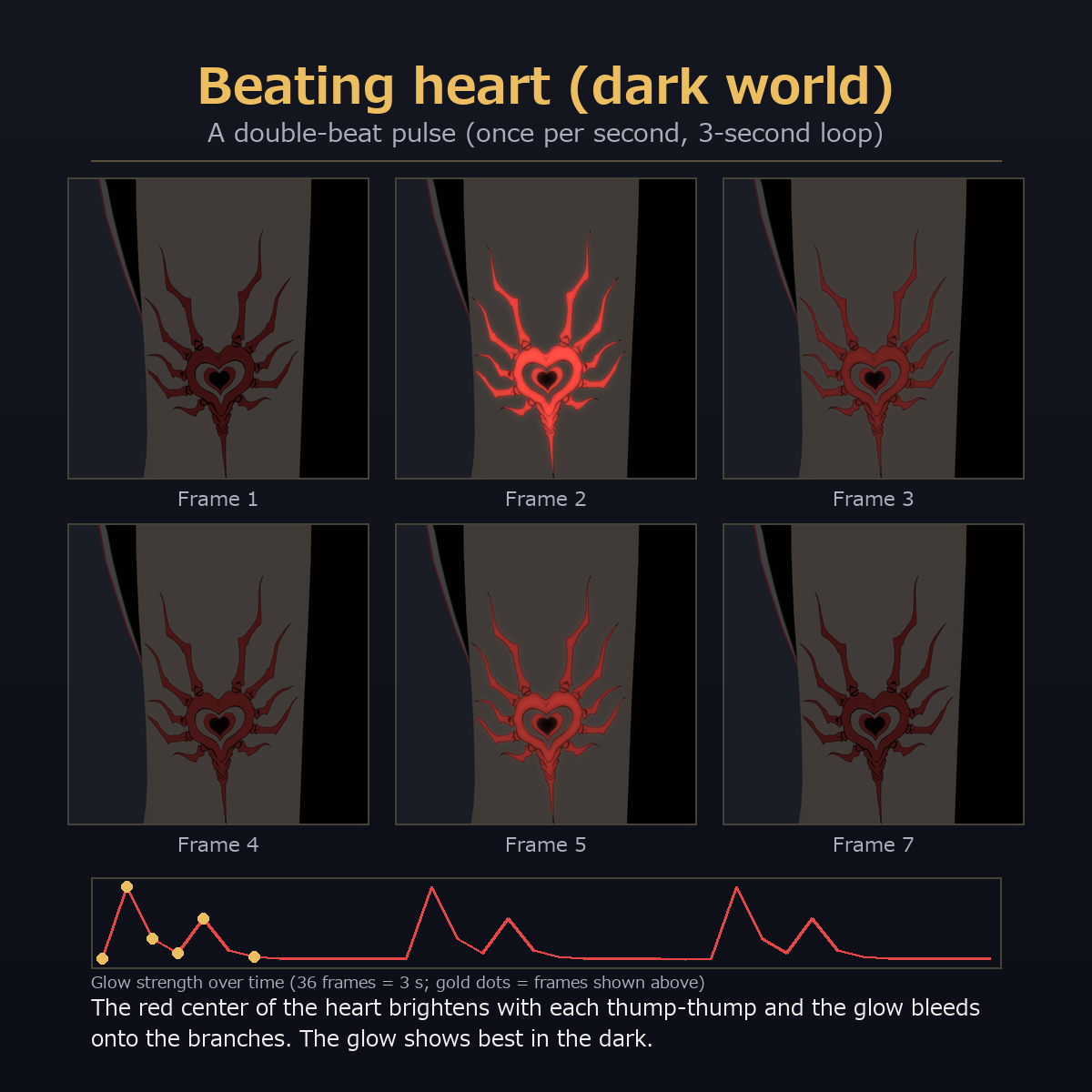
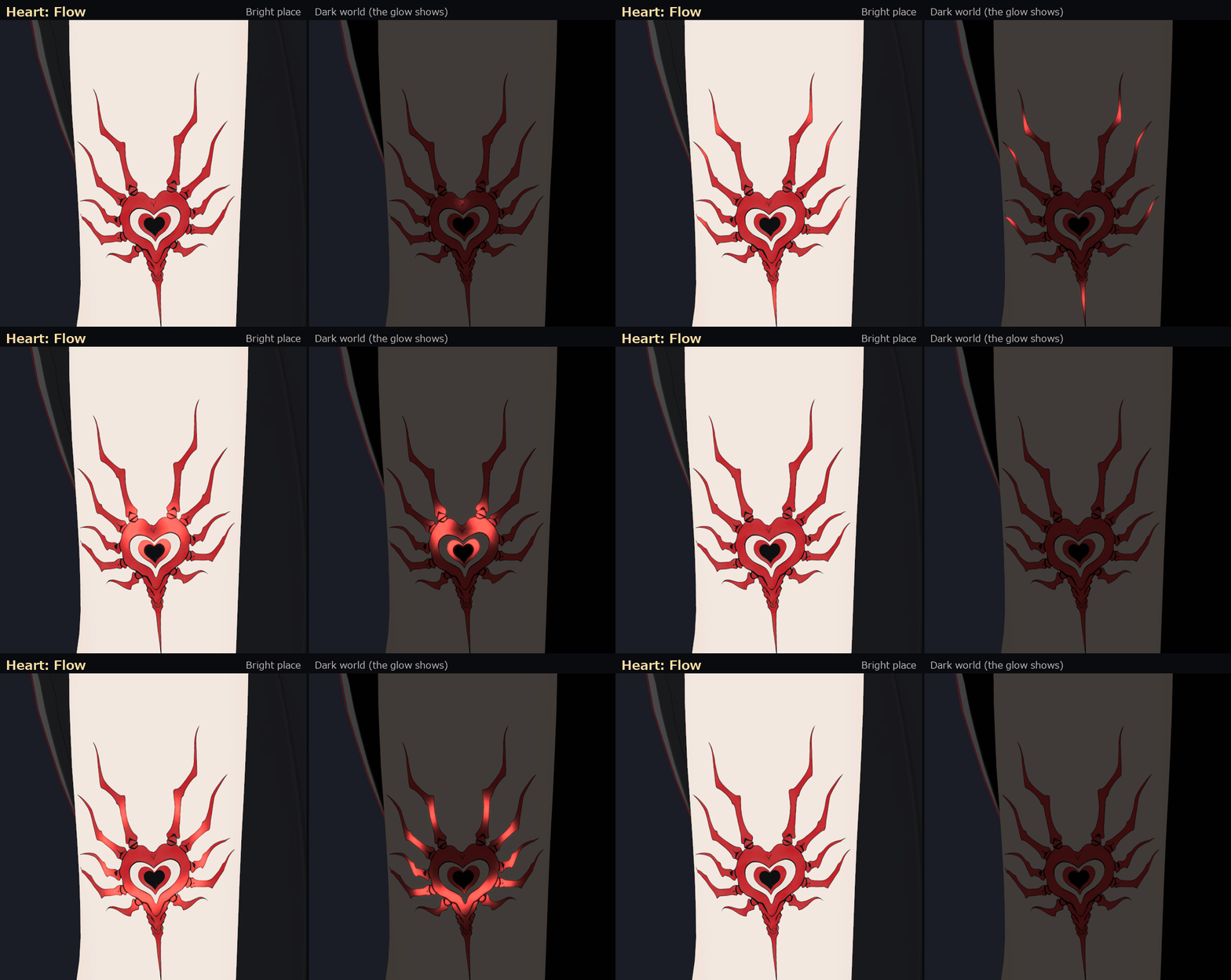
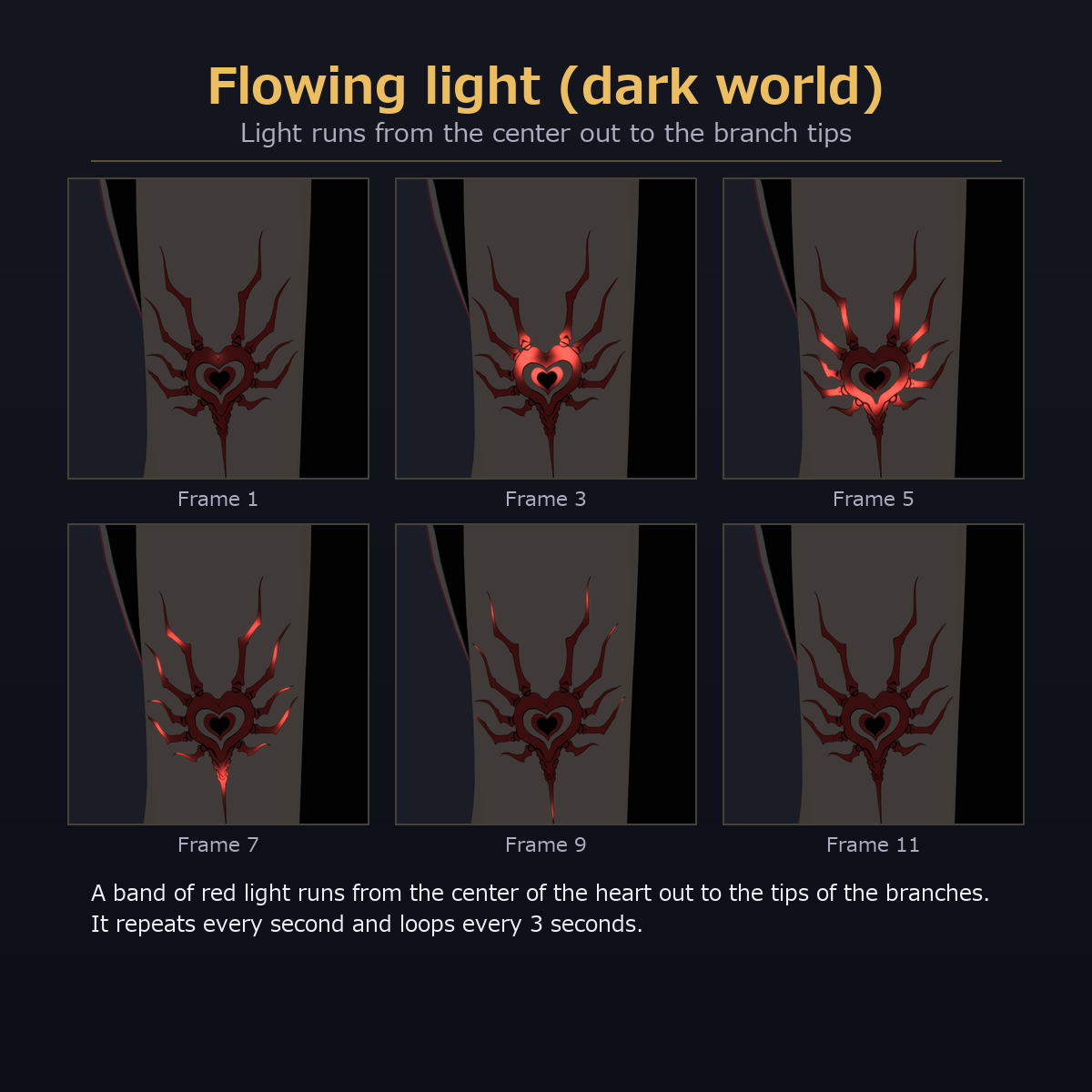
- Beating Heart: a heart emblem with red branches growing out of it. Two motions: "Beat" (a double-beat pulse) and "Flow" (light runs from the center of the heart to the tips of the branches)
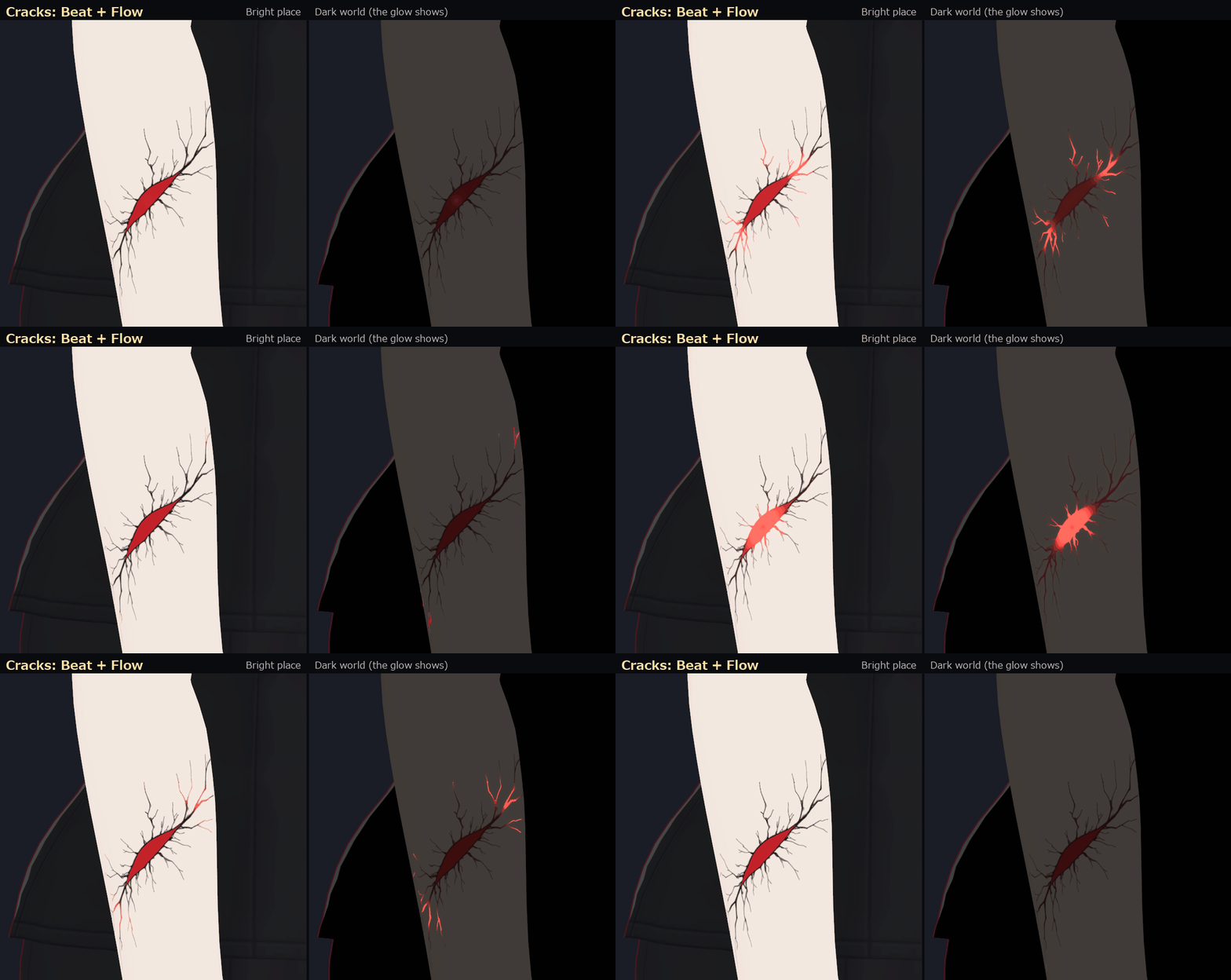
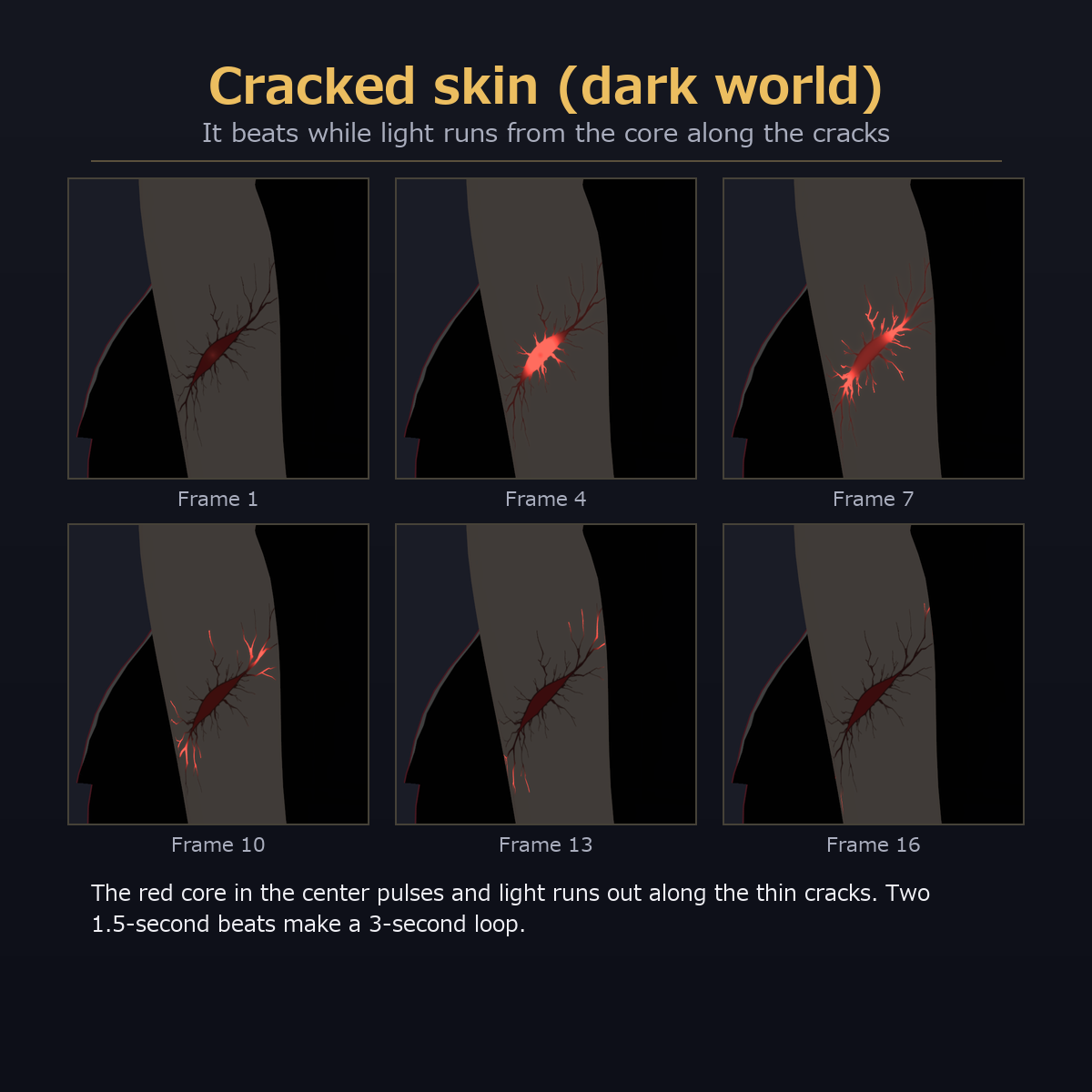
- Cracked Skin: a crack across the skin. Light runs from the red core along the thin cracks while it beats (Beat + Flow)
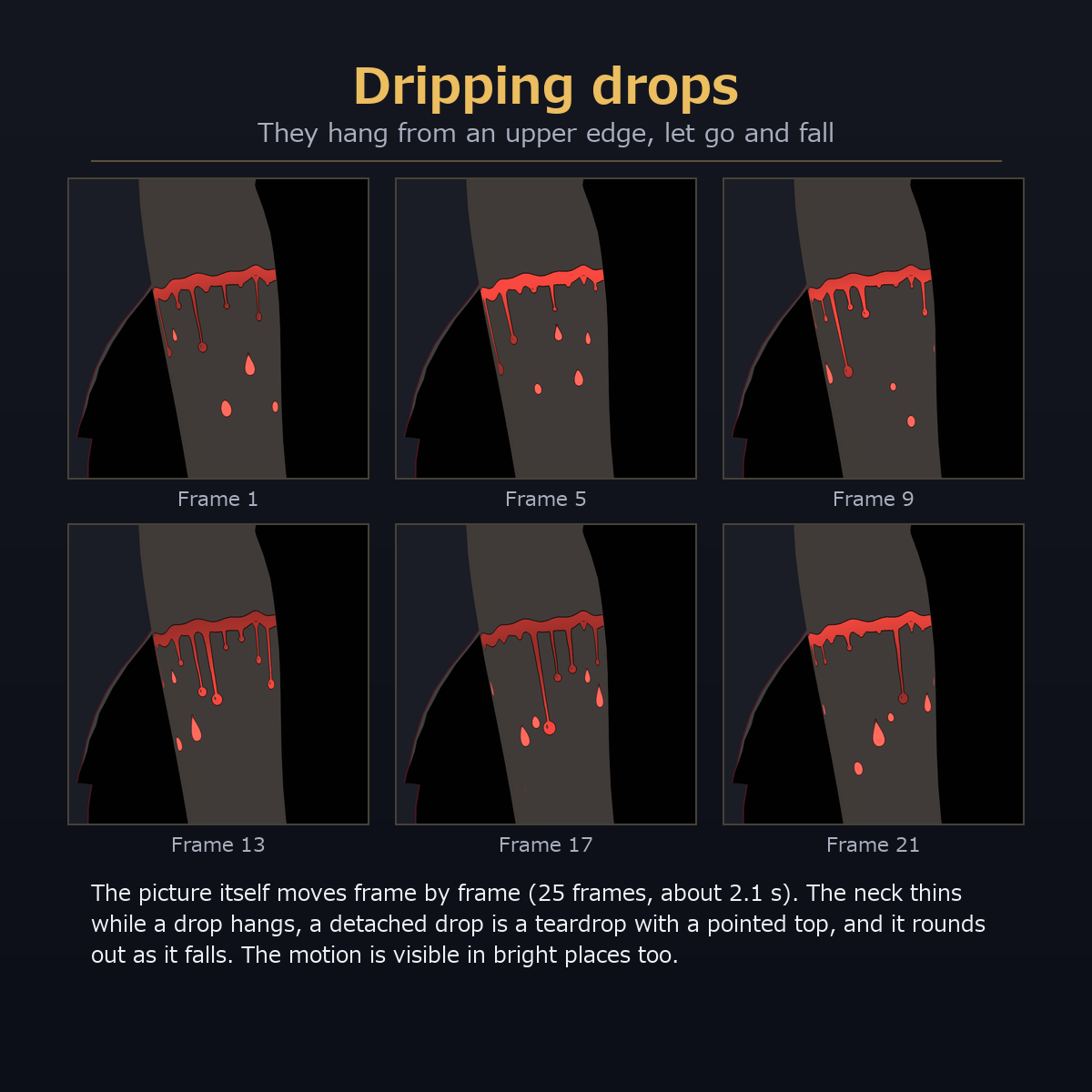
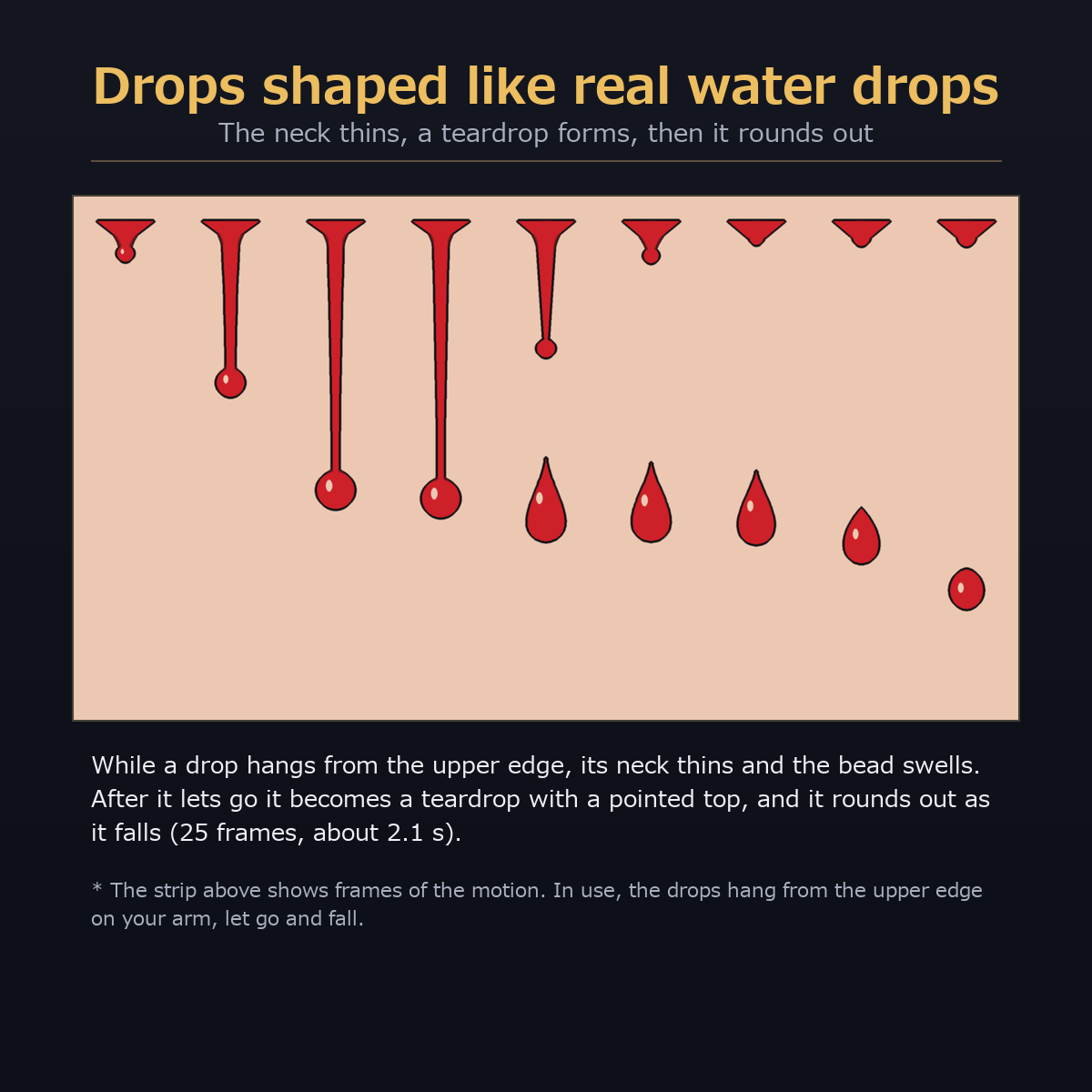
- Dripping Drops: red drops hang from an upper edge, then let go and fall. The drops are shaped like real water drops (the neck thins while a drop hangs, a detached drop is a teardrop with a pointed top, and it rounds out as it falls)
The motion is a lilToon (shader) frame animation, so no meshes or scripts are added.
Versions
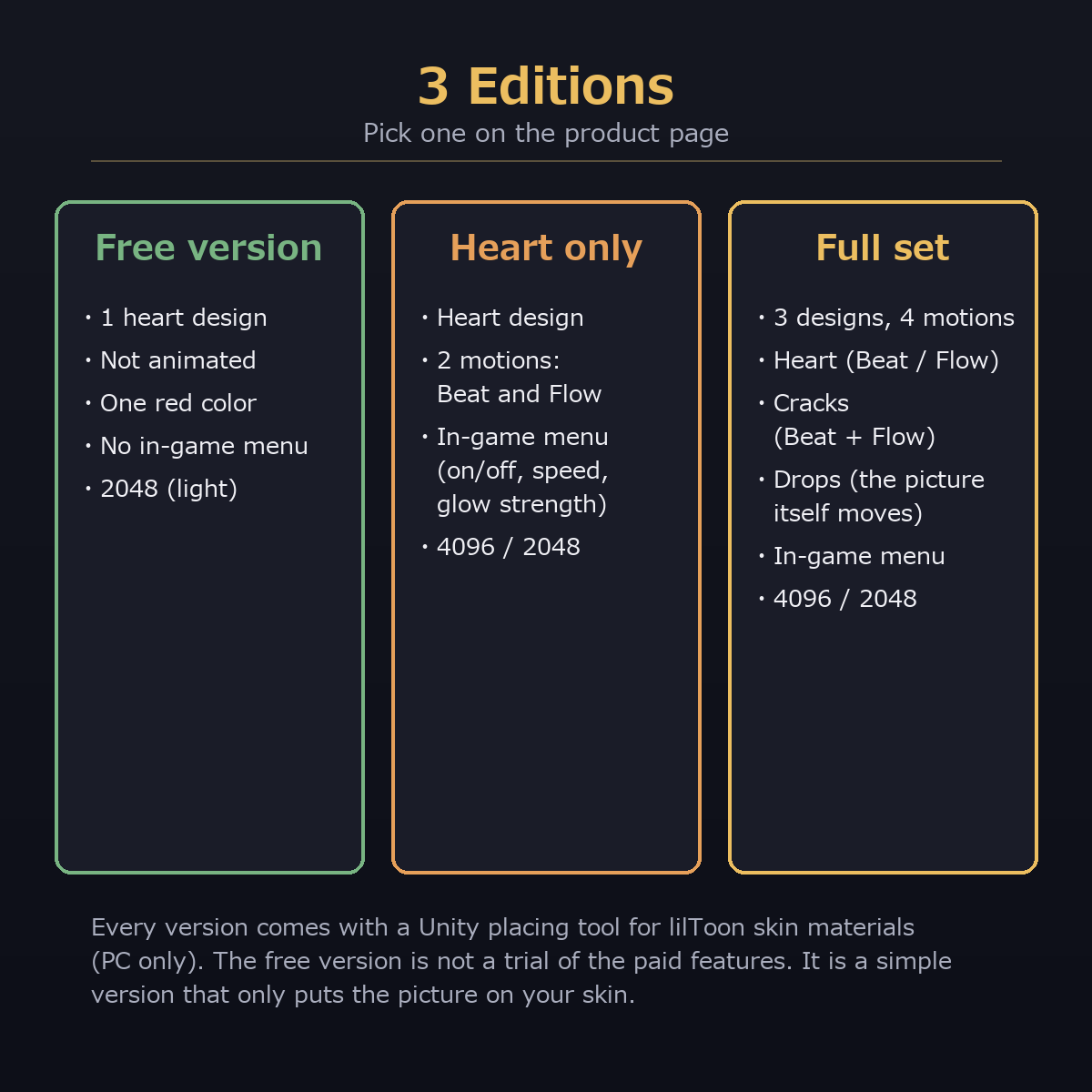
- Full set (3 designs, 4 motions): everything described here
- Heart only (the heart design, 2 motions: Beat and Flow; no cracks, no drops)
- Free version (the heart design, not animated, one red color): just the picture on your skin. No motion, no light, no menu, no cracks and no drops (one 2048 image)
The free version is not a trial of the paid features. It is a simple version that only puts the picture on your skin.
How it looks (honest notes)
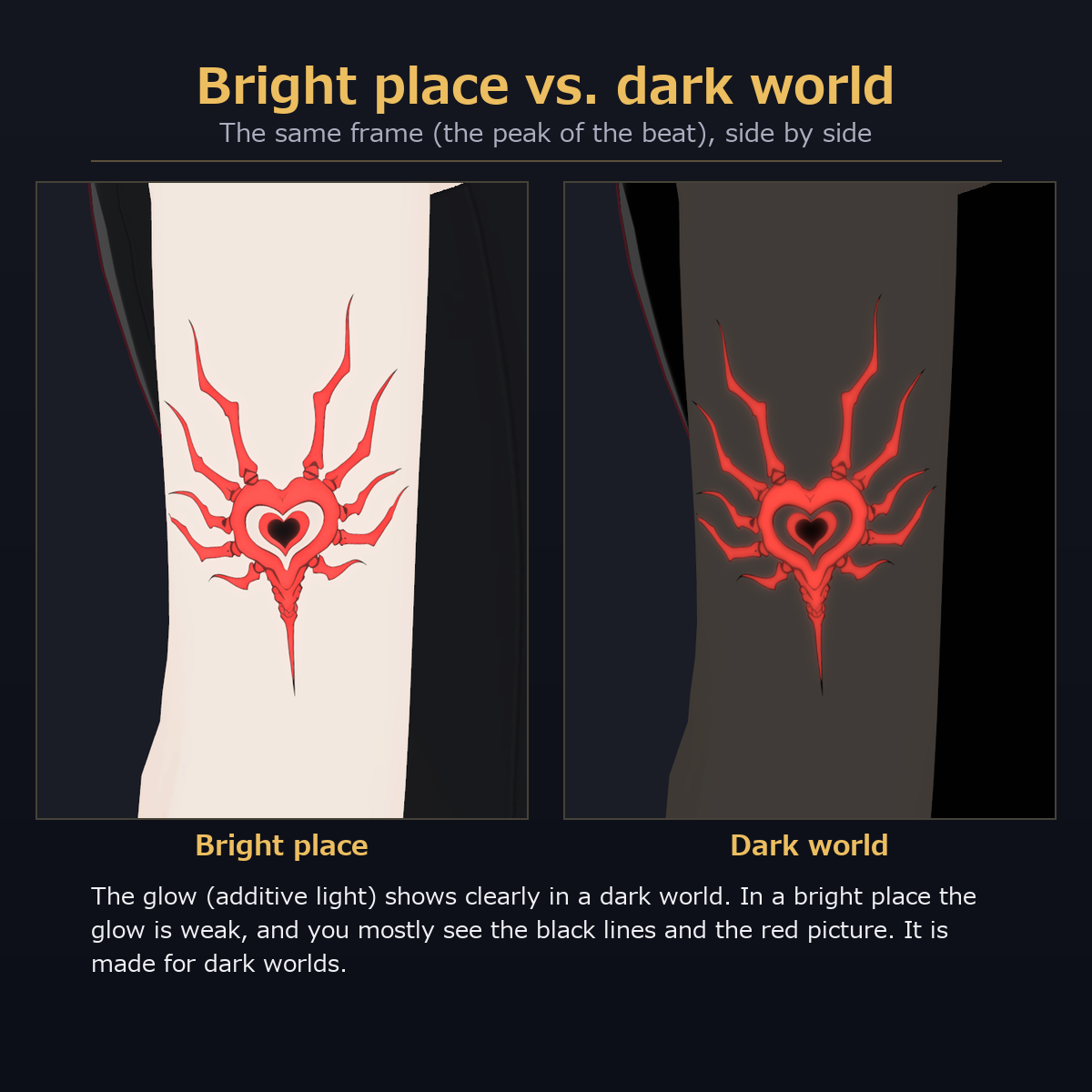
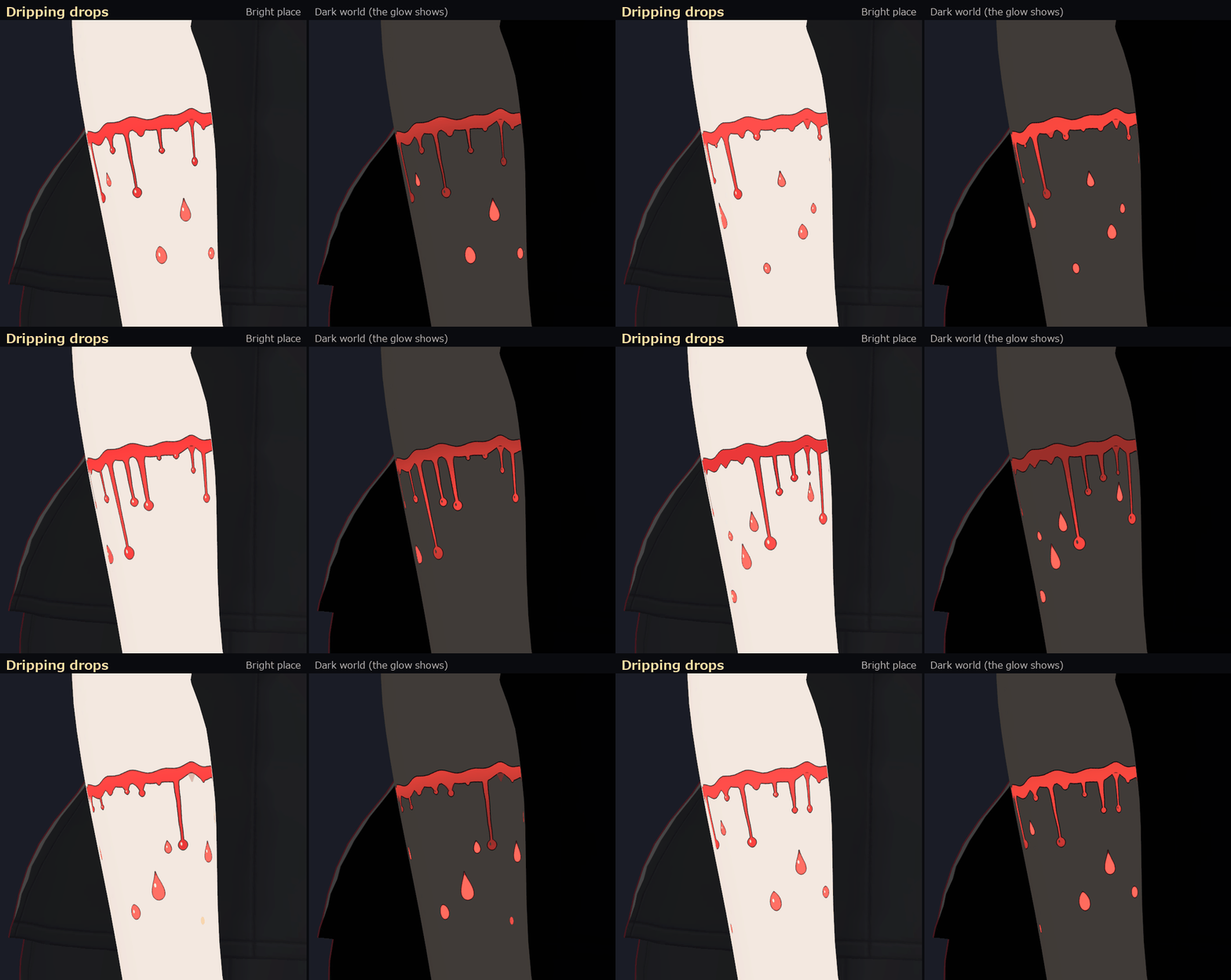
- The moving light is additive glow. It shows best in dark worlds (night, club, dim rooms). In bright worlds the light is weak and its glow almost disappears (compare the "bright place vs dark world" product image)
- The black lines and red picture stay visible in bright places. You can still see the red of the picture brighten on the beat in bright places, but the glow itself is made for dark worlds
- The drops are a frame animation of the picture itself, so their motion is visible in bright places too
- The motion runs on shader time, not on a video. On other players' screens the timing of the beat may be out of step with yours (not checked on a real VRChat client)
Where to put them
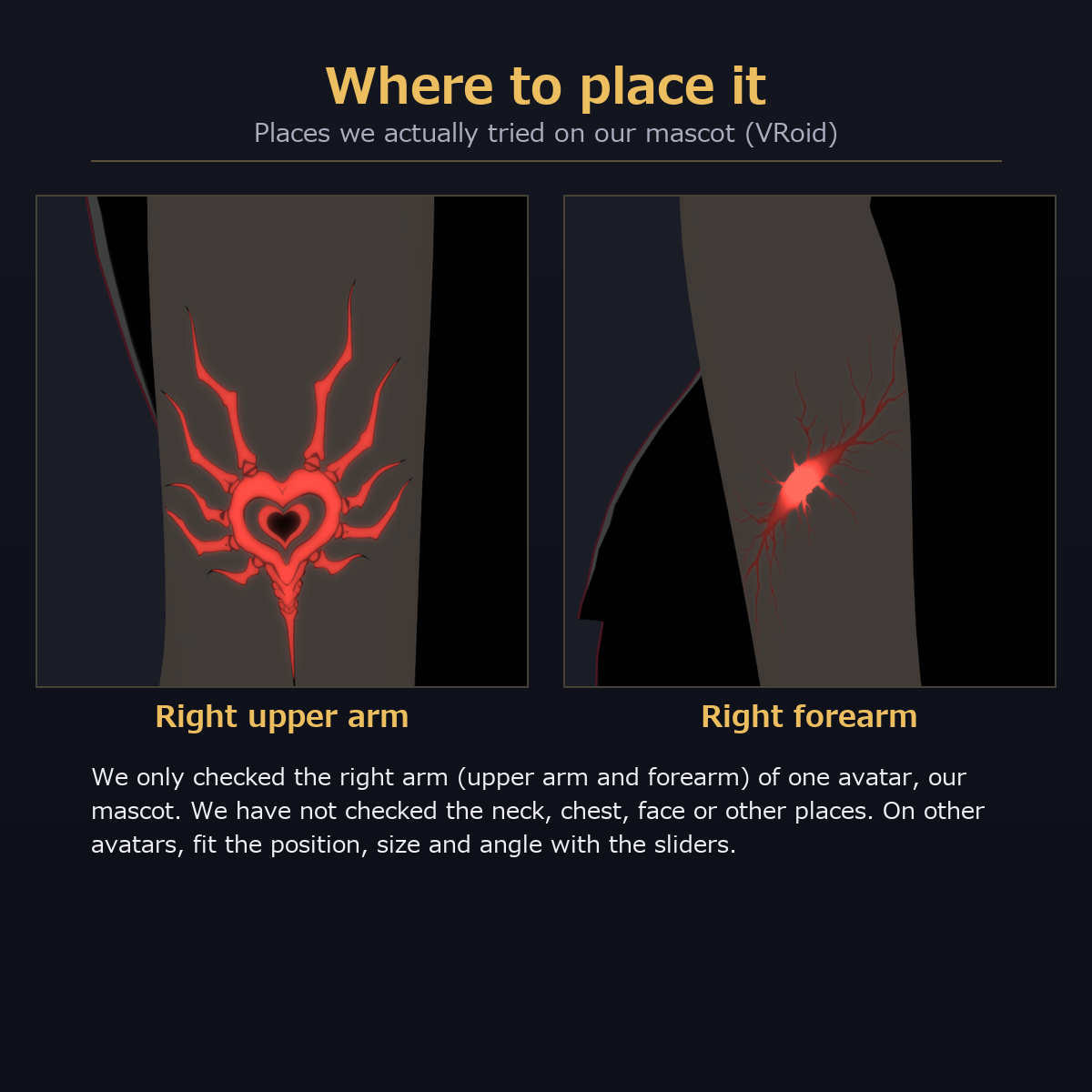
- What we actually tried: the right upper arm and right forearm of our mascot (VRoid) only (the heart on the upper arm, the cracks and drops on the forearm in the images)
- We have not checked the neck, chest, shoulder, face or legs. On other places or other avatars, fit it with the position / size / angle sliders
- A decal is a picture placed on the body UV. It does not handle the facing of the surface or how it wraps a curved surface (it may be cut off or show up on the back of an arm or at UV seams). No mesh is included, so the mesh face-orientation check does not apply
- The skin UV layout differs between avatars, so the preset position will be off
Included (full set)
- 3 designs x motions (Heart: Beat / Flow, Cracks: Beat + Flow, Drops)
- A placing tool (Unity menu: ys-room > 動くタトゥー): pick the skin material, pick design / motion / place / resolution / position / size / angle, and place it; you can remove it again. It can place onto a copy of the material (the original stays) and warns you if the material already uses the 2nd / 3rd layer
- 2 resolutions: 4096 and 2048 (light). The light frames in the 4096 version are about 682 px each (6 x 6 = 36 frames, 12 fps, 3-second loop; the drops are 5 x 5 = 25 frames, about 2.1 s)
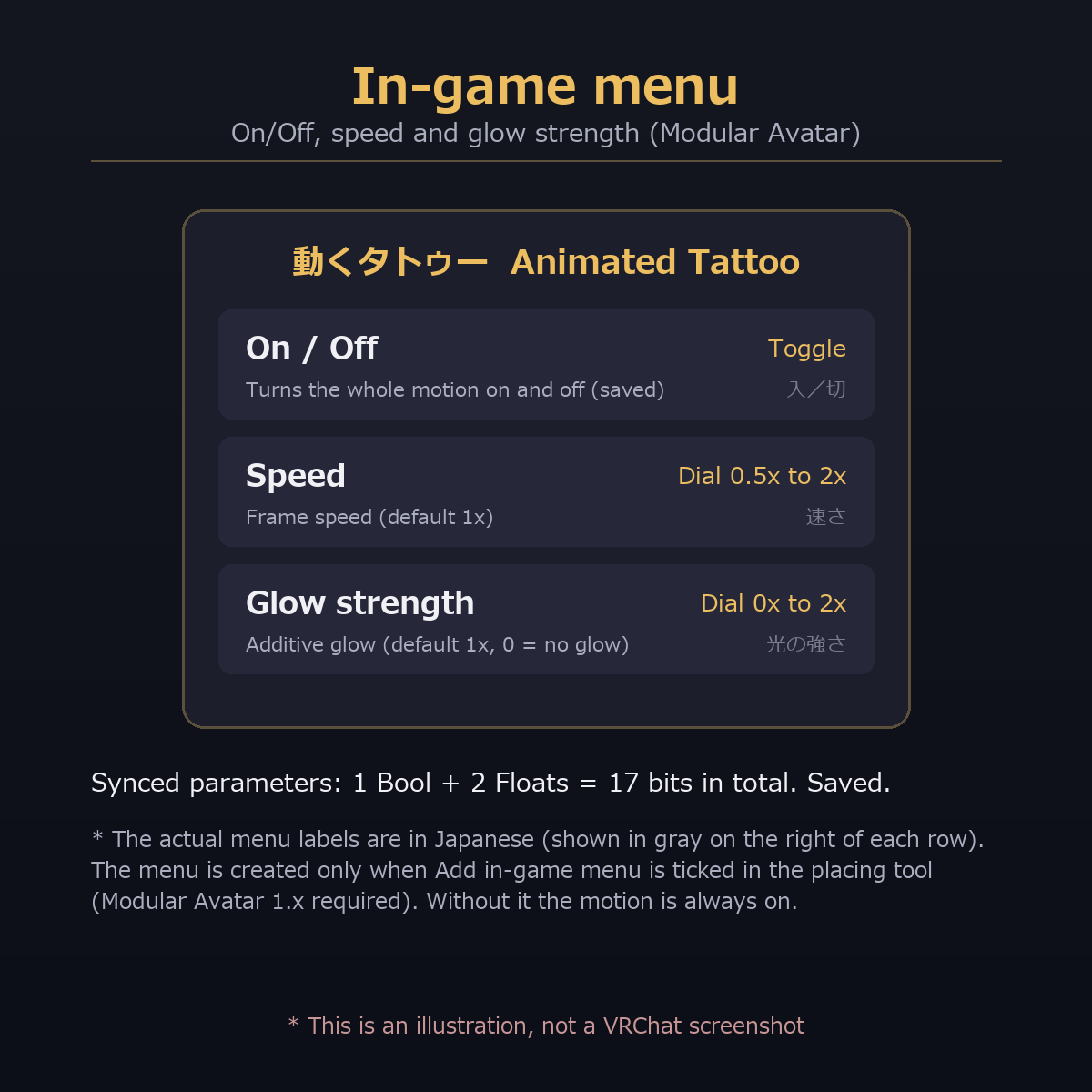
- In-game menu (optional; Modular Avatar): on/off, speed (0.5x to 2x) and glow strength (0x to 2x). Without it the motion is always on
- Only one design can be placed on one skin material at a time (the 2nd and 3rd layers of lilToon are used). If your avatar's body is split into several materials, you can place a different design on each
Color
- Version 1 is red only. There is no color change (the red is baked into the art). You can change the glow strength in the in-game menu
Quick start
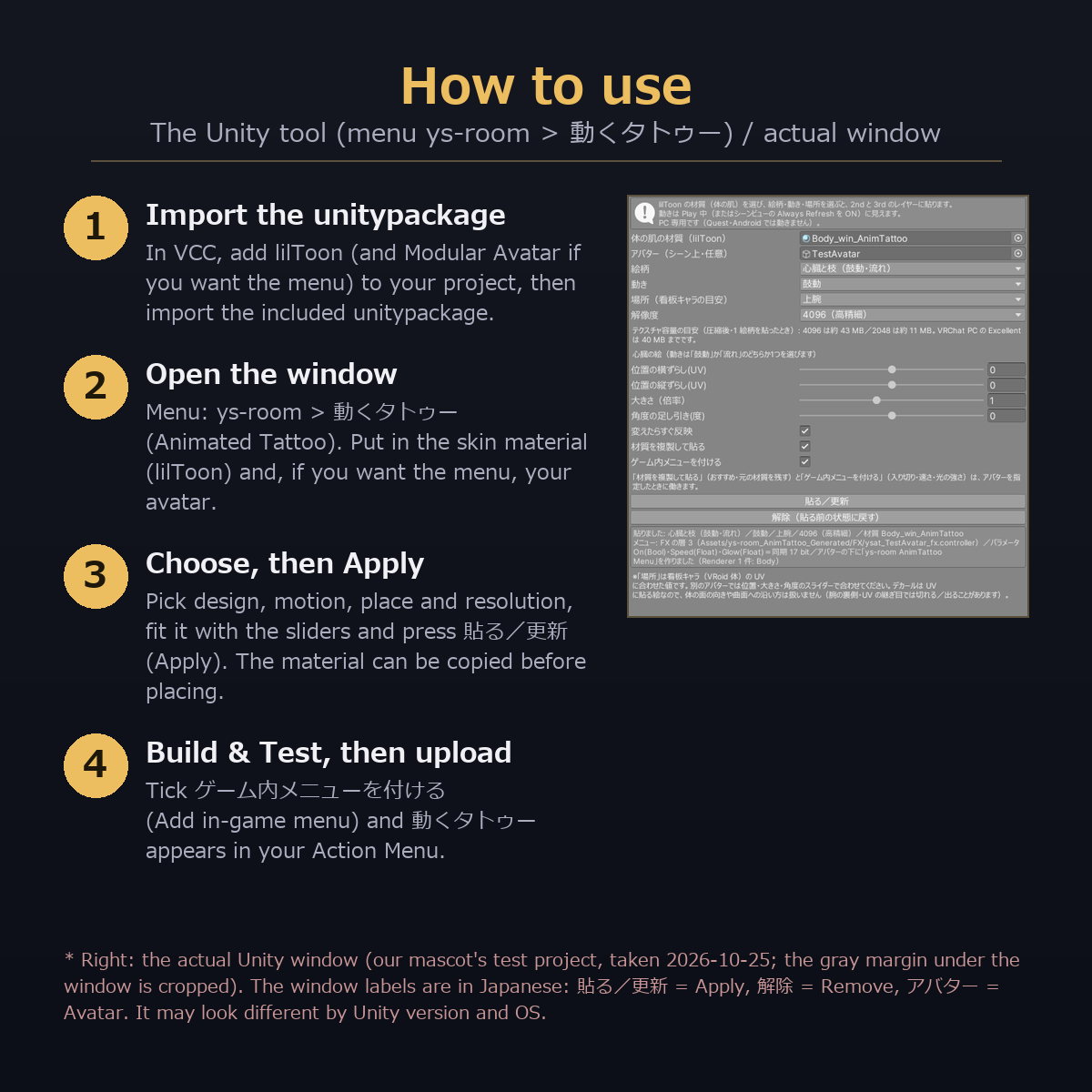
- Add lilToon (and Modular Avatar if you use the menu) to your project in VCC, then import the included unitypackage
- Open the menu ys-room > 動くタトゥー (Animated Tattoo)
- Put your avatar's skin material (lilToon) in the first field, choose a design, a motion, a place and a resolution, fit it with the sliders and press "貼る/更新" (Apply). For the in-game menu, also put the avatar's root object in the "アバター" field and tick "ゲーム内メニューを付ける" before pressing it
- Check with Build & Test, then upload
- "解除" (Remove) goes back to the state before placing (if you placed onto a copy, the Renderer's material goes back to the original)
In-game menu (menu labels are in Japanese)
動くタトゥー > 入/切 (On/Off) / 速さ (Speed, 0.5x to 2x) / 光の強さ (Glow strength, 0x to 2x)
- Synced parameters: 1 Bool + 2 Floats, 17 bits in total (measured). Saved
- 3 FX layers (4 for the drops), Write Defaults OFF
Verification (what was checked on a real VRChat client and what was not)
[Checked on a real VRChat client] None. It has not been tested on a real VRChat client yet.
[Checked inside Unity] (clean project: Unity 2022.3.22f1, VRChat SDK Avatars 3.10.4, Modular Avatar 1.18.7 (NDMF 1.14.8), lilToon 2.3.4)
- The unitypackage was imported into the clean project with 0 compile errors; all 44 checks passed for the full set (0 failed)
- All combinations (design x motion x place x resolution = 16): material settings as expected, and frames 0 / 3 / 12 render differently (right arm of our mascot)
- With the in-game menu: the VRChat SDK build preprocessing (NDMF / Modular Avatar) passes with 0 NDMF errors or warnings; in the built FX, on/off (off hides both art and light), glow strength (brighter at 0 / 1 / 2x) and speed (6 / 12 / 24 fps) work as expected
- In Unity Play mode the frame animation runs by itself with time (beat interval: 1.0 s at default, 0.5 s at 2x speed, 2.0 s at 0.5x speed)
[Not checked]
- How it moves on a real VRChat client (whether it runs by itself on shader time), and how it looks on other players' screens
- Avatars other than our mascot (we checked one avatar only; the position on your own avatar will be off, so fit it with the sliders)
- Combination with other optimizers such as Avatar Optimizer
- Quest / Android (not supported)
Requirements
- Checked versions: Unity 2022.3.22f1 / VRChat SDK Avatars 3.10.4 / lilToon 2.3.4 (Modular Avatar 1.18.7 if you use the menu). Other versions have not been checked
- PC only (not supported on Quest / Android, because lilToon cannot be used there). An avatar whose skin material is lilToon is required
Performance (Unity, PC)
- Added: 2 textures (art and light) / meshes, bones and particles 0 / PhysBone, Contact 0 (the menu adds 3-4 FX layers)
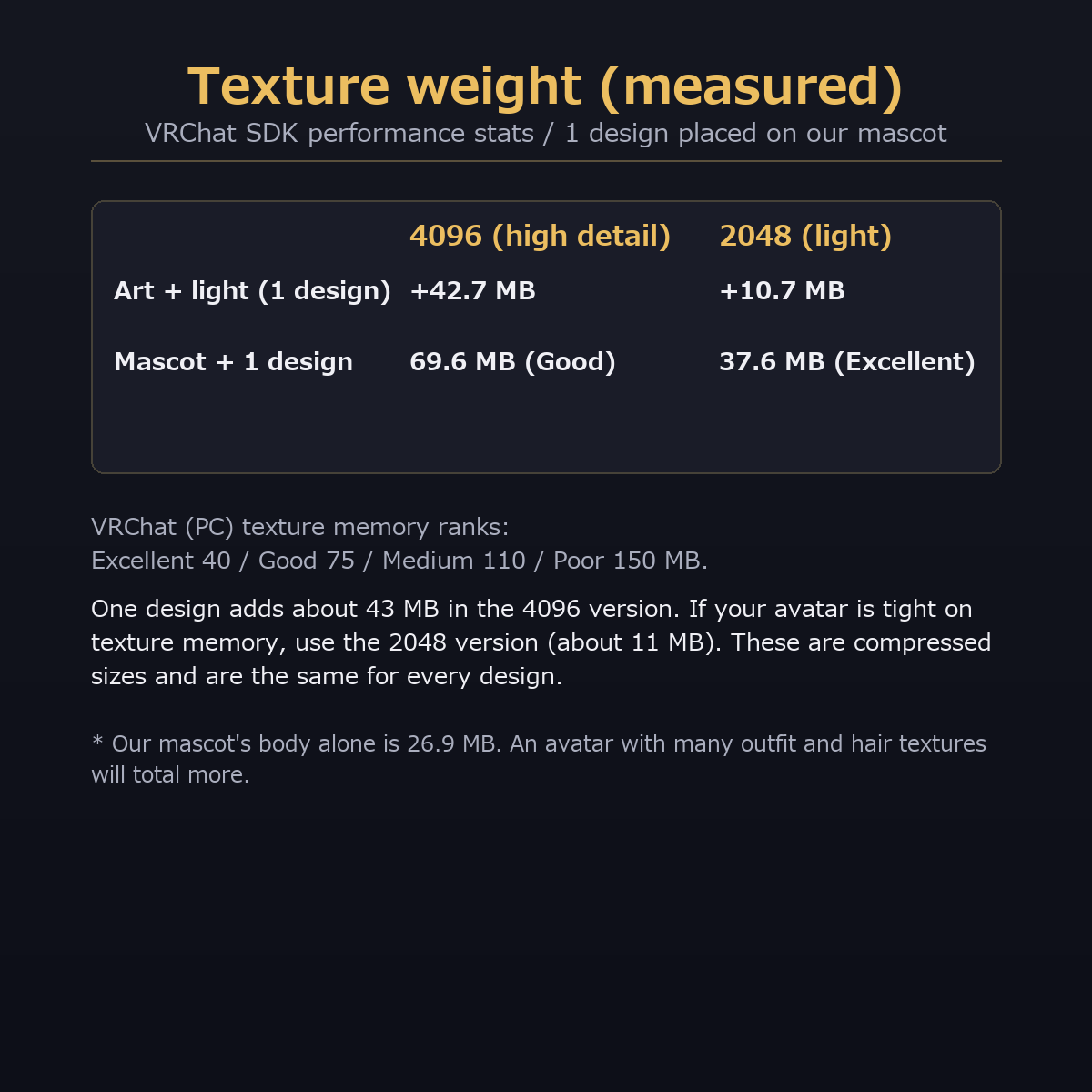
- Texture weight (measured with the SDK performance stats): the 4096 version adds +42.7 MB per design (art about 21 + light about 21); the 2048 version adds +10.7 MB (the same for every design). Our mascot alone is 26.9 MB; with a 4096 design it was 69.6 MB (texture rating Good), with a 2048 design 37.6 MB (Excellent). VRChat's PC guide is Excellent 40 / Good 75 MB. One 4096 design alone goes over the Excellent limit. Use the 2048 version if your avatar is heavy
Files in the download (full set)
- unitypackage (placing tool, art and light textures in 4096 / 2048)
- Readme_JP.txt / Readme_EN.txt, License_JP.txt / License_EN.txt, Changelog_JP.txt / Changelog_EN.txt
Notes
- Placing uses the 2nd and 3rd layers of the chosen material. For a material that already uses them (blush, patterns, etc.), place onto a copy (a warning appears first)
- The default positions fit our showcase character. On other avatars they will be off; fit them with the sliders
- Does not work on Quest / Android
- Changing the speed in the in-game menu while running can make the frames jump
- The art has red branches that fork like veins, but it is not a realistic skin vein texture (it is a black-line tattoo with red accents)
How it was made
- The heart and crack art were made from drafts created with generative AI (image generation), enlarged to 4096 and cleaned up (lines and colors) by us. The drops art and all the light animation frames were created by us with programs
Terms of use (summary)
- Modifications are allowed / you may build it into your own avatar and upload it to VRChat
- Redistribution is prohibited (as-is or modified; including distributing or selling it inside avatar data)
- See the included "License_EN.txt"
Changelog
- 2026-10-25: First release (3 designs, 4 motions, placing tool, in-game menu, free version)