
Product Description
VRCFury Auto Tools
Quest copies, outfit toggles, bone cleanup and PhysBone colliders, done for you.
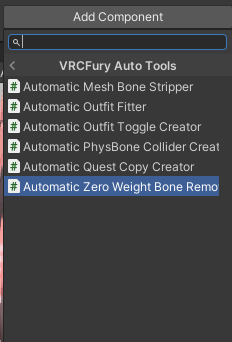
Five Unity components for the avatar chores nobody enjoys. Drop one on your avatar or outfit and it does the work, either right away in the editor or when you build. Your original avatar is never changed.
What's inside
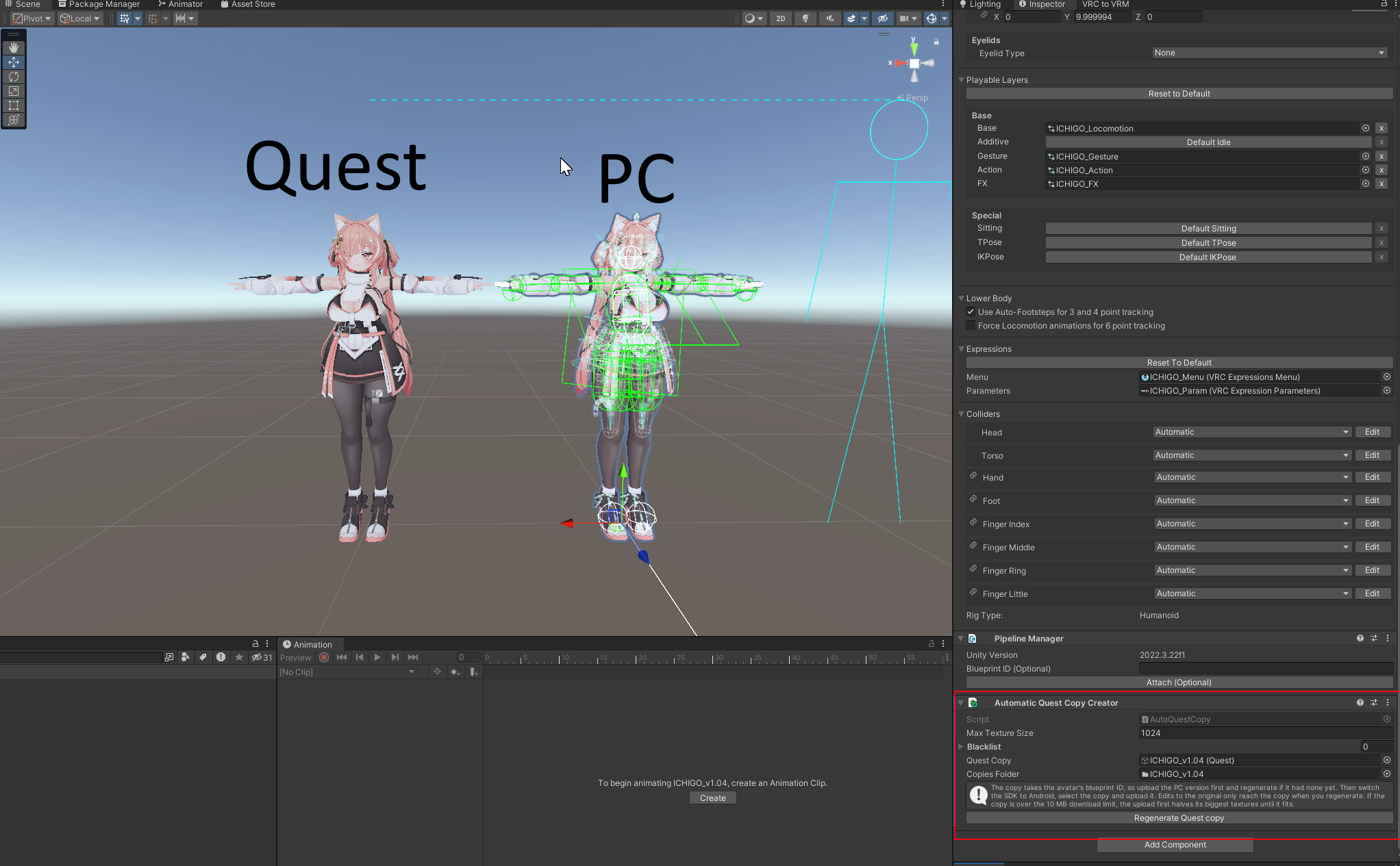
Automatic Quest Copy Creator (in editor)
Add it to an avatar and a copy appears next to it. The copy gets its own materials on mobile shaders, VRChat constraints, capped copies of big textures, and no PC-only components. Your originals stay untouched. The copy keeps the blueprint ID, so you can switch the SDK to Android and upload it as your Quest version.
Automatic Outfit Toggle Creator (at build)
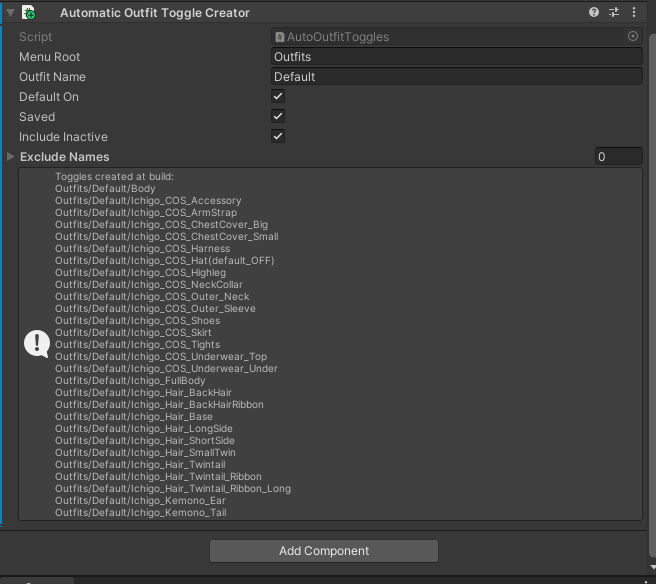
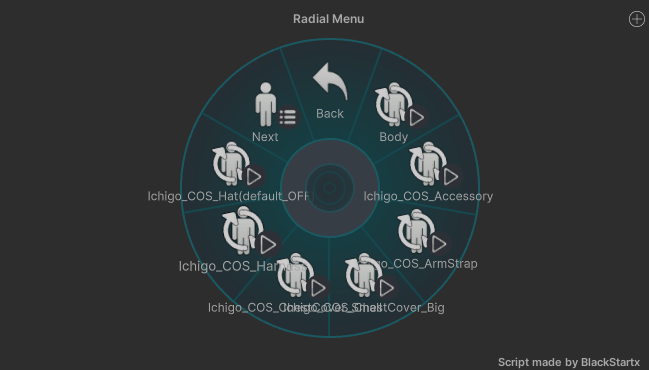
Drop it on an outfit prefab root. Every mesh underneath gets a VRCFury Toggle, sorted in your menu as Outfits/OutfitXY/Top, Outfits/OutfitXY/Jeans and so on.
Automatic Zero Weight Bone Remover (at build)
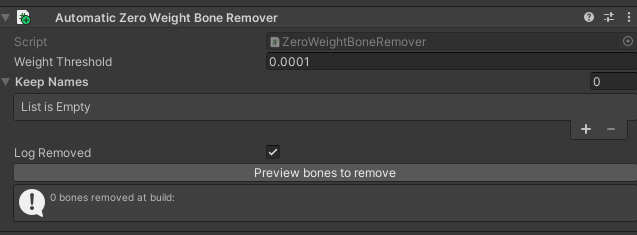
Add it to an avatar or outfit root. At build it removes every bone that no mesh is weighted to, which lowers your bone count and improves your performance rating. PhysBones, constraints and animated bones are left alone.
Automatic Mesh Bone Stripper (at build)
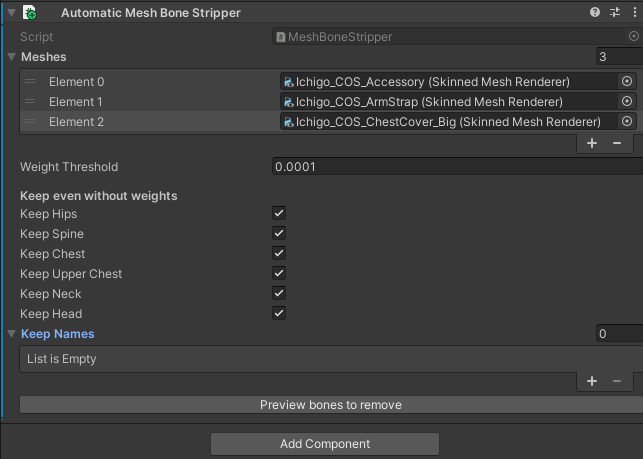
List the meshes you actually use. At build, every bone in their armature that they aren't weighted to is removed. Hips, Spine, Chest, Upper Chest, Neck and Head are kept by default, and each has its own toggle.
Automatic PhysBone Collider Creator (in editor)
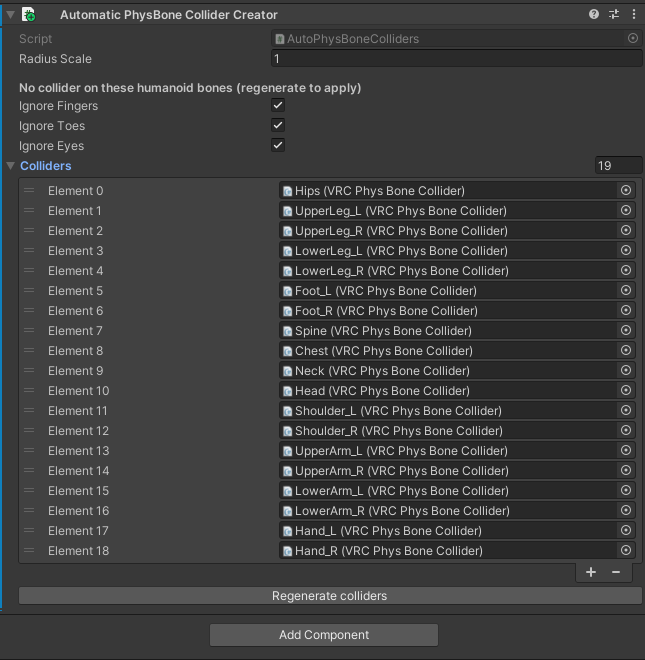
Add it to an avatar and every humanoid bone gets a PhysBone collider sized to the bone's length and the mesh around it. On any other bone it covers that bone and all of its children. The colliders show up as soon as you add the component, ready for your PhysBones.
Requirements
You need a Unity project with the VRChat Avatars SDK 3.7.0 or newer, and VRCFury (https://vrcfury.com) installed separately.
Install
With the unitypackage:
1. Download the .unitypackage from this product.
2. Drag it into your Unity project.
3. Select your avatar, then go to Add Component > VRCFury Auto Tools and pick a tool.
Good to know
Quest copies are separate objects, and the build-time tools only touch the avatar that gets uploaded, so your scene stays as you left it. The tools only use VRCFury's public API.
Not affiliated with VRChat or VRCFury.