
Product Description
This product contains AI-generated content.
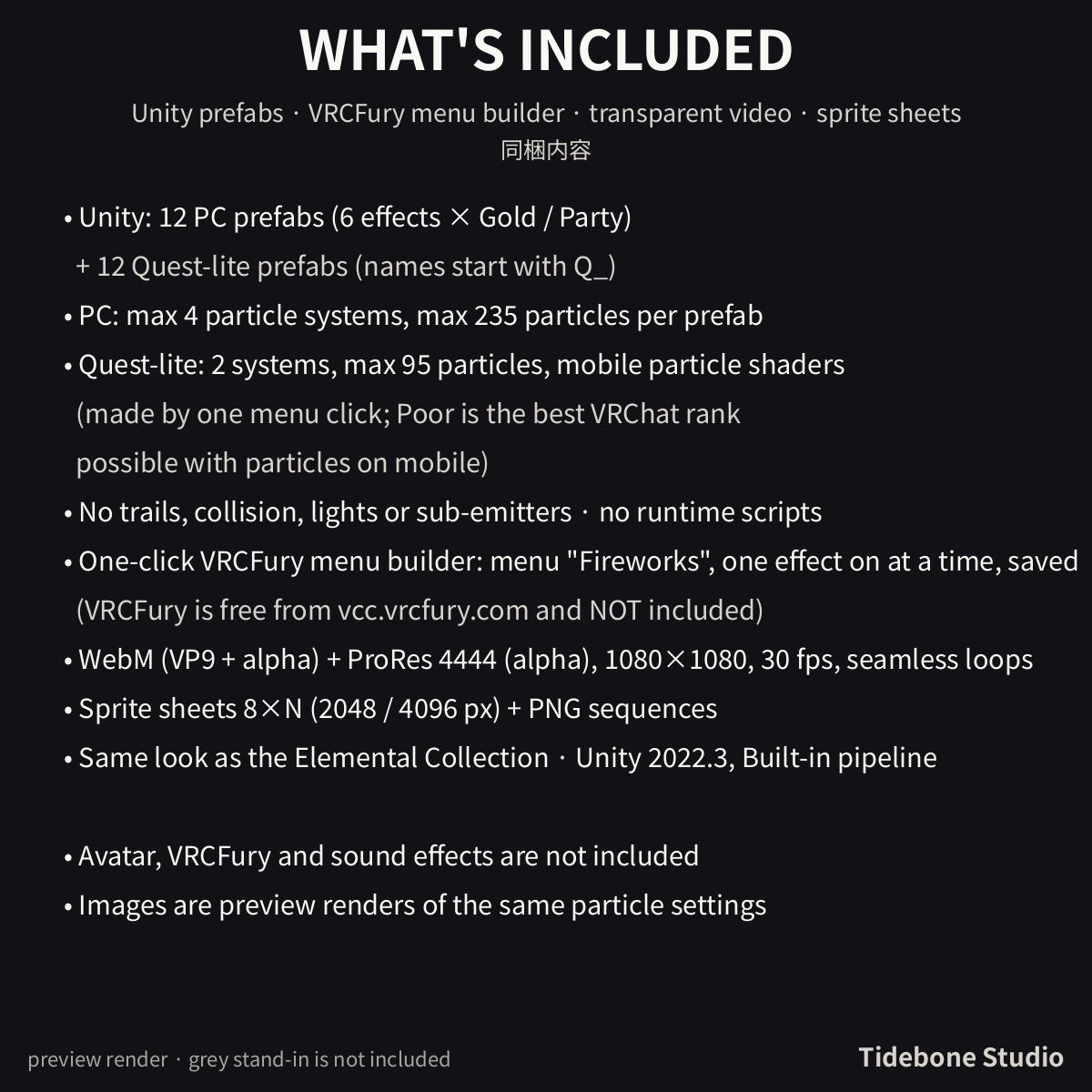
Six particle effects for New Year, countdown and party scenes on VRChat avatars - each in two colourways (Gold and Party) and each as a PC prefab and a Quest-lite prefab. A VRCFury menu builder is included.
Also included: transparent videos (WebM) and sprite sheets for videos, streams and games.
■ What you get
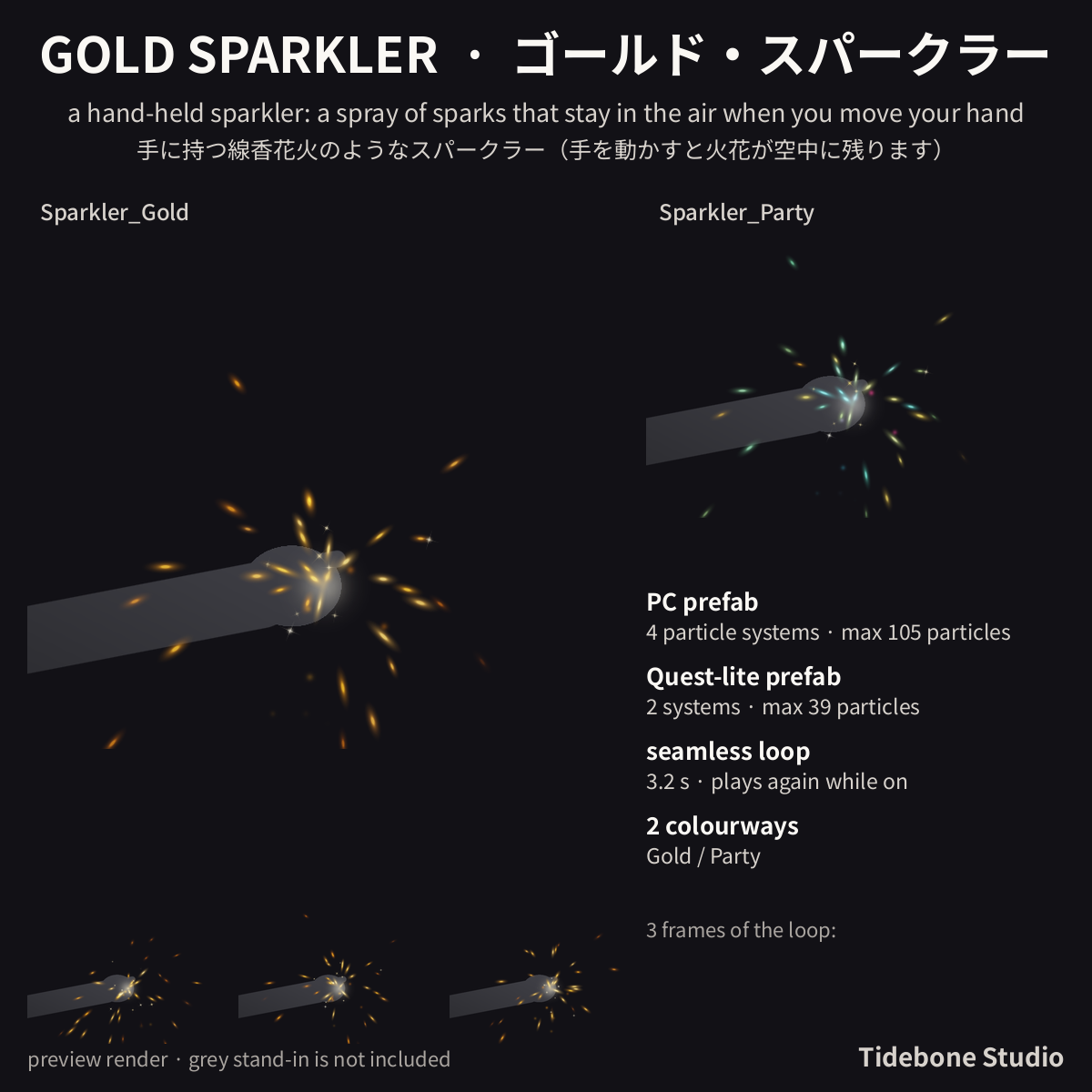
- Gold Sparkler (Sparkler): a hand-held sparkler: a spray of sparks that stay in the air when you move your hand
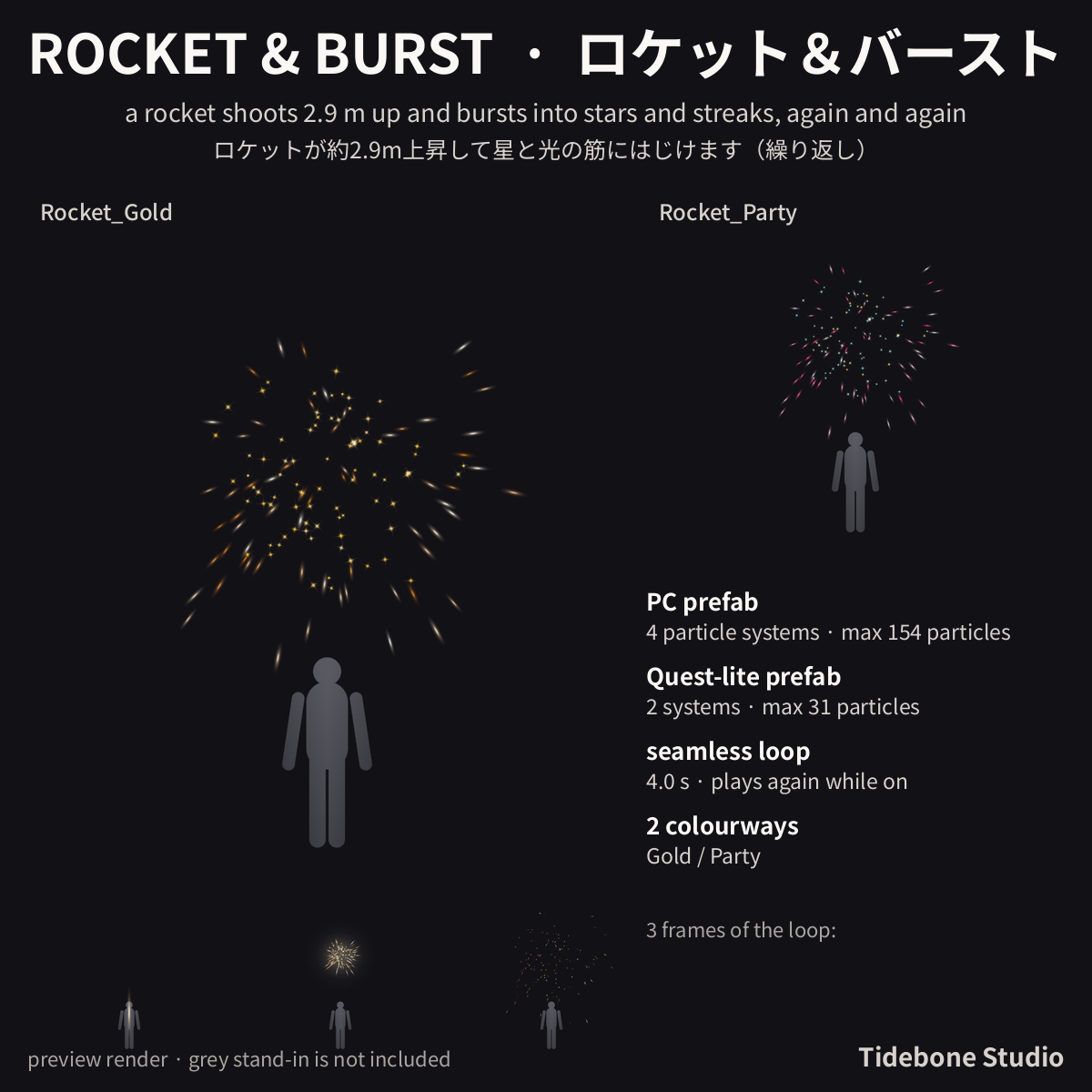
- Rocket & Burst (Rocket): a rocket shoots 2.9 m up and bursts into stars and streaks, again and again
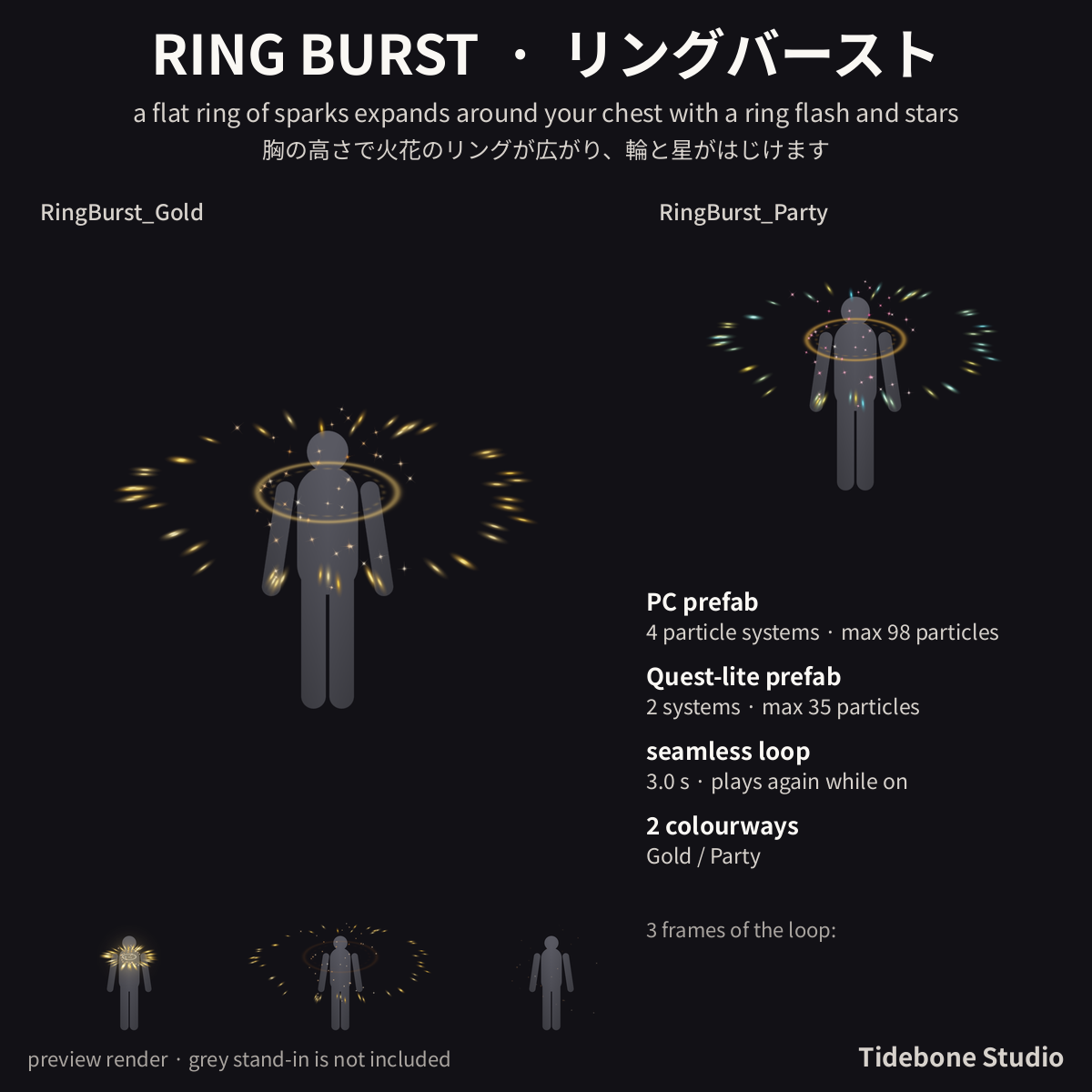
- Ring Burst (RingBurst): a flat ring of sparks expands around your chest with a ring flash and stars
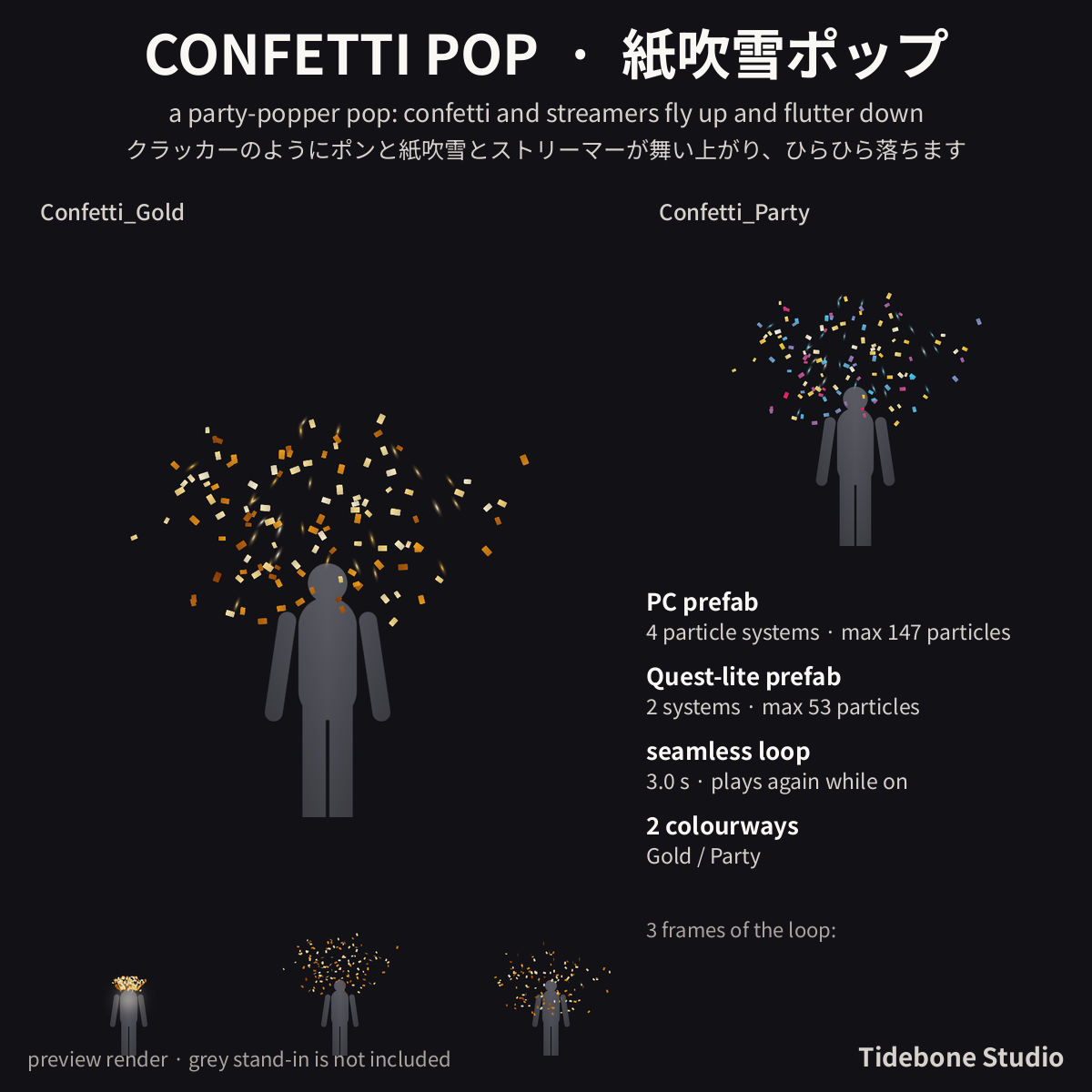
- Confetti Pop (Confetti): a party-popper pop: confetti and streamers fly up and flutter down
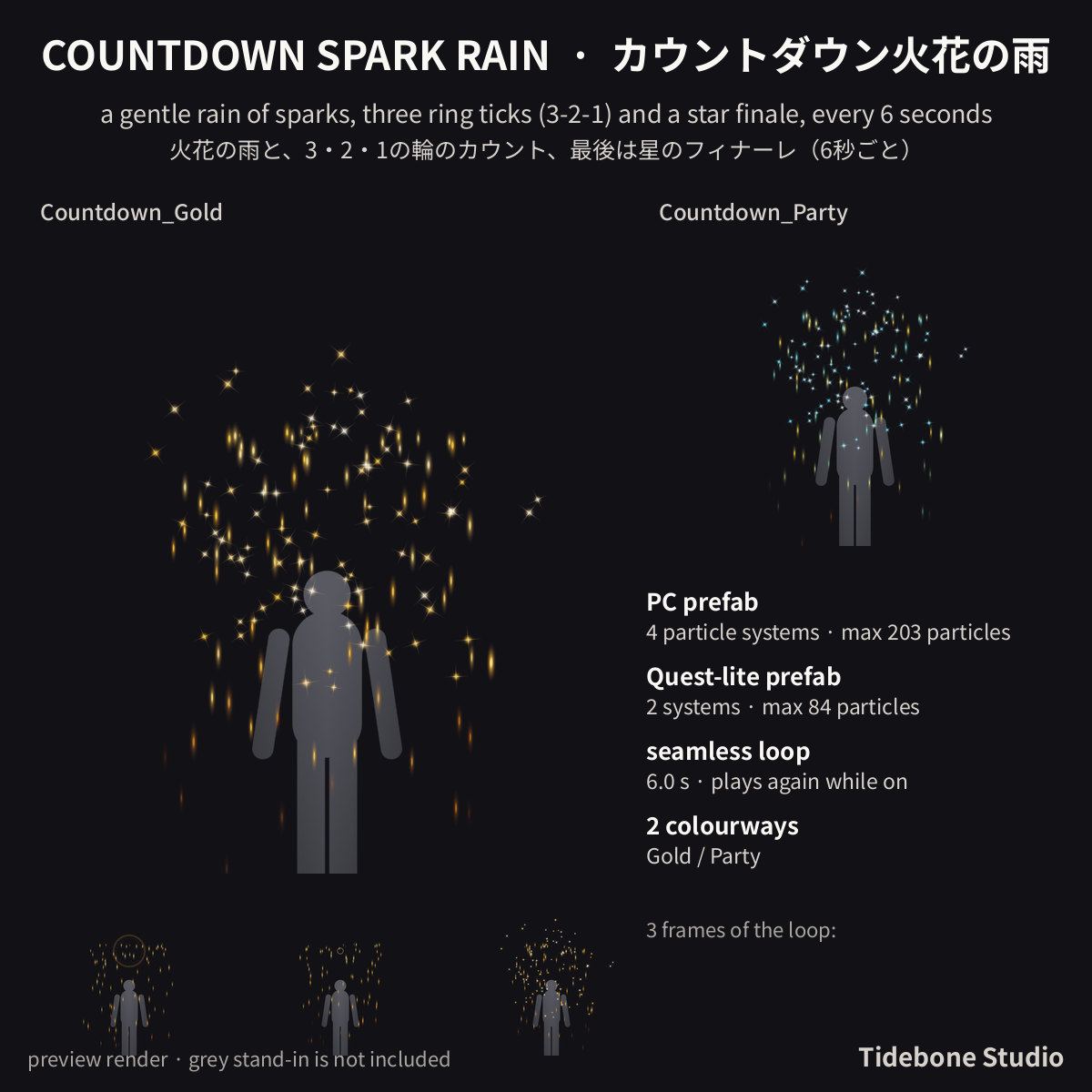
- Countdown Spark Rain (Countdown): a gentle rain of sparks, three ring ticks (3-2-1) and a star finale, every 6 seconds
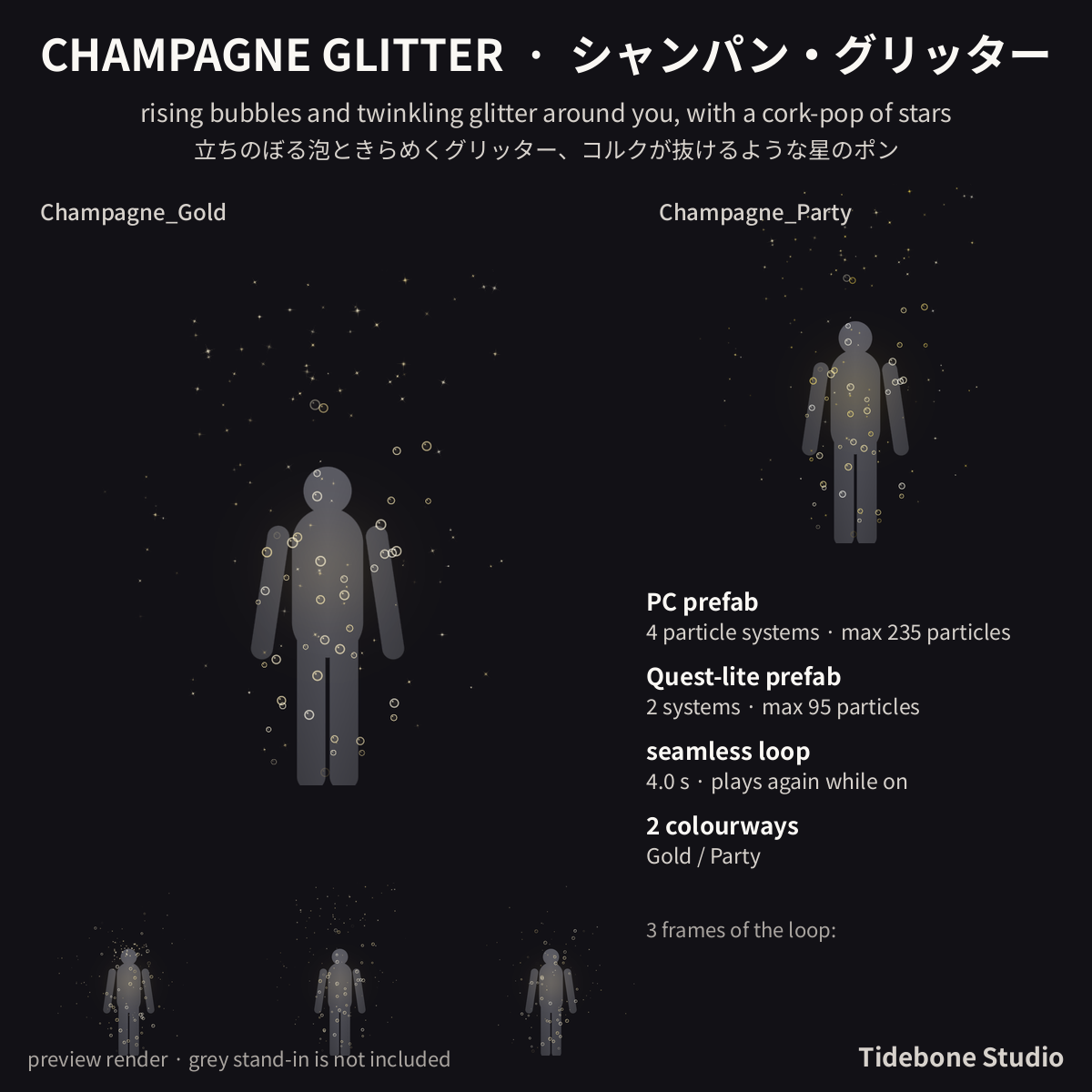
- Champagne Glitter (Champagne): rising bubbles and twinkling glitter around you, with a cork-pop of stars
• 12 PC prefabs (6 effects x Gold / Party) + 12 Quest-lite prefabs (names start with Q_)
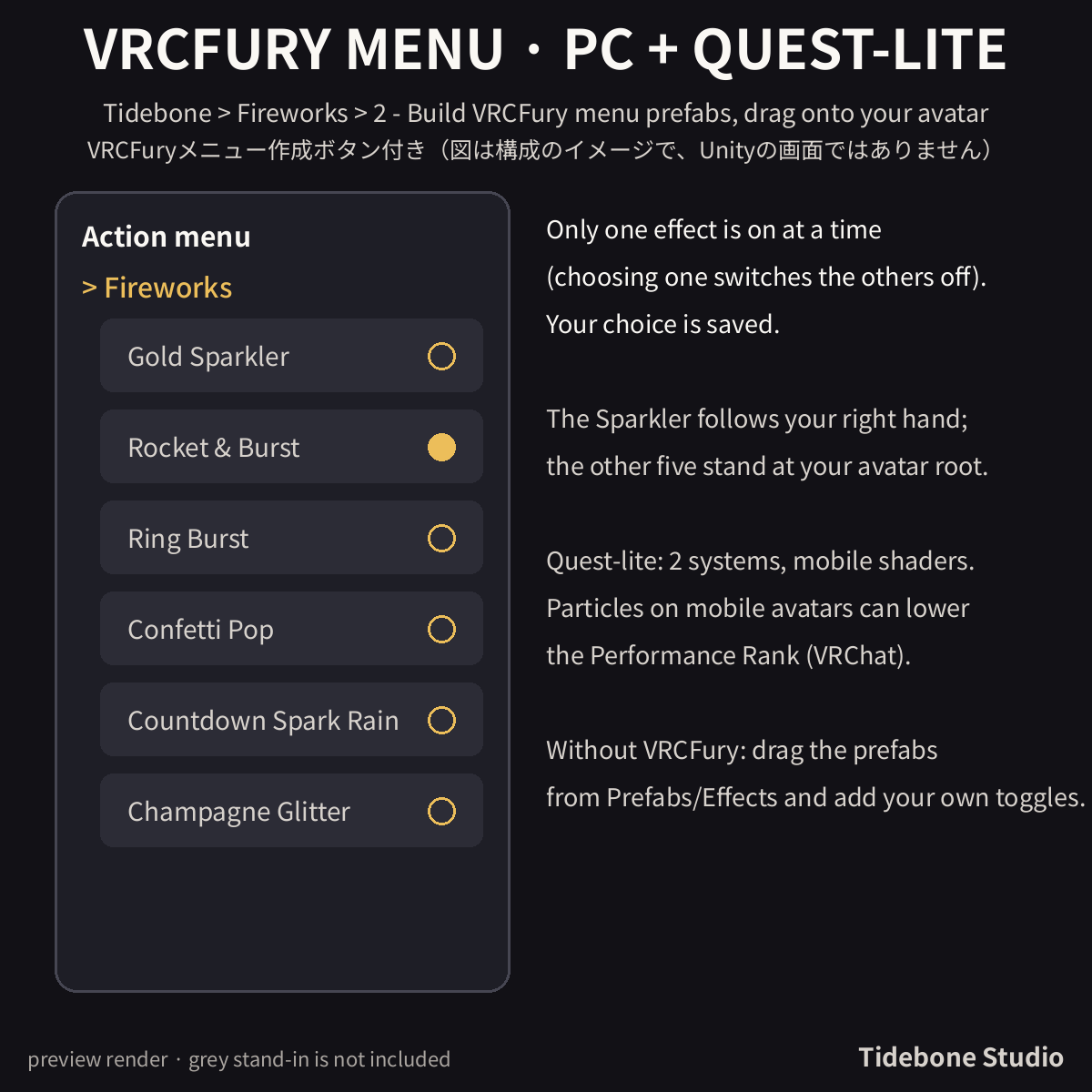
• One-click VRCFury menu builder: menu "Fireworks", one effect on at a time, choice is saved (VRCFury is free from vcc.vrcfury.com and not included; without it place the prefabs by hand)
• Transparent video per effect and colour: WebM (VP9 + alpha, 1080x1080, 30 fps, seamless loop + 10 s version)
• Sprite sheets 8xN (2048 / 4096 px), particle textures
• Unity 2022.3, Built-in pipeline, no runtime scripts (the Editor menu tools are Editor-only)
■ Setup
1. Drag Unity/NewYearFX.unitypackage into your Unity 2022.3 project (VRChat SDK for Avatars installed).
2. (Quest) Menu Tidebone > Fireworks > 1 - Convert Quest prefabs: switches the Q_ prefabs to VRChat mobile particle shaders.
3. With VRCFury installed: menu Tidebone > Fireworks > 2 - Build VRCFury menu prefabs, then drag Prefabs/VRCFury/Fireworks_<Colour>_VRCFury (Quest: Fireworks_Quest_<Colour>_VRCFury) onto your avatar root. A "Fireworks" menu appears in VRChat; only one effect is on at a time and your choice is saved.
4. Without VRCFury: drag Prefabs/Effects/<Effect>_<Colour>.prefab under your avatar root (feet, Y = 0); Sparkler_<Colour> goes under the right hand bone (origin = hand). Make your own on/off toggles.
5. The effects play again and again while the object is on. Size fits an avatar of about 1.5 m; scale the prefab to resize it (scaling mode: Hierarchy). Particles are simulated in world space: sparks and confetti stay where they were born while you move (intended).
■ Specs (VRChat)
Each PC prefab: 4 particle systems, 98-235 max particles (VRChat PC 'Good' limit: 4 systems / 300 particles), no trails, collision, lights or sub-emitters. Quest-lite (Q_): 2 systems, 31-95 max particles, VRChat mobile particle shaders. Particles on mobile avatars can lower the Performance Rank (VRChat's mobile 'Poor' allows 2 systems / 200 particles - Quest-lite stays within it).
Tested (batch, 03.11.2026): Unity 2022.3.22f1, VRChat SDK (Avatars), VRCFury 1.1434.0: import 0 compiler errors; 24 effect prefabs checked (PC <= 4 systems / peak 169 of 300 particles, Quest-lite 2 systems / peak 68 of 200, mobile shader on every renderer); 4 VRCFury menu prefabs created.
■ Notes
• Needs the VRChat SDK (Avatars). The effects are simulated in world space (sparks stay where they were born when you move).
• Not included: avatar, VRCFury itself (free from vcc.vrcfury.com), sound effects. No Godot/Unreal files.
• Images and videos are preview renders of the same particle settings, not in-game captures. The grey figure is not included.
• Part of the same look as the other Tidebone Studio effect packs; each pack is sold separately. A "Winter FX Bundle" with the Snowfall Aura, Snowflake Halo, Gift & Star Burst and this pack is available separately.
■ How it was made
How it was made: generated procedurally with the author's own scripts; an AI assistant was used to write the scripts. No image- or video-generation AI was used. Images and videos are preview renders of the same particle settings (not Unity or VRChat captures); the grey figure is a stand-in and not included.
■ Terms of use
Terms of use: VN3 License - see the included PDFs (Japanese is the official text, English is a reference translation). Summary: use and edit in your own work (commercial OK) / redistribution or resale of the data NOT allowed / use as machine-learning training data NOT allowed.
■ Contact
For issues or questions, please message me via my Jinxxy store page.
by Tidebone Studio
■ Winter FX Bundle – all 4 winter packs (Snowfall Aura, Snowflake Halo, Gift & Star Burst, New Year Fireworks) for 9 USD instead of 18 USD: https://jinxxy.com/TheQuietStack/eGneE