
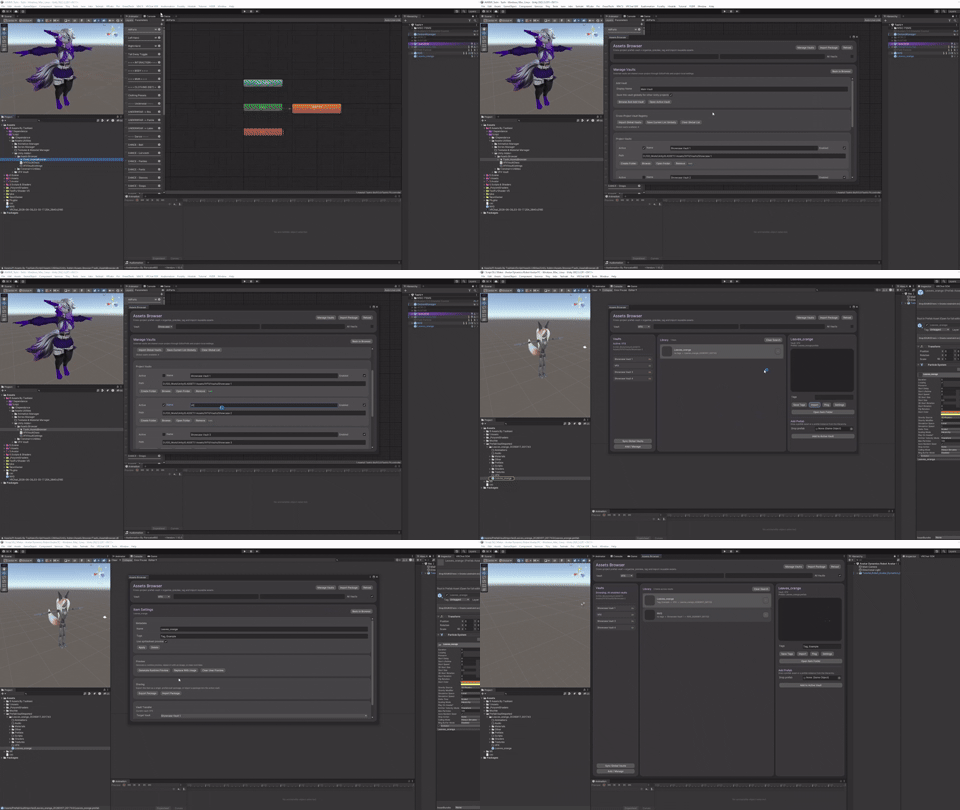
Product Description
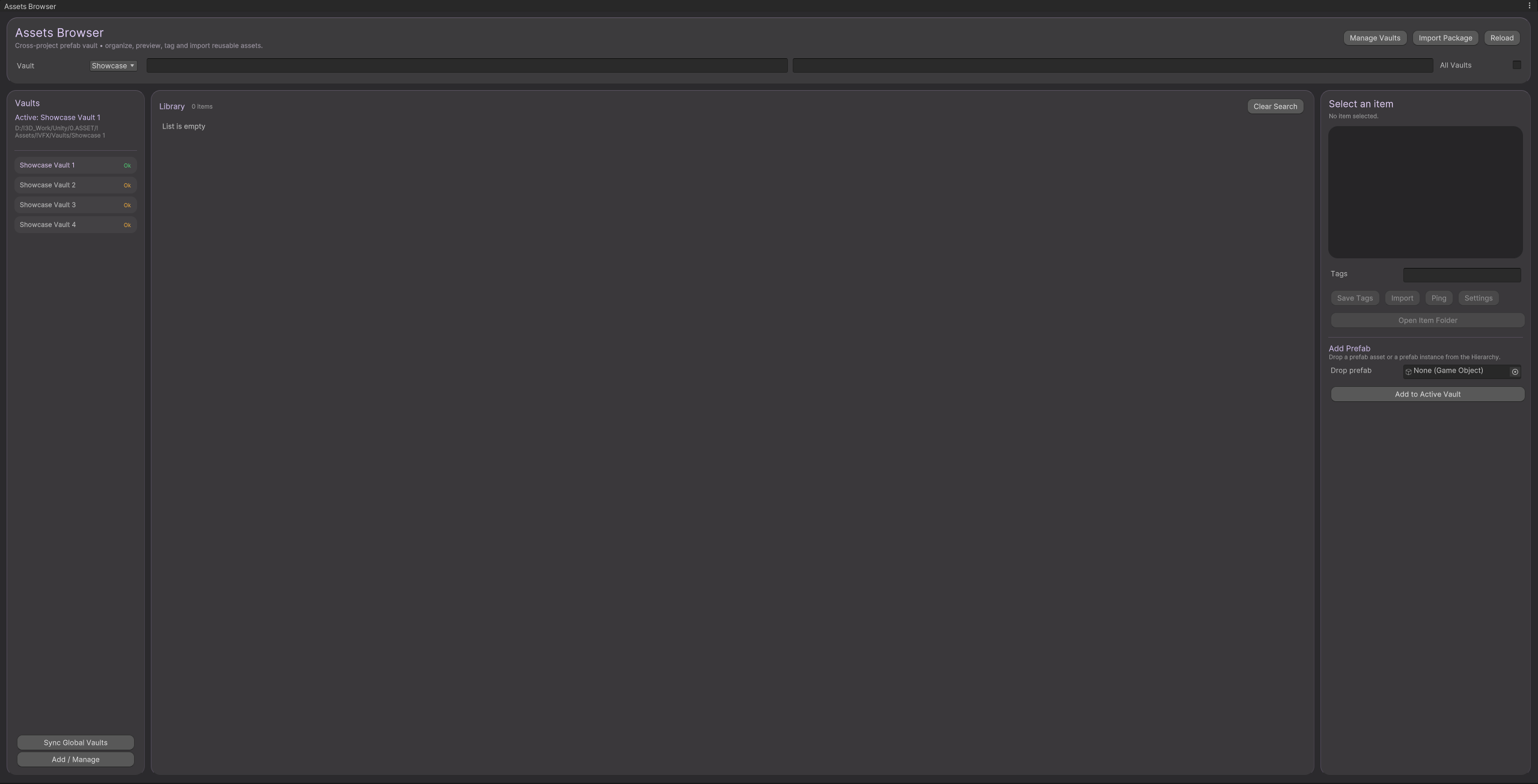
Assets Browser
<<>><<>><<>><<>><<>><<>><<>><<>>
Organize, preview, and reuse your Unity prefabs across all your projects
Assets Browser is a Unity Editor addon designed for creators who want a clean, centralized way to store and reuse any type of prefab — VFX, props, systems, utilities — without duplicating assets or losing track of old projects.
Build once. Reuse forever.
What is this?
Assets Browser is a cross-project prefab library system for Unity.
It allows you to store complete prefab items — including all their dependencies (materials, textures, shaders, scripts, etc.) — in an external vault folder, accessible from any Unity project that has the tool installed.
Each prefab item is indexed, tagged, previewed, and importable in just a few clicks.
No more opening old projects just to copy a prefab.
What does it do?
Assets Browser indexes your prefabs into a structured, searchable database.
Each item can include:
- One or more prefabs
- Materials, textures, shaders
- Scripts and supporting assets
- Optional preview images or animated previews
- Custom tags and metadata
From the Prefab Vault browser, you can:
- Search and filter prefabs instantly
- Preview items visually before importing
- Edit item metadata (name, tags, preview)
- Import clean, organized prefab packages into your current project
Everything stays external, reusable, and version-safe.
Perfect For
- VRChat avatar and world creators
- Unity developers working across multiple projects
- Tool creators and technical artists
- Anyone building a personal prefab library
- Teams or solo creators who want a clean asset workflow
Features
🟢 External prefab vault shared across all Unity projects
🟢 Works with any prefab type (VFX, props, gameplay systems, tools…)
🟢 Automatic dependency grouping (materials, textures, shaders, etc.)
🟢 Clean folder organization per item
🟢 Tag-based filtering with live search
🟢 Visual preview per item
🟢 Animated preview support (spritesheet / flipbook)
🟢 SceneView-based preview capture for accurate framing
🟢 Item configuration panel (rename, tags, delete, regenerate preview)
🟢 One-click import into the current project
🟢 Unity 2022 compatible
🟢 Editor-only, no runtime impact (excluding preview generation)
🟢 Vault folder saved between unity restart (vault folder is still project dependent unless synced)
Example Use Case
You made a flamethrower prefab, a door system, or a UI widget months ago in another project.
Instead of:
- opening old projects
- searching folders
- fixing broken references
You simply:
- Open Prefab Vault
- Type a tag or name
- Preview the item
- Click Import
The prefab is imported cleanly, with all dependencies, ready to use.
What’s Included
- The Assets Browser Editor tool (.cs files)
- Custom Unity Editor windows
- External vault system (cross-project)
- Built-in prefab browser
- Preview & animated preview generator
- Free access to future updates
Roadmap & Development
Assets Browser is actively developed. Planned improvements include:
- Advanced animated preview controls
- Bulk operations (tagging, renaming, cleanup)
- Optional auto-import rules
- Better dependency visualization
- Prefab variants support
- VFX Graph–specific preview improvements
💡 Feature requests and feedback are welcome.
<<>><<>><<>><<>><<>><<>><<>><<>>
Usage Terms
🟢 You Can:
- Use Prefab Vault in personal or commissioned projects
- Use it in VRChat avatars and worlds
- Include it in professional workflows
- Share screenshots or videos of the tool
🔴 You Cannot:
- Redistribute the tool files directly
- Bundle it inside public assets or avatars
➡️ If you recommend or share it, please link back to this store page.