
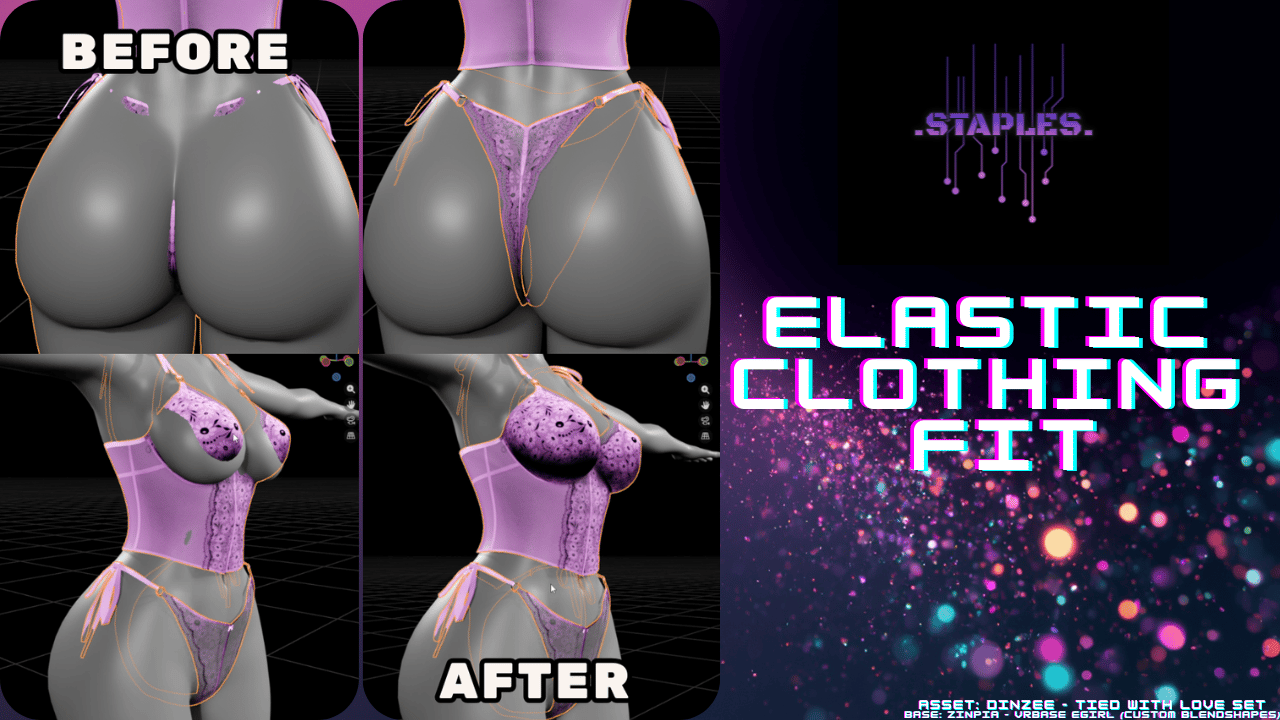
Elastic Clothing Fit
Product Description
This product contains AI-generated content.
AI Coding Agents were used in the development of this tool.
Elastic Clothing Fit
Elastic Clothing Fit lets you fit almost any clothing mesh to almost any body in a few clicks, with fine-tuning options when you need them.
Questions/Comments Join the Discord - .Staples. Dev Discord Server
Compatibility
- Blender 3.2+ (3.x, 4.x, 5.x)
What it does
- Fast, simple workflow: Pick Body + Clothing → click Fit Clothing. Advanced controls stay tucked away until you want them.
- Live preview: Adjust sliders and see changes in real-time before committing.
- Full Mesh Fit: fits the entire clothing mesh. Use a Preserve Group to lock specific areas (waistbands, collars, cuffs) while the rest conforms to the body.
- Exclusive Vertex Group Fit: fits only the vertex groups you specify and leaves everything else completely untouched. Great for partial-fit scenarios where only certain panels of a garment need to move.
- Proximity Falloff: Scale the fit effect based on how close each part of the clothing already sits to the body. Vertices near the body get the full fit; vertices that are already far away receive less or none at all. Useful for loose garments where only part of the mesh needs to snap tight.
- UV preservation: Saves and restores original UVs so your textures stay intact.
- Preserve Group (via vertex groups): Keep specific areas (waistbands, collars, etc.) anchored while the rest fits, with smooth blending at the border.
- Crease smoothing: Automatically softens pinches in tight areas (like between legs) without over-smoothing flat regions.
- Live “final look” preview: Shape correction and smoothing appear as live modifiers during preview, so what you see is what you’ll bake.
- Post-fit options: Optional shape correction, symmetrize, and extra smoothing on finalize.
- Offset Fine-Tuning: Per-vertex-group offset multipliers (0–1000%) for precise control of body gap in specific regions.
- Tools tab: A set of mesh and armature utilities available any time, independent of the fitting workflow
- Remove Fit: restores the original clothing any time.
- Reset Defaults: One click to restore slider defaults.
- Auto-updater: The panel checks for new releases in the background when Blender loads. If an update is available, you can download and install it without leaving Blender. It handles the restart and reinstall automatically, and can reopen your current file when it's done.
How it works (quick steps)
- Select your Body and Clothing meshes in the add-on panel
- Click Fit Clothing to enter Preview Mode
- Adjust live controls (Fit Amount, Offset, Elastic settings, smoothing, etc.)
- Click Apply to finalize (or Cancel to revert)
Notes / Requirements
- Blender 3.2 or newer
- Clothing mesh should have no shape keys or unapplied modifiers (use Clear Blockers if needed)
- Version history and detailed changes: see https://github.com/VRC-Staples/Elastic-Clothing-Fit/blob/main/PATCH_NOTES.md
Credits
- Asset: Dinzee - Tied with Love Set & Trackside Hoodie Bodysuit (https://jinxxy.com/Dinzee_1)
- Base: Zinpia - VRBASE EGIRL (https://zinpia.sellfy.store)
Special Thanks
- Dinzee (https://jinxxy.com/Dinzee_1) - for guidance on UX design and tutorial.
- SentFromSpace (https://jinxxy.com/SentFromSpaceVR) - for guidance on UX design and inspiration from their Robust Weight Transfer addon.
Links
https://github.com/VRC-Staples/Elastic-Clothing-Fit
Policy regarding the use of Agentic AI Tooling view AIPOLICY.MD for more information.