Material Transfer Suite
Tags
Product Description
🎨 Material Transfer Suite
v2.1 · Unity 2022.3+ · No SDK Required
The material migration tool built specifically for VRChat avatar creators. Transfer every shader property from your set-up source avatar to a freshly imported one — smart, fast, and fully non-destructive.
The Problem This Solves
You re-export from Blender. Unity turns your avatar grey. You spend the next 45 minutes manually re-applying materials, re-entering texture paths, and re-dialing shader parameters you've already set up once.
Material Transfer Suite eliminates that entire loop.
Features
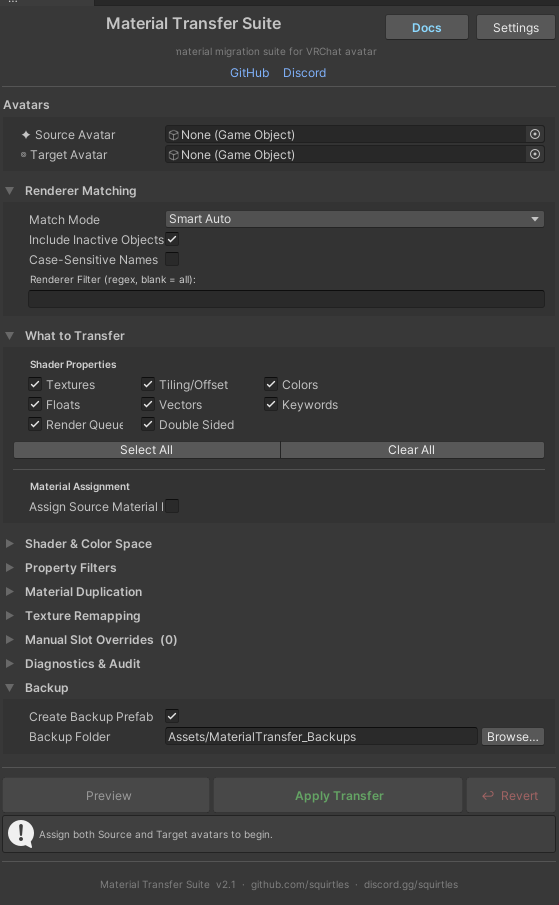
Smart Matching Automatically pairs renderers between avatars using a 4-step cascade: exact name → fuzzy name → hierarchy path → slot index. Handles Blender's .001 suffixes. Six match modes available for edge cases.
Live Preview Table Color-coded row-by-row breakdown of every slot before anything is changed. Green rows are matched and ready. Yellow means a shader mismatch was detected. Red means no match was found. Deselect individual rows to skip them.
Everything Gets Transferred Textures · Tiling & Offset · Colors · Floats · Vectors · Keywords · Render Queue · Double-Sided Culling
Cross-Shader Remapping RemapByCategory mode intelligently maps common properties across shader families — Standard, Poiyomi, lilToon, UTS, and more. Uses Unity's ShaderUtil.GetPropertyType for authoritative type detection. Not name guessing.
Texture Auto-Relink Finds and assigns missing textures by matching shader property names to files in your project. Tiling and offset are preserved on relink — most tools reset them to Unity defaults.
Non-Destructive by Default Material duplication mode creates copies in your chosen output folder. Original assets are never modified. Auto-incrementing names mean re-running never silently overwrites previous output.
Renderer Filter Regex filter on renderer names applied identically to Preview and Transfer. What you see in Preview is exactly what gets processed.
Manual Overrides Pin any material to any renderer + slot. Overrides take full priority over automatic matching.
Full Undo Single-step Revert button + standard Ctrl+Z support. Backup prefab snapshots the target before any changes.
Advanced Settings Panel Confirmation dialogs · shared material warnings · auto-preview · preview row cap · shader columns · path defaults · auto-increment naming
Installation
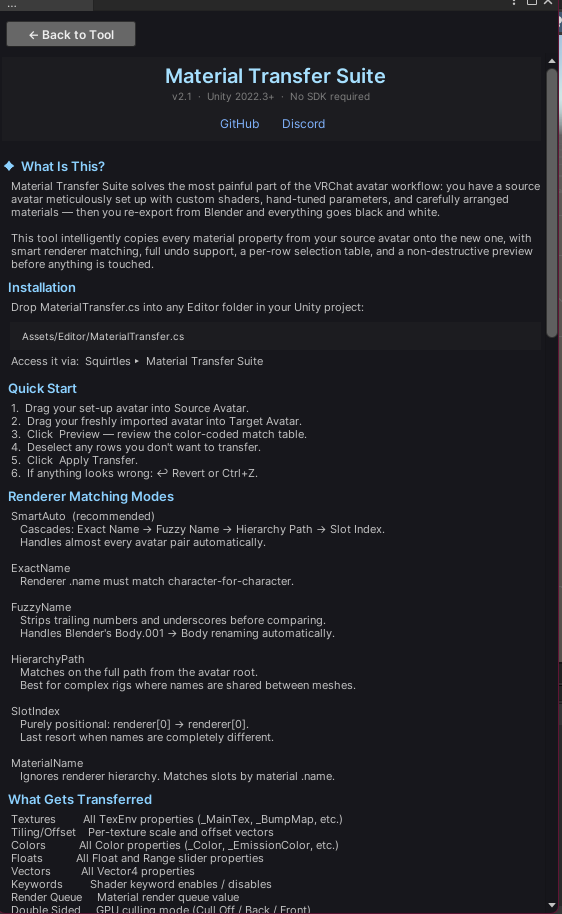
Drop MaterialTransfer.cs into any Editor folder:
Assets/Editor/MaterialTransfer.cs
Open via: Squirtles ▸ 🎨 Material Transfer Suite
No SDK. No package manager. No dependencies. Unity 2022.3+.
Quick Start
- Set Source Avatar — your fully set-up avatar
- Set Target Avatar — your freshly imported one
- 🔍 Preview — review the match table
- Deselect any rows to skip
- ✅ Apply Transfer
- ↩ Revert or Ctrl+Z if needed
Match Modes
SmartAuto — recommended for almost all cases
FuzzyName — Blender re-exports with .001 renaming
HierarchyPath — complex rigs, duplicate renderer names
MaterialName — match by material name across renderers
SlotIndex — purely positional, last resort
ExactName — identical names only
Shader Mismatch Handling
PartialCopy — copy what exists, skip unknowns. Safe default.
RemapByCategory — cross-shader property mapping
ForceSwapShader — replace target shader with source
SkipMaterial — skip entire material if shaders differ
Support
Discord: discord.gg/squirtles
GitHub: github.com/squirtles
Questions, bug reports, and feature requests welcome in the Discord.
Material Transfer Suite v2.1 · squirtles