Material Search & Batch Swap Tool + VRCFury Mat Swap Generator
Tags
Product Description
Material Swap — Simple Guide
What Is This?
Material Swap is a tool that lets you change materials on your VRChat avatar instantly—without creating a dozen separate toggles.
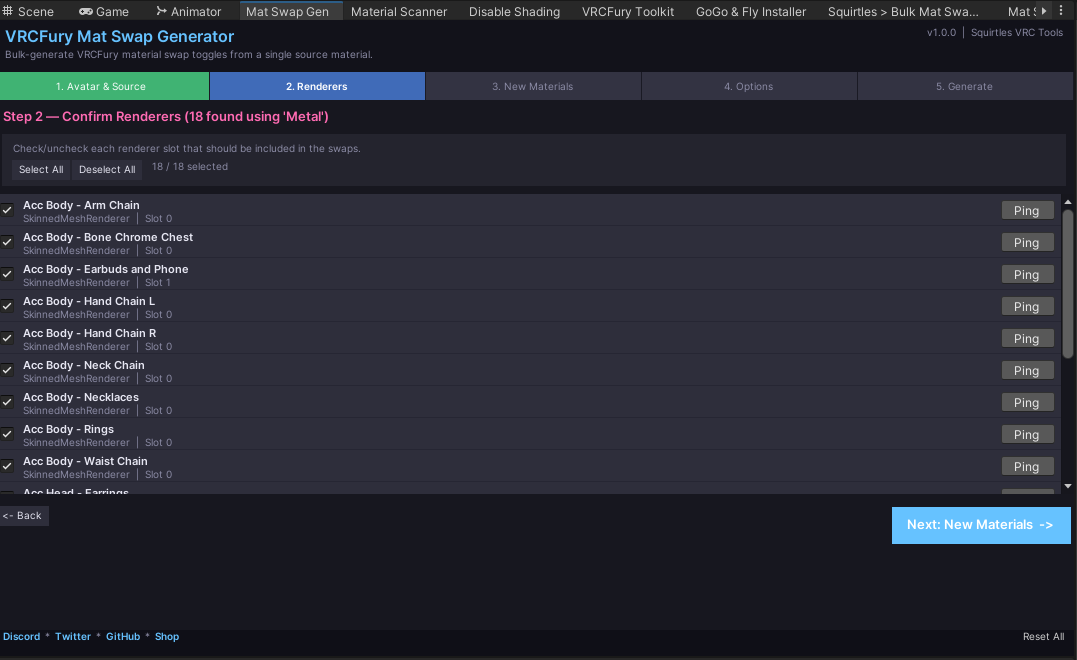
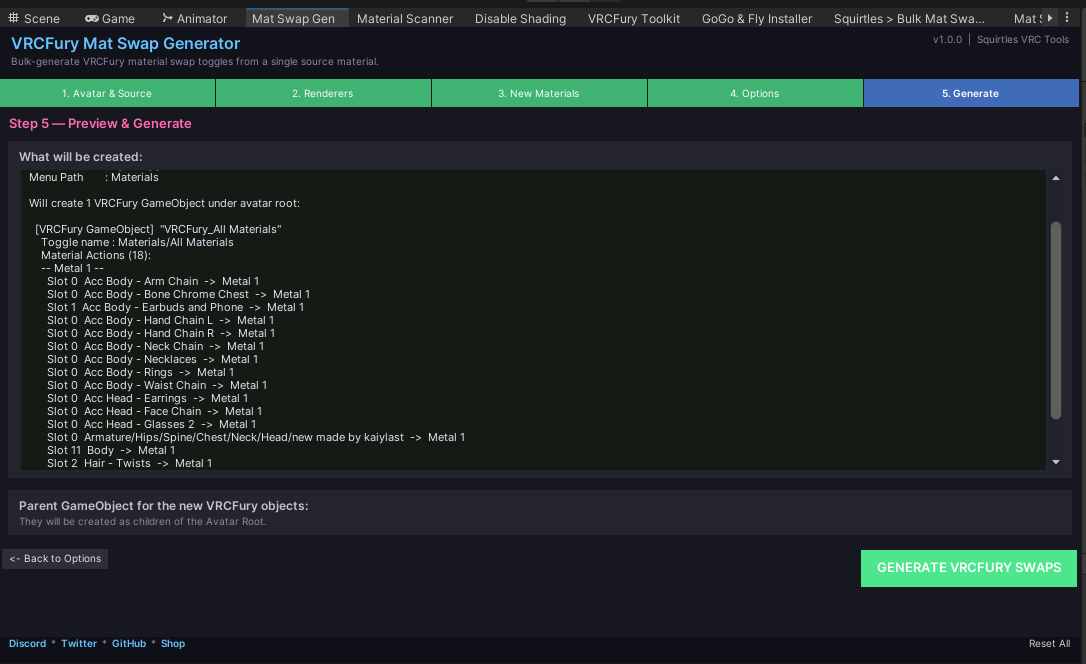
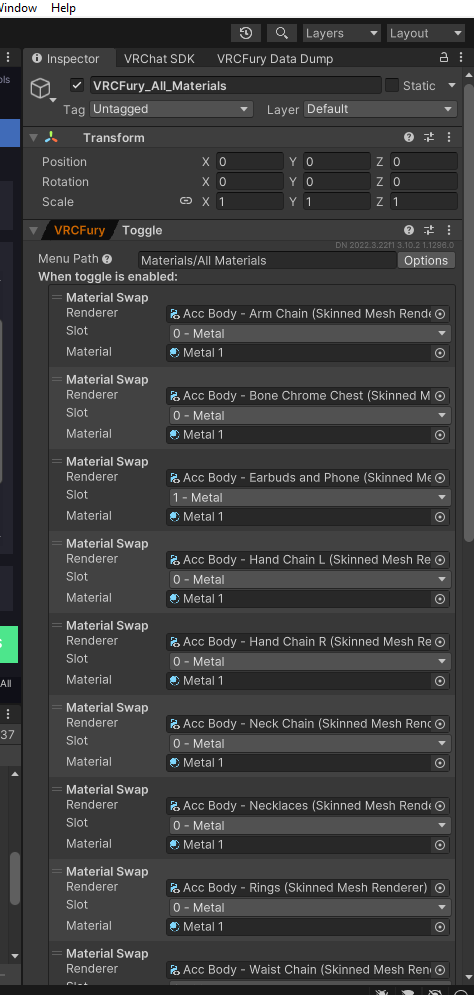
Example: You have a metal shader on 18 different accessories (chains, earbuds, rings, chest piece, etc.). Instead of making 18 separate toggles to change the color, Material Swap lets you do it with one toggle that controls all 18 at once.
Two Tools, One Job
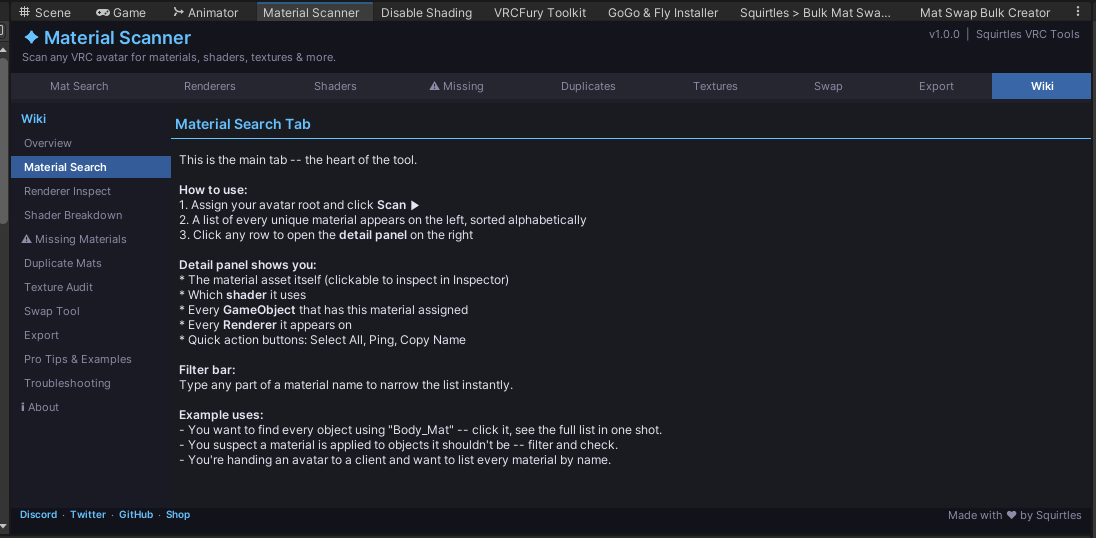
Tool 1: Material Scanner
What it does: Finds every material on your avatar and shows you where it's used.
Why you need it:
- See all 68+ materials on your avatar in one list
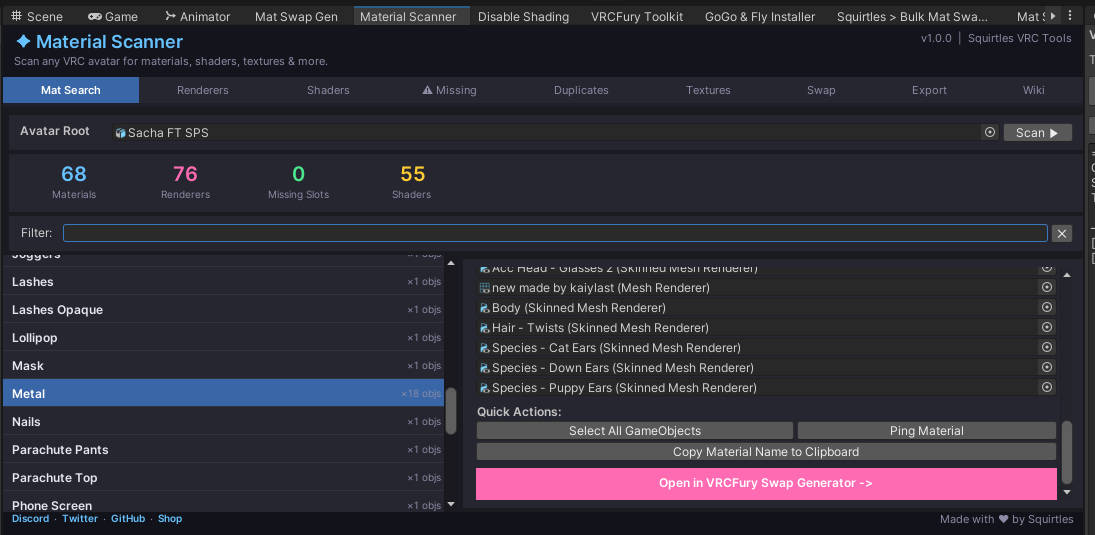
- Search for a specific material (type "Metal" and find all metal items instantly)
- See exactly which objects use that material (arm chains, chest, earbuds, etc.)
- Click to jump to materials, select objects, or copy names
- Discover duplicate materials you didn't know you had
In plain English: It's like a search tool for your avatar's materials. Find what you need, fast.
Tool 2: Material Swap Generator
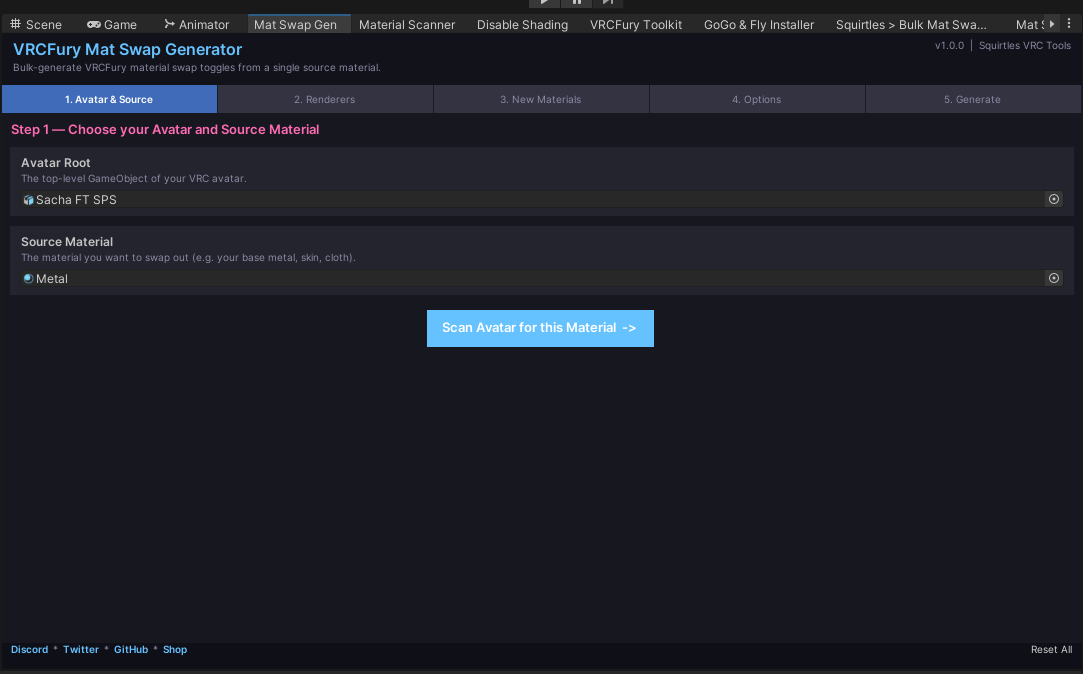
What it does: Creates VRCFury toggles that swap materials across multiple objects with one click.
How it works in 5 simple steps:
- Pick a Material — Select the material you want to swap (Material Scanner can send it here automatically)
- Auto-Find Objects — The tool scans your avatar and finds all 18 objects using that metal
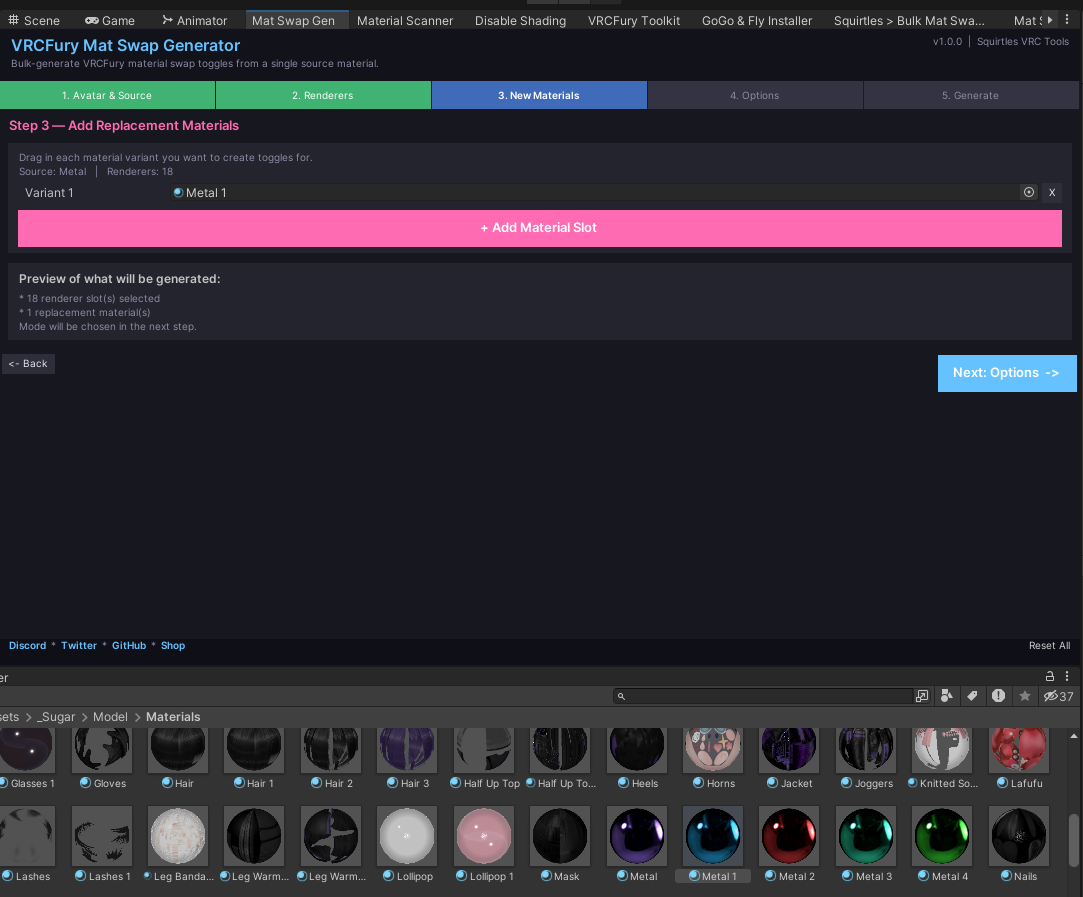
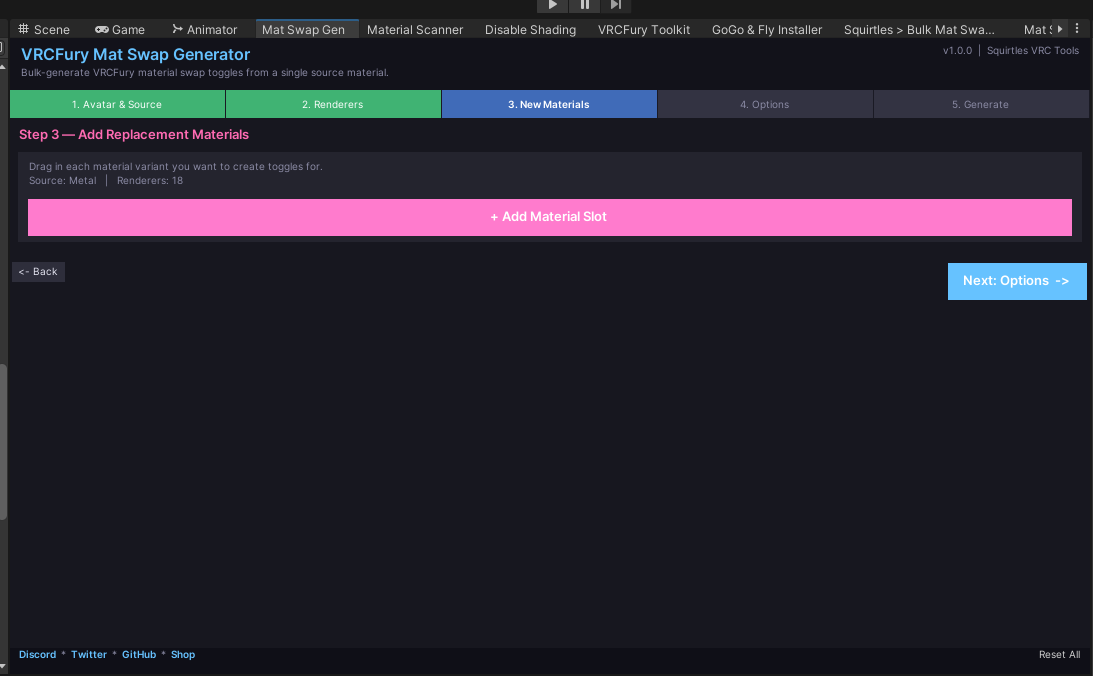
- Add Replacements — Drag in your material variants (red metal, blue metal, green metal, etc.)
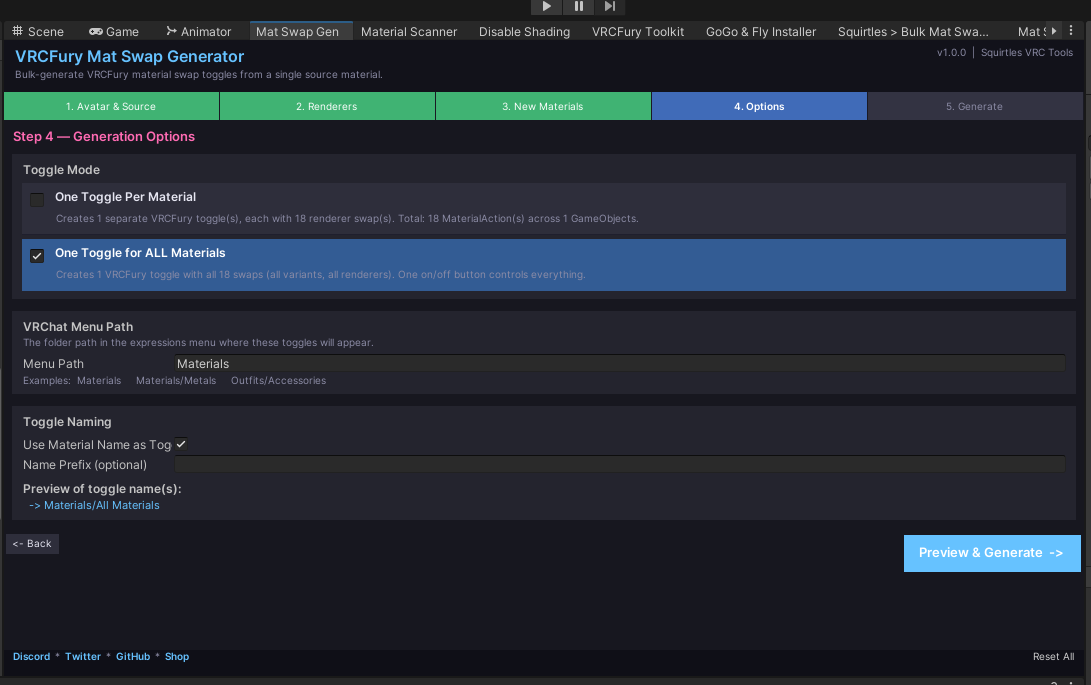
- Choose Mode — Pick "One Toggle for All" (most popular) or "One Toggle Per Material"
- Generate — Done. Your VRCFury toggle is ready to use in your avatar
In plain English: It takes all those separate material swaps and turns them into one or a few clean toggles.
How They Work Together
1. Open Material Scanner
2. Search for "Metal"
3. See it's used on 18 objects
4. Click "Open in Mat Swap Generator"
5. Generator pre-fills with Metal selected
6. Add your color variants
7. Generate8. One toggle controls all 18 items
Real Examples
Example 1: Outfit Colors
- You want your outfit to swap from black to blue to red
- Scan your avatar, find all fabric materials
- Use Material Swap to swap them all at once with one toggle
- Done in 2 minutes instead of creating 3 separate toggles
Example 2: Jewelry Colors
- All your chains, rings, and accessories are "Metal"
- Want 5 color variations
- Material Swap creates one toggle that controls all 5 colors on all jewelry
- Saves tons of time
Example 3: Auditing Your Avatar
- Client asks: "How many unique materials does this have?"
- Open Material Scanner
- You see 68 materials instantly
- You see duplicates you didn't know existed
What You Get
✓ Material Scanner — Find and search all materials on your avatar
✓ Material Swap Generator — Create toggles that control multiple objects
✓ One-Click Integration — Scan → Generate workflow
✓ Save Time — Minutes instead of hours of manual setup
✓ Professional Results — Clean toggles, organized menus
✓ Works with VRCFury — Full integration
Is This For You?
YES if you:
- Have avatars with multiple accessories using the same material
- Want to create color/variant toggles without manual setup
- Need to know what materials are on your avatar
- Want to clean up your avatar's toggle menu
- Are a creator building avatars for clients
MAYBE if you:
- Only have 1-2 toggles (Material Swap is best for bulk operations)
- Don't use VRCFury
No Coding Required
Everything is visual, drag-and-drop, and point-and-click. No scripting or programming knowledge needed.
Support
Questions? Issues? Reach out:
- Discord: discord.gg/squirtles
- Twitter: twitter.com/squirties