
Product Description
This product contains AI-generated content.
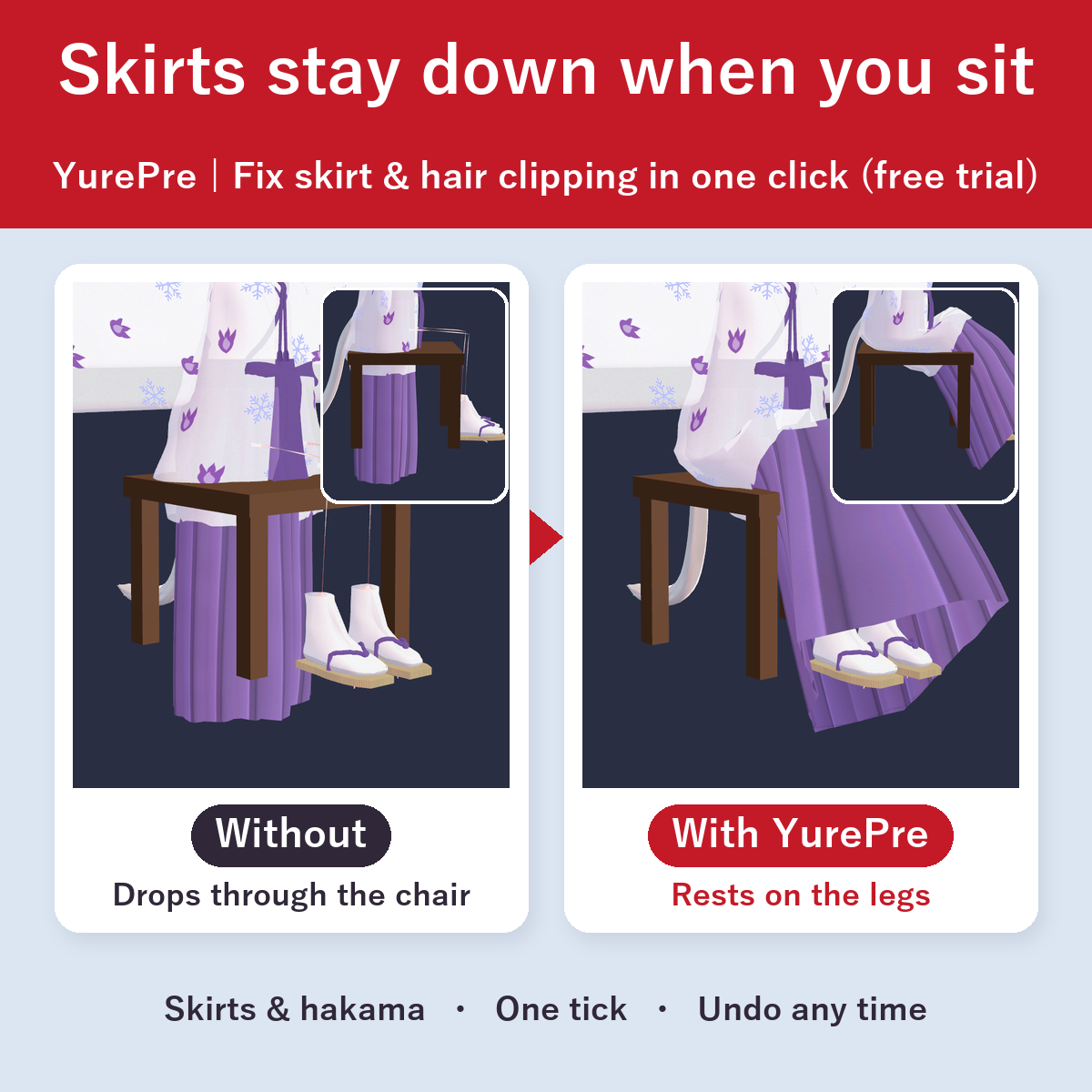
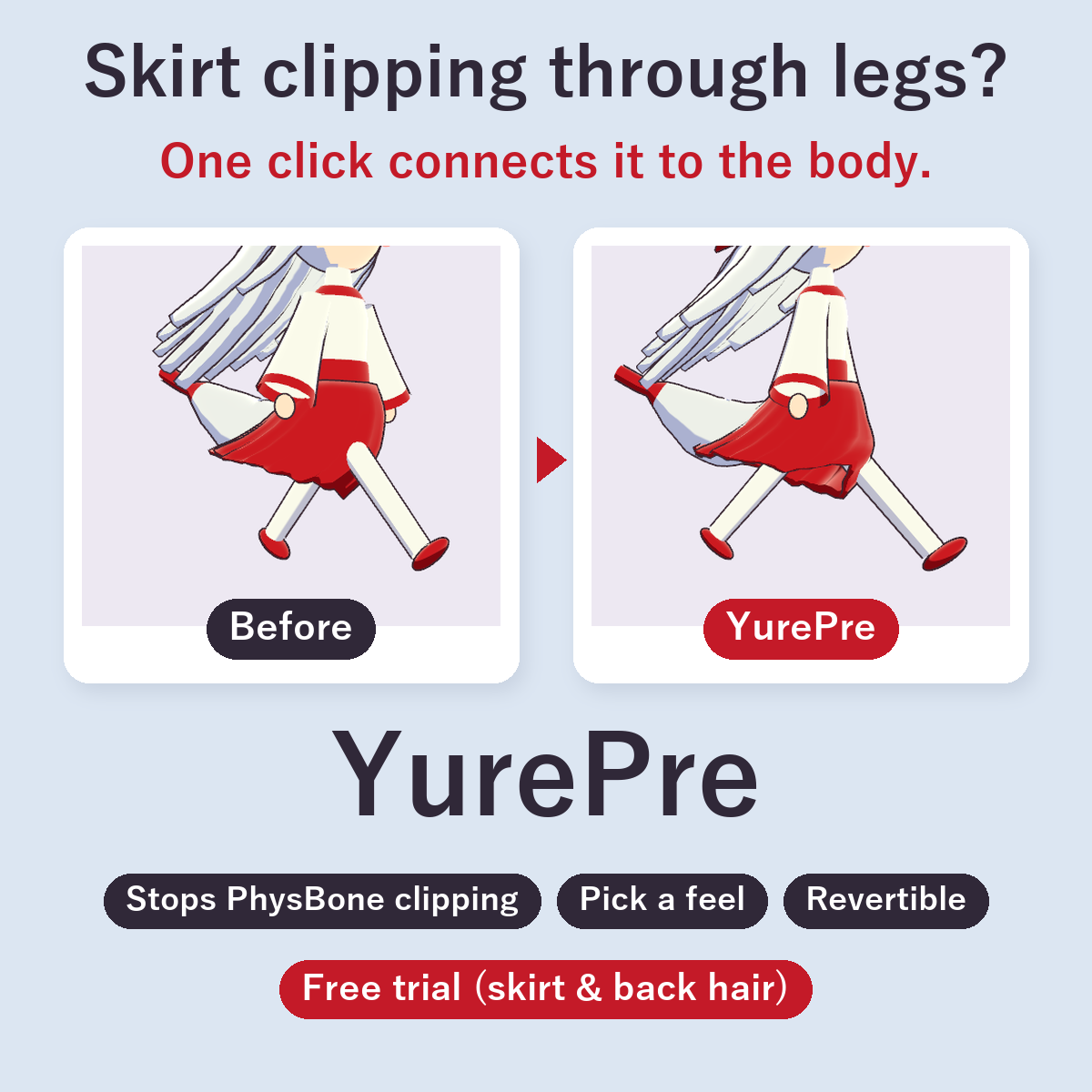
Fixes skirt and hair clipping in one click — and keeps skirts from floating up when you sit. The free trial really works on skirts and back hair.
Try it on your own avatar first. The free trial connects skirts and back hair to the body for real — not just a preview — so you can see the fix before you buy.
Why YurePre
- Free trial that actually works — Auto colliders and feel presets for Skirt and Back hair
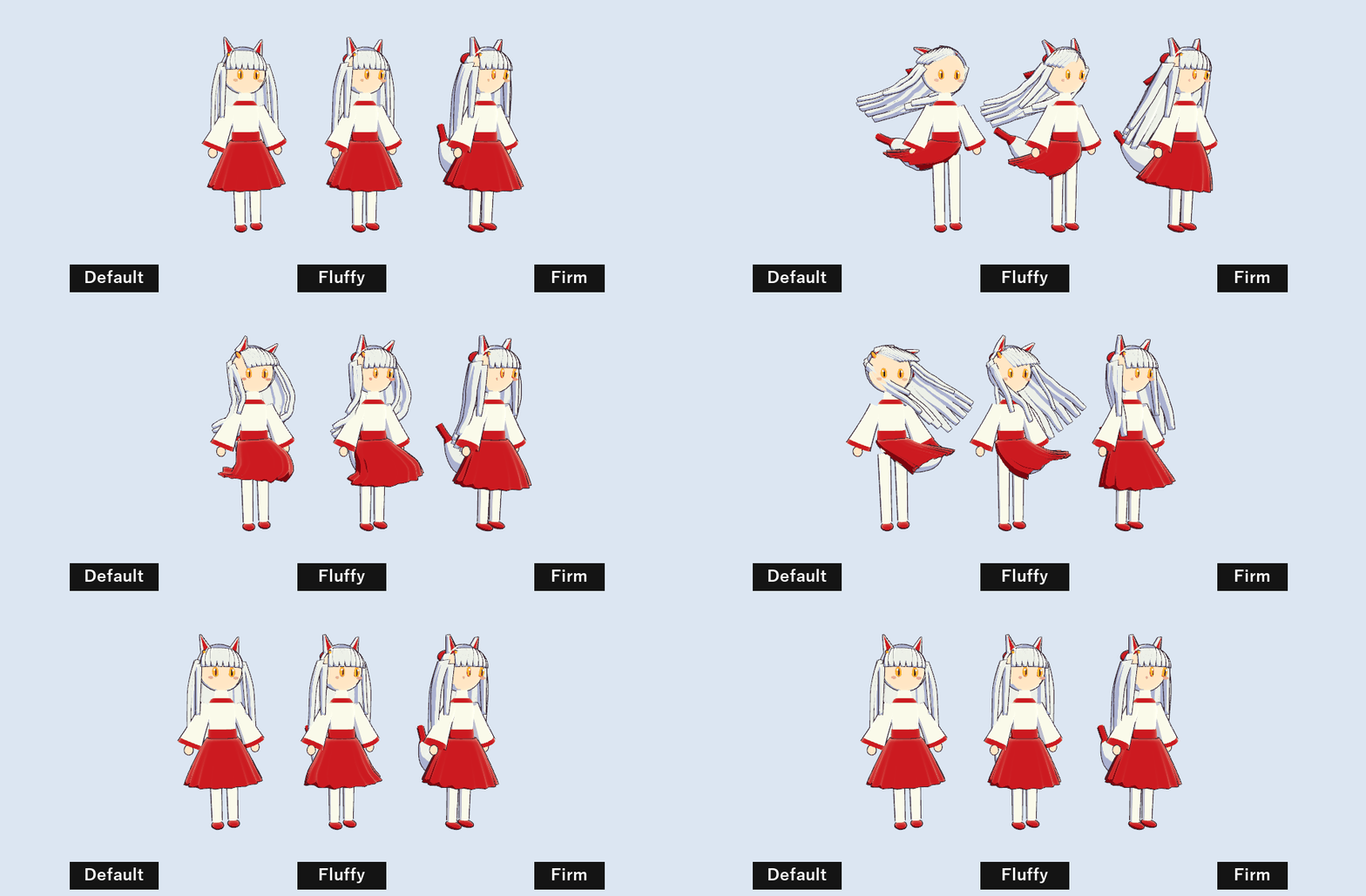
- Two tools in one — stop PhysBone clipping AND pick the feel: Fluffy / Normal / Heavy / Firm
- Just $5 for everything — all types included
- Never touches PhysBones the avatar creator already set up, and "Revert" puts everything back
Auto colliders — stop clipping
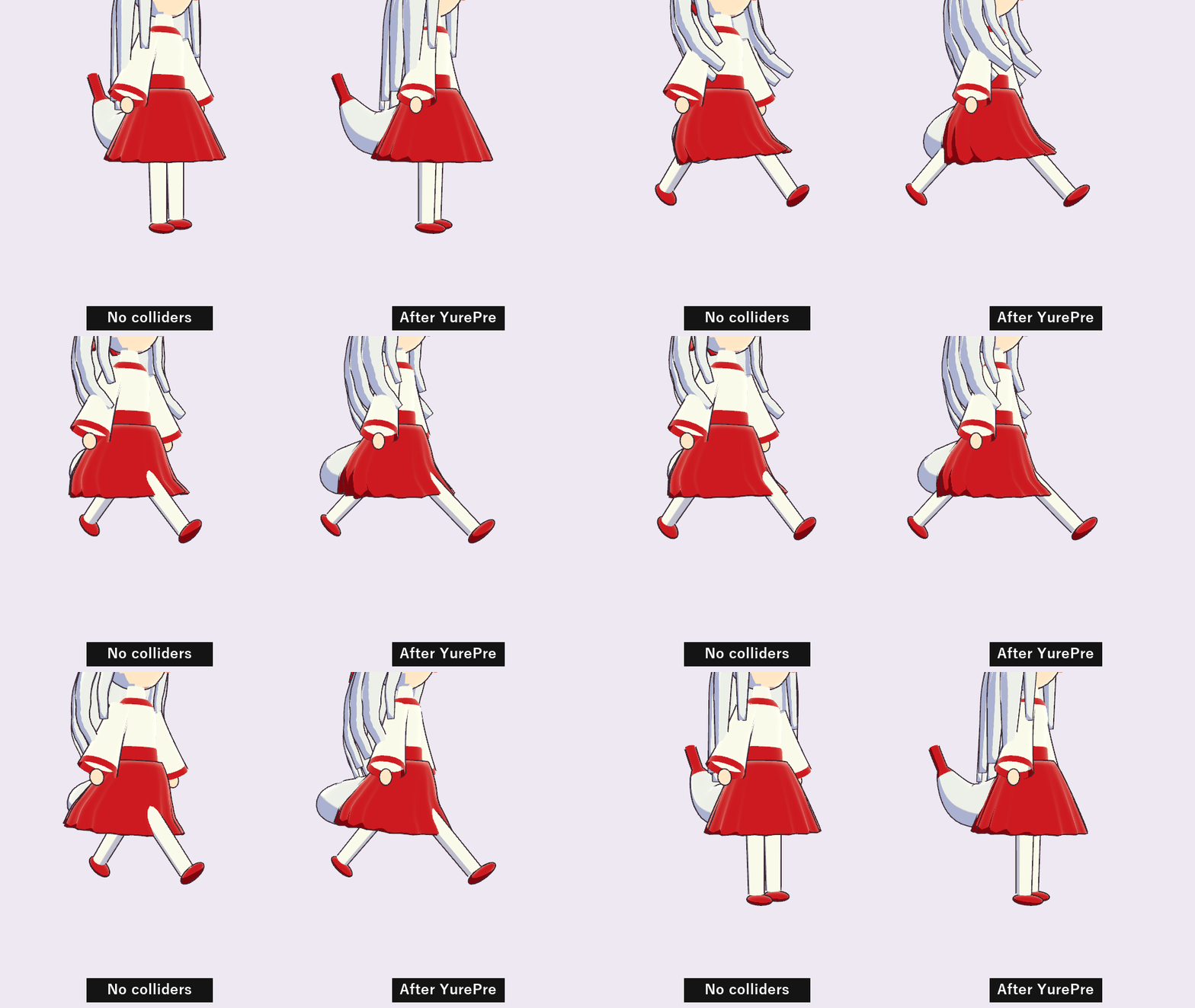
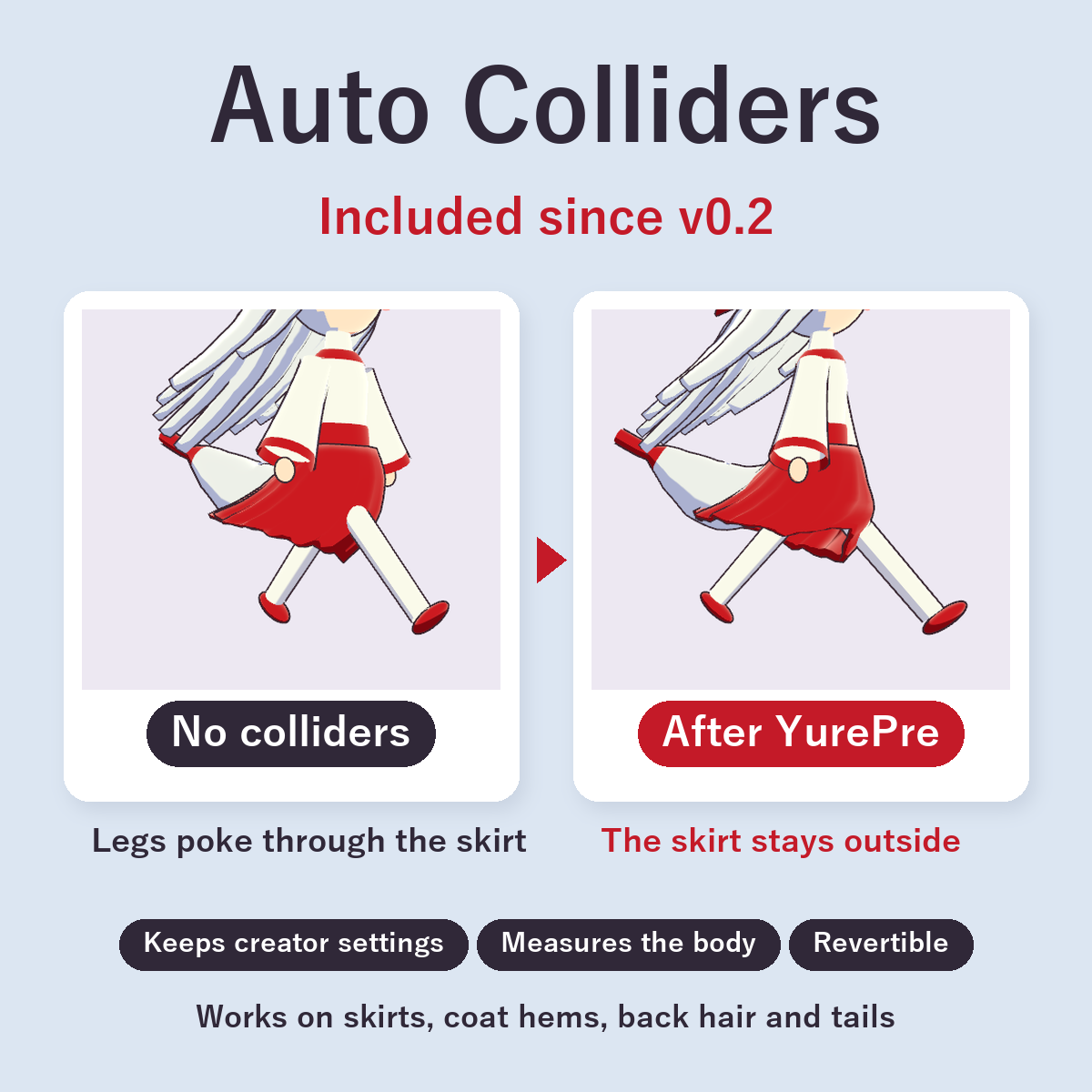
YurePre finds the PhysBones that have no colliders, measures your avatar's body shape and connects them to the body.
PhysBones the avatar creator already set up are never changed. "Revert" puts everything back.
Just pick the feel
For each type — hair, skirt, sleeves, tail and more — choose Fluffy / Normal / Heavy / Firm, then press Apply.
Features
- Automatically finds PhysBones and sorts them into Skirt, Back hair, Front / side hair, Tail, Ears, Ribbons / accessories and Coat / sleeves / hem
- Choose and press "Apply" — no need to research a dozen parameters one by one
- "Revert" restores the previous values exactly
- "Shake test" swings the avatar left and right so you can check the motion right away
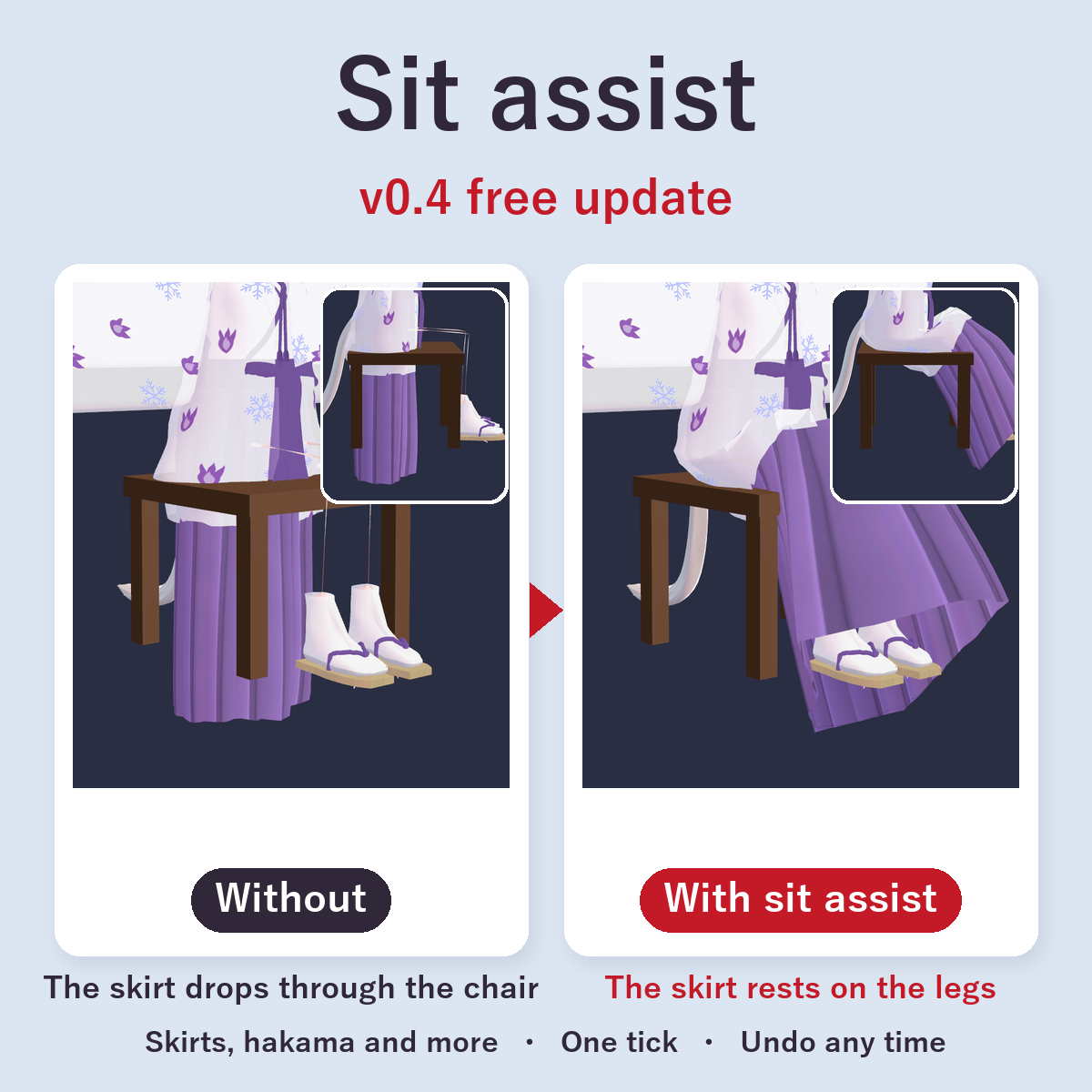
- v0.4: Help when sitting — on a chair the skirt and hakama roots tilt with the thighs, so the cloth lies over the legs instead of the legs passing through it (front fully, sides half, back unchanged; one Rotation Constraint per root, removed by Revert)
- English / Japanese UI
Works with outfits you dressed
PhysBones on outfits added with Modular Avatar are found and tuned too.
We confirmed the chosen feel survives the merge at upload time.
Auto colliders in detail (v0.2 / v0.3 free updates)
- Skirt / coat hem → thighs (long ones also the shins) / Back hair → chest / Tail → hips and thighs
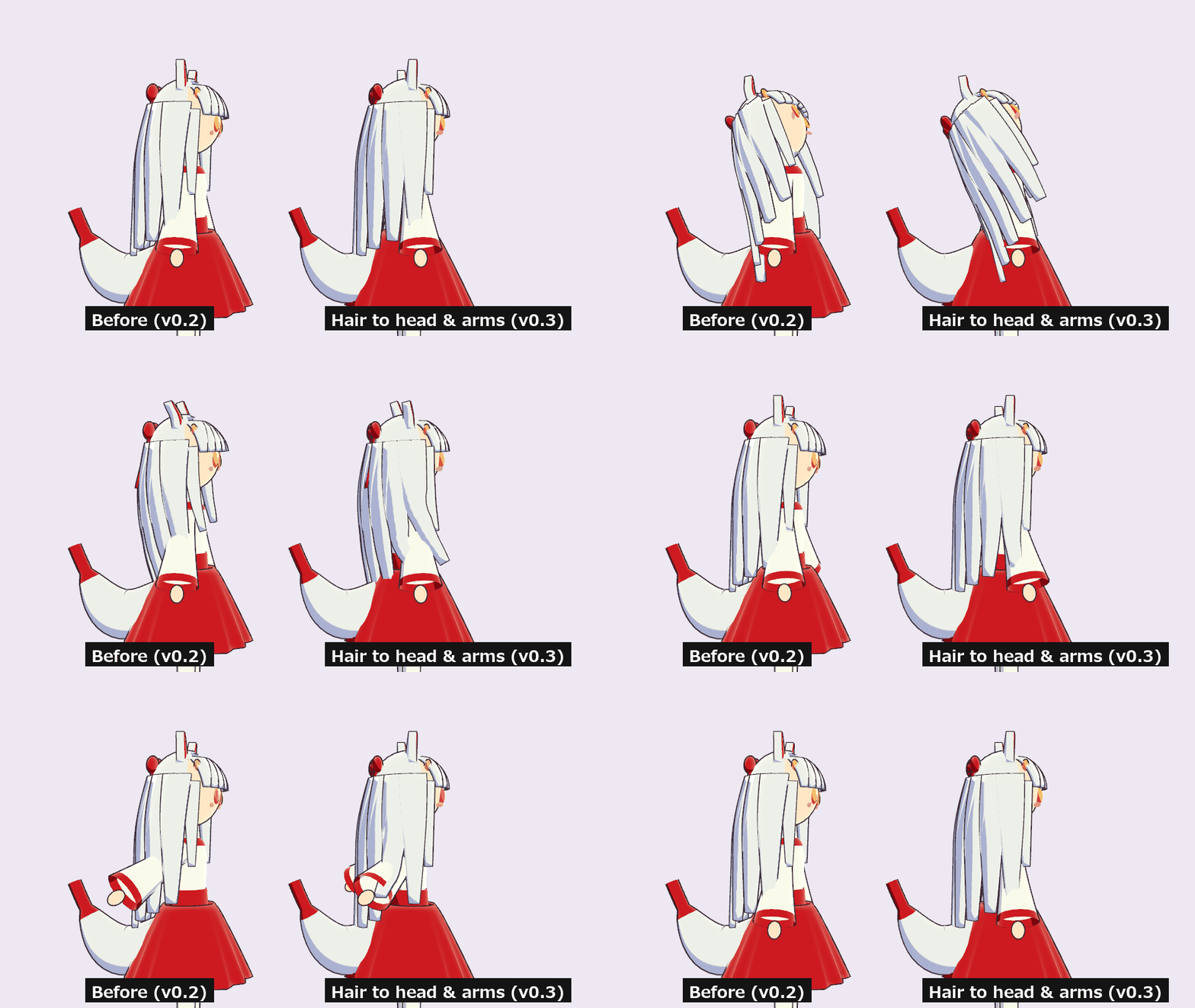
- New in v0.3: hair goes to the head and arms too — front / side / back hair and ears → head, hair longer than the shoulders → upper arms, side hair reaching the chest → chest (on by default; one checkbox to turn it off)
- Never touches PhysBones the creator already set up
- Reuses colliders the avatar already has, and only creates the missing ones by measuring the body (max 9)
- "Revert" undoes the connections and removes the colliders it created
- Works on Skirt and Back hair in the trial too (back hair also goes to the head and arms)
Minimal impact on your avatar
Changing the feel only edits PhysBone values, so upload size and performance rank stay the same.
Only when Auto colliders creates new colliders are up to 9 colliders added (uncheck it to skip).
Start with the free trial
The trial lets you change Skirt and Back hair. To get everything, import the full version over the trial.
Requirements
- Unity 2022.3.22f1
- VRChat SDK – Avatars 3.7.0+
Included files
- YurePre_v0.4.0.unitypackage (trial: YurePre_Trial_v0.4.0.unitypackage)
- README_EN.txt / Terms_EN.txt (Japanese versions also included)
Terms (summary)
- You may use YurePre to set up avatars, upload them, and sell avatars/outfits made with it
- You may not redistribute or resell the YurePre files themselves, modified or not
- Full terms in Terms_EN.txt
AI-assisted
This tool was made with AI assistance: the code, presets and documentation were written by an AI assistant (Claude) under the creator's direction, and tested on real avatars and outfits. No AI image generators were used.
Support
Email us at [email protected] with the product name and your problem. Replies may take a few days. We are a small Japanese shop, so our English may be simple — thank you for your patience!