VoiceMuffler | Muffle/Mute Voice on Contact!【ModularAvatar】
Product Description
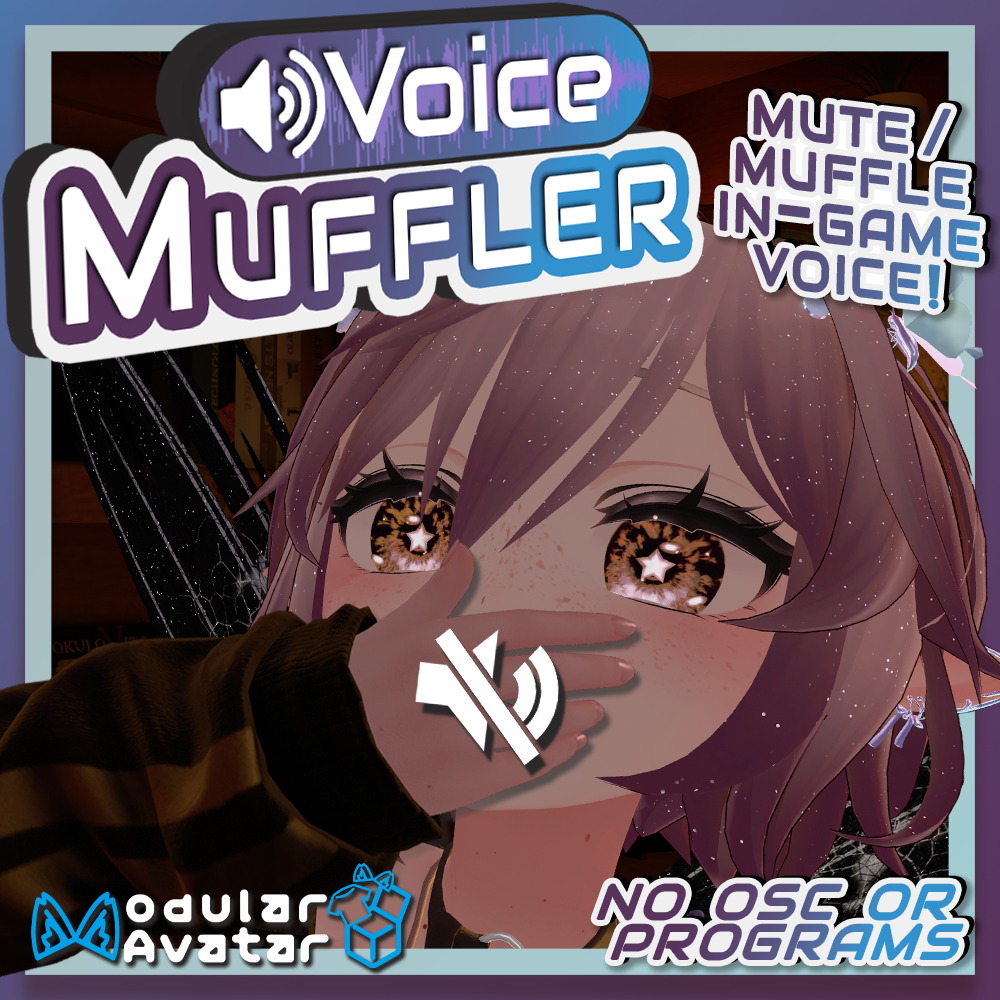
Automatically 'Muffle' your in-game voice with noises when someone interacts with your avatar! No external programs or OSC required!
VoiceMuffler is an easy-to-add NDMF (Modular Avatar) install script that will silence and replace your voice with customizable noises, either with a contact, and/or a manual toggle!
VoiceMuffler is the first of hopefully many prefabs that use my included Utility Prefab: VoiceConstraint. VoiceConstraint is included within VoiceMuffler as a bonus!
Features:
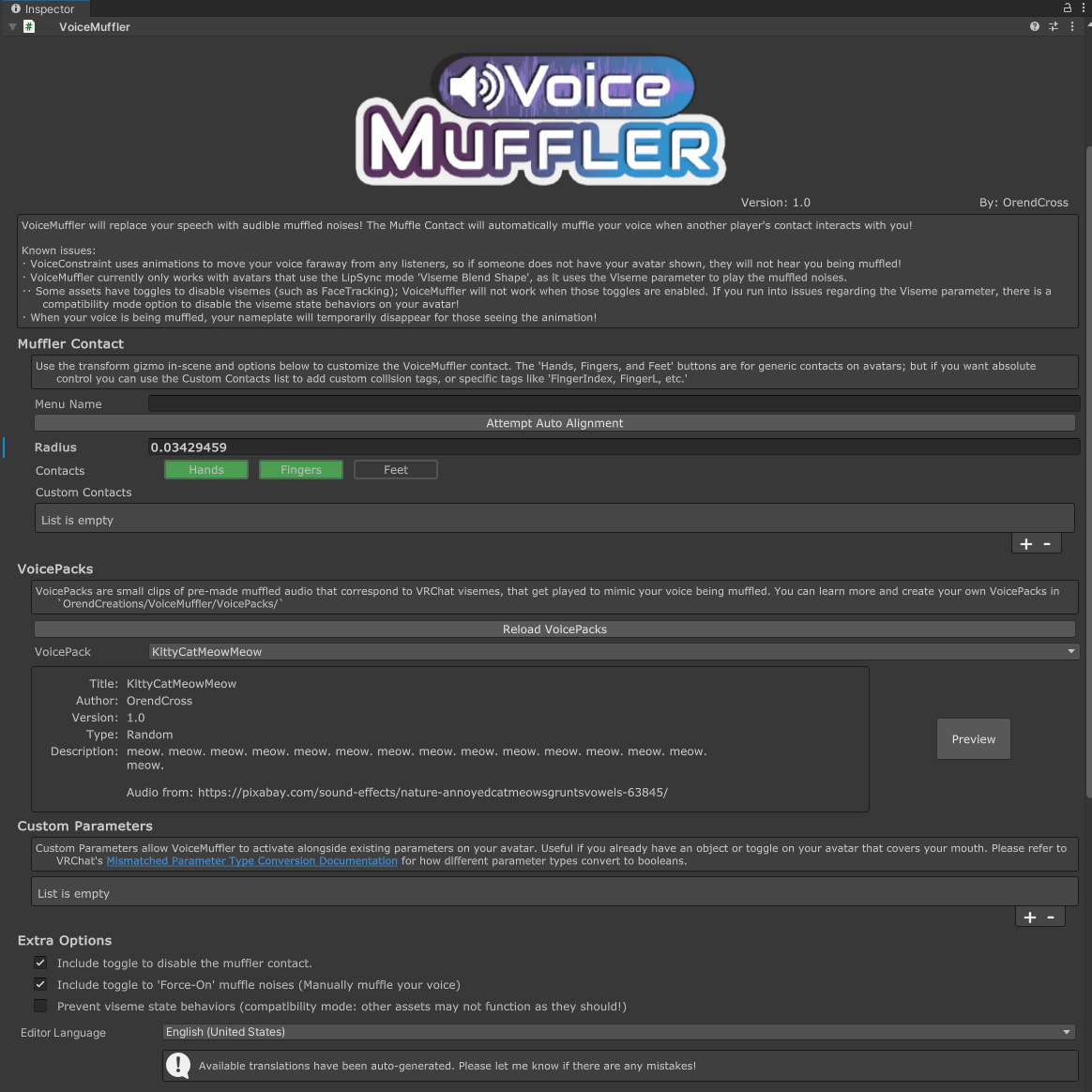
・Adds a customizable contact to your avatar that, when active, will replace your voice with customizable noises!
・Use Custom Parameters to generate ParameterDrivers to automatically enable VoiceMuffler when other toggles are enabled!
・Choose between different VoicePacks to represent your muffled voice, with support for creating your own VoicePacks!
・Support for multiple prefabs on the same avatar! Use different VoicePacks depending on which Contact is active!
・(Optional) Contact Toggle - Include a toggle to disable/enable the VoiceMuffler contact.
・(Optional) Force-On Toggle - Includes a toggle to manually enable VoiceMuffler.
Installation:
[Dependencies]
・Modular Avatar: https://modular-avatar.nadena.dev/ [Version 1.10.0 or Newer]
・・Non-Destructive Modular Framework [Version 1.9.0 or Newer]
1. Make sure you have Modular Avatar and Non-Destructive Modular Framework installed. (NDMF installs with Modular Avatar through the Creator Companion.)
2. Import VoiceMuffler.unitypackage into your project.
3. Navigate to 'OrendCreations/VoiceMuffler' within your project. Drag-and-Drop the VoiceMuffler prefab onto your avatar.
4. Use the Auto-Alignment button to attempt to place the Contact over your mouth. If it doesn't look right, use the Transform gizmo and radius settings to move and resize the contact to your liking!
5. Choose a VoicePack to use via the VoicePack drop-down! You can preview the sounds using the Preview button. Making your own VoicePacks is encouraged!
[Optional]
6. Use Custom Contacts and Custom Parameters to activate VoiceMuffler in unique ways!
Limitations:
・AudioSource components are not Quest Compatible, so while on Quest players can mute your Voice using the contact, players on Quest will not hear the silly sounds!
・VoiceConstraint uses animations to move your voice faraway from any listeners, so if someone does not have your avatar shown, they will not hear you being muffled!
・The avatar must use the 'Viseme BlendShape' LipSync mode, as it uses the Viseme parameter to play the muffled noises!
・・Some assets have toggles to disable visemes (such as FaceTracking); VoiceMuffler will not work when those toggles are enabled. If you run into issues regarding the Viseme parameter, there is a compatibility mode option to disable the viseme state behaviors on your avatar!
・The Voice and Viseme parameters need to be synced over the network, as network users don't update those values locally if your voice isn't heard! So there is a minimum 16 bits of parameter usage required!
・When your voice is being muffled, your nameplate will disappear!
Advanced Information:
・You can find information on how to create your own VoicePacks in `Assets/OrendCreations/VoiceMuffler/VoicePacks/_VoicePacks Explained.txt`
・I've left the AudioSource component exposed on the `HeadProxy` GameObject, if you wish to customize the sound falloff! By default it's pretty aggressive, becoming incredible quiet at ~1.5 meters.
Planned Additions:
・Listener Contact - allow others with the name contact settings to hear you if your voice is muffled.
Terms of Use:
( Personal Product License )
By purchasing and using this product, you are agreeing to the terms of service outlined here:
・You may not share, redistribute, or resell this product in any form.
・This product is a digital asset, no refunds will be granted under any circumstance.
・I am not responsible for any damage caused by using this product.
・You may upload private, public, or commissioned avatars using this product.
( Commercial Product License )
This commercial product license relates to including this product and its files within your own product, to be sold for profit. (Examples: assets that wish to rely on this product, paid avatars, included within avatar bases, etc.)
By purchasing and using this product, you are agreeing to the Commercial Product License Agreement outlined here:
・You may include the Commercial Product License version of this product within your own products for profit, given these terms are followed.
・You may not share, redistribute, or resell this product as-is.
・Your product must not solely rely on on this product, both in function and in design.
・Your product must not be priced lower than the Original / Personal License version of this product.
・You must credit and include the link to this product on your product's page.
・You must not alter the creation of the credit information that is generated within this product's submenu.
・This product is a digital asset, no refunds will be granted under any circumstance.
・I am not responsible for any damages caused by using this product.
If you are unsure if your usage of this product does not align with these Terms of Use, please reach out to me via Twitter or Discord: @Orendcross | https://discord.gg/sAnekxwd3x
Update information:
- 2026/02/14 - v1.0
・Initial Release! - 2026/02/15 - v1.01
・Hotfix to support asset paths on Linux - 2026/02/16 - v1.02
・Fixed eyes being still when not using FaceTracking! Whoops! - 2026/02/18 - v1.03
・Quick fix to better support other prefabs that modify the hierarchy (such as AvatarPoseSystem) - 2026/02/23 - v1.1
・Added ParameterOptimization in ExtraOptions! By default VoiceMuffler requires 18 bytes of parameter usage- this will bring it down to 3 !
・Do not sync Viseme Parameter - converts all VoicePacks to Random.
・Sync Voice Parameter as a Bool instead of a Float - Removes variable VoicePack volume depending on Voice Parameter level!
・Added Advanced Info section for greater information on customizability solving issues!
・Separated the Contact and Audio transforms into separate MA Bone Proxy objects, allowing full customization of where those components attach to!
・Added an empty HeadChop component to the prefab. If you have objects that attach to your head (including VRCFury Armature Link, MA BoneProxy, etc.) that have advanced functionality (seats, bone transform animations, etc.) you need to add those transforms to the HeadChop component with the ScaleFactor of 1! Only do this if you are encountering issues with other assets that attach to your Head Bone. This was added due to certain assets that add seats to the head bone having issues with bone transformations not appearing locally.
・VoiceConstraint_v1.1:
・If only 1 VoiceConstraint Transform exist, sync as a Bool instead of a Int.
・No longer save VoiceConstraint parameter on avatar loads. Causing issues with Prefabs that hide the menu (VoiceMuffler) when users change avatar while constraint is active. Eventually I will bring this back as a feature, for those who want to permanently move their voice. - 2026/02/24 - v1.1.01
・Fixed eyes not being correctly duplicated when the FBX Eye Bones and VRCAvatarDescriptor EyeLook Bones do not match. - 2026/02/25 - v1.1.02
・Fixed the added empty HeadChop components from 1.1.0 so they actually do something! Whoops! (They now combine with the HeadChop component that VoiceConstraint generates, or makes a new one if there isn't one present) - 2026/03/02 - v1.1.03
・Fixed final contact placement and auto-alignment on avatars where the avatar root is not scaled to (1,1,1).
・Combined simple layers into a single BlendTree for optimization, especially for when more than one VoiceMuffler instance is installed onto an avatar.
・Scale audio source's Max Distance with EyeHight with a static minimum size, so the muffled noises of smaller avatars can still be heard by larger avatars.
・Resolved the niche Additive Bone Transformation issues. This was only affecting avatars that use bone transformations animations in additive layers that were parented on the head bone, such as the Spiri'Avali. Now if Additive Bone Transformations on the head are found, they get duplicated and constrained. If they are part of a Physbone chain, the whole Physbone chain is duplicated. Note, this will increase your constraint count by a bit. In addition, when the head is moved, any physbone chains that are affected will jolt around (This is better than the alternative I promise). - 2026/05/01 - v1.1.04
・Slight modification to the niche Additive Bone Transformation issue. Should be more reliable now!