
Product Description
"Where did I put my tools?! They're gone!! Did I drop them somewhere?!"
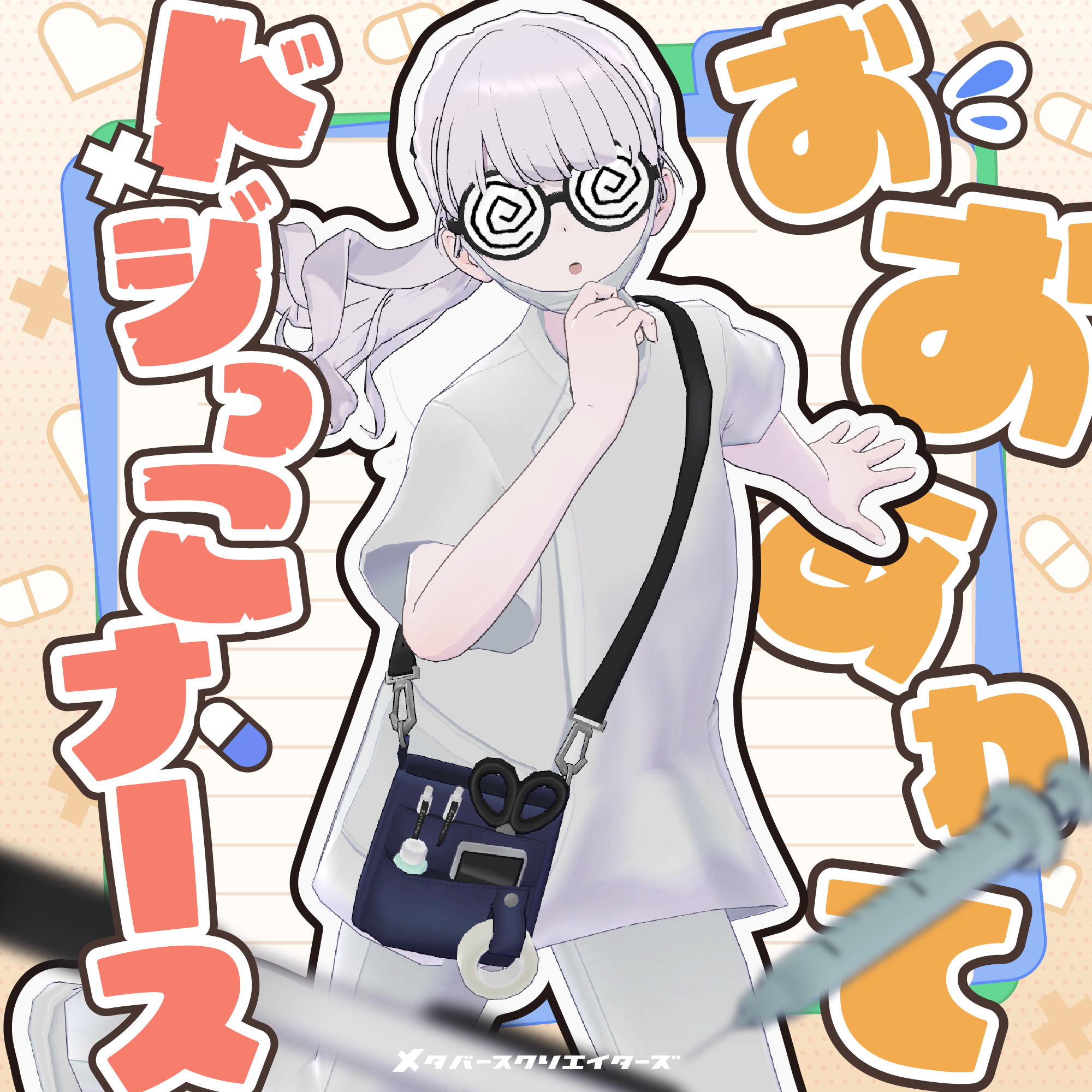
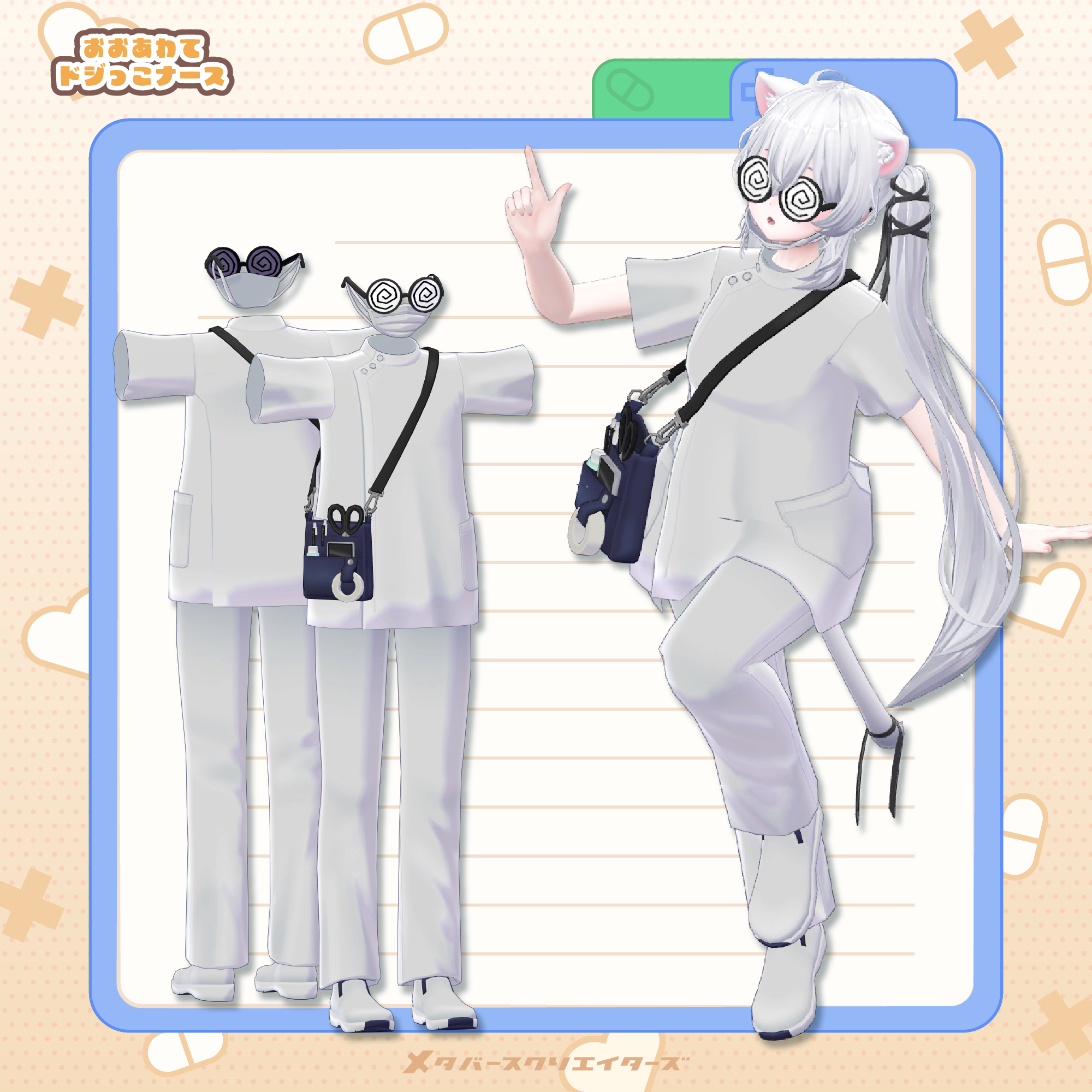
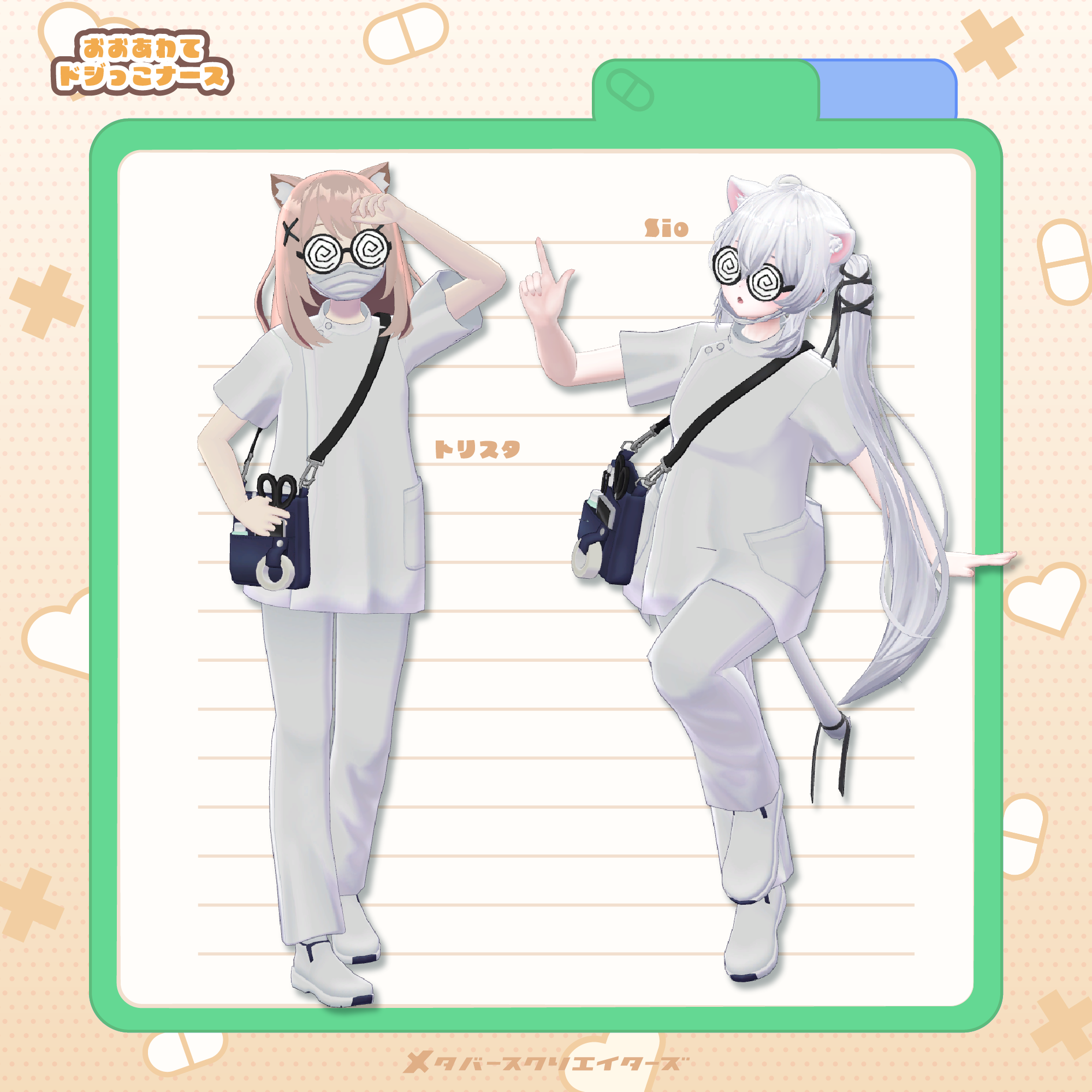
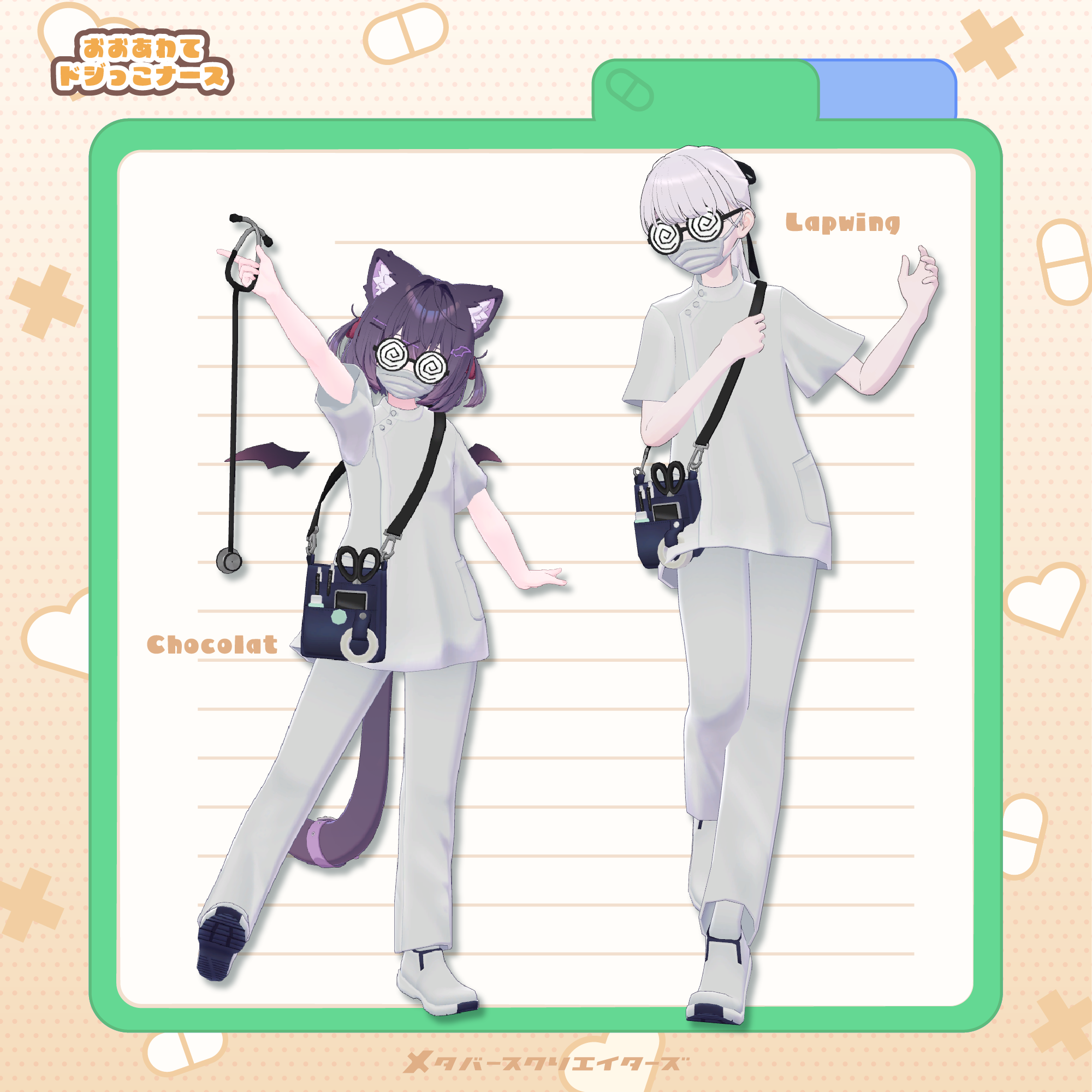
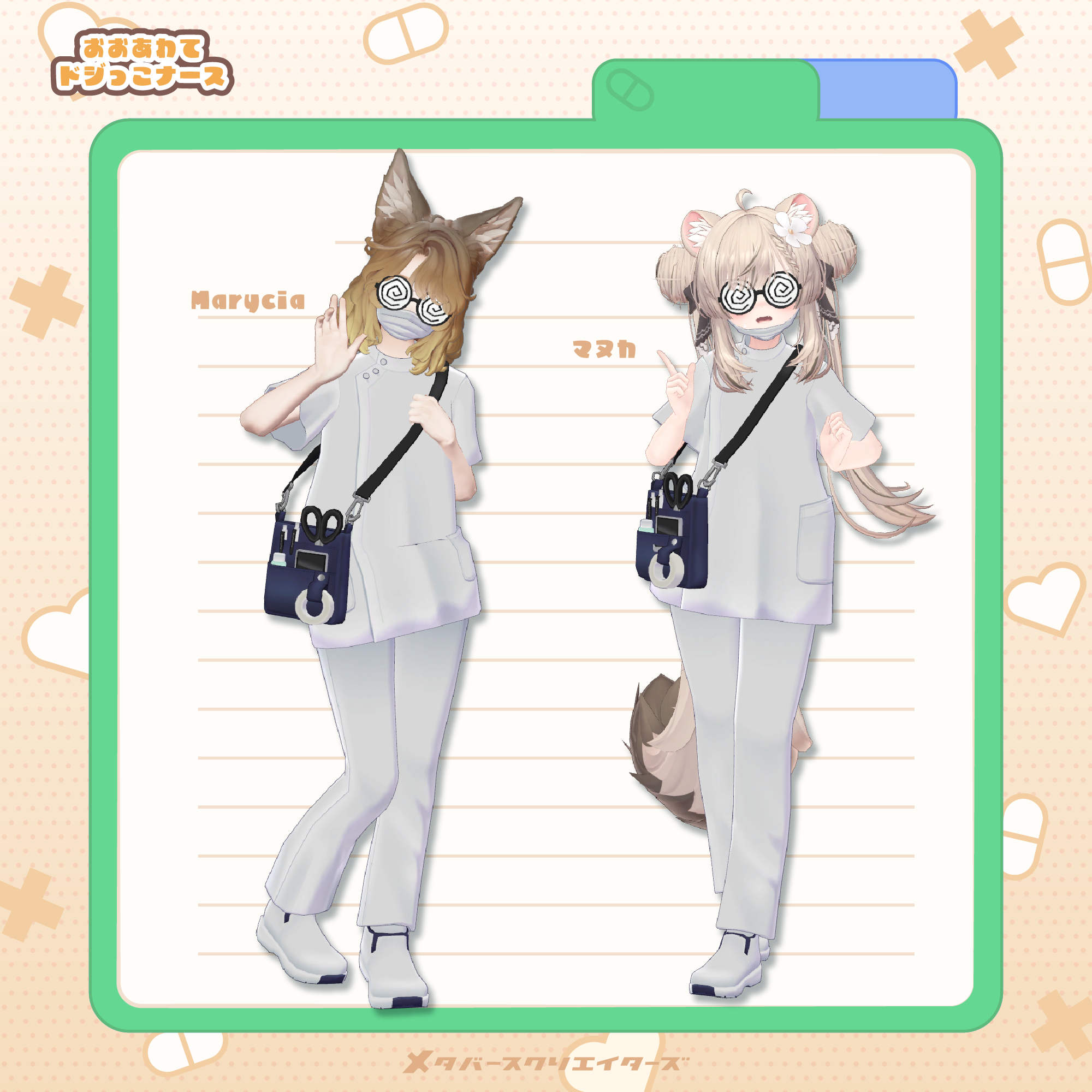
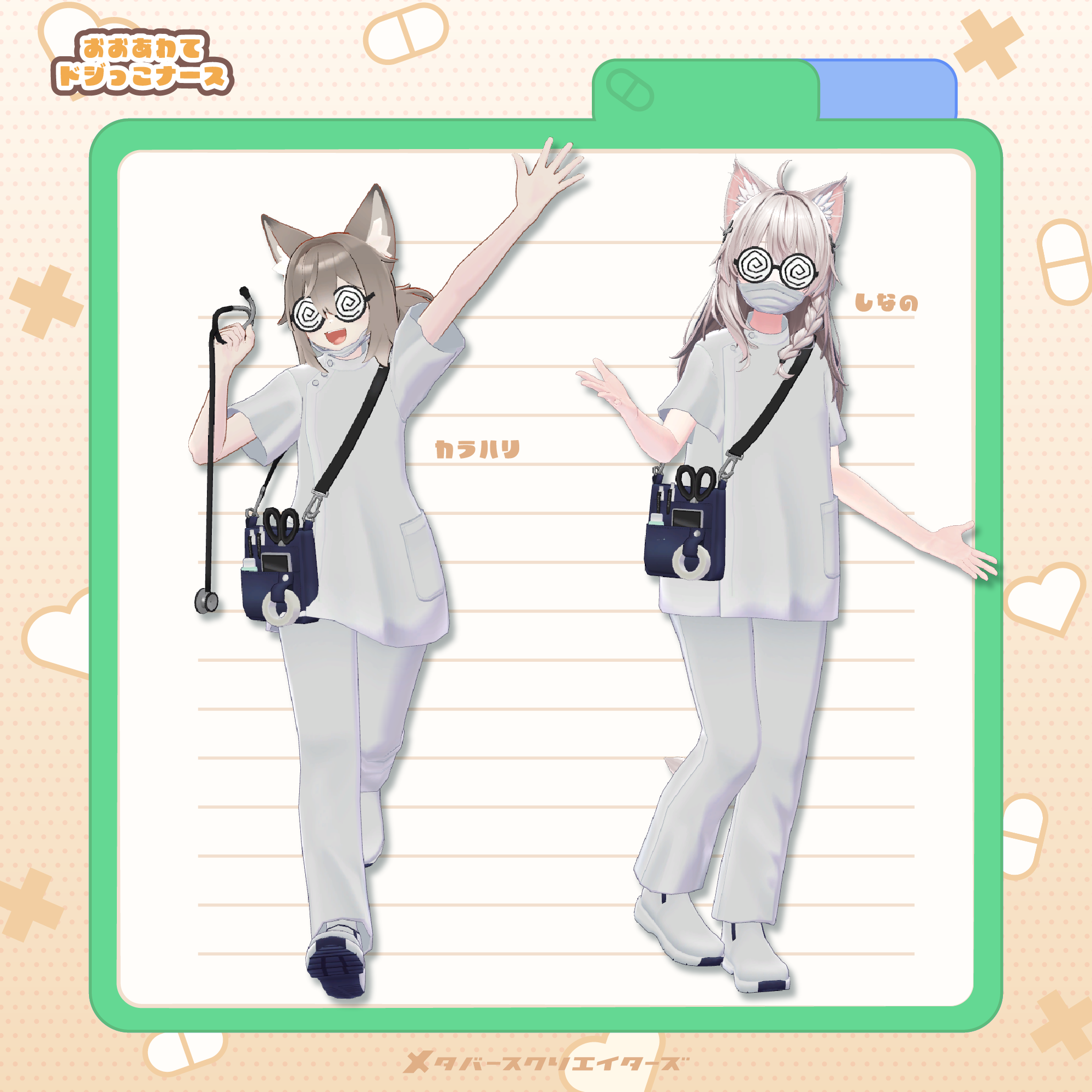
A playful, slightly clumsy nurse outfit, perfect for everyday wear or Halloween cosplay!
Suitable for both male and female avatars.
Interactive Features:
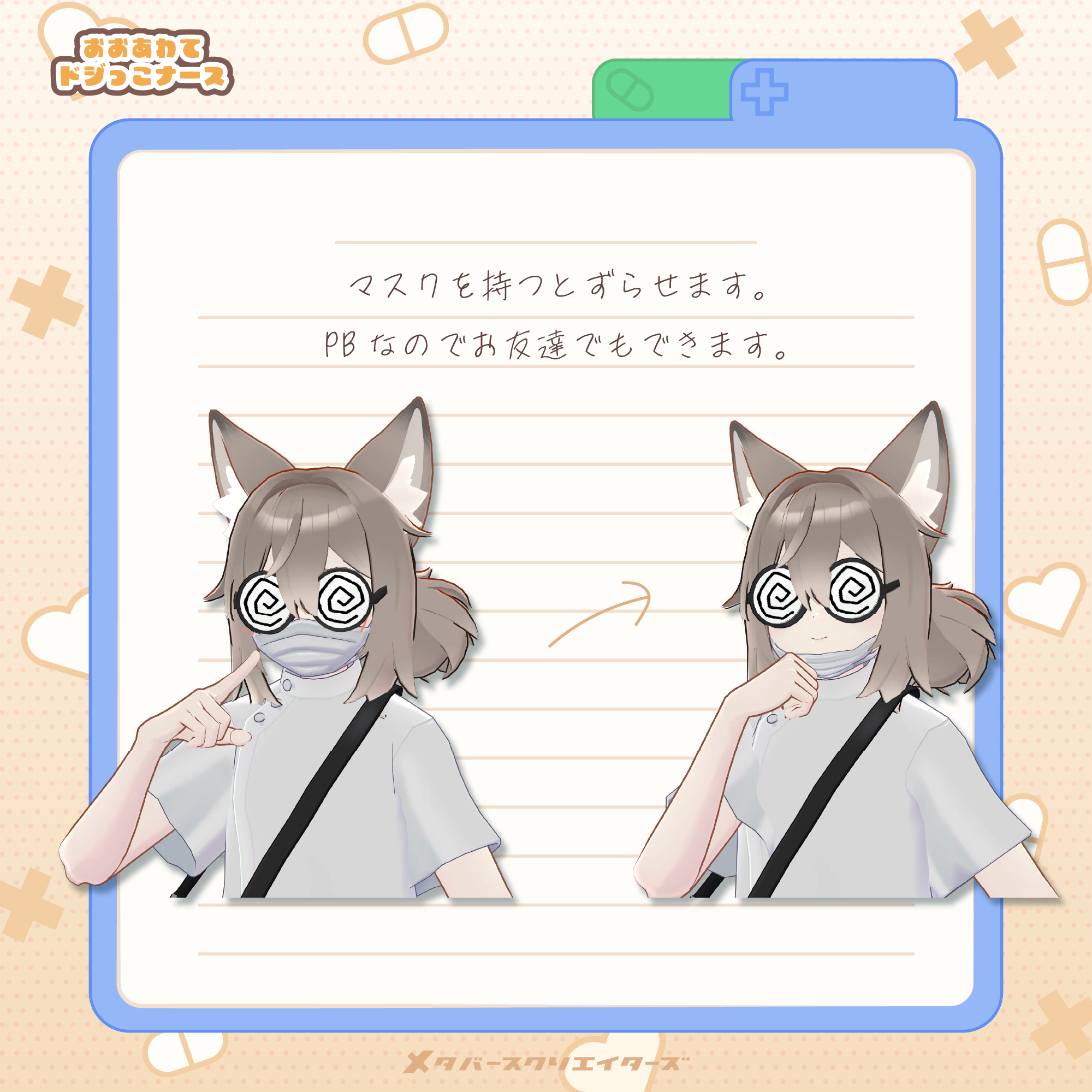
Pull down and adjust the mask.
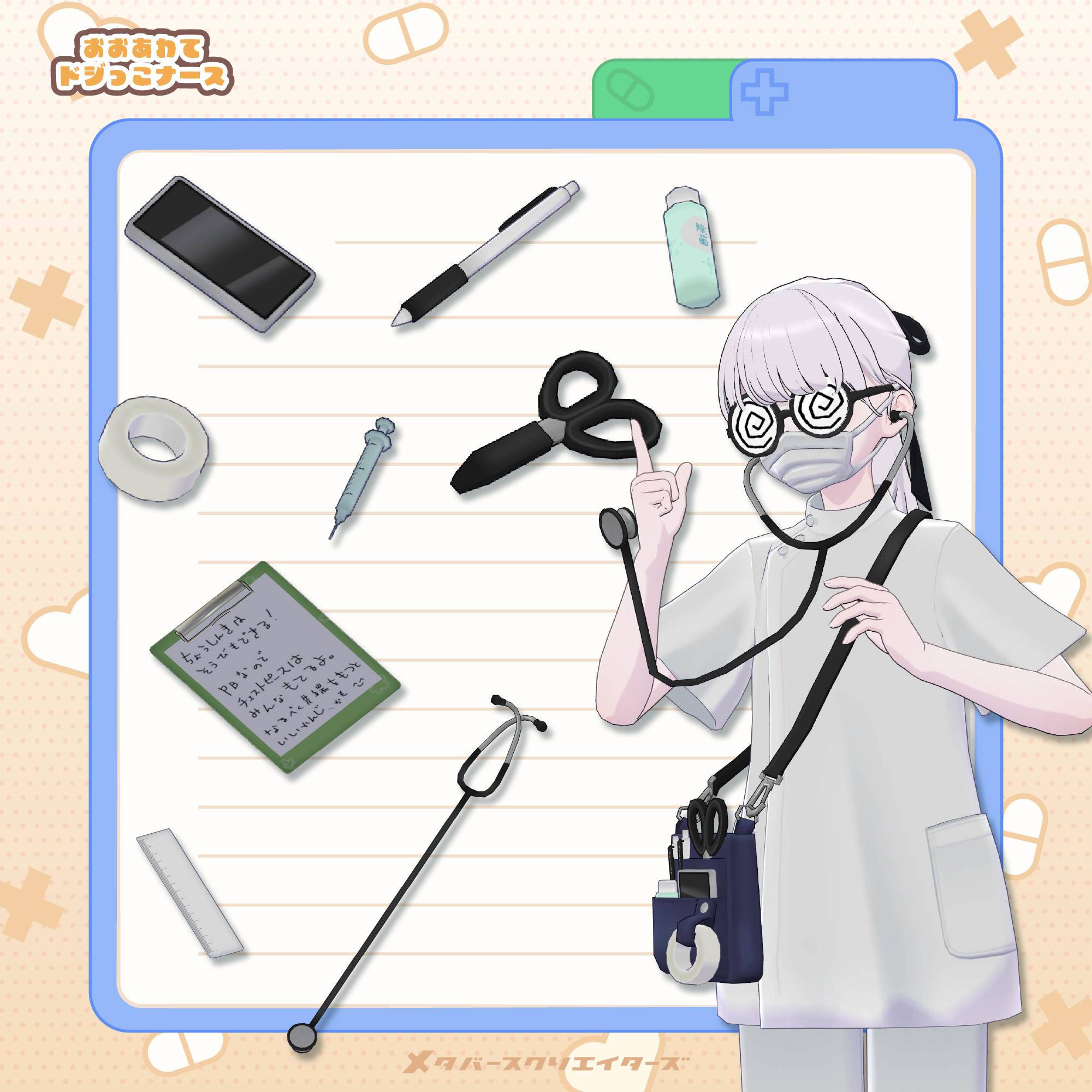
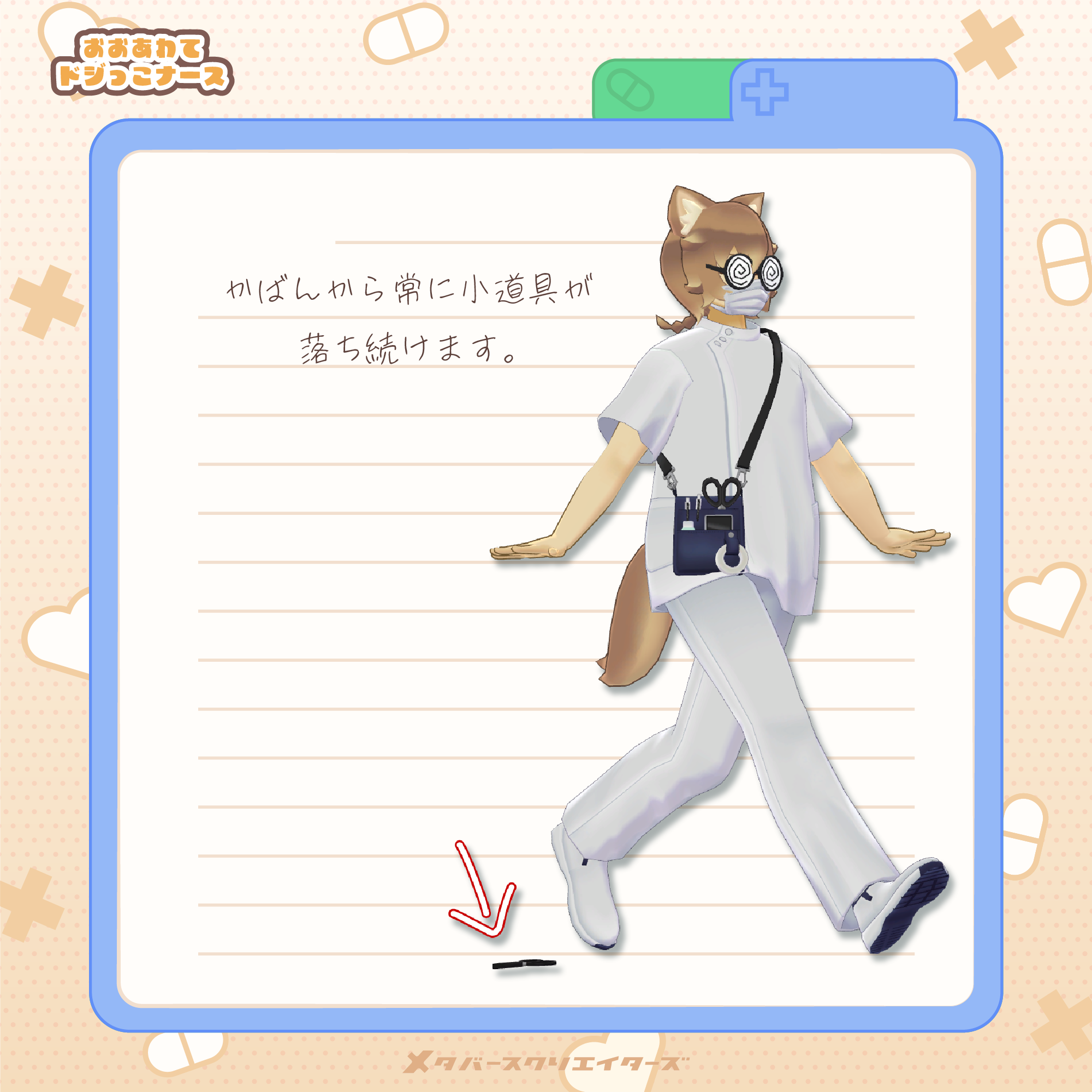
Watch work supplies spill out of the bag!
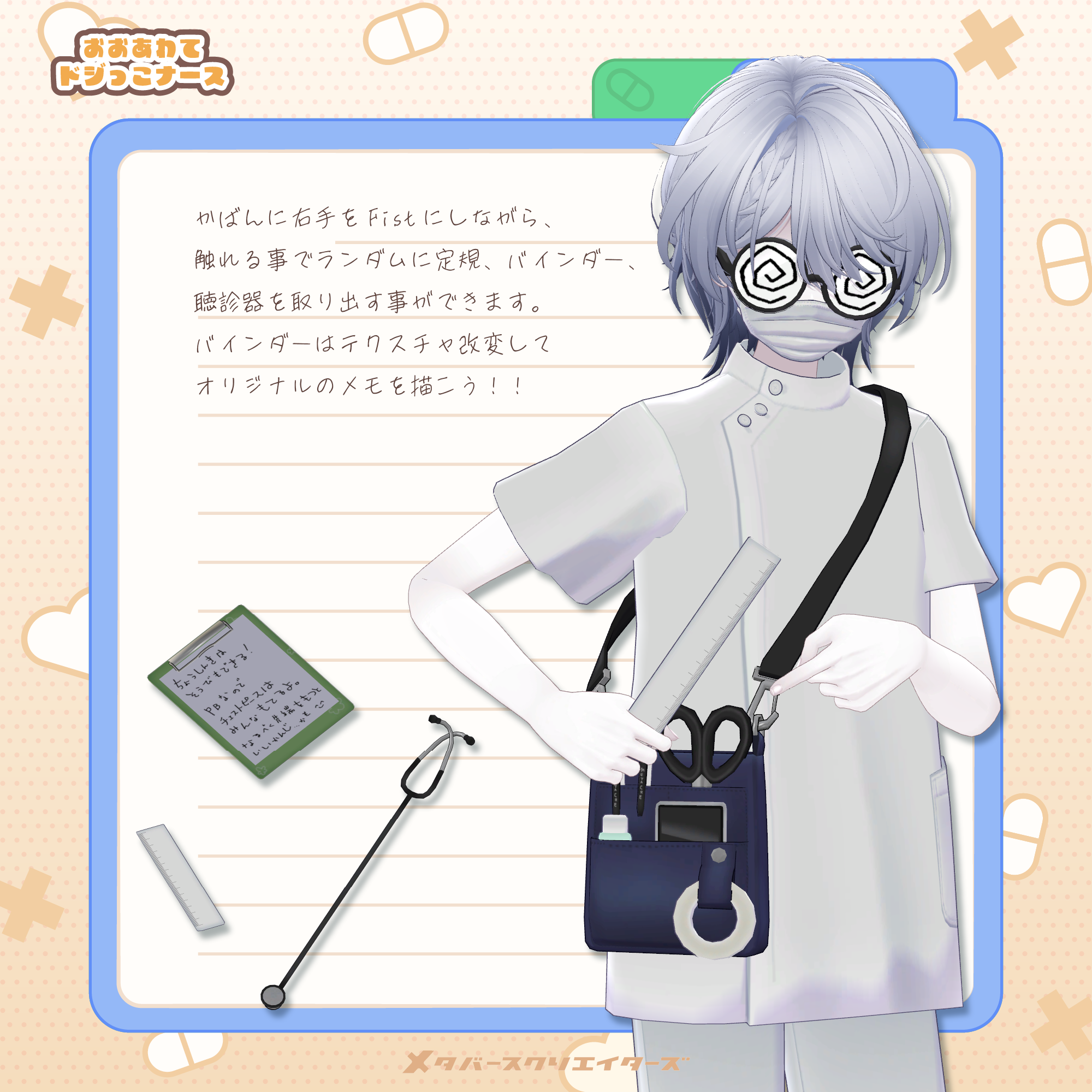
Take out a stethoscope, ruler, or clipboard from the bag.
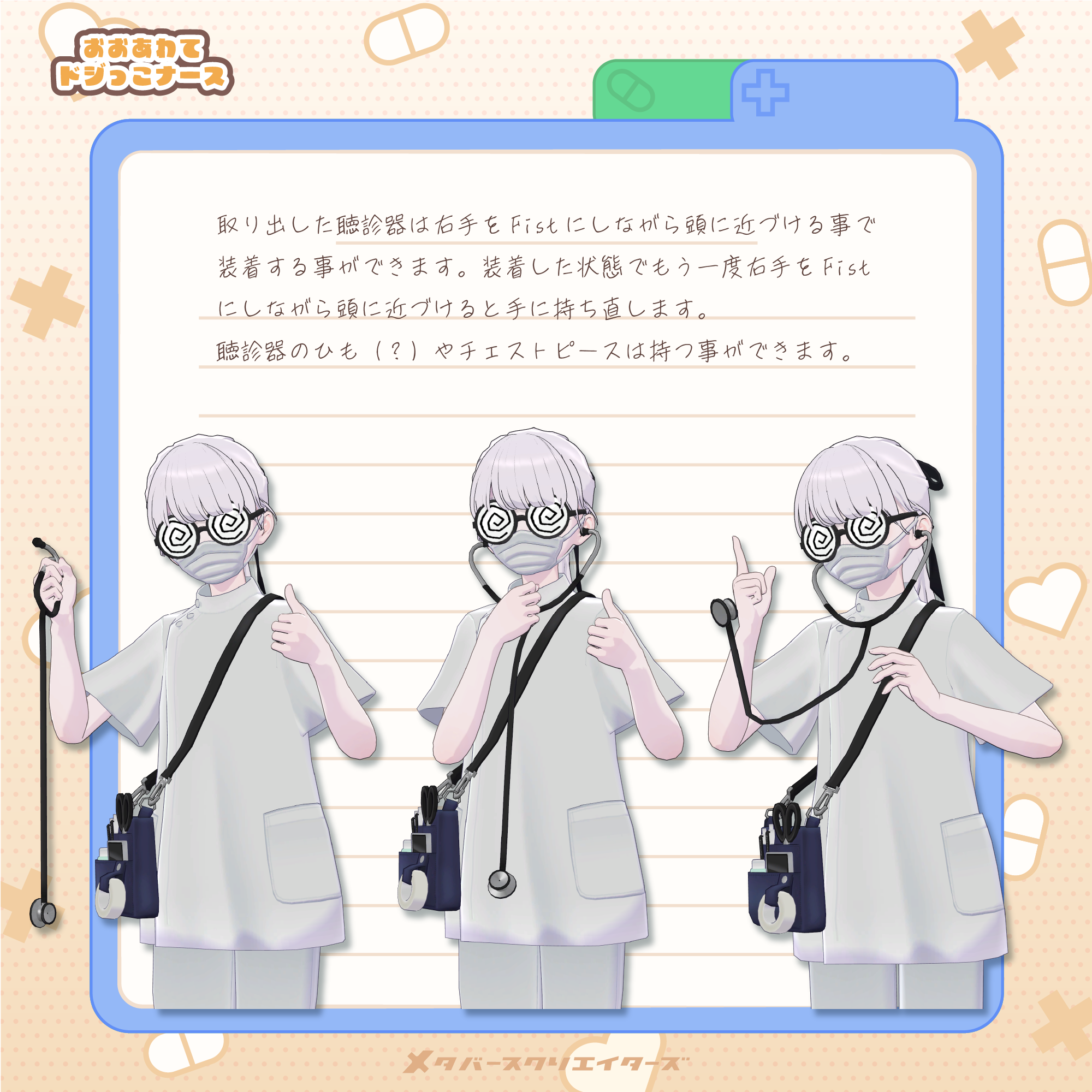
Wear the stethoscope. It even stretches!
Toggle the glasses, mask, and bag ON/OFF.
⭐ Male Avatar Version:
https://metacreatorstyo.booth.pm/items/8973814
※ This product is a clothing model for VRChat avatars. The avatar itself is not included.
※ Due to the digital nature of this product, refunds and returns are not accepted. Please read the product description and Terms of Use before purchasing.
◆ Product Information
Included Files
DojikkoNurse_◯◯.Unitypackage (◯◯ indicates the variation name)
DojikkoNurse_Material.Unitypackage
FBX files
Textures
Customization PSD files
ReadMe.txt
Shader
lilToon: https://lilxyzw.booth.pm/items/3087170
Required Asset
Modular Avatar: https://modular-avatar.nadena.dev/docs/intro
Model Specifications
Polygons: 8,616
Meshes: 5
Materials: 1
PhysBone Components: 4
Import Folder
Assets > MetaverseCreators_CP > 663_chanSHOP > Dojikko_Nurse
◆ Interactive Controls
Mask
Grab the mask to pull it down and adjust its position.
Other users can also interact with it using PhysBones.
Bag & Props
Small props continuously fall out of the bag.
Touch the bag while holding your right hand in a Fist gesture to randomly retrieve a ruler, clipboard, or stethoscope.
Stethoscope
Bring it close to your head to wear it.
While wearing it, bring it close to your head again with your right hand in a Fist gesture to hold it again.
You can grab the tubing and chest piece using PhysBones.
All features can also be controlled through the Expression Menu.
◆ Supported Avatars
Shinano: https://booth.pm/ja/items/6106863
Manuka (Ver. 1.02): https://jingo1016.booth.pm/items/5058077
Sio: https://booth.pm/ja/items/5650156
Chocolat: https://komado.booth.pm/items/6405390
Marycia: https://brn.booth.pm/items/6305948
Lapwing: https://booth.pm/ja/items/4993931
Kalahari (Quest Compatible): https://663-chanshop.booth.pm/items/8660034
Trista (Quest Compatible): https://663-chanshop.booth.pm/items/4844269
※ Shape keys that hide parts of the avatar's body are used when fitting the outfit.
◆ Supported Shape Keys
Chocolat
Breasts_small
※ Bust size adjustment shape keys are not supported for other avatars.
◆ Installation Guide
Set up the latest VRChat SDK through VCC.
Install lilToon and Modular Avatar through VCC.
Import the latest avatar package.
Import the Material package.
Import the corresponding avatar-specific package.
Drag your avatar into the Scene Hierarchy.
Hide unwanted default clothing or set it to Editor Only if necessary.
Drag the outfit prefab directly under the avatar.
Upload your avatar through the VRChat SDK.
About MA Shape Changer & MA Mesh Cutter
This outfit uses Modular Avatar's MA Shape Changer and MA Mesh Cutter to automatically adjust body shape keys and hide interfering mesh sections when the outfit is added.
You can remove unnecessary settings if you only want to use certain outfit parts.
※ If any body parts become unintentionally slimmed down, reset the corresponding shape keys to 0.
Additional Adjustments
If the glasses or mask are misaligned, adjust the Mask_root or Megane_root bones under Head.
Additional shape keys are available for adjusting their shape.
If the worn stethoscope is misaligned, adjust Const > Tyosinki_Head_Proxy.
For easier adjustment, temporarily set Tyosin_OFF under huku_HandItem to 0 and activate the Tyosinki_Head constraint.
※ Stethoscope positioning may be difficult to correct depending on the avatar's ear placement. Advanced users can modify the related animations.
※ Custom modification support is not provided.
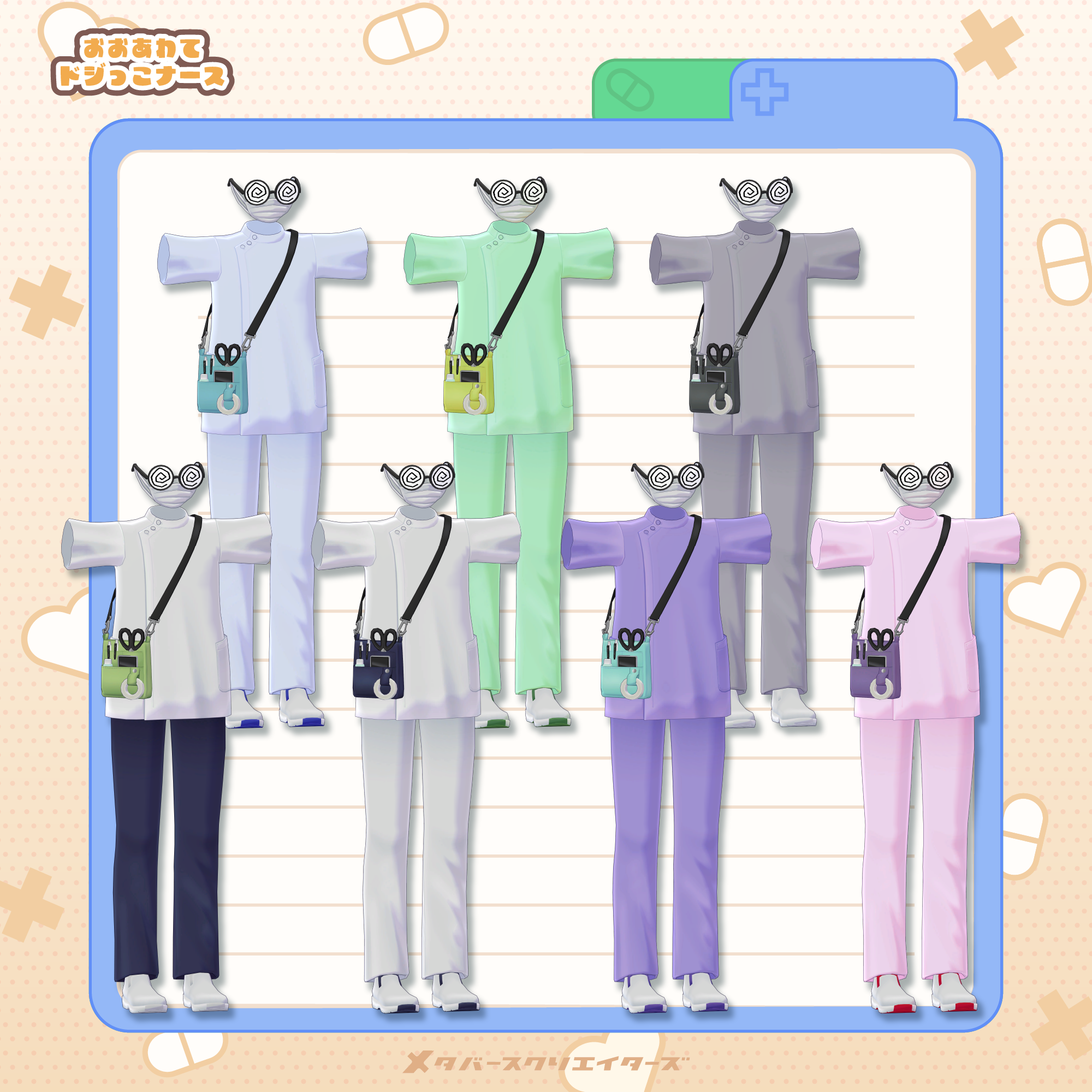
◆ Customizing Colors
Replace the color variation materials in Common > Material or edit the included PSD files.
About PSD Files
Textures have a simple layer structure.
Individual clothing parts are not separated into their own layers.
The base layer contains the flat colors without shadows.
Use the Magic Wand or similar tool to select individual areas and fill them with your preferred colors.
Clipping-mask layers are provided for recoloring shadows and details.
◆ Terms of Use
https://drive.google.com/drive/folders/1qRMXoIxM1ZgacBPfwOigQRtXP1vCbNMn?usp=sharing
※ Please follow the original avatar's Terms of Use.
◆ Development Environment
Blender Ver. 4.5
CLIP STUDIO PAINT
Unity Ver. 2022.3.22f1
VRChat SDK - Avatars Ver. 3.10.5
lilToon Ver. 2.3.4
Modular Avatar Ver. 1.18.7
◆ Credits
Creator: Virtual Garou Roromi
https://twitter.com/vgaro663
BOOTH: https://663-chanshop.booth.pm/
Thumbnail Creator: Arthur
https://x.com/rakusaa_VRC
Inquiries & Support:
Please contact the creator via BOOTH messages.