
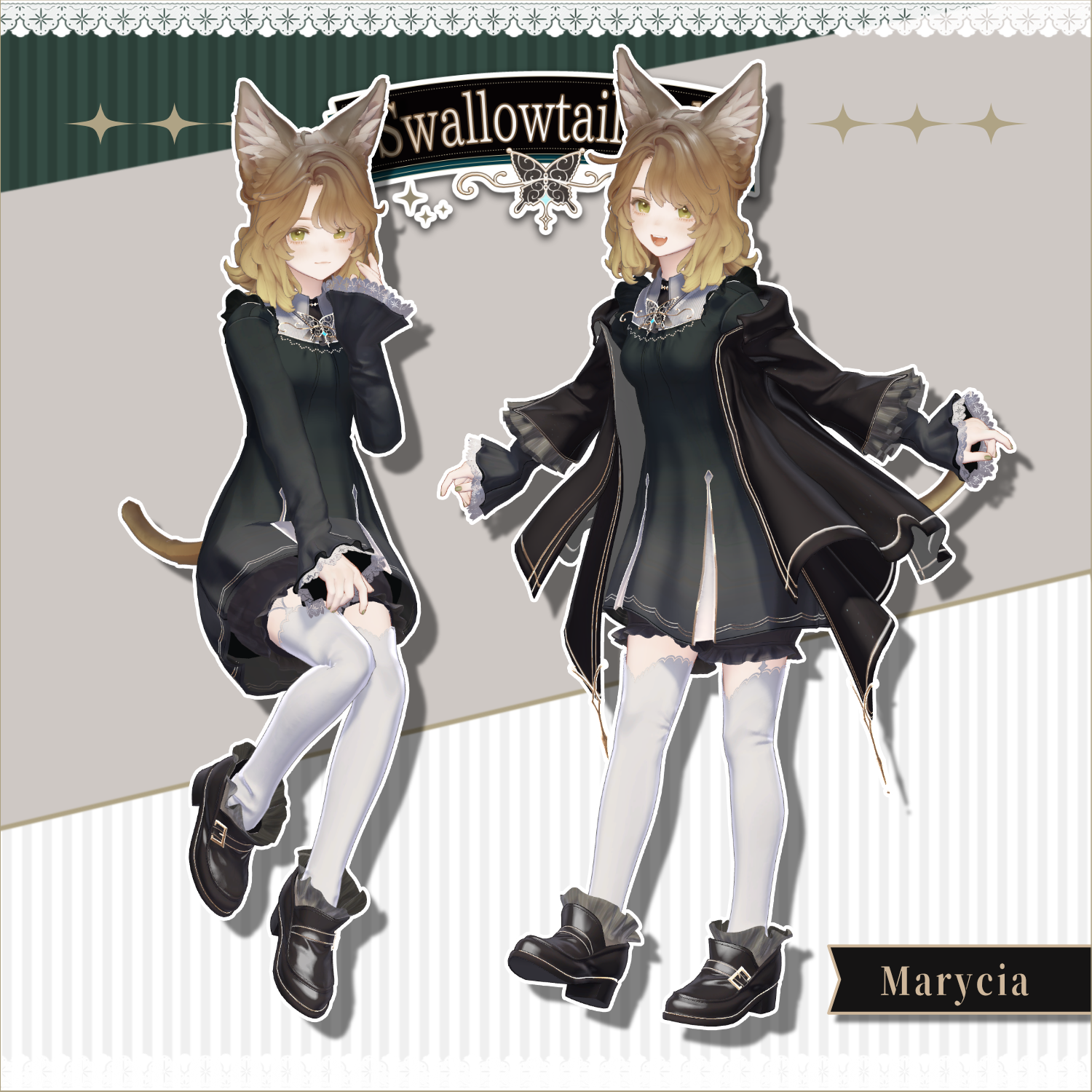
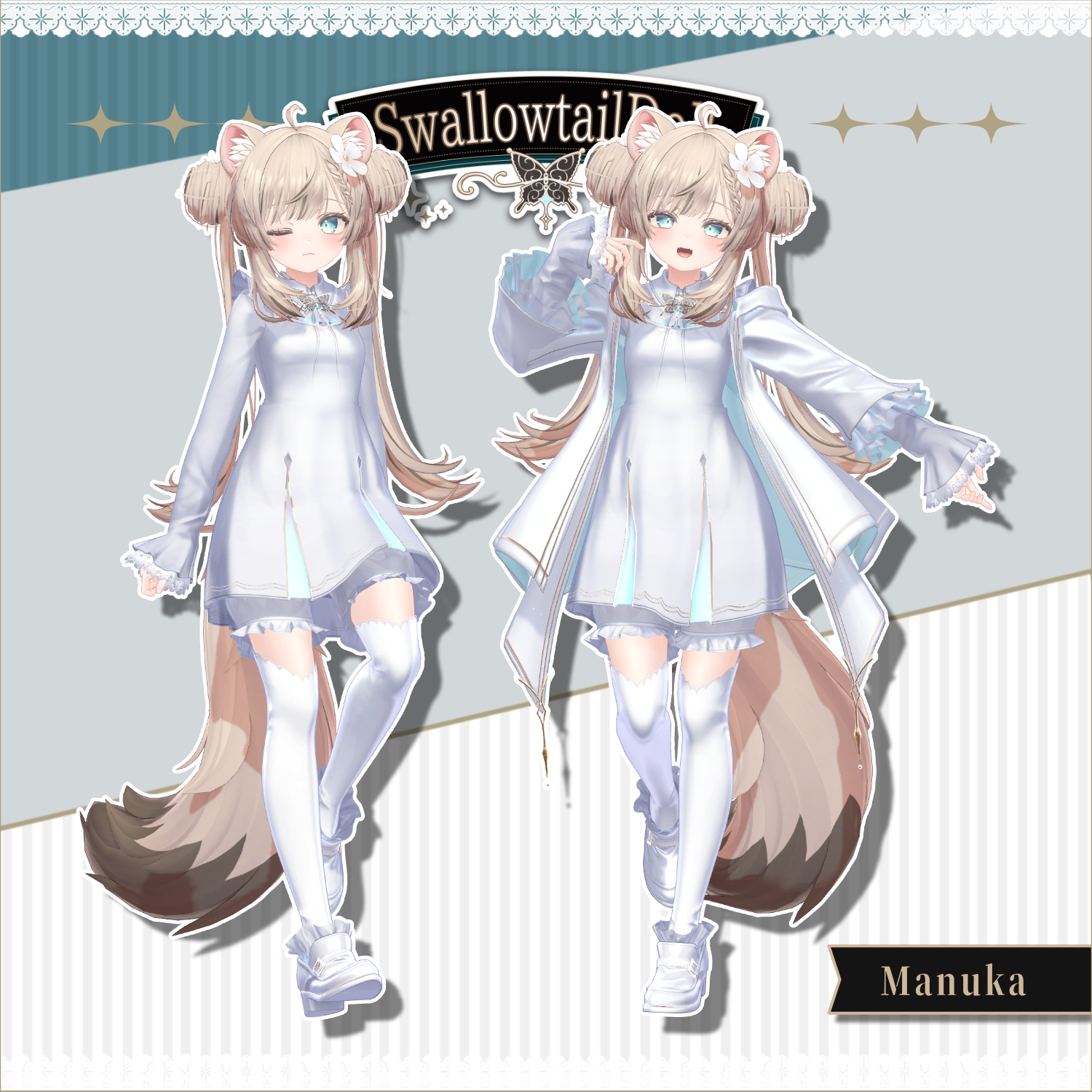
Product Description
◆ SwallowtailDoll ◆
Creator: Ramice
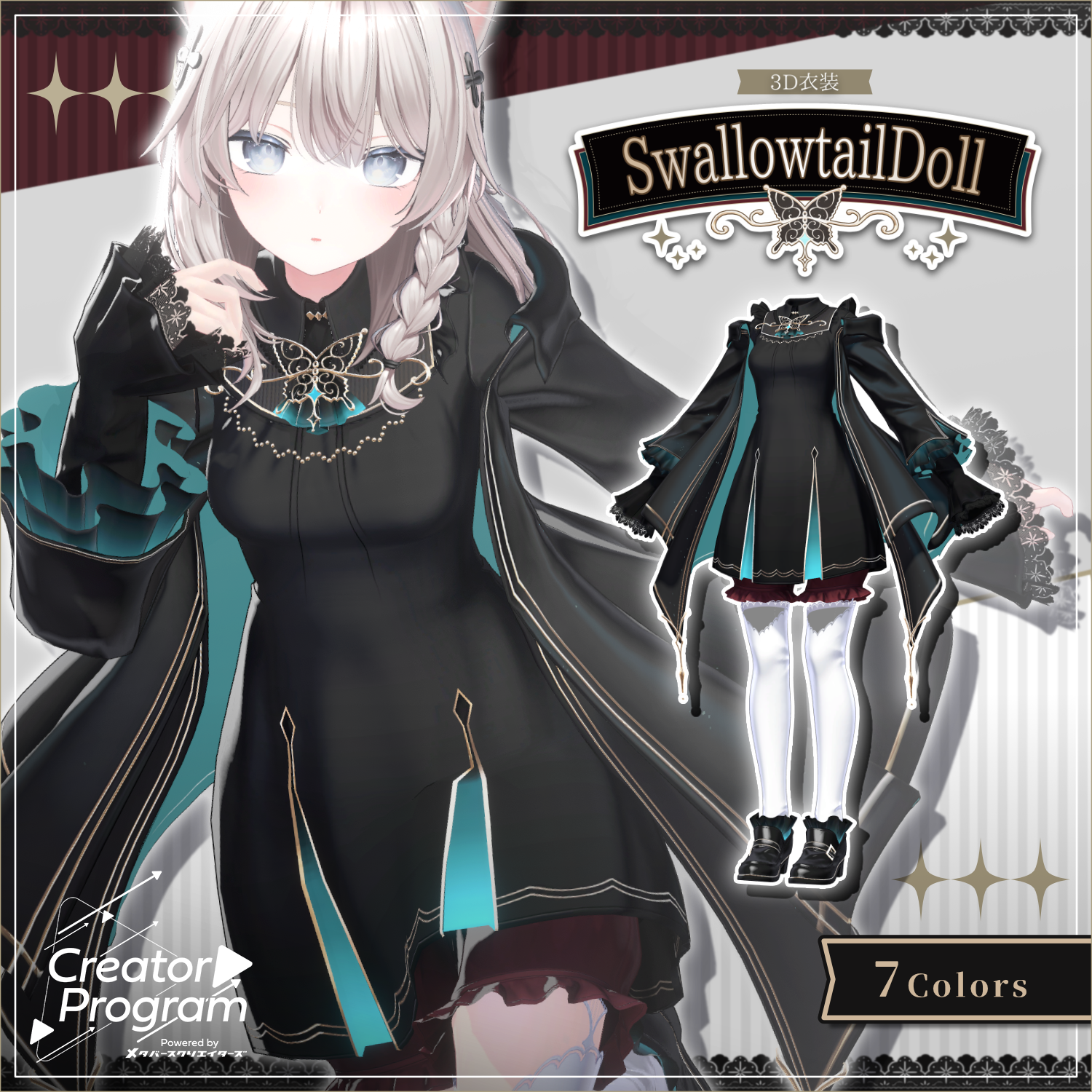
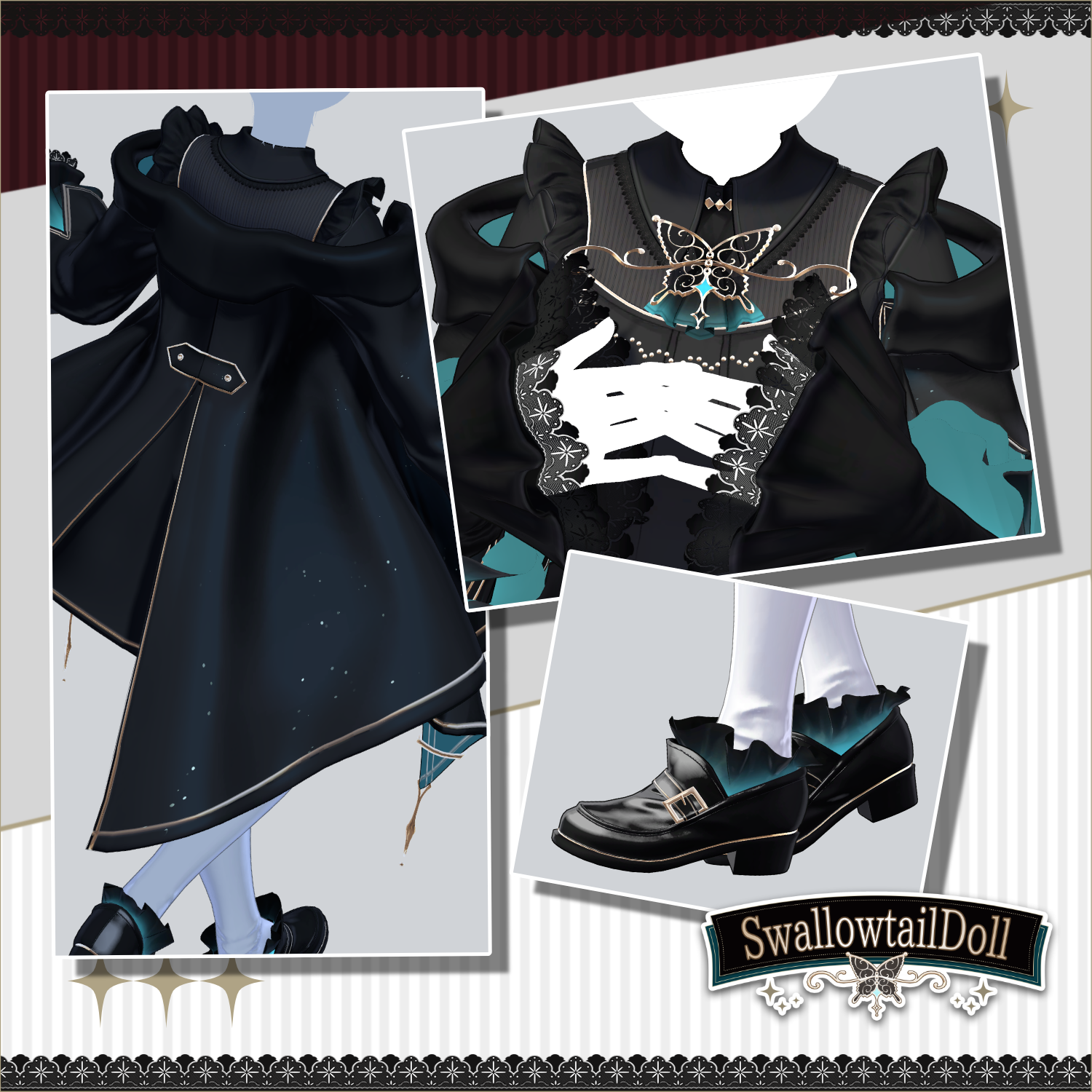
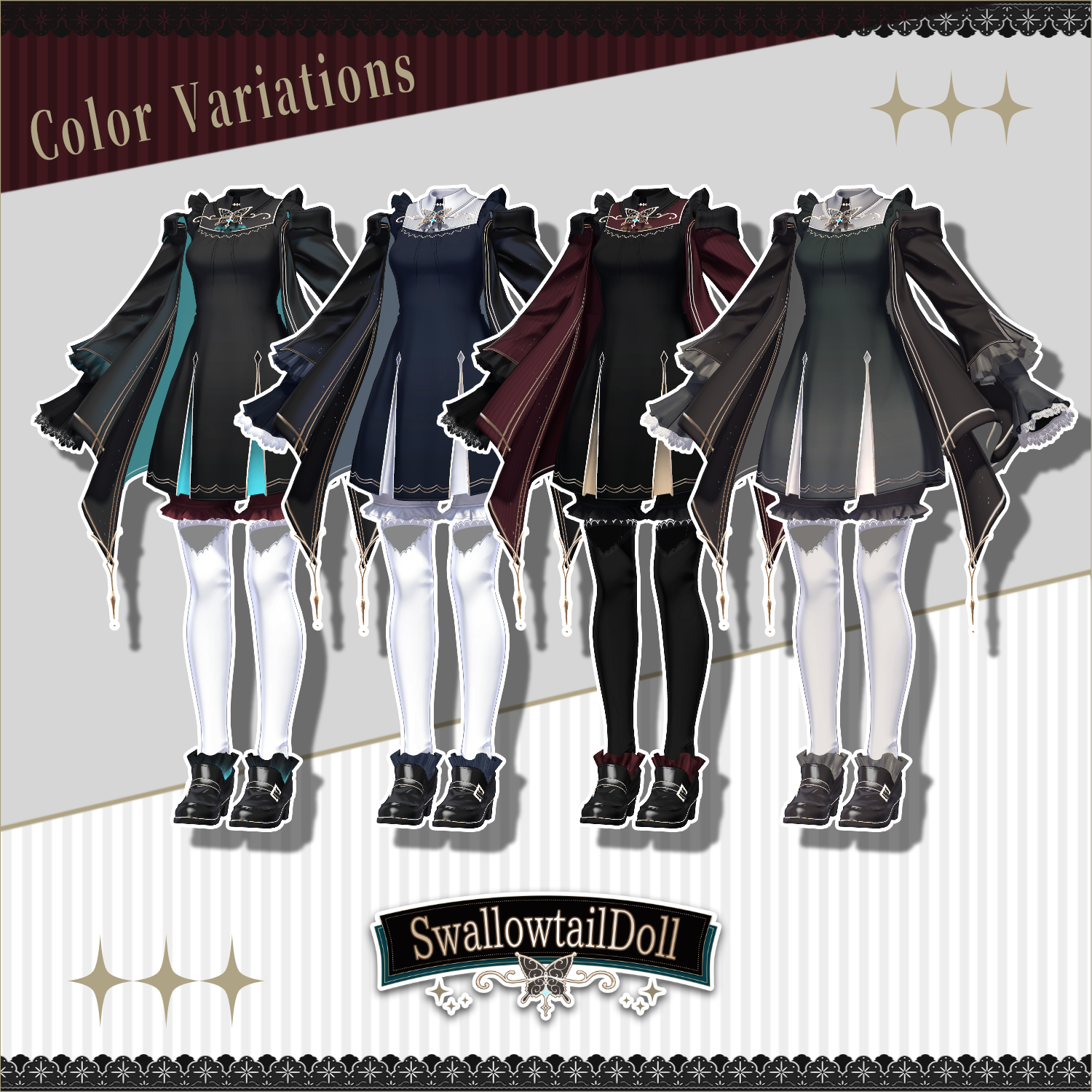
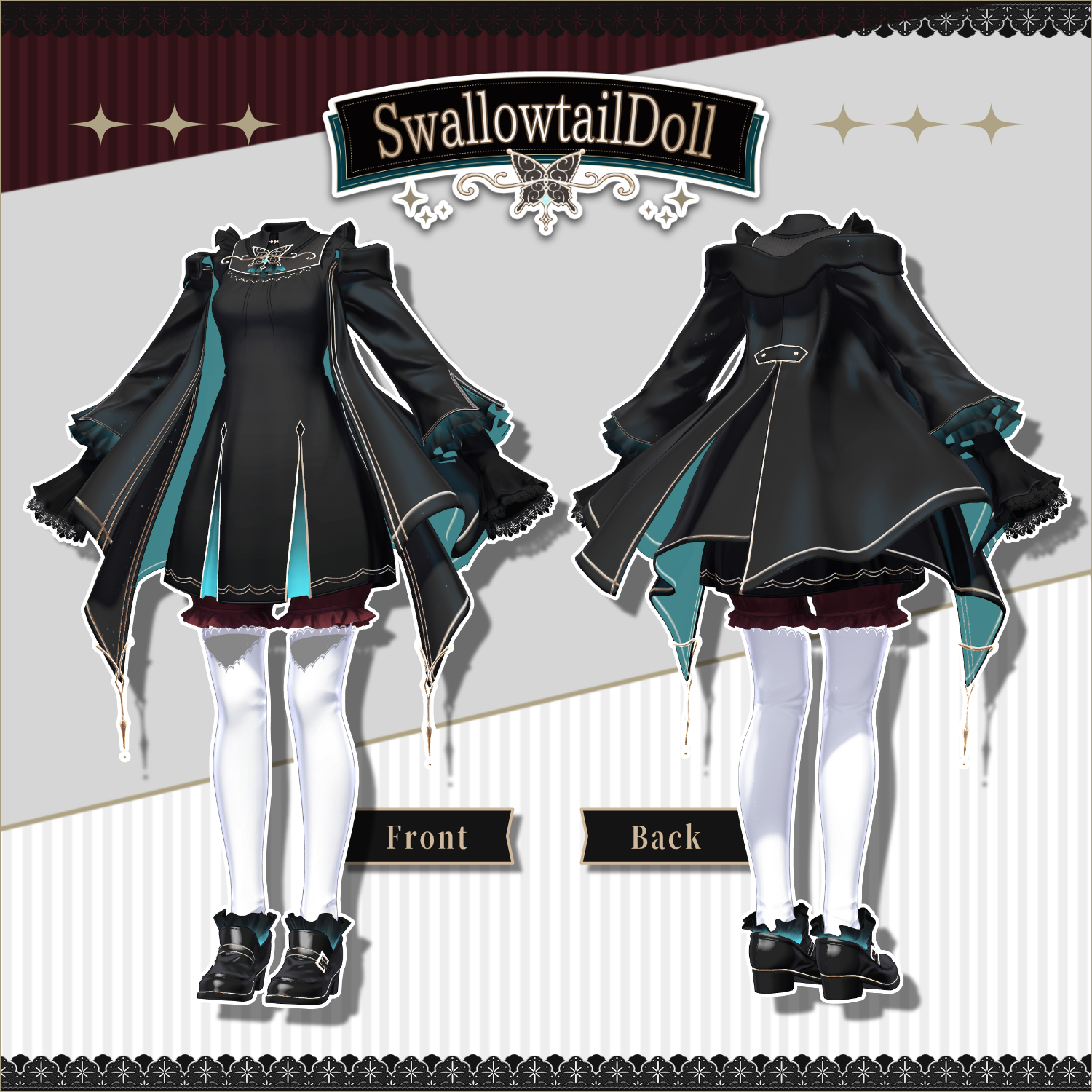
A 3D costume model for VRChat inspired by swallowtail butterflies and doll fashion. The jacket features lamé fabric, and parts of the frills have Emission, giving a soft glow even in dark environments.
This product is a costume model for avatars. Avatar body data is not included.
Due to the nature of digital downloads, returns and refunds are not available. Please read the product description and terms of use before purchasing.
◆ Item Overview
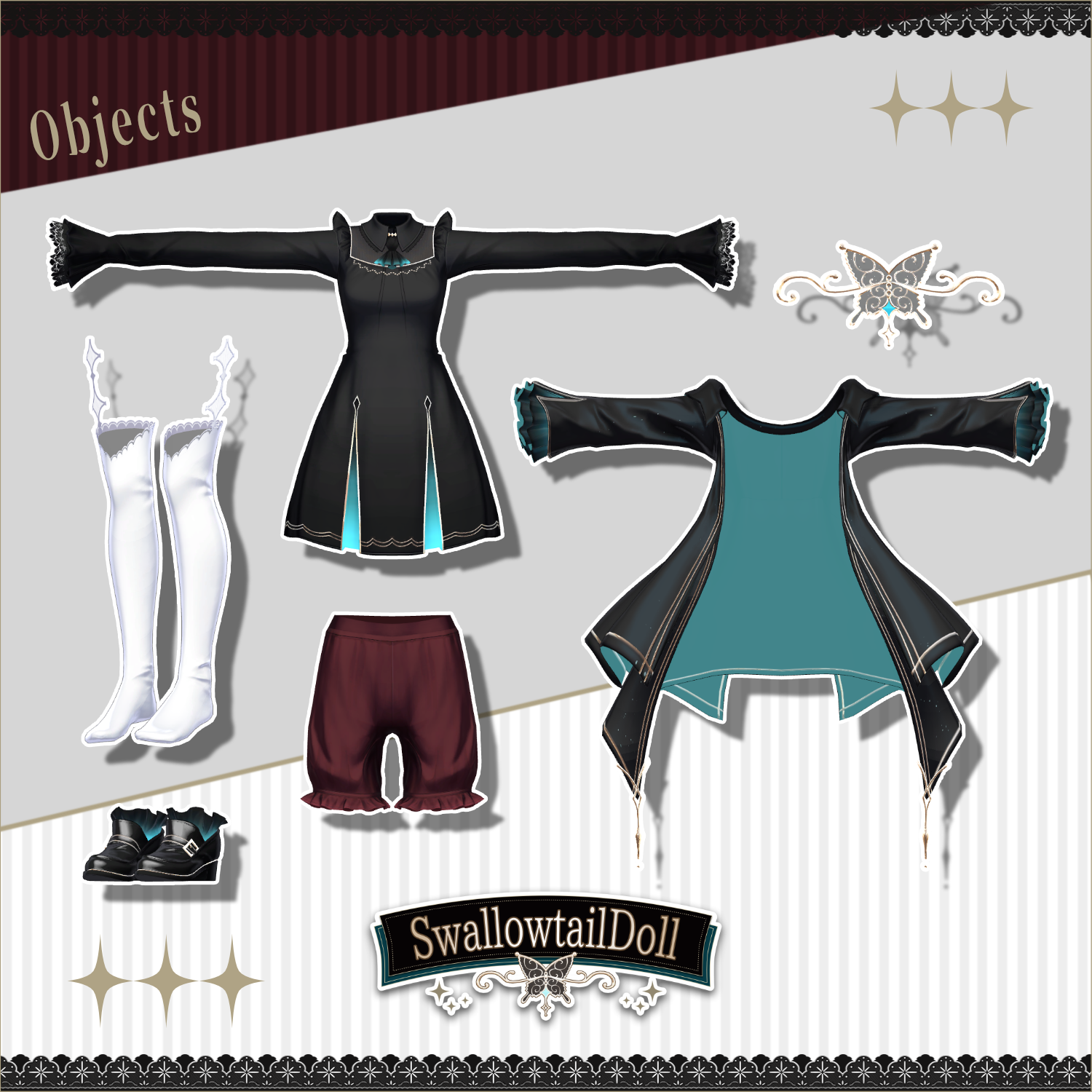
● Contents
SwallowtailDoll_For_[AvatarName].Unitypackage
FBX
Textures
PSD file for customization
ReadMe.txt
Shader Used
liltoon
https://lilxyzw.booth.pm/items/3087170
Required Assets
Modular Avatar
https://modular-avatar.nadena.dev/ja/docs/intro
● Model Data
△ Polygon count: 38,866 total (based on Shinano version; may vary slightly by avatar)
SD_Dress: 14,126
SD_Dress_Brooch: 1,514
SD_Dress_Drawers: 2,920
SD_Jacket: 12,118
SD_Shoes: 5,354
SD_Socks: 2,834
Mesh count: 6
Material count: 7
PB component count: 10
Import folder path:
Assets > MetaverseCreators_CP > Ramice > SwallowtailDoll
◆ Compatible Avatars
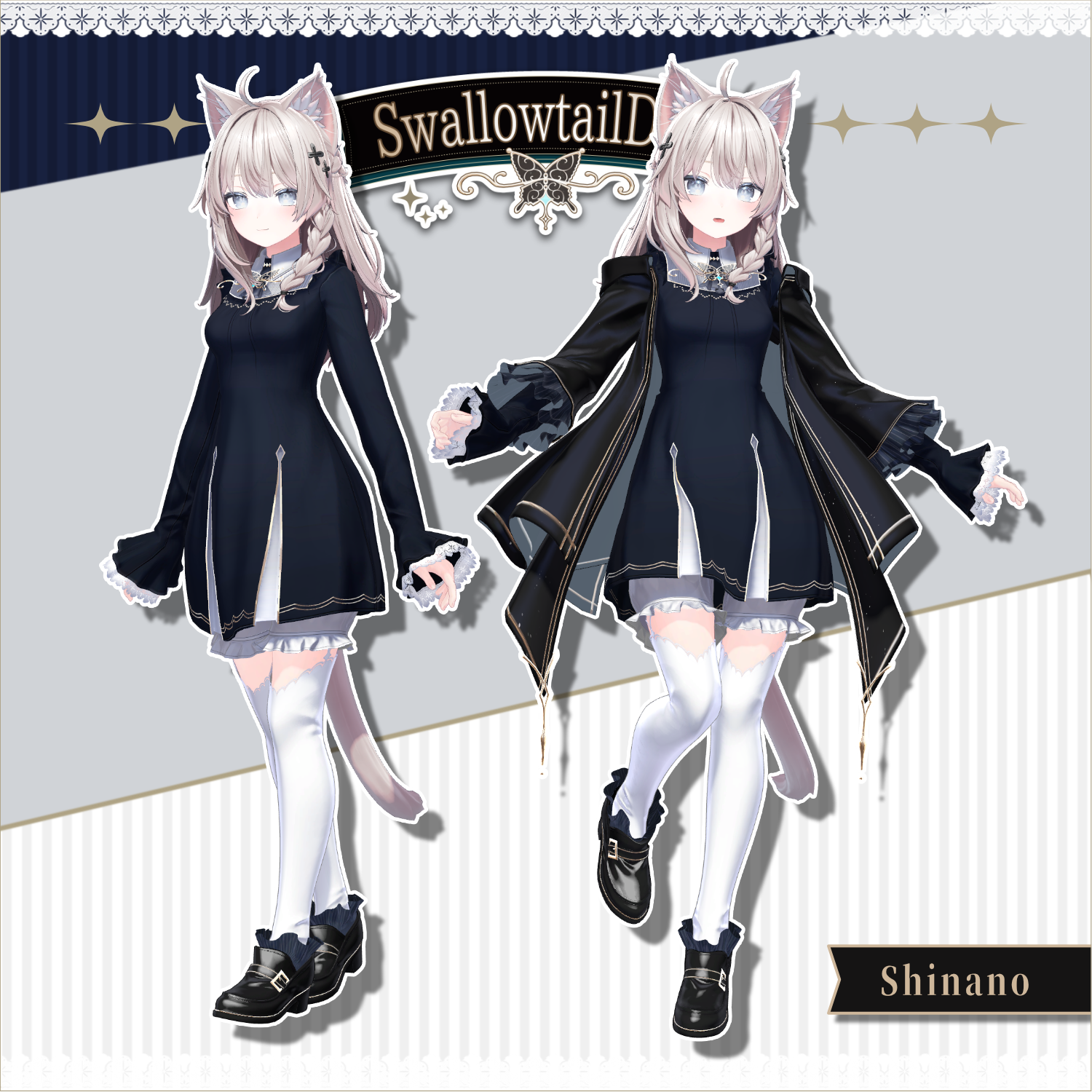
Shinano (original 3D model)
https://ponderogen.booth.pm/items/6106863
Manuka (original 3D model)
https://jingo1016.booth.pm/items/5058077
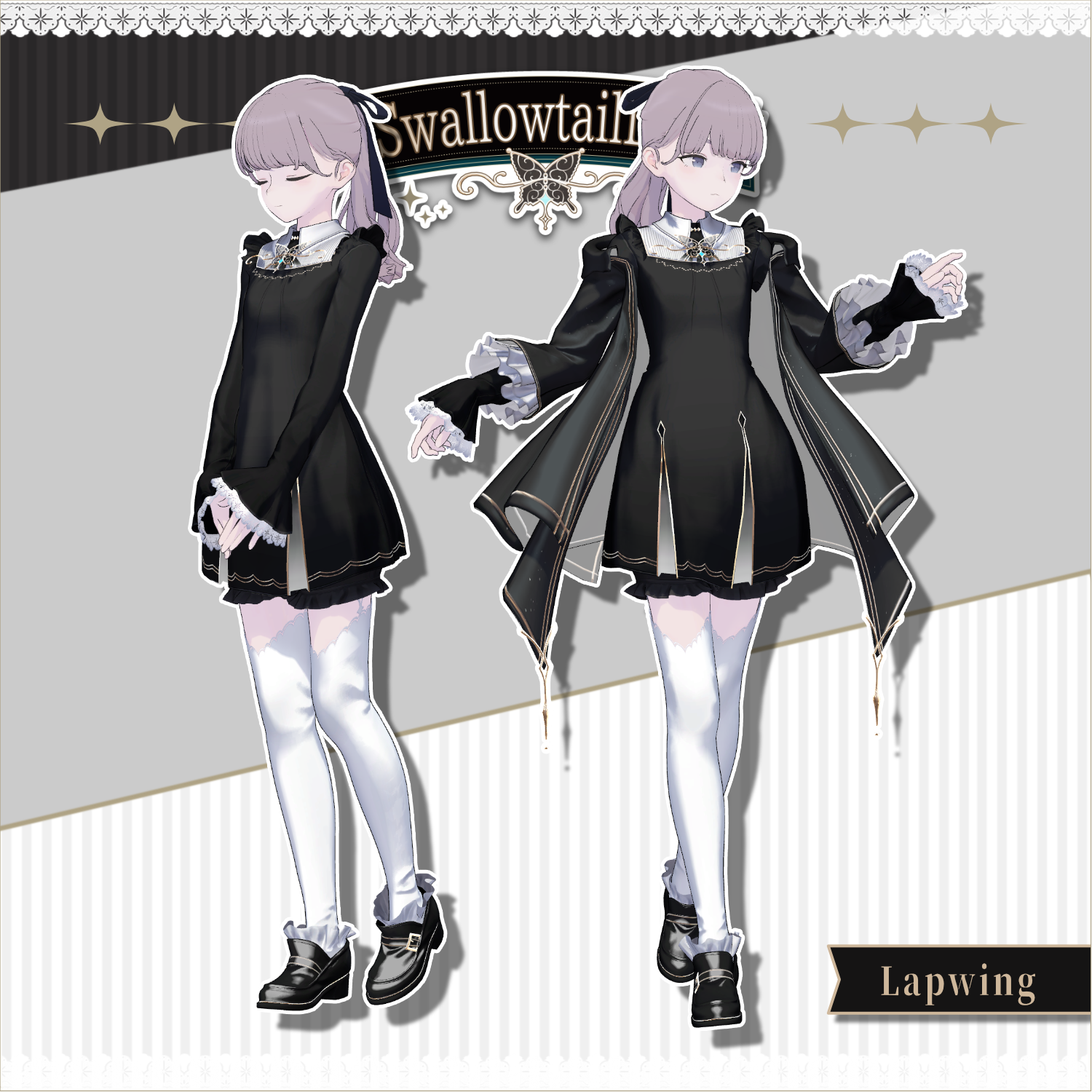
Lapwing (both A-pose and T-pose supported)
https://kujishift.booth.pm/items/4993931
Marycia (both A-pose and T-pose supported)
https://brn.booth.pm/items/6305948
When dressing the avatar, a shape key that hides the base body (making it rod-like) is used.
The skirt portion of "SD_Dress" has no PhysBone and will not sway. Clipping prevention is handled by weights only, so wide leg movements or deep bends may cause mesh issues. Please be aware of this in advance.
For the Lapwing-specific version, only specially adjusted materials (including color variants) for "SD_Dress", "SD_Jacket", and "SD_Shoes" are included. Materials for other avatars are not included.
【Prerequisite Shape Keys】 The costume is designed around the following shape key values:
Shinano: Corset 100, Toe_heels 100
Manuka: Waist_corset 100, Foot_heel 50
Lapwing: None
Marycia: Slim_Spine 100
【Supported Shape Keys】
Shinano: Breasts_flat / Breasts_big
Manuka: Breast_big / Breast_big_PLUS (only used with Breast_big shape key)
Lapwing: None
Marycia: Breast_Small / Breast_Large
◆ Setup Instructions
Set up the latest VRC SDK in VCC
Install required assets (liltoon, Modular Avatar) via VCC
Import the latest package for your avatar body
Import this data package
Drag and drop the avatar (or its customization/modification prefab, if applicable) into the Scene Hierarchy
Hide or set to Editor Only any unnecessary default costumes or underwear as needed
Drag and drop "SwallowtailDoll_[AvatarName].Prefab" directly under the avatar
Upload the avatar via VRC SDK
The costume uses Modular Avatar's "MA Shape Changer" feature. Dragging and dropping the costume under the avatar will automatically enable shape keys on the base body, slimming it or hiding mesh in affected areas, preventing clipping. If MA Shape Changer is not needed, you may delete it as preferred.
If part of the base body appears unintentionally thinned after dressing, reset the relevant shape key to 0 and verify the body displays correctly.
◆ Color Customization
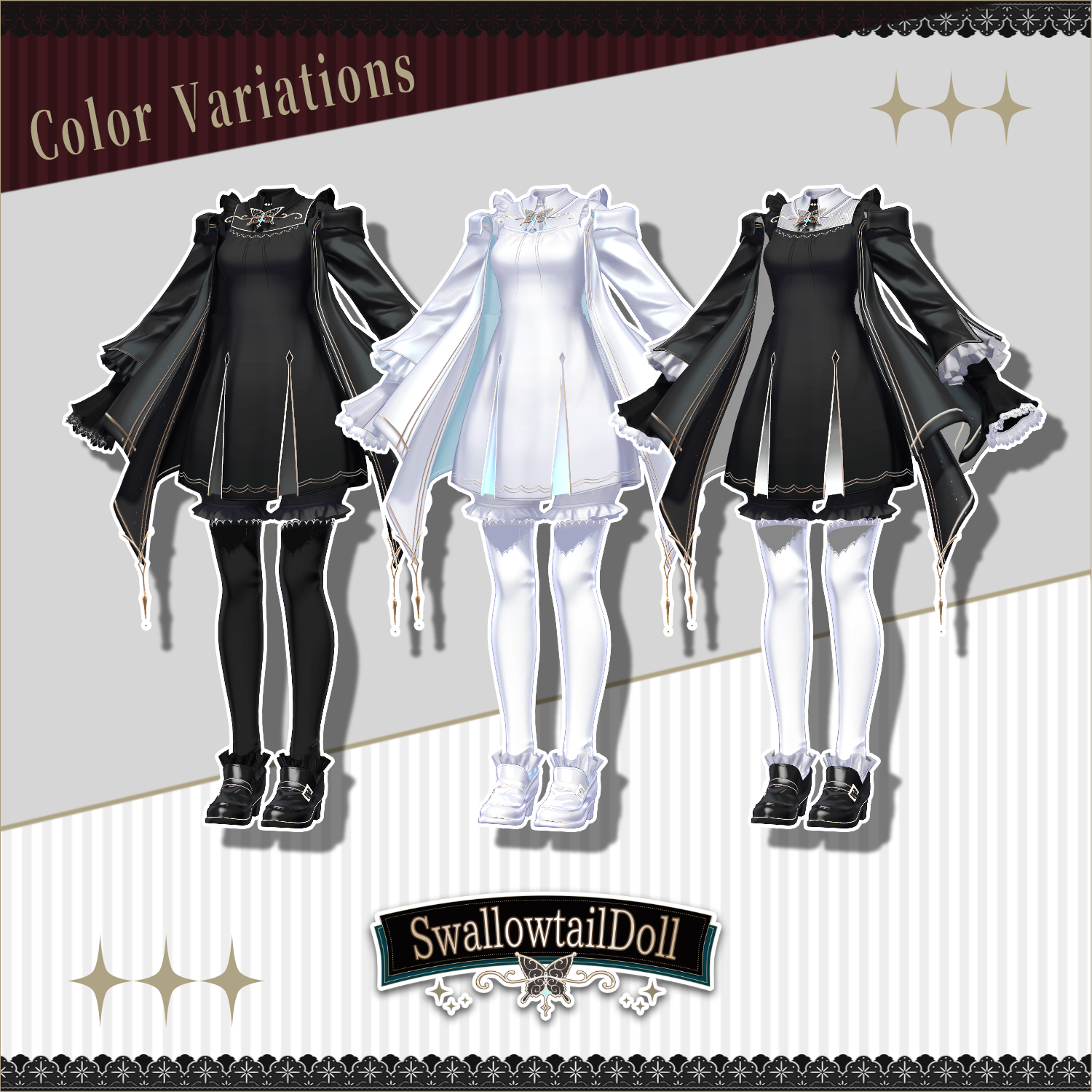
Replace materials from the Common > Material folder with the included color variant materials. Since MA Material Swap is pre-configured, you can easily change colors directly within the "MA Material Swap" component on the costume's Root object. You can also use the included PSD file to recolor to your preference.
◆ Terms of Use
https://drive.google.com/drive/folders/1qRMXoIxM1ZgacBPfwOigQRtXP1vCbNMn?usp=sharing
Please also comply with the terms of use for the base avatar you are using.
◆ Development Environment
Modeling: Blender 4.2.18
Textures: CLIP STUDIO PAINT, Substance 3D Painter
Setup: Unity 2022.3.22f1
VRChat SDK – Avatars 3.10.1 (VCC)
liltoon 2.3.2
Modular Avatar 1.16.2
◆ Credits
Creator: Ramice
https://lit.link/ramice
https://rcoc.booth.pm/
Support:
https://discord.gg/bmw3PWE37M