
Product Description
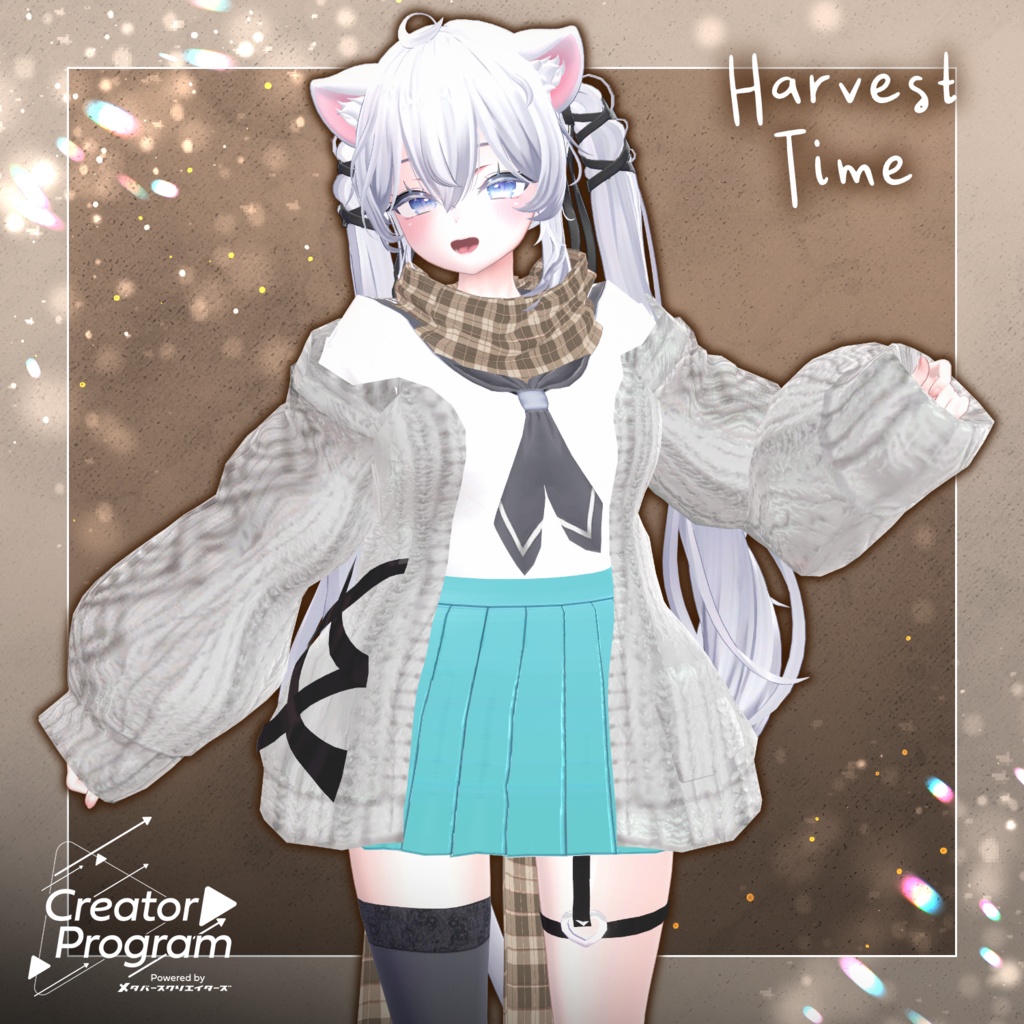
◆ Harvest time ◆
Creator: Taichi Oosaki (大幸太一)
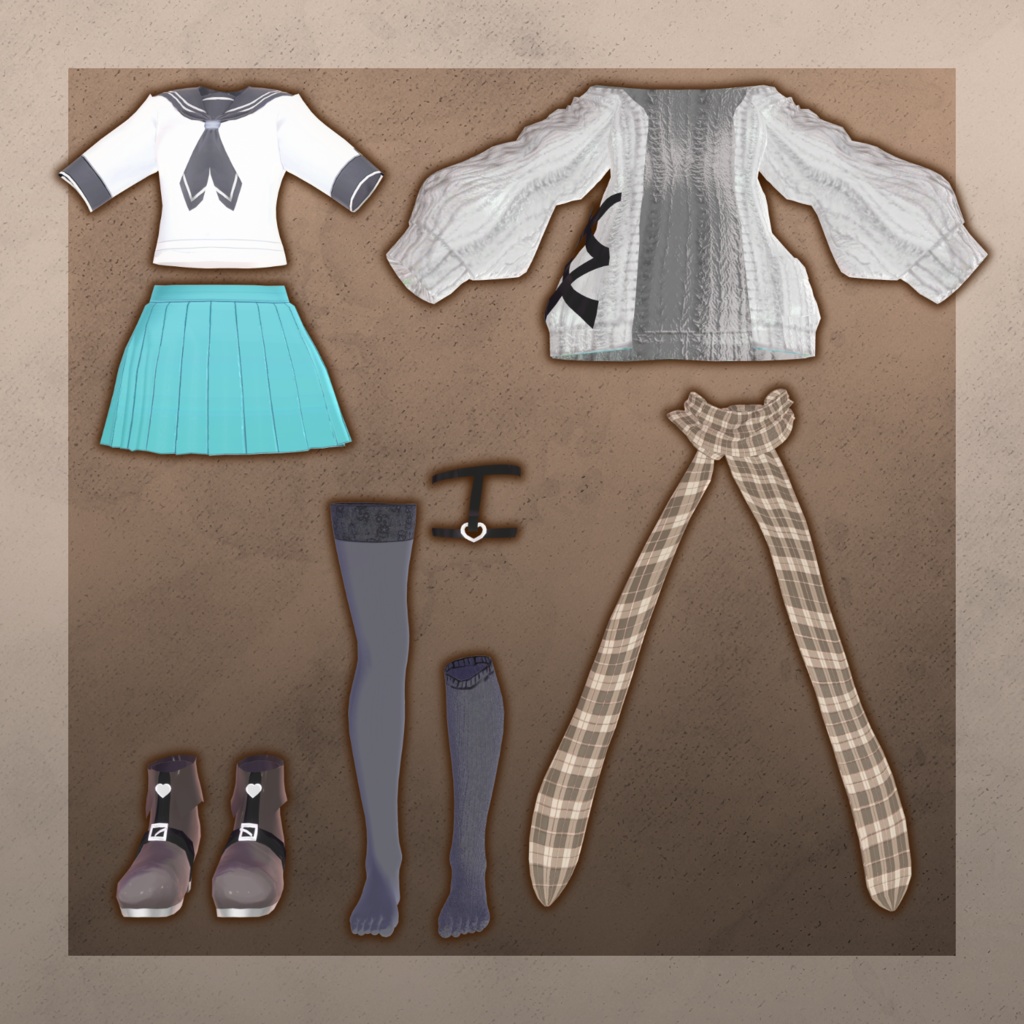
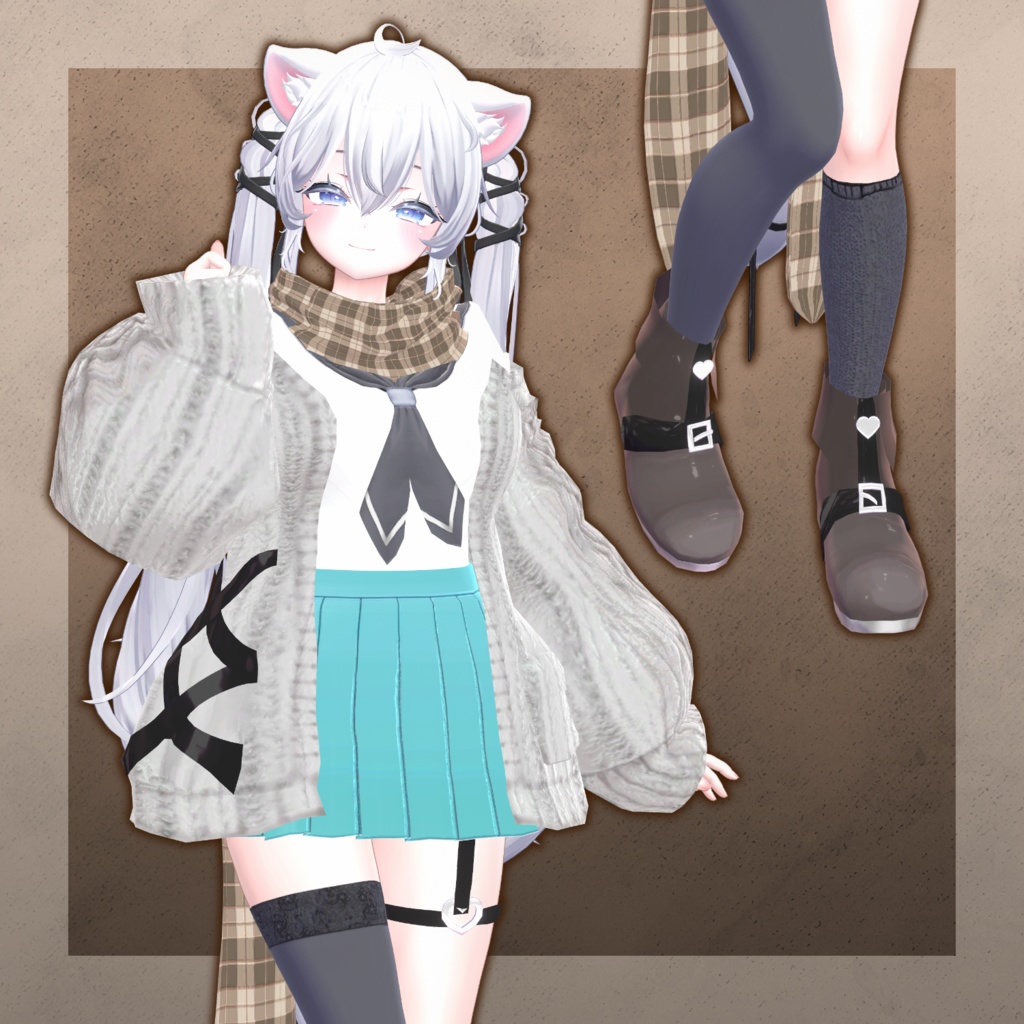
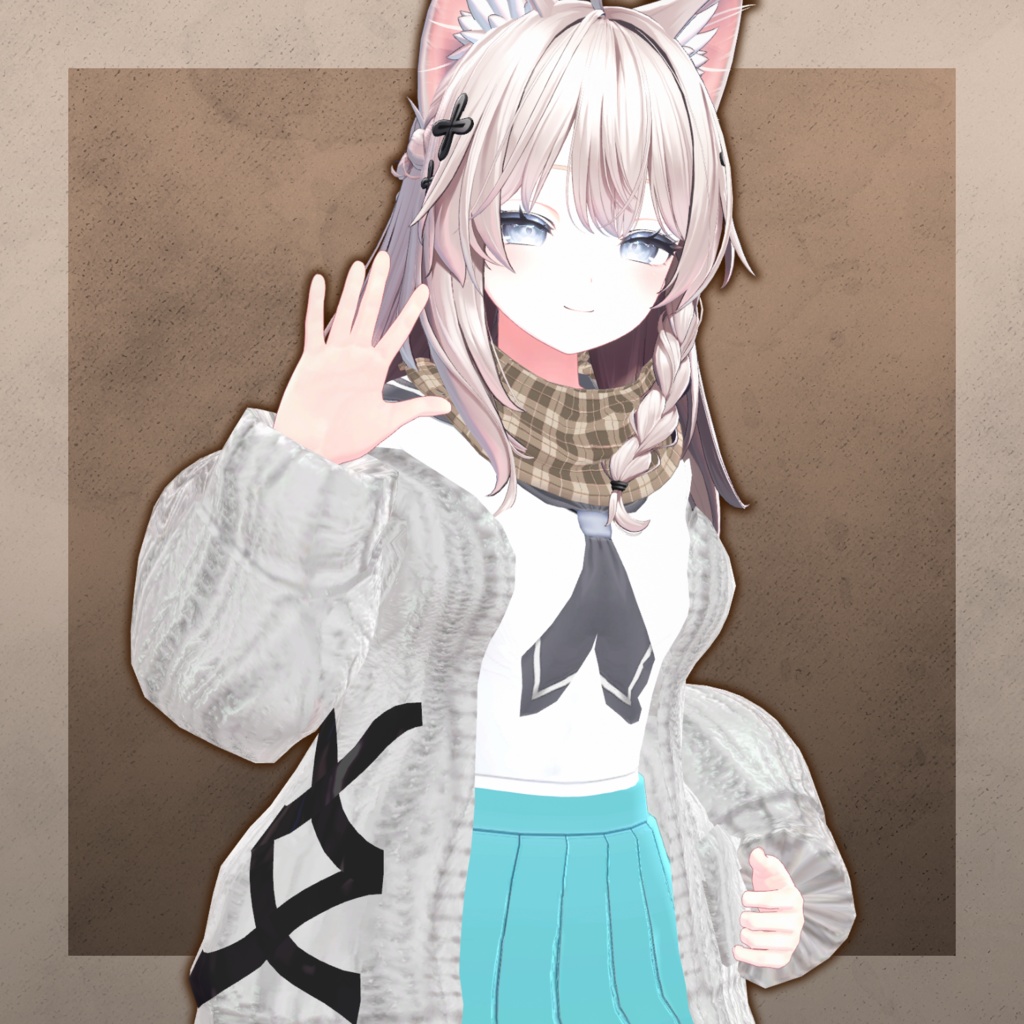
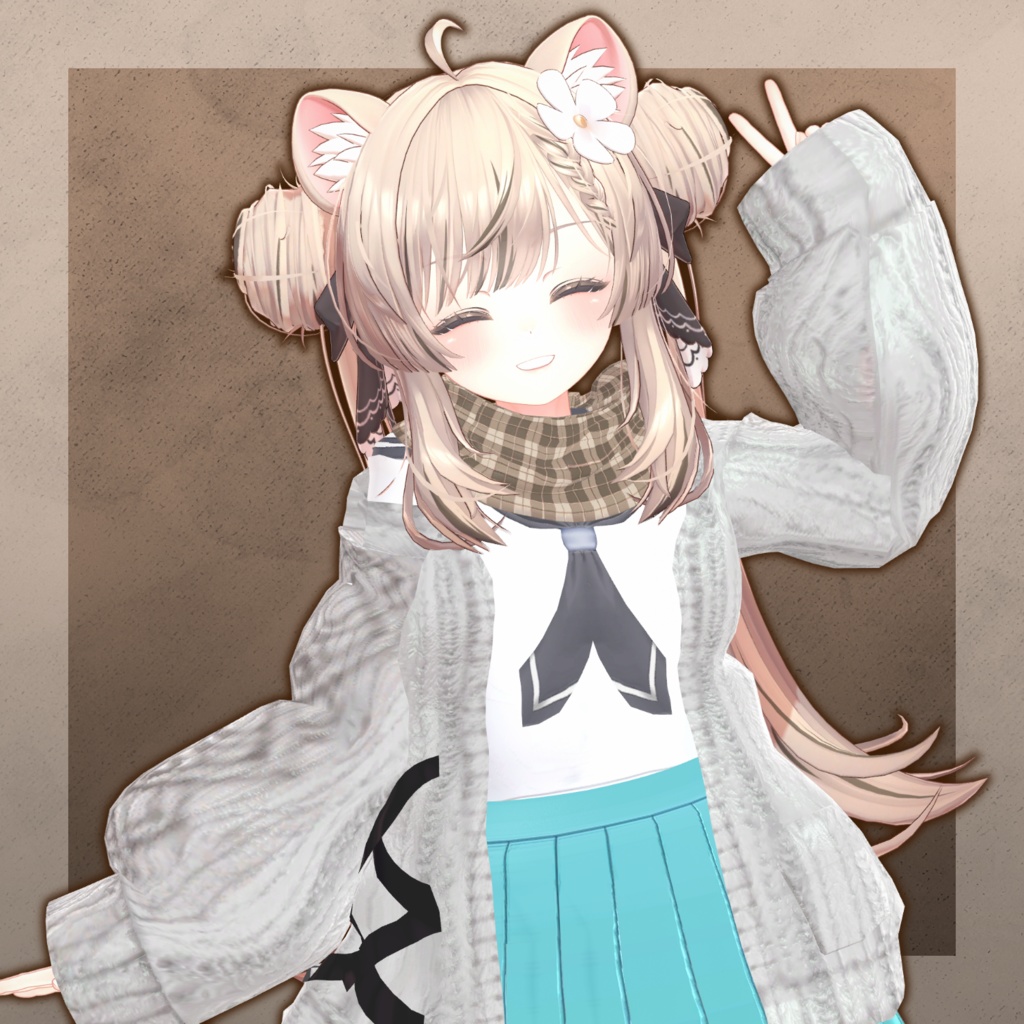
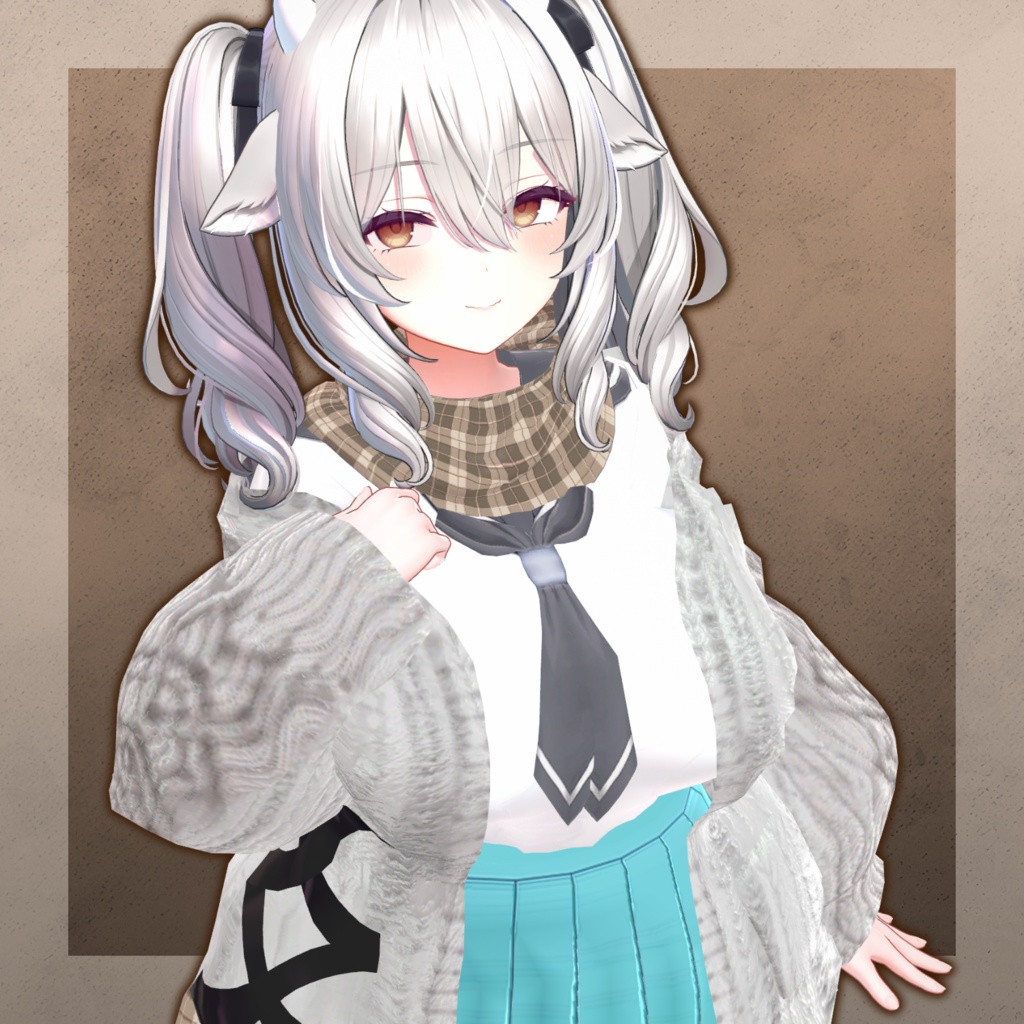
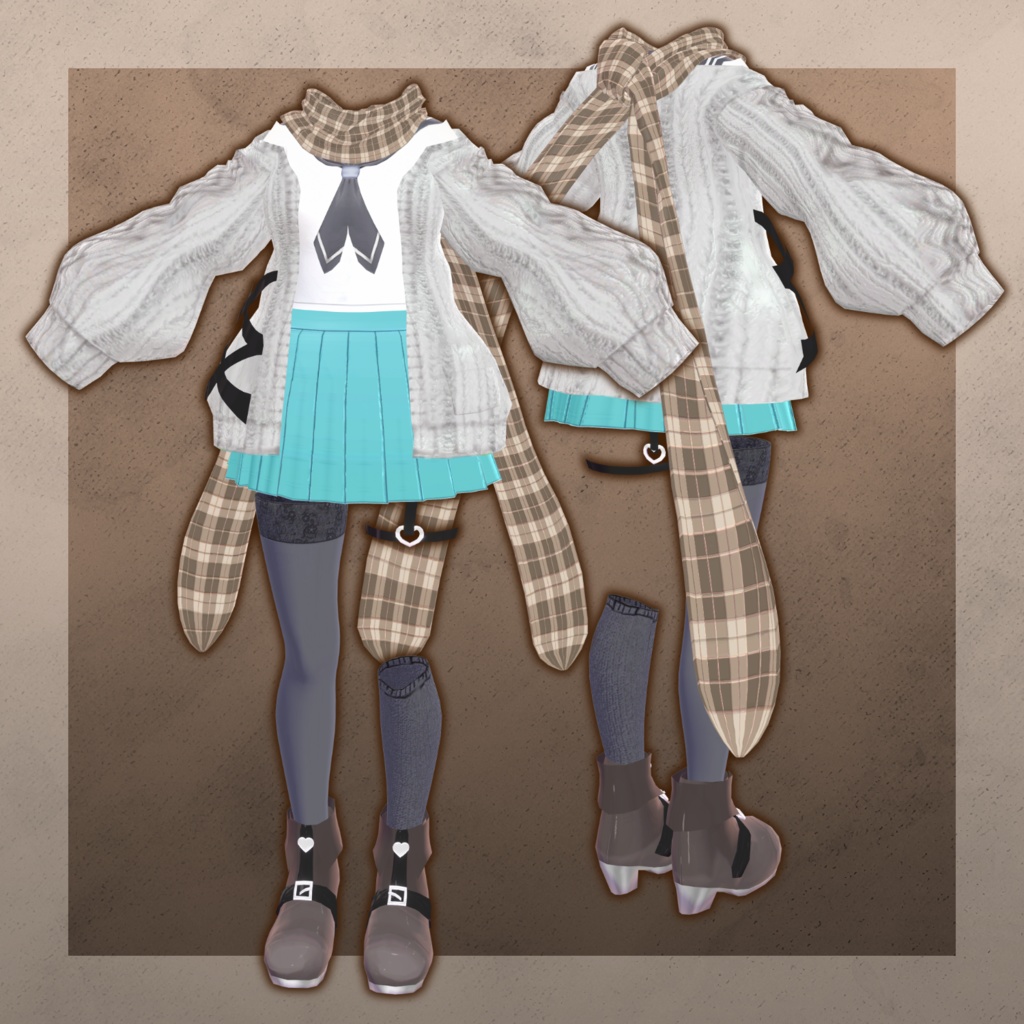
A refreshing sailor outfit paired with a soft, fluffy knitted cardigan.
The gentle, elegant scarf and scattered heart accents create a warm, cozy feeling—
as if the warmth of autumn has been wrapped around both body and heart.
※ Important Notes
This product is a clothing model for VRChat avatars. The avatar body itself is not included.
Due to the nature of digital downloads, returns and refunds are not available.
Please review and agree to the product description and Terms of Use before purchasing.
◆ Item Overview
● Included Files
Harvest_time.Unitypackage
FBX
ReadMe.txt
● Shader Used
liltoon
https://lilxyzw.booth.pm/items/3087170
● Required Asset
Modular Avatar
https://modular-avatar.nadena.dev/ja/docs/intro
◆ Model Data
Total Polygons: 24,568 – 27,811
Scarf: 8,456
Shoes: 2,680
Socks: 5,922 – 9,165
Skirt: 1,178
Sweater: 3,858
Tops: 2,474
Mesh Count: 6
Material Count: 8
PhysBone Components: 15
Import Folder
Assets > MetaverseCreators_CP > Oosati > Haevest_time
◆ Supported Avatars (English Names)
Manuka – Original 3D Model (ver.1.02)
https://booth.pm/ja/items/5058077
Shinano – Original 3D Model
https://booth.pm/ja/items/6106863
Sio / Shio – Original 3D Model (ver.2.01)
https://booth.pm/ja/items/5650156
Miltina – Original 3D Model
https://booth.pm/ja/items/6538026
Note:
This outfit uses shapekeys that hide the avatar’s base body (stick-figure hiding method).
◆ Installation Instructions
Set up the latest VRC SDK in VCC
Install required assets (liltoon, Modular Avatar) via VCC
Import the latest package for your avatar
Import this product’s Unitypackage
Drag your avatar (and any clothing/modification prefabs) into the Scene Hierarchy
Hide any unnecessary clothing on the avatar (default outfits, underwear, etc.) using Editor Only
Drag “Harvest_time.Prefab” directly under the avatar in the Hierarchy
Upload your avatar through the VRC SDK
About MA Shape Changer
This outfit uses Modular Avatar’s MA Shape Changer feature.
When the clothing prefab is placed under the avatar, necessary shapekeys automatically turn ON—
making the avatar’s body slimmer or hiding overlapping mesh to prevent clipping.
Remove unnecessary Shape Changer entries if you want to use only part of the outfit.
For +Head-compatible avatars, body mesh names may differ; if the Shape Changer does not work,
rename the body mesh or adjust shapekeys manually.
If any body parts appear unintentionally thin after dressing the avatar, reset the relevant shapekeys to 0.
◆ Color Customization
Adjust colors using the Main Color settings in the materials located in:
Common > Material
◆ Terms of Use
https://drive.google.com/drive/folders/1qRMXoIxM1ZgacBPfwOigQRtXP1vCbNMn?usp=sharing
Please follow the Terms of Use of the base avatar model.
◆ Production Environment
Modeling: Blender Ver4.4.3
Texturing: CLIP STUDIO PAINT
Setup: Unity Ver2022.3.22f1
VRChat SDK - Avatars Ver3.9.0 (VCC)
liltoon 2.3.1
ModularAvatar 1.14.3
◆ Credits
Creator: Taichi Oosaki
https://oosati.booth.pm/
(Personal BOOTH)
Support Contact
https://discord.gg/bmw3PWE37M