
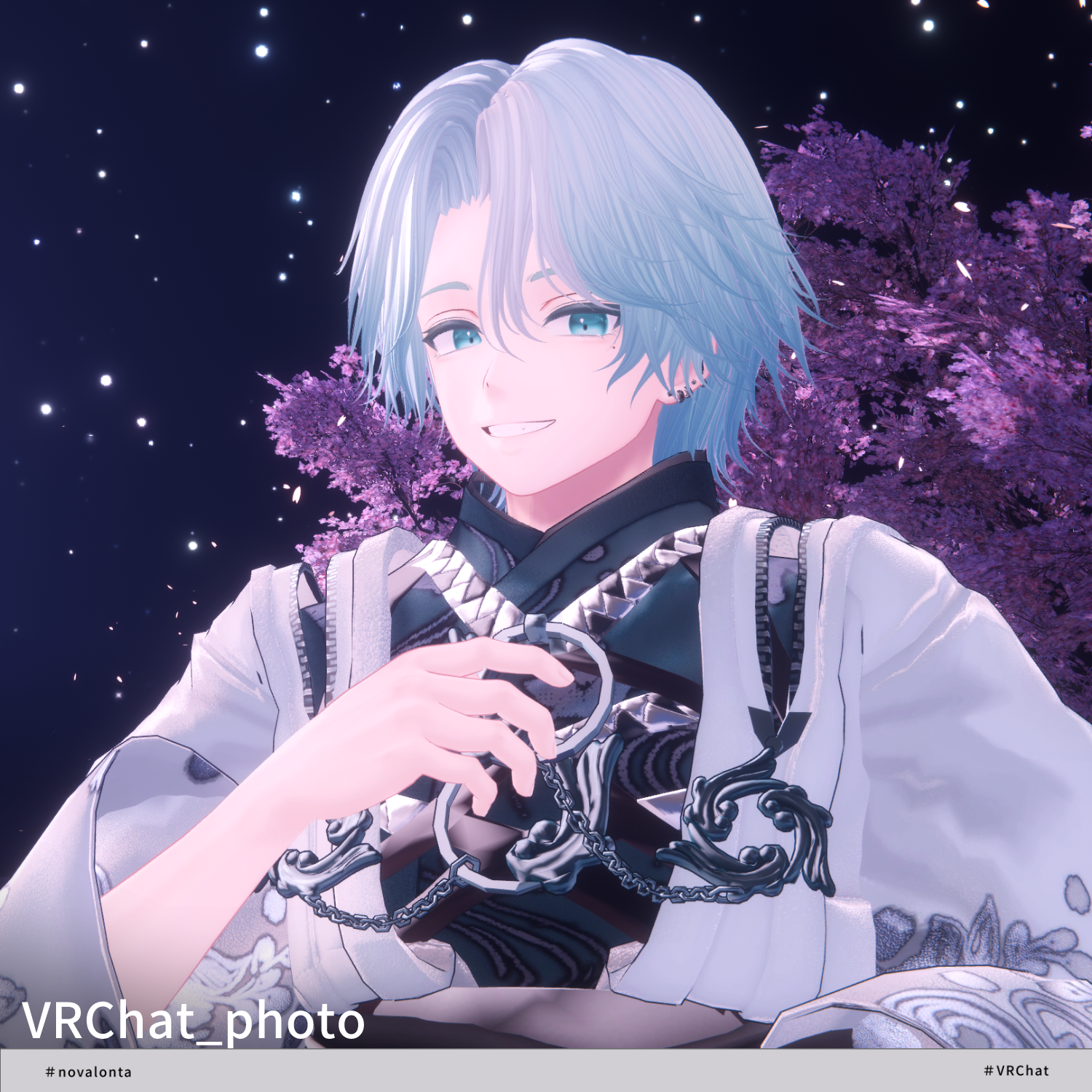
Product Description
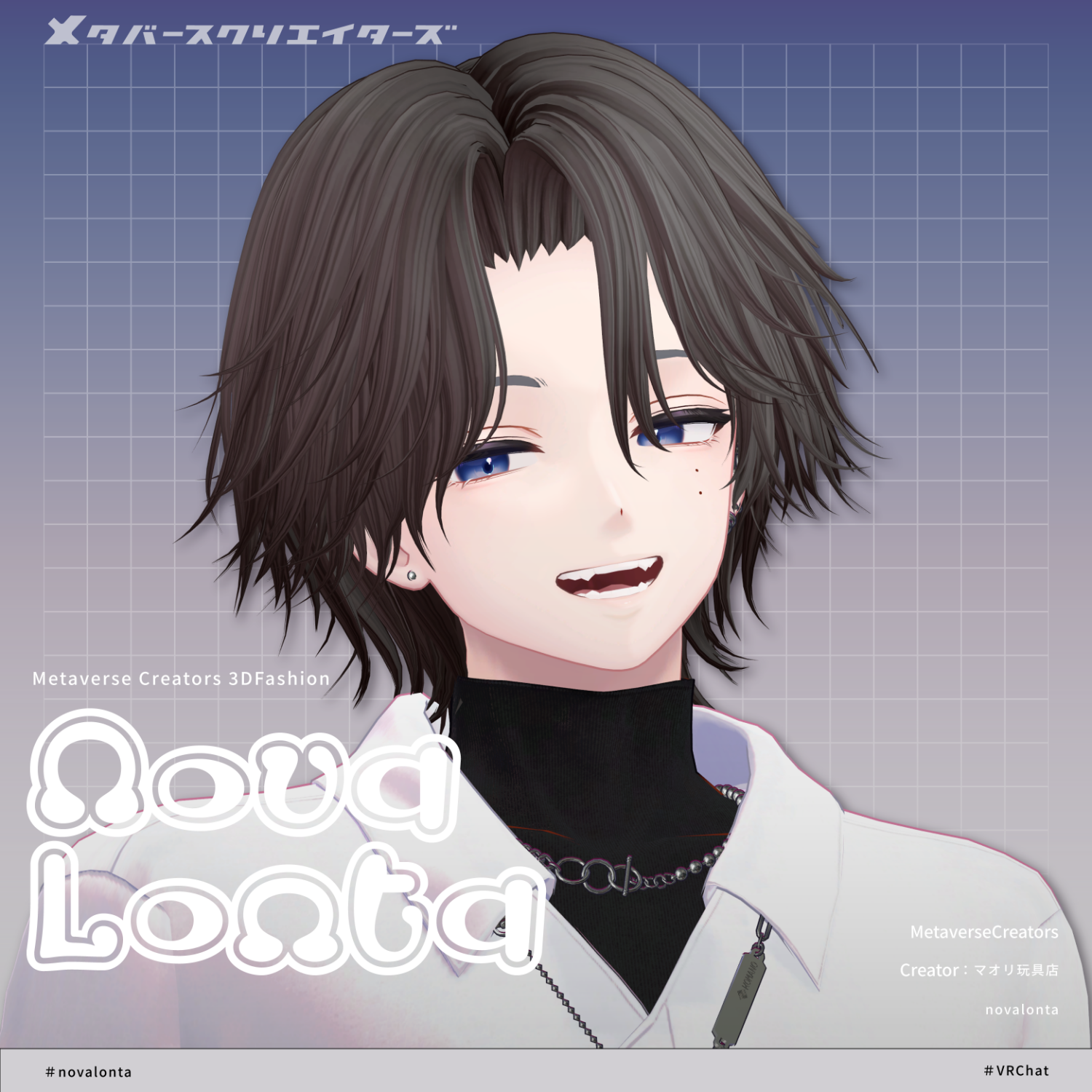
◆ novalonta ◆
Producer: Maori Toy Shop
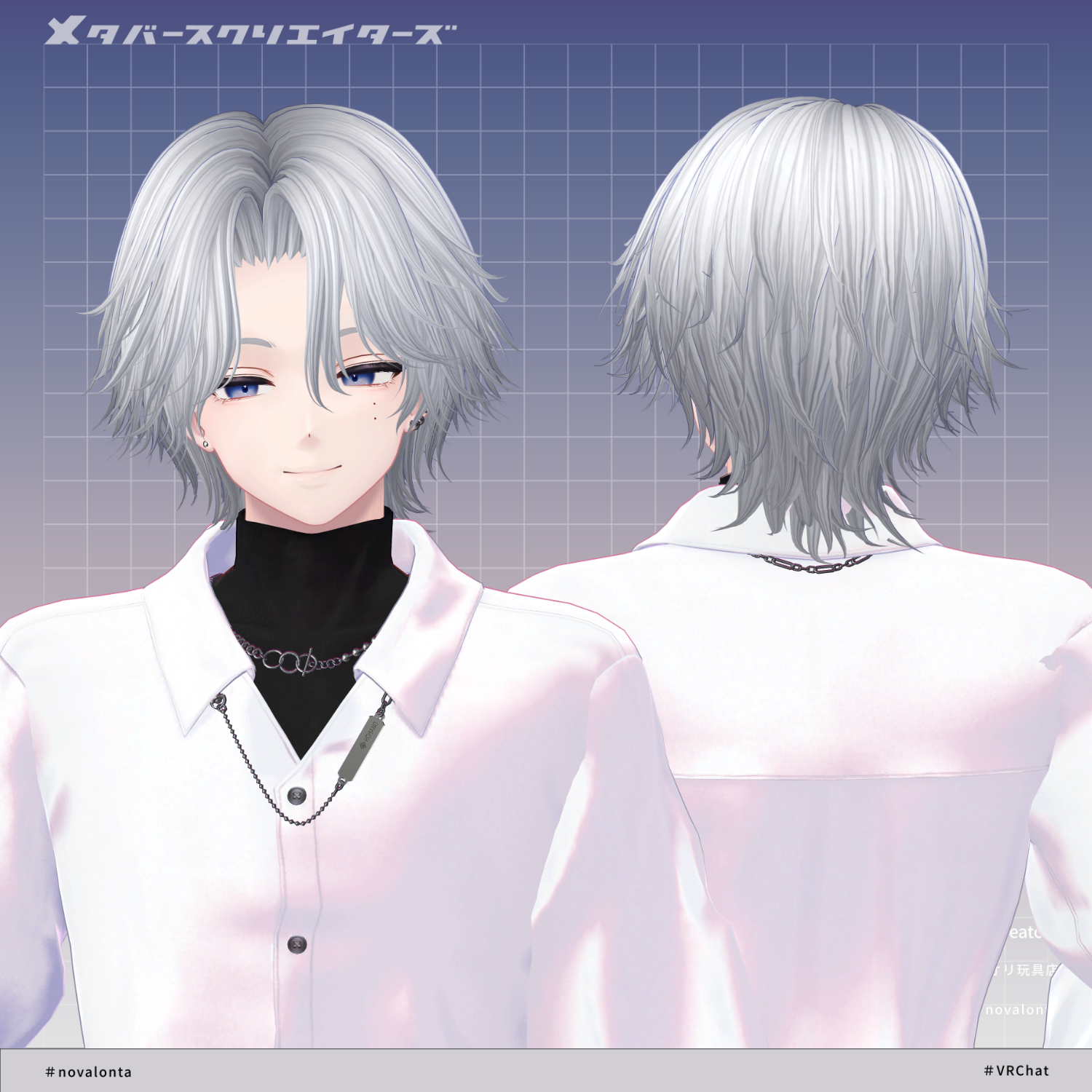
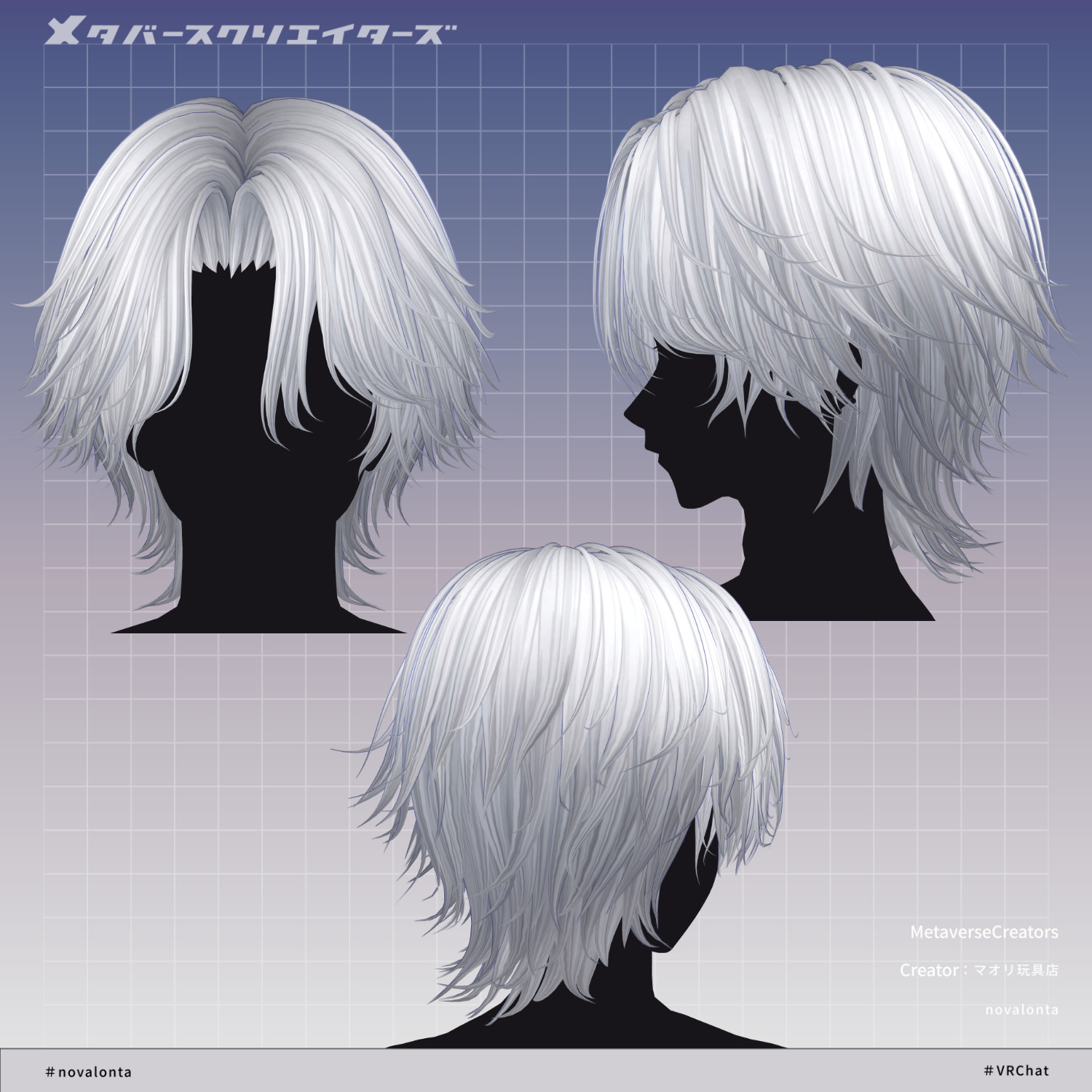
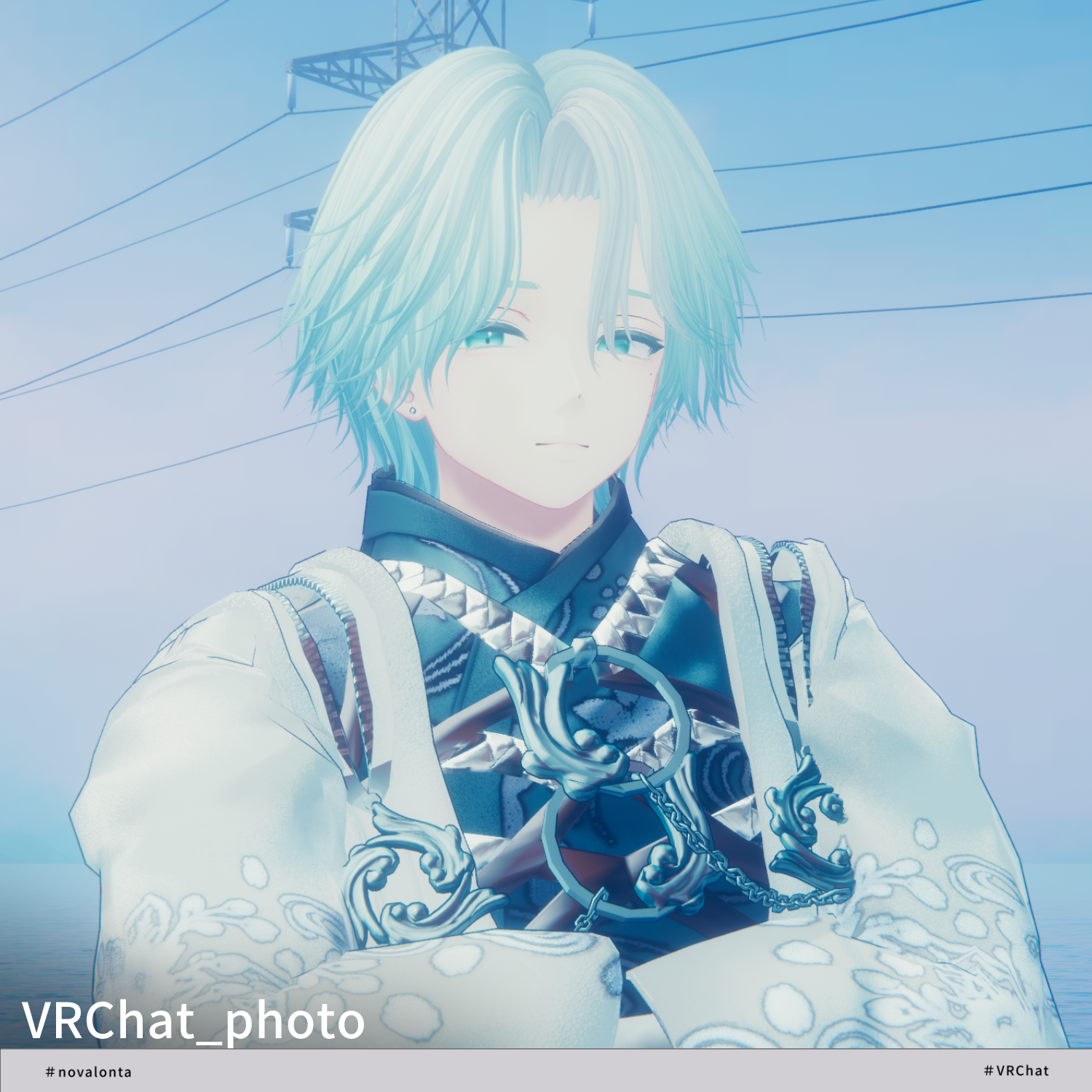
A hair model featuring a center part and wolf cut style.
※ This product is a hairstyle model for avatars. Avatar base data is not included.
※ Due to the nature of digital downloads, returns and refunds are not possible. Please read and agree to the product description and terms of use before purchasing.
◆ Item Overview
● Contents
novalonta_1.0.0.Unitypackage
FBX
PSD file for modifications
ReadMe.txt (main document)
Shaders used
lilToon
https://lilxyzw.booth.pm/items/3087170
Required assets
Modular Avatar
https://modular-avatar.nadena.dev/ja/docs/intro
● Model Data
Total polygon count: 18,639 polygons
Front Hair: 4,055
Side Hair: 5,068
Back Hair: 9,516
Mesh count: 3
Material count: 2
PB components: 4
Import folder:
Assets > MetaverseCreators_CP > Maori > novalonta
◆ Supported Avatars
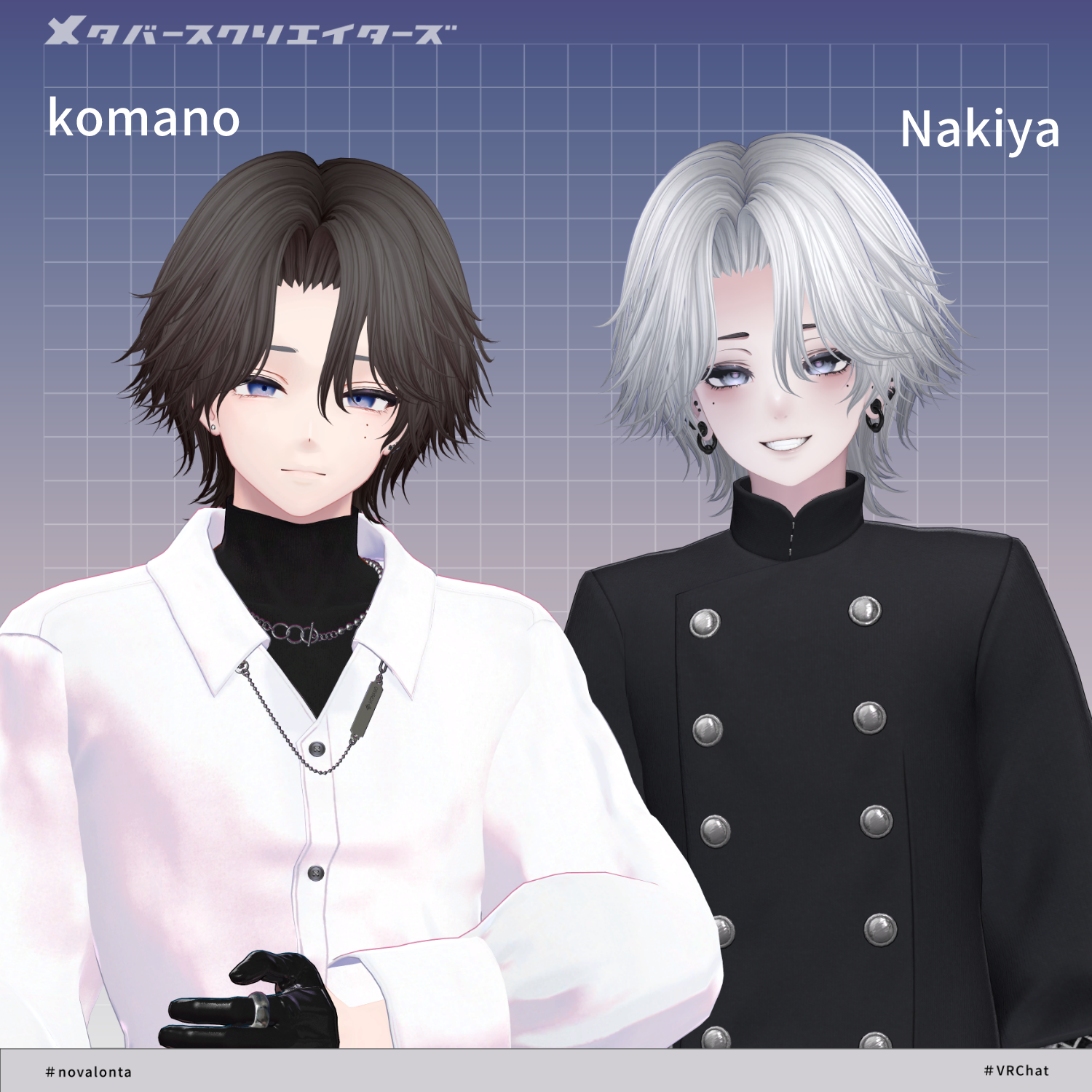
Original 3D Model “Komano”
https://booth.pm/ja/items/5260363
Other avatar support is provided as “semi-supported,” meaning adjustments are made in Unity based on the base model.
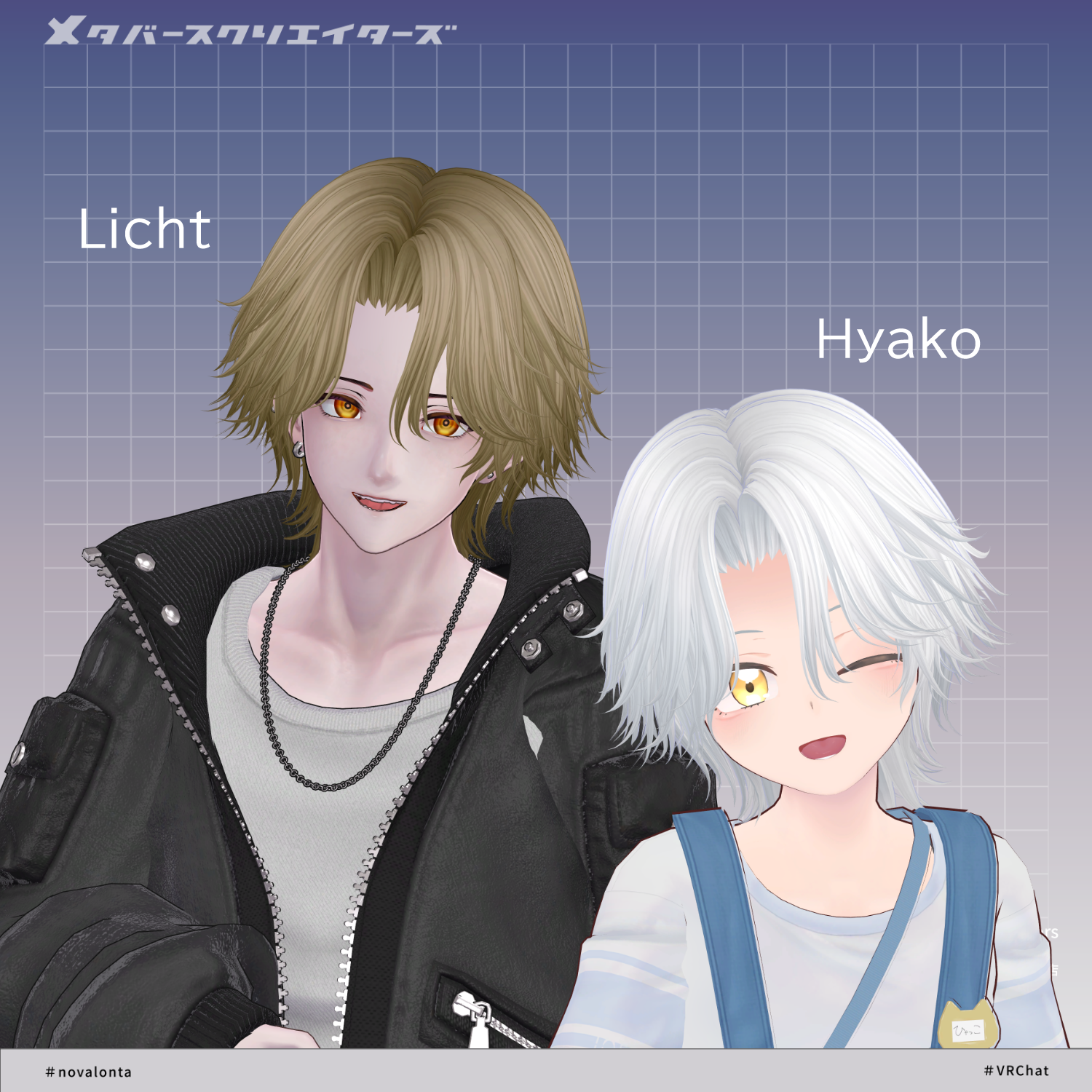
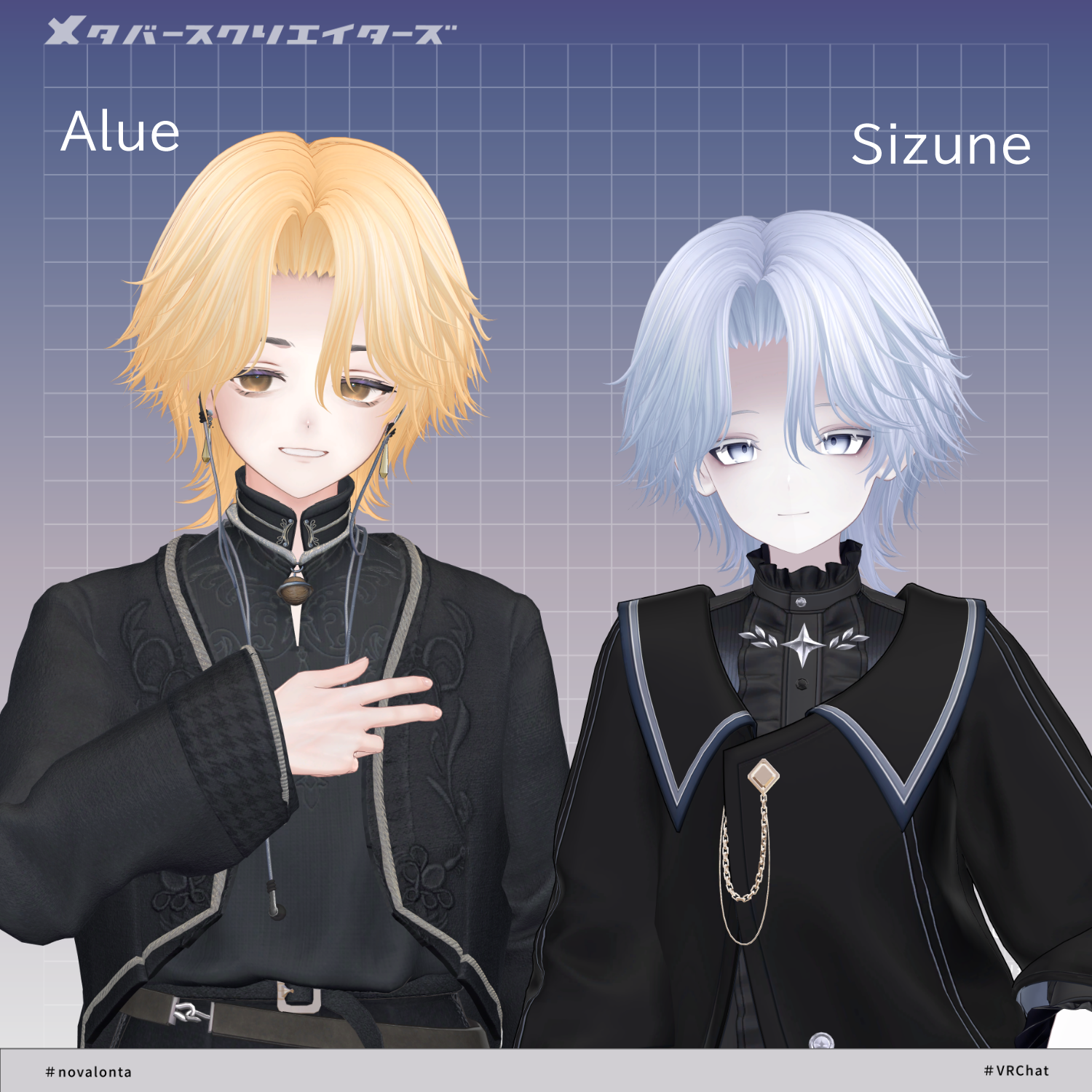
The following avatars are included as pre-adjusted semi-supported versions:
Alué (Original 3D Avatar)
https://booth.pm/ja/items/6957623
Nakiya (Original 3D Model)
https://booth.pm/ja/items/7924603
“Hyakko” by Niyami
https://booth.pm/ja/items/6328134
Rihito (Licht) / AC1
https://metacreatorstyo.booth.pm/items/7430852
Shizune / AC3
https://metacreatorstyo.booth.pm/items/7684873
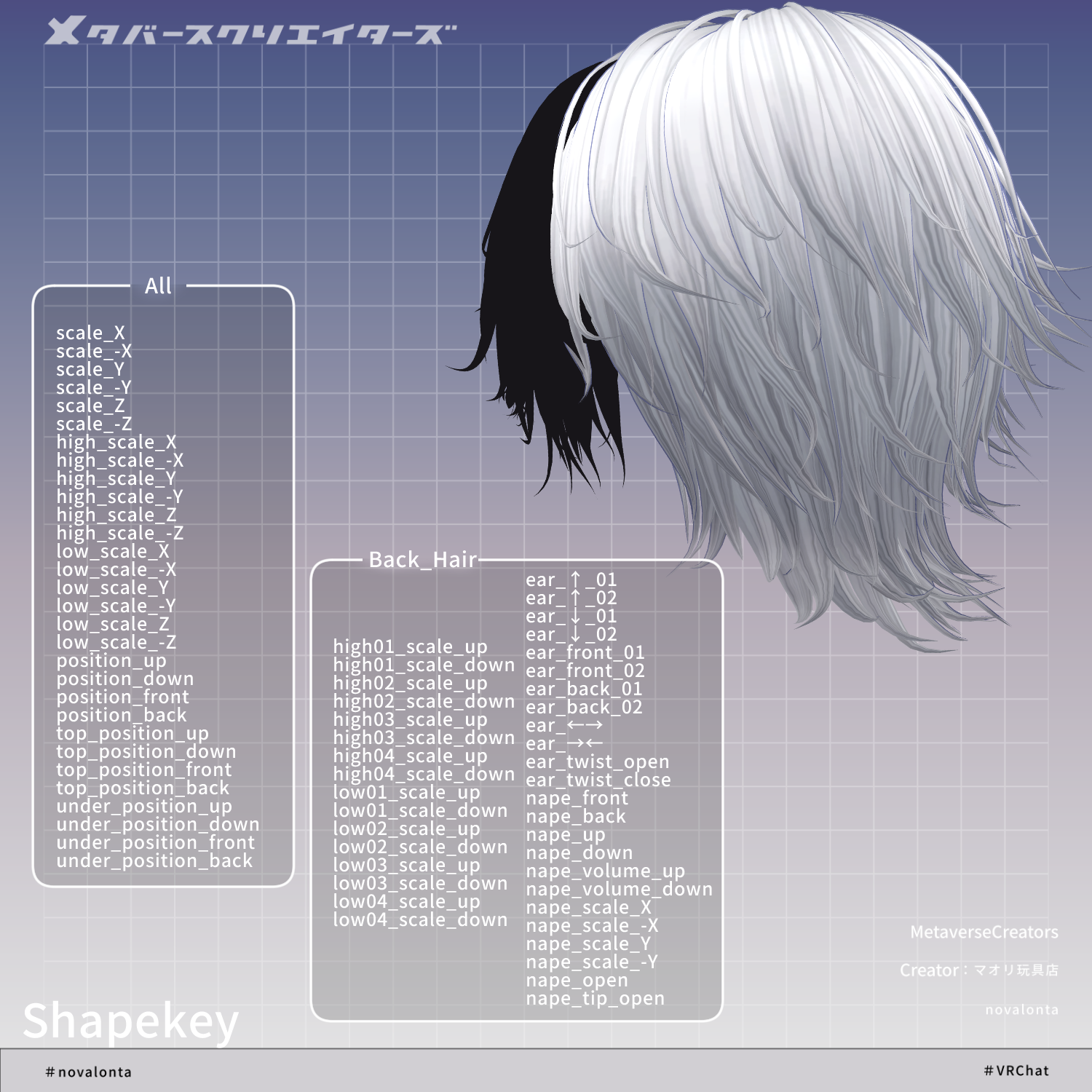
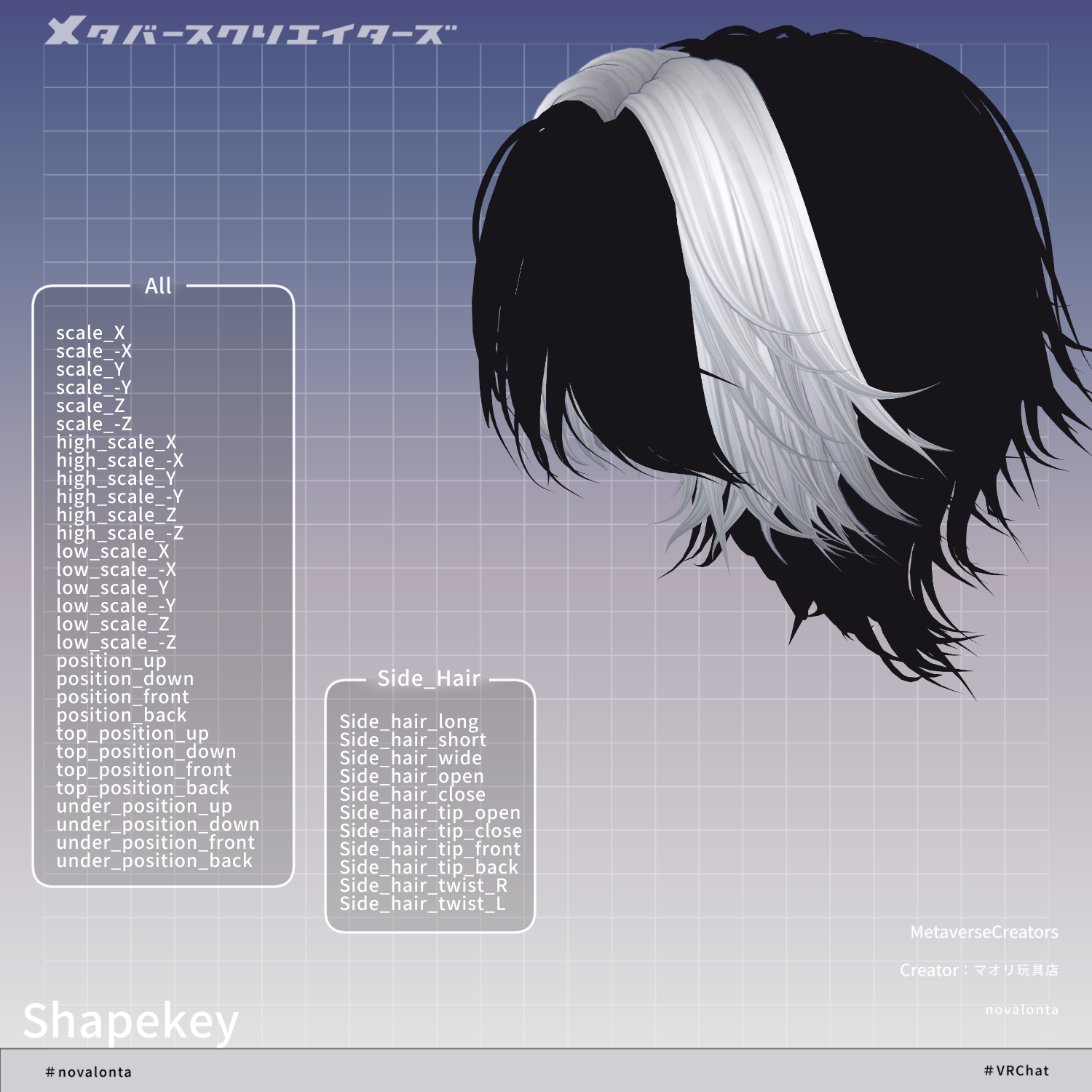
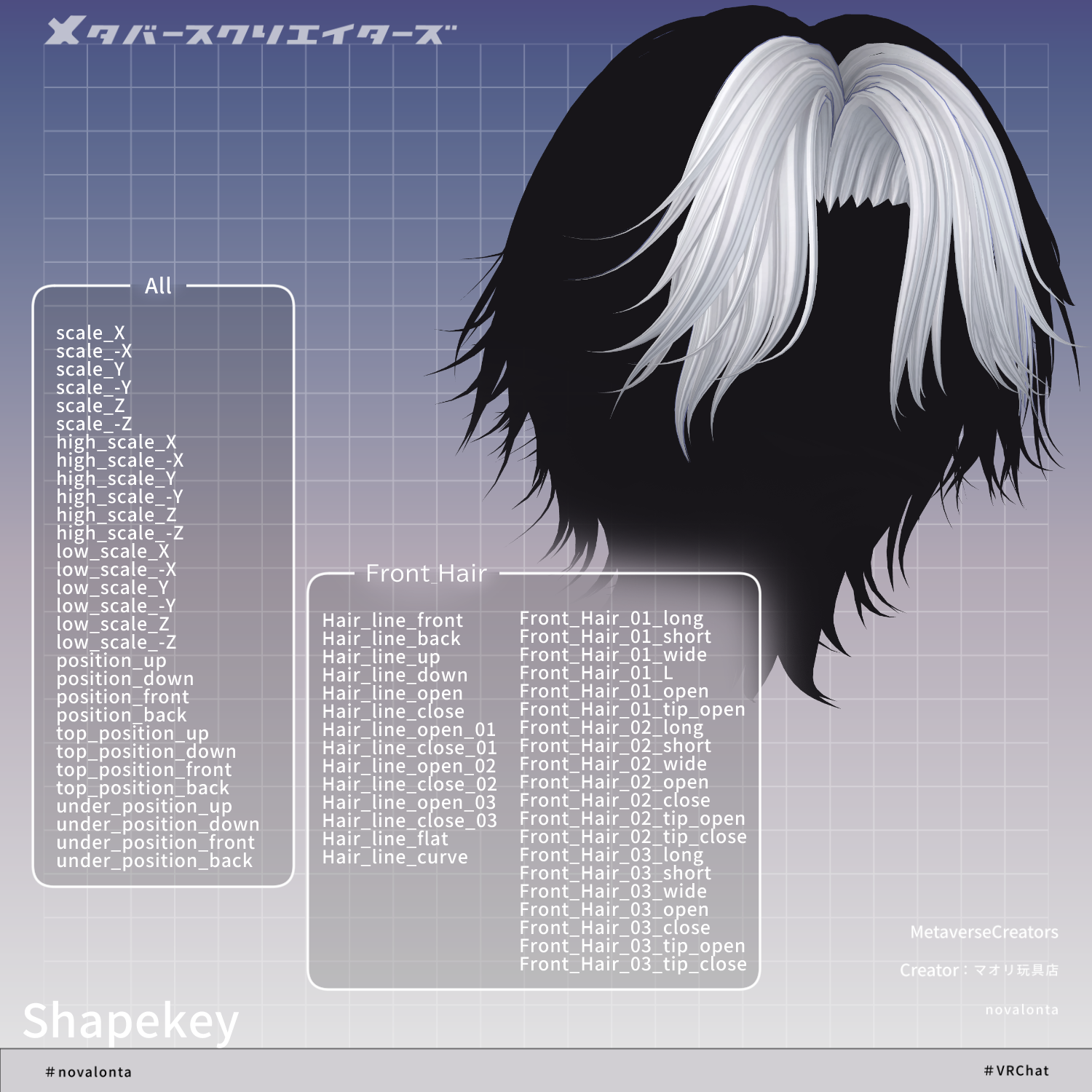
Multiple shape keys are included per part to adjust size, position, and overall fit.
Users are encouraged to try fitting the model to avatars not explicitly listed.
Because of the wide variety of adjustments, please refer to the product images for full shape key details.
◆ Installation Steps
Set up the latest VRChat SDK in VCC
Install required assets (lilToon, Modular Avatar) in VCC
Import each avatar’s latest package
Import this asset package
Drag and drop the avatar (or customization prefab) into the Scene Hierarchy
Hide or set unused hair or accessories to Editor Only if needed
Drag and drop “novalonta_AvatarName.Prefab” under the avatar
Adjust scale, position, and shape keys to fit the avatar (not needed if pre-adjusted prefab is provided)
Upload via VRChat SDK
◆ Color Customization
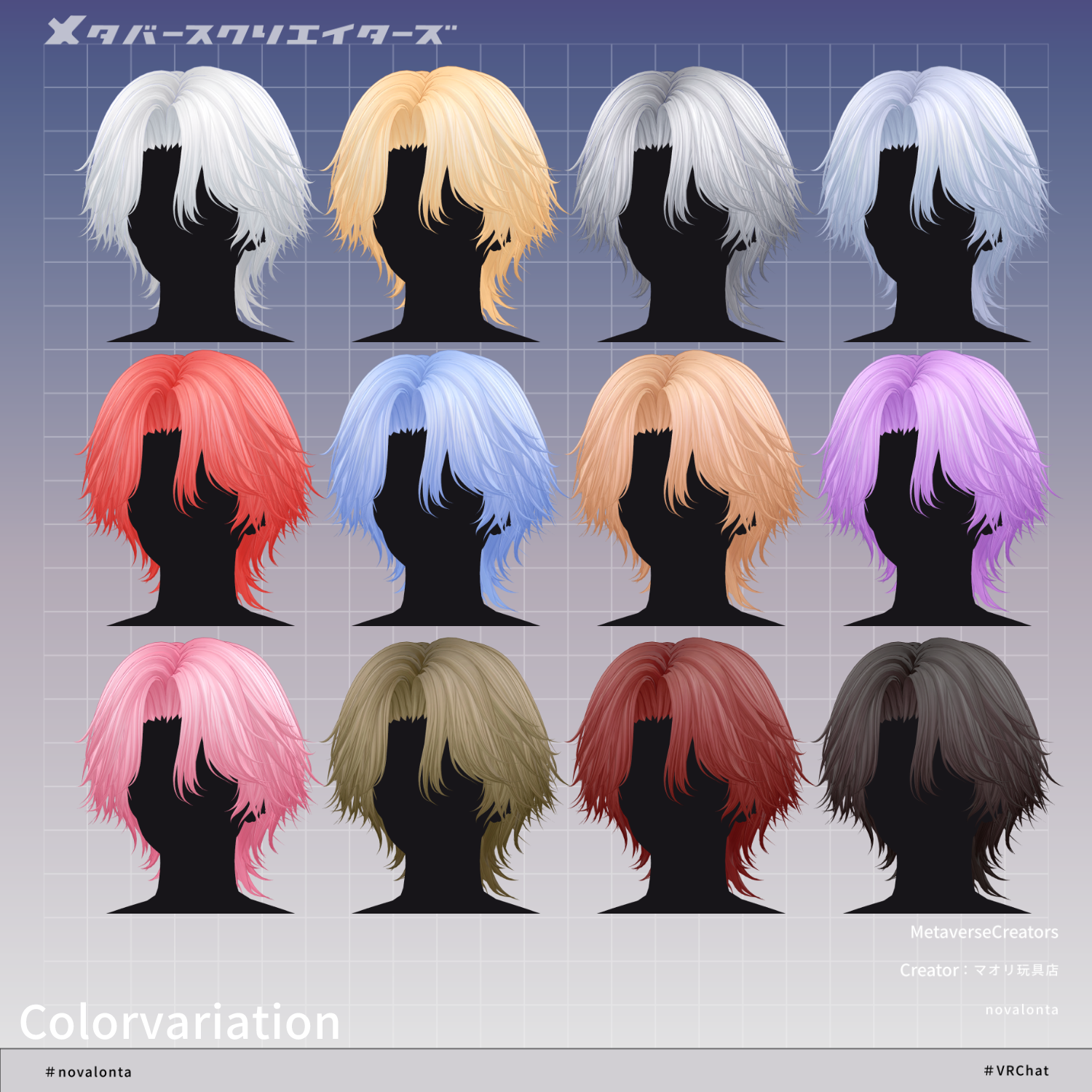
Color variation materials are provided in the Mat folder.
Replace the default materials with your preferred ones.
The hair materials are split into:
Front/Side Hair
Back Hair
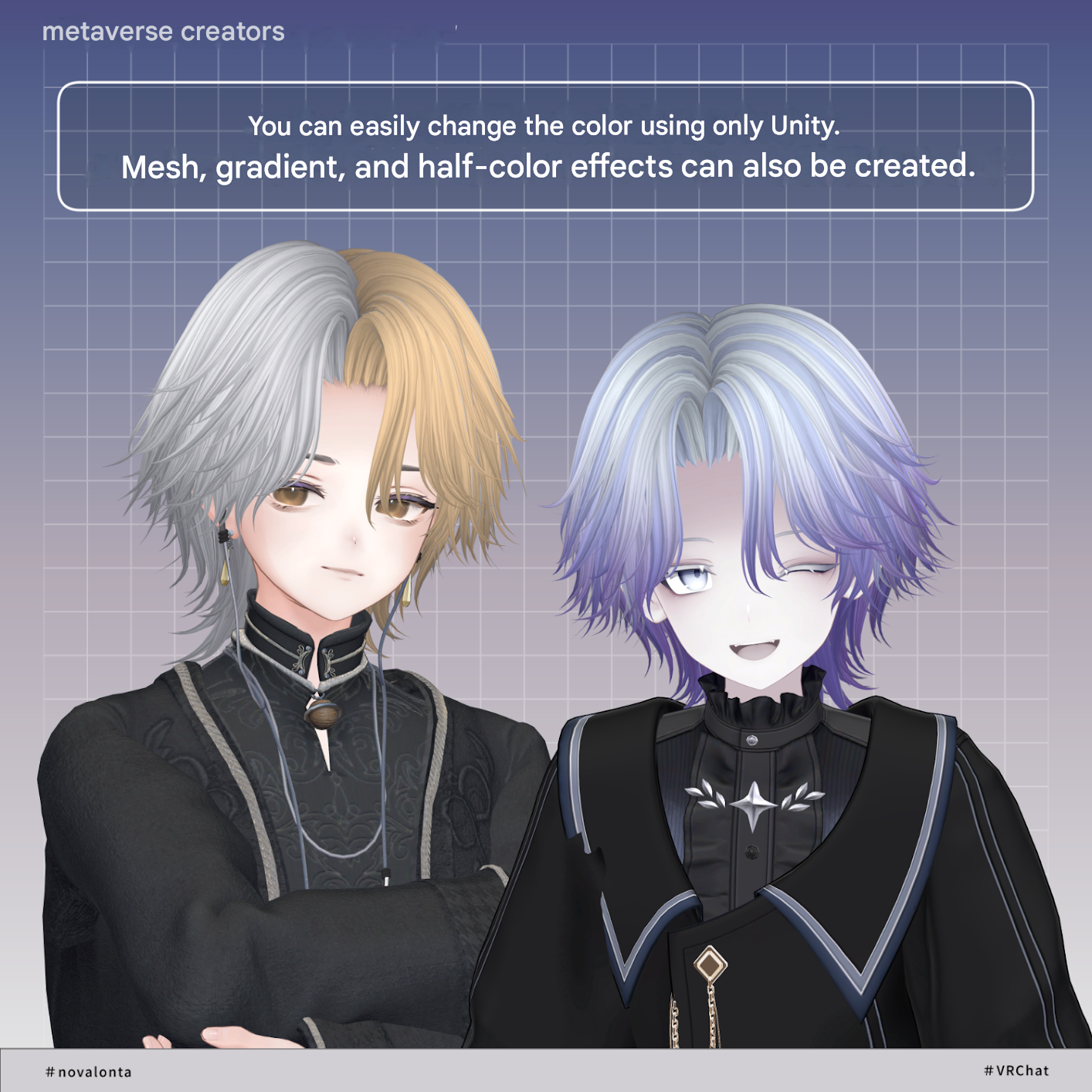
A general-purpose material called “kaihen” is included.
It uses “gray” in the main color slot, allowing you to assign custom HDR colors.
Replacing “gray” with “white” can also expand styling options.
The “kaihen” material also uses gradients and mesh masks in Main Color 2nd and 3rd slots, enabling Unity-only customization of color and gradient combinations via HDR adjustments.
Additional mask options are included in:
Tex > option folder
You can swap these into Main Color 2nd/3rd masks for different looks.
Further detailed customization is possible using the included PSD file.
◆ Terms of Use
https://drive.google.com/drive/folders/1qRMXoIxM1ZgacBPfwOigQRtXP1vCbNMn?usp=sharing
※ Please comply with the original avatar’s usage terms.
◆ Production Environment
Modeling: Blender Ver. 3.2.0
Texturing: CLIP STUDIO PAINT
Setup: Unity 2022.3.22f1
VRChat SDK - Avatars Ver. 3.10.1 (VCC)
lilToon 2.3.2
Modular Avatar 1.15.1
◆ Credits
Producer: Maori Toy Shop
https://maorigangu.booth.pm/
Support / Contact:
https://discord.gg/bmw3PWE37M