Product Description
Dokidoki - OSC Heartbeat System
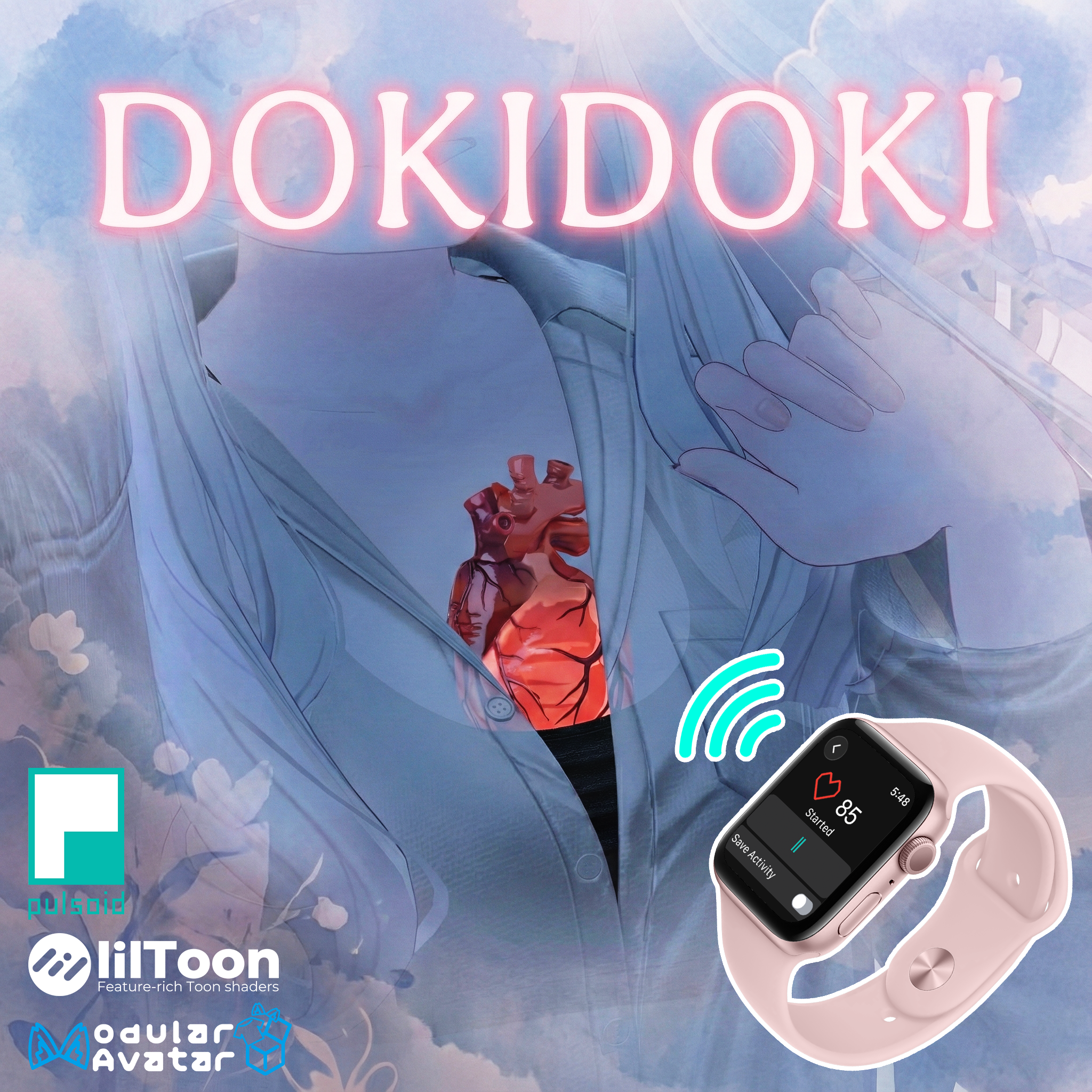
Bring your avatar to life with a real beating heart! "Dokidoki" is a fully integrated heartbeat system that visualizes your pulse inside your avatar's chest. Whether you want to sync it with your real-life heart rate for immersive horror/fitness gameplay or just set a manual rhythm for roleplay, this gimmick adds a stunning layer of biological realism to your VRChat presence.
✨ Key Features
・ X-Ray Heart Visuals: A realistic, beating heart visible INSIDE your chest using advanced stencil shaders (works through clothes/skin!).
・ Immersive Audio: Includes a spatialized "Lub-Dub" heartbeat sound that syncs perfectly with the animation.
・ Real-Time Sync (OSC): Connects to your Apple Watch or Pulsoid-compatible monitor to sync the animation and sound with your ACTUAL heartbeat in real-time.
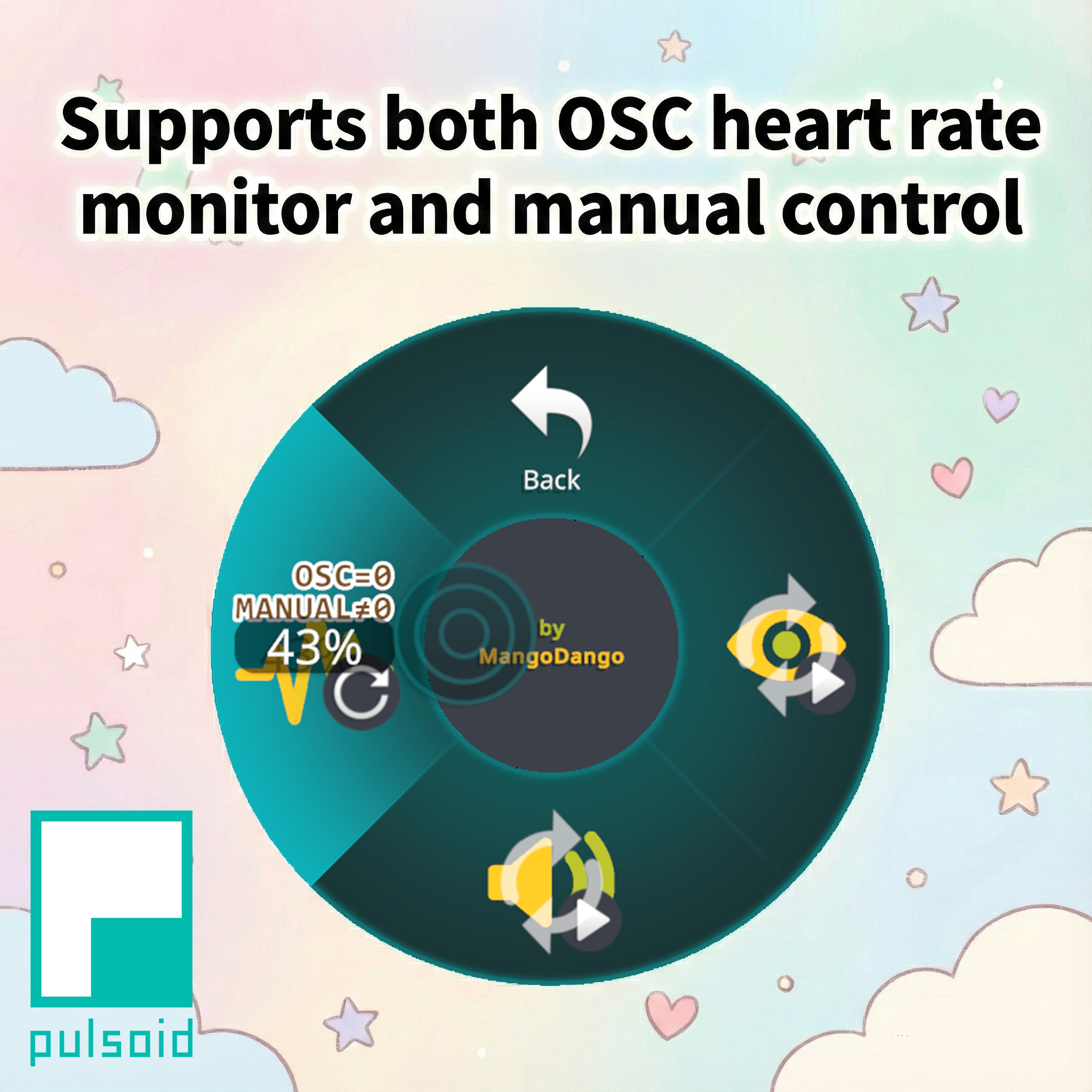
・ Manual Mode: No heart monitor? No problem. Use the Radial Menu to manually set the BPM anywhere from 40 to 180.
・ Full Control: Toggle visuals and audio independently in-game.
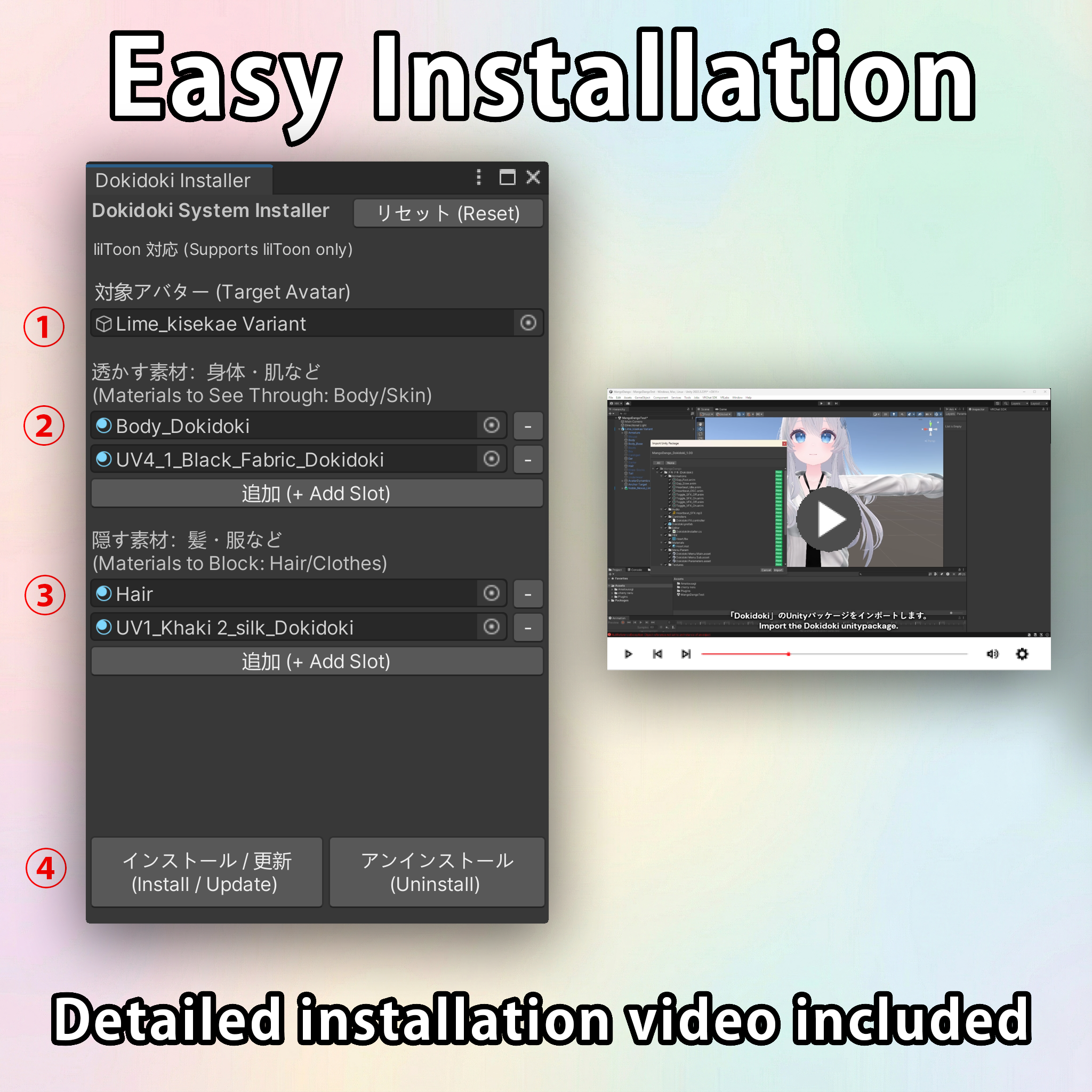
・ Easy Setup: Comes with a custom "Dokidoki Installer" script—just drag, drop, and click!
📦Requirements
To use this asset, your project must already have the following installed:
・Modular Avatar https://modular-avatar.nadena.dev/
・lilToon Shader https://lilxyzw.github.io/lilToon/
⚠️ Shader Compatibility: Your avatar's Body/Skin material must use lilToon shader for the X-Ray effect to work.
💓 How to Sync with Real Heart Rate (Optional)
If you want the automatic OSC sync feature, you will need:
1. A Pulsoid-compatible Heart Rate Monitor (Apple Watch, Garmin, etc.) Check compatibility here: https://blog.pulsoid.net/monitors?from=mheader
2. The free Pulsoid mobile app (iOS or Android)
Requires a free Pulsoid account.
3. VRCOSC Application https://github.com/VolcanicArts/VRCOSC/releases
This free app runs on your PC to send your heart rate data to VRChat.
🔧 Installation
1. Import the unitypackage.
2. Go to Tools > MangoDango > Dokidoki to open the installer.
3. Drag your avatar into the target slot.
4. Follow the simple UI to assign your body materials.
5. Click Install! (A detailed video tutorial using Apple Watch setup is included).
🕹️ How to Use
・Visual Toggle: Show/Hide the heart mesh.
・Audio Toggle: Mute/Unmute the heartbeat sound.
・BPM Control (Radial Puppet):
0% : OSC Mode (Syncs with real heart rate).
1% - 100% : Manual Mode (Overrides OSC).
[Reference] 1% ≈ 40 BPM, 43% ≈ 60 BPM, 100% ≈ 180 BPM.
📜 Terms of Use
This product uses the VN3 License. Please refer to the full terms here: https://drive.google.com/drive/folders/1uieVTAyUAg4v0EhQDLE0hcbFd7qVJ55w?usp=sharing
⚠️ Disclaimer
Tested with:
・VRChat SDK:3.10.1
・Unity:2022.3.22f1
・Modular Avatar:1.15.1
・lilToon: 2.3.2
・VRCOSC: 2025.1216.0
・Pulsoid mobile app: latest release as of 2025/12/30
Other versions may work, but are not guaranteed.
[Important Note on Stencil Settings]
If your avatar already has materials that use custom Stencil settings (e.g. Fake Shadow systems), the included automatic installation via GUI might fail. Manual installation is possible but its support may not be provided. Typically, unless you use Fake Shadow or similar addons, you don't need to worry about this. Learn more about Stencils here: https://lilxyzw.github.io/lilToon/ja_JP/advanced/stencil
https://docs.unity3d.com/2022.3/Documentation/Manual/SL-Stencil.html
📌 Changelog
2026/1/3
・Version 1.01 released
If you encounter any issues or have questions, please feel free to DM me!