
Photo Frame - Gears Turn and Your Photos Flip Over, Photo Tool | VRChat
Product Description
This product contains AI-generated content.
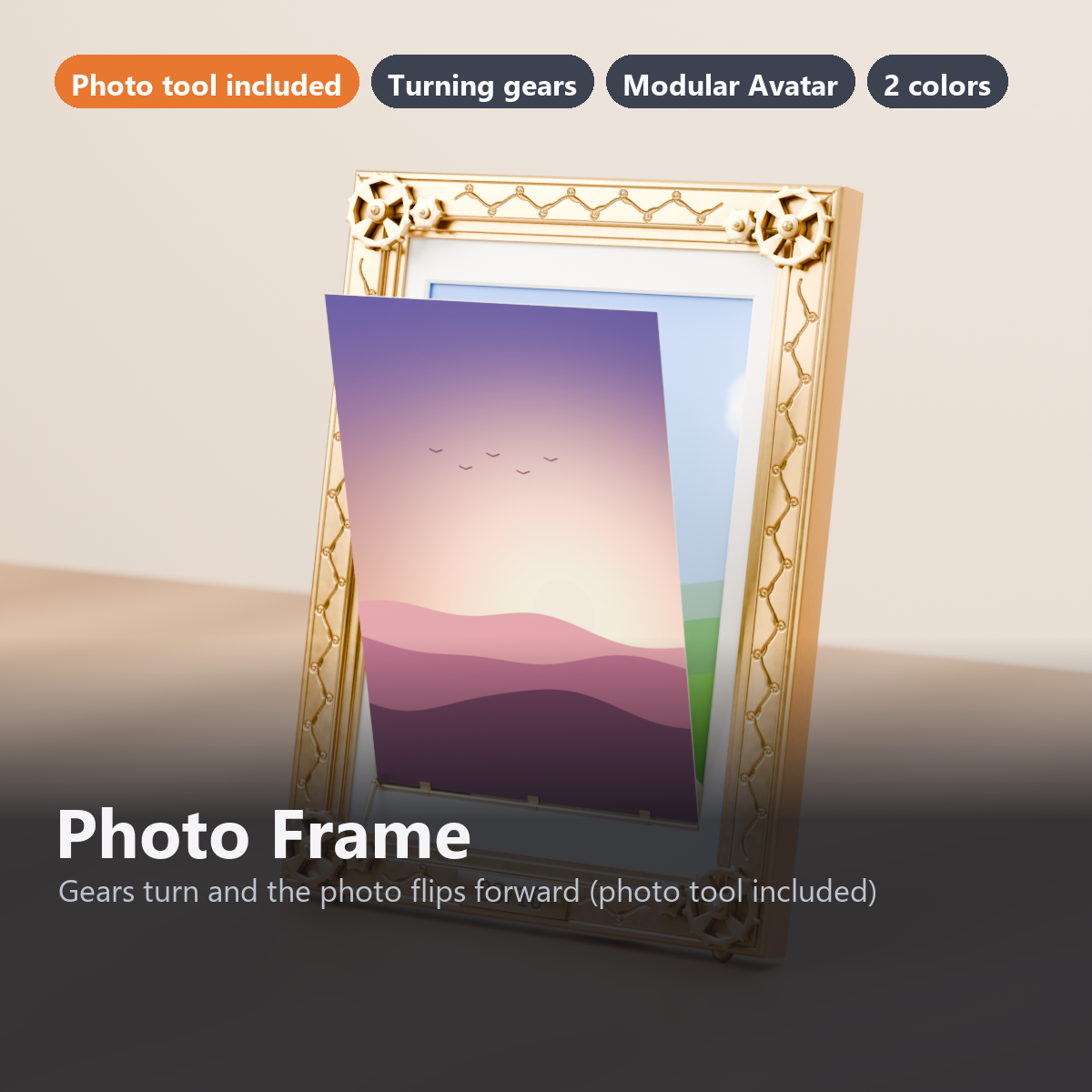
A brass (or ebony) portrait photo frame for 5x7 inch photos (15 x 20 cm) that you can carry with your avatar. Set it on a table in a world, or hold it in your right hand to show people (no Udon needed).
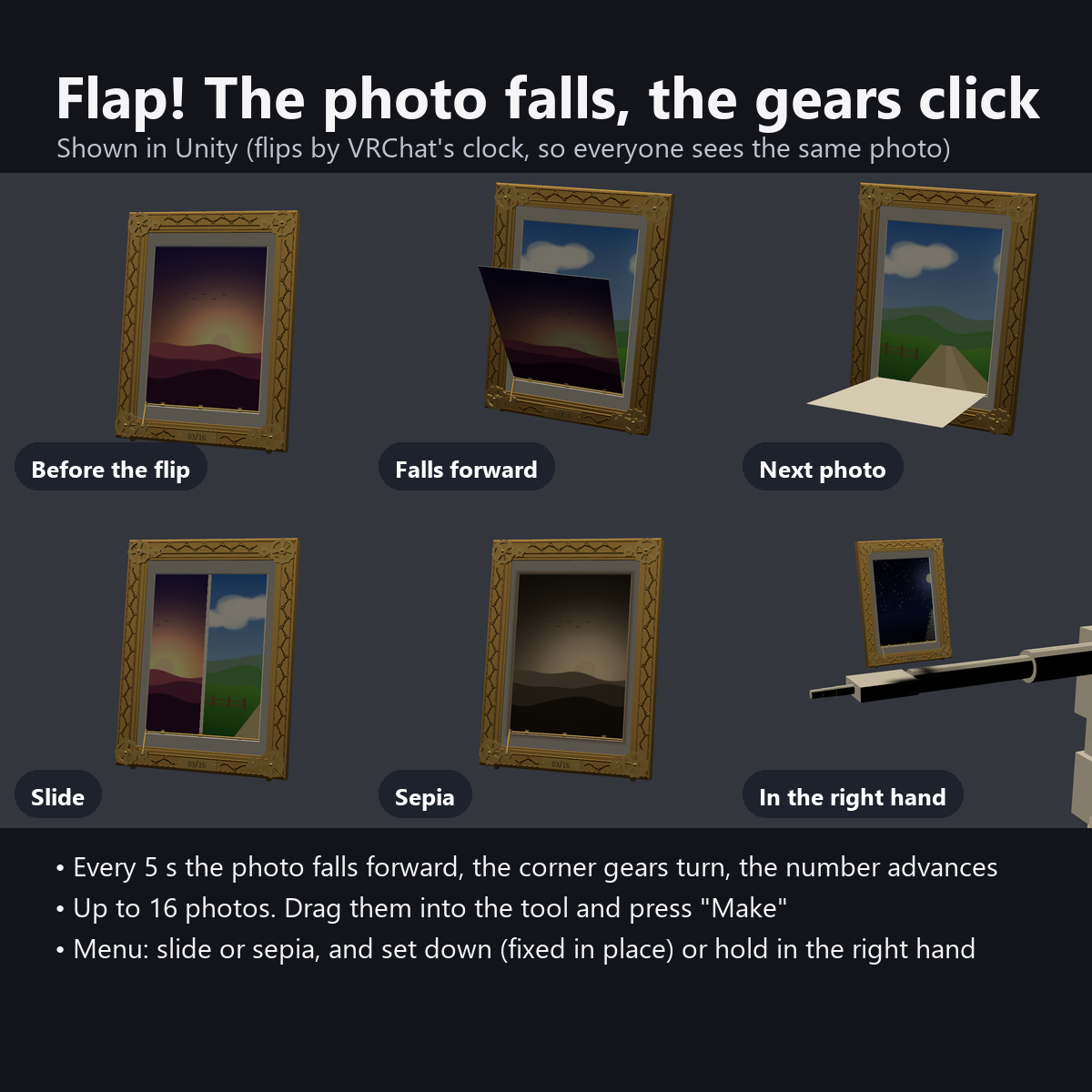
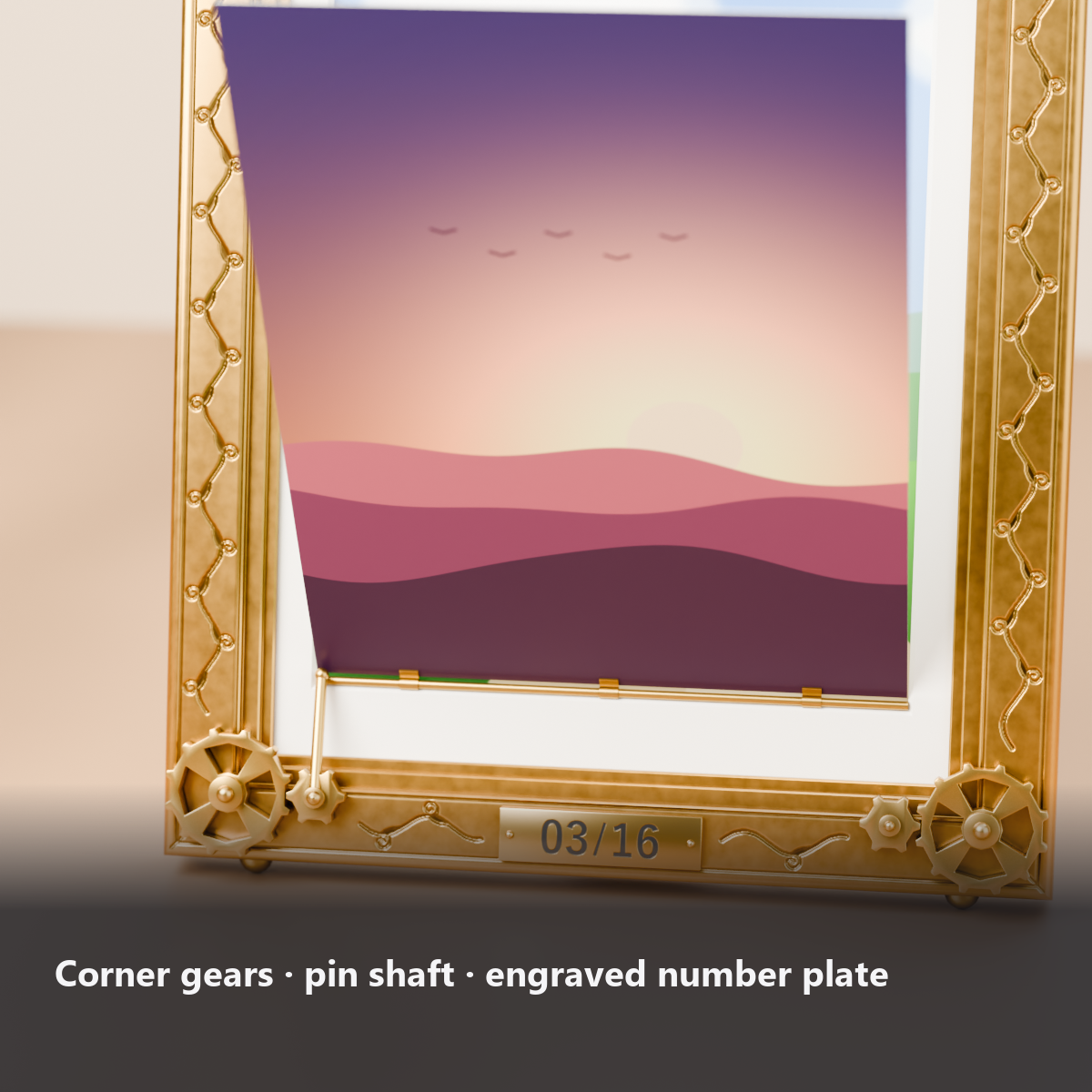
Every 5 seconds, the current photo falls forward on a brass pin along its bottom edge, and the next photo appears behind it. Only at the moment it flips, the gears in the four corners mesh, turn 1/8 of a turn and stop with a click. A thin shaft runs from the lower-left gear to the photo's pin, so you can see that the gears are doing the flipping. The number plate on the bottom edge advances too, from "03/16" to "04/16".
To add photos, drag up to 16 into the included tool and press "Make". It combines them into one image, sets it on the material and sets the photo count automatically.
Features
- The whole photo falls forward: held by a pin along the bottom (brass, 1.5 mm) and 3 clips, the photo falls forward faster and faster, revealing the next photo behind it
- The corner gears turn only when it flips: a large gear (12 teeth) and a small gear (6 teeth) mesh; the large one turns 1/8 and the small one 1/4 the other way, overshoot a little, and click back
- The number plate advances: shows the current photo and the count, like "03/16" (black enamel numbers on a brass plate with round studs at both ends)
- The same photo for everyone: it flips by the time in VRChat (minutes and seconds), so it uses no synced bits
- Photo tool included: drag up to 16 photos into the Unity window and press "Make". For photos that are not 5:7, choose "crop to fill" or "fit with white mat". Also set the interval and "Shuffle"
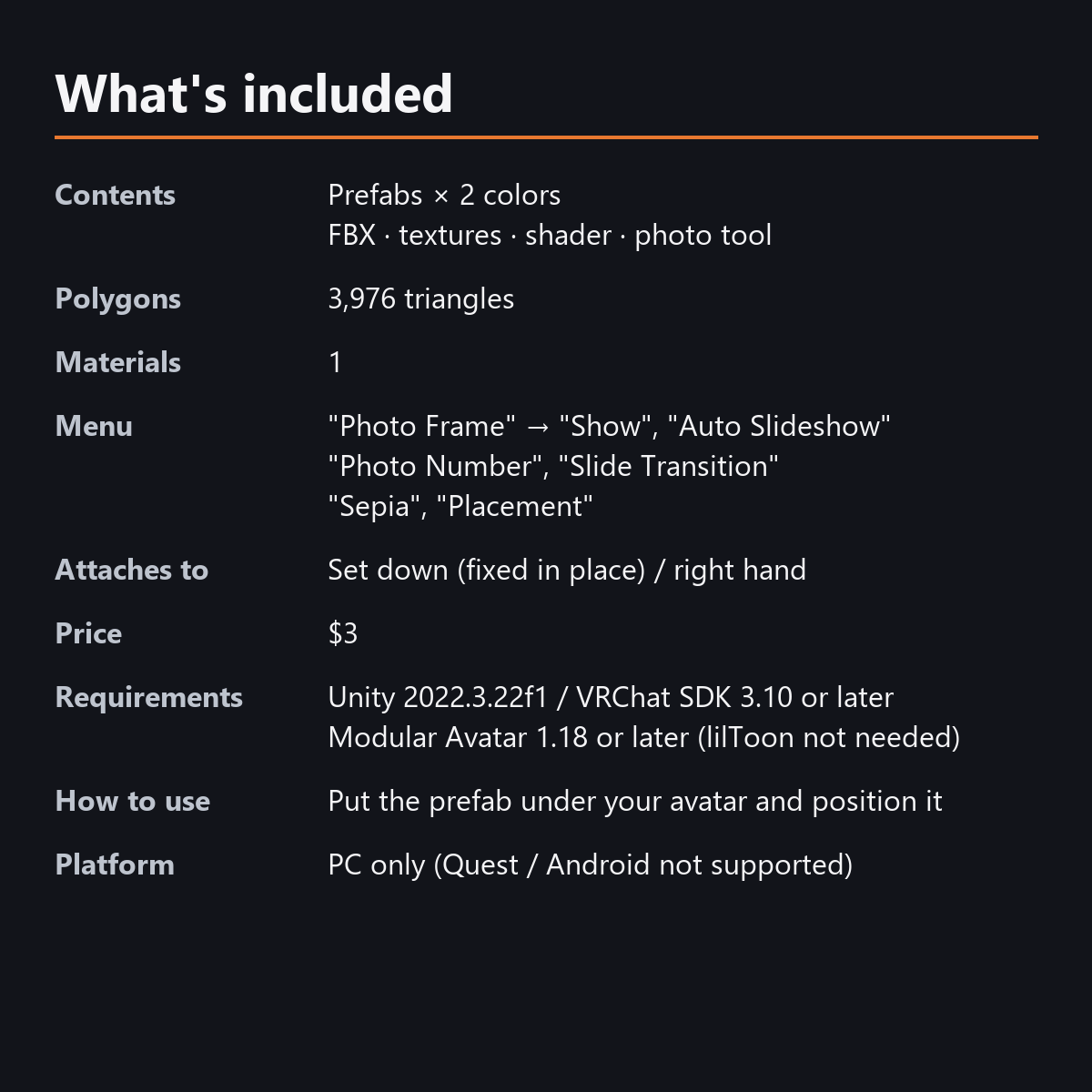
- Menu: Auto Slideshow / Photo Number (dial) / Slide Transition / Sepia / Placement (Set Down, Right Hand)
- Slide Transition: the photo slides sideways to the next one (the gears turn too)
- Sepia: the photos take on the color of old photographic paper, and the edge of the mat window looks burnt brown
- Details: shallow arabesque carving, border lines and 45-degree mitered joints on the 18 mm front frame, a 2 mm rounded outer edge, two inner steps, a beveled mat window, and on the back a wooden backboard, 4 turn buttons and a hinged stand (opens 20 degrees)
- Stands like a real frame: on 2 half-round feet on the bottom edge and the tip of the stand, leaning back 12 degrees
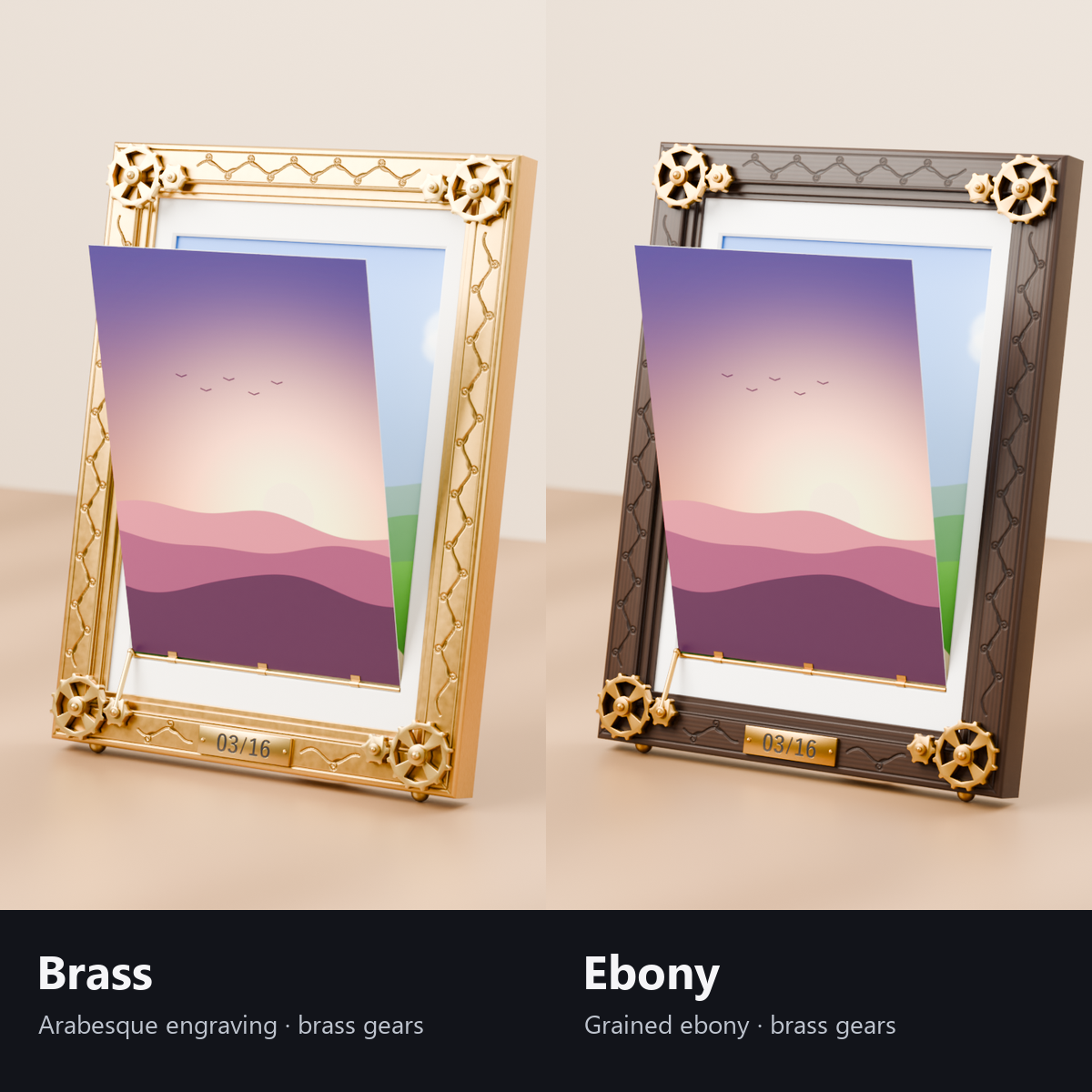
- 2 colors: brass (uneven aged color, dark grooves in the carving) / ebony (fine vertical grain, semi-gloss) with brass gears (both in the same package)
- All designs are original, down to the gears, carving, fittings and sample photos
- Modular Avatar ready: put it under your avatar and fit it to your right hand ("Set Down" in the menu fixes it in place)
Adding your photos (included tool)
1. Open "Tools > からくり小物店 Karakuri Komono > 写真立ての写真 Photo Frame Photos" in Unity
2. Drag in up to 16 photos (there is a button that opens your VRChat photos folder)
3. Press "Make": the photos are combined into one image and set on the frame's material (the count and interval too)
How it works
- The flip timing is calculated from the time in VRChat (minutes and seconds). The default interval is 5 seconds (5, 6, 10, 15 or 30 seconds are recommended because they divide an hour exactly, so the gear angle does not jump at the top of each hour).
- The photos and gears are moved by shaders (no bones or animated parts).
Menu (English menu prefab)
- Photo Frame > Show: frame on/off
- Photo Frame > Auto Slideshow: flips every 5 seconds (changeable in the tool). When OFF, it stays on the photo set by the dial
- Photo Frame > Photo Number: dial. It flips once for each photo it passes
- Photo Frame > Slide Transition: change the flip from "falling forward" to "sliding sideways"
- Photo Frame > Sepia: sepia photos (the mat edge looks burnt)
- Photo Frame > Placement: Set Down (fixed in place, standing on its feet and stand) / Right Hand
What's included
- Prefabs x 2 colors
- FBX, textures, custom shader, animations
- Photo tool (Tools > からくり小物店 Karakuri Komono > 写真立ての写真 Photo Frame Photos)
- 16 sample photos (our own landscapes and photos of our own items)
- English-menu prefabs (_EN) next to the Japanese-menu prefabs. Use one or the other on an avatar, not both.
- Instruction manual and Terms of Use in English and Japanese
Specs
- Added to your avatar (counted in Unity): 3,976 triangles, 1 mesh, 1 material slot, 0 PhysBones
- Synced parameters: 20 bits
- All counts follow VRChat's rules (hidden parts are counted too) and show how much one prefab adds to your avatar.
- The VRChat performance rank depends on the total with your avatar, so this item alone does not decide it.
- Size: 15 x 20 x 1.4 cm (1.9 cm including the gears; about 5.5 cm deep when standing)
- The Auto Slideshow timing uses the time in VRChat and needs no synced bits
- No Particle Systems, PhysBones, AudioSources or Udon
- No extra skinned mesh
Requirements
- Unity 2022.3.22f1 (an avatar project made with VRChat Creator Companion)
- VRChat SDK (Avatars) 3.10 or later
- Modular Avatar 1.18 or later
- lilToon is not needed (custom shader included)
Please note
- PC only. Not supported on Quest / Android.
- The photo shown by Auto Slideshow is decided by each viewer's PC clock. If the clocks are correct, everyone sees the same photo; people whose clock is off, or who live in time zones offset by 30 or 45 minutes, may see a different photo.
- A photo changed with the Photo Number dial is synced.
- "Set Down" fixes it about 25 cm in front of your right hand at the moment you switch. Hold your hand over a table before switching.
- Up to 16 photos, combined into one 2048 x 2048 image (512 x 512 each, or 1024 x 1024 with high quality), fitted to the 5:7 window.
- The photo that falls forward has no glass.
- You are responsible for the rights to the photos you use (take care with photos showing other people or other people's avatars).
- If a viewer's Safety settings hide shaders, the photo is white and the gears look still.
- No hand pose is included.
- The flipping photos and the turning gears driven by the menu (Auto Slideshow, Photo Number, Slide Transition, Sepia, Placement and others): they move only inside VRChat (including Build & Test) or with Gesture Manager. If they look still in the Unity Editor, nothing is broken.
Terms of use
- You may upload it to VRChat and similar services on your own avatars, edit it, and use it in streams, videos and photos (commercial or not).
- You may not redistribute, resell or share the data (edited or not), or use it to train AI.
- Full text: TermsOfUse_EN.txt in the download (Japanese original: TermsOfUse_JA.txt).
Also on BOOTH
This item is also sold on BOOTH, the Japanese marketplace.
How this was made (AI-Assisted)
The 3D shapes, materials, shaders and texts of this item were made with scripts written with AI assistance. A person checked how it looks and moves in Unity before release.