
Product Description
This product contains AI-generated content.
AI-Assisted: the 3D shapes, materials, shaders and listing texts were made with scripts written with AI assistance. A person checked how it looks and moves in Unity before release.
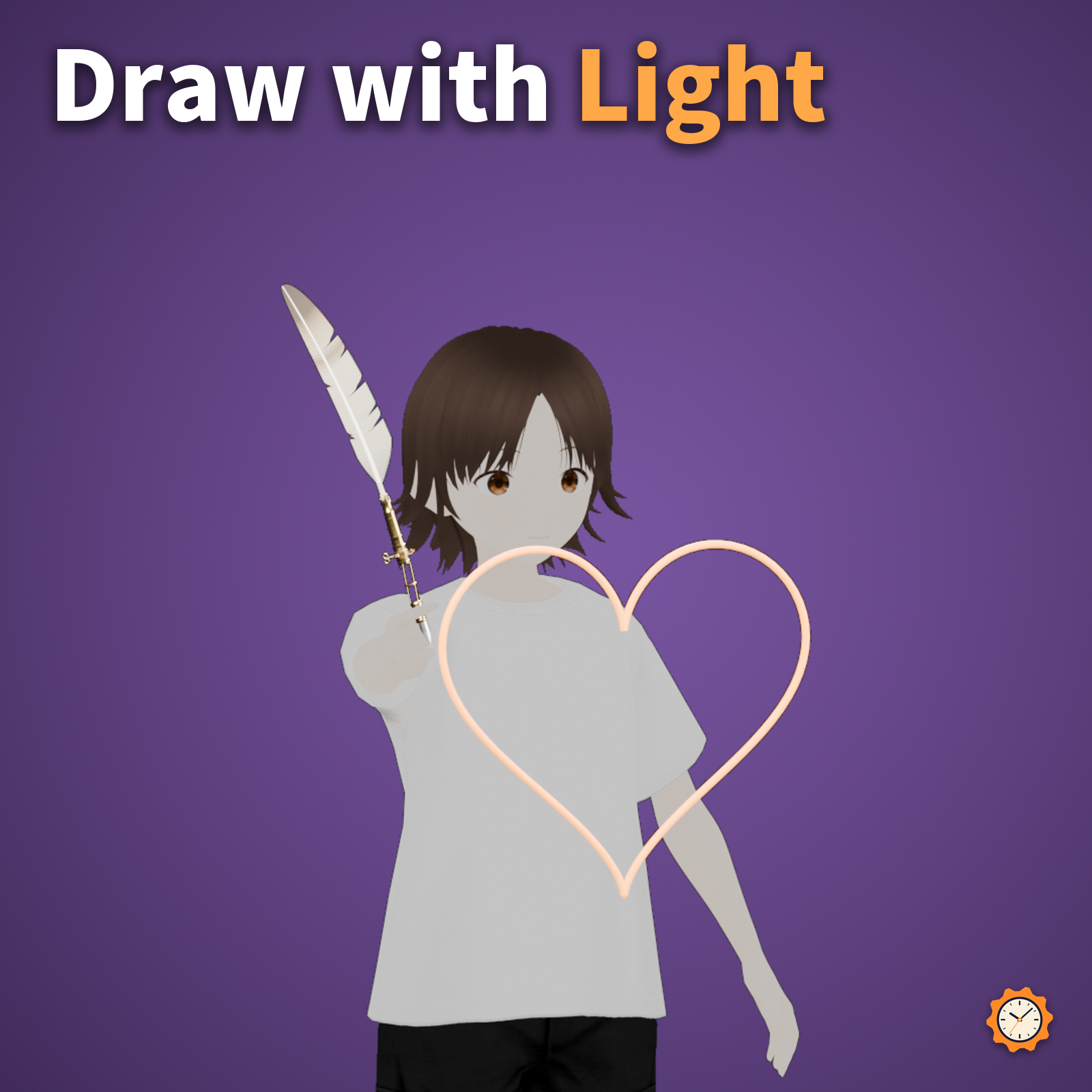
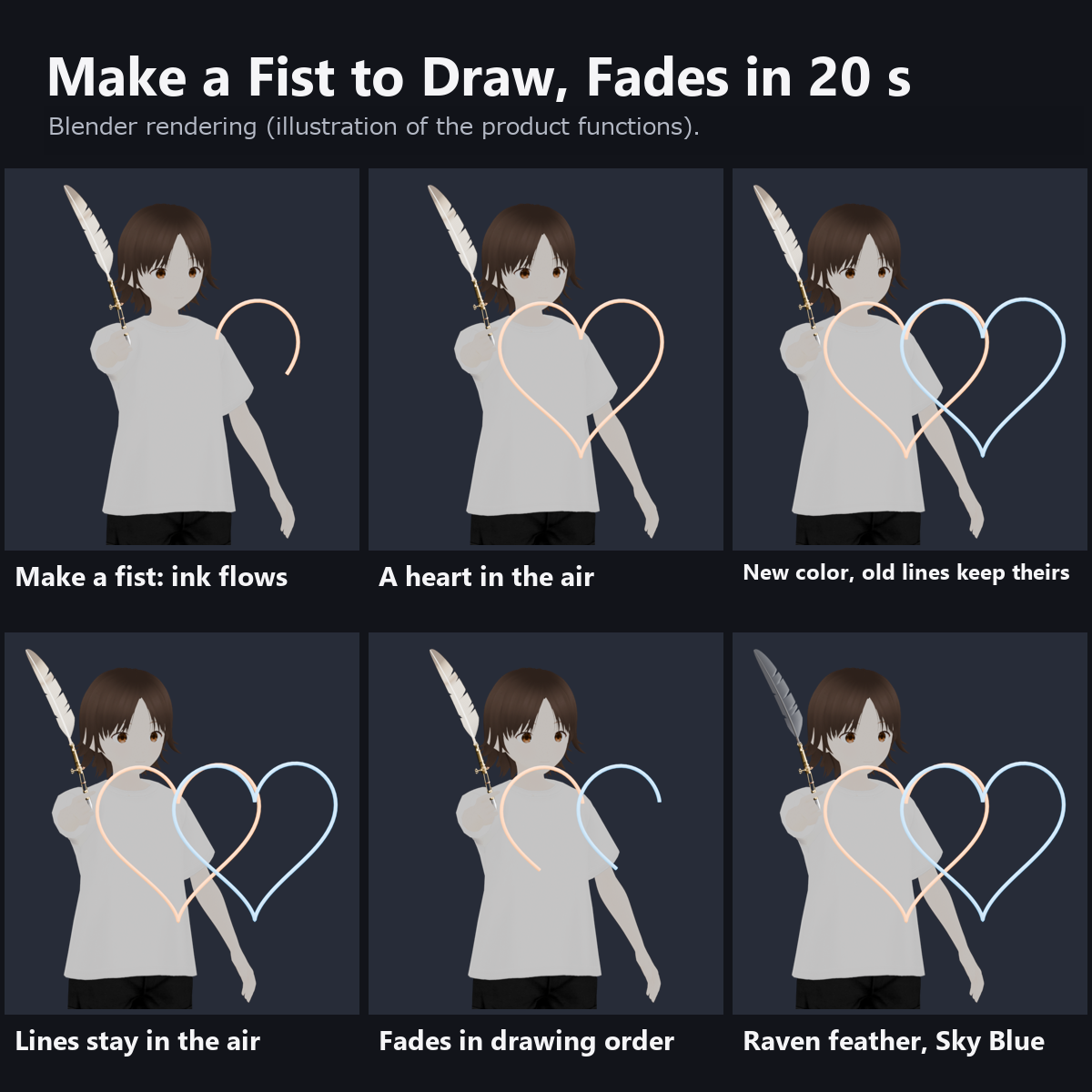
Make a fist and glowing ink flows from the nib of a brass quill, so you can draw in the air. The lines glow for a while, then fade after 20 seconds in the order you drew them.
Please read first
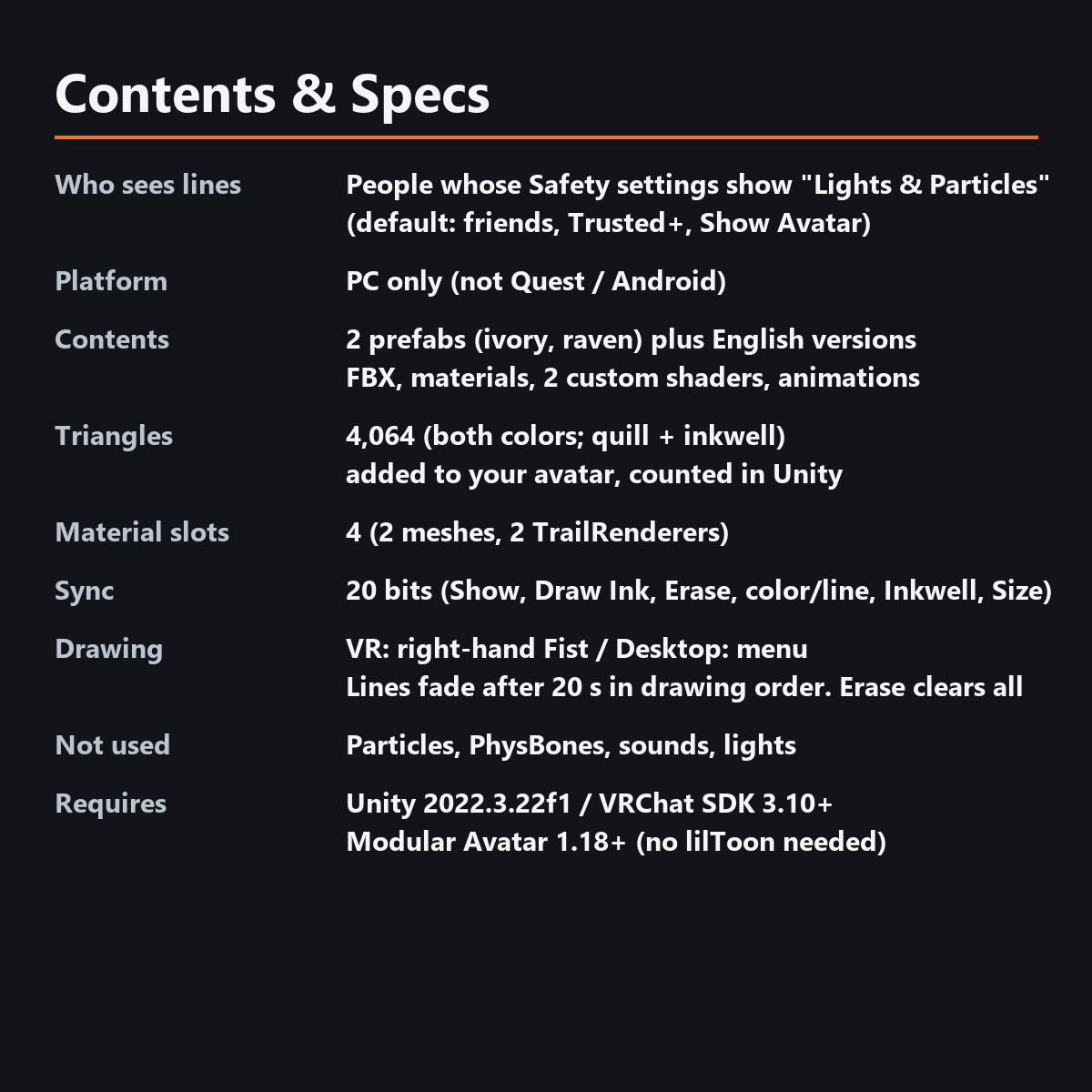
- The lines are visible only to people whose VRChat Safety settings show "Lights & Particles". With the default settings, that is your friends, Trusted Users and above, and anyone who has chosen "Show Avatar" for you. Other people see the quill but not the lines (the lines use a TrailRenderer, which falls in that category; other avatar pens work the same way).
- PC only. Not supported on Quest / Android.
- Made for VR. On desktop you cannot move your hand freely, so you use Right Shift + F2 (right-hand Fist) or Draw Ink in the menu to leave a line behind you as you walk.
- Lines in up to the last 2 colors stay at the same time. When you switch to a third color, the lines in the oldest color disappear.
Features
- Draw by making a fist: in VR, ink flows while you hold a Fist with your right hand. On desktop, use Draw Ink in the menu
- Glowing ink: brightest where you just drew, a little softer on older parts. Lines fade after 20 seconds, oldest part first. Erase clears everything at once
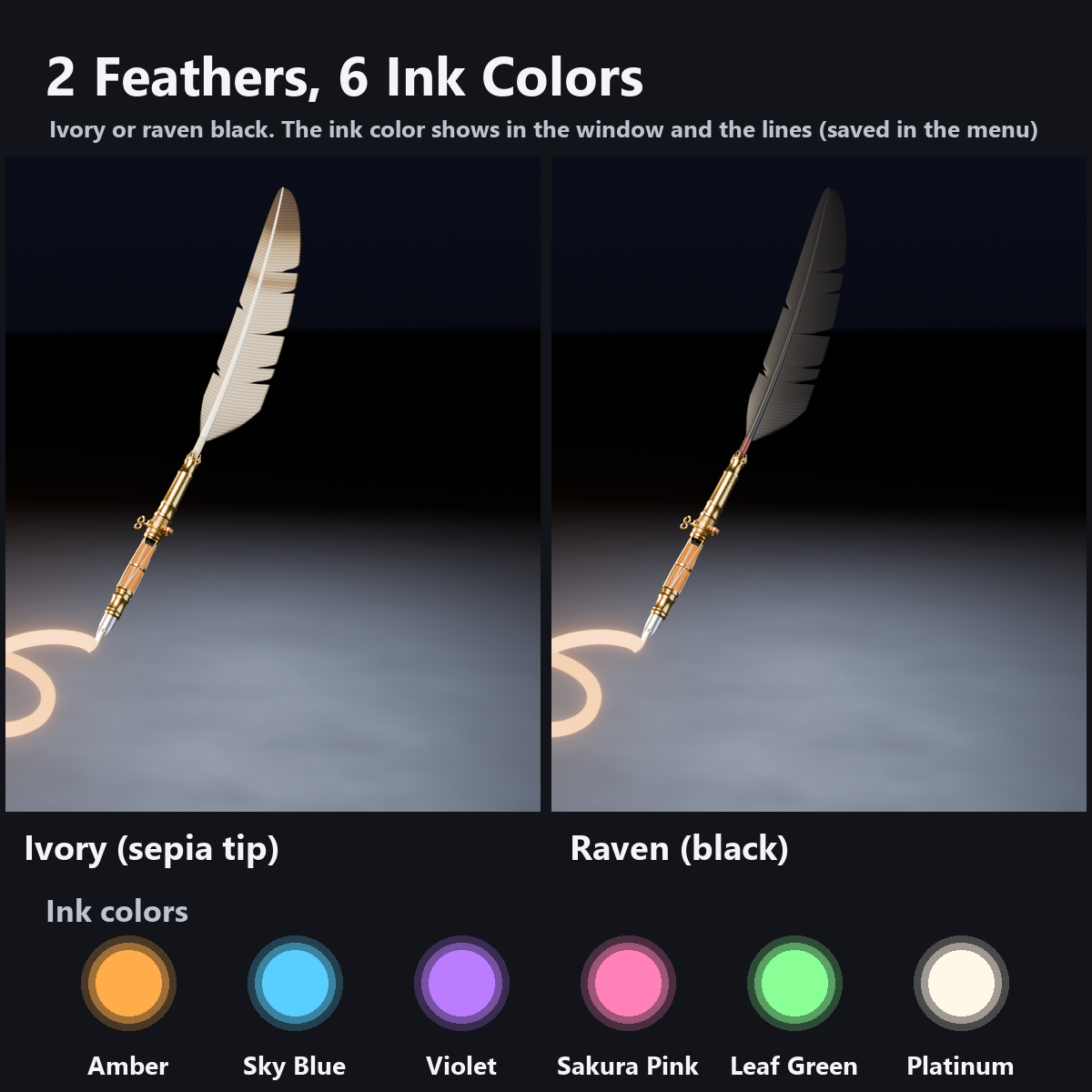
- 6 ink colors: Amber, Sky Blue, Violet, Sakura Pink, Leaf Green, Platinum. When you change color, lines in the previous color keep it while they fade (two lines take turns; up to the last 2 colors stay)
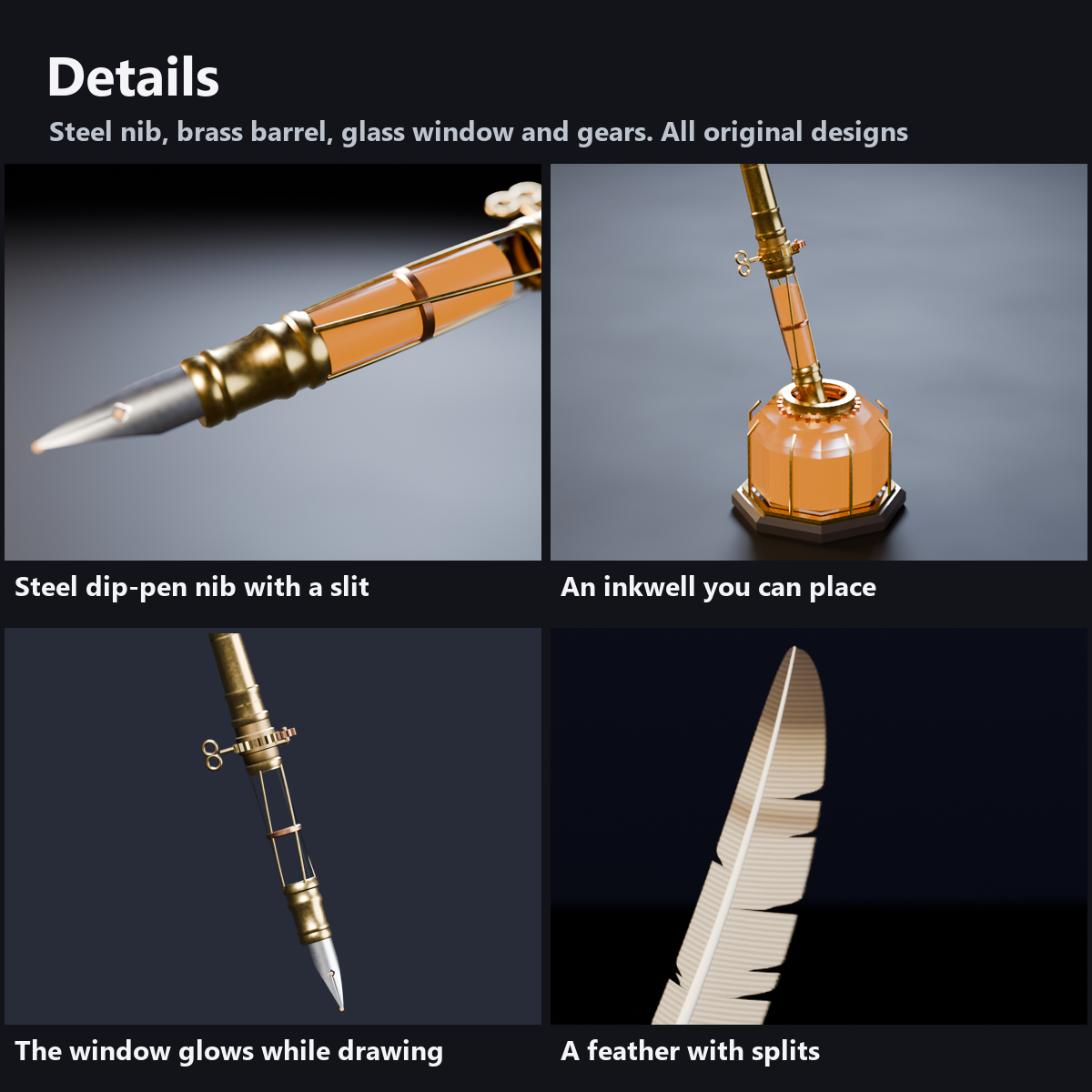
- A clockwork quill: a glass window in the brass barrel glows in the current ink color, a gear collar turns while you draw, and a wind-up key sits on the side
- A real dip-pen shape: a steel nib with a slit and breather hole, a brass ferrule, and a feather with splits and down
- 2 colors: ivory feather with a sepia tip, or black raven feather
- An inkwell you can place: an octagonal glass bottle with a brass collar, gear and open lid
- 0 particles, 0 PhysBones, no sound. Custom shaders included (no lilToon needed). Modular Avatar ready
- Same night-study style as our gear grimoire. All designs are original
How it works
- The lines are 2 TrailRenderers that follow the nib from outside the armature (to avoid a VRChat issue where trails under bones look broken in mirrors and cameras).
- The lines themselves are not synced: each viewer's device draws them from your synced hand movement, so shapes may differ slightly, and late arrivals do not see earlier lines. Fist, color and line number are synced (20 bits).
What to know before getting it
- As noted above, people outside your friends and Trusted Users do not see the lines with default Safety settings.
- If your right-hand Fist gesture triggers a facial expression, it also shows while you draw. Use Draw Ink instead if you mind it.
- Product images and the demo video render the actual model in Blender to recreate how the ink flows and fades (the photo model stands still; fading is fast-forwarded). They are not in-game captures, so light and lines may look a little different in VRChat. We have not checked it in VR headsets.
Menu (English menu prefab)
- Glowing Ink Quill > Show: hold the quill or put it away
- Glowing Ink Quill > Draw Ink: while ON, ink flows from the nib (for desktop or when you cannot make a fist; in VR, make a fist with your right hand)
- Glowing Ink Quill > Erase: press to erase all lines right away
- Glowing Ink Quill > Ink Color: 6 colors: Amber, Sky Blue, Violet, Sakura Pink, Leaf Green, Platinum (Amber at first; your choice is saved)
- Glowing Ink Quill > Place Inkwell: when ON, an inkwell appears under your hand and stays there (OFF puts it away)
- Glowing Ink Quill > Size: size of the quill and inkwell, 0.5 to 1.5 times (1.0 at first)
What's included
- 2 prefabs (ivory and raven) and English-menu prefabs (_EN). Use one of them on an avatar
- 2 FBX files, textures (color atlas, feather), materials, 2 custom shaders (quill, line), animations
- Instruction manual and Terms of Use in English and Japanese
Specs
- Added to your avatar (counted in Unity): 4,064 triangles, 2 meshes, 4 material slots, 2 TrailRenderers
- Synced parameters: 20 bits (Show, Draw Ink, Erase, pen state, Inkwell, Size)
- No Particle Systems, PhysBones, AudioSources, Contacts or lights
- Size: about 40 cm long at Size 1.0
Requirements
- Unity 2022.3.22f1 (an avatar project made with VRChat Creator Companion)
- VRChat SDK (Avatars) 3.10 or later
- Modular Avatar 1.18 or later
- lilToon is not needed (custom shaders included)
Please note
- PC only. Not supported on Quest / Android.
- No lines appear in the Unity editor. Drawing works inside VRChat.
- If a viewer's Safety settings hide shaders, the quill is shown with a standard look and the glow and gear motion are not shown.
Terms of use
- You may upload it to VRChat and similar services on your own avatars, edit it, and use it in streams, videos and photos (commercial or not).
- You may not redistribute, resell or share the data (edited or not), or use it to train AI.
- Full text: TermsOfUse_EN.txt in the download.
How this was made (AI-Assisted)
The 3D shapes, materials, shaders and texts of this item were made with scripts written with AI assistance. A person checked how it looks and moves in Unity before release.
Version history
v1.0 (2026-11-04): initial release.