
Product Description
This product contains AI-generated content.
AI-Assisted: the 3D shapes, materials, shaders and listing texts were made with scripts written with AI assistance. A person checked how it looks and moves in Unity before release.
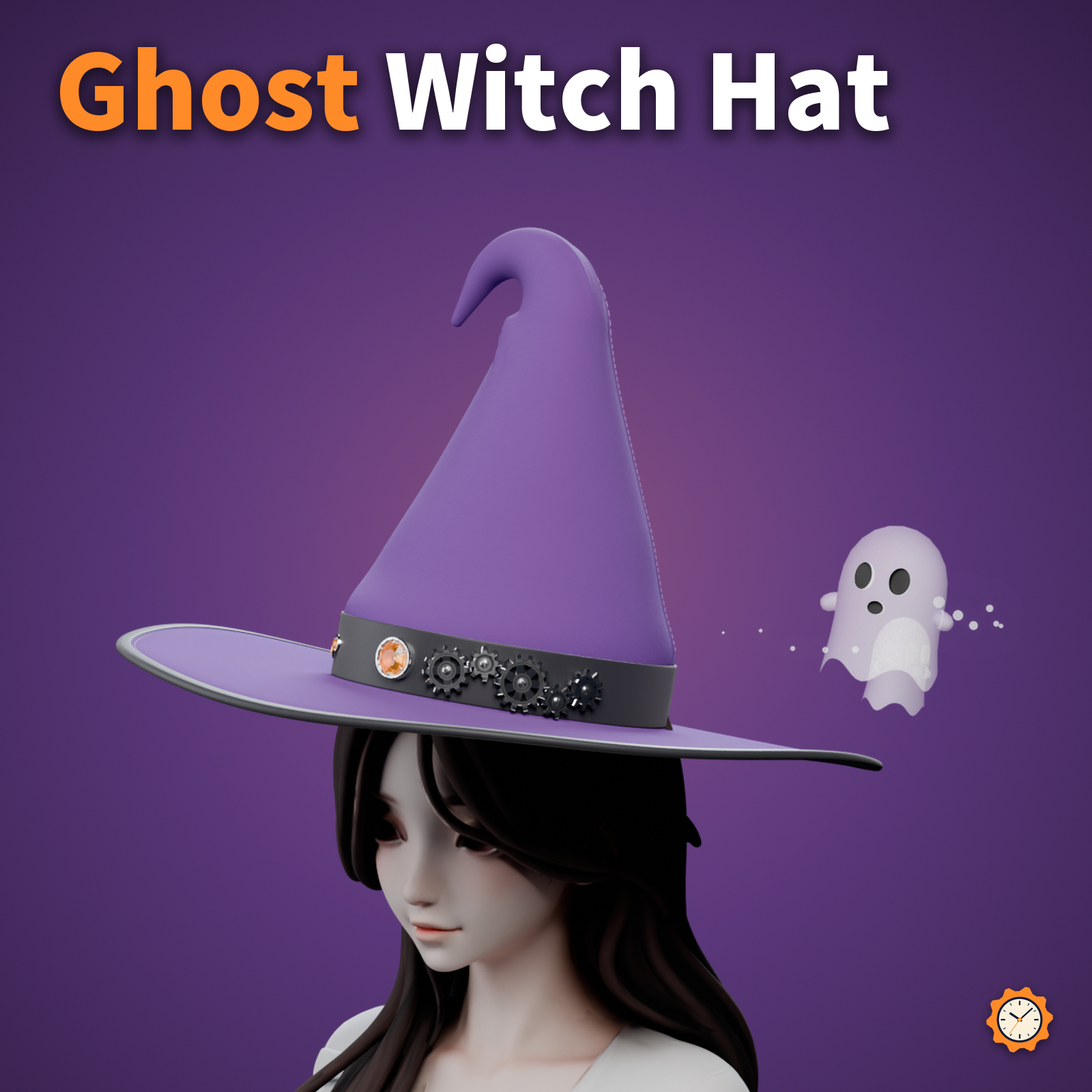
A felt witch hat with a soft, bent tip. Five brass gears on the band turn slowly, meshed together and in alternating directions.
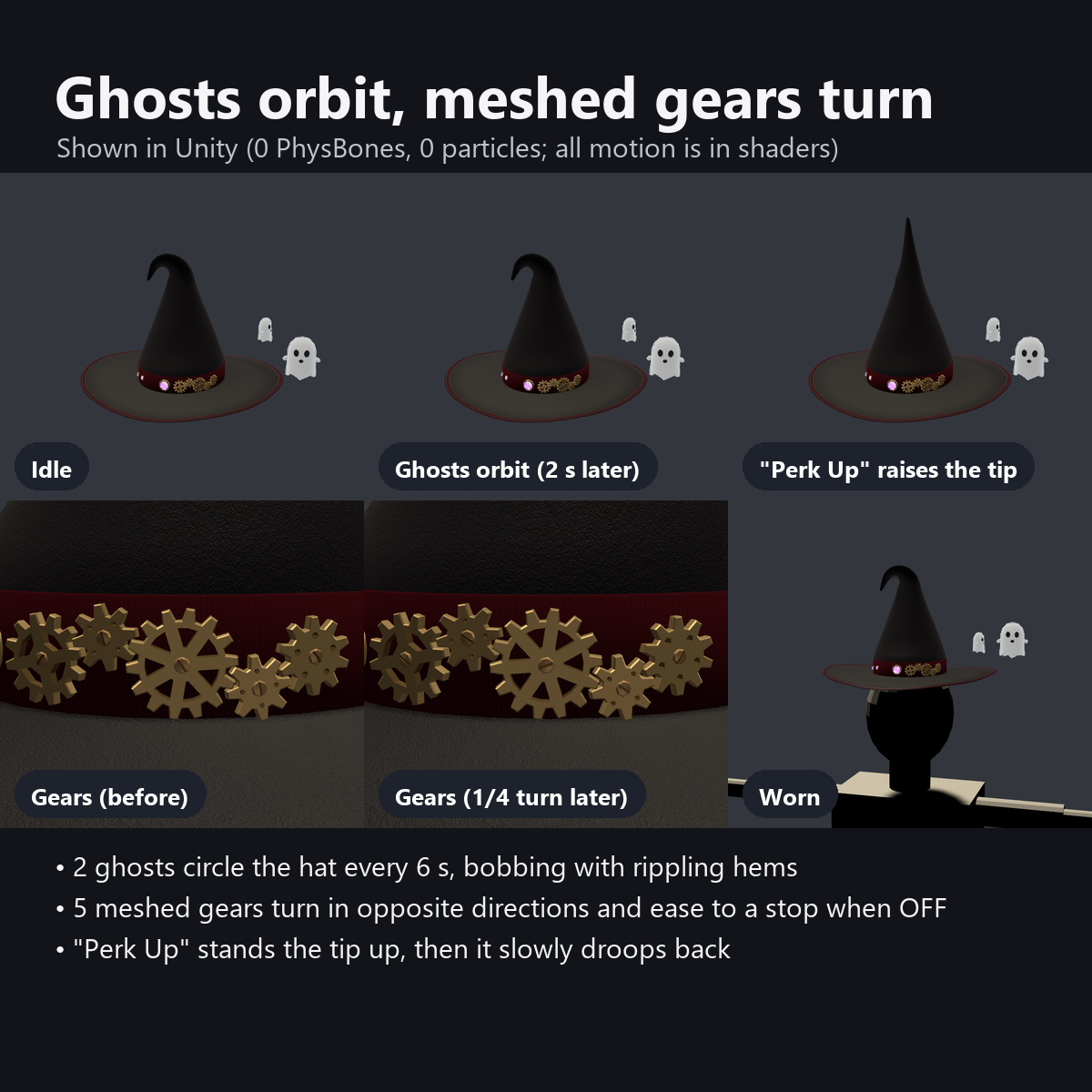
Two small ghosts float around the hat (one lap every 6 seconds). Everything moves with custom shaders: no PhysBones, particles or constraints.
The black and brass version also suits gothic or steampunk outfits after Halloween.
Features
- Two ghosts circle the hat: they bob up and down and their hems ripple. Hollow eyes and mouth, slightly see-through white bodies (built so they do not swap draw order with semi-transparent hair)
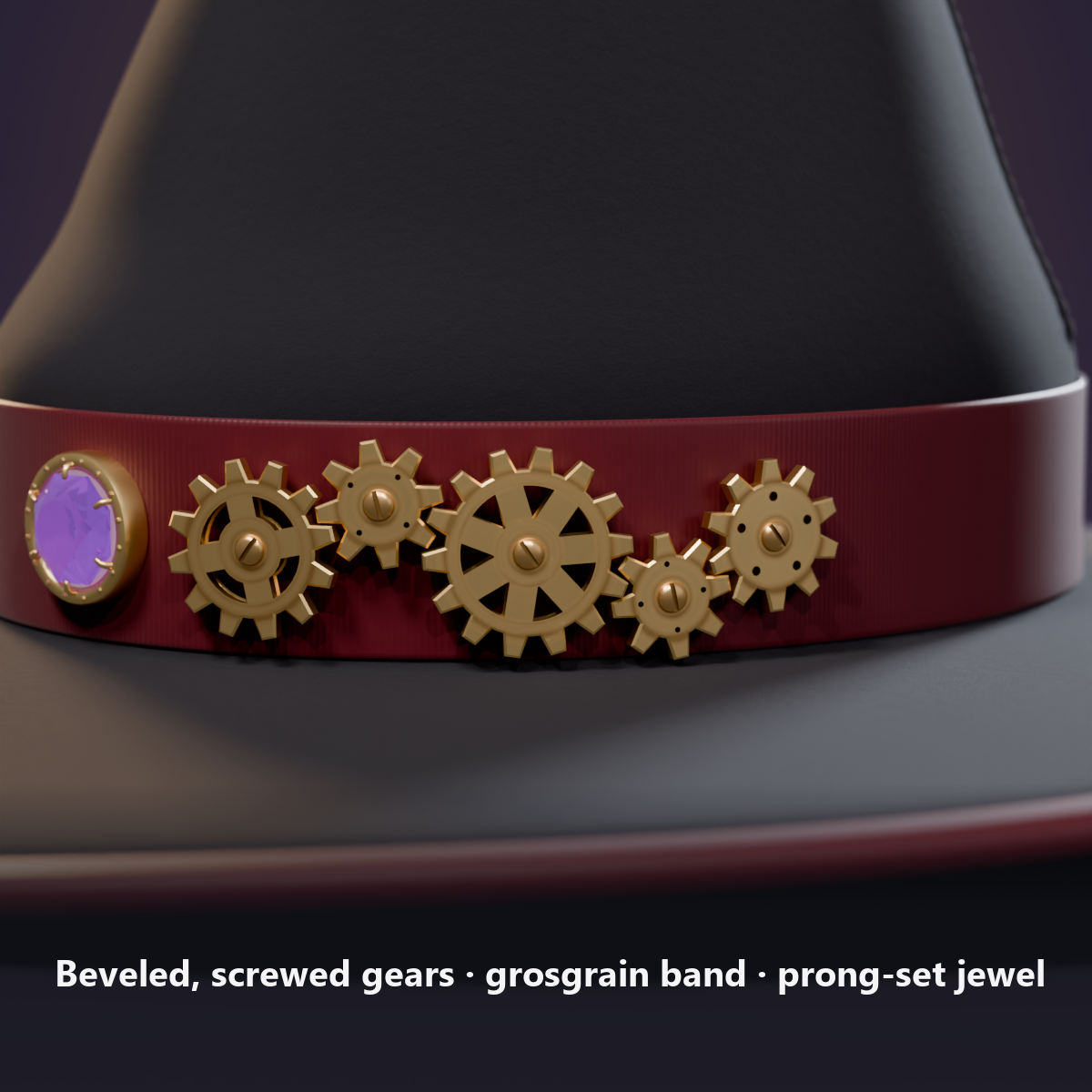
- Five meshed gears on the band (12, 8, 14, 8 and 10 trapezoid teeth, chamfered, with slotted screws). Gear Spin OFF stops them smoothly; ON continues from the same angle
- Perk Up button: the tip stands straight up, then slowly flops back down (about 2 seconds)
- The gem glows to music: in AudioLink worlds it lights up with the bass; elsewhere it slowly fades in and out
- 4 felt colors from the menu: Black, Purple, Pumpkin Orange, White (the band and metal parts stay the same)
- Size dial: 0.85-1.15x (the opening grows too, which helps when hair pokes through)
- Details: fuzzy felt, brim edge tape with stitching, crown seams, creases and an inner shadow at the bend, grosgrain ribbon, a faceted gem in a bezel setting with prongs
- The tip sways a little in the wind without PhysBones (it uses none of your PhysBone budget and does not collide with other jiggle parts)
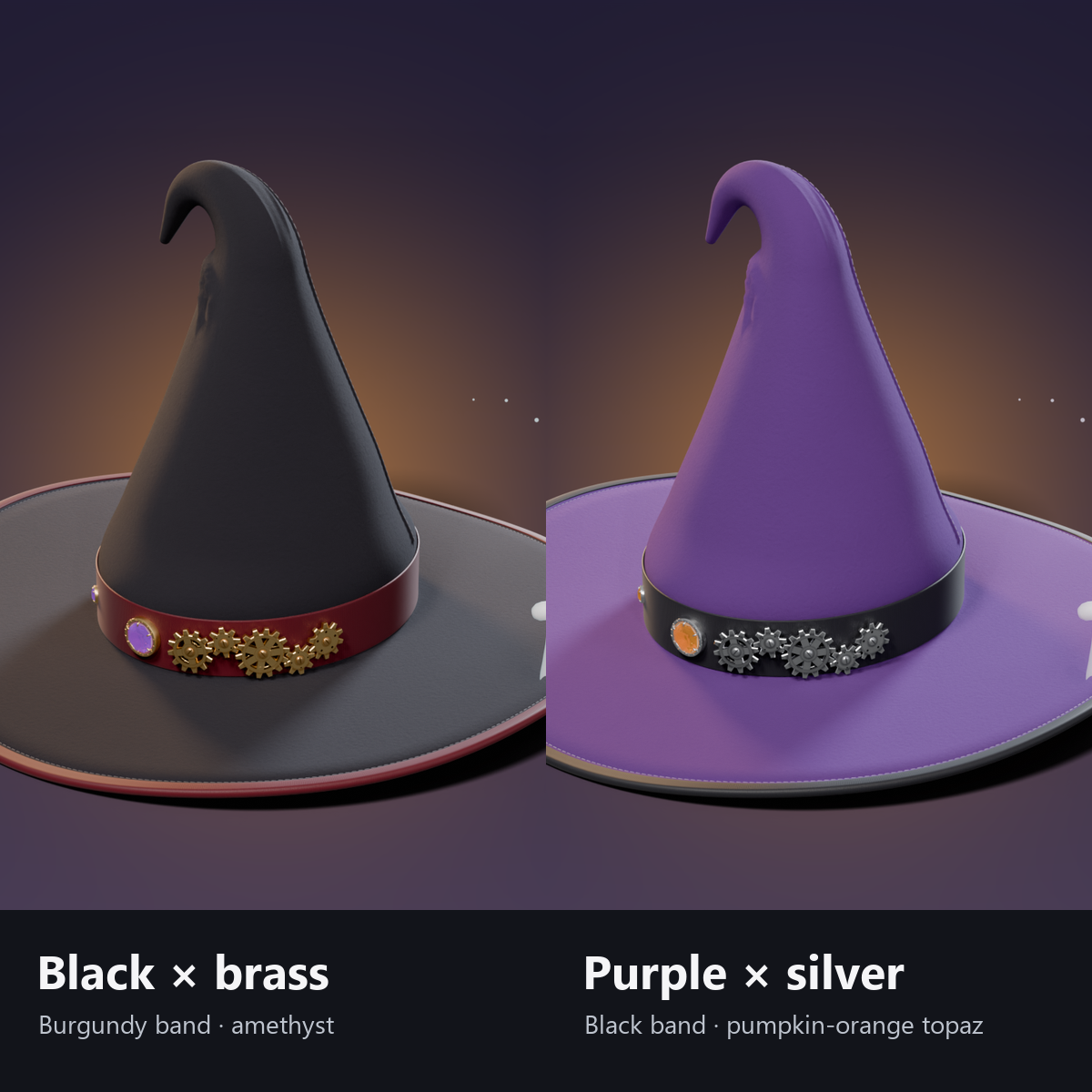
- 2 colors: Black x brass (amethyst) / Purple x silver (pumpkin-orange topaz)
- No external shaders needed (4 custom shaders included; no lilToon required)
- Modular Avatar ready: put it under your avatar and fit it to the head
Menu (English menu prefab)
- Witch Hat > Show: hat on/off
- Witch Hat > Ghost: ghosts circling the hat on/off
- Witch Hat > Gear Spin: the gears on the band turn (OFF stops them smoothly; ON continues from there)
- Witch Hat > Perk Up: each press makes the tip stand up and then slowly flop down
- Witch Hat > Felt Color: Black / Purple / Pumpkin Orange / White (the purple version starts with Purple)
- Witch Hat > Size: dial, 0.85-1.15x (hat, band, gem and ghosts change together)
What's included
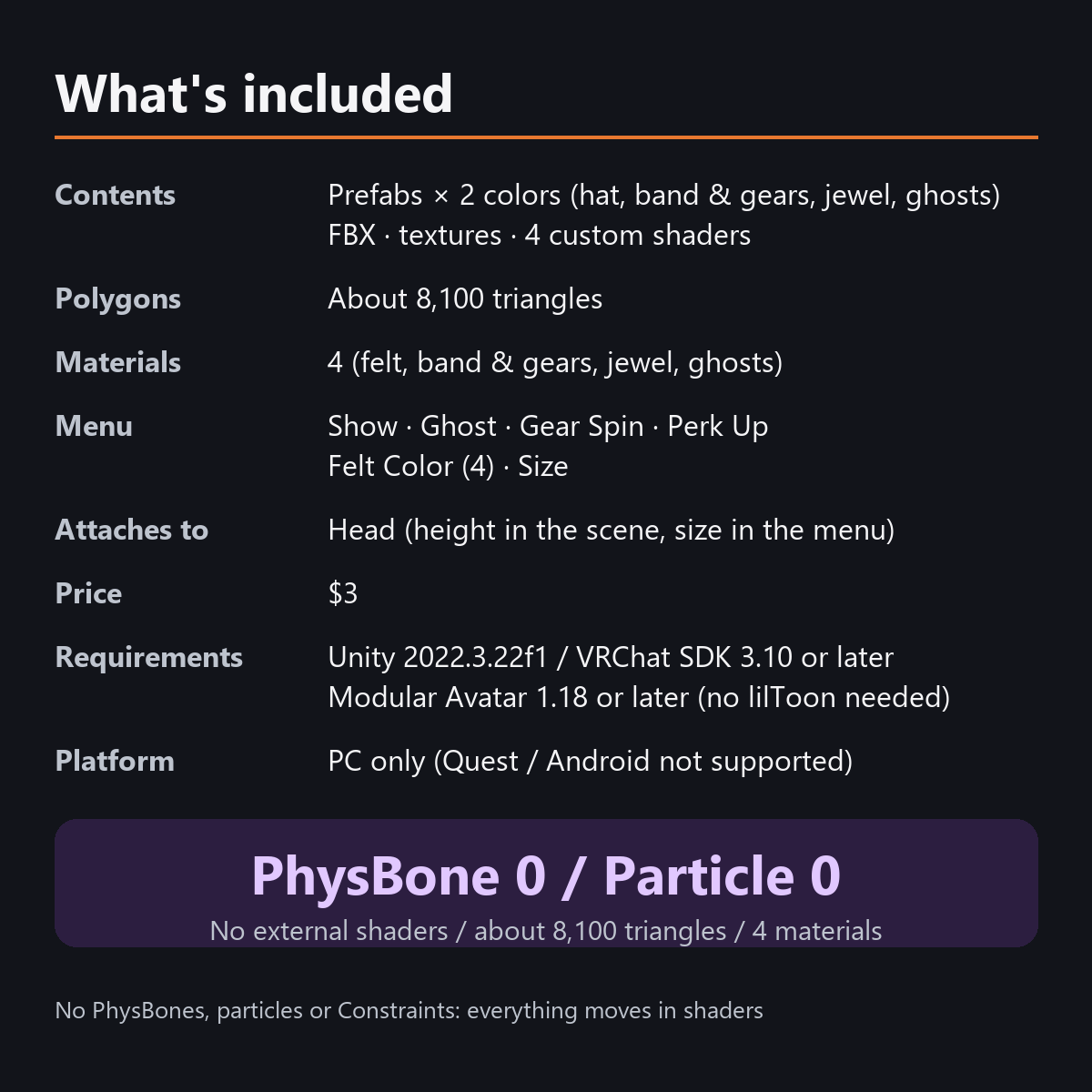
- Prefabs x 2 colors (hat, band and gears, gem, ghosts)
- FBX, textures, materials, 4 custom shaders (felt, band and gears, gem, ghosts), animations
- English-menu prefabs (_EN) next to the Japanese-menu prefabs. Use one or the other on an avatar, not both.
- Instruction manual and Terms of Use in English and Japanese
Specs
- Added to your avatar (counted in Unity): 8,142 triangles, 4 meshes, 4 material slots (felt, band and gears, gem, ghosts), 0 PhysBones
- Synced parameters: 20 bits (Show, Ghost, Gear Spin, Perk Up, Felt Color, Size)
- All counts follow VRChat's rules (hidden parts are counted too) and show how much one prefab adds to your avatar.
- The VRChat performance rank depends on the total with your avatar, so this item alone does not decide it.
- PhysBones: 0 / Particle Systems: 0 / Constraints: 0
- No extra skinned mesh
Requirements
- Unity 2022.3.22f1 (an avatar project made with VRChat Creator Companion)
- VRChat SDK (Avatars) 3.10 or later
- Modular Avatar 1.18 or later
- lilToon is not needed (custom shaders included)
Please note
- PC only. Not supported on Quest / Android.
- The gem reacts to music only in worlds that support AudioLink. In other worlds it slowly fades in and out.
- The height cannot be changed from the menu. Set the Position Y of "..._Model" in the Scene (the size can be changed from the menu).
- If a viewer's Safety settings turn off shaders, the hat is shown in one color with a straight tip, and the gears and ghosts do not move.
- In the Unity editor the ghosts, gears and tip do not move (they move inside VRChat).
- There is no lace or frill. This is a hat with moving gimmicks.
- The menu controls, the ghosts, the gears, the tip and the AudioLink glow move only inside VRChat (including Build & Test) or with Gesture Manager. If they look still in the Unity Editor, nothing is broken.
Terms of use
- You may upload it to VRChat and similar services on your own avatars, edit it, and use it in streams, videos and photos (commercial or not).
- You may not redistribute, resell or share the data (edited or not), or use it to train AI.
- Full text: TermsOfUse_EN.txt in the download (Japanese original: TermsOfUse_JA.txt).
Update history
- v1.2 (2026-10-13): Uploads without pressing Auto Fix in VRChat SDK 3.10 (fixed texture Streaming Mip Maps, mesh Read/Write, Legacy Blendshape Normals). The shaders support Single Pass Instanced rendering in VR (the look outside VR is unchanged). Manual and description updated (counts are now what the item adds to your avatar, measured in Unity; how it looks in the Editor). The included documents now have English-only file names. The GUIDs are the same as before, so importing it over the old version replaces it.
- v1.1: English-menu prefabs (_EN) and English documents
- v1.0: First release
Also on BOOTH
This item is also sold on BOOTH, the Japanese marketplace: https://karakuri-komono.booth.pm/items/8940952
How this was made (AI-Assisted)
The 3D shapes, materials, shaders and texts of this item were made with scripts written with AI assistance. A person checked how it looks and moves in Unity before release.