
Product Description
This product contains AI-generated content.
AI-Assisted: the 3D shapes, materials, shaders and listing texts were made with scripts written with AI assistance. A person checked how it looks and moves in Unity before release.
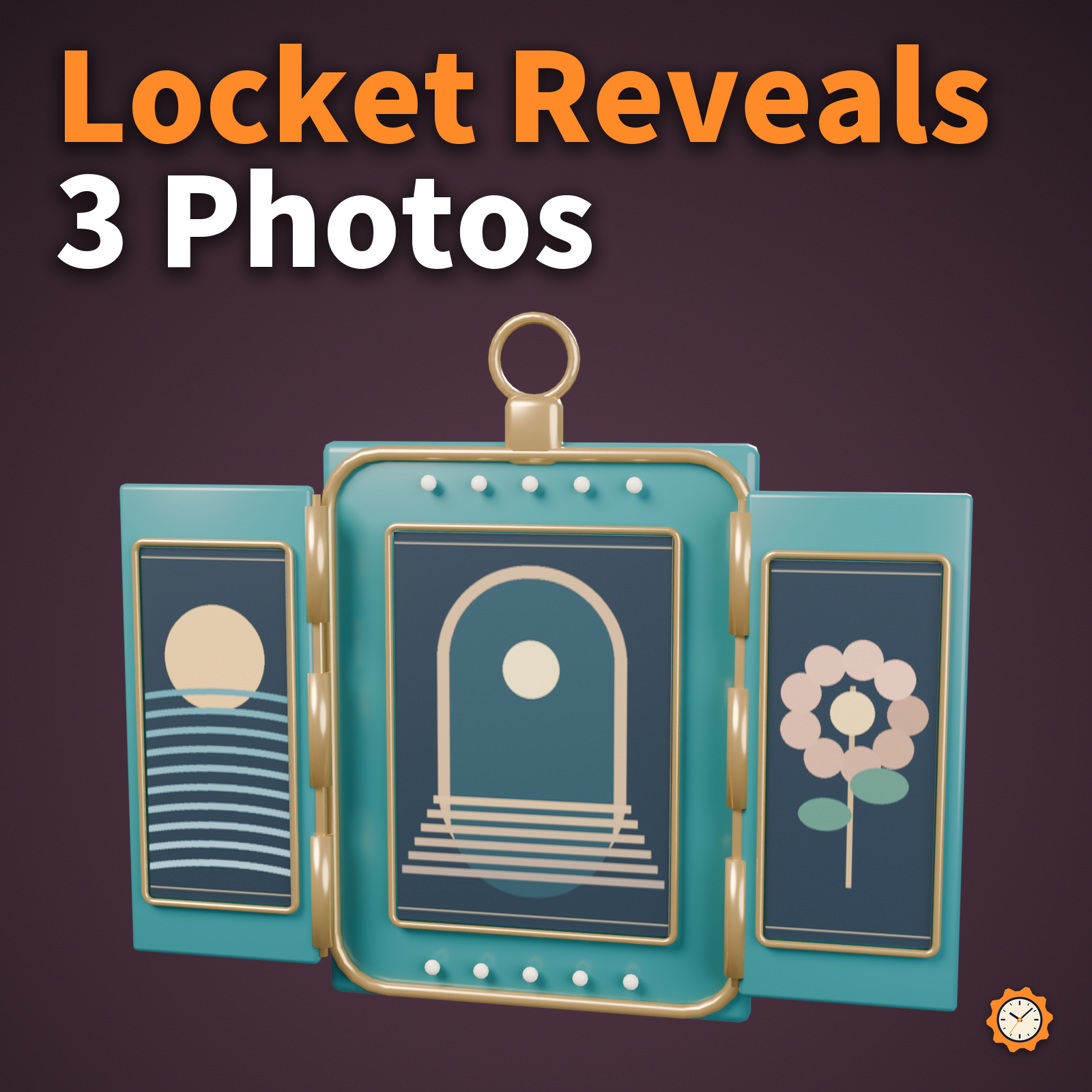
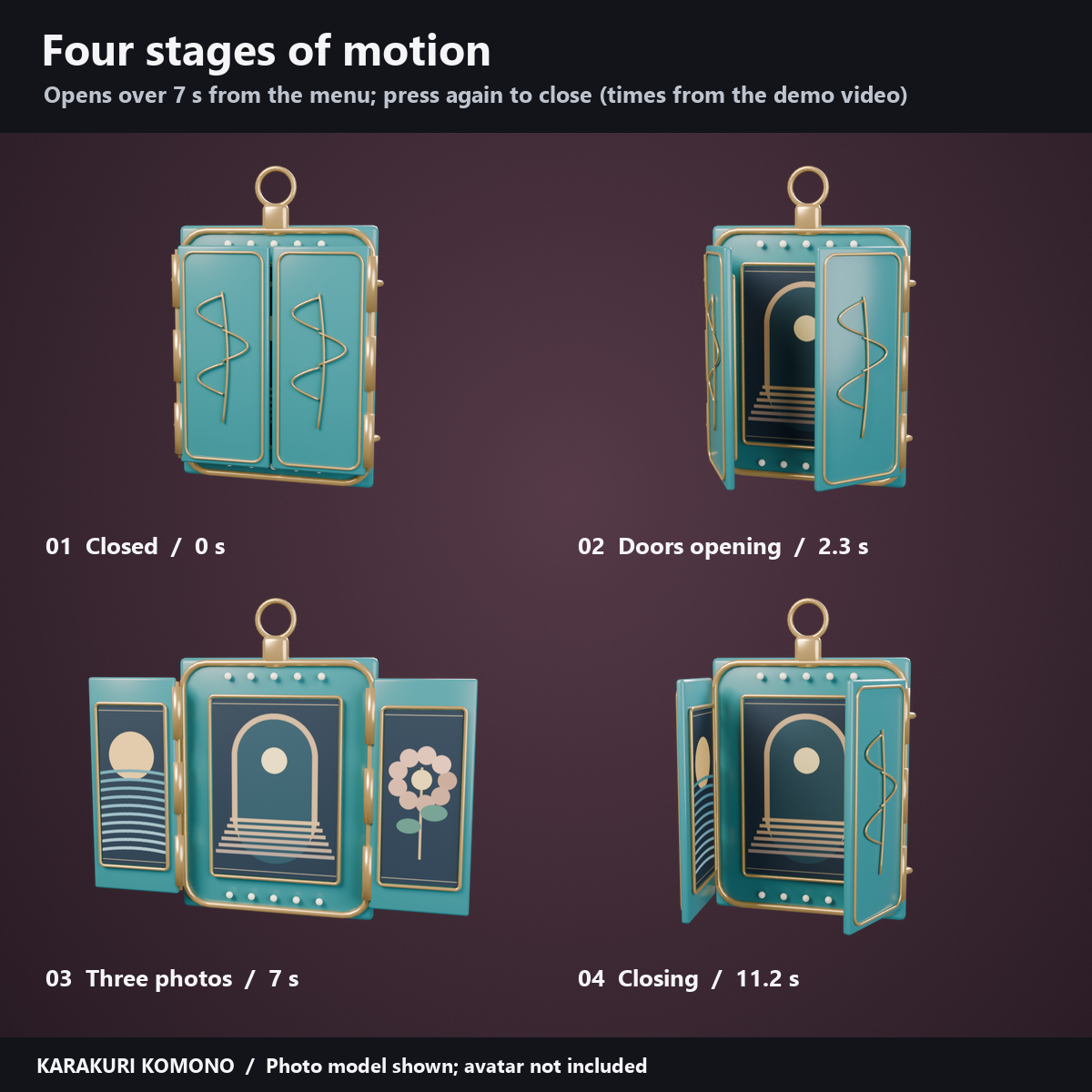
Two hinged doors in enamel colors open to reveal three photos: one in the center and one inside each door.
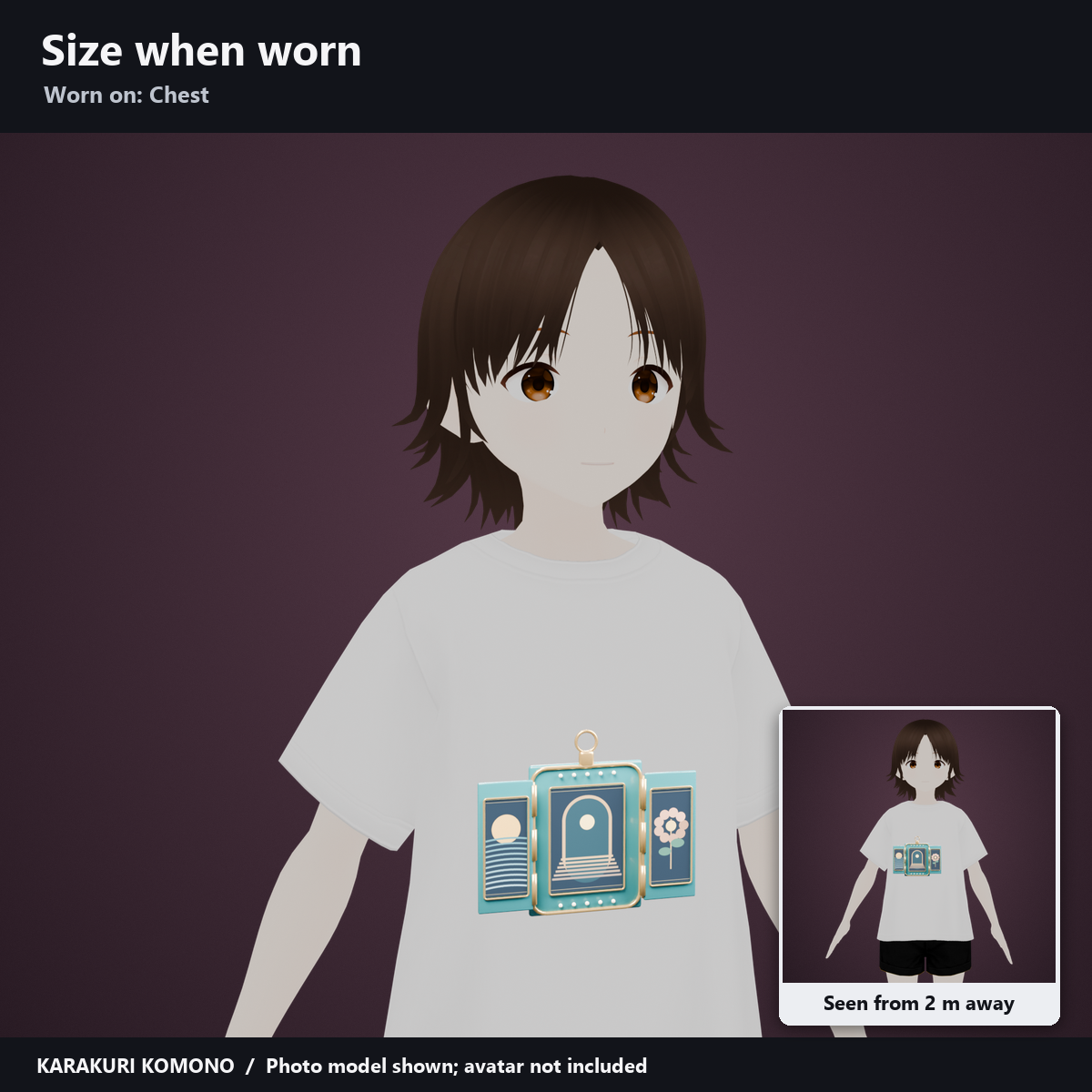
- Attachment: Chest. Place the rear pin against the garment. The doors swing forward, so choose a flat spot on the chest clear of hands, hair and clothing.
- Controls: "Visible", "Transform / return", "Reset" and "Photo mode / Photo phase". The doors open over 7 seconds from the menu; press again at the end to close them.
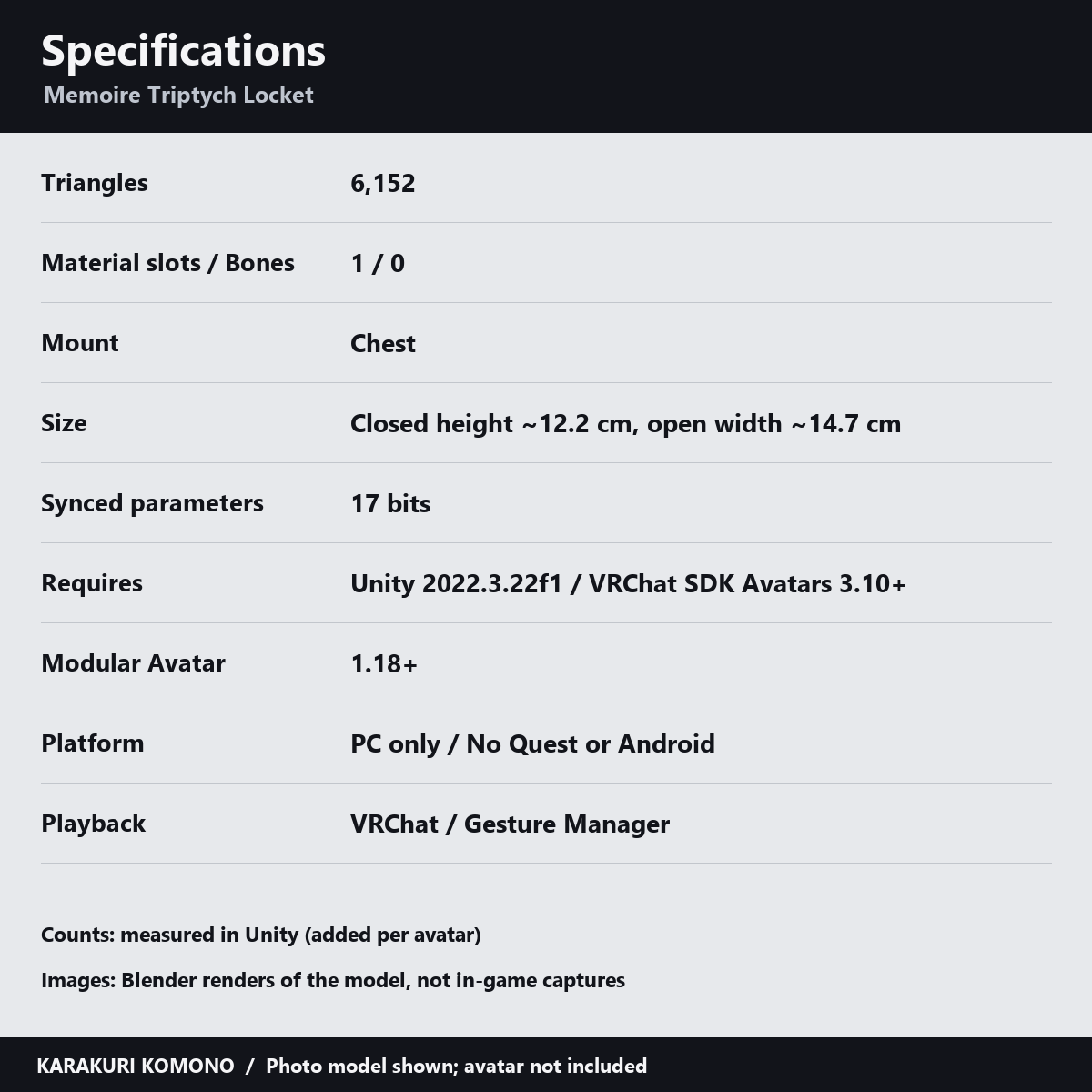
- Added per avatar (measured in Unity): 6,152 triangles, 1 material slot, 0 bones, 43 shape keys; synced parameters: 17 bits.
- Size: closed height about 12.2 cm; open width about 14.7 cm. Adjust position and scale to fit your avatar.
- Photos are replaced in Unity, not inside VRChat. Open Tools > Karakuri Komono > Memoire - Replace photos, assign the Left, Centre and Right images and click "Save new atlas"; the tool packs them into one texture and assigns it to the material. Upload the avatar again afterwards.
- Images are center-cropped to the portrait windows, so keep faces near the center. The three default pictures are sample artwork.
- All prefabs sharing a material show the same photos. Repeat the steps on each color material if you want different photos per color.
- PC only; no Quest/Android support. Use one copy per avatar.
- Placing the prefab in the Unity editor alone does not play the motion. Use VRChat or a tool such as Gesture Manager to run the menu and motion.
- Made for generic Humanoid avatars; no avatar-specific presets are included. Fit it with the Mount position, rotation and overall scale. The motion uses shape keys, so scale the whole object rather than individual parts.
- Please check in-client appearance, sync on other players' screens and visibility in dark worlds with your own avatar.
- Requirements: Unity 2022.3.22f1, VRChat Avatars SDK 3.10 or later and Modular Avatar 1.18 or later. A custom shader is included; lilToon is not required. See the included manual for installation. Avatars and clothing are not included.
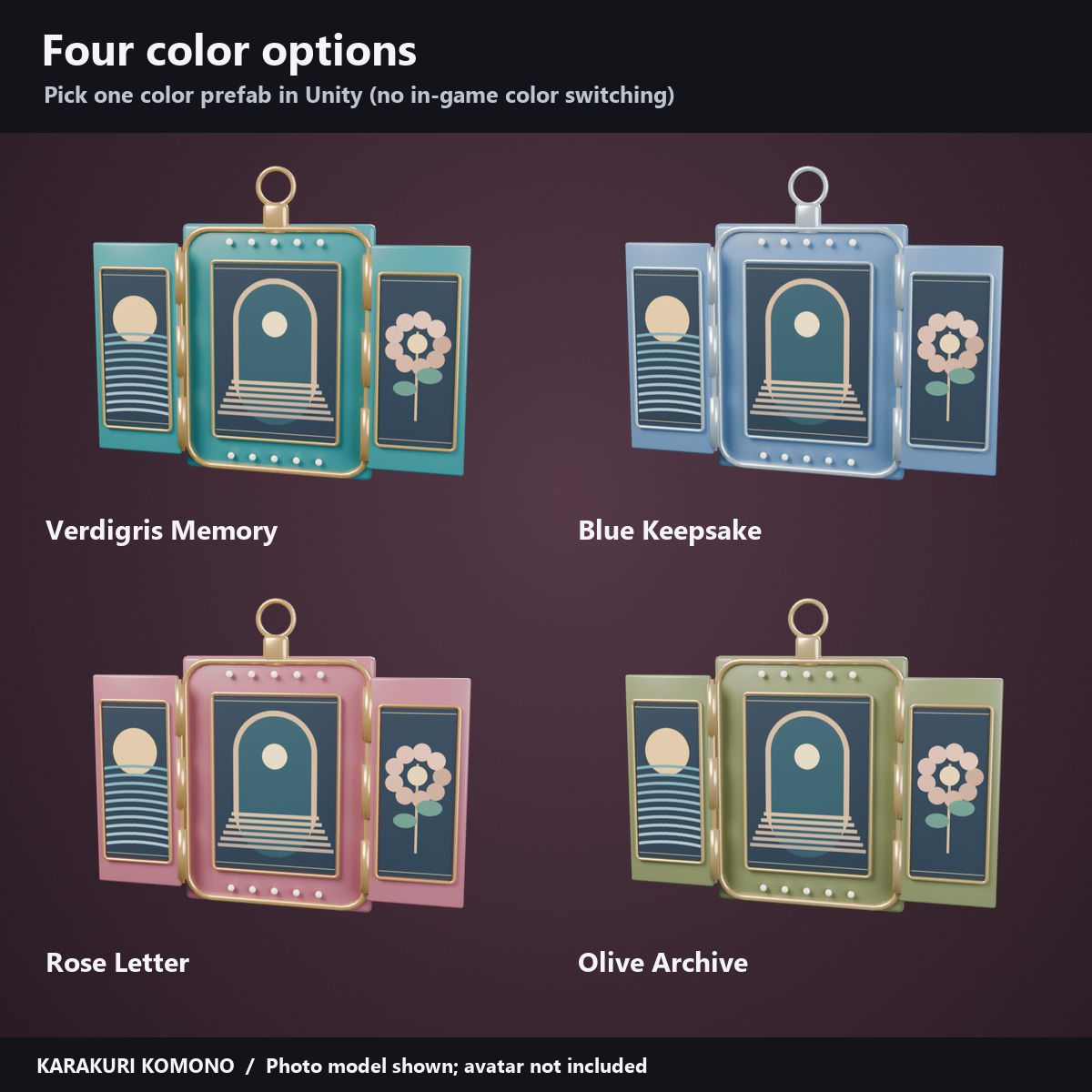
- Pick one of the four color prefabs (VerdigrisMemory, BlueKeepsake, RoseLetter, OliveArchive) in Unity. There is no in-game color switching.
- How this was made: AI was used for geometry, material, animation and shader code and text. Product images and demo videos render the actual model in Blender. Wear examples use a photo model; no avatar is included. These are not in-game captures; lighting and material appearance may differ in VRChat.
- Terms: TermsOfUse_EN.txt. Editing and use on your own avatar are permitted; redistribution of the data is not.
Version history
v1.0 (2026-11-10): initial release.