
Gear Grimoire - Gear Lock Opens, Pages Turn, Your Words Glow | VRChat
Product Description
This product contains AI-generated content.
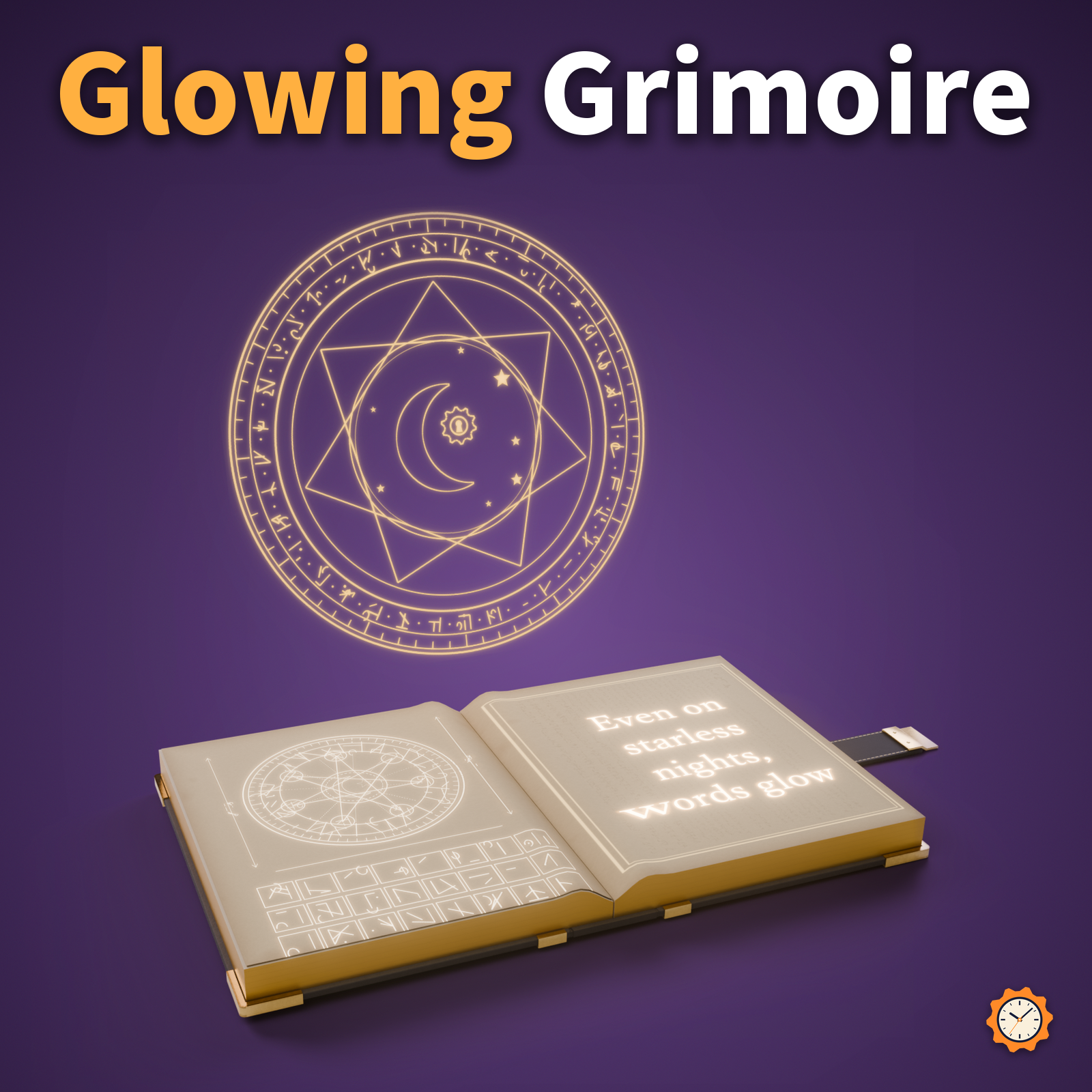
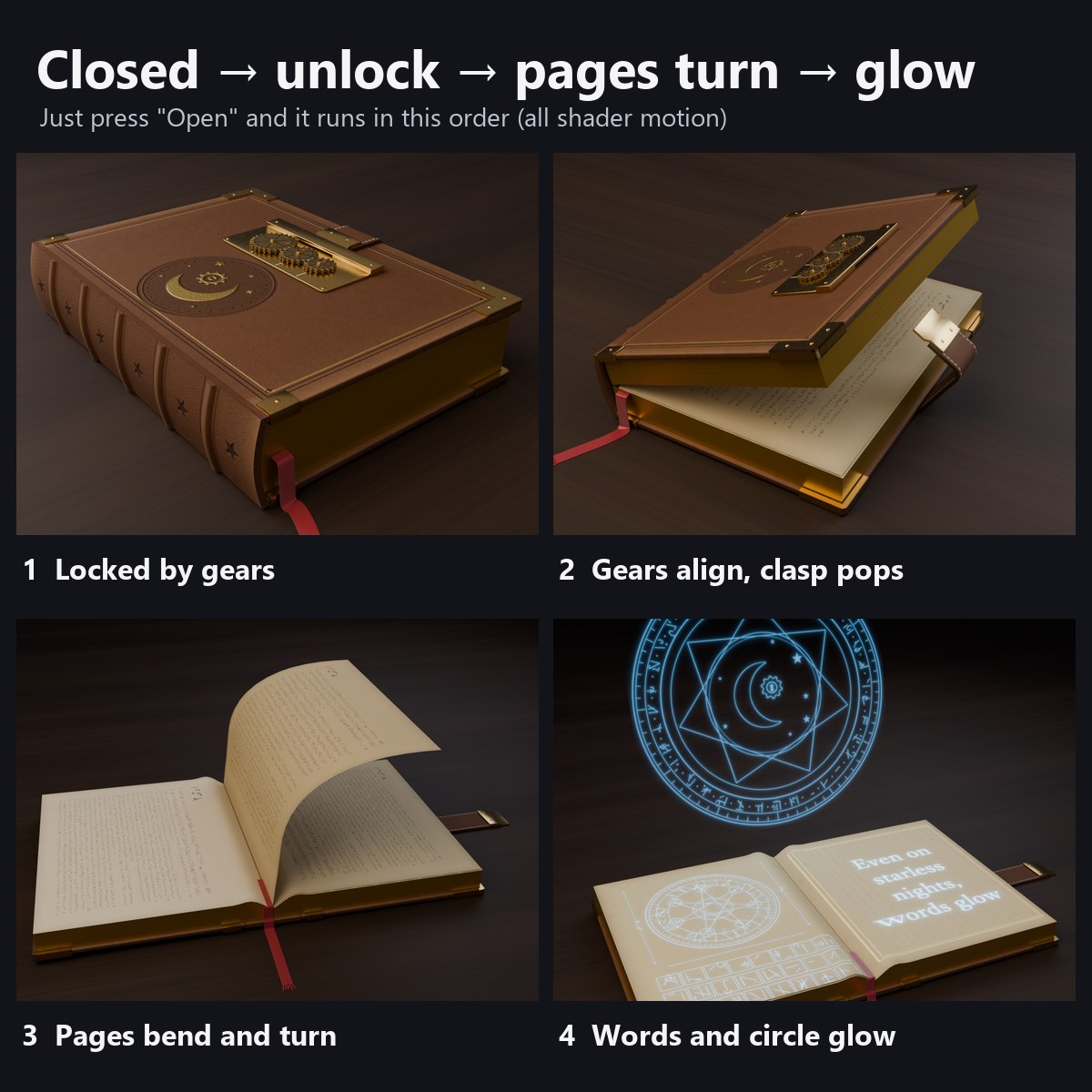
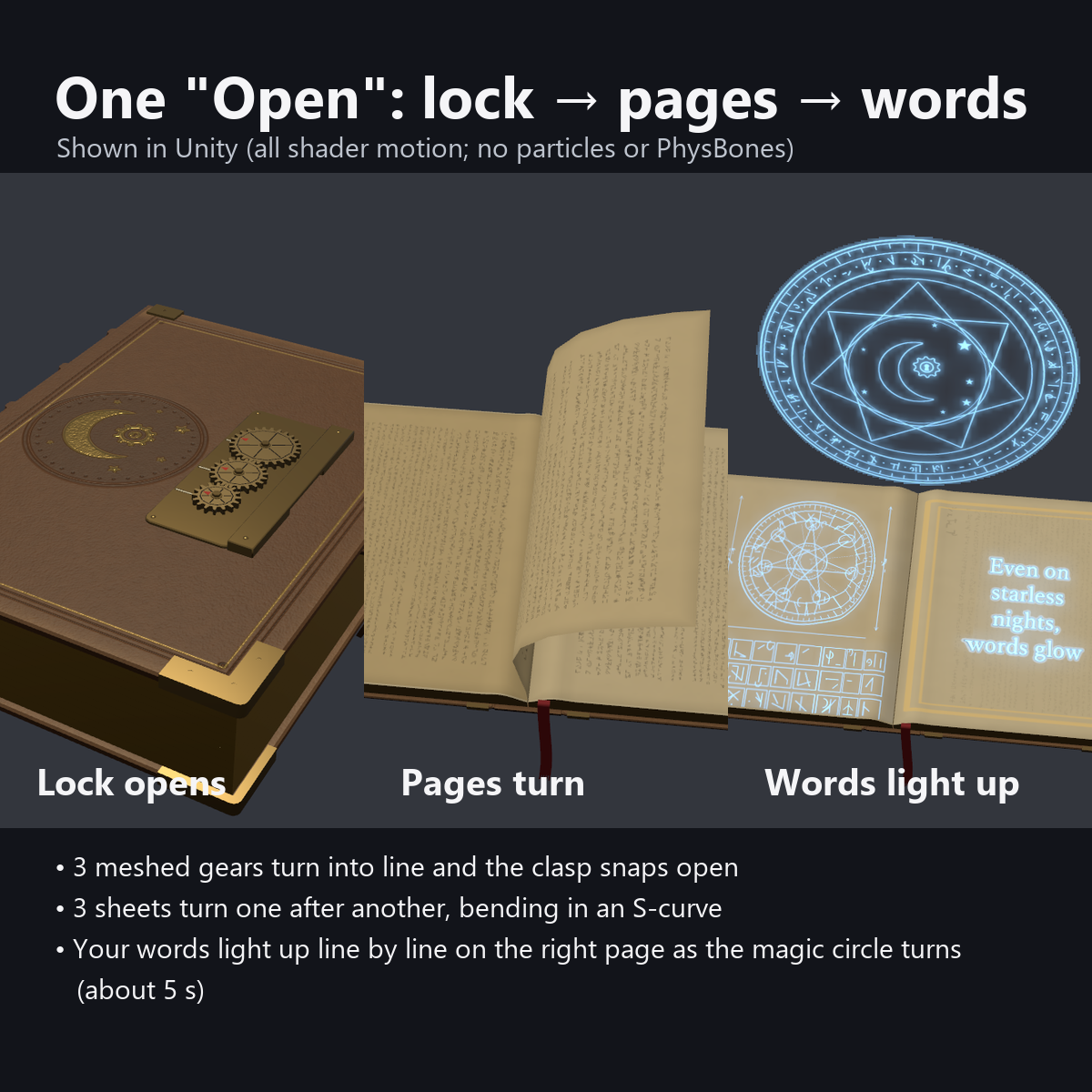
A leather-bound grimoire that floats beside your hip. Press Open: the three meshed gears of the lock turn into line, the clasp snaps free, the cover opens and three pages flip over in an S-curve.
On the open right page, the text you typed lights up line by line (write names, lines or spells with the included text tool; no image editing needed). The magic circle diagram on the left page glows too, and a magic circle rises and turns behind the book.
The glow is in the textures and shaders, so it shows even in worlds without bloom. No particles are used.
Features
- One Open button runs the whole sequence: gears, clasp, cover, pages, text, magic circle (about 5 seconds). Press again to close in reverse (about 3 seconds)
- Your own words glow: enter text with the included tool (up to 8 lines, vertical or horizontal, choice of fonts). After the pages settle, the lines light one by one with a small flare
- Meshed gear lock: three gears (26, 20 and 16 trapezoid teeth, hex axle caps) really turn together. When closed, the red triangle marks (orange on the black version) are out of line; when open, they line up with the mark on the base, and the strap falls loose
- Pages bend as they turn: the spine side moves first and the edge follows. The three pages flip slightly apart and come to rest on the left
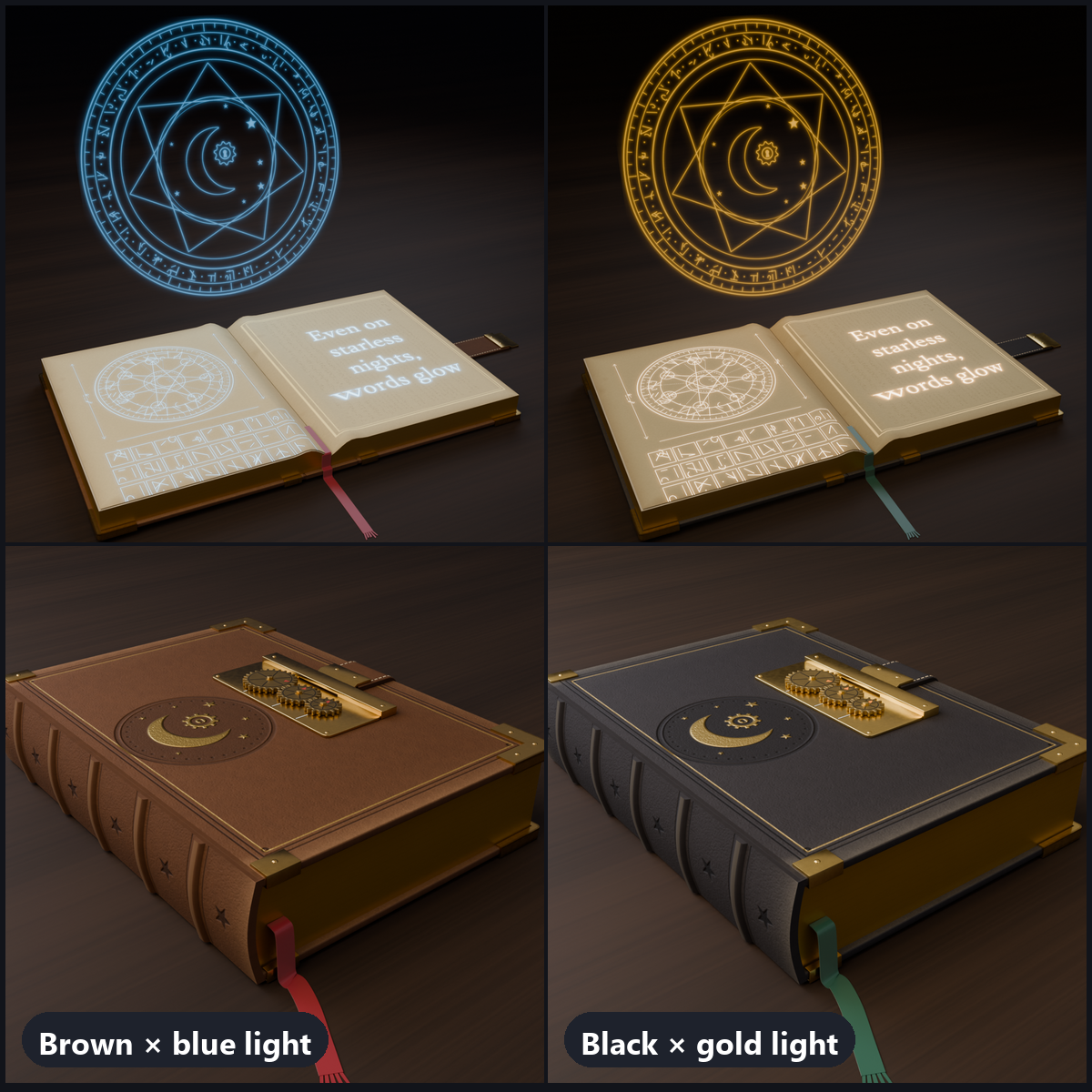
- 4 light colors: Blue, Gold, Purple, Green (the text, the left diagram and the magic circle share the color)
- Magic circle: a 26 cm double ring that rises behind the book (it never covers the page text). The outer ring turns clockwise, the inner ring counterclockwise. On/off from the menu
- AudioLink: in supported worlds, the text and circle pulse with the bass (otherwise they stay steady)
- Floats beside the hip with a gentle bob, and tilts up 25 degrees when open to show the pages to people in front of you. The ribbon bookmark hangs down and sways
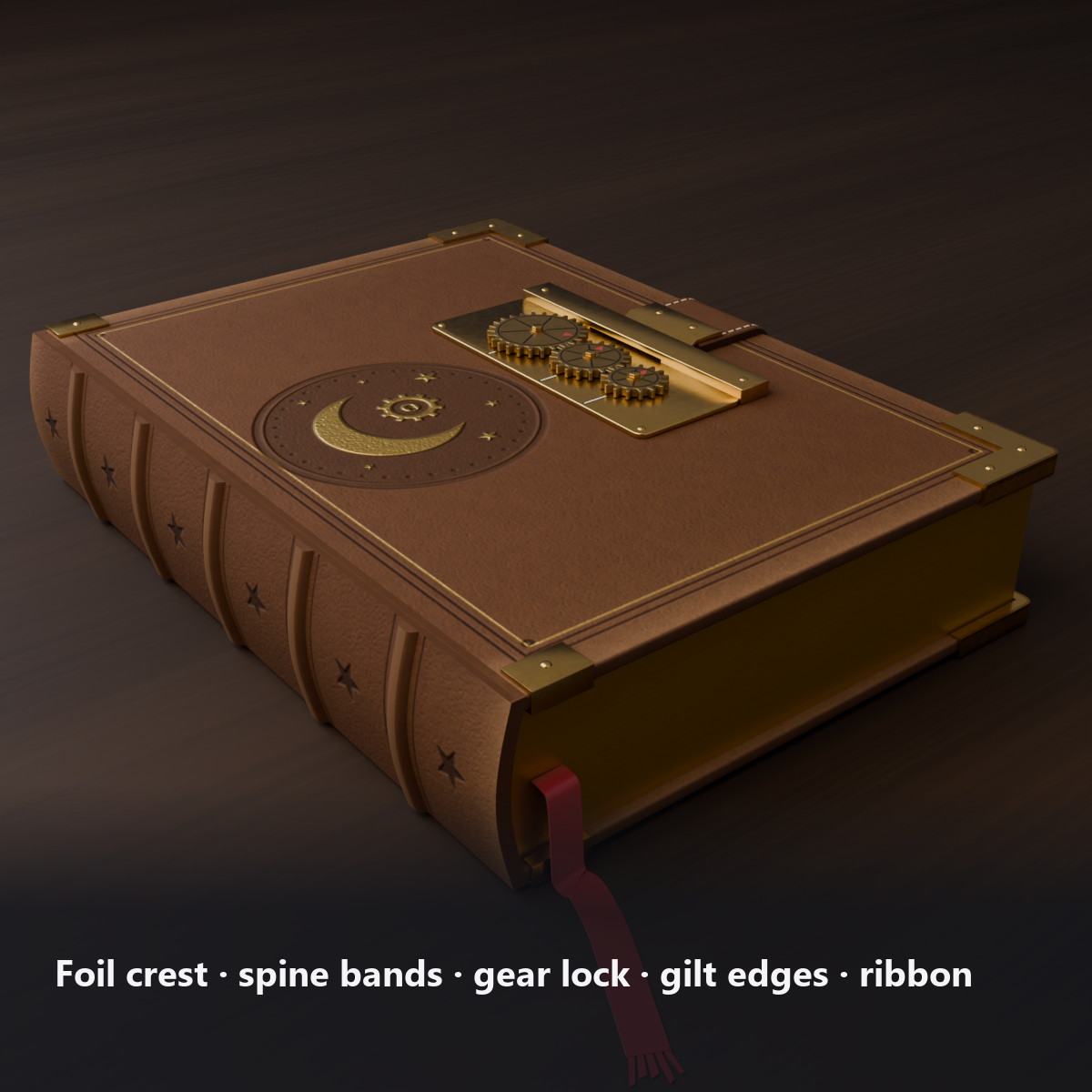
- Details: gold-stamped crest (a crescent moon with a gear and keyhole, large and small stars), blind-tooled double lines with fine gold lines, worn corners and edges, five raised spine bands with star stamps, brass corner fittings and studs, a stitched strap, gilt page edges with layered page stripes, a frayed bookmark
- 2 colors: dark brown leather x blue light / black leather x gold light (both included)
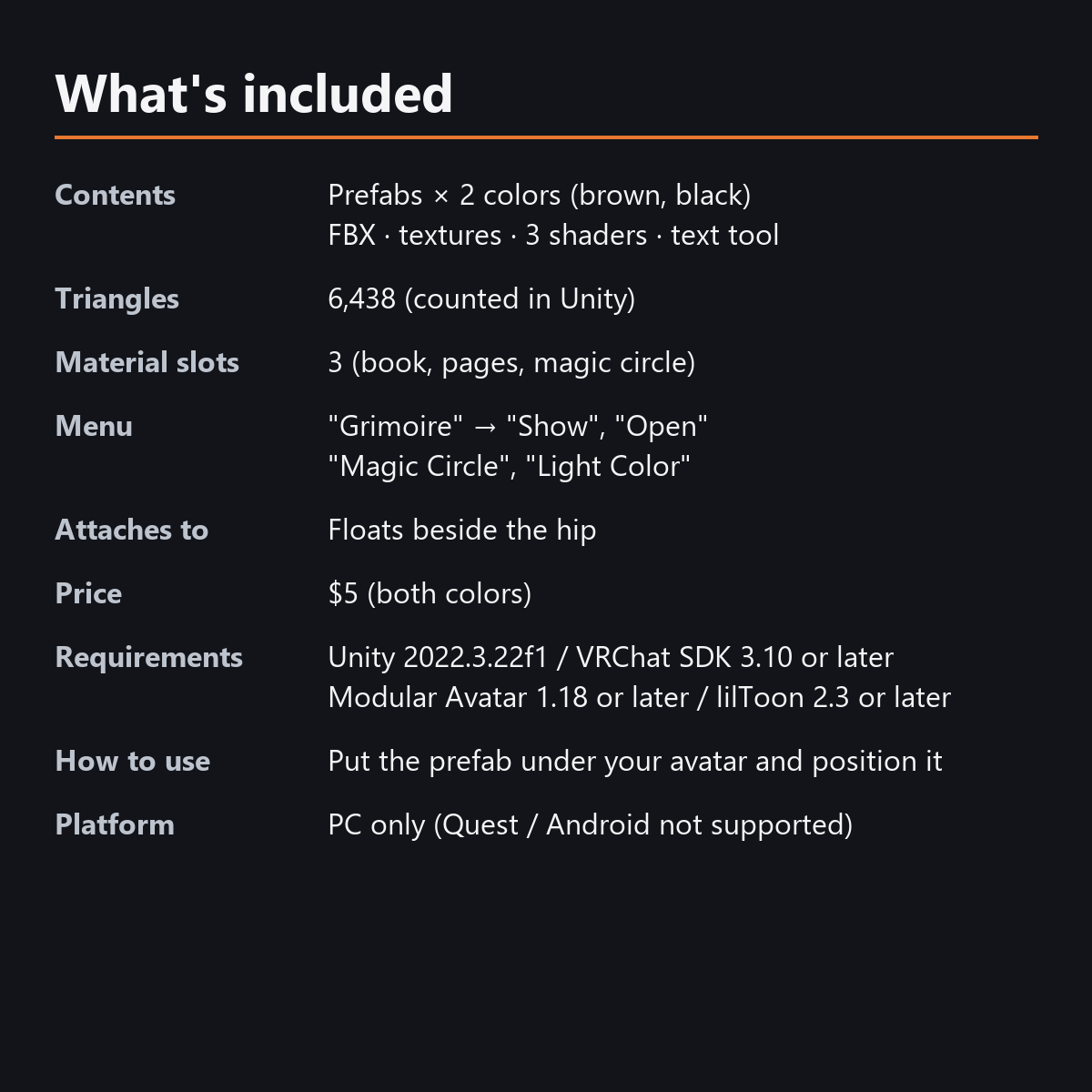
- Load: 6,438 triangles, 3 material slots, 0 particles, 0 PhysBones, no bones
- Modular Avatar ready: put it under your avatar and set its position beside the right hip
Menu (English menu prefab)
- Grimoire > Show: grimoire on/off
- Grimoire > Open: press to unlock it, turn the pages and light the text; press again to close
- Grimoire > Magic Circle: magic circle standing behind the book on/off (ON at first)
- Grimoire > Light Color: Blue / Gold / Purple / Green (the brown version starts with Blue, the black one with Gold)
What's included
- Prefabs x 2 colors
- FBX, textures, materials, 3 custom shaders (book, pages, magic circle), animations
- Text tool for the Unity editor (text tool v2)
- English-menu prefabs (_EN) next to the Japanese-menu prefabs. Use one or the other on an avatar, not both.
- Instruction manual and Terms of Use in English and Japanese
Chocolat preset (unofficial)
Includes ready-made placement and scale prefabs (…_Chocolat) for "Chocolat" (©Amatousagi). No Chocolat data (meshes, textures, etc.) is included—you need your own copy of the avatar. This is an unofficial preset, not affiliated with the creator, and not guaranteed to work.
Shinano preset (unofficial)
Includes ready-made placement and scale prefabs (…_Shinano) for "Shinano" (©Ponderogen / Ponderonium Lab). No Shinano data (meshes, textures, etc.) is included—you need your own copy of the avatar. This is an unofficial preset, not affiliated with the creator, and not guaranteed to work.
Specs
- Added to your avatar (counted in Unity): 6,438 triangles, 3 meshes, 3 material slots (book, pages, magic circle), 0 PhysBones
- Synced parameters: 11 bits (Show, Open, Magic Circle, Light Color)
- All counts follow VRChat's rules (hidden parts are counted too) and show how much one prefab adds to your avatar.
- The VRChat performance rank depends on the total with your avatar, so this item alone does not decide it.
- 0 particles, 0 PhysBones, no bones
- Size: 162 x 226 x 45 mm closed, about 370 mm wide open (at scale 1.0)
Requirements
- Unity 2022.3.22f1 (an avatar project made with VRChat Creator Companion)
- VRChat SDK (Avatars) 3.10 or later
- Modular Avatar 1.18 or later
- lilToon 2.3 or later
Please note
- PC only. Not supported on Quest / Android.
- The text fills one right-hand page (up to 8 lines). The left page is a fixed magic circle blueprint.
- If a viewer's Safety settings hide shaders, they see an open book that does not move (no text or magic circle).
- If you press "Open" again while it is opening, it finishes opening and then closes (so everyone sees the same motion).
- Holding it in the hand is planned for a future update. For now it only floats beside the hip.
- There is no sound.
- No designs from existing works or brands are used (the crest, symbols, magic circle and pseudo-script are all original lines and arcs).
- The lock, pages and glowing text driven by the menu (Show, Open, Magic Circle, Light Color) move only inside VRChat (including Build & Test) or with Gesture Manager. If they look still in the Unity Editor, nothing is broken.
Terms of use
- You may upload it to VRChat and similar services on your own avatars, edit it, and use it in streams, videos and photos (commercial or not).
- You may not redistribute, resell or share the data (edited or not), or use it to train AI.
- Full text: TermsOfUse_EN.txt in the download (Japanese original: TermsOfUse_JA.txt).
Update history
- v1.4 (2026-10-16): Added placement/scale presets for "Shinano" (©Ponderogen / Ponderonium Lab) as …_Shinano prefabs. No Shinano data is included—you need your own copy of the avatar. Unofficial; not guaranteed. The GUIDs are unchanged, so importing over the old version replaces it.
- v1.3 (2026-10-15): Added placement/scale presets for "Chocolat" (©Amatousagi) as …_Chocolat prefabs. No Chocolat data is included—you need your own copy of the avatar. Unofficial; not guaranteed. The GUIDs are unchanged, so importing over the old version replaces it.
- v1.2 (2026-10-13): Uploads without pressing Auto Fix in VRChat SDK 3.10 (fixed texture Streaming Mip Maps, mesh Read/Write, Legacy Blendshape Normals). The shaders support Single Pass Instanced rendering in VR (the look outside VR is unchanged). Images made with the included text tool now also get Streaming Mip Maps (no upload error after you remake the text). Manual and description updated (counts are now what the item adds to your avatar, measured in Unity; how it looks in the Editor). The included documents now have English-only file names. The GUIDs are the same as before, so importing it over the old version replaces it.
- v1.1: English-menu prefabs (_EN) and English documents
- v1.0: First release
Also on BOOTH
This item is also sold on BOOTH, the Japanese marketplace: https://karakuri-komono.booth.pm/items/8940961
How this was made (AI-Assisted)
The 3D shapes, materials, shaders and texts of this item were made with scripts written with AI assistance. A person checked how it looks and moves in Unity before release.