
Talking Skull - Jaw Rattles with Your Voice, Shoulder or Hair Clip | VRChat
Product Description
This product contains AI-generated content.
AI-Assisted: the 3D shapes, materials, shaders and listing texts were made with scripts written with AI assistance. A person checked how it looks and moves in Unity before release.
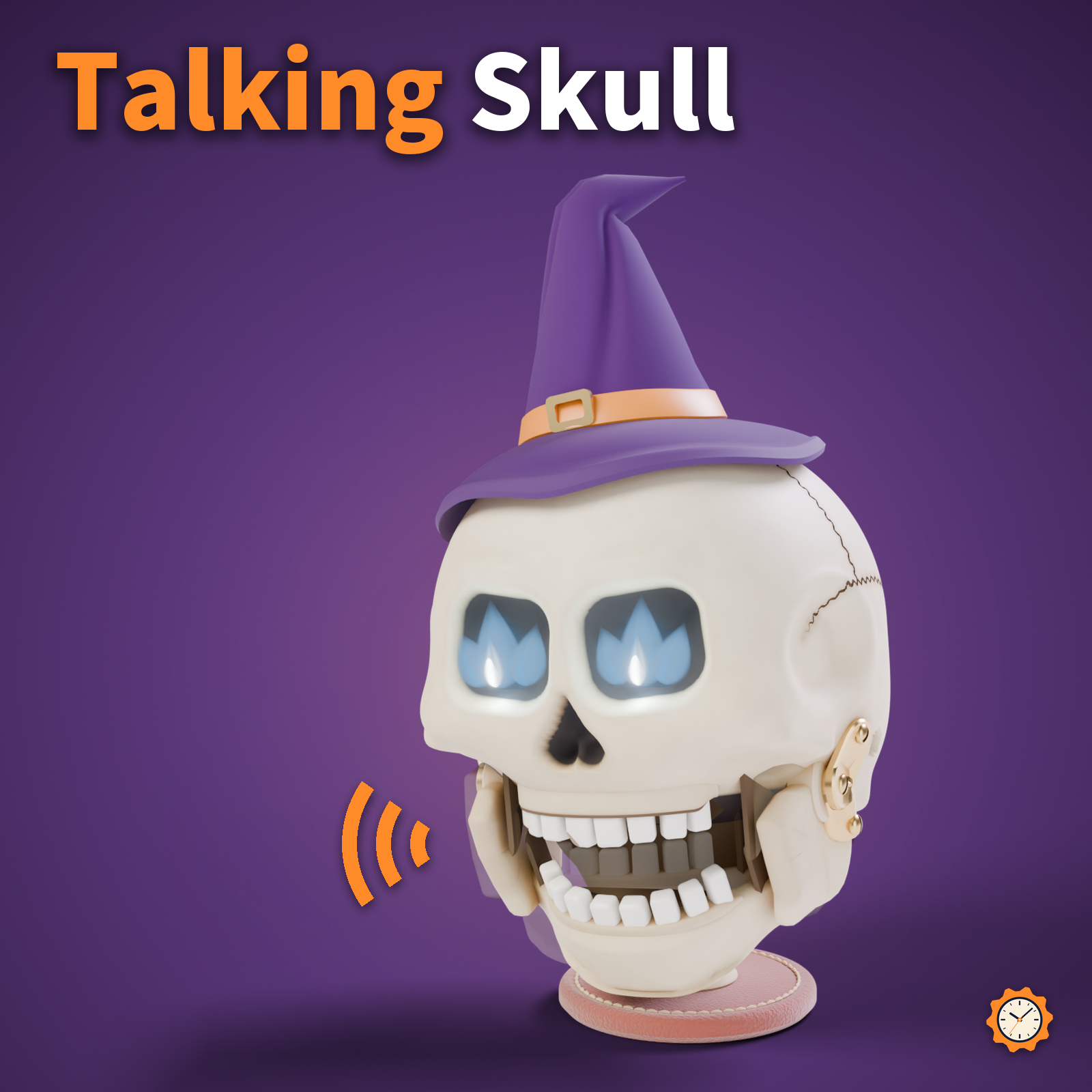
A little skull companion that sits on your shoulder or clips to your hair. When you talk, its jaw rattles and it talks along with you.
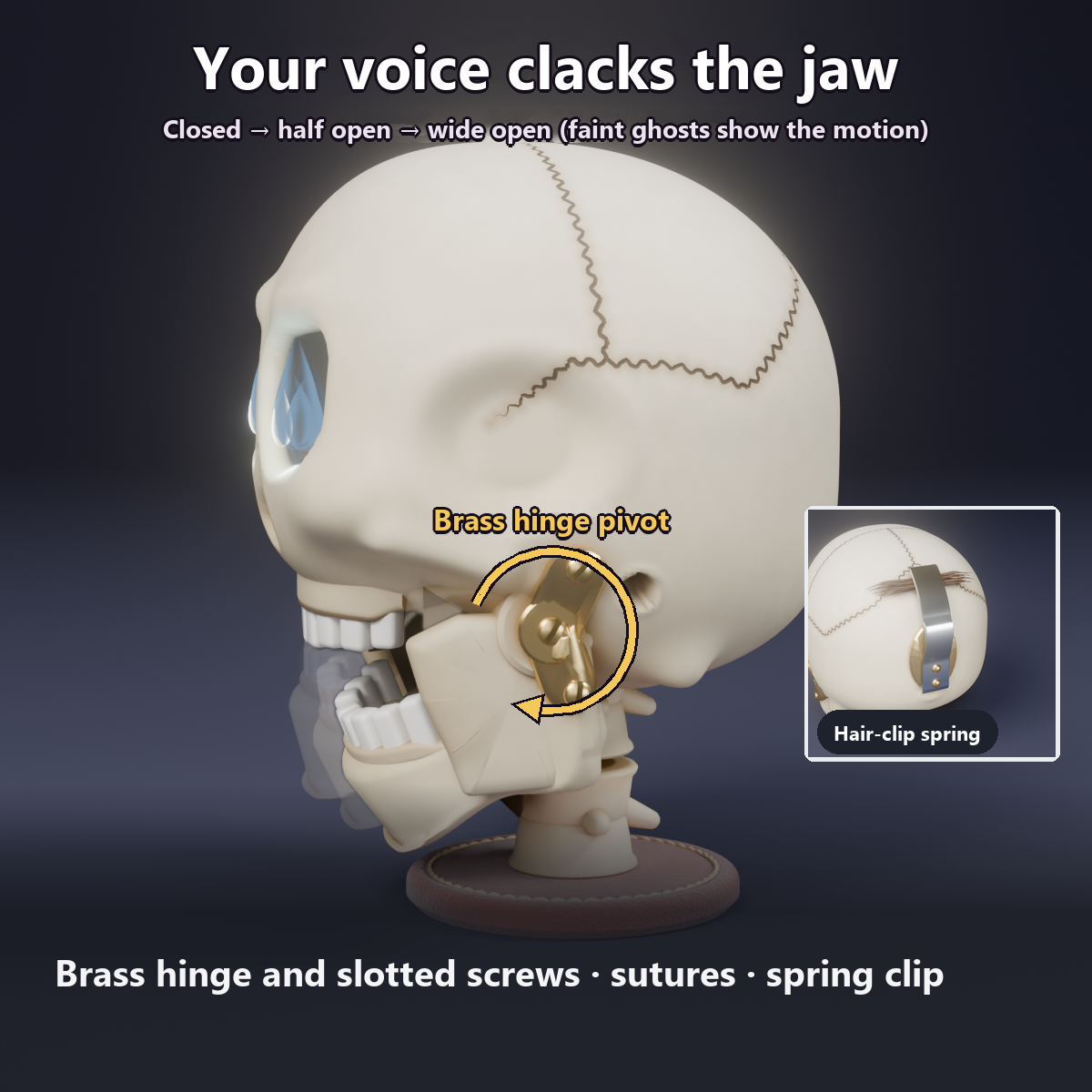
A brass hinge and a slotted screw at the jaw show how it moves: a skull with a clockwork feel. Press Laugh in the menu and it rattles with laughter and tilts its head.
It uses only VRChat's built-in Voice value. No OSC, external app or PhysBones.
Features
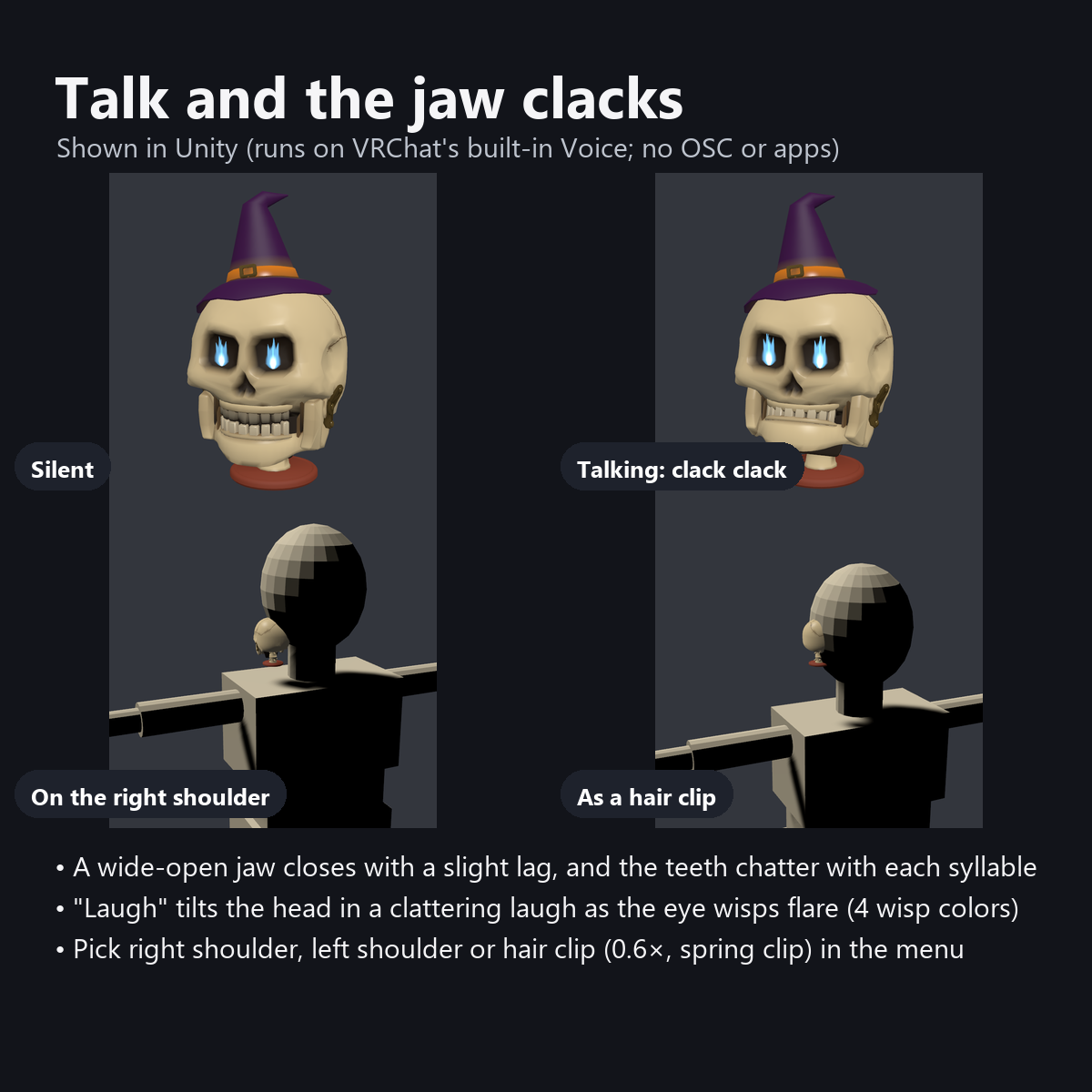
- The jaw rattles with your voice: a wide-open jaw closes with a slight delay, and the teeth clack with each syllable
- Laugh button: 1.5 seconds of rattling laughter with a head tilt, and the wisps in the eyes flicker faster
- Wisps in the eyes: a white core splitting into three tongues of flame. 4 colors by dial (pale blue, green, orange, purple). They flare up while you talk and flash with the bass in AudioLink worlds
- 3 hat options: None / Witch Hat (tip folded back, creases, turned-up brim, brass buckle) / Top Hat (brim curled at the sides)
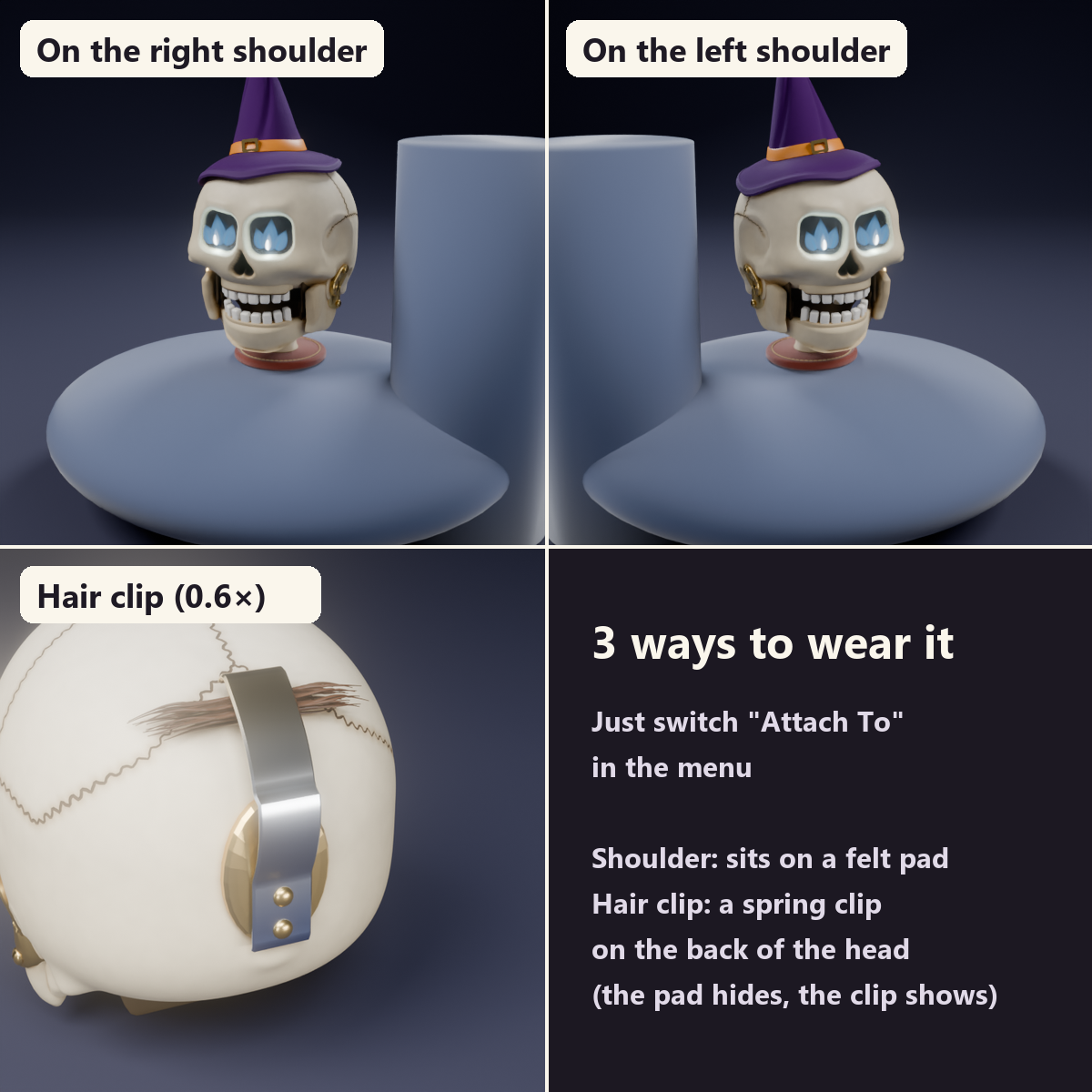
- Choose where it sits: right shoulder / left shoulder (it stands on a 38 mm felt pad with a stitched edge) / hair clip (0.6x; a leaf-spring clip replaces the base)
- Details: soot in the bowl-shaped eye sockets, an upside-down heart nose, finely wavy skull sutures, gum ridges and one chipped front tooth, a dark mouth that shows when the jaw opens, a jutting chin, two neck vertebrae, prominent cheekbones
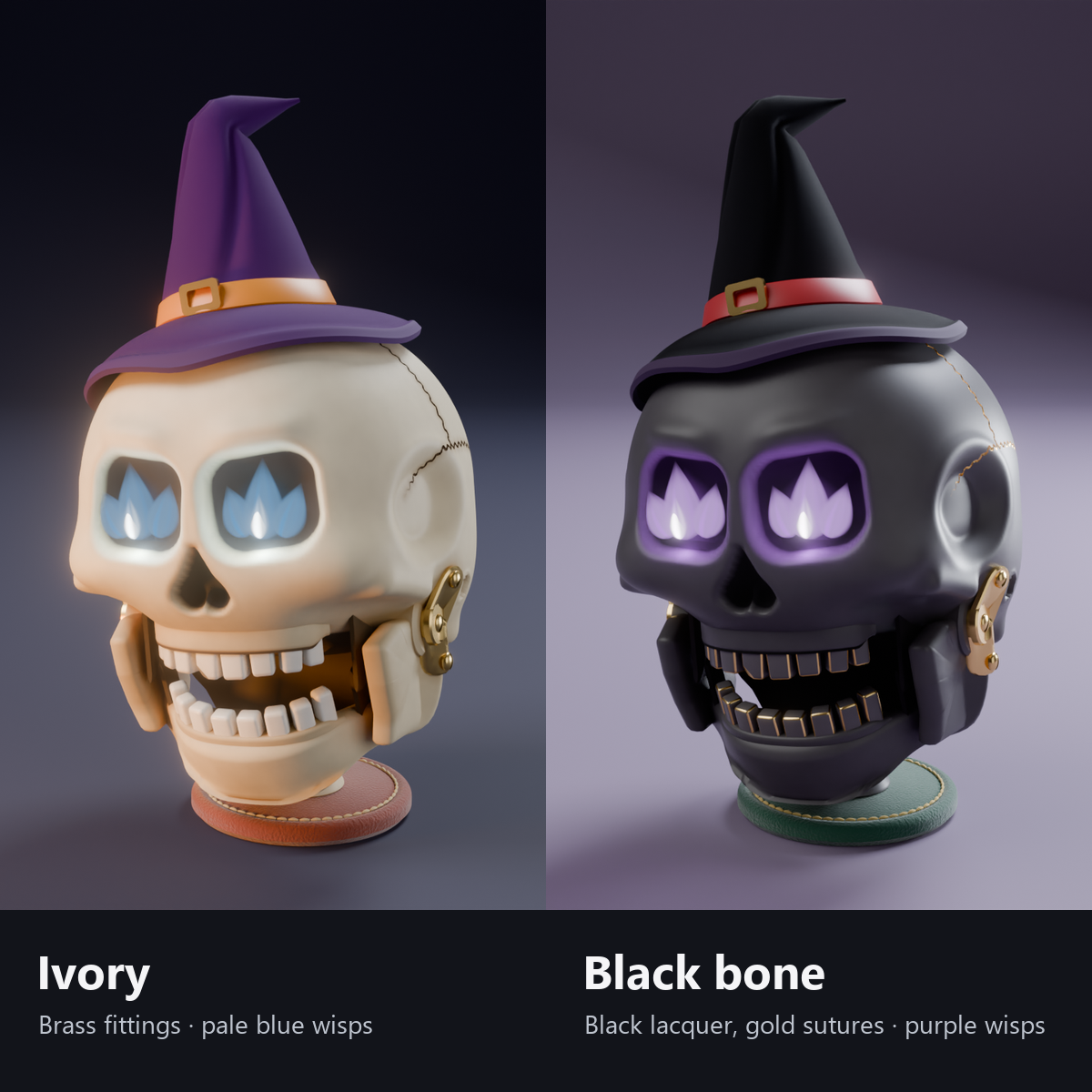
- 2 colors: Ivory (brass fittings, pale blue wisps) / Black bone (black lacquer with gold sutures and gold fittings, purple wisps; a red undercoat shows through at worn edges, as in Negoro lacquerware)
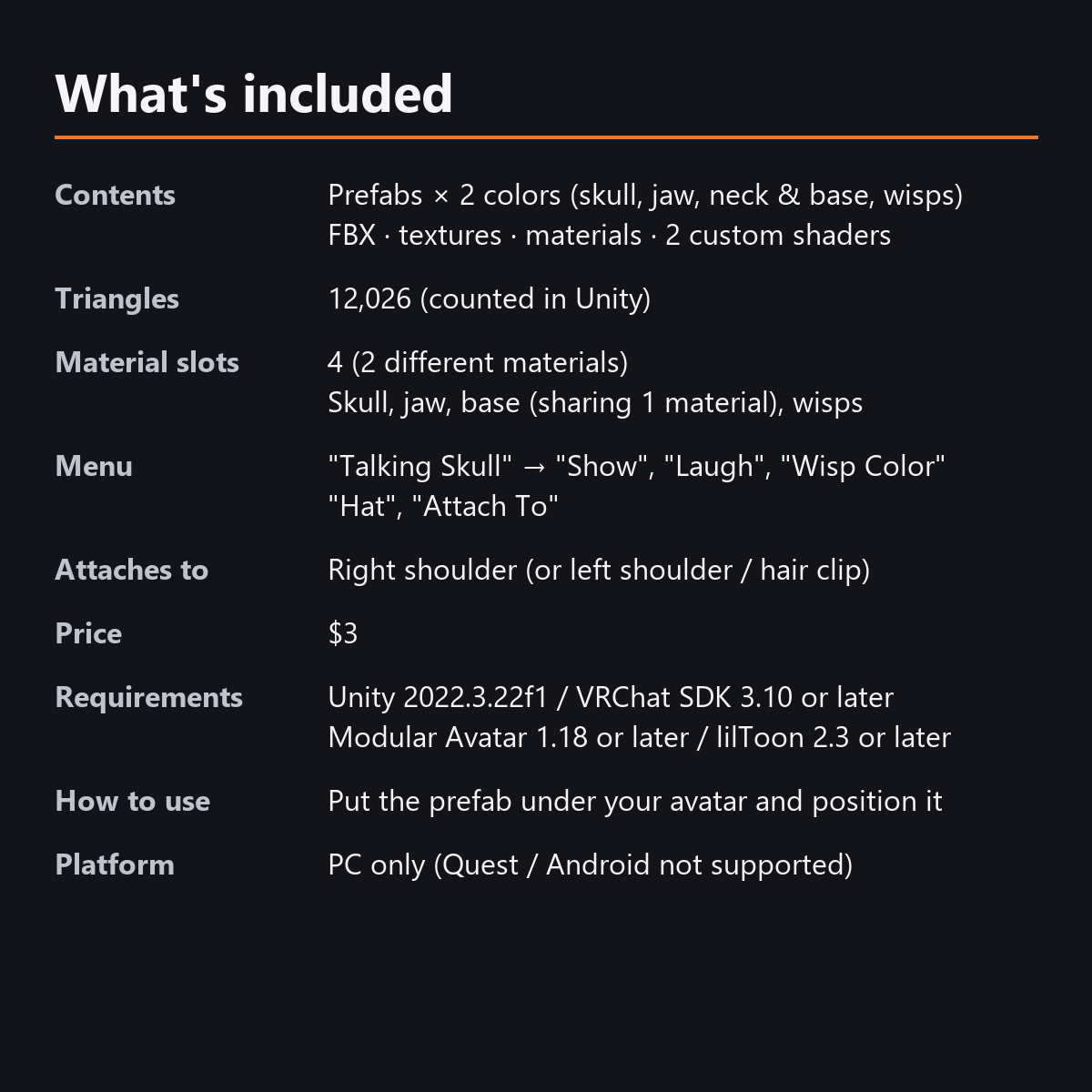
- Load: 12,026 triangles, 4 material slots, no PhysBones (what it adds to your avatar, counted in Unity)
- Original design for the skull, hats and fittings
- Modular Avatar ready: put it under your avatar and move the anchors to the shoulders and the side of the head
How it moves
- Voice is used in two ways: a smoothed value keeps the jaw wide open (closing a little late), and the raw value opens and closes it with each syllable. Together they make the rattle.
- When closed, the upper and lower teeth are slightly apart, so they never sink into each other.
- Even if you press Laugh while talking, the jaw opens at most 28 degrees, so it does not clip into the base or neck.
- The jaw, neck and wisps are moved by animations and shaders (no bones or PhysBones). The hats and the hair clip switch within one material.
Menu (English menu prefab)
- Talking Skull > Show: skull on/off
- Talking Skull > Laugh: each press gives 1.5 seconds of rattling laughter and a head tilt
- Talking Skull > Wisp Color: a dial with 4 colors (pale blue, green, orange, purple)
- Talking Skull > Hat: None / Witch Hat / Top Hat
- Talking Skull > Attach To: Right Shoulder / Left Shoulder / Hair Clip
What's included
- Prefabs x 2 colors (skull, jaw, neck and base, wisps)
- FBX, textures, materials, 2 custom shaders (skull, wisps), animations
- English-menu prefabs (_EN) next to the Japanese-menu prefabs. Use one or the other on an avatar, not both.
- Instruction manual and Terms of Use in English and Japanese
Specs
- Added to your avatar (counted in Unity): 12,026 triangles, 4 meshes, 4 material slots (skull, jaw and stand (these 3 share one material) and wisps), 0 PhysBones
- Synced parameters: 26 bits (Show, Laugh, Hat, Wisp Color, Attach To)
- All counts follow VRChat's rules (hidden parts are counted too) and show how much one prefab adds to your avatar.
- The VRChat performance rank depends on the total with your avatar, so this item alone does not decide it.
- No Particle Systems, PhysBones or AudioSources
- No extra skinned mesh
Requirements
- Unity 2022.3.22f1 (an avatar project made with VRChat Creator Companion)
- VRChat SDK (Avatars) 3.10 or later
- Modular Avatar 1.18 or later
- lilToon 2.3 or later
Please note
- PC only. Not supported on Quest / Android.
- It reacts only to the wearer's own voice (VRChat's Voice value). When you mute your mic, the jaw stops (there is no menu item that turns off only the voice reaction).
- Voice is calculated from the sound on each viewer's device, so the jaw can move slightly differently for different viewers.
- The jaw moves inside VRChat. In the Unity editor it stays closed (you can check "Laugh" with the animation).
- In worlds without AudioLink, the wisps do not flash to music (they keep flickering).
- If a viewer's Safety settings hide shaders, the skull is shown with a standard look and the wisps are hidden.
- The attach positions are defaults for an avatar about 1.5 m tall. Move the anchors to fit your avatar (the manual explains how).
- The jaw that moves with your voice, the menu controls and the AudioLink wisps: they move only inside VRChat (including Build & Test) or with Gesture Manager. If they look still in the Unity Editor, nothing is broken.
Terms of use
- You may upload it to VRChat and similar services on your own avatars, edit it, and use it in streams, videos and photos (commercial or not).
- You may not redistribute, resell or share the data (edited or not), or use it to train AI.
- Full text: TermsOfUse_EN.txt in the download (Japanese original: TermsOfUse_JA.txt).
Update history
- v1.2 (2026-10-13): Uploads without pressing Auto Fix in VRChat SDK 3.10 (fixed mesh Read/Write, Legacy Blendshape Normals). The shaders support Single Pass Instanced rendering in VR (the look outside VR is unchanged). Manual and description updated (counts are now what the item adds to your avatar, measured in Unity; how it looks in the Editor). The included documents now have English-only file names. The GUIDs are the same as before, so importing it over the old version replaces it.
- v1.1: English-menu prefabs (_EN) and English documents
- v1.0: First release
Also on BOOTH
This item is also sold on BOOTH, the Japanese marketplace: https://karakuri-komono.booth.pm/items/8940956
How this was made (AI-Assisted)
The 3D shapes, materials, shaders and texts of this item were made with scripts written with AI assistance. A person checked how it looks and moves in Unity before release.