Product Description
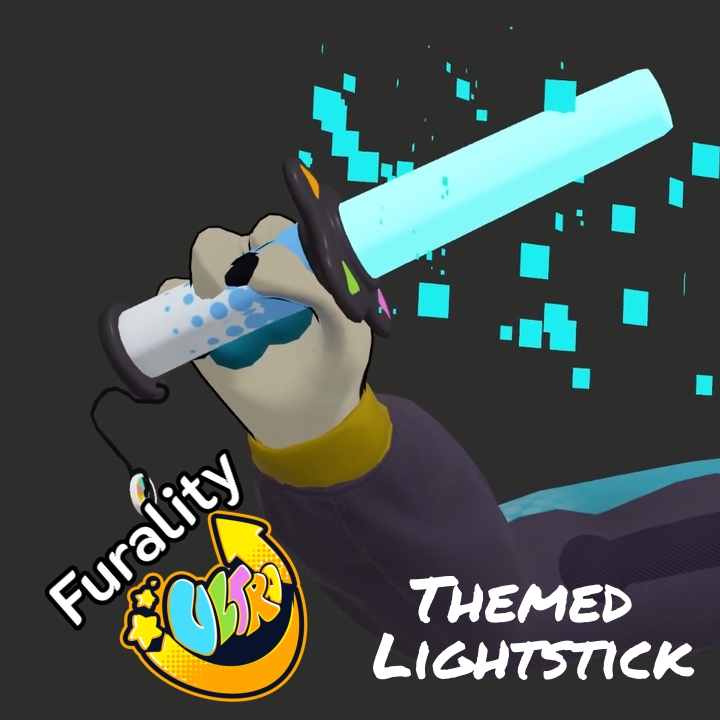
You're in Club F.Y.N.N and the DJ is pumping your favorite beats. You just want to dance, but not sure what to do with your hands? Grab yourself some of these light sticks and swing them around!
Try before you buy! (And see the NXT set preview...)
Includes:
- 1 handmade mesh model:
- 1,608 polygons per glowstick
- 1 physbone component
- 1 material
- 2 prefab versions
- Lite: Quest compatible, handheld only, hue shift options
- Full: PCVR only, handheld and poiball menu options, hue shift, poiyomi toon material option with preset audiolink
- Poiball swing designed to emulate real life glow poi movement (PCVR Only)
- Audiolink material preset with pathing and audiolink channel sync (PCVR Only)
- Optimized textures (original 4k)
- VRCFury ready: Find your prefab and drag and drop
- Ultra shader material coming after it's released
- Substance Painter File included (Version +11.1.1)
Requirements:
- Basic Unity Understanding
- VRChat Upload permissions
- VRCFury
Optional (But highly suggested!):
- Free Pioyomi Toon Shader
Installation:
This set is VRCFury ready! But it does take a little setup.
Import the asset and open a scene with the avatar in it. Then find the folder for your chosen version under Inked Creations/Ultra Light Stick. Drag and drop the prefab onto your avatar! You will need to resize and adjust the glowsticks to match your particular avatar.
If you are using the Lite version: Position the glowstick object under the hand you want to use. By default, this uses the Right hand. If you want to use the left hand, you will need to go into the prefab and change the 'Link to (avatar)' in the armature link component to 'left hand'.
If you are using the full version: Resize the glowsticks down to a size that you want for your avatar. In the hiearchy, position the objects labeled 'Armature Links' to the position under your right and left hand. The glowsticks should be generally underneath these links. You can test the location of where the glowsticks will end up in the hand by either entering play mode with gesture manager on, or by turning on the VRC Parent constrant on the glowstick, and turning the weight to 1. You can adjust the armature link to your liking and it will move the glow light. Make sure you turn the weight to 0 and uncheck the constraint before upload.
The Full version does include a material swap for Poiyomi Toon, which can be disabled in the hierarchy by deleting Poi effects' or 'Poi materials' in the menu child object or setting it to 'Editor Only' in the tag.
If you experience any problems not listed in the FAQ, you may reach out to me at any of my contacts at https://spotcat.ink/#contact or email [email protected]. Please read the FAQ below first, I will know if you haven't!
This is a digital product and no refunds will be provided once purchased. For any issues, please reach out to me at my socials, or fill out a bug report form!
Special Thanks:
Boolean263: For creating the menu icons!
Terms of Use:
You may:
- Use for personal, private purposes, including: VRChat, Resonite, and other social platforms.
- Use for VTubing on a personal stream or videos. Posting pictures, and other general, social usage
- Use for filming purposes (Credit is awesome and appreciated though!)
- Take commissions to edit it for personal use, provided that both you and the commissioner own it
- Upload as part of a public avatar
You may NOT:
- Claim as your own
- Remodel for the purposes of selling (Personal remodeling is fine!)
- Use for NFTs, or GenAI
- Use for games or commercial purposes such as bundled avatars or for-profit movies
profit movies