
Product Description
VRCHAT MONITOR PRO — V3.0
PRODUCT DESCRIPTION
ENGLISH
=====================================================================================
✨ Summary
Bring your PC, VR devices and VRChat together in one customizable OSC utility. VRChat Monitor Pro lets you share hardware readings, music, status messages, VR battery information, weather and more directly in your VRChat Chatbox, without taking off your headset.
Version 3.0 is a complete rebuild from Python to C# with .NET 10. It introduces a redesigned WPF graphical interface, new visual effects, smoother scrolling, improved Small text formatting and optimizations for lower resource usage. A refreshed application icon and a loading screen complete the new look.
🆕 What's New in V3.0
• Complete rebuild in C# and .NET 10.
• Redesigned dark interface with neon accents, improved pop-ups and smoother scrolling.
• Better Small text support, including a Small button on the music player.
• A playback counter that keeps track time advancing between Windows media updates.
• Air humidity, km/h and mph wind units, and optional time based on the weather location.
• Improved SteamVR reconnection handling and clearer event notifications.
• Saved text effects and bar animations restored after restarting.
• Built-in one-click installation for future releases above 3.0.0.
🔑 License & Activation
After purchasing, contact me on Discord — FireStoorm — to receive your activation key. The license activates the software on one PC and is linked to its hardware ID.
If you upgrade, format or change your computer, contact support to transfer your license to the new machine.
💻 Hardware & Network
Keep important PC readings visible while you play.
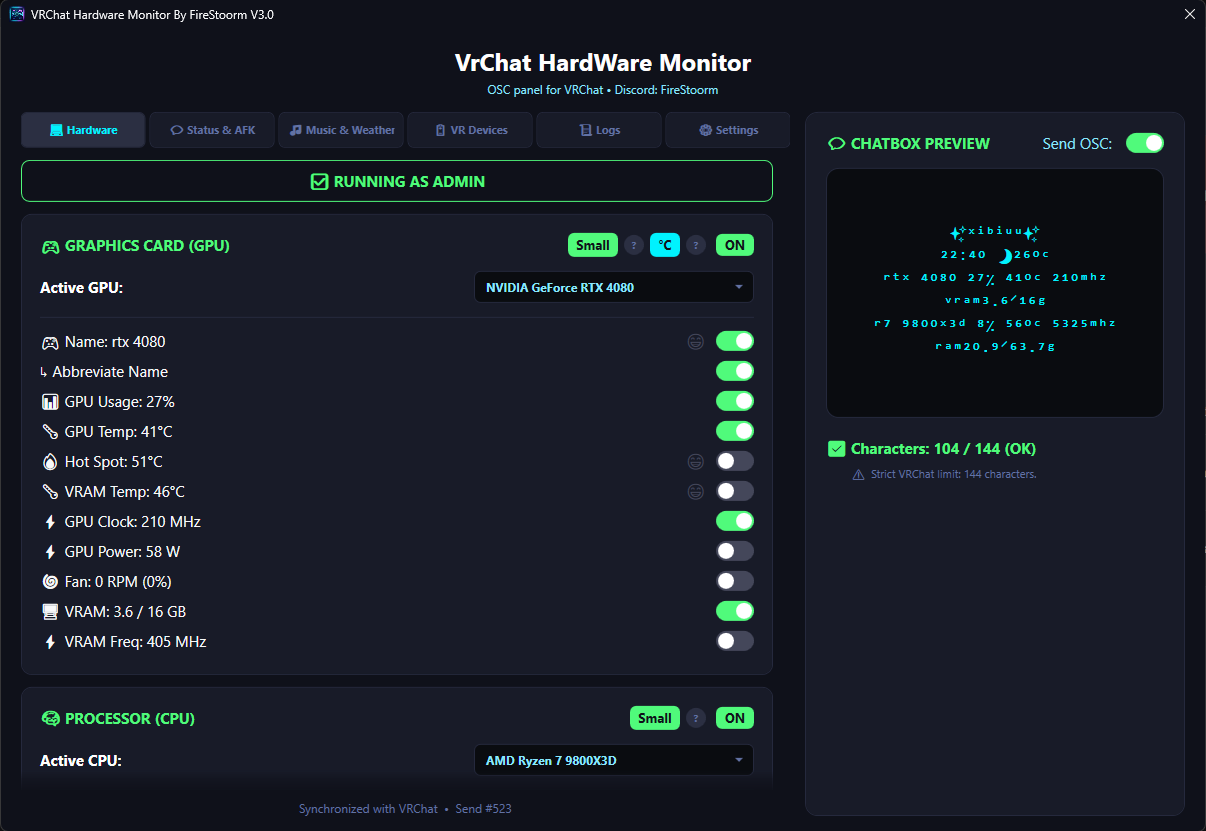
• GPU & CPU: Show names, usage, temperature, clock speed and power consumption, with additional GPU readings such as Hot Spot when supported by the hardware.
• RAM & VRAM: Display used and total memory, with RAM decimal formatting, frequency, channel information and a configurable CAS Latency value.
• Cooling: Display GPU fan speed in RPM or percentage when available.
• Network: Follow download and upload rates to help identify unusual activity or connection issues.
• Customization: Choose which readings and emojis appear, and use per-card Small formatting to create your preferred Chatbox layout.
💬 Multi-Status & AFK
Give your Chatbox dynamic messages that match what you are doing.
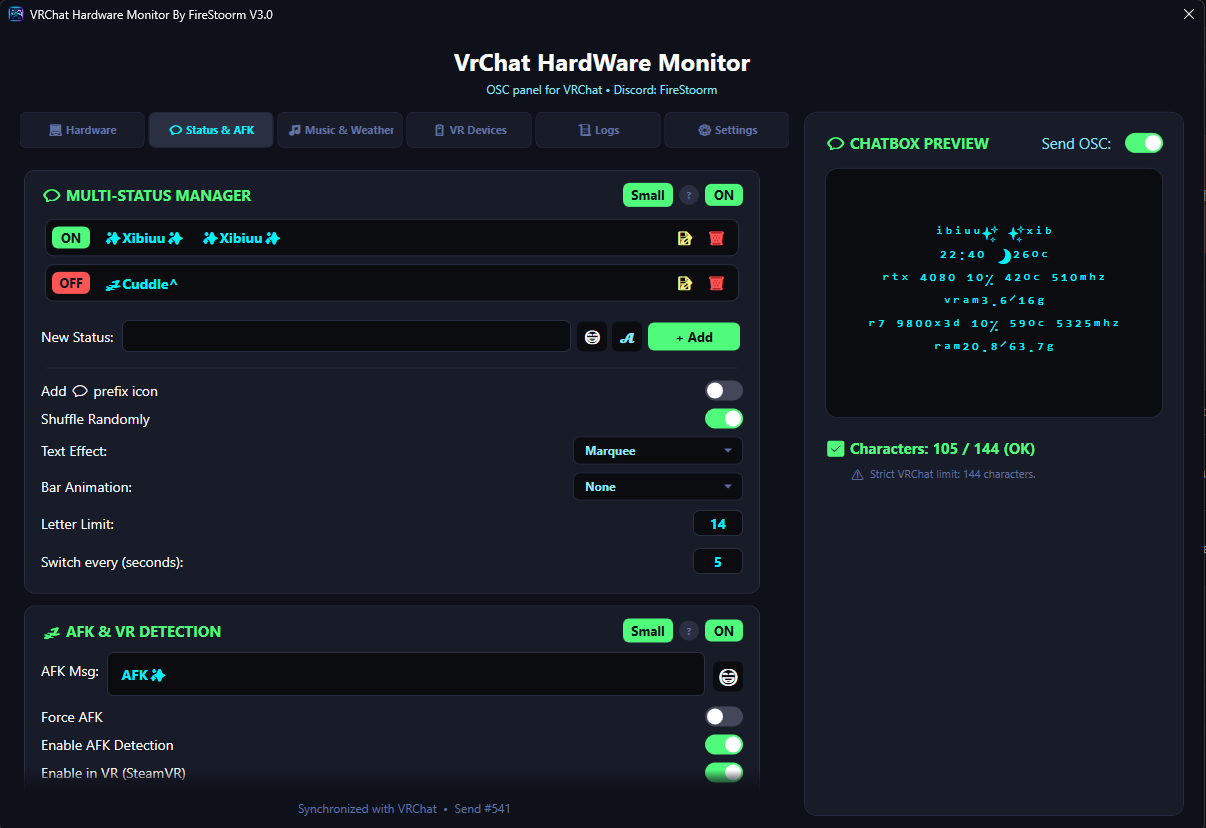
• Status Manager: Create multiple custom messages and cycle through them in order or randomly, with an adjustable interval.
• Text Effects: Choose Marquee, Bouncing Letters or Blinking.
• Animated Bars: Add Waves, Sliding or Ping-Pong animations.
• Smart AFK: Use keyboard and mouse inactivity, SteamVR headset stillness or the AFK state received from VRChat through OSC.
• Personalization: Set your own AFK message, use a timer and enable manual AFK when needed.
• Persistent Settings: Your selected text effects and animations are retained after restarting.
🎵 Music, Weather & Foreground Application
Share media and useful information from your desktop environment.
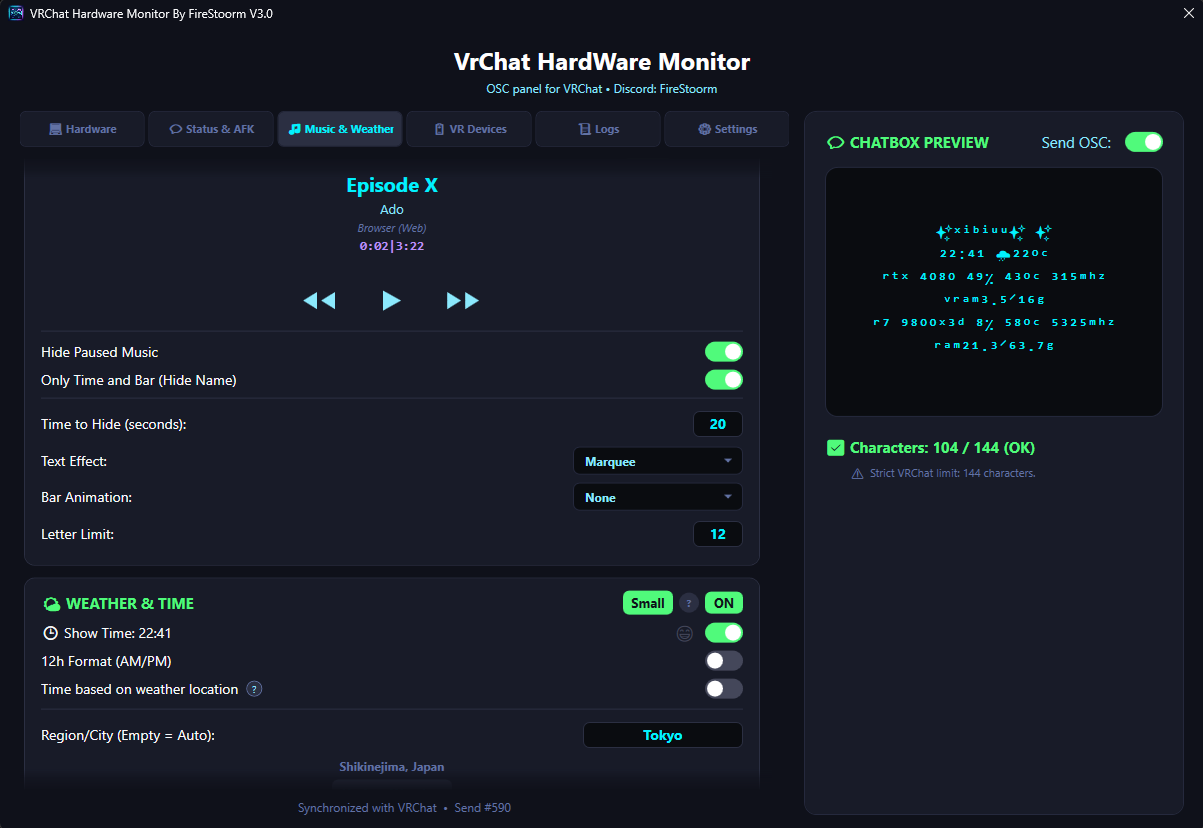
• Running Media: Show the song, artist, playback time and progress animation for media players that expose their session through Windows media controls. This includes Spotify and supported browser playback, such as YouTube and other streaming services.
• Playback Controls: Previous track, play/pause and next track directly from the app.
• Player Options: Hide paused music, show only time and the bar, select text effects and adjust the character limit.
• Weather: Display temperature, wind and air humidity for an automatic or manually selected location.
• Units: Switch between °C and °F, and between km/h and mph.
• Time: Choose a 24-hour or AM/PM clock, with optional time based on the weather location.
• Local Day & Night: Sun and moon icons follow the weather location's time independently of the displayed clock setting.
• Saved Weather: Restore the last known location and readings at startup while refreshing in the background.
• Foreground Application: Preview the current program or game locally, apply text effects and send it to the Chatbox only when its card is enabled.
🔋 VR Devices & Full Body Tracking
Keep an eye on your headset, controllers and trackers through SteamVR.
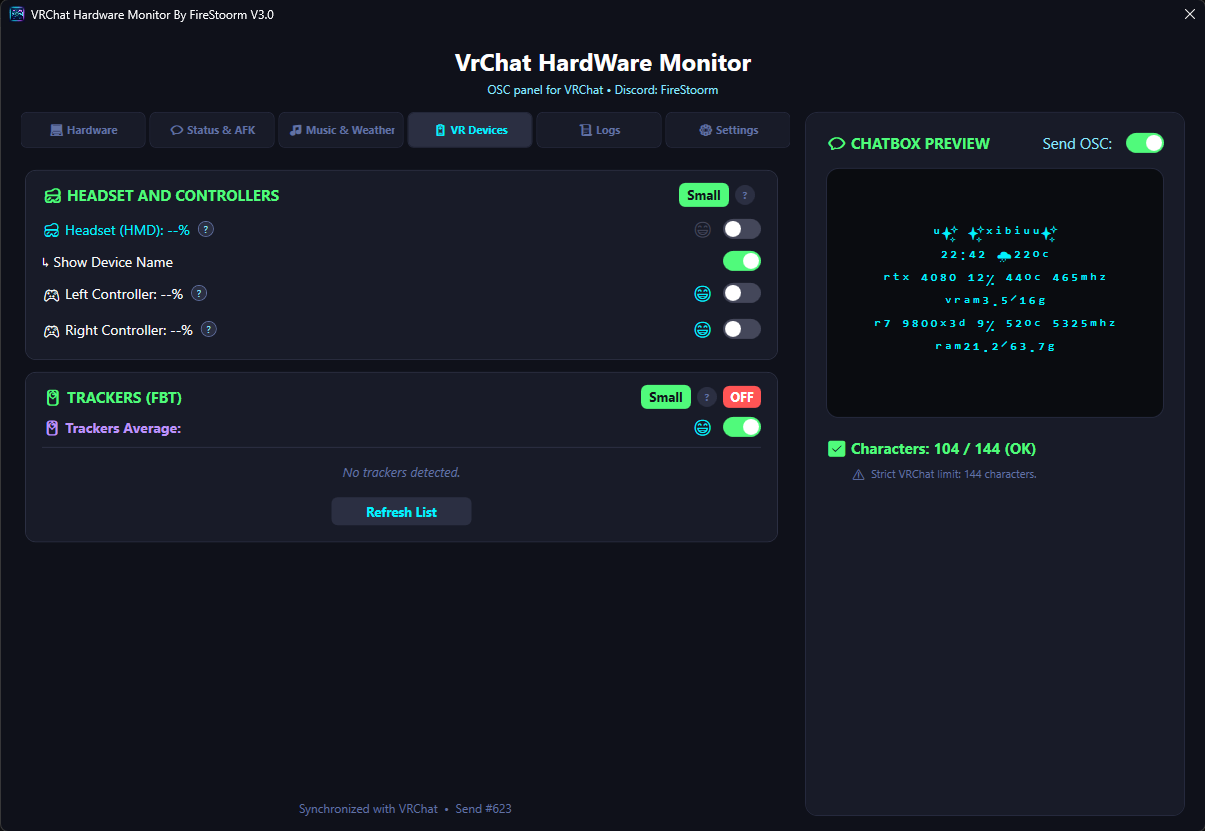
• Device Batteries: Display headset and left/right controller percentages when provided by the device and VR driver.
• FBT Trackers: Show individual trackers or their average battery level, with separate controls for each tracker.
• Charging Indicators: Show a lightning bolt when the device reports that it is charging.
• Reconnection Handling: Improved recovery when SteamVR restarts or devices disconnect, including Quest connections through Steam Link and Virtual Desktop.
• Clear Readings: Unavailable battery values appear as --% rather than an estimated percentage.
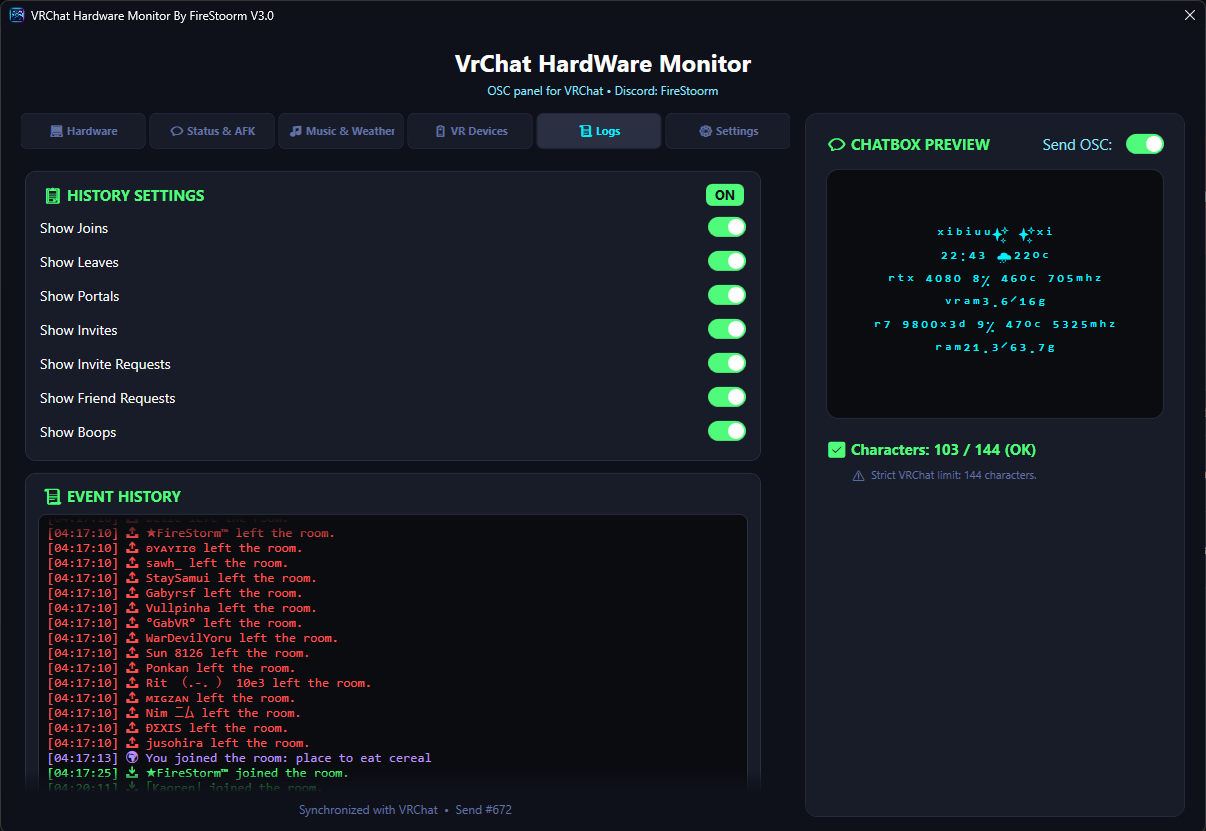
📜 Event Logs & History
Follow activity in your VRChat instance through a readable, organized history.
• World Activity: Record world entry and portal events.
• Joins & Leaves: Track players entering and leaving the instance.
• Notifications: Display invites, invite requests, friend requests and Boops detected in the game logs.
• Cleaner Messages: Short notifications without raw IDs or internal payload details, with event-specific colors and emojis.
• Saved History: Keep up to 1,000 events, restore them after restarting, clear the history or export it to Documents.
• Themed Scrolling: A dark history panel with scrolling that matches the rest of the application.
🔄 Updates & Installation
The standard Windows x64 distribution comes as a single executable with the .NET runtime and required dependencies included.
Future releases above 3.0.0 can be installed through the built-in one-click updater. It checks the package version and integrity, replaces the application files and reopens the app while preserving your settings, license and history.
The update banner appears automatically once per announced version. If you remain on an older version, a clickable notice below the Chatbox preview's character limit lets you reopen the update window whenever you are ready.
🌍 Supported Languages
Switch the interface language directly in Settings:
🇧🇷 Português (BR) | 🇺🇸 English (EN) | 🇪🇸 Español (ES) | 🇫🇷 Français (FR) | 🇯🇵 日本語 (JA) | 🇰🇷 한국어 (KO) | 🇨🇳 中文 (ZH) | 🇷🇺 Русский (RU)
🛠️ Support
Found a bug, encountered an error or need help with activation?
Discord: FireStoorm