
ACHT Hub v1.6.1
Product Description
ACHT Hub v1.6.1 — Official Release / Contact Master Hotfix
Unity workflow toolkit for VRChat avatar creators
Stop fighting with messy VRChat avatar workflows.
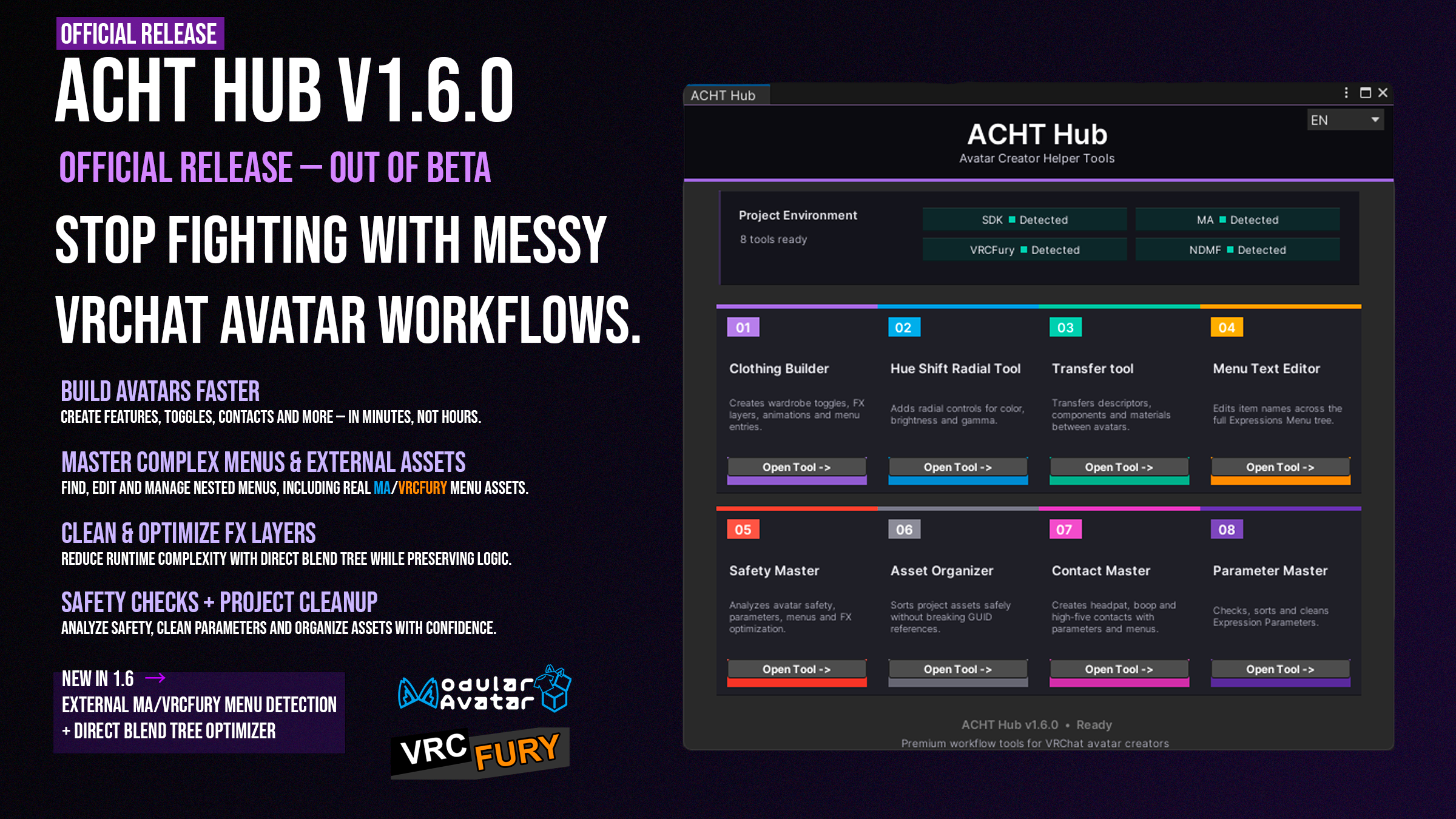
ACHT Hub is a Unity Editor toolkit made to speed up the repetitive parts of avatar setup: clothing toggles, menu editing, hue controls, contacts, parameters, asset organization, transfers, and safety checks.
It is built for real avatar projects — the kind with nested menus, lots of outfit objects, parameters everywhere, Modular Avatar components, VRCFury setups, and a Unity project that gets messy faster than expected.
v1.6.1 marks the official release of ACHT Hub and the end of the beta / Early Access stage.
Trailer / Preview
ACHT is not meant to replace your creativity.
It is here to remove the boring setup work around it.
What ACHT helps with
ACHT Hub is made for creators who spend too much time repeating the same Unity setup steps.
It helps you:
- build clothing toggle systems faster;
- create menu entries, parameters, FX layers and animations;
- edit nested Expressions Menu labels from one place;
- add hue shift radial controls;
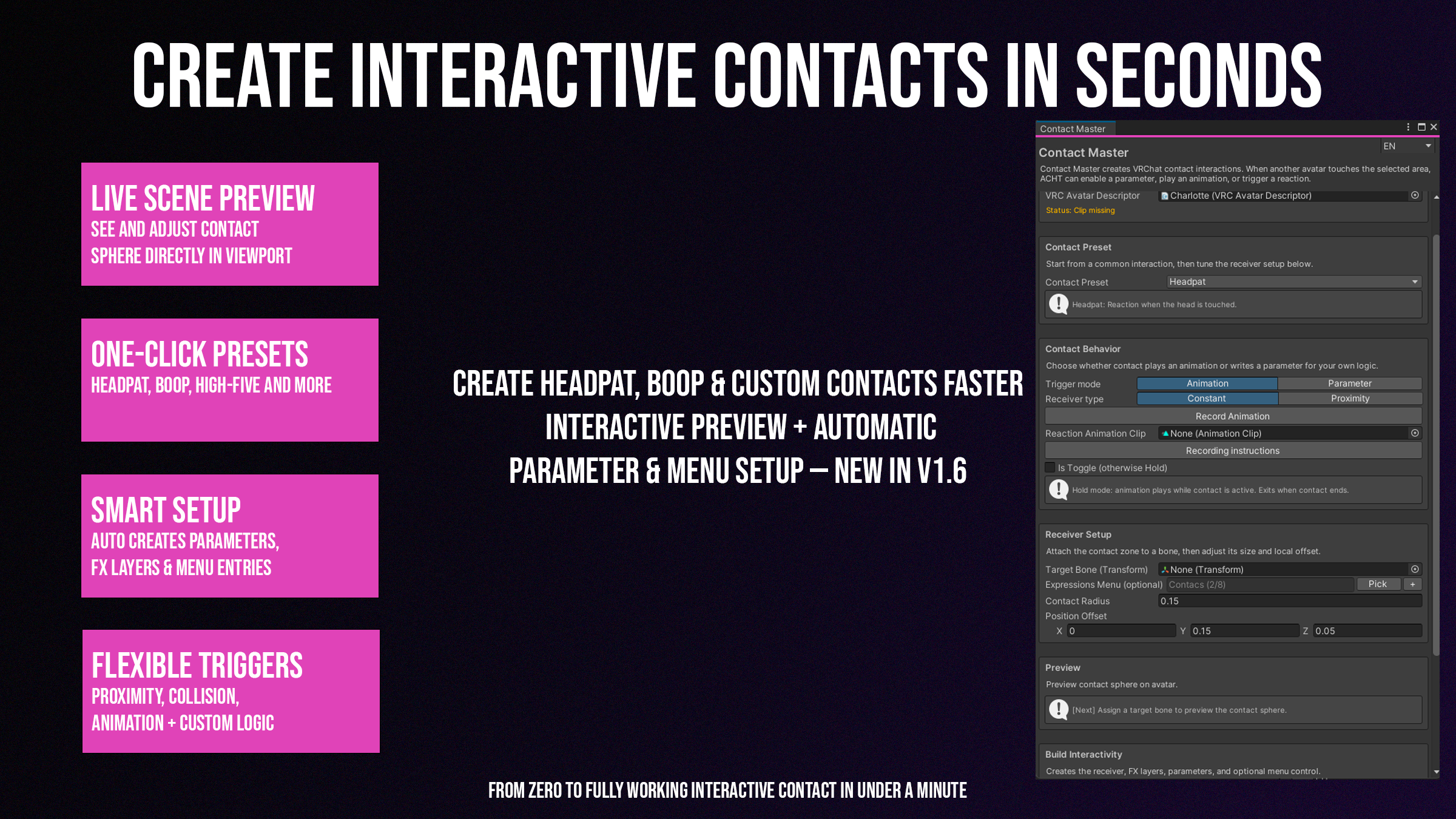
- create headpat, boop, high-five and custom contacts;
- transfer useful avatar setup between avatars;
- clean and organize project assets;
- check parameters, menus, safety risks and FX setup before upload.
The goal is simple: less manual Unity work, cleaner avatar projects, and faster iteration.
New in v1.6.0
Official release
ACHT Hub is now out of beta.
The Hub UI, menu workflows, warnings and release packaging have been polished for the official v1.6.0 release.
Refreshed Hub UI
The main Hub has been redesigned to feel cleaner and easier to use.
Tools are easier to scan, the layout is more consistent, and project environment indicators help you quickly see what is available in your Unity project.
External Menu Sources
ACHT can now detect real VRCExpressionsMenu assets referenced by Modular Avatar and VRCFury components.
This means menu-based tools can work better with real-world avatar setups where menus are not only assigned directly in the Avatar Descriptor.
External menu sources are shown separately, collapsed by default, and marked clearly so you know when a menu is managed through another tool.
Cleaner menu pickers
Menu pickers now handle descriptor menus, nested submenus and external menu assets in a cleaner way.
External sources are deduplicated visually and kept inside a separate foldout, so they do not flood the picker unless you need them.
Improved nested menu discovery
Clothing Builder, Hue Shift Radial, Contact Master and Menu Text Editor now use shared menu discovery logic.
This makes menu selection more consistent across ACHT tools and improves handling of nested Expressions Menu structures.
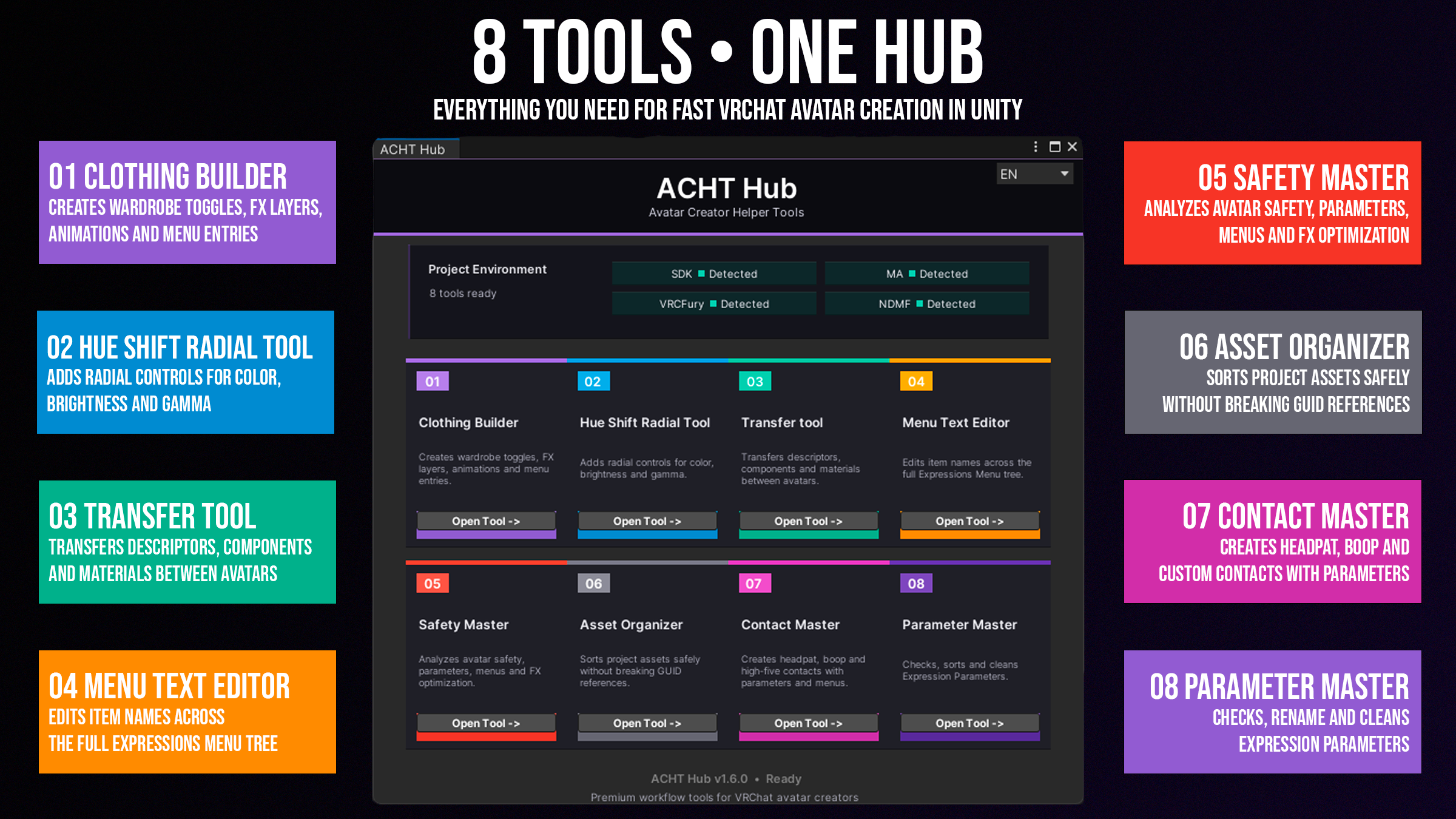
8 tools in one Hub
01 — Clothing Builder
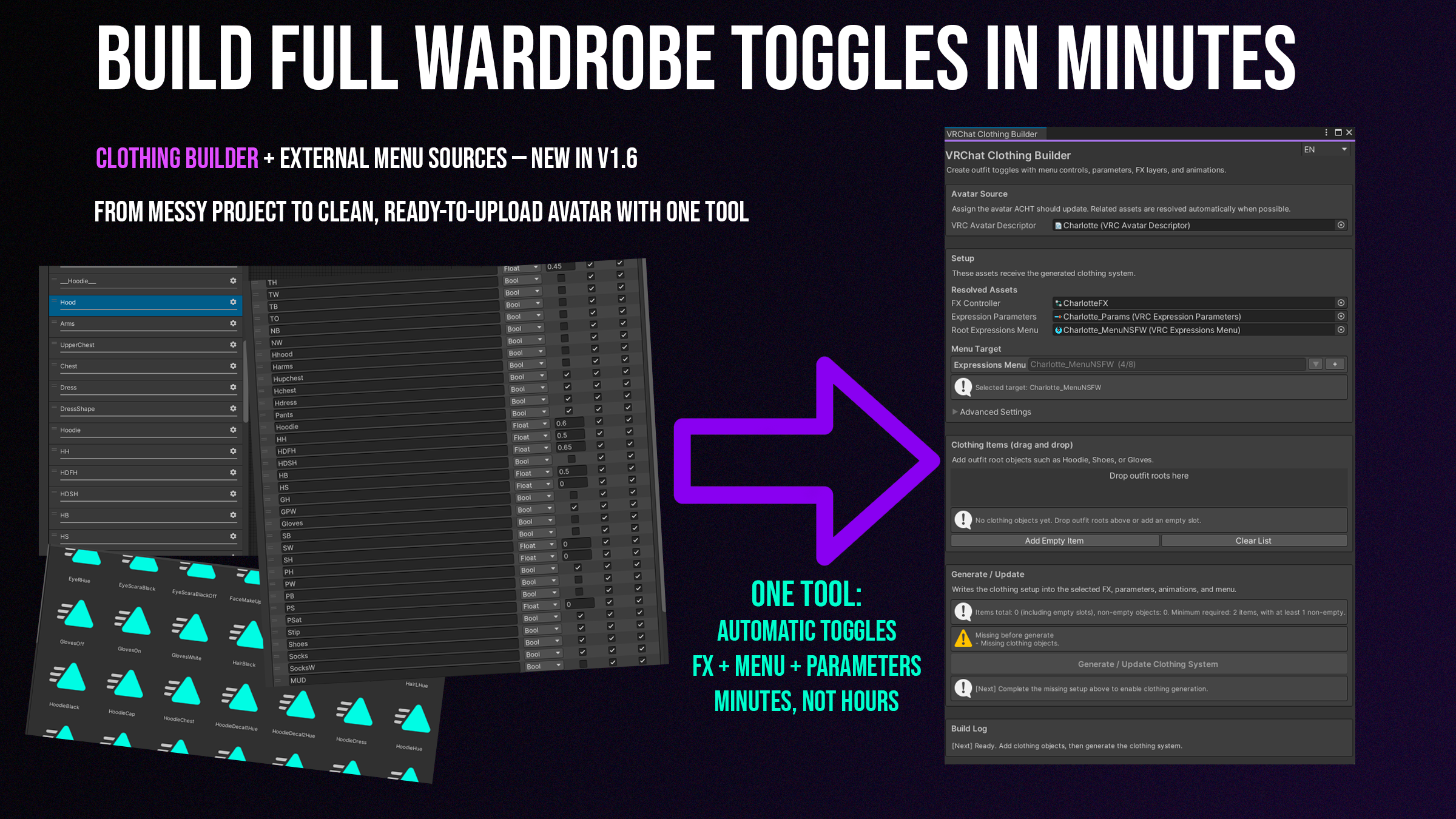
Create wardrobe toggle systems without manually rebuilding the same setup every time.
Clothing Builder helps generate outfit toggles, menu entries, parameters, FX layers and animations for clothing-heavy avatars.
Good for:
- outfit toggles;
- clothing parts;
- wardrobe menus;
- commercial avatar setup;
- commission workflows.
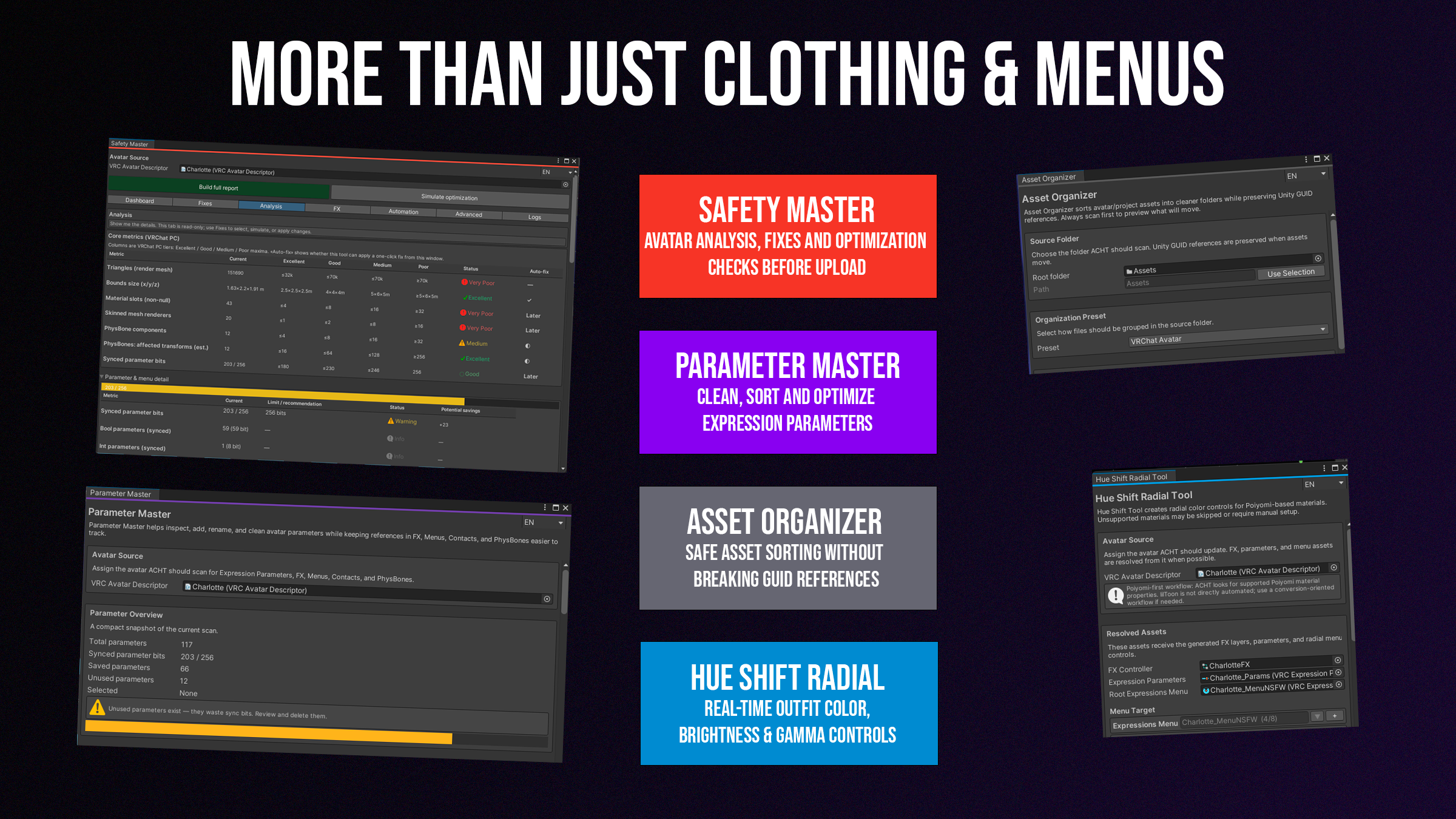
02 — Hue Shift Radial
Add radial controls for color, brightness and gamma adjustments.
Useful for avatar creators who want quick color customization without manually building every control from scratch.
03 — Transfer Tool
Transfer useful avatar setup between avatars.
Move descriptors, components, materials or other supported setup data faster when working with similar avatars, edits or variants.
04 — Menu Text Editor
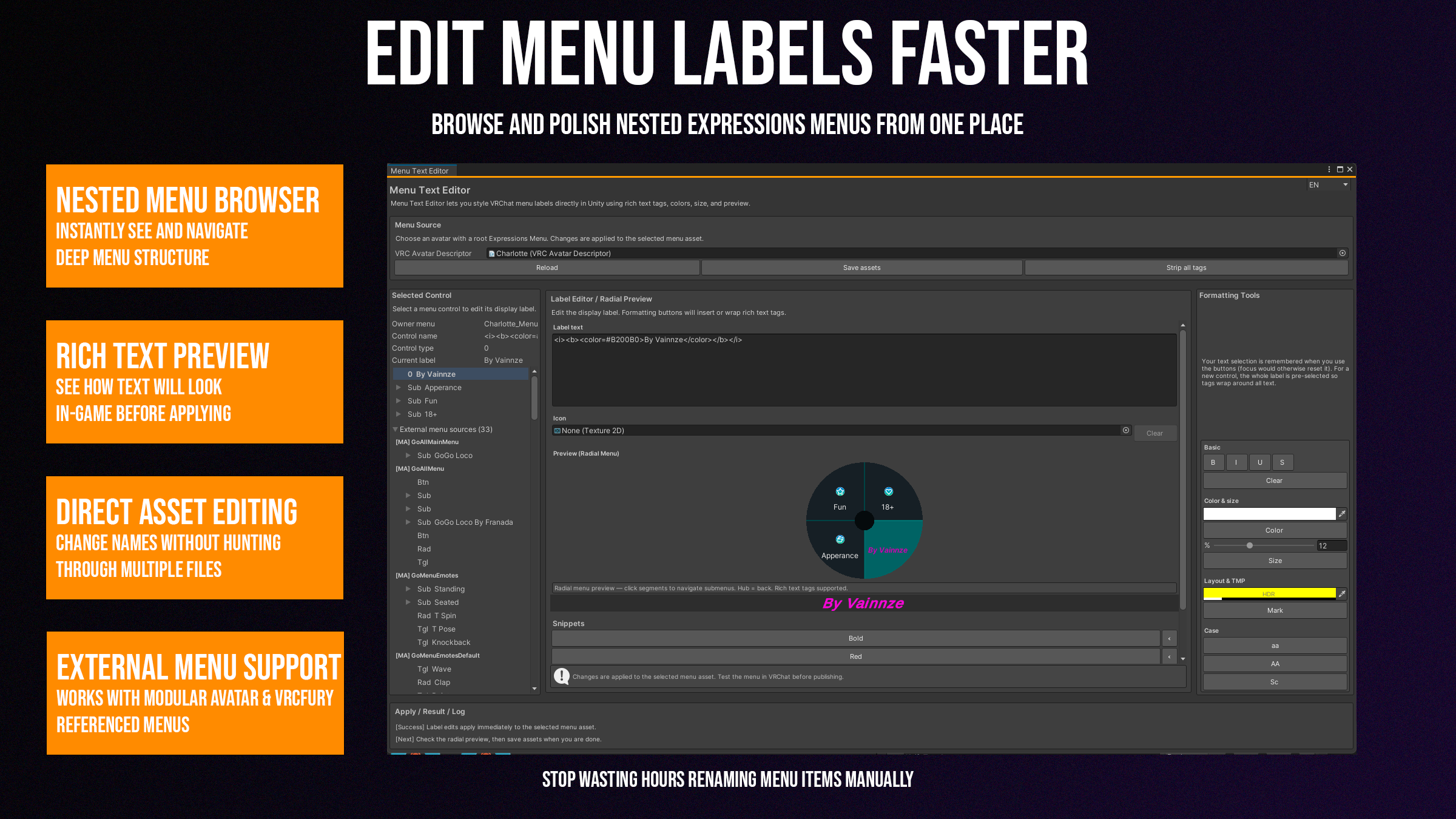
Browse Expressions Menu trees and edit item labels from one editor.
Menu Text Editor is made for polishing menu names, rich text labels and nested menu structures without digging through assets manually.
v1.6.0 also allows it to work with real external menu assets detected from Modular Avatar / VRCFury references.
05 — Safety Master
Analyze and prepare avatar projects before upload.
Safety Master helps check avatar setup, menus, parameters, FX controllers and optimization risks. It is designed as a practical cleanup and review workspace for complex projects.
06 — Asset Organizer
Sort project assets safely without breaking references.
Useful when a Unity project becomes messy after importing avatars, outfits, textures, materials and packages.
07 — Contact Master
Create interactive contact systems faster.
Set up headpat, boop, high-five and custom contacts with preview, parameters and menu support.
08 — Parameter Master
Check, sort and clean Expression Parameters.
Useful for keeping parameter lists readable and avoiding unnecessary mess in larger avatar projects.
Feature highlights
Build wardrobe toggles faster
Clothing Builder turns outfit objects into working avatar controls with menu entries, parameters, FX layers and animations.
Instead of rebuilding the same clothing setup by hand every time, you can prepare wardrobe systems directly from the ACHT Hub workflow.
Work with complex menus
Menu Text Editor and the shared menu discovery system help with nested Expressions Menus, external menu assets and real avatar menu structures.
This is especially useful for avatars using Modular Avatar or VRCFury-based workflows.
Create contacts without manual setup pain
Contact Master helps create common interactive systems like headpats, boops, high-fives and custom contacts.
It is made for creators who want the interaction setup without manually wiring every part from scratch.
Analyze and clean projects before upload
Safety Master, Parameter Master and Asset Organizer help review and clean up your avatar project before publishing or continuing work.
This does not replace careful testing, but it gives you a better workspace for catching issues and reducing project chaos.
License options
Personal License
For personal avatar projects and private use.
Choose this if you are using ACHT for your own avatars and non-commercial projects.
Commercial License
Recommended for avatar sellers, commission work, paid avatar projects and commercial VRChat content.
Choose this if you use ACHT while creating avatars, assets or setup work for sale, clients or paid distribution.
Supporter License
Includes the same access as the Commercial License, while directly supporting future ACHT Hub development, updates, fixes, and new tools.
Thank you for helping the project grow 💜
Requirements
- Unity 2022.3.x LTS
- VRChat SDK Avatars
- PC avatar projects
- Windows Unity Editor environment recommended
- Modular Avatar support: optional
- VRCFury support: optional
- Poiyomi recommended for Hue Shift workflows where applicable
Some tools may depend on how your avatar project is structured. Always test changes before publishing.
Notes / Safe use
ACHT edits real Unity assets in your project.
Please make a backup or use version control before running generation, cleanup or optimization tools. This is especially important for commercial avatar projects or heavily customized controllers.
External Menu Sources detect real menu assets referenced by Modular Avatar and VRCFury components. ACHT does not simulate generated build-time menus and does not edit virtual menu instructions. If an external menu asset is selected, ACHT edits that real menu asset directly, while Modular Avatar or VRCFury may still control where that menu appears during build.
Always test your avatar after applying changes.
Changelog — v1.6.1
Small Contact Master hotfix update.
- Fixed Contact Master preview sphere scale.
- The preview sphere now properly matches the full contact sphere size.
- Fixed a bug that limited contact creation to only 4 contacts.
- Improved Contact Master behavior when creating multiple contacts.
- Updated package version to v1.6.1.
Thank you
Thank you to everyone who supported ACHT during the beta stage.
This release is only the beginning.
More workflow improvements, compatibility updates and avatar creator tools are planned for future versions.