

Product Description
Introducing...
📱 The BleatPad! 🖼️
A OSC touchscreen tablet for your avatar, both you and your friends can directly interact with it!
 Wanna test before buying? Click here to try it in VRChat!
Easy to install!
 This asset uses VRCFury for easy setup and logic. Just drag and drop it, position it and you're ready to go!
A detailed guide and automated script is provided for easy installation.
IMPORTANT: v3.1 is a minor bug fix update, guide of v3.0 still applies.


Features:
Gesture based spawn
Easily make the tablet appear and disappear with your hands
In instance time
Keep track how long you've been inside the current instance
FPS Counter
Check your current FPS directly on the home screen! (Note: this is local, each player will see their own FPS)
X-Ray Camera*
Easily spot other players through the walls, to find your friends in the world!
(*Due to VRChat limits with cameras, this feature will work local only, other players will see a black screen)
Video Player
Where supported*, you can replicate the video player of the world directly on your tablet
Music Player
Upload your own songs inside the built-in music player, with skip function to scroll through the songs. Perfect for those worlds without a video player!
Photo Gallery
Ever wish to showcase your art or photos in VR without needing VRC+? With this tablet, you can put your own pics and scroll between them, just like on your phone!
Flashlight
Always handy to see in the dark, and this one, is very bright too!
OSC Avatar Switcher App
Change avatar in a very unique way by selecting it from the BleatPad itself, it works with a configuration per avatar, so you can have multiple configuration depending on the current avatar you're using!
Bleatcord (Discord OSC Remote)
Control your discord mute or deafen directly from the BleatPad!
VR Headset Battery and FBT Batteries Status
Check your batteries directly from the BleatPad itself!*
(*Requires supported HW that sends batteries information to SteamVR, supports up to 4 trackers, HMD battery is synced but trackers batteries are local only)
Grass App
Touch it. Do it.
Voice Activation, Voice Mute and Earmuff Status Icons
Is your microphone working? Check if the light blinks to see the incoming audio How many times you accidentally mute yourself and not notice? Now when you check your tablet you'll immediately see if you're muted or not.! Show to other players you currently have earmuffs enabled
Custom Skins and Custom colors
Multiple skins available and easy to install, or change the color of the default one to the one you like!
Free Furality Ultra Skin avaiable!
A Substance 3D Painter file is included in the base package, to create your own skins!
Change tablet settings from the tablet itself
Set the screen brightness or if other players can use the touchscreen or not.
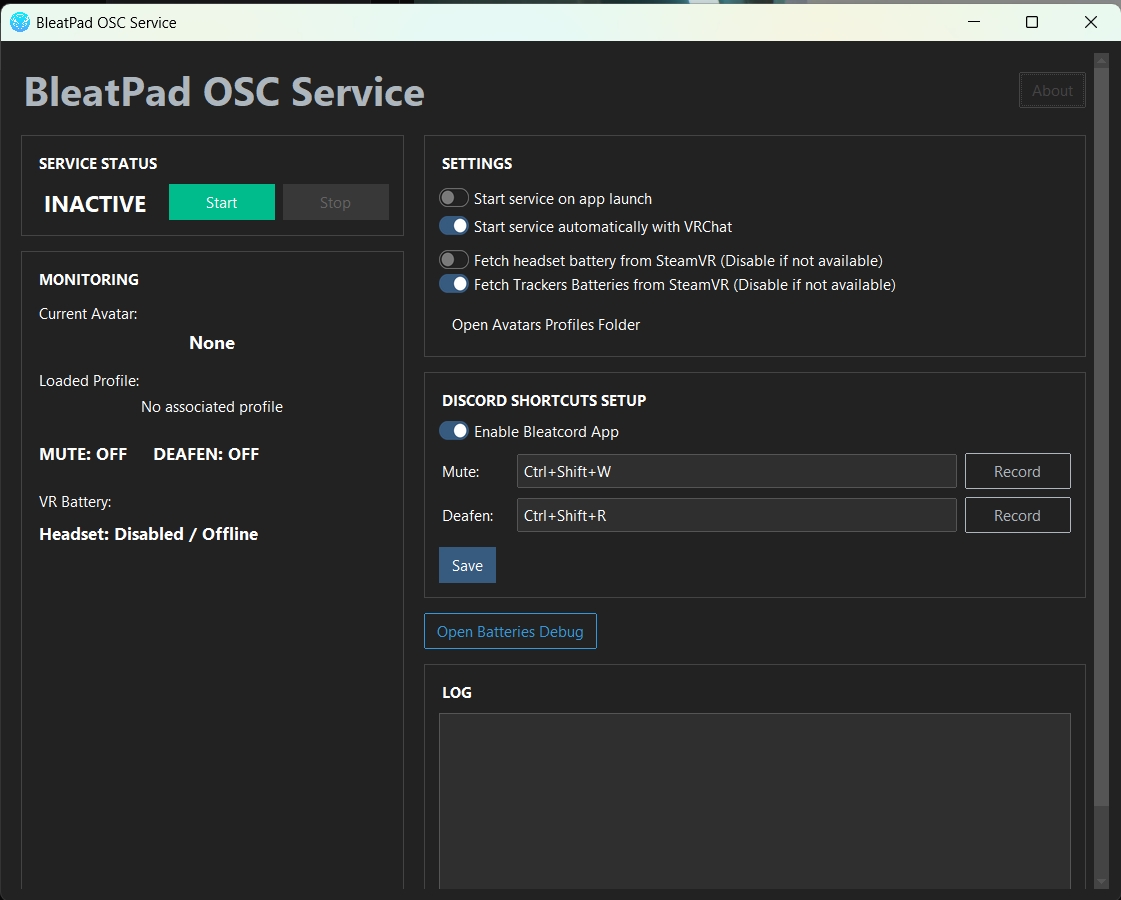
OSC Service App
A Python app that acts as a localhost server to receive and send data to the BleatPad.
*Video Players compatibility
- This asset uses Poiyomi video decals to replicate the in-world video texture. As currently stated by poiyomi documentation (April 2026), it will only work if a Video Player is broadcasting an _Udon_VideoTex Global Render Texture in the instance. If this is not the case, video won’t be able to be displayed by the asset.
- A known video player that works with the above is the ProTV 3 player. You'll be able to use the asset without problems in worlds that uses this video player if the function was not disabled by the world creator.

Requirements
- Make a backup of your project (do it, it’s good practice anyways)
- VRCFury (most recent version)
- Poiyomi Shader (min v9 or most recent version)
- Latest VRChat SDK Base & Avatars (or min v3.10.4)
- OSC Enabled in VRChat
Quest Compatibility
- This asset is not Quest compatible. Sowwy :c
Stats for nerds 🤓
Materials: 13
Meshes: 1
Triangles: 9910
Cameras: 2
Lights: 1
Parameters (list): 27
Synced bits: 88
Changelog and Known Issues
V3.1
- Fixed a bug that made the tablet always stuck in settings app and disabled touch
- Revamped the radial menu
V3.0
New:
● 5 new apps:
○ OSC Avatars Switcher App
○ OSC Discord App with mute and deafen controls
○ OSC Headset and trackers batteries App (if supported)
○ Grass App (touch it, do it)
○ Settings App to control if touch is local only or for everyone and change
display brightness
● Removed world position cords (they didn’t had much use anyways)
● Tablet battery icon now shows your headset battery (if supported)
● New default wallpaper
● Radial menu toggles have been updated
● New gestures for spawn and de-spawn of the tablet
● New gesture to drop the tablet in place instead of doing it from the radial menu
○ Tablet can be picked back up by grabbing it from the right side
○ Tablet can be picked back up from distance by using the apposite gesture
● OSC Desktop server app, required for OSC applications.
Bug Fixes:
● No bugs were reported from previous version, please reach out if you encounter any
issue, so I can look it up and fix it
Special thanks to MikiMleam for fixing the horror UV mapping I did, to T0X for helping me fix my spaghetti udon mess and materials metallic, to J'adoube for helping with the installer assistant script, Nano for checking the Python script, and to all the people that helped with testing and bug report.
Tags: video player, VRChat asset, interactive prop, funny, avatar accessory, VRChat props, 3D asset, touchscreen, music player, x-ray, players finder, gallery, print, avatar switch, osc, battery, steamvr, grass, meme, discord, remote