Product Description
🌐 Social Boundary V1 | Modular Holo-Radius for VRChat
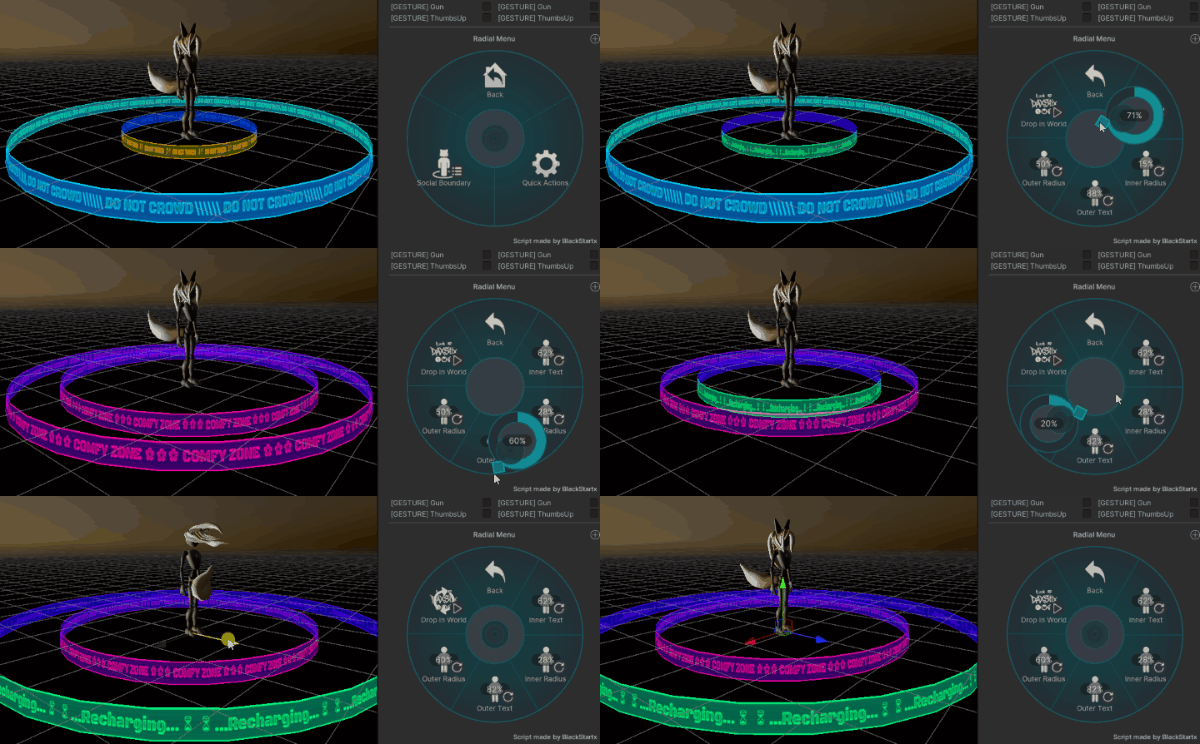
Take control of your personal space in VRChat! Social Boundary V1 is an easy-to-use, drag-and-drop holo-radius asset designed to subtly (or clearly) delimit your social zone. Drop it in the world, scale your boundaries, and switch between text presets on the fly via your radial menu.
✨ Features
- World-Drop Toggle: Instantly drop your radius into the world, or keep it centered on your avatar as you move.
- Dual Ring System: Independent controls for both the Inner Ring and Outer Ring.
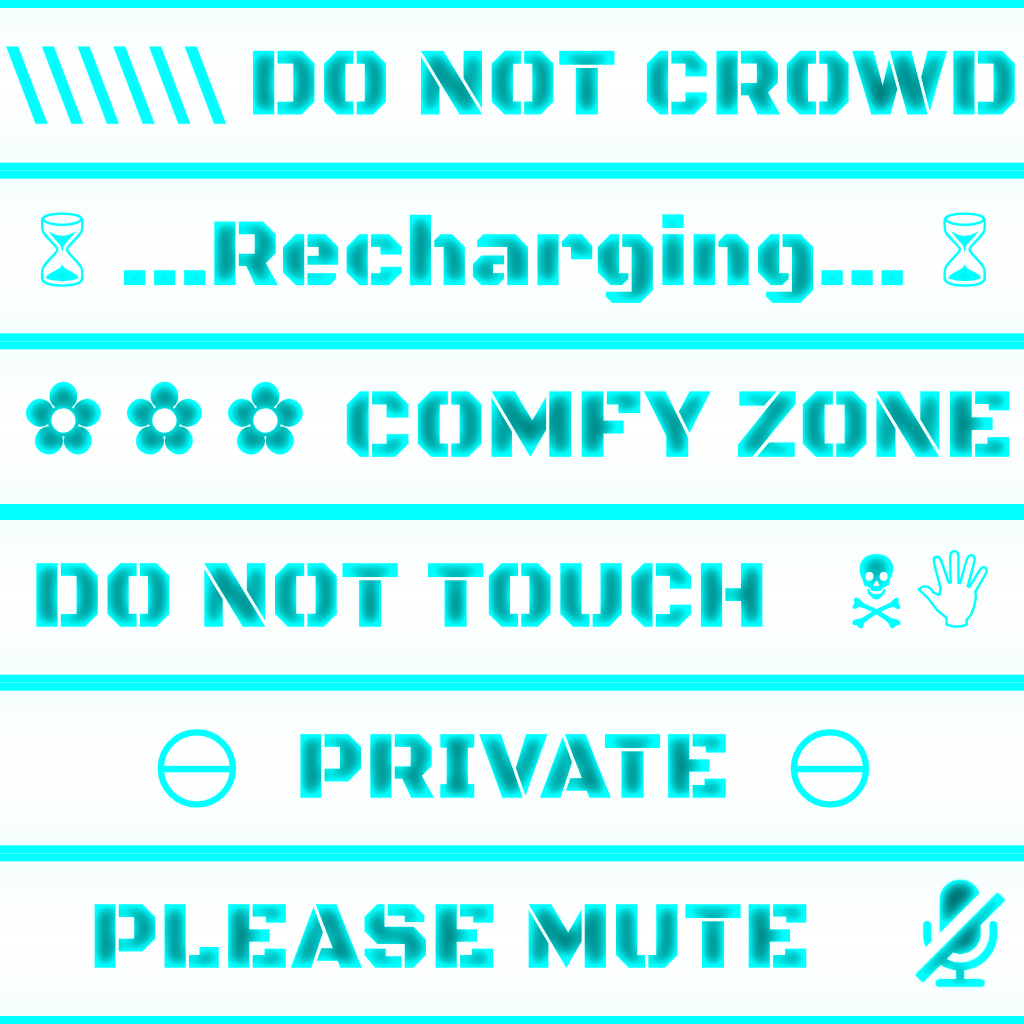
- 6 Built-In Text & Color Presets:
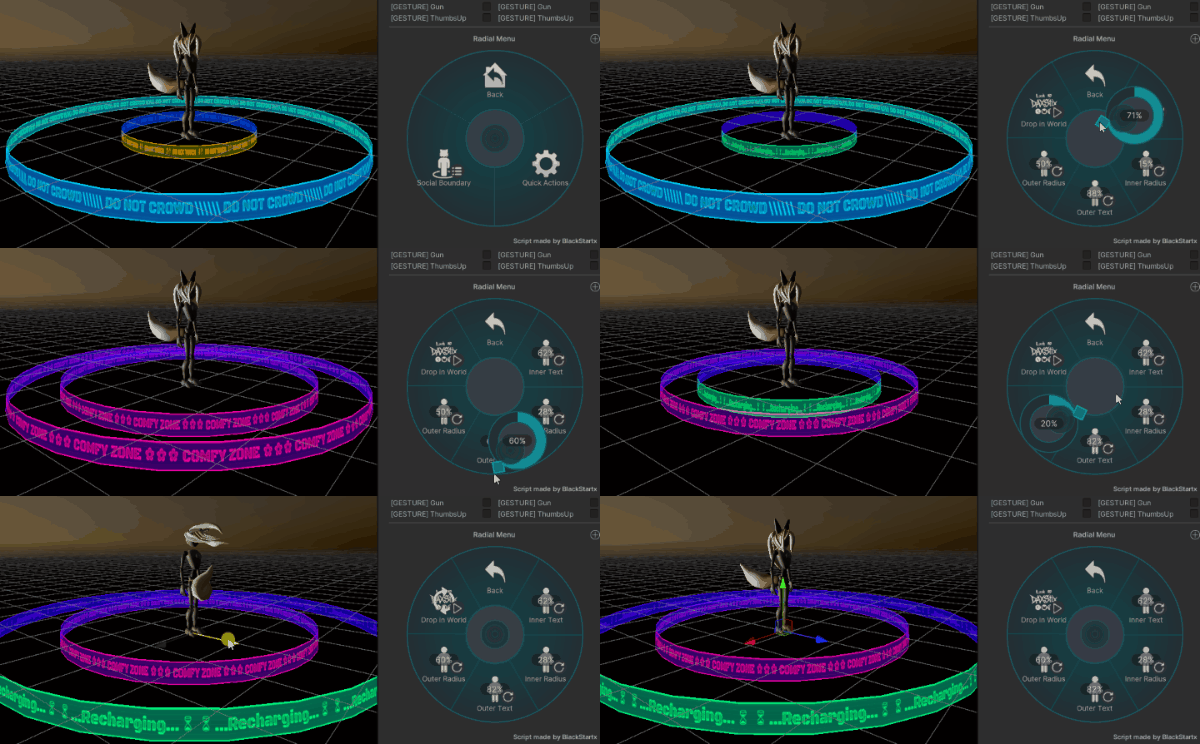
- Simple 2-slider setup per ring (Text Selector & Radius Scale).
- Built-in Off State (0%–14% threshold) so you can turn either ring off individually.
- Easy 15% step intervals on your radial sliders to switch between text/color styles seamlessly.
- VRCFury Powered: Zero hassle, zero manual animator setups.
📦 What’s Included?
- 1x Unity Package containing:
- Complete Social Boundary V1 Prefab.
- Pre-configured VRCFury components.
- Optimized textures, shaders, and material presets.
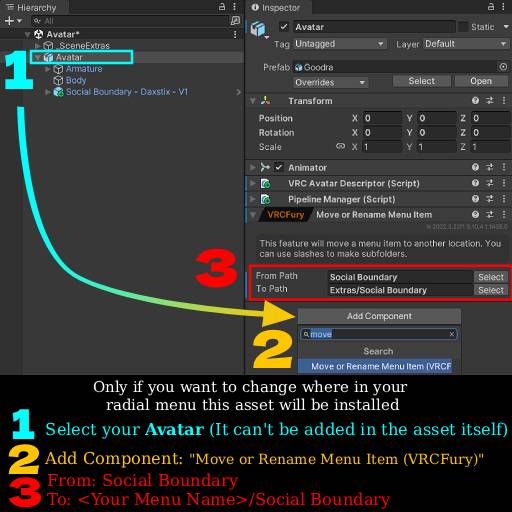
- Visual Tutorial Image for custom menu placement.
- This texture Image you can use as a template for your own textures and messages:
⚙️ How to Install (Drag & Drop!)
- Ensure you have VRCFury installed in your project.
- Drag and drop the Social Boundary V1 prefab into your Avatar’s hierarchy (no need to attach to hips or specific bones!).
- Upload your avatar and enjoy!
🕹️ Usage:
⚙️ Optional:
💡 Custom Menu Folder Placement: If you prefer to place the menu inside a sub-folder (e.g., Expressions -> Assets -> Social Boundary), simply follow the tutorial image included in the download or the listing gallery below for a quick step-by-step guide!
📑 Terms of Service & Requirements
- Requirements: VRChat SDK3, VRCFury.
- Personal License: Commercial redistribution, reselling, or sharing the raw package files is strictly prohibited.
- Compatibility: PC Compatible (Quest compatibility depends on your shader setups).