
Product Description
Security System
Create custom roles for your world, set them up once in the Editor, and hand them out through a whitelist, a keypad password, the in-world management panel, or automatically to the instance owner.
Security System is a complete role and permissions platform for VRChat worlds. Define your own roles (Admin, Security, VIP, whatever you need), decide how players get them, and make those roles do things: teleport players, play animations, and show or hide objects.
🎭 Custom roles, your way
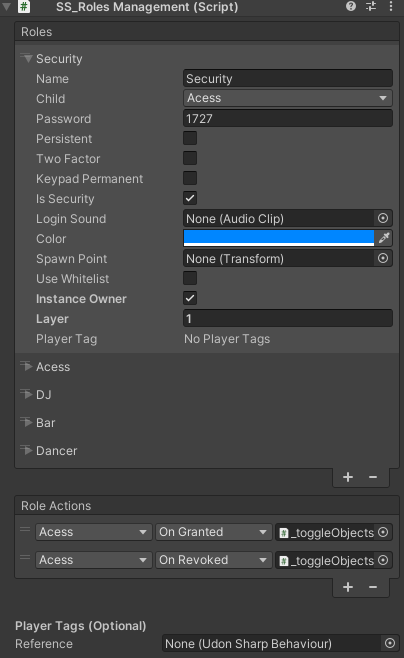
- Up to 32 roles per world, each with its own name, color, optional password, optional spawn point, and optional join sound
- Role hierarchy: a role can require another. Granting "Security" also grants "Access", and removing "Access" also removes "Security"
- 🧱 Role layers (pick one of many): give every role in a group the same Layer number and a player holds only one of them at a time, like radio buttons. Granting a role in an occupied layer, from the panel or the keypad, automatically removes the current one first, with no need to remove it manually. Roles in different layers don't affect each other, so a player can hold one role from each layer at the same time. For example, put job roles (Bartender, DJ, Guard) in one layer and rank roles (Member, VIP) in another: switching jobs never touches their rank
- 🛡️ Security role flag: mark any role as a Security role. Holding one is required to grant or revoke roles from the management panel. Players without one can view the panel, but their toggles won't do anything. Logging yourself out of your own temporary role with the keypad doesn't require it
- 🔑 Two-Factor roles: require both a whitelist entry and the correct keypad password. A whitelisted player who never uses the keypad gets nothing, and someone who guesses the password but isn't on the list gets nothing either
- 🔓 Keypad Permanent, per role: each role has its own "Keypad Permanent" option. With it off, a keypad grant is temporary and can be removed again. With it on, the keypad grant is permanent and can't be removed from the panel or keypad. This makes the system modular, because different roles on the same keypad can behave differently
- 📍 Spawn points: players holding a role are teleported to its spawn point when they join the world
- 🔊 Join sounds: a role's sound plays for everyone in the world when a player holding it joins
- 🔁 Remembered roles: flag a role so temporary holders get it back automatically if they leave and rejoin the same instance
- Everything is configured in the Unity Editor with a clean reorderable list, with no scripting needed
🎟️ Five ways to grant a role
- 🖥️ In-world management panel: staff toggle roles on or off for any player from a live player list
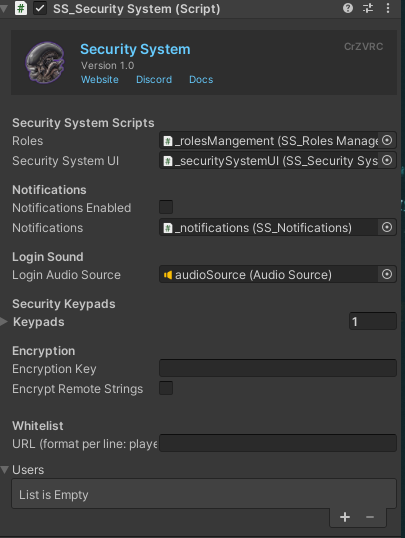
- 📝 Whitelist by name: enter names right in the Inspector, and players get their role the moment they join
- 🌐 Whitelist from a URL: pull
PlayerName, Rolelines from a text file (like a Pastebin) so you can update your staff list without re-uploading the world - 🔒 Optional encryption: store the list encrypted instead of as plain readable text. A built-in Editor tool (
CrZVRC → Security System → Encryption Tool) prepares the encrypted text for you
- 🔒 Optional encryption: store the list encrypted instead of as plain readable text. A built-in Editor tool (
- 👑 Instance owner: automatically give any role to whoever created the instance
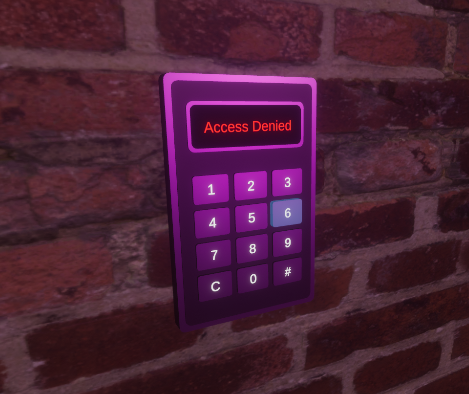
- 🔢 Security keypad: a physical 4-digit keypad in your world that grants a role when the right password is entered. Each role decides whether the keypad grants it as temporary or permanent
⏳ Temporary vs. permanent roles
How a player got a role decides whether it can be taken away:
- Temporary: roles given from the management panel, or from the keypad for roles that don't have Keypad Permanent turned on. Another player with a Security role can remove them from the panel, and the player can log themselves out on the keypad
- Permanent: roles given by a whitelist (manual or URL), as instance owner, or from the keypad for roles with Keypad Permanent turned on. They can't be removed from the panel or keypad
- Permanent means "can't be taken away during this visit", not "remembered forever". A permanent keypad grant only carries over if the player leaves and rejoins if the role is also flagged as a remembered role
- If removing a role would force a permanent role to be removed too, the whole removal is refused
👥 Player Management Panel
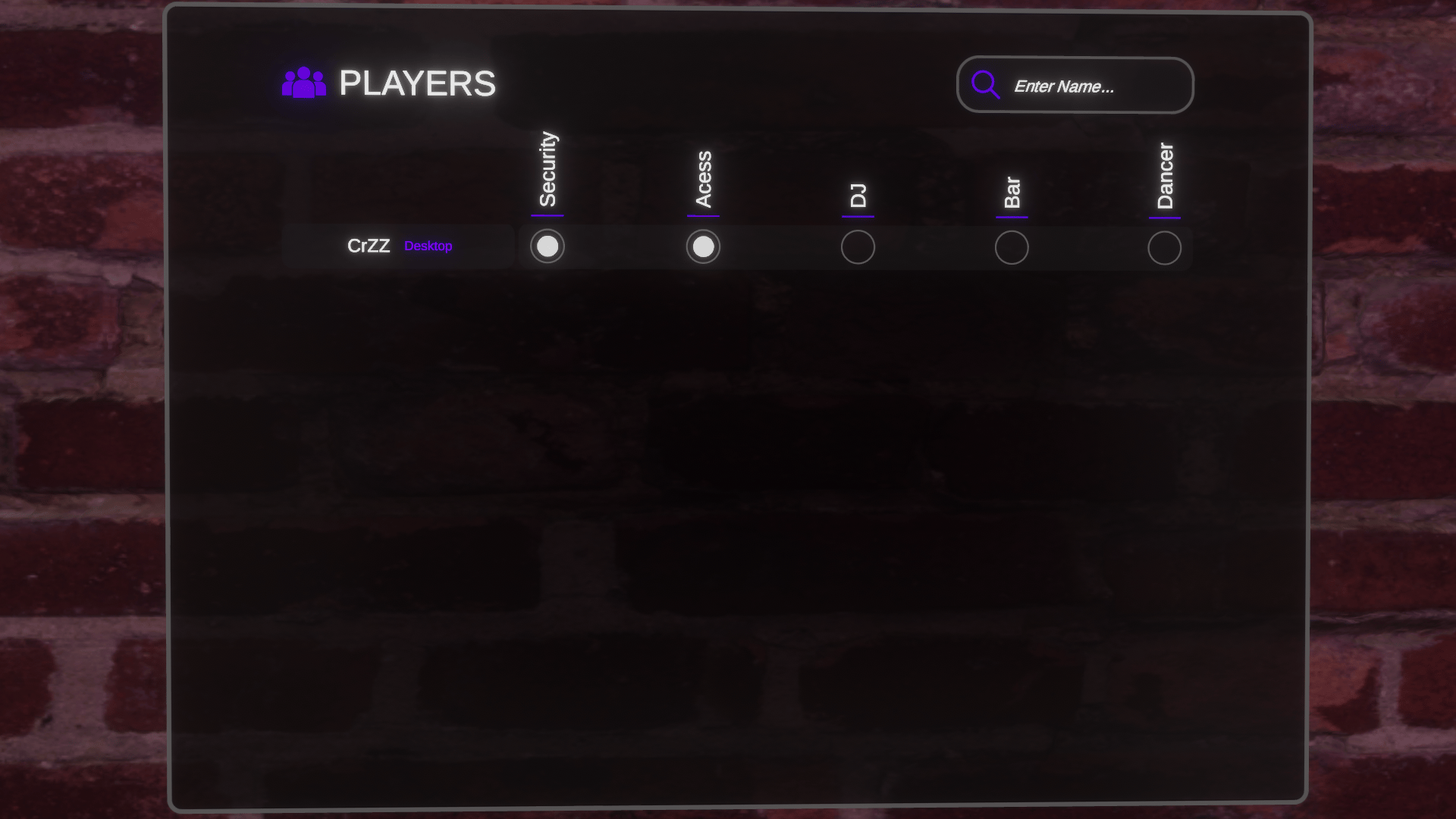
A ready-made in-world interface for managing every player currently in the world:
- Each player gets their own card showing their name and platform (VR or Desktop), with a toggle for every role
- 🔍 A search box filters the player list by name
- The panel updates automatically as players join, leave, or have their roles changed by anyone
🔢 A keypad that's ready to use
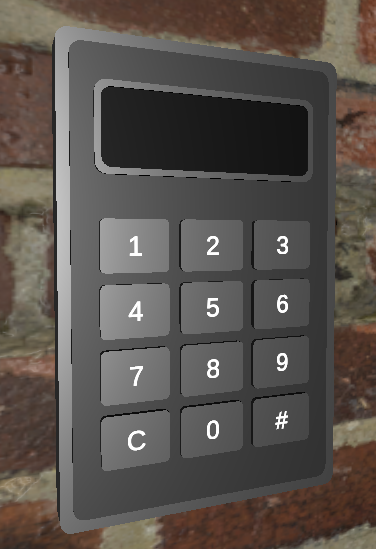
- Buttons 0–9, clear, and backspace, with key-press and access-denied sounds
- Auto-checks at 4 digits
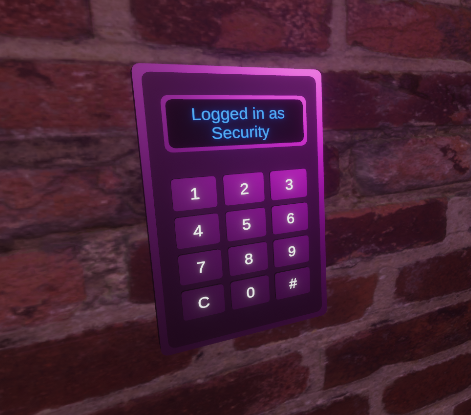
- 🪪 Shows who's logged in: a correct password briefly shows "Role Granted" (or "Removed" if you just logged out), then settles into "Logged in as Role" in that role's color. It stays up until something changes it instead of clearing after a few seconds, and it works with no setup for passwords typed into that keypad
- ❌ Wrong password: "Access Denied" flashes briefly in red, then the display goes right back to the role you're actually logged in as
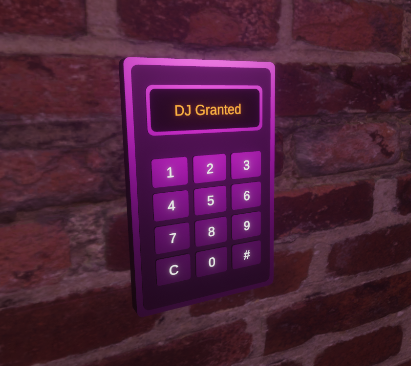
- 🏅 Most senior role shown: if you hold several roles, the display shows the most senior one according to your role hierarchy. For example, if you're logged in as "Security" and enter the password for "DJ" (a role beneath Security), you briefly see "DJ Granted", then it returns to "Logged in as Security"
- 🔄 Stays in sync across keypads (optional setup): add a keypad to the "Security Keypads" list on the main Security System object, and it also immediately shows roles you got elsewhere: from a whitelist, from the panel, or from a different keypad. A keypad left off the list still works perfectly for its own passwords
- 🔁 Automatic layer swaps: enter the password of a different role in the same layer and your current role is swapped out for the new one, and the display updates
- Doubles as a logout: enter the password of a temporary role you hold to remove it. The display then shows your next most senior role, or clears if you hold nothing else
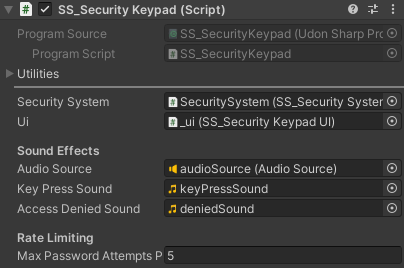
- "Too Many Attempts" message when a keypad is rate-limited
- 🚫 Brute-force protection: a configurable limit on wrong attempts per minute (5 by default), tracked per keypad and per player, so one person getting locked out never affects anyone else
⚡ Role-triggered actions
Attach any number of actions to a role being granted or revoked. The system has no limit on how many actions you can add, and it comes with three ready-to-use action types:
- 🚀 Teleport the player
- 🎬 Play an animation
- 👁️ Show or hide objects, with optional automatic reversal on revoke
Need something different? You can write your own actions and attach them the same way (see API for Creators below).
🎨 Easy-to-customize UI theming
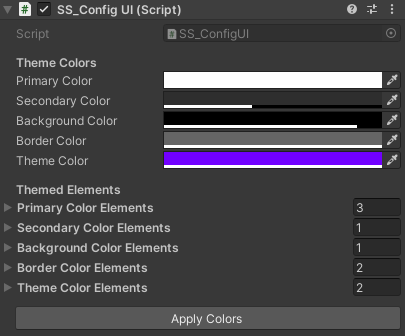
The whole UI is built around five theme colors: primary, secondary, background, border, and a theme color meant to be changed per world to match your own look. Colors are changed through a custom Editor I built for this asset, and it's designed to make it simple to choose which UI elements each color affects. Changes show up instantly in the Unity Editor, with no Play mode needed.
🧩 API for Creators
Security System is built to be extended. Its API lets your own Udon scripts read role data and hook into the asset's features, so you can shape it around what your world needs:
- 🔎 Check roles from any script: does a player have a role (by name or index), every role a player currently holds, and their single most senior role. This makes custom doors, signs, and minigames easy, and no special permissions are needed to ask
- ▶️ Trigger actions directly: Teleport, Animation Trigger, and Toggle Objects can be called straight from your own scripts, without needing a role change to fire them
- 🛠️ Write your own actions: any script that follows the simple action format can be attached to a role's grant or revoke, so a role can trigger whatever your world needs
🔗 Integrates With:
- 🏷️ Player Tags (optional): give any role a Player Tag from a dropdown of the tags defined in your Player Tags setup. The tag floats above the player's head the moment they receive the role and disappears when it's taken away. A player only shows one tag at a time, and if they hold two roles with different tags, the more senior role's tag wins. Without the Player Tags asset, the dropdown simply shows "No Player Tags" and nothing else needs configuring
- 🔔 Notification System (optional): show players a notification when they gain or lose a role, using the role's name and color. Works fine without it.
📚 Documentation & Setup
Detailed instructions for setting up and configuring this asset can be found on the official documentation website.
📜 Terms of Service & Privacy Policy
By purchasing and downloading this asset, you agree to our Terms of Service and Privacy Policy. You can read both full documents on the website.
💬 Support & Communication
All technical support, bug reports, and general communications are handled exclusively through our official Discord server. Join the Discord server here.