
Product Description
This product contains AI-generated content.
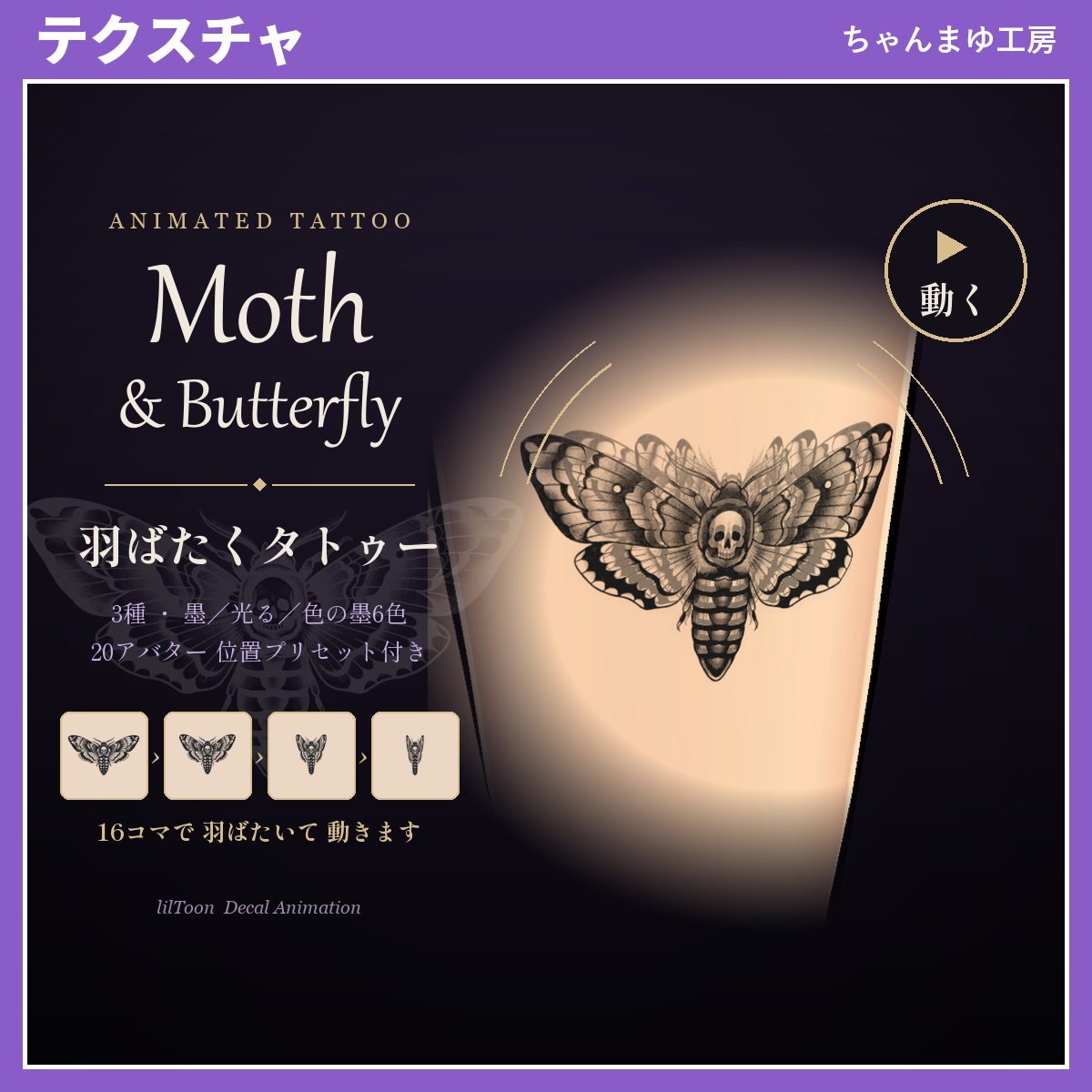
Moths and butterflies that really flap their wings on your avatar's skin, animated in 16 frames. Works on any avatar whose body material uses lilToon, with no extra shader. Position presets for 20 avatars are included, so on those it lands on the right thigh with one copy and paste.
Description
Animated tattoos that flap their wings on your avatar's skin. Inspired by black & grey realism, they are shaded with deep blacks and untouched-skin highlights, in a slightly blue-black ink that looks like a real healed tattoo.
They move with lilToon's built-in Main Color 2nd decal animation (16 frames). No extra shader is needed.
Designs
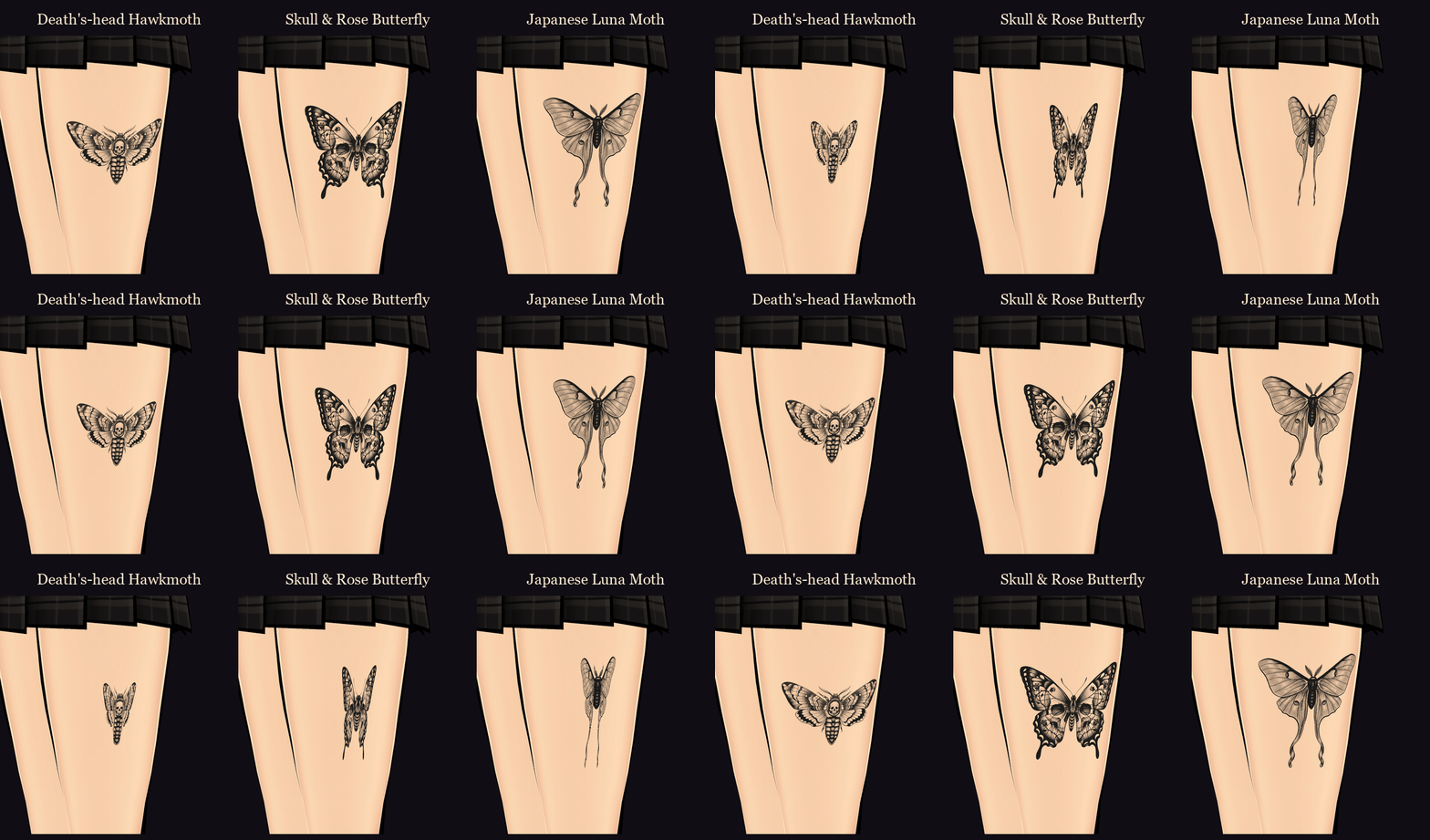
- Death's-head Hawkmoth — a memento-mori moth with a skull marking on its back
- Skull & Rose Butterfly — a butterfly whose wing pattern forms a skull and thorny roses
- Japanese Luna Moth (Ōmizuao, engraving style) — a long-tailed moth in the stippled, fine-line style of an old copperplate field-guide print
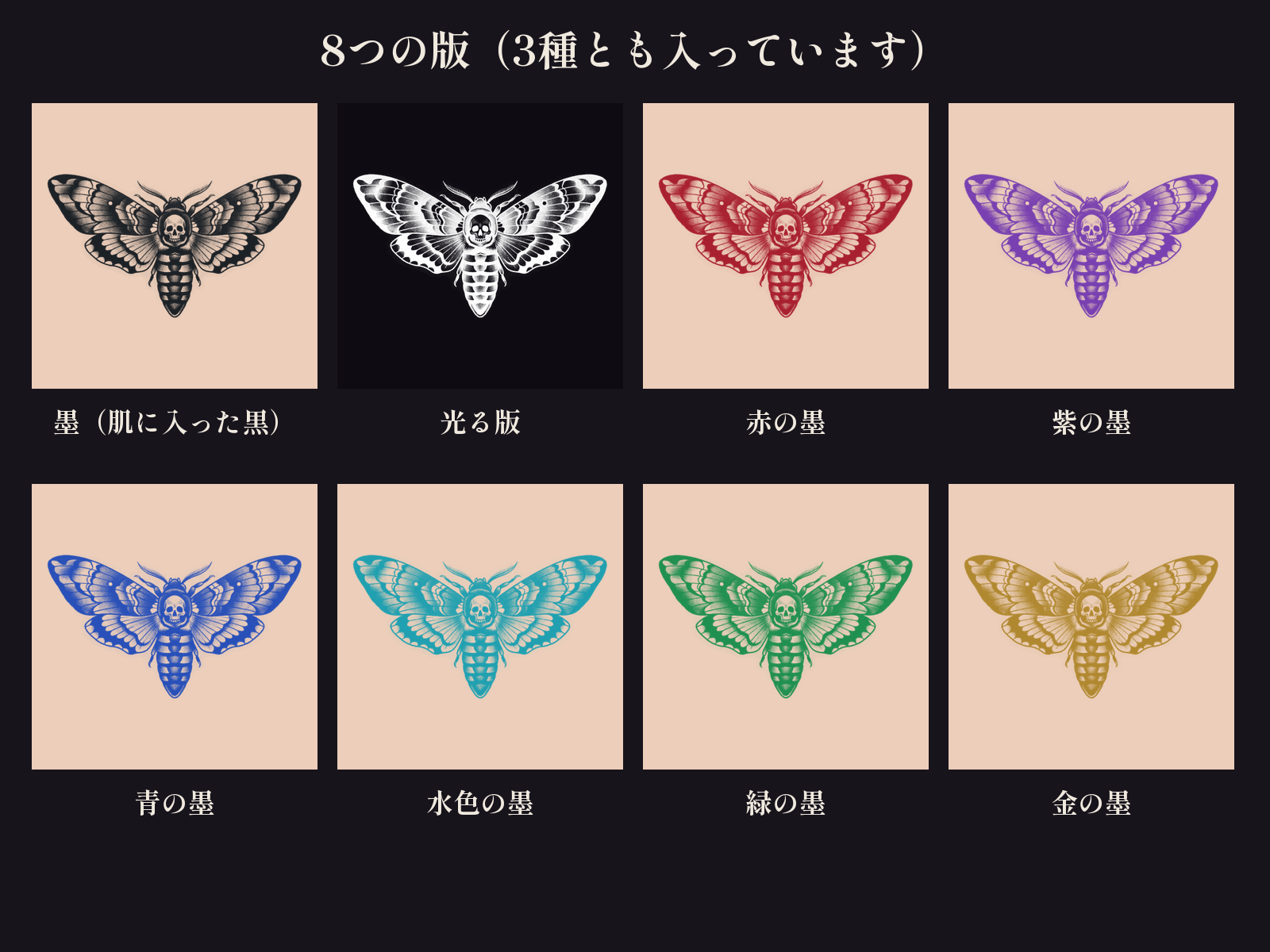
Versions (every design includes all of these)
- Ink: black ink in the skin
- Glow: glows white in the dark
- Colored ink in 6 colors: red, purple, blue, aqua, green, gold
Options
- Single design: Death's-head Hawkmoth
- Single design: Skull & Rose Butterfly
- Single design: Japanese Luna Moth (Ōmizuao, engraving style)
- 3-design set: all three in one package
What's included
- Single design: ChanmayuKobo_AnimTattoo_<Design>_v1.0.zip (unitypackage + README)
- DeathsHeadMoth = Death's-head Hawkmoth / SkullRose = Skull & Rose Butterfly / LunaMoth = Japanese Luna Moth (Ōmizuao, engraving style)
- 3-design set: ChanmayuKobo_AnimTattoo_Set_v1.0.zip (one unitypackage with all three + README)
- Inside the unitypackage: 4096×4096 textures (16 frames, 8 versions), sample lilToon materials, and position presets for 20 avatars
- README_EN.txt (English install guide and terms) and はじめにお読みください.txt (Japanese install guide and terms)
- Only tattoo textures and lilToon materials. No avatar or avatar textures are included.
Compatibility
- Shader: lilToon (tested with 2.3.4). Your avatar's body material must use lilToon.
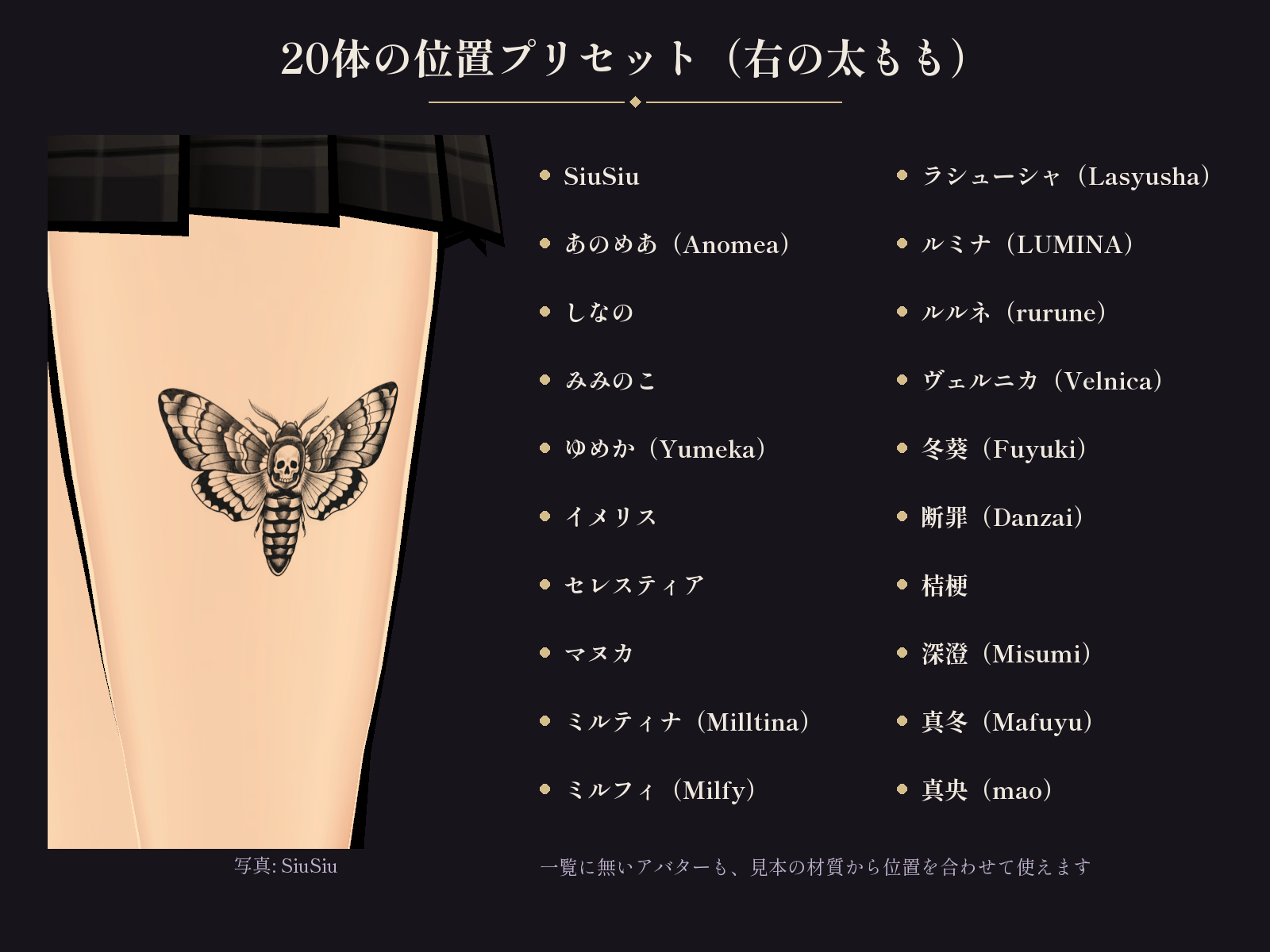
- Position presets (right thigh) are included for these 20 avatars: Anomea, Danzai, Fuyuki, Imeris, Kikyo, Lasyusha, LUMINA, Mafuyu, Manuka, mao, Milfy, Milltina, Miminoko, Misumi, rurune, Selestia, Shinano, SiuSiu, Velnica, Yumeka.
- Any other lilToon avatar: copy the settings from the sample material and adjust the position yourself (position, size and rotation are plain numbers).
- Each avatar is sold by its creator on BOOTH.
How to install
- 1. Import the unitypackage.
- 2. Open Presets/<your avatar>/, select the material, and in the Main Color 2nd section click the gear icon at the top right (▼ in older lilToon) → Copy.
- 3. Select your avatar's body material, and in Main Color 2nd click the gear icon → Paste (with texture). Plain Paste does not bring in the picture or its position.
Colored ink: just swap the texture. Glow: swap in the glow texture, then set Blending Mode to Add and Enable Lighting to 0 (or copy from the sample glow material). Speed, position and size are adjustable with numbers. Your avatar's original textures are not changed.
Good to know
- No avatar is included. Each avatar must be purchased separately from its creator.
- The product images show SiuSiu.
License
- You may use and edit these textures on your avatars in VRChat and similar platforms. Streams and videos are OK.
- You may not redistribute, share, resell or sell the textures, original or edited, in any form. This includes bundling them with an avatar or asset for sale and adding them to texture packs or asset collections.
- Do not register the textures with YouTube Content ID or any similar rights-management system.
- Full terms: the Terms of Use attached to this listing (also included in README_EN.txt). The Japanese terms on BOOTH prevail.